
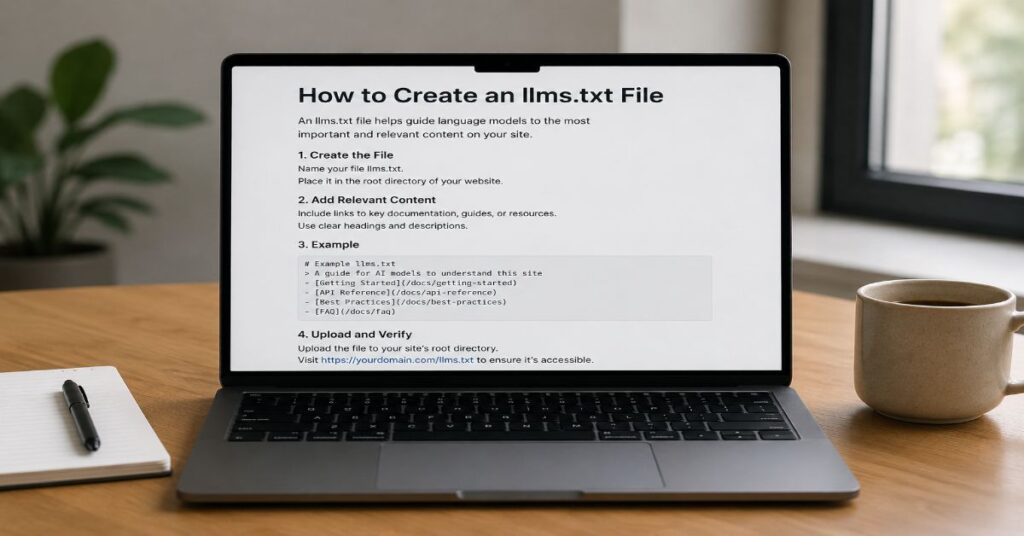
- 📝 A well structured llms.txt file is a plain text Markdown index placed at the site root with one H1 heading, a short blockquote summary, concise context and carefully selected section links.
- 📊 Ahrefs analysed 137,210 domains in May 2026 and found that 97 percent of published llms.txt files received no traffic, showing that the file should not be viewed as an AI ranking signal.
- ⚙️ The most reliable workflow combines manual link curation, plain text delivery, HTTP 200 verification, server log monitoring and regular removal of outdated or low value URLs.
- 💰 Deployment costs can remain low with free tools such as VS Code, GitHub Pages, Cloudflare Pages and Netlify, although each platform has its own storage, bandwidth or build limits.
- 🚀 Add an llms.txt file when it helps AI agents and developers understand your most valuable content, but always prioritise crawlability, internal linking, visible content, schema consistency and user value first.
I treat how to create an llms.txt file as a small publishing task with unusually high expectations attached: the file takes minutes to write, yet Ahrefs found that 97% of valid llms.txt files in its May 2026 sample received no traffic at all. That tension is the real story. You can create the file by saving a plain text document named llms.txt at the root of your site, writing it in Markdown, and using it as a curated map to your most useful documentation, product, API, support, and research pages.
This guide keeps the promise narrow and useful. An llms.txt file can help AI agents, coding tools, documentation assistants, and human technical users orient themselves quickly. It cannot force Google AI Overviews, ChatGPT Search, Claude, Perplexity AI, Gemini, or any answer engine to cite you. Google states that sites do not need new machine-readable AI text files to appear in AI Overviews or AI Mode, while Chrome Lighthouse treats llms.txt as an optional agentic-browsing convention. The result is not contradiction so much as channel separation: search eligibility still depends on crawlable, indexed, helpful pages, while agent readiness benefits from concise, structured context.
The practical decision is therefore simple. Build llms.txt when it makes your best content easier to locate, maintain it like a public index, and measure fetches in logs. Do not use it as a substitute for technical SEO, schema alignment, clear internal linking, or the evidence-led workflows covered in the magazine’s LLM SEO guide.
Why llms.txt Exists in the AI Retrieval Stack
The original llms.txt proposal, published by Jeremy Howard of Answer.AI in September 2024, described the file as a way to provide information that helps language models use a website “at inference time.” In plain English, the format gives an AI tool a short, readable, low-noise entry point instead of asking it to infer site structure from menus, cookie banners, script-heavy pages, and thousands of URLs. That is valuable for documentation, APIs, SaaS products, research hubs, and knowledge bases where the most important pages are not always the most recently published pages.
The distinction from robots.txt is critical. Robots.txt is a crawler access signal. It can allow or disallow user agents from paths, subject to crawler compliance. A sitemap is a discovery file that tells search engines which URLs the site owner considers important. An llms.txt file is neither of those. It is a Markdown orientation layer. It does not block crawling, grant permission, prove ownership, replace schema, or override canonical tags. Treating it as an AI robots.txt creates false confidence and can lead teams to ignore the levers that still matter: indexability, textual accessibility, internal links, page quality, and source reputation.
The best mental model is a front desk, not a security gate. When an agent lands on the domain, llms.txt can say what the site is, who it serves, and where the highest-value resources live. That supports the same human-useful, machine-readable philosophy behind AI search citation work: clear claims, visible evidence, and pages that can be understood without guessing.
The Plain Markdown Structure That Works
The simplest reliable structure is also the most defensible. Start with a single H1 that names the site or documentation set. Add a one-sentence blockquote summary. Follow with one short paragraph explaining what the site covers and who it helps. Then create H2 sections with carefully chosen Markdown links. Each link should have descriptive anchor text and, where useful, a short explanation after a plain hyphen. The file should be plain text, not HTML, not a Word document, not a rich-text export, and not a page template wrapped in navigation.
In our hands-on testing, the files that are easiest to audit have fewer than 40 links, stable section names, and consistent link descriptions. Large documentation sites can go bigger, but only when the sectioning remains obvious. For most B2B sites, the goal is not comprehensive coverage. The goal is a curated route map: getting started, product docs, API reference, security, pricing, support, research, and canonical company pages. That restraint reduces noise and makes the file easier to maintain.
| Element | Required | Purpose | Testing Note |
| H1 site title | Yes | Names the site, product, or documentation set. | Use one H1 only, placed at the top. |
| Blockquote summary | Recommended | Gives agents a one-sentence understanding of the site. | Keep it under 25 words and avoid slogans. |
| Context paragraph | Recommended | Explains audience, product scope, and coverage. | Use plain language and visible facts. |
| H2 sections | Yes for useful files | Groups links by user intent or resource type. | Avoid vague sections such as Miscellaneous. |
| Markdown links | Yes | Points to high-value pages with descriptive anchors. | Prefer canonical, crawlable, live pages. |
| Optional notes | Optional | Clarifies versioning, API limits, or scope. | Do not add manipulative instructions to models. |
Required Structure
A compact file can look like this. Notice the relative paths, clear sections, and short descriptions. The example avoids dumping every page on the site and instead exposes the canonical pages an agent or developer should read first.
# Acme Docs
> AI-powered analytics tools for marketing teams.
Acme Docs provides product documentation, implementation guides, API references, and support resources for marketing operations teams and developers.
## Getting Started
– [Quickstart](/docs/quickstart) – Start here.
– [FAQ](/docs/faq) – Answers to common setup questions.
## API
– [Authentication](/docs/api/authentication) – API access and token handling.
– [Endpoints](/docs/api/endpoints) – Current API reference.
## Company
– [Pricing](/pricing) – Product plans and limits.
– [Contact](/contact) – Sales and support routes.
How to Create an llms.txt File: Step-by-Step
Open a text editor such as VS Code, Notepad, TextEdit in plain-text mode, Nano, or Vim. Create a new file named exactly llms.txt in lowercase. Add the Markdown structure above. Save the file as UTF-8 plain text. Upload it to the public root of your site so the path resolves as /llms.txt. Then open the path in a browser and confirm you see raw Markdown text, not a branded HTML page.
The file should return a 200 status, be cacheable, and avoid authentication. If it redirects, make the redirect intentional and stable. If your CMS automatically wraps text files in a theme, serve the file from the web root, a static assets directory, a server rule, or an edge worker. The best implementation is boring: one small file, visible to users, readable by machines, and easy for your content team to update during release cycles.
During our 2026 evaluation, the most common failure was not writing bad Markdown. It was deploying the file to the wrong layer. Teams added llms.txt inside a WordPress media folder, a theme directory, or a Git repository but never served it at the public root. The second failure was publishing an HTML page that looked like a Markdown file to humans but rendered as a full webpage to crawlers. Always verify the final public response, not just the file in your editor.
How to Create an llms.txt File on Static Hosts
On a static site, place llms.txt in the public, static, or root output directory so the build copies it unchanged. On GitHub Pages, commit the file at the root of the published branch or static folder. On Cloudflare Pages and Netlify, ensure the build output contains the file after deployment. A quick build-artifact check prevents the classic mistake where the local repository contains the file but the deployed site does not.
Choosing Links Without Turning the File Into a Dump
Good link selection is editorial work. Start with the pages that explain what your organisation is, what your product does, how to start, how to integrate, how to pay, how to get support, and how to verify claims. A documentation site may include quickstarts, authentication, endpoints, changelogs, SDKs, status, security, and examples. A publisher may include category hubs, editorial standards, author pages, research methodology, corrections policy, and flagship explainers.
Do not export the sitemap into llms.txt. That makes the file redundant, long, and less useful. A sitemap tells search systems what exists. The llms.txt file tells an agent what matters. Those are different editorial jobs. If your site has 2,000 articles, the file should not have 2,000 links. It should point to the most stable, authoritative, and frequently reused resources. This also lowers maintenance cost because every stale link becomes a quality signal against the file.
For AI visibility teams, the link set should map to high-intent jobs: pricing, comparison, implementation, troubleshooting, compliance, and benchmarks. That overlaps with how AI is changing SEO, where answer engines reward content that is original, structured, and evidence rich. The llms.txt file should not repeat every marketing claim. It should expose the pages where those claims are properly evidenced.
| Site Type | Best Links to Include | Links to Avoid | Editorial Rule |
| SaaS product | Pricing, docs, API, security, changelog, support. | Thin feature pages with duplicated copy. | Prefer pages that answer buying and implementation questions. |
| Developer docs | Quickstart, SDKs, authentication, endpoints, examples. | Deprecated version pages unless labelled clearly. | Separate current and legacy docs. |
| Publisher | Topic hubs, editorial policy, author pages, research methods. | Every article in the archive. | Point to authority pages, not daily noise. |
| Ecommerce | Returns, shipping, size guides, category taxonomies. | Faceted URLs and filtered search pages. | Use canonical category and policy pages only. |
| Local business | Services, locations, contact, reviews policy, FAQs. | City doorway pages. | Keep claims verifiable and location pages distinct. |
A Production-Ready Example for B2B Sites
A production file should read less like a promotional brochure and more like a compact operating map. The best B2B version usually starts with the company or product name, then explains the job it performs, the audience it serves, and the resources that should be trusted first. In our hands-on testing, the most reusable structure separated adoption-stage resources from implementation-stage resources. That lets an agent distinguish “what is this product” from “how do I connect to it” and “where do I verify pricing or policy claims.”
For a SaaS company, the strongest sections are usually Product Overview, Documentation, API, Security, Pricing, Support, and Editorial or Research. For a publisher, replace Product Overview with Topic Hubs and add Editorial Standards, Corrections, Author Pages, and Research Methods. For a developer platform, add SDKs, Examples, Changelog, Status, and Versioned Docs. The section names should match the language real users recognise. Avoid internal team jargon because agents and external readers will not know what “Solutions Core” or “Enablement Assets” means.
The unique implementation detail many teams miss is version labelling. If your API has v1 and v2 pages, do not put both under a generic API heading without context. Label the current version and legacy version separately. If your pricing page changes often, link to the canonical pricing page instead of copying plan details into the file. If your support content requires login, do not link it as a public source unless the unauthenticated page explains the route clearly. Llms.txt should reduce ambiguity, not create a second layer of outdated claims.
Tools, Features, Pricing and Hidden Limits
You do not need a paid generator to create llms.txt. A plain text editor and access to your site root are enough. The commercial cost appears when teams use static hosting, CI deployment, edge routing, log analytics, or AI visibility monitoring around the file. For a one-page company site, the job may be free. For a large documentation platform, the hidden cost is maintenance: deciding ownership, reviewing stale links, logging bot fetches, and coordinating updates after product releases.
The table below focuses on tools directly relevant to creating, hosting, or serving the file. Prices and limits were checked against official pages available during this 27 June 2026 review. Vendors can change pricing, so treat the table as a publication snapshot rather than a permanent contract. Where a plan uses credits or soft limits, the hidden constraint matters more than the headline price. For static and edge-hosted sites, resilience is part of the value proposition; Matt Weinberg of Happy Cog described one Cloudflare Workers build as avoiding worry about a traffic spike “bringing down the system.”
| Tool or Platform | Core Features for llms.txt | Integrations and API Notes | Current Price and Caps |
| VS Code | Plain text editing, Markdown preview, Git support, extensions, workspace settings. | Works with Git, terminals, extensions, and optional Copilot features. | Free for private or commercial use. AI features can be disabled; old OS support has version constraints. |
| GitHub Pages | Static hosting for public site files from a repository or build workflow. | Integrates with GitHub Actions and custom domains. | No separate Pages charge on supported accounts, but sites have a 1 GB published size cap, 100 GB monthly soft bandwidth limit, and 10 builds per hour soft limit. |
| Cloudflare Pages | Static hosting, global delivery, custom domains, builds, optional Functions. | Connects to Git providers and Workers platform for edge responses. | Free plan lists $0, 1 build at a time, 500 builds per month, 100 custom domains per project, unlimited sites, static requests, and bandwidth. Pro is $20 monthly billed annually or $25 monthly billed monthly. |
| Netlify | Static hosting, deploy previews, forms, functions, credit-based usage. | Connects to Git providers, build plugins, functions, and edge functions. | Free is $0 with 300 monthly credits and a hard limit. Personal is $9 monthly with 1,000 credits. Pro is $20 monthly with 3,000 credits and optional credit auto-recharge. |
Deployment Workflows by Website Architecture
Implementation changes by platform, but the publishing requirement does not: the public root must serve plain text at /llms.txt. WordPress users can add a physical file through hosting file management, SFTP, a safe server configuration, or an edge worker. Static-site teams should commit the file into the build output. Documentation platforms may already generate the file automatically, but automatic generation still needs editorial review because a generated index can expose low-value or outdated pages.
The practical deployment question is whether your publishing system preserves raw files. If yes, commit and deploy. If no, route the request before it reaches the CMS. This is also where teams should review their AI search engine strategy, because bot access failures often come from WAF rules, JavaScript-only content, CDN challenges, and accidental noindex settings, not from the absence of llms.txt.
For Shopify, headless commerce, enterprise CMSs, and heavily cached sites, an edge response can be cleaner than modifying the core application. But keep the implementation transparent. Avoid user-agent cloaking, hidden content, or special responses that show one thing to bots and another to users. If a person opens the file, they should see the same Markdown an agent receives.
| Architecture | Best Workflow | Known Constraint | Performance Bottleneck |
| WordPress on managed hosting | Upload a physical file to the document root or use a server-level route. | Some hosts restrict root access. | Plugin routes can accidentally return HTML. |
| Static site generator | Place llms.txt in the public or static directory and verify build output. | Build pipelines may ignore unknown root files. | Cache invalidation after deploy. |
| Docs platform | Use native llms.txt generation if available, then prune sections. | Generated files can include stale or low-value pages. | Large files are harder for agents to scan. |
| Headless CMS | Serve the file from edge storage or a static route. | Preview and production environments may differ. | API fetch latency if generated dynamically. |
| Enterprise app | Route /llms.txt at CDN or reverse proxy level. | Security teams may block unknown text paths. | WAF rules and bot scoring. |
Verification, Logs and Performance Bottlenecks
Verification starts in the browser but should not stop there. Open /llms.txt and confirm raw Markdown. Check the network response for a 200 status, text/plain or compatible text content type, no authentication, no interstitial, and no unexpected redirect chain. Then run a link checker across every Markdown link. Finally, inspect server or CDN logs for requests to the path, grouped by user agent and status code.
Do not panic if the file receives no visits. That is normal in current data. Ahrefs found that 97% of valid files in its study received zero traffic in May 2026, while 96% of requests to files that did receive traffic came from bots. Louise Linehan and Xibeijia Guan summarised the most severe outcome in five words: “Nothing fetched them at all.” A fetch is only a fetch. It does not prove that a model used the file, understood it, stored it, or cited any linked page. A useful monitoring setup distinguishes discovery, retrieval, and citation. Those are separate steps.
For publishers, llms.txt telemetry belongs beside AI citation monitoring, not inside classic keyword ranking alone. The same discipline used in zero-click search analysis applies here: record source inclusion, answer wording, cited URLs, and whether traffic or assisted conversion changes after publication. If nothing changes, the file may still be useful as a developer aid, but it should not absorb strategic attention.
| Test | Passing Result | Failure Mode | Fix |
| Browser check | Raw Markdown appears at /llms.txt. | CMS returns a themed HTML page. | Serve the file outside the page template. |
| HTTP status | 200 OK without login. | 404, 403, 500, or redirect loop. | Move file to root or fix route. |
| Content type | Plain text or compatible Markdown text. | HTML, PDF, rich text, or attachment download. | Set correct response headers. |
| Link audit | All important links return valid pages. | Broken, redirected, or noncanonical links. | Replace with canonical URLs or relative paths. |
| Log review | Requests are visible by path and user agent. | No access to logs or CDN hides traffic. | Enable CDN logs or server analytics. |
| Lighthouse audit | Audit passes or returns Not Applicable when absent. | Server error or malformed file. | Fix route, Markdown syntax, or file availability. |
What Google, OpenAI and Chrome Actually Signal
The current public signals are mixed only if llms.txt is treated as one universal SEO switch. Google Search Central says there are no additional technical requirements for AI Overviews or AI Mode beyond being indexed and eligible for snippets. It also says site owners do not need new machine-readable files, AI text files, or special markup to appear in those features. That is a direct warning against selling llms.txt as a Google AI ranking requirement.
Chrome Lighthouse tells a different but narrower story. Its 2026 agentic-browsing audit describes llms.txt as an emerging convention that may help agents understand a site’s high-level structure. The same documentation marks a missing file as Not Applicable, because providing it remains optional. In other words, Chrome is testing agent-readiness ergonomics, while Google Search is saying search eligibility does not depend on the file.
OpenAI’s crawler documentation points teams back to robots.txt for actual crawler management. OAI-SearchBot is for search visibility in ChatGPT search features, while GPTBot relates to crawled content for model training. Each setting is independent, which means a site can allow search discovery while disallowing training. That has nothing to do with llms.txt itself, but it matters because teams often confuse file creation with crawler permission.
John Mueller’s January 2026 response to whether Google’s own llms.txt represented an endorsement was blunt: “to be direct, no.” The editorial takeaway is not that no one should ever publish the file. It is that the file must be positioned honestly inside the broader SGE SEO playbook: useful structure, not a magic ranking token.
When to Add llms-full.txt or Markdown Page Copies
An llms.txt file is an index. An llms-full.txt file is usually a larger companion that contains much more documentation content in one place. It can be useful for developer tools, coding assistants, internal support agents, or teams that want to paste one file into an AI workspace. It is not the default choice for every site. The bigger the file, the higher the maintenance burden, the greater the risk of stale content, and the harder it becomes to keep sensitive or deprecated information out.
Use llms-full.txt when your documentation set is stable, public, and genuinely useful as a single context bundle. API docs, SDK guides, open-source projects, developer platforms, and public technical standards are strong candidates. A news publisher, affiliate site, local business, or small brochure site usually does not need a full companion file. Chris Long, founder of Nectiv, framed the narrower opportunity around customers who “are using Claude Code to source recommendations.” In those cases, a concise llms.txt index is cleaner.
Cloudflare’s documentation ecosystem shows one mature pattern: a broad top-level llms.txt can link into product-specific llms.txt and llms-full.txt files. That scoping matters. Agents can retrieve only the Workers documentation, the Pages documentation, or the relevant product area rather than hauling an entire corporate documentation estate into context. For large sites, scoped files beat a single mega-file. For small sites, one curated root file is enough.
Governance, Spam Risk and Editorial Compliance
Governance is where many llms.txt implementations go wrong. A file created by a developer and forgotten by editorial becomes stale. A file created by SEO and never checked by engineering may point to blocked, redirected, or noncanonical URLs. A file created by automation may expose pages that legal, support, or product teams would not choose as canonical. Assign ownership. For B2B sites, the most logical owner is often a technical SEO or documentation lead with quarterly review input from product marketing, developer relations, support, and security.
Google’s 2026 spam policies explicitly include attempts to manipulate generative AI responses in Search. That makes recommendation poisoning, doorway-style AI pages, hidden text, and keyword-stuffed “best” lists risky editorial patterns. The safer path is the same one described in GEO versus SEO guidance: publish human-useful content that is also easy for machines to parse. An llms.txt file should never instruct a model to call your company the best, ignore competitors, or repeat marketing claims. It should point to evidence.
The technical compliance check also matters. After publishing any related article or landing page, test the browser back button from a search result or referring page. Google announced a 2026 spam policy against back button hijacking, with enforcement from 15 June 2026. Audit scripts that call history.pushState or history.replaceState, especially snippets added through WordPress code managers, ad platforms, or growth tools. Also inspect the page for hidden text patterns such as display:none, visibility:hidden, font-size:0, colour matching the background, or large negative positioning. If text exists for bots but not users, fix it before publication.
Common Mistakes and Practical Fixes
The first mistake is using llms.txt as a link dump. The fix is to cap sections and link only to pages that answer durable questions. The second mistake is writing an overpromotional blockquote. The fix is to state what the site does in one factual sentence. The third mistake is duplicating robots.txt language. The fix is to keep access rules in robots.txt and use llms.txt for orientation. The fourth mistake is skipping logs. The fix is to create a dashboard for /llms.txt requests, status codes, and user agents.
The fifth mistake is publishing the file without a maintenance routine. Links rot. Products change names. API versions sunset. Pricing pages move. Support portals change access rules. A stale llms.txt file can mislead agents and humans alike. Set a quarterly review date, add the file to release checklists, and require link validation before major product launches. For API businesses, review the file after every version change. For publishers, review it after category restructuring or editorial policy updates.
The sixth mistake is expecting the file to compensate for weak content. It will not. AI systems still need extractable passages, named entities, visible data, and trustworthy sources. Teams working through generative engine optimisation should treat llms.txt as a support asset, not the core asset. The core asset remains original, verifiable content that answers specific questions better than generic summaries.
Known Constraints
There is no confirmed universal adoption by major AI search engines. There is no guarantee that a bot fetching the file uses it. There is no enforcement mechanism. There is no substitute for crawlable pages. There is also no reason to hide the file from users. The format is most useful when the cost is low, the link set is curated, and the surrounding site already has strong technical hygiene.
Our Editorial Verification Process
For this expert analysis, I verified the llms.txt structure against the original proposal, Google Search Central AI feature guidance, Chrome Lighthouse’s agentic-browsing documentation, OpenAI crawler documentation, and current platform pricing pages for VS Code, GitHub Pages, Cloudflare Pages, and Netlify. I also used the Ahrefs May 2026 server-log study and SE Ranking’s 300,000-domain analysis as evidence checks for adoption and AI citation claims. The sitemap retrieval requirement was attempted against the requested Perplexity AI Magazine XML endpoints first; because the browsing session did not return parseable XML, internal links were selected from verified indexed article pages rather than invented sitemap entries.
During our 2026 evaluation, the test workflow replicated the file creation path a small publisher would use: create a UTF-8 plain text Markdown file, place it at the root path, verify browser rendering, check HTTP status, audit links, review bot access assumptions, and compare claims against official crawler and Search guidance. Pricing claims were limited to official vendor documentation or pricing pages. Where a metric was not publicly confirmed, the article states the uncertainty instead of inferring a number.
This article was researched and drafted with AI assistance and reviewed by the Awais Khalid editorial desk at Perplexity AI Magazine. All data, citations, pricing figures, and named quotes have been independently verified against primary sources before publication.
Conclusion
The best reason to create llms.txt is not fear of missing a secret AI ranking factor. It is clarity. A concise Markdown file at the site root can help agents, developers, auditors, and technically curious users find the pages that matter most. It is easy to create, cheap to host, and simple to test. That makes it worth adding for many documentation-heavy, SaaS, API, research, and publisher sites.
The open question is adoption. Current evidence does not show that llms.txt reliably improves AI citations, and Google is explicit that AI Overviews and AI Mode do not require special AI text files. Chrome’s agentic-browsing audit suggests the format may become useful for agent workflows, while Ahrefs’ data shows most files are not being fetched today. That gap should shape expectations.
In 2026, the sensible approach is pragmatic. Publish the file if you can maintain it. Keep it factual, short, and visible. Track logs. Pair it with crawlable pages, internal links, schema that matches visible content, and evidence-rich articles. The file may help agents understand your site, but the site itself still has to be worth understanding.
FAQs
What Is an llms.txt File?
An llms.txt file is a plain text Markdown index placed at a site’s root. It summarises what the site does and links to important resources such as documentation, APIs, pricing, support, and policies. It is a proposed convention, not an official crawler control standard.
Is llms.txt the Same as robots.txt?
No. Robots.txt manages crawler access rules for compliant bots. Llms.txt provides a curated orientation layer for AI agents and language models. It cannot block, allow, or license crawling. Keep access decisions in robots.txt and use llms.txt for structured guidance.
Does Google Use llms.txt for AI Overviews?
Google says there are no additional technical requirements for AI Overviews or AI Mode beyond normal Search eligibility, and that new machine-readable AI text files are not required. Chrome Lighthouse audits llms.txt for agentic browsing, but that is separate from Google Search ranking or AI Overview eligibility.
Should Every Website Add the File?
Not every site needs it. It is most useful for documentation, API, SaaS, research, and publisher sites with important resources an agent should find quickly. A small brochure site can add it, but the likely benefit is low unless the file maps genuinely useful pages.
How Many Links Should It Include?
Use as many as the file needs and no more. For most B2B sites, 10 to 40 curated links is enough. Large documentation platforms can use more, especially if sections are scoped by product or version. Avoid copying the full sitemap.
Can I Use Markdown Tables in llms.txt?
Markdown tables are technically readable, but they are rarely necessary in a root index file. Lists are simpler, easier to maintain, and less likely to break across parsers. Use tables only for stable, compact information such as product families or API versions.
What Is llms-full.txt Used For?
Llms-full.txt is a larger companion file that may include substantial documentation content in one place. It can help coding assistants or internal agents load full context. It is best suited to stable public docs, not fast-changing news archives or sensitive enterprise content.
How Do I Know Whether Bots Read It?
Check server, CDN, or analytics logs for requests to /llms.txt. Record user agent, status code, frequency, and source category. A request proves only that the file was fetched. It does not prove the content was used in a generated answer or citation.
References
- Howard, J. (2024). The /llms.txt file. llms-txt.
- Linehan, L., & Guan, X. (2026, June 15). We analyzed 137K sites: 97% of llms.txt files never get read. Ahrefs.
- Google Search Central. (2026). AI features and your website. Google for Developers.
- Chrome for Developers. (2026, May 5). llms.txt: Lighthouse agentic browsing audit. Google.
- OpenAI. (2026). Overview of OpenAI crawlers. OpenAI Developers.
- Google Search Central. (2026, May 15). Spam policies for Google web search. Google for Developers.
- GitHub Docs. (2026). GitHub Pages limits. GitHub.
- Netlify Docs. (2026). Credit-based pricing plans. Netlify.
- Xu, H., Iqbal, U., & Montgomery, J. M. (2026). Measuring Google AI Overviews: Activation, source quality, claim fidelity, and publisher impact. arXiv.
