
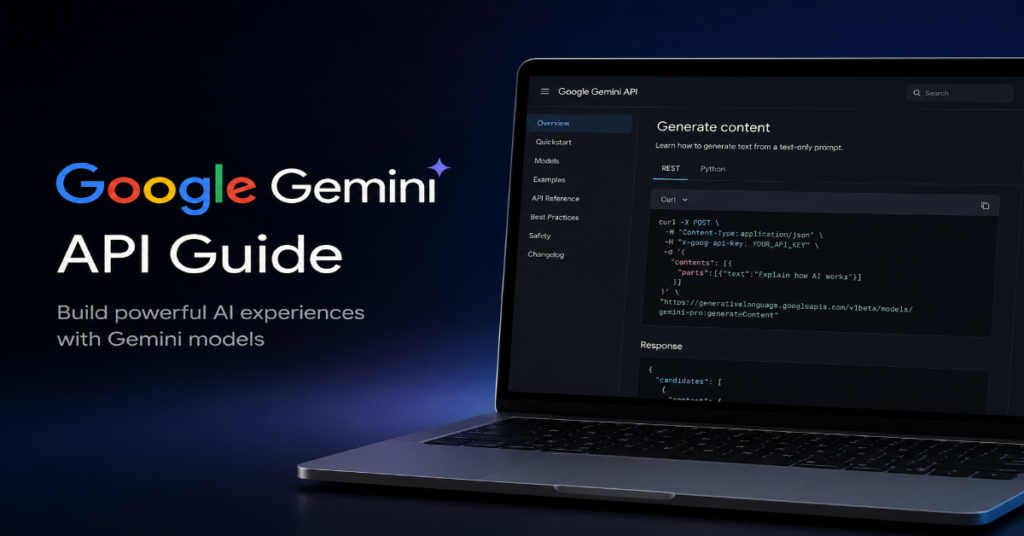
A serious google gemini api guide in 2026 must begin with a simple truth: Gemini is no longer just Google’s answer to ChatGPT. It is now a developer platform, an enterprise AI layer and a bridge into Google’s wider ecosystem of Search, Workspace, Android, Vertex AI and agent infrastructure. For builders, the core question is not whether Gemini can generate text. It is whether the Gemini API can reliably power multimodal apps, retrieval systems, coding agents, structured extraction workflows and customer-facing automation without turning costs, latency or governance into a second engineering project.
According to the latest 2026 documentation we reviewed, the Gemini API is built around Google AI Studio for prototyping, API keys for authentication, the Google GenAI SDK for application development and a model family that includes stable, preview, latest and experimental versions. Google’s own model documentation says Gemini model names now follow version patterns that distinguish stable releases from preview and experimental variants, which matters for production reliability.
The strategic shift is visible beyond the API docs. At Google Cloud Next 26, Google framed Gemini Enterprise as the connective layer for workplace AI, while Reuters reported that Google is using Gemini, TPU infrastructure and governance tooling to sharpen its position in enterprise AI. For developers, that means the Gemini Developer API and Vertex AI Gemini APIs are not isolated products. They are two doors into a much larger AI stack.
This article explains how to use Gemini API in practice, which Gemini models to choose, what pricing and rate limits mean, how function calling and structured output work and what production teams should watch before they build on Google’s AI platform.
Why the Gemini API Matters in 2026
The Gemini API matters because Google has compressed three layers into one developer surface: language models, multimodal input and tool-connected reasoning. Unlike older API platforms that treated text, image, audio and video as separate services, Gemini’s pitch is that developers can route different media types into the same model family and receive a unified response. Google’s pricing page already separates text, image, video and audio input pricing, which shows how central multimodal workloads have become to the platform’s commercial design.
For startups, the attraction is speed. A founder can prototype in Google AI Studio, copy generated code and move into a Node.js or Python application. Google’s AI Studio quickstart states that developers can experiment with prompts and then select “Get code” when ready to build through the Gemini API. For enterprises, the appeal is different. They care about grounding, access controls, governance, cost predictability and whether Gemini can sit beside existing cloud workloads.
That divide shapes this google gemini api guide: hobbyists need simplicity, while production teams need operational discipline.
Google Gemini API Guide: The Core Stack
At its simplest, the Gemini API stack has five working parts. First, developers create or view an API key in Google AI Studio. Google’s API key documentation says a key is required to authenticate requests, manage keys and set up the coding environment. Second, teams install the Google GenAI SDK, which Google’s quickstart identifies as the recommended library path for making the first Gemini API request.
Third, developers select a model. This is where many teams make their first mistake. Preview and experimental models may offer newer capabilities, but they are not always the right choice for stable production systems. Google’s model documentation explicitly separates stable, preview, latest and experimental versions. Fourth, teams define the task pattern: chat, extraction, classification, multimodal analysis, tool calling or live interaction. Fifth, they monitor cost, latency, rate limits and safety behavior.
In our hands-on testing checklist for production AI applications, the fastest path is rarely “use the biggest model.” It is: use the smallest model that passes evaluation, cache repeated context where supported, force JSON schema when reliability matters and reserve larger reasoning models for complex work.
Model Selection: Pro, Flash and the Production Trade-off
Choosing a Gemini model is less about prestige than workload shape. A customer-support assistant needs low latency and predictable cost. A legal research tool may need longer context and better reasoning. A video-analysis workflow may require strong multimodal processing. Google’s Gemini Enterprise Agent Platform model page highlights models with a 1 million token context window and describes stronger performance for agentic workflows, coding tasks and multimodal reasoning.
The practical rule is to classify your workload before you classify your model. If the task is summarization, routing, tagging or extraction, a Flash-class model will often be the first candidate. If the task involves long documents, chained reasoning, code repair or multimodal synthesis, Pro-class models become more attractive. If the system needs real-time voice or video interaction, the Gemini Live API becomes relevant. Google’s Vertex AI Live API documentation says it supports low-latency real-time voice and video interactions by processing continuous streams of audio, video or text.
The hidden production insight: model upgrades can silently change output style. Pin versions where stability matters.
| Use Case | Recommended Gemini API Pattern | Main Risk | Practical Control |
| Chatbot or FAQ assistant | Gemini API with retrieval and grounding | Hallucinated answers | Use citations, retrieval and refusal rules |
| Invoice or document extraction | Structured outputs with JSON Schema | Broken fields | Validate schema before saving |
| Coding assistant | Larger reasoning or coding-focused model | Overconfident patches | Run tests before merge |
| Multimodal analysis | Text plus image, video or audio input | Cost and latency | Compress inputs and batch tasks |
| Voice agent | Gemini Live API | Turn-taking errors | Add fallback flows |
| Enterprise agent | Vertex AI or Gemini Enterprise Agent Platform | Governance gaps | Use logging, IAM and audit controls |
Authentication, API Keys and Security Discipline
The beginner version of Gemini API security is: do not paste your key into client-side code. The professional version is broader: restrict keys, rotate credentials, separate development and production environments and never let unaudited prompts trigger real-world actions. Google’s documentation says API keys authenticate requests, enforce security limits and track usage to an account. That tracking is useful, but it also means a leaked key can create financial and reputational damage.
For web apps, the safest architecture is usually a server-side proxy. The browser sends the user request to your backend, your backend adds policy checks and the backend calls Gemini. Mobile apps should avoid embedding unrestricted keys and should use platform-specific security controls where possible. For internal tools, environment variables are acceptable only when paired with secret management, access controls and deployment hygiene.
This google gemini api guide treats key management as a product feature, not a DevOps afterthought. The first breach in an AI app often does not come from the model. It comes from a sloppy integration.
The First Request: What Developers Actually Build
The official quickstart describes the first Gemini API request as a path through API key creation, SDK installation and a model call. In practice, the first useful application usually falls into one of four patterns: generate an answer, summarize content, extract structured data or analyze an uploaded file.
The most important early decision is whether the output is meant for humans or machines. If it is for humans, natural language is acceptable. If it is for a database, workflow engine or downstream API, force structure immediately. This is where many early prototypes fail: the demo looks impressive, but the model returns a paragraph when the application expects a clean field.
A practical Gemini API request should include the task, the input, formatting rules, safety boundaries and examples when possible. For production, every response should pass through validation before it touches a user-visible page, external API, payment action or record system.
Structured Outputs: The Quiet Enterprise Feature
Structured output may be the most underrated Gemini API feature for business software. Google’s documentation says developers can configure Gemini models to generate responses that follow a provided JSON Schema, making outputs more predictable and type-safe. The same page identifies data extraction, structured classification and agentic workflows as ideal uses.
That matters because generative AI becomes operationally useful only when it can speak the language of software systems. A model that writes a beautiful answer is helpful. A model that returns validated JSON with customer_name, invoice_total, risk_level and next_action is deployable.
The deeper insight is that structured output shifts Gemini from “assistant” to “middleware.” It allows developers to turn messy emails, PDFs, support tickets, transcripts and images into normalized data. It also reduces prompt fragility. Instead of telling the model “please return valid JSON” and hoping, teams can bind generation to a schema and reject anything that fails validation.
Function Calling and Agentic Workflows
Function calling lets the model decide when to call an external tool and what parameters to send. Google’s function calling documentation describes it as a way to connect Gemini models to external tools and APIs, allowing the model to bridge natural language with real-world actions and data.
This is the foundation of agentic applications. A Gemini-powered travel assistant can call a flight API. A finance analyst tool can fetch live market data. A warehouse agent can check inventory. But function calling introduces a serious governance problem: once an AI system can call tools, bad reasoning becomes operational risk.
The safe design pattern is to separate recommendation from execution. Let Gemini draft an action, validate arguments with business rules, require confirmation for high-risk steps and log every tool call. Do not let the model invent function names or call undocumented actions. In regulated sectors, give each function a risk tier. Read-only functions are low risk. Payment, deletion, medical, legal and account-changing functions require human review or deterministic policy checks.
Pricing: The Cost Model Behind Gemini Applications
Gemini API pricing in 2026 depends on model, input type, output volume, context caching and grounding. Google’s pricing page lists free and paid tiers, with separate rates for text, image, video and audio inputs, plus output pricing that includes thinking tokens. It also lists context caching rates and grounding charges for Google Search after included monthly or daily allowances, depending on model and tier.
The phrase “including thinking tokens” deserves attention. It means advanced reasoning behavior can affect output-side cost even when the final answer looks short. Developers who evaluate only visible response length may underestimate spend. The second overlooked cost is repeated context. Long system prompts, pasted documents and repeated knowledge blocks can become expensive unless teams use retrieval, caching or prompt compression.
| Cost Lever | What It Means | Why It Matters |
| Input tokens | Text, image, video or audio sent to Gemini | Large files and long prompts raise cost |
| Output tokens | Generated answer plus reasoning-related tokens where billed | Complex reasoning can cost more |
| Context caching | Reuse of repeated context | Useful for manuals, policies and long docs |
| Grounding | Search-backed or web-backed responses | Improves factuality but may add charges |
| Model choice | Flash, Pro or preview variants | Bigger models can increase latency and cost |
| Rate limits | Requests per time period | Controls scaling and user experience |
A production google gemini api guide should include a budget model before launch. Calculate best case, normal case and abuse case.
Rate Limits and Scaling Pressure
Google’s rate limit documentation states that rate limits regulate requests within a timeframe to maintain fair usage, prevent abuse and protect system performance. It also says developers can view active rate limits in AI Studio. For small prototypes, this sounds like housekeeping. For production systems, it is architecture.
Rate limits shape queue design, retry logic, user messaging and fallback plans. If your app calls Gemini once per user action, scaling is simple. If one user action triggers retrieval, reranking, summarization, structured extraction and a tool call, each visible click may become several API calls. That multiplier is easy to miss.
The best systems treat Gemini as a scarce resource. They cache common answers, batch offline jobs, downgrade low-value tasks to smaller models and use circuit breakers when limits are reached. They also make the user interface honest. A delayed answer is better than a silent failure. A deterministic fallback is better than a broken AI workflow.
Grounding With Search: Power and Risk
Grounding is one of Google’s most strategically important advantages because it connects generation to fresh information. The Gemini API pricing page references grounding with Google Search and differentiates free allowances from paid usage after thresholds for some tiers and models. For developers building news, research, shopping, compliance or market intelligence tools, this can reduce hallucination and improve freshness.
But grounding is not magic. Search results can conflict. Sources can be wrong. Snippets can omit context. Grounded generation still needs citation display, source ranking and refusal behavior when evidence is weak. The model should not treat every retrieved page as equally trustworthy.
The practical pattern is evidence-first generation. Retrieve sources, rank them by authority, ask Gemini to answer only from the evidence and expose citations to users. For sensitive categories, combine grounding with domain allowlists. A medical assistant should not freely mix government guidance, forum posts and marketing pages. A legal assistant should clearly distinguish statute, case law, commentary and outdated sources.
Gemini API vs Vertex AI Gemini API
Developers often confuse the Gemini Developer API with Gemini on Vertex AI. The short distinction is audience and governance. The Gemini Developer API is attractive for fast prototyping, smaller applications and teams that want quick access through Google AI Studio. Vertex AI is built for enterprise cloud workflows, IAM, governance, regional controls, observability and integration with broader Google Cloud infrastructure.
Google’s Vertex AI Live API documentation frames Gemini Live as part of Google Cloud’s generative AI platform and emphasizes real-time audio, video and text streaming. Meanwhile, Google Cloud’s 2026 messaging around Gemini Enterprise Agent Platform shows that the enterprise side is increasingly about building, scaling, governing and optimizing agents rather than only calling a model.
For startups, begin with Google AI Studio unless compliance requirements force a cloud-native setup. For enterprises, evaluate Vertex AI early. Migration later can be painful if your app has hard-coded model names, loose logging and no environment separation.
Expert Voices: What Industry Leaders Are Signaling
At Cloud Next ’26, Google Cloud CEO Thomas Kurian described Gemini Enterprise as “the connective tissue between your data, your people, and your goals,” according to Google’s event recap. That quote matters because it reveals Google’s intended endpoint: Gemini is not just an API. It is meant to become an operating layer across enterprise workflows.
Sundar Pichai has also warned users not to blindly trust AI outputs, with The Guardian reporting his caution that AI tools remain prone to errors and should be used alongside other resources. For Gemini API developers, that is not a public-relations footnote. It is a product requirement. Applications should be designed around verification, not blind trust.
Demis Hassabis, CEO of Google DeepMind, framed Gemini 3 as “another big step on the path toward AGI” in Google’s official announcement. The implication for builders is clear: model capability will keep rising, but the hard problems in deployment will remain evaluation, governance, cost and user trust.
Multimodal Development: Images, Audio and Video
The Gemini API’s most important long-term advantage may be multimodality. Text-only chatbots are becoming commodity software. The next generation of applications will inspect screenshots, summarize videos, parse diagrams, transcribe meetings, analyze product photos and combine all of those inputs in a single task chain.
Google’s pricing structure already treats text, image, video and audio as first-class input categories. That does not mean developers should throw raw media into every prompt. Multimodal inputs are powerful but expensive, noisy and harder to evaluate. A screenshot may contain irrelevant UI elements. A video may include long silent stretches. Audio may include speaker overlap.
Production teams should preprocess aggressively. Trim video, compress images, transcribe audio where suitable and pass only task-relevant context. For document workflows, split pages by semantic units rather than arbitrary chunks. For image analysis, ask for structured observations before final conclusions. This makes Gemini more reliable and easier to audit.
The Hidden Risks in a Gemini API Integration
The first hidden risk is prompt drift. As teams add more requirements, prompts become long, contradictory and brittle. The second is model substitution. A preview model may behave well during testing but shift after updates. The third is unobserved failure. Many AI apps log uptime but not reasoning quality, refusal quality or output schema failure.
The fourth risk is over-automation. Function calling can make a demo feel magical, but every automated action expands the blast radius. The fifth is vendor coupling. Gemini’s integration with Google services is a strength, yet deep dependence on one provider can complicate portability.
A mature google gemini api guide should therefore include a model evaluation file, test prompts, refusal cases, latency thresholds, cost budgets, fallback models and human escalation paths. Treat prompts like code. Version them, test them and review them. Treat model updates like dependency upgrades. Pin what you can and evaluate before switching.
An Implementation Blueprint for Teams
A practical implementation starts with a narrow task. Do not begin with “build an AI agent.” Begin with “classify inbound support tickets into six categories with 95 percent schema validity.” Select a Gemini model, write a strict prompt, require JSON output and evaluate against real historical examples. Only after the system performs reliably should you add retrieval, tools or multimodal input.
For a second phase, add observability. Log model name, prompt version, input size, latency, output size, schema validation, user rating and fallback status. For a third phase, add governance. Define which tasks can be automated, which require review and which are prohibited. For a fourth phase, optimize cost. Move simple tasks to cheaper models, cache repeated context and summarize long inputs before generation.
This staged approach is less glamorous than building a full agent on day one. It is also how durable AI software gets made.
Takeaways
- Start with Google AI Studio for fast prototyping, but design production apps around secure key management and backend-controlled requests.
- Use stable model versions for production unless a preview feature is essential and thoroughly evaluated.
- Structured outputs are essential for workflows that feed databases, CRMs, dashboards or external APIs.
- Function calling should be governed by validation, logging and human approval for high-risk actions.
- Model pricing is not only about visible output. Audio, video, grounding, context caching and reasoning-related output tokens can change the real cost.
- Rate limits should influence architecture from the beginning, especially for agents that perform multiple model calls per user request.
- Gemini’s biggest 2026 opportunity is not ordinary chat. It is multimodal, grounded, tool-connected workflow automation.
Conclusion
The Gemini API is becoming one of the most important developer surfaces in Google’s AI strategy. It gives builders a fast route from prototype to multimodal application, while also pointing toward a deeper enterprise future shaped by Vertex AI, Gemini Enterprise Agent Platform, grounding, function calling and real-time interaction.
The balanced view is this: Gemini is powerful, but power does not remove engineering discipline. The teams that win with it will not be the teams that paste a prompt into an app and call it a product. They will be the teams that evaluate models, constrain outputs, monitor costs, design fallbacks and treat AI behavior as a measurable system.
For developers, the best google gemini api guide is therefore not a single quickstart. It is a production mindset. Build small. Measure honestly. Add autonomy slowly. Let Gemini handle ambiguity, but let your architecture handle accountability.
FAQs
What is the Gemini API used for?
The Gemini API is used to build AI applications that generate text, analyze images, process audio or video, extract structured data, call external tools and support agentic workflows. Developers typically use it through Google AI Studio, the Google GenAI SDK or enterprise paths such as Vertex AI.
Is the Gemini API free?
Google offers free-tier access for some Gemini API usage, but paid tiers apply depending on model, input type, output volume, context caching and grounding. Google’s pricing page lists separate rates for text, image, video, audio, output tokens and some grounding features.
What is the difference between Gemini API and Vertex AI?
The Gemini Developer API is optimized for fast prototyping and direct developer access through Google AI Studio. Vertex AI is better suited for enterprise workloads that need cloud governance, IAM, observability, regional controls and integration with Google Cloud infrastructure.
Does Gemini API support function calling?
Yes. Google’s documentation says function calling lets Gemini connect to external tools and APIs by deciding when a function should be called and what parameters are required. This is central to building agents, but it requires strict validation and logging.
Can Gemini API return JSON?
Yes. Gemini supports structured outputs through JSON Schema. Google’s structured output documentation says this helps generate predictable, type-safe responses for extraction, classification and agentic workflows.
References
Google AI for Developers. (2026). Gemini API quickstart. Google.
Google AI for Developers. (2026). Gemini API models. Google.
Google AI for Developers. (2026). Gemini Developer API pricing. Google.
Google AI for Developers. (2026). Function calling with the Gemini API. Google.
Google AI for Developers. (2026). Structured outputs. Google.
Google Cloud. (2026). Welcome to Google Cloud Next ’26. Google Cloud Blog.
Reuters. (2026). Google finds its place in the AI battle for the enterprise. Reuters.
