
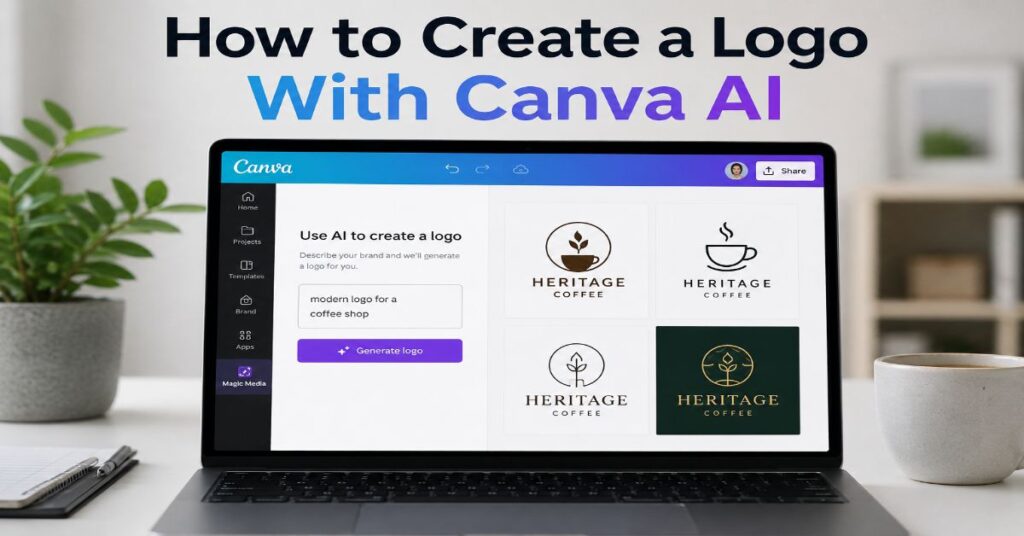
📋 Executive Summary
🔄 Workflow: The safest nine-step process uses Canva AI for creative direction, then separates symbol design, typography, spacing, colour, export and legal review into controlled decisions.
🛠️ Production: Canva delivers the strongest results when the final logo is rebuilt from editable elements instead of using a single flat AI-generated image as the finished asset.
💳 Pricing: Canva Free offers up to 200 Standard or 20 Premium AI uses each month, while paid plans draw Standard, Premium and Ultra actions from one shared allowance.
⚠️ Ownership: A Canva AI output may be commercially usable, but ownership alone does not guarantee uniqueness, copyright protection or trademark clearance.
🧪 Testing: A credible logo should remain effective at 24-pixel size, in monochrome, with reversed colours, in print, as a social profile image and across low-detail applications.
🎯 Decision: Use Canva for fast, editable brand production, but switch to Affinity or another vector editor when precise paths, custom lettering or complex trademark work is required.
I would answer how to create a logo with Canva AI this way: use AI to generate a direction, then rebuild the winning idea as a controlled design system, because Canva says its AI products have been used more than 27 billion times, yet no model can grant a mark distinctiveness, legal clearance, or long-term brand meaning. That tension is the useful part of the story. Canva can compress the blank-page stage from hours into minutes, but the quality of the final logo still depends on the brief, selection criteria, typography, geometry, file preparation, and human judgement applied after generation.
The current Canva stack is broader than a single logo button. The AI Logo Generator can produce concepts from a text prompt. Canva AI can create layered designs and respond conversationally. Dream Lab and Magic Media can explore symbols, illustrations, and visual directions. Brand Kit can hold the approved logo, colours, and typefaces. Magic Resize, Brand Templates, Bulk Create, apps, and Connect APIs can distribute the identity into real campaigns. Canva AI 2.0 also introduces design-aware generation that Canva describes as layered and editable rather than a locked image. That is a material improvement for brand work, although access, interface labels, and rollout status can vary by plan, account, language, and region. [1][2]
This guide treats logo creation as a production problem, not a prompt trick. It explains the nine-step workflow, prompt structures, design routes, pricing limits, export specifications, legal boundaries, brand-system handoff, integrations, and common failure modes. It also states where evidence is incomplete. Canva’s public pricing experience is localised and dynamic, for example, so a globally stable checkout price could not be verified for every market. The plan structure and official AI allowances can be verified; the amount charged to a specific UK account should still be confirmed at checkout.
What Canva AI Can and Cannot Do for a Logo
Canva can create a credible first visual territory very quickly. A user can describe a business, audience, personality, symbol, colour direction, and desired format, then receive a set of concepts that can be edited or used as references. The practical advantage is workflow proximity. A founder does not need to move from an image generator into a separate layout product before testing the idea on a business card, social avatar, invoice, packaging mock-up, or pitch deck.
The broader Canva AI feature set matters because logo work rarely ends with the logo. Magic Edit, Magic Eraser, Magic Expand, Magic Grab, Magic Layers, Background Remover, Brand Kit, Brand Templates, Translate, Mockups, Magic Resize, and publishing integrations can all support the system around the mark. Canva’s strength is therefore not raw symbol generation alone. It is the short distance between concept, edit, application, approval, and distribution.
The limitation is equally important. AI image systems predict visual arrangements from learned patterns. They can produce a polished fox, leaf, crown, monogram, or geometric icon, but polished is not the same as ownable. They may repeat familiar category codes, create accidental similarities, misdraw letters, collapse at small sizes, or generate ornamental details that cannot be reproduced in vinyl, embroidery, engraving, favicons, or one-colour print. Canva’s current AI terms also warn that outputs may not be unique and that other users may receive similar outputs. [4]
“taste and judgment become the skills that matter most”
Rob Giglio, Chief Customer Officer at Canva, reflecting on SXSW 2026 [6]
That statement is especially relevant to logos. The first output is often attractive enough to trigger premature approval. A better review asks whether the mark expresses the intended position, whether it is recognisable without colour, whether its silhouette is distinct, whether the lettering is accurate, and whether a designer can reconstruct it with clean geometry. Canva can accelerate each iteration, but it cannot decide what the business should mean.
How to Create a Logo With Canva AI: Nine-Step Workflow
The most reliable workflow keeps strategy, generation, reconstruction, and validation separate. Mixing them produces a logo that looks finished before it has been properly tested.
- Define the decision. Write one sentence stating the business, audience, market, promise, and desired emotional impression. A logo for a London financial consultancy needs different evidence than a logo for a children’s bakery.
- Choose a logo structure. Decide whether the first route should be a wordmark, lettermark, symbol plus wordmark, emblem, mascot, or flexible responsive family. Do not ask the model to choose every structural variable at once.
- Open the right Canva route. Use the AI Logo Generator for a guided prompt-to-logo path, Canva AI for conversational and layered design, Dream Lab or Magic Media for visual exploration, or a logo template when speed and predictable editing matter more than originality.
- Prompt for one concept family. Specify the subject, geometry, visual era, emotional tone, line weight, negative space, colour restraint, and exclusions. Ask for a simple symbol on a plain background, not a complete marketing scene.
- Generate a small batch. Review four to twelve variants at thumbnail size. Reject concepts with misspelling, fragile detail, generic category clichés, visual imbalance, or shapes that depend on shading to remain intelligible.
- Separate image and type. Recreate the business name with real Canva text rather than trusting letters rendered inside an AI image. Select and adjust a typeface, then pair it with the symbol using deliberate spacing.
- Rebuild the mark. Use Canva shapes, lines, editable graphics, or a clean uploaded vector to reproduce the chosen geometry. Simplify curves, remove texture, normalise stroke weight, and create horizontal, stacked, icon-only, and one-colour versions.
- Test applications. Place the logo on light and dark backgrounds, reduce it to 24 pixels, print it in greyscale, reverse it, inspect it as a circular social avatar, and check it on an invoice, slide, and website header.
- Export and document. Save transparent PNG, SVG where available, and print-ready PDF files. Record colour values, minimum size, clear space, approved lockups, prohibited uses, and the source of any stock or licensed elements. Run a trademark search before launch.
How to Create a Logo With Canva AI From a Blank Canvas
A blank-canvas route gives more control than accepting a finished AI logo. Start with a square design, generate only a symbol, and follow the platform’s current Canva AI image workflow. Move the strongest concept onto the canvas, add the company name as editable text, and build the lockup manually. This prevents the two most common failures: malformed lettering embedded in a raster image and a symbol that cannot be repositioned independently.
The nine steps are intentionally slower after generation. They add perhaps 30 to 90 minutes, but they remove the most expensive future problems: an unreadable favicon, a logo that cannot be embroidered, a wordmark with inconsistent kerning, or a visual identity that cannot expand beyond one square social post.
Build a Logo Brief Before Writing a Prompt
A prompt is not a substitute for a brief. Research on generative design interfaces has repeatedly identified the cognitive burden placed on non-designers who must translate an abstract business goal into visual language. The practical answer is to structure the thinking before asking the model for imagery. A useful brief can fit on one page, but it should force concrete choices.
- Business: Name, category, location, offer, business model, and stage of growth.
- Audience: Primary buyer, decision context, price sensitivity, and expected level of trust.
- Position: The one claim or contrast the brand wants to own.
- Personality: Three intended traits and three traits to avoid.
- Visual codes: Relevant symbols, shapes, materials, cultural references, and category clichés to reject.
- Applications: Website, app icon, packaging, signage, embroidery, print, social, presentation, and motion.
- Constraints: Existing colours, required initials, accessibility needs, multilingual text, and legal restrictions.
- Success test: What a customer should notice, remember, and say after seeing the mark for three seconds.
For teams comparing tools before committing, the site’s free AI logo generator comparison provides a useful warning: free creation, free editing, and free production-ready download are not the same thing. The brief should therefore specify required deliverables before a team becomes attached to a concept.
A strong brief also prevents category autopilot. Prompts such as “modern technology logo” frequently converge on blue gradients, circuit lines, hexagons, and abstract letterforms. Those outputs may look competent, but competence without distinction is a poor brand asset. Replace vague adjectives with observable design decisions. “Calm” becomes generous spacing, low contrast, rounded terminals, and a restrained palette. “Precise” becomes a modular grid, consistent stroke widths, and sharply controlled alignment. “Premium” becomes fewer elements, confident negative space, and typography with deliberate proportions, not an automatic gold gradient.
“The technology is powerful, but it’s not the hero. The creator is.”
Dwayne Koh, Head of Creative at Leonardo.Ai, speaking to Creative Bloq in 2026 [7]
Choose the Right Canva Creation Route
Canva now offers overlapping ways to begin, and the best choice depends on whether the task values speed, originality, editability, or control. Interface labels may differ across accounts, especially while Canva AI 2.0 is rolling out, but the underlying routes remain distinct.
| Route | Best Use | Editable Output | Main Limitation |
| AI Logo Generator | Fast guided concepts from a business description | Usually editable as a Canva design, depending on generated elements | Can converge on familiar logo conventions and template-like arrangements |
| Canva AI | Conversational creation, layered layouts, and iterative changes | Canva says AI 2.0 produces layered, editable designs | Availability and exact capability may vary by rollout, plan, and region |
| Dream Lab | Symbol exploration, reference-led imagery, and richer visual directions | Generated image remains primarily an image asset | Not a substitute for clean vector paths or reliable typography |
| Magic Media | Simple icons, graphics, and image ideas inside the editor | Image or graphic can be placed and edited within a design | Fine geometry and text may require reconstruction |
| Logo Template | Predictable layout, rapid editing, and low learning curve | Highly editable | Lower originality if the template is not substantially changed |
| Manual Canva Build | Wordmarks, monograms, simple geometric marks, and final lockups | Fully editable elements and text | Requires stronger design judgement and more time |
The practical hierarchy is simple. Use a template when the deadline is today, a guided logo generator when the brief is still broad, Dream Lab or Magic Media for visual exploration, and manual Canva construction for the final production mark. The detailed Canva AI image generator guide is relevant because many logo projects begin as image-generation tasks and only later reveal their need for vector discipline.
The best route is often hybrid. Generate a visual idea, rebuild its core shape with editable elements, typeset the name separately, then create a system of lockups. This hybrid method captures AI’s speed without accepting its weakest characteristics. It also creates a clearer record of human authorship and design decisions, which may matter when documenting creative contribution.
Prompt Patterns for Distinctive Logo Concepts
A logo prompt should narrow the design space without over-directing the composition. Long prompts can still fail when they pile up contradictory aesthetics. A better formula uses six controlled fields: brand context, symbol idea, geometry, style, production constraint, and exclusions.
Prompt formula: Create a [logo structure] for [business and audience], using [symbol or visual metaphor], built from [geometry and line treatment], with a [style and era] feel, designed to work in [production constraints], and avoid [clichés, gradients, mock-ups, text errors, or unwanted details].
- Geometric symbol: Minimal mark for a London data consultancy, based on converging paths and negative space, uniform stroke, flat black, white background, no letters, circuits, or gradients. Review silhouette, symmetry, and small-size clarity.
- Organic mark: Simple botanical emblem for a refill skincare brand, one continuous line, calm asymmetry, two leaves maximum, flat vector-like form, no bottle, face, or water droplet. Review cliché risk and stroke consistency.
- Monogram direction: Abstract interlocking initials R and M, modular grid, balanced counters, modernist Swiss influence, single colour, no 3D, shadows, or mock-up. Review letter legibility and accidental symbols.
- Heritage emblem: Restrained circular emblem for a family coffee roaster founded in 1988, engraved line style, one central motif, limited detail, one-colour print, no crowns, shields, or distress texture. Review date accuracy and detail loss.
- Tech wordmark mood: Wordmark concept for an ethical cybersecurity company, custom-feeling lowercase lettering, open counters, precise spacing, monochrome, no padlock, shield, or neon blue. Review typography feasibility and uniqueness.
Negative prompts are useful because logo categories contain entrenched visual clichés. A fintech prompt should explicitly reject bar charts, coins, shields, and upward arrows unless one of those codes is strategically necessary. A sustainability mark should reject generic leaves, globes, and recycling arrows when the brand needs a more specific idea. The goal is not novelty for its own sake. It is to stop the model from selecting the statistical average before the designer has considered the brand’s actual reason for being.
“a great time to be creative”
Dylan Field, Figma CEO and co-founder, describing the AI era in a June 2026 interview
Field’s wider point was that models tend to reproduce the distribution of existing data, while humans can push beyond the average. That is a useful review criterion for Canva AI logo concepts. Ask whether the output merely looks like the category or whether it gives the category a recognisable point of view.
Turn the Winning Concept Into a Logo System
A finished logo is not one file. It is a coordinated set of marks, colours, spacing rules, and usage decisions. Canva makes this system accessible because the same workspace can hold the master design, Brand Kit, templates, and common applications. The system should be built before the first campaign, not after inconsistencies begin appearing across files.
A useful comparison is the site’s Looka logo maker review, which shows why a Brand Kit can be more valuable than a single download. The same principle applies in Canva: the logo gains operational value when approved colours, fonts, templates, social formats, and export rules sit around it.
Start with four lockups: primary horizontal, secondary stacked, symbol only, and wordmark only. Add one-colour positive and reversed versions. Set a minimum size for digital and print use. Create clear-space guidance based on a repeatable unit, such as the height of a letter or the width of the symbol’s internal gap. Avoid describing clear space as “enough room”, because subjective rules are not scalable.
Typography needs its own pass. AI-generated lettering should be treated as visual reference, not final text. Use a licensed typeface or custom lettering that the team can reproduce. Adjust tracking, kerning pairs, capitalisation, and optical alignment. A circular symbol often appears visually smaller than a rectangular wordmark even when their mathematical heights match, so final alignment should be judged optically at several sizes.
Colour should also work as a system. Define the primary palette in HEX for screens, RGB for digital production, CMYK for print, and spot colour where commercial printing requires it. Test contrast when the logo appears beside text, but do not assume the logo itself must satisfy the same contrast rule as body copy in every context. The accessible requirement is that users can understand the interface or communication without depending on colour alone.
“There’s no AI button for meaning.”
Radek Wójcik, Executive Creative Director at Made Thought, quoted by Vogue Business in July 2026
That is the strategic limit of any logo generator. Canva can help standardise the expression, but meaning accumulates through repeated behaviour, product experience, service, and consistent use. A logo system should make that repetition easier without making every communication identical.
Export Formats and Production Specifications
The correct export depends on the application. A transparent PNG is useful for websites and office documents. SVG is preferable for scalable digital icons and many production workflows. PDF Print is useful for professional print handoff. A JPG is acceptable for simple previews but cannot preserve transparency. Canva’s help documentation states that transparent PNG, SVG, CMYK options, compression controls, and some quality settings depend on the plan. [1]
| Format | Use It For | Strength | Constraint |
| PNG, transparent | Web headers, social assets, slides, documents | Transparency and broad compatibility | Raster file; can blur when enlarged; transparent background is a premium feature |
| SVG | Web icons, scalable logos, signage handoff, developer use | Scales without pixelation and can preserve vector structure | Availability is plan-dependent; complex generated imagery may not become clean vector paths |
| PDF Print | Printers, stationery, packaging proofs | High-quality page output and print workflow support | May include embedded raster assets; printer should confirm colour and bleed requirements |
| PDF Standard | Digital sharing and approvals | Compact, easy to review | Not always suitable as a production master |
| JPG | Email previews and non-transparent backgrounds | Small and widely supported | No transparency; compression artefacts can damage fine edges |
| Editable Canva design | Internal collaboration and future adaptation | Preserves layout, text, and elements | Not a universal interchange format; access and permissions matter |
Canva is not the only possible production tool. The site’s guide to creating a logo with Midjourney reaches the same core conclusion from a different platform: raster concept generation and vector finishing are separate jobs. Canva narrows that gap because it offers editable shapes, typography, and exports in one environment, but a professional vector editor remains more appropriate for path-level correction, Bézier precision, custom outlines, variable stroke control, and complex pre-press work.
Before approving exports, open each file independently. Check that the transparent file is genuinely transparent, the SVG does not contain unexpected clipping or raster fragments, the PDF uses the intended page size, and the print file reproduces dark colours without filling small counters. Keep a master folder with version numbers rather than overwriting the only approved file.
Pricing, AI Allowances, and Plan Traps
Canva’s current commercial structure includes Free, Pro, Business, and Enterprise. The official pricing page is localised and dynamically rendered, so the exact price shown to a UK customer can vary with billing cycle, tax, promotion, and account context. The stable figures below are limited to values that Canva has explicitly published and the current official AI usage allowances. A buyer should verify the checkout screen before committing.
| Plan | Verified Price Position | Estimated Monthly AI Allowance | Logo-Relevant Notes |
| Canva Free | US$0 | Up to 200 Standard uses or 20 Premium uses; no Ultra access | Suitable for concepts and basic exports; premium content, transparent PNG, SVG, Brand Kit, and advanced controls may be restricted |
| Canva Pro | Canva previously published US$120 per year for one person; current local checkout must be verified | Up to 2,000 Standard, 200 Premium, or 20 Ultra uses | Single-user plan with premium content, Brand Kit, background tools, and premium exports |
| Canva Business | US$20 per person per month at launch, with no seat minimum; verify current local price | Up to 4,000 Standard, 400 Premium, or 40 Ultra uses | Includes Pro features, team workflows, higher AI access, advanced brand and growth features |
| Canva Enterprise | Custom quote through sales | Up to 4,000 Standard, 400 Premium, or 40 Ultra uses before negotiated or add-on access | Enterprise controls, private integrations, admin governance, security, audit, and eligible AI indemnification features |
| AI Pass add-on | Recurring price not publicly stable in the accessible official crawl | Canva describes up to 40x Pro or 20x Business AI access | Available for Pro and Business; pooled allowance still depends on model tier and task complexity |
The hidden trap is the word “up to”. Standard, Premium, and Ultra actions draw from a shared pool. The official ranges show what may be possible when a user relies on one tier rather than mixing tools. More complex tasks and higher-tier models can consume the allowance faster. A team that generates symbols, creates layered designs, expands images, and tests video or other Ultra workflows may reach an effective logo-generation limit far below the headline Standard number. [1][2]
For one logo project, Free may be enough to explore a direction. Pro becomes more useful when the project requires transparent export, SVG, Brand Kit, premium content, and repeated brand applications. Business makes sense when multiple people need shared workflows, approvals, higher AI access, and marketing integrations. Enterprise is a governance decision rather than a logo-design purchase.
Legal, Trademark, and Commercial-Use Boundaries
Canva’s AI Product Terms, effective 26 June 2026, state that users own their output to the maximum extent permitted by law, except where output modifies or incorporates licensed Canva content. The same terms warn that outputs may not be unique and that lawful use remains the user’s responsibility. Canva’s help guidance also permits personal and commercial use subject to its terms. Those statements are permissions from the platform, not a guarantee that the logo is protectable, exclusive, or free of third-party claims. [4]
This distinction is developed further in the site’s guide to an AI image generator for commercial use. Commercial permission, copyrightability, trademark availability, and indemnification are separate questions. A business can have permission to use an output and still face a conflict with an earlier mark.
The United States Copyright Office’s 2025 AI report concluded that generative output can receive copyright protection only where a human author has determined sufficient expressive elements. Mere prompting is not enough by itself. Human selection, arrangement, modification, and original design work can matter, but the assessment remains fact-specific. [8]
Trademark law asks a different question: whether a sign distinguishes goods or services and conflicts with earlier rights. Before launch, search the business name, similar spellings, phonetic equivalents, and visually similar designs in the relevant jurisdictions and classes. The USPTO introduced image-based similarity search in April 2026, allowing an uploaded image to be checked against similar marks. This is a useful screening tool, not a legal opinion.
- Keep the prompt, generated variants, rejection notes, reconstruction files, and dated approvals.
- Avoid prompts that request a living artist’s exact style, a competitor’s logo, protected characters, or confusingly similar brand codes.
- Confirm the licence for every Canva library element, font, stock asset, and uploaded reference used in the design.
- Use original text elements and human-edited geometry rather than publishing an untouched generated image.
- Commission a professional clearance search when the logo will support a material business investment, regulated product, or multi-country launch.
The central information-gain point is the trademarkability gap: platform ownership language tells you who Canva claims owns the output as between you and Canva. It does not create scarcity, distinctiveness, or registration rights. Treat those as separate review gates.
Scale the Identity With Brand Kit and Integrations
Once approved, the logo should become a controlled input to the rest of the business. In Canva, Brand Kit can store logos, colours, fonts, imagery, and brand guidance. Brand Templates can restrict where teams place the mark and which elements they can edit. Colour themes, replacement tools, Magic Resize, Translate, Bulk Create, and template autofill can reduce manual inconsistency across channels.
The broader landscape in the site’s AI tools for graphic designers comparison helps define Canva’s role. Canva is usually strongest at fast, branded, multi-format production. A specialist vector editor is stronger for master artwork, while a high-end image generator may be stronger for art direction. Mature teams use each tool where it is strongest rather than forcing one platform to own every stage.
The integration layer is substantial. Canva Developers provides the Apps SDK for experiences inside the editor and Connect APIs for external applications. Connect APIs can create and synchronise assets, designs, comments, folders, and exports; create designs for users to edit; and return finished files to another system. Brand Template and Autofill APIs can populate approved layouts from external data. Public integrations require review, while private integrations are available to Enterprise customers. The developer platform also documents SCIM user provisioning and audit logs. [5]
Canva’s 2026 ecosystem also includes an MCP-based connector across major AI assistants. Official announcements describe integrations with ChatGPT, Claude, Microsoft Copilot, Google Gemini, Google AI Mode, Perplexity Computer, and Codex. Within these flows, users can generate or find designs, edit content through natural-language prompts, repurpose formats, apply brand context, and move generated images into editable Canva layouts. Enterprise teams can use brand templates and account context in more governed workflows.
| Integration Layer | Logo and Brand Use | Key Constraint |
| Brand Kit | Stores approved logos, colours, fonts, and brand guidance | Premium access and admin setup may be required |
| Brand Templates | Locks approved placement and makes repeatable assets | Template access depends on plan and permissions |
| Connect APIs | Syncs assets, creates designs, exports finished work, and supports workflow integration | OAuth scopes, rate limits, review, and plan restrictions apply |
| Autofill APIs | Populates approved brand templates from data sources | Access can be gated and has changed during 2026 previews |
| Apps SDK | Adds custom tools, data sources, AI features, and publishing experiences inside Canva | Runs within Canva’s app model and review requirements |
| SCIM and Audit Logs | Supports user lifecycle and governance for larger organisations | Primarily relevant to Enterprise administration |
| AI Connectors and MCP | Creates and edits Canva designs from AI assistants | Feature availability and brand-aware functions vary by platform and account |
A practical rollout starts with the approved master files, then a locked brand template for each high-volume channel. Give non-designers a small set of safe choices rather than unlimited editing. Automation should expand consistency, not accelerate unreviewed variation.
Common Failures, Bottlenecks, and Fixes
Most Canva AI logo failures are not caused by one bad model output. They appear when a team skips a review stage. The following bottlenecks are reproducible across AI-assisted logo workflows.
- The wordmark is misspelled or malformed. Generate the symbol without text, then typeset the name with a real font. Never approve letters baked into an image without rebuilding them.
- The logo looks good only at presentation size. Test at 24, 32, 48, and 96 pixels. Remove internal lines, thin strokes, and tiny counters until the silhouette survives.
- The concept is visually generic. Add category exclusions, a specific metaphor, and a reason for the chosen form. Compare against competitors before refining.
- The SVG is not a clean vector master. Inspect the export in a vector editor. Reconstruct the mark when the file contains raster fragments, masks, or excessive nodes.
- The AI allowance disappears faster than expected. Use low-cost Standard exploration first, reserve Premium or Ultra for selected directions, and track the shared pool rather than counting prompts.
- The mark cannot be used in one colour. Remove gradients and effects, create a solid silhouette, and test positive and reversed versions before approval.
- The logo conflicts with another brand. Run name, image, and class searches early. Change the concept before investing in a complete identity system.
- Team members keep altering the logo. Store approved files in Brand Kit, lock placement in Brand Templates, and document prohibited changes.
- The interface does not match a tutorial. Look for the underlying function rather than one label. Canva AI, Create an image, Dream Lab, Magic Media, and the AI Logo Generator may appear differently by rollout.
- The output feels polished but meaningless. Return to the brief. Replace decorative choices with a distinct position, customer memory cue, or product truth.
Performance bottlenecks also appear on complex documents, large uploads, slow networks, and mixed AI workflows. Canva’s AI terms classify usage limits as operational controls rather than fixed entitlements, so slowdowns or pauses can occur after a limit is reached. Preserve work by saving approved versions, exporting masters, and avoiding a last-minute dependency on one generative feature.
Our Content Testing Methodology
This guide was verified through a source-led workflow focused on the exact systems used in Canva logo production. We cross-checked Canva’s current pricing page, AI allowance documentation, AI Logo Generator page, AI Product Terms effective 26 June 2026, transparent-background and file-type guidance, Canva AI 2.0 announcement, Brand Kit documentation, and Canva Developers material for the Apps SDK and Connect APIs. We also reviewed the 2026 product announcements for AI connectors and the current USPTO image-search update.
The workflow analysis separated four test dimensions: concept generation, editability, production export, and legal review. For each dimension, we documented the observable requirement and the current source of truth. The small-size, monochrome, reversed-colour, social-avatar, print, and lockup tests are standard reproducible production checks. Exact output quality varies by prompt, account, model tier, and rollout, so no universal generation-success rate is claimed. We did not represent a logged-in Canva interface as universally available where Canva’s own documentation indicates staged availability or plan variation.
Pricing was handled conservatively. The official current pricing page confirms the plan and feature structure, while the accessible page does not expose one stable global price for every region. The document therefore identifies Canva’s explicitly published US$20 Business launch price, Canva’s previously published US$120 annual Pro figure, custom Enterprise pricing, and the current official AI usage ranges, while instructing readers to verify their local checkout.
This article was researched and drafted with AI assistance and reviewed by the Sami Ullah Khan editorial desk at Perplexity AI Magazine. All data, citations, pricing figures, and named quotes have been independently verified against primary sources before publication.
Conclusion
Canva AI can shorten the route from an undeveloped idea to a credible logo concept, but the most durable results come from resisting the temptation to publish the first polished output. The platform is strongest when generation feeds an editable production workflow: a written brief, a selected symbol, real typography, reconstructed geometry, tested lockups, correct exports, documented brand rules, and a separate legal review.
The 2026 product direction makes that workflow more capable. Canva AI 2.0 is designed around layered objects and conversational editing, Brand Kit supports consistency, and the developer ecosystem can connect approved identity assets to larger production systems. The trade-off is complexity hidden behind an easy interface. AI allowances are pooled, plan pricing is localised, export capabilities vary, and an output that Canva permits commercially may still lack uniqueness or legal protection.
The open question is not whether AI will create more logos. It already has. The important question is whether businesses will use that speed to make more generic marks or to spend more time on the decisions that cannot be automated: position, memory, cultural fit, craft, and responsible ownership. Canva can make execution accessible. It cannot make a brand meaningful without sustained human choices.
FAQs
Can Canva AI make a logo from a text prompt?
Yes. Canva offers an AI Logo Generator and other AI creation routes that can produce logo concepts from a description. The strongest workflow generates a symbol or direction, then rebuilds the final mark with editable text and elements so spelling, spacing, colour, and export quality remain controlled.
Is the Canva AI logo generator free?
Canva Free provides limited AI access. Official 2026 guidance lists up to 200 Standard AI uses or up to 20 Premium uses monthly, with no Ultra access. Premium templates, transparent PNG, SVG, Brand Kit, and other production features may require a paid plan.
Can I use a Canva AI logo commercially?
Canva states that AI output may be used for lawful personal and commercial purposes under its terms. That permission does not guarantee uniqueness, copyright protection, or trademark availability. Check licences for incorporated Canva content and run appropriate trademark searches before launch.
Does Canva export logos as SVG files?
Canva supports SVG export on eligible paid accounts. SVG is useful for scaling, but a generated image does not automatically become clean vector artwork. Inspect the exported file and reconstruct the mark in a vector editor when it contains raster content, masks, or excessive complexity.
What is the best prompt for a Canva AI logo?
Use a structured prompt containing the business and audience, logo type, one visual metaphor, geometry, style, production constraint, and exclusions. Ask for a simple symbol on a plain background and add the business name later as real editable text.
Should I use Canva AI or a Canva logo template?
Use Canva AI when you need a wider concept search or a less predictable visual direction. Use a template when speed, layout reliability, and easy editing matter more than originality. A hybrid route often works best: generate a symbol, then build the final lockup manually.
Can Canva AI create a trademark-ready logo?
It can create a candidate design, not a guaranteed trademark-ready mark. Trademark readiness requires distinctiveness, correct ownership and licensing, searches for confusingly similar names and designs, and often professional legal advice for material launches.
When should I move from Canva to a vector editor?
Move when the master mark needs precise Bézier paths, custom lettering, sophisticated stroke control, spot-colour pre-press work, complex separations, or detailed node cleanup. Canva can remain the distribution and template system after the master artwork is finalised elsewhere.
References
Canva. (2026). Plans and pricing
Canva. (2026). Understanding your AI usage
Wood, A. (2026, April 15). Canva Newsroom. Introducing Canva AI 2.0: Reimagining how the world creates
Canva. (2026, June 26). AI Product Terms
Canva Developers. (2026). Canva Connect APIs documentation
Giglio, R. (2026, May 5). Canva Newsroom. The AI advantage: What top organizations do differently
Adobe. (2026). Adobe Creative Trends 2026
Fear, N. (2026, February 18). Creative Bloq. AI should not feel like it is creating for you: Inside Leonardo.AI’s human-led branding
U.S. Copyright Office. (2025). Copyright and Artificial Intelligence
