
📋 Executive Summary
🔄 Workflow: Start with the final canvas size, generate a batch of concepts, choose the strongest composition, edit locally, add real typography and export from a single master design.
🖼️ Generation: Canva documents support for up to four images per prompt, giving more creative options while increasing shared allowance use during repeated experiments.
💳 Pricing: Free, Pro, Business and Enterprise AI figures represent alternative estimates from one shared monthly allowance rather than separate additive quotas.
✨ Editability: Magic Layers can separate a flat PNG or JPEG into selectable elements, although hair, reflections, overlapping objects and complex lettering may still require manual repair.
🔌 Platform: Canva Connect automates assets, designs, templates, resizes, exports and analytics, but no general public text-to-image endpoint is documented as of 20 July 2026.
🎯 Decision: Choose Canva for integrated campaign production, but use a specialist image generator when precise typography, seeds, custom models or advanced creative controls matter more than workflow speed.
The answer to how to generate an image with Canva AI is simple: open Canva AI or Dream Lab, choose Create an image, describe the scene, generate up to four options, then edit and export the strongest result. The sharper hook is scale. Canva says its AI products have already been used more than 27 billion times, yet every serious image workflow still depends on a finite shared allowance, a precise prompt, and human judgement about what is publishable.
I have found from Canva’s current 2026 documentation that the platform is no longer one image generator with one button. It is a layered visual system. Canva AI offers a conversational entry point, Dream Lab handles detailed text-to-image generation, Magic Media creates images and graphics inside the editor, and third-party apps such as DALL-E and Imagen can appear through Canva’s app marketplace. The practical advantage is not that Canva always produces the most artistic first image. It is that generation, layout, brand styling, collaboration, resizing, and publishing happen in the same workspace.
That convenience also creates confusion. A Free user can reach a prompt box but has a small shared pool. A Pro user gets more AI capacity but still faces monthly resets. Business and Enterprise double Pro’s estimated allowance, yet complex or higher-tier tasks can consume the pool faster than the headline numbers imply. Canva also warns that commercial output may not be exclusive or legally cleared, so an attractive result is not automatically a safe result.
This guide explains the current generation routes, the prompt structure that produces controllable images, editing and export steps, plan limits, API reality, commercial-use risks, and the situations where a specialist image model is a better choice. The objective is a repeatable production workflow, not a one-click novelty.
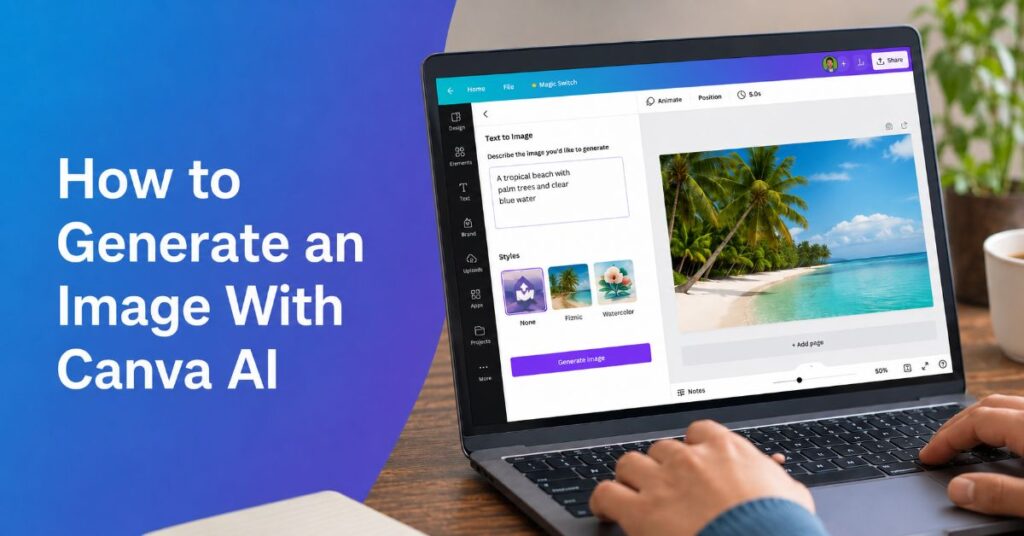
How to Generate an Image With Canva AI
The most reliable route begins with the final format, not the prompt. Decide whether the image is for a 16:9 article hero, a square social post, a vertical story, a presentation slide, or a print layout. Opening the correct canvas first gives you a visible crop boundary and prevents a strong generation from failing later when it is forced into the wrong shape.
- Open Canva and create a design in the required dimensions, or open Canva AI from the homepage.
- Select Create an image, Photo Generator, Dream Lab, or Apps > Magic Media, depending on the interface available to your account.
- Write a prompt that names the subject, setting, action, visual style, lighting, camera or illustration treatment, composition, colour direction, and exclusions.
- Choose an aspect ratio or size before generation where the tool offers it. Dream Lab can return up to four images per prompt.
- Generate the batch, compare all variants at full size, and choose the image with the cleanest anatomy, edges, text-free negative space, and focal hierarchy.
- Place the result on the canvas, then use crop, Magic Edit, Magic Eraser, Magic Expand, background tools, or Magic Layers to correct local problems.
- Add real Canva text, logos, and calls to action as editable elements rather than asking the image model to render important copy.
- Export in the format required by the publishing surface and retain the editable Canva file as the production master.
For the editor-based route, the existing Magic Media workflow is the clearest companion because it shows how generation sits inside a live design rather than in a separate model playground. The central discipline is to separate image creation from graphic design. Let AI generate the scene, texture, character, or object. Let Canva’s layout tools handle typography, logos, spacing, and final dimensions.
Canva’s interface labels can differ by plan, region, device, and rollout stage. Canva AI 2.0 was still described as coming soon or limited in parts of Canva’s own July 2026 product pages, so users may see Canva AI 1.0, Dream Lab, Create an image, or Magic Media instead of the same universal menu. [3] The workflow remains stable even when the entry label changes: define format, generate, select, edit, brand, export.
Choose the Right Canva Image Engine
Canva now exposes several routes that can all look like an AI image generator, but they are not interchangeable. Dream Lab is the most direct option for detailed text-to-image work and reference-led exploration. Magic Media is the fastest editor-native option when the output must immediately join a social post, thumbnail, document, or presentation. Canva AI is the broader conversational layer that can coordinate multiple tasks. Marketplace models can be useful when one model interprets a prompt better than another.
| Route | Best Use | Documented Strengths | Main Constraint |
| Canva AI / Photo Generator | Conversational creation and design assembly | Generates images and design elements within a wider assistant workflow | Availability and capability can vary by rollout and plan |
| Dream Lab | Detailed scenes, reference-led concepts, visual exploration | Up to four images per prompt, reference images, resolution boost | Still produces raster outputs that need review and editing |
| Magic Media | Fast images or graphics inside an open design | Style and size controls, direct placement on canvas | Shared premium AI allowance and variable output quality |
| DALL-E or Imagen Apps | Alternative interpretation of difficult prompts | Different model behaviour without leaving Canva | App availability, terms, and limits can differ from Canva-native tools |
The detailed Canva AI image generator guide is useful when you need a broader map of these tools, but the practical decision can be made with one question: do you need the best standalone image, or the fastest path to a finished design? Canva usually wins the second question. A specialist model may win the first.
A second decision concerns image type. Use Dream Lab or Photo Generator for photographic scenes, cinematic concepts, stylised illustrations, and product environments. Use AI-powered elements or Magic Media graphics for isolated decorative assets, icons, textures, or simple illustrations. Use Magic Background when you already have a foreground subject and only need a coherent environment. Use Magic Edit when the base image is mostly correct and one area must change.
The market comparison in our best AI image generators analysis reinforces a balanced point: Canva is strongest when editability, templates, and publishing matter. It is less convincing when a brief demands exact typography inside the generated image, reproducible seeds, model-level controls, advanced inpainting masks, or specialist fine-tuning.
Build a Prompt That Produces Usable Images
A Canva prompt should read like a compact creative brief. Weak prompts identify a noun. Strong prompts establish a visual system. The model needs to know what is present, where it is, how it is lit, how the viewer sees it, what mood it carries, and what must remain empty for later design work.
How to Generate an Image With Canva AI From a Strong Prompt
Use this sequence: subject + action + environment + composition + visual medium + lighting + colour direction + camera or rendering detail + negative constraints + publishing purpose. For example: ‘A British independent coffee shop owner arranging pastries at dawn, viewed from counter height, warm window light, editorial lifestyle photography, muted teal and cream palette, shallow depth of field, clean right-side negative space for a headline, no visible brand logos, no text.’
| Prompt Component | What to Specify | Why It Matters |
| Subject and action | Who or what is present, and what is happening | Reduces generic posing and unclear focal points |
| Environment | Location, time, weather, background details | Creates context and prevents empty studio defaults |
| Composition | Close-up, wide shot, centred, rule of thirds, negative space | Makes the image fit a real layout |
| Medium and style | Editorial photo, collage, vector, 3D, ink, paper cut | Controls the model’s visual vocabulary |
| Light and colour | Soft daylight, rim light, monochrome, brand palette | Improves cohesion and post-production speed |
| Constraints | No text, no watermark, no extra fingers, no logo | Reduces common defects, though it cannot guarantee removal |
Canva’s prompting guidance recommends descriptive instructions and breaking complex tasks into smaller requests. [2] That matters because a single overloaded prompt often produces a technically rich but compositionally confused image. Generate the scene first. Correct the object or background second. Add the brand treatment in Canva third.
During our 2026 documentation review, the most useful information-gain insight was not a secret adjective list. It was allowance economics. Every failed generation can consume the same shared pool used by other premium AI tools. A prompt template therefore has financial value. Save approved prompt structures by use case, then change only the subject, product, season, or campaign message. The wider Canva AI features guide helps teams see which edits can be completed with included design tools rather than spending another premium generation.
Avoid placing critical text inside the prompt unless the text itself is part of the image concept. Even when modern models render short words better, editable Canva typography remains more accurate, accessible, brand-compliant, and easier to localise.
Control Composition, Style, and Brand Consistency
The first generation should be judged as raw material. Look for a strong silhouette, credible depth, correct hand and object relationships, a usable crop, and space for real design elements. A visually impressive image can still be a poor asset if the subject sits under the intended headline or if the lighting fights the brand palette.
Create composition deliberately. For a website hero, specify the subject on the left and negative space on the right, or reverse that instruction to match the page layout. For social media, ask for a simple focal point and reduced background detail because the image will be viewed on a small screen. For presentations, use wider framing and calmer contrast so charts and labels remain legible over or beside the image.
Brand consistency is easier when you separate three layers. The generative layer creates content. The design layer controls typography, spacing, logos, and final colour treatment. The governance layer stores approved assets, templates, Brand Kits, and review rules. Canva’s pricing page lists one limited Brand Kit on Free, five on Pro, 100 on Business, and 1,000 on Enterprise, which changes how far a team can operationalise repeatable campaigns.
Canva’s 2025 State of Visual Communication research found that only 22% of surveyed organisations considered themselves design-led, while teams reported using an average of 8.7 visual communication tools. Canva’s strategic appeal is therefore consolidation, not merely image quality. A team can generate, review, resize, and publish from one controlled file rather than losing versions across multiple model downloads.
Melanie Perkins, Canva co-founder and chief executive, described the intended balance to The Verge in April 2026: ‘AI should accelerate your vision and creativity, not override it.’ That is a useful production standard. If the model begins dictating the campaign because the team cannot edit it, the workflow has failed. Start with a human art direction note, define non-negotiable brand rules, and treat AI output as a draft that earns approval only after visual and legal review.
Turn a Flat Generation Into an Editable Design
The decisive difference between a generated picture and a publish-ready Canva asset is editability. A flat PNG may look complete, but it is fragile. A typo, misplaced object, wrong colour, or format change can force a full regeneration. Canva’s 2026 Magic Layers push directly targets that problem by converting a single-page PNG or JPEG into a layered design with selectable objects and editable text where the system can identify them. At launch, the beta was available in the US, UK, Canada, and Australia.
Cameron Adams, Canva co-founder and chief product officer, framed the product principle clearly: ‘Generation is just the beginning. Real creative freedom comes from being able to edit without losing momentum.’ Canva reported more than nine million Magic Layers uses in the feature’s first few weeks, showing that post-generation control is not a niche requirement.
Use the editing tools in a deliberate order. First, crop and position the image in the final canvas. Second, run Magic Layers when you need to move or restyle major components. Third, use Magic Edit for local replacement, Magic Eraser for unwanted objects, Magic Expand for a larger background, and the background generator for environmental changes. Fourth, place real text and logos as normal Canva elements. Fifth, run accessibility and brand checks before export.
Magic Layers is not a perfect reconstruction of the source file. Fine hair, reflections, overlapping objects, unusual letterforms, and texture-heavy regions may be segmented poorly. Keep the original image on a hidden or duplicate page for comparison, and do not assume an extracted text layer proves the generated lettering is accurate.
For teams mixing Canva with professional software, our guide to AI tools for graphic designers provides the wider context. Canva is efficient for campaign adaptation and collaborative finishing, while Affinity, Photoshop, Illustrator, Figma, or specialist 3D tools remain more appropriate for deep retouching, colour-managed print, complex vectors, or production files that require exact layer semantics.
Canva Pricing, AI Allowances, and Hidden Caps
Canva’s current pricing is more transparent than the old credit-by-feature system, but it is easy to misread. Standard, Premium, and Ultra AI uses come from a shared monthly allowance. The published numbers show what may be possible if one tier is used alone. Mixing tiers, running complex tasks, or using tools that consume more than one unit can reduce the practical total. The pool resets monthly.
| Plan | Displayed Price | Estimated Monthly AI Allowance | Important Image Workflow Caps |
| Free | US$0 | Up to 200 Standard or 20 Premium; no Ultra | 5GB storage, 1 limited Brand Kit, no transparent PNG entitlement in API export |
| Pro | US$144/year for one person on the current page | Up to 2,000 Standard, 200 Premium, or 20 Ultra | 100GB storage, 5 Brand Kits, solo account, AI Pass optional |
| Business | US$250/year per person on current page; launch price stated US$20/month | Up to 4,000 Standard, 400 Premium, or 40 Ultra | 500GB storage, 100 Brand Kits, approvals, Leonardo.Ai Essential and Flourish Presenter |
| Enterprise | Custom quote | Up to 4,000 Standard, 400 Premium, or 40 Ultra | 1TB storage, 1,000 Brand Kits, SSO, SCIM, custom apps, private integrations |
| AI Pass Add-on | Price shown in billing, not publicly confirmed | Canva says 40x Pro or 20x Business overall AI access | Shared pool still applies; available only on Pro or Business |
The hidden limitation is that ‘up to’ is not a promise of separate quotas. Canva says higher-tier tools use more of the allowance, usage may vary by tool, and complex or mixed workloads can lower the number of completed tasks. Some AI design tools sit outside the shared allowance but remain subject to fair-use controls. Users should check Settings or billing usage before a high-volume campaign rather than multiplying the headline quota by four images per Dream Lab prompt.
Pricing also varies by region, tax, billing frequency, and legacy plan. Canva Teams is closed to new sign-ups and upgrades, although existing subscribers can remain on it. The October 2025 Business announcement stated US$20 per person per month with no seat minimum, while the current UK-localised pricing page displayed US$250 per person annually. The safe editorial rule is to date every price and tell readers to confirm the checkout amount.
Education and eligible nonprofit access can include premium features at no charge, but organisational eligibility and administrator controls apply. The AI Pass add-on is potentially valuable for heavy generation, yet Canva does not expose a stable public price on the main product page as of 20 July 2026. That is a real procurement uncertainty, not a number to guess.
Export Resolution, Transparency, and File Formats
A good generation can be weakened by the wrong export. Use JPG for photographs where small file size matters and transparency is not required. Use PNG for crisp graphics, transparency, or images that will be reused in other layouts. Use PDF Print for composed print designs, not for a raw standalone AI image. Keep the Canva design as the editable master even when the published asset is a JPG or PNG.
Dream Lab documents a Boost resolution option, but higher resolution does not repair malformed anatomy, incorrect lettering, or weak composition. Upscaling should be the final technical step after content review. Inspect the image at 100% and 200% for halos, repeated textures, melted edges, artificial skin detail, and compression artefacts. For a web hero, resize to the actual display dimensions and compress after export rather than uploading an oversized master.
Transparent background output is a paid-plan feature in relevant Canva export workflows and in Canva’s Connect API PNG export parameter. Transparency is valuable for product cut-outs, icons, and layered campaign assets, but it can reveal rough boundaries that looked acceptable against the original background. Zoom around hair, glass, fur, and reflective products before final use.
Canva’s download documentation says users can download up to 200 designs at once, while MP4 or GIF batch exports are limited to 25 designs. Those batch figures are operational limits, not guarantees that every generated image is ready for bulk publishing. A controlled batch workflow should include naming, versioning, alt text, licensing notes, and a human approval state.
For social publishing, the image should be adapted to each platform instead of stretched from one master. Our overview of AI tools for social media content explains why production systems need resizing, scheduling, caption review, and channel-specific safe zones around faces and text. Canva’s advantage is that these steps can remain attached to one design family rather than separate downloads.
Commercial Use, Copyright, and Brand Risk
Canva permits AI features to be used for personal and commercial projects, and it says it does not claim copyright ownership over content generated through Canva AI, subject to its terms. The more important caveat is that Canva does not guarantee generated images, designs, or text are cleared for commercial use, and users may not receive exclusive rights.
That distinction should shape every business workflow. Permission to use a tool is not the same as legal clearance for a specific output. A generated image may resemble a protected character, trade dress, logo, celebrity, artwork, or photographer’s style. A prompt can also reproduce confidential product details or personal data that should never have entered a third-party model.
Use a four-stage review. First, check the prompt for protected names, logos, living artists, and private information. Second, inspect the result for recognisable brands, copied text, celebrity likenesses, and suspiciously familiar compositions. Third, run reverse-image and trademark checks where the campaign has meaningful exposure. Fourth, keep a record of the prompt, generation date, plan, edits, reviewers, and final approved file.
Our separate guide to an AI image generator for commercial use covers the broader risk landscape. Canva is efficient for routine marketing assets, but efficiency does not remove the need for clearance. High-value packaging, national advertising, regulated sectors, and campaigns built around a recognisable person should receive legal review.
Duncan Clark, Canva’s EMEA managing director, told TechRadar Pro in April 2026, ‘In the age of AI, craft is actually more important than ever.’ Craft here includes judgement, provenance, retouching, accessibility, and respect for rights. The safest use of Canva AI is not to disguise machine output. It is to create a traceable draft that human editors transform into a specific, owned, brand-consistent design.
Team Workflows, APIs, and Integrations
A team should not treat AI image generation as an isolated creative action. It should be a controlled content operation with a brief, owner, prompt record, review stage, approved output, and distribution history. Canva Business adds team administration, approvals, 100 Brand Kits, larger storage, and higher AI allowances. Enterprise adds SSO, SCIM, multi-team governance, custom apps, and private integrations.
Canva’s Connect APIs currently document families for analytics, assets, autofill, brand templates, comments, designs, design imports, exports, folders, merges, resizes, users, keys, and webhooks. The important technical finding is an absence: the public Connect API reference does not list a general text-to-image generation endpoint as of 20 July 2026. That conclusion is an inference from the published API catalogue, not a claim that Canva will never expose one. Teams can automate asset upload, design creation, brand-template autofill, resizing, export, and publishing hand-offs, but the actual image generation step remains primarily an interactive product or app experience.
Public Connect integrations are available to all users after Canva review, while private integrations require Canva Enterprise. Preview APIs can change without notice and cannot pass public integration review. Canva’s 2026 changelog added design analytics, design dataset access, brand-template publishing, merge jobs, CSV export for Canva Sheets, and more detailed design-page metadata. These are valuable around an image workflow because they automate the container, not because they replace visual judgement.
Canva also announced or demonstrated connectors with services such as Gmail, Slack, ChatGPT, Gemini, Google Analytics, Salesforce, and HubSpot, although availability differs between live features, previews, plan entitlements, and ‘coming soon’ labels. Do not design a production dependency around a keynote demo without confirming account access and API status.
Melanie Perkins described ‘one shot generation’ as ‘AI 1.0’ in The Verge’s April 2026 interview. The operational lesson is to treat the first output as a draft, then preserve room for review, local editing, and model choice. A sound team policy should support experimentation within guardrails: approved tools, approved data classes, spending limits, prompt libraries, and documented review requirements.
Performance Bottlenecks and Troubleshooting
Most Canva AI failures fall into four categories: prompt ambiguity, model limitation, account entitlement, or downstream layout mismatch. Treat each as a diagnostic problem. Repeating the same prompt without changing the variable wastes allowance and rarely fixes the cause.
| Problem | Likely Cause | Best Fix | Avoid |
| Generic or stock-like image | Prompt names a subject but not a viewpoint or visual system | Add action, environment, composition, medium, light, palette, and purpose | Adding long lists of vague quality adjectives |
| Wrong hands, faces, objects, or text | Generative model weakness or overloaded scene | Simplify the scene, regenerate the local area, or replace with real Canva elements | Publishing at small size without zoom review |
| Subject cropped after resize | Generation was not composed for the final aspect ratio | Start in the final canvas and request directional negative space | Stretching a square image into a wide banner |
| AI feature missing | Plan, region, rollout, admin control, or browser issue | Check billing, AI settings, account admin, supported browser, and Canva status | Assuming every tutorial shows the same interface |
| Allowance disappears faster than expected | Shared pool, mixed tiers, or complex tasks | Check usage dashboard and use included design tools for edits | Treating Standard, Premium, and Ultra numbers as additive |
| Magic Layers segmentation is messy | Overlaps, texture, reflections, or low-resolution input | Keep the original, isolate edits, and use manual layers where needed | Replacing the only master with the segmented version |
Canva’s help guidance recommends clearer prompts, specific style, colour, and layout details, and breaking a complex request into smaller steps. If the system blocks a prompt, remove ambiguous protected terms and check Canva’s acceptable-use rules rather than trying to evade moderation. If an image is almost correct, edit it instead of restarting. Magic Edit is suited to an object or region; Magic Expand is suited to canvas extension; Magic Eraser is suited to removal.
A useful bottleneck test is to ask what must remain reproducible. Canva does not expose seed control in the documented consumer workflow, so a team cannot rely on regenerating the exact same composition later. Save approved outputs, duplicate the editable design, record prompts, and build variants from the approved master. This is one of the clearest differences between an accessible design platform and a model laboratory.
When Canva Is Not the Best Image Generator
Canva is not the default winner for every image task. It is the strongest fit when the image is one component of a finished design that needs templates, brand assets, collaboration, resizing, scheduling, or rapid publishing. It is weaker when the image itself is the final craft object and the user needs deep model control.
Choose a specialist alternative when the brief depends on exact text rendering inside the image, consistent characters across many scenes, seed-level reproducibility, custom model training, ControlNet-style structure, complex inpainting, advanced compositing, colour-managed print, or high-end retouching. Ideogram is often considered for typography-led concepts, Midjourney for art direction and visual exploration, Adobe Firefly and Photoshop for controlled commercial editing inside Adobe workflows, and Stable Diffusion ecosystems for technical control and local customisation.
Our Ideogram AI review is particularly relevant when generated lettering is central to the concept. Even then, the best production system may be hybrid: generate the typographic concept in a specialist model, import it into Canva, use Magic Layers or manual recreation, and finish with real editable brand text.
The right choice is use-case fit, not brand loyalty. Canva’s all-in-one design environment reduces hand-offs and helps non-designers deliver finished assets. A specialist image model can provide more distinctive visuals but may add cost, export friction, licensing complexity, and another review surface. Professional software provides precision but requires more skill and production time.
Canva’s own leaders acknowledge that human craft remains central. That matters because AI image generation tends to converge on familiar visual patterns when prompts are generic. The competitive advantage is not access to the button. It is a distinctive brief, a reliable edit process, and the confidence to reject a technically impressive image that does not serve the audience.
Our Content Testing Methodology
This guide was verified on 20 July 2026 through a documentation-led feature audit. We checked Canva’s current pricing page for Free, Pro, Business, Enterprise, Brand Kit counts, storage, and shared Standard, Premium, and Ultra AI allowances. We cross-referenced Canva’s Dream Lab and Magic Media help material for generation behaviour, including the documented limit of up to four Dream Lab images per prompt. We reviewed Canva AI product terms and public guidance for commercial-use and copyright caveats.
For technical implementation, we reviewed the Canva Connect API overview and changelog, including the published API families for assets, designs, imports, exports, folders, brand templates, autofill, resizes, merges, analytics, comments, users, and webhooks. The statement that no general public text-to-image endpoint is documented is an inference from that current catalogue. Preview APIs and ‘coming soon’ product features were labelled as such rather than presented as generally available.
For product strategy and quoted statements, we cross-checked 2026 reporting from The Verge and TechRadar with Canva’s own newsroom material. We also reviewed Canva’s 2025 State of Visual Communication report for industry context. The available environment did not include an authenticated Canva account, so we did not claim a live generation benchmark, exact per-prompt credit consumption, or universal interface parity. Readers should verify their account’s plan, rollout, region, and current usage before production.
This article was researched and drafted with AI assistance and reviewed by the Sami Ullah Khan editorial desk at Perplexity AI Magazine. All data, citations, pricing figures, and named quotes have been independently verified against primary sources before publication.
Conclusion
Canva has made AI image generation unusually practical because the prompt is only the beginning of the workflow. A user can create a scene, place it inside the required format, separate or replace elements, apply brand assets, collaborate, resize, and export without rebuilding the project across several tools. That integration is the platform’s strongest advantage in 2026.
The trade-offs are equally important. Image generation uses a shared monthly allowance, the advertised caps are estimates rather than additive quotas, interface availability can vary, and commercial permission does not guarantee exclusive rights or clearance. Dream Lab’s four-image batches improve choice, but they also increase the need for disciplined selection and version control. Magic Layers improves editability, but it does not reconstruct every flat image perfectly.
The best process is therefore controlled and human-led: start in the final format, prompt for composition rather than decoration, keep important text editable, preserve the original image, use local edits instead of repeated full generations, document provenance, and choose another model when the brief requires controls Canva does not expose. Open questions remain around Canva AI 2.0’s final availability, connector scope, AI Pass pricing, and whether public developer APIs will eventually support generation. Those changes may alter the interface, but not the underlying production discipline.
FAQs
Is Canva AI Free for Image Generation?
Yes. Canva Free includes limited AI access. Canva’s July 2026 pricing page lists up to 200 Standard AI uses or up to 20 Premium AI uses, with no Ultra AI access. These figures come from one shared pool, and actual use can be lower when tasks are complex or different AI tiers are mixed.
How Many Images Does Canva AI Generate at Once?
Dream Lab can generate up to four images for one prompt. Other Canva image routes may present different batch behaviour depending on the feature, interface, model, plan, and rollout. A four-image batch should be treated as four options to review, not four finished assets.
What Is the Best Prompt Formula for Canva AI Images?
Use subject, action, environment, composition, medium, lighting, colour direction, camera or rendering detail, exclusions, and publishing purpose. Include required negative space and aspect ratio. Keep important copy out of the image and add it later as editable Canva text.
Can I Use Canva AI Images Commercially?
Canva allows personal and commercial use under its terms, but it does not guarantee that generated output is exclusive or cleared of third-party rights. Users remain responsible for checking logos, characters, artwork, likenesses, trademarks, and other protected material.
Why Can I Not See Dream Lab or Canva AI?
Availability can depend on plan, country, language, product rollout, administrator settings, account type, device, and browser support. Check Canva’s AI settings, billing page, help centre, and organisation admin controls. The same workflow may appear under Create an image, Photo Generator, Dream Lab, Magic Media, or Canva AI.
Does Canva Have an AI Image Generation API?
Canva’s public Connect API documentation lists APIs for assets, designs, imports, exports, brand templates, autofill, folders, resizes, merges, comments, analytics, users, and webhooks. It does not currently list a general public text-to-image endpoint. That may change, so developers should check the live API reference and changelog.
Is Canva Better Than Midjourney, Adobe Firefly, or Ideogram?
Canva is better for integrated design production, templates, brand controls, collaboration, resizing, and publishing. Midjourney can be stronger for visual exploration, Adobe tools for precise editing and production workflows, and Ideogram for typography-led concepts. The best option depends on the final deliverable and control requirements.
How Do I Improve a Bad Canva AI Image Without Starting Over?
Use Magic Edit for a local replacement, Magic Eraser for removal, Magic Expand for more canvas, background tools for a new environment, and Magic Layers for major element separation. Keep the original on a duplicate page and use real Canva text for any important wording.
References
1. Canva. (2026). Canva pricing: Compare Free, Pro, Business and Enterprise plans.
2. Canva. (2026). Generate images with Dream Lab.
3. Canva. (2026). Canva AI 2.0: AI design, writing, and creative tools.
4. Canva Developers. (2026). Canva Connect APIs documentation.
5. Canva. (2026, April 12). The next era of Canva.
7. Patel, N. (2026, April 20). Canva’s CEO on its big pivot to AI enterprise software. The Verge.
