
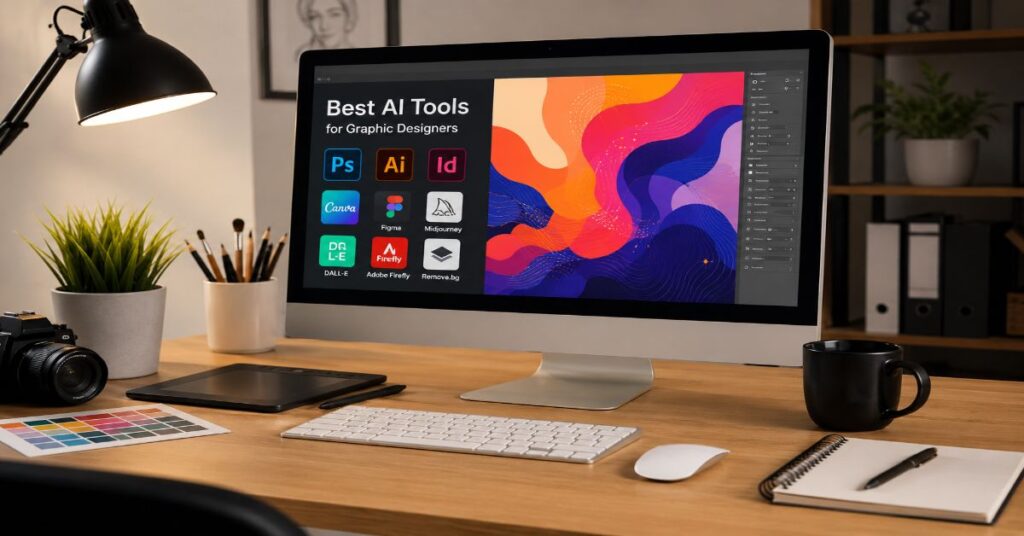
The best AI tools for graphic designers in 2026 are Adobe Firefly, Midjourney, Canva AI, Ideogram, Kittl, Recraft, Figma AI, Leonardo.Ai, Khroma, Fontjoy and Uizard. They do not, however, perform the same job. Adobe Firefly is the strongest option for designers already working inside Photoshop, Illustrator and Adobe Express. Midjourney remains highly capable for visual exploration and art direction. Canva AI excels at fast client deliverables, branded social graphics and multi-format production. Ideogram is particularly effective when generated images must contain readable words, while Kittl is designed around typography, merchandise, posters and template-driven graphics.
The most important finding from our documentation-led 2026 evaluation is that no single application replaces a professional design stack. Image generators produce concepts and source material, but graphic design also requires grids, editable paths, reusable components, colour systems, typography, accessibility checks, export control and intellectual-property review. Tools that generate attractive pictures can still perform poorly when a designer needs a precise SVG logo, a five-language packaging system or a component that remains editable after hand-off.
A practical workflow therefore separates ideation from production. Midjourney or Ideogram may establish visual direction. Firefly, Photoshop or Leonardo.Ai can refine imagery. Recraft can create vectors and icons. Figma can structure interface components. Canva or Kittl can adapt the approved direction into repeatable campaign assets.
This guide compares those roles rather than treating every AI design platform as interchangeable. Pricing, plan limits and features can change quickly, so procurement decisions should always be checked against the vendor’s current documentation before purchase.
Best AI Tools for Graphic Designers in 2026
The strongest tools can be divided into five functional groups: professional production suites, generative-image systems, vector tools, layout platforms and specialist assistants.
| Tool | Best use | Principal strength | Main limitation |
| Adobe Firefly | Professional production | Creative Cloud integration and editable workflows | Highest value depends on Adobe ecosystem use |
| Midjourney | Concepts and art direction | Strong visual style and rapid exploration | Limited native vector and layout production |
| Canva AI | Fast client content | Templates, resizing, brand tools and publishing | Less granular control than specialist software |
| Ideogram | Posters and text in images | Accurate typography inside generated compositions | Generated lettering still requires manual verification |
| Kittl | Merchandise and typography | Text effects, templates, mock-ups and AI tools | Not a complete substitute for Illustrator |
| Recraft | Vectors and icon systems | SVG-oriented generation and style consistency | Complex marks usually need manual path correction |
| Figma AI | UI and product design | Component-based collaborative workflows | Not primarily a high-end image generator |
| Leonardo.Ai | Controlled image production | Model choice, editing and style controls | Credit economics can become complex |
| Khroma | Colour exploration | Personalised palette generation | Colour suggestions still need accessibility testing |
| Fontjoy | Font pairing | Rapid typographic combinations | Licensing and language coverage need separate checks |
| Uizard | Interface prototyping | Fast wireframes and screen concepts | Generated layouts require product-design review |
The list also reveals a distinction that many search comparisons miss. A visual generator and a graphic-design platform are not necessarily competitors. Midjourney competes with other visual ideation systems, while Figma competes in collaborative interface production. Recraft is evaluated through vector editability, whereas Canva is judged by the speed with which a team can create, resize, approve and publish finished communications.
Designers should therefore start with the deliverable. A campaign mood board, responsive product interface, trademark application and printed T-shirt require different forms of control.
Adobe Firefly: Best for Professional Design Production
Adobe Firefly is the strongest general recommendation for professional graphic designers whose production work already depends on Photoshop, Illustrator, InDesign, Adobe Express or Creative Cloud Libraries. Its advantage is not simply image generation. It is the ability to place generative operations inside established editing software.
Firefly-supported workflows include text-to-image generation, generative fill, generative expand, object removal, background replacement, style references, text effects and image variations. Depending on the Adobe application and account, designers can move generated material into layered documents, continue editing with masks and adjustment layers, or include it in a broader Creative Cloud workflow.
This matters because the output of a professional design process must usually survive several rounds of revision. A client may request more room for a headline, a different product colour, a new market format and a version without a model. A flattened image from a standalone generator can make those changes expensive. Firefly’s relationship with Photoshop and Illustrator makes the generated result part of an editing environment rather than the end of the process.
For prompt structuring techniques that carry over well from research tools to image generation, see this guide to writing effective Perplexity prompts.
Why Firefly Fits Agency and Enterprise Workflows
Adobe’s most defensible strength is workflow continuity. A designer can generate a background, mask the subject, adjust the composition, apply brand colour, prepare alternate aspect ratios and export through tools already used by agencies and corporate creative departments.
Firefly also benefits from Adobe’s emphasis on commercially oriented training sources and Content Credentials. These measures reduce certain categories of risk, but they do not make every output legally immune. A user can still introduce risk through copyrighted uploads, misleading prompts, recognisable people, protected characters, logos or material that imitates another creator too closely.
The practical rule is to treat Firefly as a lower-risk production environment, not an automatic legal clearance service. High-visibility campaigns should still receive trademark, likeness and copyright review. Designers should also preserve prompts, source files, reference permissions and export records when provenance matters.
Firefly is less compelling for a designer who does not use Adobe products. Its economic value rises when generative tools shorten an existing Photoshop or Illustrator process. Used alone, it faces stronger competition from visually distinctive generators and lower-cost layout platforms.
Midjourney: Best for Artistic Direction and Visual Exploration
Midjourney remains one of the best AI tools for graphic designers who need expressive visual concepts, cinematic compositions, editorial imagery, environmental ideas or campaign mood boards. It is particularly effective when the brief describes a mood rather than a rigid layout.
A designer can explore lighting, camera position, styling, material, era, atmosphere and composition through prompt variations. Reference images and style controls can help maintain a direction across related concepts. Midjourney’s web interface has also reduced the historical dependence on Discord, making visual iteration more accessible to creative teams.
Its main weakness is that a beautiful image is not the same as a production-ready design. Midjourney does not replace Illustrator for structured vector artwork, Figma for interface systems or InDesign for long documents. Embedded text may be unreliable, logos may not be clean enough for trademark use and small structural details can change between variants.
Midjourney should consequently sit near the beginning of a workflow. Use it to establish possible visual worlds, then rebuild the selected direction in an editable production environment.
Are Midjourney Assets Safe for Client Projects?
Midjourney permits commercial use under its terms, but plan conditions matter. Businesses generating more than $1 million in annual revenue are required to use a Pro or Mega subscription for company commercial use. Public-generation behaviour, visibility settings and ownership conditions should also be reviewed before confidential client work is entered into the service.
Commercial permission does not guarantee copyright protection or remove third-party rights. In several jurisdictions, wholly machine-generated material may receive limited or uncertain copyright protection. A generated output can also resemble existing work, include recognisable characters or reproduce risky visual elements.
A safer client workflow is to use Midjourney for direction, then add substantial human authorship through composition, drawing, retouching, typography and layout. Keep prompt records and avoid prompts requesting direct imitation of living artists. For background on how generative art tools are evaluated for production use, see this overview of AI art generators.
Canva AI: Best for Freelancers and Fast Client Work
Canva AI is the most accessible choice for freelancers, social-media teams, small agencies and non-specialists who need to deliver finished graphics quickly. Its competitive advantage is not that every generated image exceeds specialist models. It is that generation, copy, layout, templates, resizing, brand assets, collaboration and publishing exist in one browser-based environment.
The platform’s AI capabilities span image generation, design generation, writing assistance, background removal, object editing, image expansion, translation and format adaptation. Brand Kits can centralise approved colours, fonts and logos, while templates provide a repeatable framework for clients who need recurring social posts, presentations, advertisements or campaign collateral.
This reduces tool switching. A freelancer can generate an image, place it into a template, apply the client’s brand, create platform-specific sizes and share a review link without moving through several applications.
The limitation is control. Canva’s speed is partly achieved by constraining decisions through templates and simplified editing. Complex typography, detailed pre-press requirements, advanced vector construction and highly customised grids are still better handled by specialist desktop tools.
A fuller look at text-to-image workflows and how they integrate into broader design pipelines appears in this text-to-image guide.
Ideogram: Best for Logos, Posters and Text Rendering
Ideogram is one of the strongest generative systems for graphics containing visible words. It is useful for poster concepts, signs, labels, event graphics, editorial treatments and advertising ideas where text must appear inside the generated composition.
The platform’s emphasis on typography distinguishes it from image models that treat letters as decorative shapes. Designers can describe both the wording and its visual role, then generate compositions in which the text interacts with objects, materials and lighting.
Ideogram 4.0 extends this proposition through improved typography, prompt alignment and editing. Its hosted API offers Turbo, Default and Quality tiers, allowing teams to balance cost and fidelity. Public pricing lists Ideogram 4.0 Turbo at $0.03 per image, Default at $0.06 and Quality at $0.10. Custom-model services and specialised generation operations have separate prices.
Ideogram should still not be used to create an unreviewed final logo. Generated marks may resemble existing symbols, contain weak geometry or perform poorly at small sizes. Letterforms should be checked manually, rebuilt as vectors and tested in monochrome, reversed and reduced applications.
Kittl: Best for Typography, Merchandise and Decorative Graphics
Kittl combines browser-based graphic design with templates, typographic effects, mock-ups and access to multiple AI models. It is especially useful for T-shirts, badges, labels, posters, stickers, retro graphics, packaging concepts and merchandise presentations.
Its interface is more design-oriented than a pure image generator. Users can combine generated art with editable text, ornamental elements and mock-ups. This makes it attractive to creators who need to move quickly from an idea to a product listing or client presentation.
Kittl uses an AI token system. Its documentation lists 200 one-time tokens on Free, 2,000 monthly tokens per editor on Pro, 6,000 monthly tokens plus daily allocations on Expert and 12,000 monthly tokens plus a larger daily allocation on Max. The number of generations depends on the selected model and operation because different tools consume different token amounts.
That variable cost is a hidden planning issue. A plan advertised with thousands of tokens does not necessarily provide thousands of finished images. High-quality models, editing operations and repeated variations may consume the balance faster than expected.
Kittl is most effective for decorative, typographic and merchandise workflows. Illustrator remains stronger for precision path construction, complex print production and extensive brand systems.
Recraft: Best for AI Vector Graphics and Icons
Recraft is one of the most relevant AI tools for graphic designers because it targets a longstanding weakness in generative imagery: editable vector output. Designers can use it to create icons, illustrations, graphic assets and style-consistent image families.
Vector capability changes the value of an AI output. Raster images can become soft when enlarged and are difficult to recolour structurally. An SVG can be opened in Illustrator, inspected, simplified, recoloured and adapted for multiple sizes. That makes Recraft more practical for icons, interface assets, simple brand illustrations and scalable decorative elements.
The word vector should not be mistaken for finished geometry. AI-generated SVG files can contain unnecessary anchor points, overlapping shapes, awkward curves and poorly organised groups. Before production, designers should inspect paths, remove redundant nodes, check joins, test fills and strokes and confirm that the asset remains legible at its smallest intended size.
For hand-drawn sketches, the best workflow is to clean the scan first, raise contrast, remove paper noise and separate the essential silhouette. Generate or vectorise the simplified form, then rebuild important curves manually. The AI stage should accelerate tracing, not eliminate optical correction.
Figma AI: Best for UI and Collaborative Product Design
Figma AI is best understood as an acceleration layer inside a collaborative product-design system. It can support interface generation, content replacement, layer organisation, prototyping and repetitive design operations, depending on the features available to the account.
The central advantage is context. An AI tool working inside Figma can operate near components, variables, frames, libraries and developer hand-off. That is more useful for interface designers than generating a beautiful but disconnected screenshot.
How Adobe Firefly Compares With Figma AI
Adobe Firefly and Figma AI serve different production layers. Firefly is strongest for image creation and manipulation. Figma is strongest for interface structure, components, screens, interaction and collaboration.
A combined workflow begins with Firefly when a product needs campaign artwork, onboarding illustration, textured backgrounds or image variations. Approved assets are exported into Figma, where designers place them inside responsive components and test them across screens.
The bottleneck is editability. A layered Photoshop file does not become a fully editable Figma component, and a Figma interface does not inherit Photoshop’s pixel-level controls. Teams should define the hand-off boundary clearly: Adobe for visual asset creation and Figma for interface assembly, behaviour and design-system governance.
Generated UI suggestions must still be tested for accessibility, content hierarchy, responsive behaviour and real user tasks.
Leonardo.Ai: Best for Controlled Image Workflows
Leonardo.Ai offers a broad environment for image generation, editing, model selection, style control and production-oriented experimentation. It is useful for designers who want more control than a template platform provides but do not want to maintain a local generative stack.
Its tools can support image guidance, canvases, visual references, transparent-background workflows and variation generation. The precise feature set depends on the model, plan and product version.
Leonardo.Ai works well for game assets, advertising concepts, product scenes, illustration and campaign variations. It can also serve as a bridge between ideation and production by giving users more explicit controls than a simplified one-prompt interface.
Its main limitation is operational complexity. Token or credit costs can vary by model, output setting and processing task. Designers should calculate cost per approved asset rather than cost per generation. Ten inexpensive generations that require extensive repair may cost more in labour than two higher-quality outputs.
The Canva acquisition of Leonardo.Ai has also made the relationship between specialist generation and mainstream design platforms strategically important. Designers should expect more cross-platform workflow convergence, although specific product integrations must be judged only after they are released.
Khroma and Fontjoy: Specialist Assistants for Colour and Type
Khroma and Fontjoy solve narrower problems than Firefly or Canva, but they can still remove friction from early design exploration.
Khroma learns from a user’s colour preferences and produces palette combinations, gradients and examples. It is useful for overcoming the blank state at the beginning of a branding or campaign task. Its suggestions are exploratory, not authoritative. Designers must still test contrast ratios, colour blindness, print conversion, cultural associations and consistency across screens.
Fontjoy uses machine learning to suggest font pairings. It can help designers compare display, body and accent relationships quickly. The result is a starting point rather than a completed type system. Font licensing, language support, variable-font axes, weights, numerals and rendering quality must all be checked separately.
Both tools illustrate an important principle: the best AI design tool is often the one that improves a specific decision without attempting to generate the whole project. Narrow assistants can increase speed while leaving structural judgement with the designer.
Uizard: Best for Rapid UI Prototypes
Uizard is designed for fast interface concepts, wireframes and prototypes. It can help founders, product teams and designers convert written ideas or rough sketches into screen layouts.
The speed is valuable during workshops and early discovery. A team can visualise competing flows before committing engineering time. Non-design stakeholders can also communicate ideas in a more concrete form than a written feature list.
Its outputs should not be treated as validated product design. Generated screens may rely on familiar patterns without understanding the user’s context. They can hide edge cases, accessibility issues, content dependencies and technical constraints.
A professional designer should convert the promising parts into a governed component system, replace placeholder copy with realistic content and test responsive states. Uizard is therefore best used to reduce the cost of discussing an idea, not to remove research or interaction design.
Pricing Comparison and Hidden Limits
Prices vary by billing country, tax treatment, currency, annual commitment and promotional status. The following matrix presents the most stable publicly documented structures rather than pretending every regional checkout is identical.
| Platform | Entry structure | Professional structure | Metering model | Important hidden limit |
| Adobe Firefly | Limited free access | Paid Firefly or Creative Cloud plans | Generative credits and feature access | Premium operations may consume credits differently |
| Midjourney | Basic subscription | Standard, Pro and Mega | Fast GPU time with plan-dependent Relax access | Commercial rule changes above $1 million company revenue |
| Canva AI | Free plan with restricted AI use | Pro, Business or enterprise access | Plan-based AI allowances | Availability and usage limits vary by feature |
| Ideogram | Free public generation | Plus, Pro and Team | Priority and Slow credits | Free generations may be public |
| Kittl | Free with one-time tokens | Pro, Expert and Max | Model-dependent tokens | Expensive models consume balances faster |
| Recraft | Free or limited access | Paid individual and team plans | Credits or plan allowances | Export and privacy rights can vary by tier |
| Figma AI | Feature-dependent access | Professional and organisation plans | Seat and product entitlements | AI access does not replace paid editor seats |
| Leonardo.Ai | Free token allowance | Paid token-based plans | Model and operation tokens | Cost per generation varies significantly |
Midjourney’s plan structure deserves particular attention. Basic is designed for limited use. Standard adds substantially more generation capacity and Relax Mode for images. Pro and Mega are better aligned with high-volume or confidential work and are required for qualifying larger businesses. Extra Fast GPU time may be purchased separately, while unused monthly Fast time does not function like a permanent asset balance.
Ideogram allows users who exhaust monthly Priority credits to continue with Slow credits on eligible paid plans. Priority top-ups are available, and purchased top-up credits can roll over until used. API billing is separate from consumer subscription pricing.
Kittl’s tokens are similarly model-dependent. Teams should record the token cost of their preferred model and multiply it by average iterations per approved design. That calculation produces a more realistic capacity forecast than the headline token allowance.
Production Workflow for Combining AI Design Tools
A reliable multi-tool workflow should preserve editability, rights information and brand consistency from the first brief to final export.
Step 1: Define the Deliverable
Document the final channels, dimensions, file formats, colour spaces, localisation needs, accessibility requirements and approval process. A logo requires different controls from an Instagram post or interface hero image.
Step 2: Establish Rights Boundaries
List prohibited references, protected brands, confidential source files and likeness restrictions. Decide which tools are approved for client material and whether prompts or generations may be public.
Step 3: Generate Direction, Not Final Artwork
Use Midjourney, Ideogram or Leonardo.Ai to produce visual territories. Limit the first round to meaningfully different directions rather than dozens of minor variants.
Step 4: Select and Rebuild
Choose one direction based on the brief, not novelty. Rebuild logos, icons and typography in Illustrator, Recraft, Figma or another editable environment. Do not trace unresolved artefacts blindly.
Step 5: Create the Production System
Set type styles, spacing rules, colours, grid logic, image treatment and reusable components. Store approved brand elements in shared libraries or Brand Kits.
Step 6: Adapt at Scale
Use Canva, Kittl, Figma or Adobe Express for format variation. Lock essential elements where possible and define which fields may be edited by non-designers.
Step 7: Perform Quality Control
Check spelling, anatomy, shadows, reflections, perspective, product details, colour contrast, safe areas, bleed, resolution and export settings. Review generated text character by character.
Step 8: Preserve Provenance
Retain prompts, original generations, edited source files, reference permissions and approval records. Content Credentials should be maintained where supported and appropriate. For broader prompt-management practices that apply across AI tools, see this guide to AI prompt structuring.
Workflow Tips for Ideogram Logos and Canva Layouts
Ideogram and Canva can work effectively together when their responsibilities are separated.
Begin in Ideogram with a concept brief that defines the brand personality, symbol category, typography direction and forbidden clichés. Generate monochrome concepts before exploring colour because weak silhouettes are harder to hide without decorative effects.
Select only concepts with a clear structure. Do not export a generated logo directly as the final master. Recreate the mark as vector paths, correct spacing and inspect it against existing trademarks. Build horizontal, stacked, symbol-only, monochrome and reversed variants.
Import the approved assets into Canva as SVG or another supported transparent format. Add the logo, palette and fonts to the Brand Kit. Create templates with fixed logo placement, safe areas and text limits. For teams adapting visual concepts into diagram-style or structured layouts, the approach used in AI-generated academic diagram tools offers a useful parallel for keeping generated visuals structured and editable.
This process uses Ideogram for exploration and Canva for controlled distribution while keeping the core identity under professional design control.
Performance Bottlenecks and Known Constraints
The largest bottleneck is rarely generation speed. It is selection and repair. As the cost of producing variants falls, teams can create more material than they can evaluate. Without a defined brief, AI increases review time rather than reducing it.
Typography remains another constraint. Ideogram and newer image models can render impressive words, but errors still occur in punctuation, small copy, multilingual text and repeated lettering. Final text should be typeset separately whenever accuracy matters.
Vector outputs also require inspection. An SVG can be technically scalable while remaining structurally poor. Excessive anchor points, self-intersections and inconsistent winding can create problems in cutting, embroidery, animation and print.
Brand consistency is difficult across independent generations. Reference images and custom models can help, but deterministic reproduction is not guaranteed. Designers should convert successful outputs into a controlled asset library rather than regenerating them whenever needed.
Privacy is a further bottleneck. Public galleries, model-training policies and retention terms vary. Unreleased products, personal data and confidential campaign material should only be uploaded under an approved plan and contract.
Three Information-Gain Findings for Design Teams
The first underreported finding is that cost per image is a weak procurement metric. Cost per approved, editable asset is more useful. A cheap generator can be expensive when every output needs extensive retouching or reconstruction.
The second is that editability should be measured in layers. A tool may provide an SVG, transparent PNG or editable text but still fail to preserve semantic structure. Teams should ask whether shapes, text, masks, components and styles remain independently controllable after export.
The third is that AI increases the value of design systems. When generation becomes abundant, constraints become more important. Brand libraries, component rules, prompt standards and approval gates prevent the organisation from producing a large volume of inconsistent content.
A fourth insight follows from these findings. The designer’s durable advantage is not prompt fluency alone. It is the ability to convert uncertain machine output into a coherent system that functions across formats, audiences and business requirements.
Takeaways
- Adobe Firefly is the strongest all-round option for designers already working in Creative Cloud.
- Midjourney is best used for art direction and visual exploration rather than final vector or layout production.
- Canva AI offers the fastest route from generation to branded, multi-format client deliverables.
- Ideogram is highly effective for text-led concepts, but logos and lettering still require manual vector reconstruction.
- Recraft is one of the most relevant specialist tools for icons and scalable graphic assets.
- Figma AI accelerates product-design workflows but does not replace accessibility testing, user research or component governance.
- Evaluate every platform by cost per approved editable asset, commercial terms, privacy and revision speed.
Conclusion
The best AI tools for graphic designers in 2026 do not eliminate the need for professional design. They redistribute the work. Machines now perform more ideation, variation, image synthesis, background editing and repetitive adaptation. Designers remain responsible for deciding what belongs, what communicates clearly and what can survive production.
Adobe Firefly is the most complete professional choice for Creative Cloud users. Midjourney remains a powerful visual-development engine. Canva AI is the most efficient option for fast branded content. Ideogram and Kittl are valuable for text-led graphics, while Recraft, Figma AI, Khroma, Fontjoy and Uizard solve narrower production problems.
The strongest workflow is modular. Generate where generation is useful, then move the selected material into an environment that preserves editability, brand control and human authorship. This approach also creates a clearer legal and operational record.
Open questions remain around copyright protection, training-data transparency, model consistency and the durability of platform pricing. Those uncertainties make design judgement more important, not less. The competitive advantage belongs to teams that combine AI speed with disciplined systems, rights review and careful craft.
FAQs
What are the best AI tools for graphic designers?
The leading options are Adobe Firefly, Midjourney, Canva AI, Ideogram, Kittl, Recraft, Figma AI and Leonardo.Ai. Firefly suits professional Adobe workflows, Midjourney supports visual exploration, Canva accelerates client production and Recraft focuses on vector assets.
Which AI tool is best for professional graphic design?
Adobe Firefly is the strongest general choice for professionals using Photoshop and Illustrator because generated material can move into established editing workflows. Figma is better for interface systems, while Recraft is more suitable for vector and icon generation.
Is Midjourney or Ideogram better for designers?
Midjourney is generally stronger for expressive imagery, art direction and atmospheric concepts. Ideogram is usually better when text must appear inside a generated poster, label or advertising composition. Neither replaces professional vector, typography or layout software.
What is the best AI tool for vectorising sketches?
Recraft is a strong AI-first option for vector graphics. Illustrator’s Image Trace and specialist vectorisation software also remain useful. Every converted result should be inspected for unnecessary points, irregular curves, overlaps and small-size legibility.
Can graphic designers use AI images commercially?
Commercial use depends on the platform, plan and intended application. Permission from a vendor does not eliminate copyright, trademark, likeness or confidentiality risk. Designers should review current terms, avoid protected material and preserve records of human editing and source permissions.
References
Adobe. (2026). Adobe Firefly and Creative Cloud product documentation. Adobe.
Figma. (2026). Figma AI product and administration documentation. Figma, Inc.
Ideogram. (2026). Ideogram 4.0 API pricing and model documentation. Ideogram.
Kittl. (2026). Using tokens on Kittl and subscription-plan documentation. Kittl.
Midjourney. (2026). Comparing Midjourney plans and commercial-use documentation. Midjourney.
United States Copyright Office. (2025). Copyright and artificial intelligence, Part 2: Copyrightability. U.S. Copyright Office.
World Intellectual Property Organization. (2025). Generative artificial intelligence and intellectual property resources. WIPO.
