
📋 Executive Summary
🖼️ Quality: V8.1 can generate native 2048-pixel HD concepts, but a professional logo still needs vector reconstruction rather than a simple image upscale.
✍️ Prompt: The most reliable prompt starts with brand meaning, symbol geometry, colour constraints and forbidden clichés, not a long list of decorative styles.
🔤 Typography: Typography remains the fragile stage: short quoted text can improve rendering, yet final wordmarks should be typeset manually in a licensed font.
💳 Pricing: Pricing begins at $10 monthly, while Stealth Mode is limited to Pro and Mega and businesses above $1 million revenue need one of those plans for asset ownership.
🔒 Limits: Midjourney has no documented public API for automated logo production, and its May 2026 terms prohibit automated access to the service.
🎯 Decision: Use Midjourney for visual exploration, then move the selected concept into Illustrator, Affinity Designer or Inkscape for production files and trademark review.
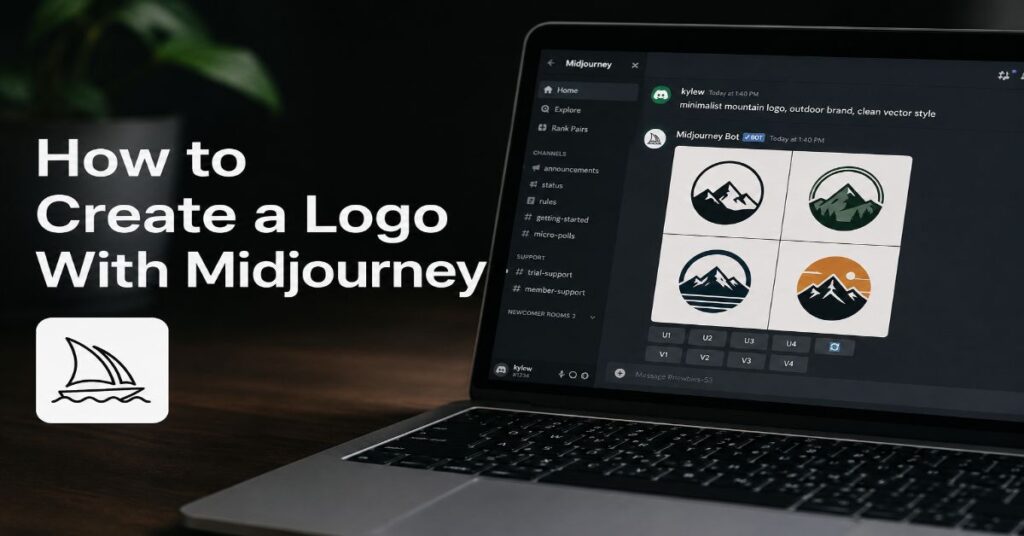
To learn how to create a logo with Midjourney, use it as an idea generator rather than a finished-logo factory: V8.1 can render a 2K concept in 1.3 GPU minutes, yet it still produces raster artwork and imperfect letterforms that require human reconstruction. I treat that contradiction as the central rule of the workflow. Midjourney is exceptionally good at finding unexpected symbols, shapes, negative-space ideas and visual territories. It is not a substitute for brand strategy, vector drawing, typography, accessibility checks or trademark clearance.
This guide shows how to move from a commercial brief to a controlled prompt system, how to use V8.1 settings without wasting GPU time, and how to convert a promising concept into practical logo files. It also explains the limits that are easy to overlook: public-by-default creations, plan-specific Stealth Mode, the absence of a documented public API, the $1 million revenue threshold in Midjourney’s ownership terms and the risk of mistaking an attractive emblem for a protectable identity.
The objective is not to make Midjourney “design the brand”. The objective is to make it widen the design search space, quickly enough that a founder, marketer or designer can compare multiple visual directions before committing to a production route. The result should be a human-led identity system with a clear rationale, not an isolated AI image that happens to look like a logo.
What Midjourney Can and Cannot Do for Logo Design
Midjourney’s strongest contribution is divergent exploration. A conventional logo process may begin with word association, competitor mapping, sketching and visual references. Midjourney can accelerate the sketching stage by generating many interpretations of a symbol or metaphor, especially when the brief is concrete. A prompt for “an abstract bridge formed from two interlocking arcs” creates a more useful search space than “make a modern technology logo”.
V8.1 became the default Midjourney model on 10 June 2026. Its official documentation describes faster rendering, stronger prompt adherence, SD output at 1024 pixels and HD generation at 2048 pixels. Those improvements matter for concept review because fine geometry is easier to inspect. They do not turn the output into a vector master. The documented workflow remains image generation, and the official feature list does not include native SVG, EPS or editable Bézier paths.
For readers new to the platform, the site’s Midjourney tutorial for beginners covers the web interface, prompt basics and iteration controls. The logo-specific distinction is that success is measured differently. A beautiful editorial image can tolerate detail, texture and ambiguity. A logo must survive reduction to a browser tab, embroidery, one-colour printing and low-resolution screens.
Midjourney also cannot establish whether a mark is strategically distinctive or legally available. It can generate familiar visual grammar because familiar patterns are statistically easy to express: rockets for startups, leaves for sustainability, shields for security and brains for AI. The user must recognise those clichés and reject them. The machine expands possibilities, but the human decides whether a possibility belongs to the brand.
Start With a Brand Brief, Not a Style Prompt
A logo prompt should be the compressed output of a brand brief. Before opening Midjourney, define the organisation, audience, promise, personality and practical uses. This reduces random variation and makes every image easier to judge. A useful brief can fit on one page, but it should answer hard questions: What must the identity communicate? Which competitors must it avoid resembling? Where will the logo appear? Which symbols are culturally risky or legally crowded?
Convert the brief into visual constraints. “Trustworthy” is too abstract on its own. It can become balanced geometry, stable proportions, a restrained palette and high legibility. “Inventive” might become an unexpected negative-space device rather than neon gradients. “Premium” may call for controlled spacing and fewer elements, not a metallic mock-up. This translation from business language to visual language is the most important human step.
A free AI logo generator comparison is useful when the requirement is a quick, editable template or an immediate download. Midjourney is different. It is strongest when the project needs original art direction and broad visual exploration, while dedicated logo makers are often stronger at automated layouts, font pairing and ready-made brand kits.
Create a rejection list before generation. Include overused symbols, prohibited colours, competitor similarities, complex gradients, photorealistic effects and any imagery that would fail at small sizes. A rejection list prevents the review from becoming emotionally biased toward a polished but unsuitable picture. It also gives the `–no` parameter a disciplined purpose.
How to Create a Logo With Midjourney: Eight-Step Workflow
The following workflow keeps strategy, generation and production separate. That separation matters because each stage has a different standard of evidence. The brief is judged against the business. The concept is judged against visual criteria. The production file is judged against technical and legal requirements.
Step 1: Define One Strategic Idea
Choose one message the mark must carry, such as connection, precision, renewal or protection. Do not ask one symbol to communicate five unrelated attributes.
Step 2: Select a Logo Family
Decide whether you are exploring a symbol, monogram, wordmark, combination mark, badge or mascot. Midjourney performs better when the intended form is named.
Step 3: Write a Plain Visual Description
Describe subject, geometry and composition before style. A reliable core is: “minimal geometric symbol, two interlocking arcs forming a hidden letter N, balanced negative space, centred, flat vector-like design”.
Step 4: Add Production Constraints
Specify one or two colours, white background, no mock-up, no shadows, no gradients, no photographic texture and strong small-size legibility. These constraints reduce presentation effects that disguise weak geometry.
Step 5: Generate Broad Drafts
Use V8.1 Draft Mode on the web to create a 24-image batch at 512 by 512 pixels for 0.4 GPU minutes. Treat the batch as thumbnail sketches and reject aggressively.
Step 6: Narrow by Structure
Select concepts with distinctive silhouettes, simple counters, balanced weight and a clear focal point. Ignore surface polish at this stage.
Step 7: Regenerate Controlled Variants
Use Remix, Style Reference, seed reuse and lower stylisation to test whether the idea remains recognisable across variations. A concept that collapses under small changes is usually not robust.
Step 8: Rebuild and Validate
Redraw the selected concept as vector paths, typeset the name in a licensed font, create one-colour and reverse versions, test at favicon size and complete similarity and trademark searches.
Build Prompts From Design Decisions
Logo prompts work best when they read like a compact art-direction note. Midjourney’s documentation says parameters belong at the end of the prompt, separated from the text and without punctuation inside the parameter string. Keep the descriptive sentence human-readable, then add technical controls.
A practical sequence is: logo type, central symbol, geometry, negative space, visual personality, colour limit, background, exclusions and parameters. The order encourages the model to prioritise form before finish. Avoid contradictory adjectives such as “minimal, ornate, brutalist, delicate, maximalist”. Each extra style word introduces another negotiation that may weaken the silhouette.
| Prompt Component | Purpose | Example for a Fintech Brand |
| Logo family | Sets the expected composition | Minimal monogram symbol |
| Core metaphor | Connects the mark to meaning | Two paths converging into one |
| Geometry | Controls shape language | Rounded modular lines, balanced symmetry |
| Negative space | Encourages a memorable device | Hidden letter A in the centre |
| Production style | Suppresses illustration effects | Flat vector-like design, one colour |
| Context control | Avoids deceptive mock-ups | Plain white background, centred |
| Exclusions | Removes common failure modes | No gradients, shadows, coins or charts |
| Parameters | Controls model behaviour | –v 8.1 –ar 1:1 –raw –s 50 |
A complete example is: “minimal monogram symbol for a financial infrastructure company, two modular paths converging into a hidden letter A, rounded geometry, balanced negative space, dependable and precise, flat vector-like design, one dark colour on white, centred, no gradients, shadows, coins, arrows or mock-up –v 8.1 –ar 1:1 –raw –s 50”.
Use shorter prompts for refinement. Once the symbol family is clear, remove broad mood language and vary one decision at a time. This creates a traceable design process and makes it easier to explain why a selected concept improved.
Use V8.1 Controls Without Losing the Brief
V8.1 is the current default model and the most relevant starting point for new logo work. Midjourney says standard jobs render roughly four to five times faster than earlier versions. SD images cost 0.8 GPU minutes, while native HD images cost 1.3 minutes. HD is useful for inspecting edges, but it should be reserved for shortlisted concepts because more pixels do not improve a weak idea.
The official parameter inventory includes Aspect Ratio, Chaos, Omni Reference in V7, No, Personalization, Quality, Repeat, Seed, Stealth, Raw, Stylize, Style Reference, Tile, Version, Draft, Weird, Fast, Relax, Turbo, Image Weight, Niji, Public Mode, video motion controls, loop and end-frame controls, video batch size, Style Weight, Style Reference Version, Video, and SD or HD output. Only a subset is useful for logos, and some features are version-specific.
The independent Midjourney pricing guide provides wider context on GPU economics and rights. For a logo project, the hidden cost is usually iteration rather than final rendering. Draft batches, disciplined rejection and seed-controlled comparisons are more valuable than repeatedly generating polished HD images.
| Control | Logo Use | Current Constraint |
| –v 8.1 | Uses the current default model | Some V7 features fall back to V7 |
| –raw | Reduces default styling for literal geometry | May produce plainer, less polished drafts |
| –s | Controls artistic interpretation | High values can distort simple marks |
| –c | Widens composition variety | High chaos weakens controlled comparison |
| –seed | Supports repeatable variation tests | V8.1 is documented as about 99% identical, not perfectly deterministic |
| –no | Suppresses clichés and effects | Negative wording is not an absolute guarantee |
| –ar 1:1 | Creates a neutral concept canvas | Aspect ratio is not final file dimensions |
| –sd / –hd | Chooses 1024px or 2048px output | HD editing operations can downscale to SD |
| Draft Mode | Produces 24 fast thumbnails | V8.1 Draft is web-only and 512px |
| Style Reference | Tests a coherent aesthetic territory | References guide style, not exact copying |
A useful control sequence is broad to narrow. Begin with Draft Mode and modest chaos. Select two symbol families. Regenerate each with Raw Mode and low stylisation. Reuse seeds for controlled wording changes. Only then create HD candidates. This sequence preserves GPU time and separates conceptual judgement from rendering quality.
Treat Typography as a Separate Design System
Midjourney can place short words in images when they are enclosed in double quotation marks. The official guidance recommends standard Latin characters, brief phrases and lower stylisation when accuracy matters. That is enough for concept mock-ups, but not enough for a final wordmark. A logo name must be editable, kerned, licensed and reproducible across every application.
Use Midjourney to explore the relationship between symbol and type, not to manufacture the final lettering. Prompt for “space for a short wordmark” or include a quoted brand name to test proportion. Then remove the generated text and rebuild the wordmark in a design application. Compare several licensed typefaces, adjust letter spacing manually and create optical corrections around unusual forms.
The site’s Midjourney versus DALL·E 3 comparison notes that literal instruction following and text rendering can differ by tool. That is a legitimate reason to use another model for a text-heavy concept, but even better AI typography does not remove the need for manual typesetting.
Canva CEO Melanie Perkins argued in a 2026 interview that AI should support the creator’s vision rather than displace it. Her point applies directly to wordmarks. The model can accelerate layout experiments, while the designer retains control of the actual typographic system.
Check the final type at small sizes, on low-contrast screens and in one colour. Inspect ambiguous pairs such as I and l, rn and m, or O and 0. Confirm that the font licence covers the organisation’s use. Where a custom wordmark modifies a font, keep records of the licence and the design changes.
“AI should accelerate your vision and creativity, not override it.”
Melanie Perkins, Co-founder and CEO, Canva, speaking to The Verge, April 2026
Create Consistency With References and Controlled Variation
A logo identity rarely ends with one mark. It needs social avatars, app icons, favicons, monochrome stamps, lock-ups and occasionally an illustration language. Midjourney’s Style Reference and Image Prompt tools can help test whether a selected visual territory extends coherently, but they should be used after the core mark is stable.
Image Prompts can influence content, composition and colour. Midjourney documents an image-weight range of 0 to 3 for V8.1 and recommends matching the reference crop to the intended output ratio. Style References influence aesthetic treatment rather than copying exact objects. For identity exploration, that distinction is useful: an approved moodboard can guide texture or shape language without turning every output into a duplicate.
For teams that need local deployment, repeatability or deeper automation, the Midjourney versus Stable Diffusion analysis explains why an open workflow may fit production better. Midjourney is easier for rapid art direction, while Stable Diffusion systems can offer more technical control when a team can manage models, nodes and infrastructure.
Do not use a public Style Reference that reproduces another brand’s recognisable visual identity. Build references from owned photographs, internal sketches, licensed materials or abstract moodboards. Midjourney’s terms place responsibility for uploaded content and generated assets on the user. A reference is a creative constraint, not a legal shield.
The practical test is consistency under reduction. Generate supporting icons or patterns, then compare them beside the vector master in black and white. If the system needs texture or lighting to feel coherent, it is probably an illustration style rather than a durable identity system.
Move From Raster Concept to Production Vector
The handoff from Midjourney to vector software is where a concept becomes a logo. Automatic image tracing can provide a starting point, but it often creates excessive anchor points, uneven curves and small artefacts. A professional reconstruction should simplify the geometry rather than preserve every pixel.
Adobe creative executive Ely Greenfield described the broader direction of design software in 2026 as raising the level at which creators can express intent. The principle is useful here: automation should remove mechanical work, while the production file should still embody deliberate geometric decisions.
The site’s guide to the best AI tools for graphic designers maps adjacent applications. For logo finishing, the essential tool is not another generator. It is a vector editor with path controls, typography, colour management, export presets and reliable file inspection.
| Production Stage | Recommended Action | Deliverable |
| Import | Place the selected raster concept as a locked reference layer | Source board with prompt and seed notes |
| Reconstruct | Draw primary curves and shapes with minimal anchor points | Clean vector symbol |
| Normalise | Correct symmetry, optical weight, spacing and corner radii | Geometrically balanced master |
| Typeset | Choose a licensed font and adjust kerning manually | Wordmark and combination lock-up |
| Colour | Define RGB, HEX, CMYK and spot-colour equivalents | Approved colour specifications |
| Test | Review at 16px, 24px, print, embroidery and one colour | Size and reproduction report |
| Export | Create SVG, PDF, EPS, PNG and favicon variants | Organised brand asset package |
| Document | Record clear space, minimum size and misuse examples | Mini brand guideline |
Use Image Trace only as a diagnostic. If tracing creates hundreds of points, redraw. Check for accidental asymmetry, nearly straight lines that should be straight, tiny gaps, overlapping shapes and compound-path errors. Expand strokes when required, but retain an editable source master.
Do not deliver only SVG. Some clients need PDF or EPS for print vendors, transparent PNG for everyday use and a simplified icon for tiny digital surfaces. A logo system is complete when non-designers can choose the correct file without improvising.
“Rather than having you have to flip every pixel, we give you higher and higher level tools.”
Ely Greenfield, CTO of Adobe Creative Products, quoted by Axios, April 2026
Understand Pricing, Privacy, Rights and Automation Limits
Midjourney offers Basic, Standard, Pro and Mega subscriptions. Annual billing carries a documented 20% discount, paid upfront. The plan decision for logo work depends less on image quality than on generation volume, privacy and the organisation’s revenue. All plans use the same general commercial terms, but businesses above $1 million in annual gross revenue must use Pro or Mega to own company assets under the current terms.
| Plan | Monthly | Annual | Fast GPU Time | Relax Images | Stealth | Image Concurrency |
| Basic | $10 | $96 ($8/month) | 3.3 hours | No | No | 3 Fast |
| Standard | $30 | $288 ($24/month) | 15 hours | Unlimited | No | 3 Fast or Relax |
| Pro | $60 | $576 ($48/month) | 30 hours | Unlimited | Yes | 12 Fast or 3 Relax |
| Mega | $120 | $1,152 ($96/month) | 60 hours | Unlimited | Yes | 12 Fast or 3 Relax |
Extra Fast GPU time is listed at $4 per hour for every plan. Unused Fast time does not roll over. Stealth Mode is restricted to Pro and Mega, and content created in a shared Discord space can still be visible to participants even when Stealth is enabled. Midjourney is public by default, so confidential naming projects, unreleased products and merger identities require a privacy-aware workflow.
The May 27, 2026 Terms of Service state that users own generated assets to the fullest extent possible under applicable law, subject to third-party rights and plan conditions. They also grant Midjourney a broad licence to user content, and they warn that the service can change. Ownership from the platform is not the same as copyright registration or trademark availability in every jurisdiction.
There is no documented public Midjourney API for production integration. More importantly, the current terms prohibit automated tools from accessing, interacting with or generating assets through the service. That means unofficial browser automation and third-party wrappers create operational and contractual risk. The supported interfaces are the Midjourney website and Discord, with manual export into downstream tools.
Adobe president David Wadhwani predicted a sharp expansion in access to creative tools in 2026. The commercial reality is that increased access also increases similarity risk. More teams can generate more symbols, so clearance, record-keeping and human differentiation become more important, not less.
“Access to creativity is going to explode.”
David Wadhwani, President of Digital Media, Adobe, quoted by Axios, April 2026
Know When Another Tool Is a Better Fit
Midjourney is not the automatic best choice for every logo. A dedicated logo maker is often better when a founder needs editable layouts, brand-kit exports and predictable typography with little art direction. The Looka AI logo maker review explains that template-led workflow and its trade-offs. The advantage is speed and structure. The limitation is that many outputs can feel familiar because the system assembles proven design patterns.
For text-heavy marks, posters or brand mock-ups, Ideogram may be a stronger exploration tool. The site’s Ideogram AI review highlights its focus on typography and text rendering. For organisations that require a local model, private infrastructure, a reproducible pipeline or API-based batch generation, Stable Diffusion or a commercial API platform may be more appropriate.
For strict commercial provenance inside an Adobe workflow, Firefly may fit governance requirements better, depending on the project and plan. For fast multi-format marketing production, Canva can be more practical because the output remains editable inside a layout system. Perkins described one-shot generation as an early phase of AI and argued that iterative, editable workflows are the more important next step.
Choose by bottleneck. Select Midjourney when the bottleneck is visual imagination. Choose a logo maker when the bottleneck is layout and packaging. Choose a vector editor when the bottleneck is production quality. Choose an API-enabled model when the bottleneck is scale and integration. A hybrid process is normal and often superior to forcing one system to perform every stage.
“One shot generation is like AI 1.0.”
Melanie Perkins, Co-founder and CEO, Canva, speaking to The Verge, April 2026
Review the Mark Like a Production Team
A generated concept should pass four reviews: strategic, visual, technical and legal. Strategic review asks whether the mark communicates the intended position and avoids category clichés. Visual review checks silhouette, balance, distinctiveness and memorability. Technical review tests file construction and reproduction. Legal review searches for confusing similarity and restricted elements.
Run a thumbnail test by placing the symbol at 16, 24, 32 and 64 pixels. Convert it to black, reverse it from white, print it on an office printer and view it from a distance. Remove the brand name and ask whether the silhouette remains recognisable. Rotate or mirror the mark to reveal accidental shapes that were not obvious during selection.
Create a competitor wall with at least 20 relevant marks. Compare symbol family, colour, geometry and initial letters. Generative systems often converge on popular category codes, so similarity can occur without an intentional copy. Search image databases, trademark registers and the open web. For material commercial use, obtain advice from a qualified trademark professional in the relevant jurisdictions.
Keep an audit trail containing the brief, rejected directions, prompts, reference images, seeds, plan status, generation dates, vector revisions and approval notes. This will not guarantee legal protection, but it improves governance and shows that the final identity was selected and transformed through a documented human design process.
The 2026 study by Liu and colleagues found a tension between structured guidance and creative autonomy: many creatives valued guidance but still preferred self-experimentation. The practical implication is to use a repeatable checklist without turning the process into a rigid template. Control the evidence, not the imagination.
Our Content Testing Methodology
This guide was verified against Midjourney’s live documentation for V8.1, parameters, Draft Mode, text generation, image prompts, plan limits, commercial use and the Terms of Service effective 27 May 2026. Pricing figures were transcribed from the current plan matrix, including Fast GPU time, Relax access, Stealth availability, concurrency, annual discounts and the $4 per-hour extra Fast-time rate.
The workflow was evaluated as a reproducible production method rather than a visual taste benchmark. We checked whether each recommendation could be traced to a documented control or a standard logo-production requirement: brief definition, prompt isolation, low-cost drafting, seed-based comparison, raster-to-vector reconstruction, typography replacement, small-size testing, colour specifications and rights review. No authenticated paid Midjourney generation account was available for a fresh image-output benchmark, so this article does not claim a private hands-on quality score or invented success rate.
Research context also included a 2026 HCI study involving interviews with eight creatives, a survey of 159 participants and a follow-up study with 17 creatives, plus a 2025 study of 19 professional UI/UX designers. These sources were used to examine how guidance, experimentation, control and creative autonomy affect generative-image workflows.
This article was researched and drafted with AI assistance and reviewed by the Sami Ullah Khan editorial desk at Perplexity AI Magazine. All data, citations, pricing figures, and named quotes have been independently verified against primary sources before publication.
Conclusion
Midjourney can make logo exploration dramatically faster, but speed is useful only when the workflow protects judgement. V8.1 gives designers and non-designers a wider field of symbols, cleaner detail, native 2K options and low-cost Draft batches. Those capabilities make it a strong concept partner. They do not solve the hardest parts of identity work: choosing a meaningful idea, creating distinctive geometry, typesetting a durable wordmark, documenting usage and clearing the result for commercial use.
The balanced approach is therefore hybrid. Generate broadly, compare systematically and finish manually. Keep confidential work out of public spaces, select a plan that matches revenue and privacy requirements, and avoid unofficial automation that conflicts with the platform’s terms. Treat every AI output as source material rather than a final asset.
Open questions remain around copyright treatment, model training disputes, similarity at scale and how future Midjourney versions will handle vectors and text. The production principle is stable even as the model changes: a logo becomes valuable through human strategy, selection, refinement and responsible use, not through the novelty of the tool that produced the first sketch.
Frequently Asked Questions
Can Midjourney Create a Professional Logo?
Midjourney can create professional-quality logo concepts, symbols and visual directions. It does not currently provide a documented native vector export, so the selected concept should be redrawn in a vector editor, typeset with a licensed font and tested for small-size reproduction, colour, accessibility and legal similarity before commercial release.
Which Midjourney Version Is Best for Logos?
V8.1 is the current default and is the best general starting point because it offers faster rendering, stronger prompt adherence and native 1024px or 2048px output. V7 may still be useful when a workflow depends on Omni Reference, while V8.1 Style References and Image Prompts can support controlled visual exploration.
What Is the Best Midjourney Prompt for a Logo?
The best prompt names the logo family, central metaphor, geometry, negative-space idea, colour limit, background and exclusions. Example: “minimal geometric symbol, two interlocking arcs forming a hidden N, balanced negative space, one colour, flat vector-like design, white background, no gradients or mock-up –v 8.1 –raw –s 50”.
Can Midjourney Make Logos With Text?
Yes, versions 6 and later can render short quoted text, especially with double quotation marks, Raw Mode and lower stylisation. Accuracy is not guaranteed. Use generated lettering only for composition tests, then replace it with manually typeset, licensed typography in the final vector artwork.
Does Midjourney Export SVG Files?
Midjourney’s current documentation describes raster image generation at standard and HD resolutions, and it does not list native SVG export. Rebuild the selected concept in Illustrator, Affinity Designer, CorelDRAW or Inkscape to create clean SVG, PDF and EPS masters.
Can I Use a Midjourney Logo Commercially?
Midjourney says subscribers can generally use their generated assets commercially, subject to its Terms of Service, third-party rights and plan conditions. A company earning more than $1 million in annual gross revenue must use Pro or Mega for asset ownership. Platform rights do not replace trademark clearance or jurisdiction-specific legal advice.
Is Midjourney Private for Client Logo Work?
Midjourney is public by default. Stealth Mode is available only on Pro and Mega, and work created in shared Discord spaces may remain visible to participants. Confidential client projects should use the web interface with the correct privacy settings and avoid uploading sensitive information or unapproved reference assets.
Does Midjourney Have an API for Logo Generation?
Midjourney does not document a public production API. Its May 2026 Terms of Service also prohibit automated tools from accessing or generating assets through the service. Teams needing programmatic logo ideation should evaluate an API-enabled image platform and review its licensing, privacy and output controls.
References
- Axios. (2026, April 27). Exclusive: Adobe brings agentic AI to Firefly, with Claude next.
- Khan, A., Shokrizadeh, A., & Cheng, J. (2025). Beyond automation: How UI/UX designers perceive AI as a creative partner in the divergent thinking stages. arXiv.
- Liu, H., Kwan, I., Okuma, T., Loverock, J., Vincent, N., & Chilana, P. K. (2026). How creatives approach GenAI image generation: Tensions between structured guidance, self-experimentation, and creative autonomy. arXiv.
- Midjourney. (2026a). Comparing Midjourney plans.
- Midjourney. (2026b). Image prompts.
- Midjourney. (2026c). Parameter list.
- Midjourney. (2026d). Terms of Service. Effective May 27, 2026.
- Midjourney. (2026e). Text generation.
- Midjourney. (2026f). Version: V8.1.
- Patel, N. (2026, April 20). Canva’s CEO on its big pivot to AI enterprise software. The Verge.
