
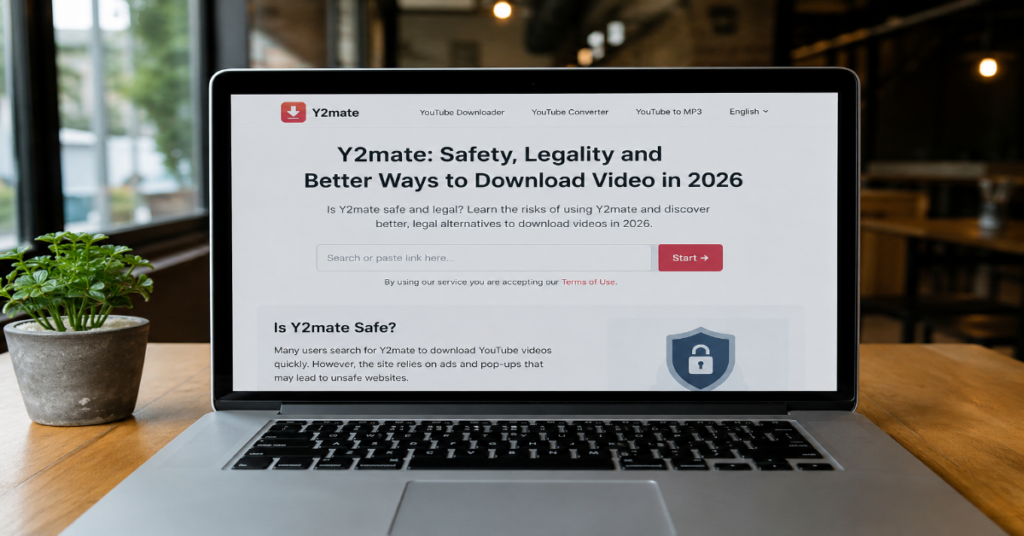
Y2mate is a free online tool associated with downloading YouTube videos and converting them into MP4 video or MP3 audio files without installing desktop software or creating an account. That simple promise explains its popularity: paste a link, select a format, download the file and move on. The harder question is whether using it is safe, legal or professionally sensible in 2026.
For casual users, the appeal is obvious. A student may want a lecture for offline viewing. A creator may want to extract audio from their own upload. A video editor may need a quick reference clip for a private workflow. Yet the same workflow can become risky when the source video is copyrighted, the site is a copycat mirror or the page uses aggressive ad networks.
YouTube’s own rules matter here. Its Terms of Service restrict how users access and use the platform, while YouTube’s help pages make clear that official offline viewing is available through Premium in supported locations. Copyright also matters. YouTube’s fair use guidance explains that fair use is fact-specific, depends on legal factors and cannot be guaranteed by simply giving credit or adding a disclaimer.
This article reviews Y2mate as a practical tool category, not as an endorsement. It follows the supplied production brief for Perplexity AI Magazine, including the required structure, SEO fields, safety analysis, internal linking approach and editorial methodology.
What Y2mate Is and How It Usually Works
At the practical level, Y2mate belongs to a familiar class of browser-based video converter sites. The user copies a video URL, pastes it into a search field, chooses MP4 or MP3 and downloads the resulting file. The supplied brief describes support for YouTube and other platforms such as Facebook, Vimeo and Dailymotion, along with claimed MP4 HD options up to 4K and MP3 audio-only conversion.
The user experience is designed to reduce friction. No registration. No subscription. No editing suite. No command-line setup. That is why these sites remain attractive even when safer alternatives exist.
The trade-off is infrastructure opacity. A user rarely knows which server processes the file, which ad network loads on the page, whether a download button is genuine or whether a mirror domain is operated by the same party as the original site. For a creator handling client footage, newsroom material or commercial assets, that uncertainty is not minor. It becomes a workflow risk.
An existing Perplexity AI Magazine guide on yt to MP4 tools makes a similar distinction: web converters are fast and simple, while more controlled tools can offer better reliability and lower exposure to unknown ad networks.
Y2mate Feature Overview
| Feature area | Typical user expectation | Practical concern |
| Video format | MP4 downloads for offline playback | Output quality depends on source stream and converter behavior |
| Audio format | MP3 extraction from video | Audio reuse may raise copyright concerns |
| Registration | Usually no account required | No account does not mean no tracking |
| Cost | Free access | Free pages often monetize through ads, redirects or affiliates |
| Platform support | YouTube plus other video sites | Platform rules differ by service |
| Mobile use | Browser access or similarly named Android apps | App clones can be difficult to verify |
The most important feature is not conversion. It is trust. A converter can be fast and still unsafe. It can work once and then send the next visitor through a different ad chain. It can also be technically useful while still violating a platform’s permitted-use rules.
Legal Reality: Downloading Is Not Automatically Allowed
The legal issue around Y2mate is often misunderstood. Users sometimes assume that if a video is publicly viewable, it is free to download, convert and reuse. That assumption is unsafe.
YouTube allows users to view and listen to content through the service under its agreement. Its official offline feature is tied to YouTube Premium in supported locations and keeps downloads inside the YouTube ecosystem rather than producing a reusable independent file.
Copyright adds a second layer. A video can be free to watch and still protected by copyright. Reusing music, film clips, lectures, podcasts or creator footage may require permission unless an exception applies. YouTube’s fair use guidance states that courts evaluate fair use case by case, using factors such as purpose, nature of the work, amount used and market effect. It also warns that credit or a disclaimer does not automatically create permission.
A practical rule is simple: downloading your own content, public domain material or properly licensed Creative Commons media is lower risk. Downloading copyrighted content for redistribution, monetized editing or re-uploading is much riskier.
Safety Risks: Pop-Ups, Mirrors and Fake Buttons
The safety problem with downloader sites is not just the file. It is the browsing environment around the file.
Google Chrome’s help documentation lists warning signs of unwanted software or malware, including pop-up ads that will not go away, unfamiliar redirects, changed search settings, unwanted extensions and virus alerts. These are the same categories users frequently report around free download and streaming sites: fake play buttons, duplicate download buttons, notification prompts, forced tabs and misleading “scan your device” messages.
Google’s 2025 Ads Safety Report shows why this matters at scale. Google said it blocked or removed over 8.3 billion ads in 2025 and suspended 24.9 million advertiser accounts, including ads and accounts tied to scams. That does not mean every ad-funded downloader page is malicious. It does mean the malicious-ad economy is large enough that users should not treat aggressive ad pages as harmless clutter.
Mirror domains create another problem. The supplied brief notes that multiple Y2mate domain variations exist and that the original domain frequently changes. From a user perspective, this makes verification harder. A search result may look familiar while pointing to a copycat page that has different operators, scripts or monetization practices.
Comparison: Y2mate vs Safer Alternatives
| Option | Best for | Main advantage | Main limitation | Risk level |
| Y2mate-style web converter | Fast one-off conversion | No setup and no account | Pop-ups, legal uncertainty and mirror confusion | High |
| YouTube Premium offline | Personal offline viewing | Official and platform-compliant where available | Files stay inside YouTube apps or supported browsers | Low |
| Your own original files | Creator editing workflow | Full rights control | Requires source file access | Low |
| Licensed stock media | Commercial production | Clear usage rights | Costs money and requires license review | Low to medium |
| Open source desktop tools | Technical archiving of lawful content | More control and fewer ad-page risks | Requires setup and legal judgment | Medium |
For most users, YouTube Premium is the cleanest answer when the goal is simply offline viewing. YouTube says Premium users can download videos on mobile and can also download through supported desktop browsers such as Chrome, Edge, Firefox and Opera.
For editors, the better answer is usually not a converter at all. It is source-file discipline: keep originals, use licensed assets, request media kits or use platform-approved downloads where rights allow.
Structured Insight Table: When Use May Be Lower or Higher Risk
| Scenario | Legal risk | Security risk | Practical judgment |
| Downloading your own uploaded video | Lower | Medium if using a risky site | Prefer YouTube Studio exports or original files |
| Saving a public domain lecture | Lower | Medium | Verify rights and avoid suspicious mirrors |
| Extracting a copyrighted song as MP3 | High | Medium | Avoid unless licensed or clearly permitted |
| Reusing a creator’s video in a monetized edit | High | Medium | Get permission or use licensed material |
| Downloading for offline travel viewing | Medium | Medium | Use YouTube Premium where available |
| Clicking multiple pop-up download buttons | Variable | High | Stop, close the page and scan browser settings |
This is the hidden limitation most thin guides miss: the same technical action can have different risk depending on content rights, intended use and browsing environment. The tool is only one part of the risk profile.
Practical Workflow for Safer Video Access
A safer workflow starts before visiting any converter page.
First, identify the purpose. If the goal is offline viewing, use official offline features where available. If the goal is editing, ask whether you own the footage or have a license. If the answer is unclear, do not treat a downloader as a rights solution.
Second, check the source. Is the video yours? Is it public domain? Is it published under a clear reuse license? Is it a press kit, government upload or Creative Commons resource? If not, assume permission may be needed.
Third, reduce browsing exposure. Use a modern browser, keep Safe Browsing enabled, avoid notification prompts, avoid unknown extensions and do not install “required” helper apps from converter pages. Chrome’s guidance recommends changing site settings to prevent intrusive or misleading ads and reviewing unwanted programs if pop-ups or redirects persist.
Fourth, keep editing workflows separate. Professional users should not mix client work, personal browsing and unknown downloader pages in the same browser profile. A separate browser profile with restricted permissions can reduce accidental exposure, though it does not make questionable downloading legal.
Internal link placement: A natural internal link can point readers to Perplexity AI Magazine’s related guide on yt to MP4 tools, especially in the paragraph discussing converter safety and quality trade-offs. A second relevant internal link can point to the SportSurge risks guide when comparing free streaming or download environments that rely on pop-ups, redirects and copycat domains.
Three Original Insights for 2026
- The real risk is not one domain, it is domain churn
Many articles focus on whether a specific Y2mate URL is “safe.” That is the wrong question. When mirror domains rotate, the risk becomes identity uncertainty. Users may think they are returning to the same service while landing on a different operator’s page.
- MP3 conversion is often a copyright trap
Video download discussions focus heavily on MP4, but MP3 extraction can be riskier in everyday behavior. Users often extract songs, podcast segments or copyrighted audio with the assumption that “audio only” is less serious. Copyright analysis does not work that way. The copied portion, use purpose and market effect still matter.
- Free conversion can cost more than paid offline access
A free converter saves subscription cost, but it can add hidden costs: cleanup time after intrusive pop-ups, malware risk, lost quality, broken downloads and legal uncertainty. For frequent offline viewing, the official subscription route may be less expensive in practical risk terms, especially for users who value reliability.
The Future of Y2mate in 2027
The future of Y2mate in 2027 is likely to be shaped by three forces: platform enforcement, safer official offline access and user demand for frictionless media portability.
YouTube continues to position offline downloads as a Premium feature in supported locations, with downloads available through mobile apps and supported desktop browsers. That creates a clear incentive for YouTube to limit unofficial download routes, especially when they bypass ads, subscriptions or creator monetization.
Security pressure will also grow. Google’s ad-safety data shows that malicious advertising and scam-related accounts remain a large-scale enforcement problem. Free converter sites that depend on ad monetization may face more scrutiny from browsers, security vendors and search engines if they expose users to deceptive ads or redirects.
The cultural demand will not disappear. Students, editors, journalists, teachers and travelers still need offline media workflows. The likely shift is not the end of downloading. It is a split between official offline caching for ordinary users and more rights-aware professional workflows for creators. By 2027, the safest tools will be the ones that make licensing, source verification and file provenance easier to understand.
Takeaways
• Y2mate is convenient, but convenience should not be mistaken for safety or permission.
• Official YouTube Premium downloads are the clearest route for personal offline viewing where available.
• Copyright risk depends on content ownership, license status, intended use and local law.
• MP3 extraction can be legally sensitive because audio is often copyrighted on its own.
• Mirror domains and copycat pages make brand recognition unreliable.
• Pop-ups, redirects and fake buttons are practical security warning signs.
• Professional editors should prioritize original files, licensed assets and documented permissions.
Conclusion
Y2mate sits at the intersection of convenience, copyright uncertainty and web safety risk. It solves a real user problem: people want quick access to video and audio files without installing complex software. But the simple interface hides hard questions about rights, platform rules, ad networks and domain trust.
For personal offline viewing, official tools are safer. For editing, original files and licensed media are more defensible. For research, education or commentary, fair use may apply in some situations, but it is not automatic and should not be treated as a shortcut.
The balanced view is straightforward: Y2mate-style tools may work technically, but users should approach them with caution. The more valuable the content, the more public the reuse or the more sensitive the device, the stronger the case for avoiding third-party converter sites altogether.
Structured FAQ
Is Y2mate legal?
It depends on what you download and how you use it. Downloading your own video or clearly licensed material is lower risk. Downloading copyrighted videos without permission may violate platform terms or copyright law. YouTube’s fair use guidance says fair use is case-specific and depends on legal factors.
Is Y2mate safe to use?
It should be treated cautiously. The main risks are pop-ups, redirects, fake download buttons, browser notification prompts and copycat domains. Chrome lists persistent pop-ups, unfamiliar redirects and unwanted extensions as warning signs of unwanted software or malware.
Can Y2mate download YouTube videos as MP4?
Y2mate-style tools are commonly associated with converting YouTube links into MP4 files. Actual quality and reliability can vary by domain, source video, converter process and available stream formats. Users should also check whether downloading that video is permitted.
Can Y2mate convert YouTube videos to MP3?
Yes, Y2mate-style converters are commonly used for MP3 extraction. The legal concern is that audio may still be copyrighted. Extracting a song, podcast segment or creator audio track without permission can create copyright risk.
What is the safest alternative to Y2mate?
For offline YouTube viewing, YouTube Premium is the safest official option where available. YouTube says Premium users can download videos on mobile and through supported desktop browsers. For editing, use original files, licensed stock media or permission-based sources.
Why are there so many Y2mate mirror sites?
Free downloader tools often face domain changes, copycats, takedowns and search competition. The supplied brief notes that multiple mirror domains exist, which makes verification harder for users.
Does giving credit make downloaded content legal to reuse?
No. YouTube’s fair use guidance says giving credit does not automatically make a non-transformative use fair and does not equal permission from the copyright owner.
Methodology
This article was prepared from the supplied Perplexity AI Magazine production prompt, then checked against official and topic-relevant sources. The analysis used YouTube’s Terms of Service, YouTube Help pages on Premium offline downloads, YouTube’s fair use guidance, Google Chrome safety documentation, Google’s 2025 Ads Safety Report and relevant internal Perplexity AI Magazine pages on video conversion and risky streaming environments.
References
Google. (2026). Google’s 2025 Ads Safety Report. Google Blog.
Google Chrome Help. (n.d.). Remove unwanted ads, pop-ups & malware. Google Help.
Perplexity AI Magazine. (2026). SportSurge guide: Risks, safety and alternatives.
Perplexity AI Magazine. (2026). Yt to Mp4 guide: Safe tools and methods explained.
YouTube. (n.d.). Fair use on YouTube. YouTube Help.
YouTube. (n.d.). Terms of Service.
YouTube Help. (n.d.). Watch videos offline with YouTube Premium. Google Help.
