
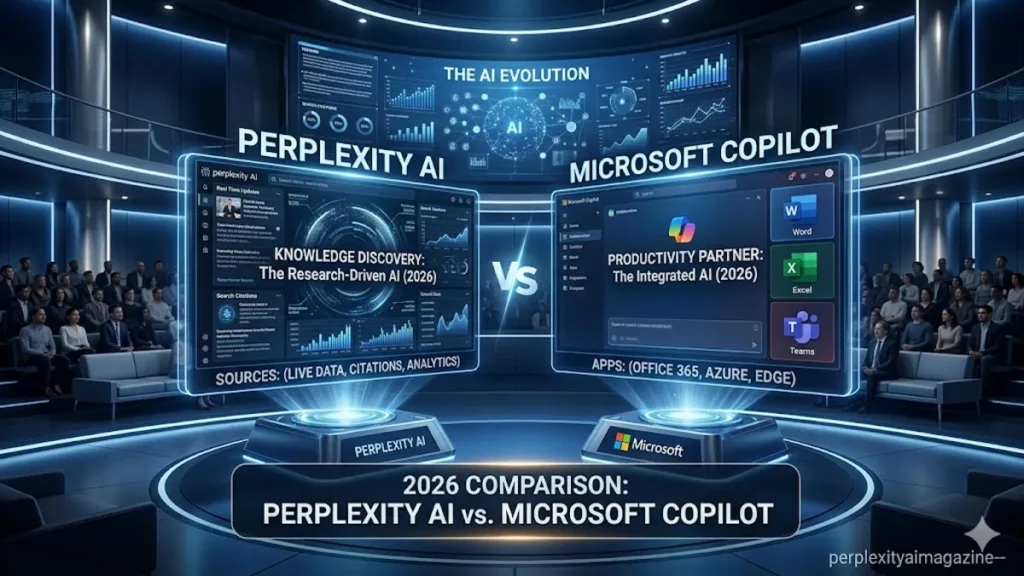
The comparison between Perplexity AI and Microsoft Copilot is one of the most practically useful ones to make in 2026, because both occupy a similar space — AI tools that professionals use daily for work tasks — but they arrive at that space from completely different architectural directions. Perplexity was built as a search engine first and a productivity tool second. Copilot was built as a Microsoft 365 integration first, with AI intelligence licensed from OpenAI layered on top. – perplexity ai vs Microsoft copilot.
Understanding that architectural difference explains almost everything about where each tool excels and where it falls short. This guide gives you an honest side-by-side assessment based on real-world usage of both platforms in 2026.
What Microsoft Copilot Actually Is in 2026
Microsoft Copilot is not an AI model. It is an AI product layer built on top of OpenAI’s GPT models — specifically GPT-5 family models through Microsoft’s partnership with OpenAI — wrapped in deep integration with Windows, Microsoft 365, GitHub, and Azure. Its intelligence ceiling is capped by whatever OpenAI’s current model can do, but its integration depth across the Microsoft ecosystem is unmatched by any competitor.
Copilot is available in Microsoft Edge as a sidebar assistant, built into Word, Excel, PowerPoint, and Outlook as native AI assistance, and available as a standalone chat interface at copilot.microsoft.com. The free tier now includes web access via Bing and basic chat. The standalone Copilot Pro tier at $20/month competes directly with other AI Pro plans and adds priority access to the latest GPT models within Microsoft apps. – perplexity ai vs Microsoft copilot.
Research Quality: Perplexity Wins Clearly
For research tasks requiring accurate, verifiable, cited information, Perplexity AI is the stronger tool. Copilot retrieves information from Bing’s search index and synthesises answers, but its citation system is less granular than Perplexity’s — it does not attach numbered references to individual claims in the systematic way Perplexity does. Perplexity’s 93.9% SimpleQA accuracy and the citation transparency of its answer architecture make it a more reliable choice for fact-intensive research workflows.
Copilot’s web access via Bing is functional but was not designed as a research-first feature. It is better understood as a way to keep answers current rather than as a systematic research tool. For looking up meeting details, checking current news, or getting a quick factual answer within a work session, Copilot’s Bing integration is sufficient. For sustained research requiring verified sourcing across multiple questions, Perplexity is materially better.
| Feature | Perplexity AI | Microsoft Copilot |
|---|---|---|
| Core architecture | RAG-based answer engine — live web search first | GPT models + Bing search — Microsoft 365 integration layer |
| Citation system | Numbered inline citations on every claim | Citations available — less granular and systematic |
| Microsoft 365 integration | None — separate web app | Native in Word, Excel, PowerPoint, Outlook, Teams |
| Research quality | Research-first architecture — industry-leading for cited answers | Functional for general queries — not research-optimised |
| Free plan | Unlimited standard searches, ~5 Pro/day | Bing-powered chat, web access, Edge sidebar — no daily limits stated |
| Paid plan | $20/month Pro — unlimited Pro Searches, model choice | $20/month Pro — priority GPT access in M365 apps |
| GitHub Copilot | Not applicable | Separate $10-19/month product for developers — industry-leading for code |
| Enterprise | $40/user/month Enterprise Pro | $30/user/month Copilot for Microsoft 365 (requires M365 Business) |
| Best for | Cited research, fact-checking, academic work | Microsoft 365 users, coding (GitHub Copilot), enterprise workflows |
Perplexity AI vs Microsoft Copilot comparison, April 2026. Note: GitHub Copilot is a separate product from Microsoft Copilot — the coding tool is priced differently. – perplexity ai vs Microsoft copilot.
Where Copilot Genuinely Wins
For anyone whose professional life runs on Microsoft 365, Copilot has a decisive integration advantage that no standalone AI tool can match. In Word, Copilot drafts documents, rewrites sections, and summarises long texts without requiring you to leave the document. In Excel, it analyses data, generates formulas, and creates visualisations from natural language instructions. In Outlook, it summarises email threads, drafts replies in your voice, and identifies action items across your inbox. In Teams, it summarises meetings, identifies decisions, and creates follow-up tasks automatically.
This integration depth means Copilot can reduce the mechanical overhead of office work in a way that Perplexity — which requires you to switch to a separate web application — cannot. If you spend your day inside Microsoft applications, the workflow efficiency gains from Copilot’s native integration are substantial and immediate. Perplexity does not compete on this dimension. – perplexity ai vs Microsoft copilot.
💡 GitHub Copilot is a separate product — and worth it for developersMicrosoft Copilot (the chat and 365 assistant) and GitHub Copilot (the AI coding tool) are different products at different price points. GitHub Copilot at $10–19/month is one of the most widely used AI coding tools in 2026 and is architecturally separate from the Microsoft Copilot discussed in this comparison. If coding assistance is your primary need, evaluate GitHub Copilot independently rather than comparing it to Perplexity’s research capabilities.
The Honest Verdict
- Choose Perplexity AI if your primary need is researching, fact-checking, and finding verified information with transparent citations. Researchers, students, journalists, and analysts consistently prefer Perplexity for evidence-based work.
- Choose Microsoft Copilot if your organisation uses Microsoft 365 and you want AI assistance embedded directly in Word, Excel, Outlook, and Teams. The integration depth is unmatched for office workflows.
- Use both if you need research quality from Perplexity and productivity integration from Copilot. Many knowledge workers in 2026 run this combination — Perplexity for research, Copilot for drafting and document work.
Click Here to Read More About AI & Tech!
Frequently Asked Questions
Is Perplexity AI better than Microsoft Copilot for research?
Yes, for research requiring cited, verifiable sources. Perplexity’s architecture is research-first — every answer includes numbered citations linking to original sources you can verify instantly. Copilot’s Bing-powered web access is functional but not designed as a systematic research tool. For fact-intensive research workflows, Perplexity is materially better. For drafting within Microsoft 365 applications, Copilot is unmatched.
What does Microsoft Copilot do that Perplexity cannot?
Microsoft Copilot works natively inside Word, Excel, PowerPoint, Outlook, and Teams. It drafts documents, analyses spreadsheets, summarises emails, and identifies meeting actions without requiring you to switch applications. Perplexity has no Microsoft 365 integration — it operates as a separate web application. For users embedded in Microsoft’s ecosystem, this integration depth is Copilot’s decisive advantage.
Are Microsoft Copilot and GitHub Copilot the same thing?
No. They are separate products. Microsoft Copilot is the AI chat assistant embedded in Microsoft 365 applications and available as a standalone chat interface. GitHub Copilot is a separate AI coding tool for developers, priced at $10–19/month, that provides code completion and generation within IDEs. The two products share the Copilot branding but serve different use cases at different price points.
How much does Microsoft Copilot cost in 2026?
Microsoft Copilot has a free tier with Bing-powered chat and Edge integration. Copilot Pro costs $20/month for priority access to the latest GPT models within Microsoft 365 apps. Copilot for Microsoft 365 (enterprise) costs $30/user/month but requires an existing Microsoft 365 Business subscription. GitHub Copilot for developers is a separate product starting at $10/month.
Can Microsoft Copilot replace Perplexity AI?
No, not for research-intensive workflows. Copilot is designed primarily as a productivity assistant within Microsoft’s ecosystem. Perplexity is designed as a citation-backed research tool. They serve different primary purposes. Most professionals who use both describe Perplexity as their research tool and Copilot as their writing and document assistant — complementary rather than interchangeable.
Which is better for business users — Perplexity or Copilot?
It depends on the business workflow. For research, competitive intelligence, and fact-checking tasks: Perplexity. For drafting documents, summarising meetings, processing emails, and working within Microsoft 365: Copilot. Large organisations using Microsoft’s enterprise stack typically choose Copilot for its compliance, SSO, and deep M365 integration. Research-intensive teams often add Perplexity Enterprise Pro alongside it.
Is Microsoft Copilot free?
Yes, with limitations. The free tier includes Bing-powered chat, web access, and Microsoft Edge sidebar integration. Copilot Pro at $20/month adds priority access to GPT models within Microsoft 365 apps including Word, Excel, Outlook, and PowerPoint. Enterprise licensing starts at $30/user/month and requires a Microsoft 365 Business or Enterprise subscription.
