
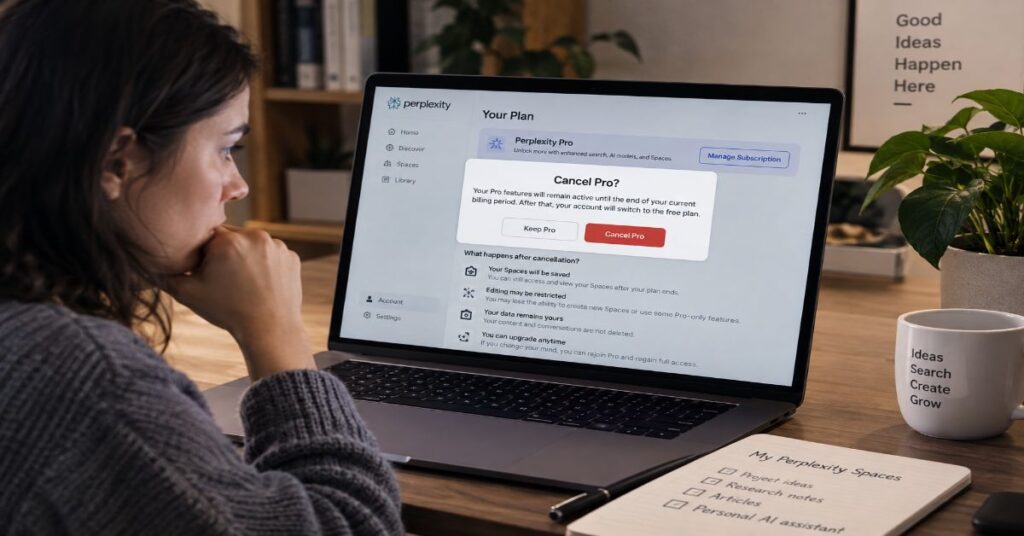
Cancelling Perplexity Pro does not delete your account or immediately erase the work that used to live in Spaces: your paid access continues until the end of the billing period, then the account reverts to Free, while Perplexity’s 2026 product transition has already migrated Spaces into Projects. That distinction is the sharpest answer to what happens to my Perplexity Spaces when I cancel Pro. The workspace itself and the subscription entitlement are now separate questions.
The confusing part is that much of the advice still ranking for this query describes an older product. Perplexity renamed Spaces to Projects in July 2026 and says existing Spaces were migrated automatically, including their threads, files and history. Even more importantly, its Help Center was updated on 18 September 2026 to state that Project file limits are the same for everyone on every plan: up to 5,000 files, 2.5 GB of total storage and 100 MB per file. That makes older claims that Spaces simply disappear without Pro unreliable for the current product.
There is still a caveat. Perplexity’s cancellation page confirms only the billing consequence: after the current cycle, your account reverts to the free version. It does not publish a line-by-line downgrade contract explaining every Project object, connector, memory feature or collaboration state. The safest interpretation is therefore evidence-led: Project data is designed to persist, cancellation is not account deletion, and current Project storage is plan-neutral, but premium execution features and usage allowances can change sharply after the downgrade. This guide separates what is documented, what is strongly supported, and what you should preserve before cancelling.
What Actually Happens at the Moment You Cancel Pro
Perplexity cancellation has two different moments: the moment you press Cancel and the moment the paid period actually ends. The company’s current Help Center says you can cancel at any time and that the account is reverted to the free version after the end of the current billing cycle. Its Terms of Service say the same thing from the contractual side: after cancellation, paid Services remain available through the subscription period already paid for. In other words, cancellation normally disables renewal; it does not instantly flip the product into Free mode.
That timing matters for Projects. If you cancel on day five of a monthly cycle, you should expect the rest of that paid month to behave as Pro, subject to ordinary product limits and any separate credit system. The downgrade event happens at cycle end. This is also why deleting an account is a much more consequential action than cancelling. Perplexity explicitly warns that account deletion does not itself cancel the subscription, while deletion is the action associated with account-data removal rather than simple plan reversion.
Our Perplexity subscription cancellation guide is useful for the mechanical steps because the route depends on where the purchase was made: web subscriptions are managed in Perplexity, iOS subscriptions in Apple’s subscription controls and Android subscriptions in Google Play. The preservation question, however, is the same after any of those routes: what remains once the entitlement changes from Pro to Free?
The best current answer is that the workspace does not have a documented automatic-deletion event tied to subscription cancellation. Perplexity describes Projects as persistent workspaces, not temporary Pro sessions. The cancellation documentation describes a plan downgrade, not Project deletion. A separate O2 partner FAQ about Perplexity’s 2026 trial changes is even more explicit for downgraded promotional users: it says users moved to the free tier can continue using their account and that their data will not be lost. That partner statement is useful corroboration, although Perplexity’s own Help Center should remain the primary authority for product behaviour.
| Event | What Perplexity Documents | Practical Effect |
| You press Cancel | Renewal is set to stop; paid access continues through the paid period. | Projects continue under the current Pro entitlement until cycle end. |
| Billing period ends | Account reverts to Free. | Paid model, search, generation, Computer and support allowances drop to Free-level access. |
| You delete the account | Separate action from cancellation. | This is the destructive account-data path; do not use it merely to stop renewal. |
| You reactivate later | Renew or update the plan from Settings. | Paid entitlements return without creating a new account. |
Spaces Are Now Projects, and That Changes the Answer
The most important information gain for this keyword is the product rename itself. On 30 July 2026, Perplexity announced that Spaces were becoming Projects. Its subsequent changelog says every existing Space is migrated automatically, and the current Projects product page says the threads, files and history already in a Space carry over without a manual rebuild. For anyone searching an older phrase such as “my Perplexity Spaces,” the object they are now dealing with is a Project.
Perplexity co-founder and CEO Aravind Srinivas described the launch as bringing “persistent memory, files, and sessions scoped across hubs and users” and said Projects were “available to all users.” That public statement matters because older guides often treat the ability to create or keep a Space as a Pro-only entitlement. The September Help Center is even more concrete: there is no limit on how many Projects you can create, and Project file limits are stated to be identical for everyone on every plan.
The migration also expanded the workspace model. A Project can contain Search conversations, Computer tasks, persistent files, custom instructions, connected tools, project-level context and, where available, Brain memory. The product page adds connected apps, team collaboration, automations and persistent file-system behaviour. This is no longer simply a folder of saved searches. It is a shared context container whose contents can outlive individual sessions.
For readers who built workflows under the older interface, our Perplexity AI Spaces guide explains the earlier model and is still useful for understanding the organisational concept. But the current product documentation should override older plan matrices. That is especially important for cancellation decisions because old “Space file limit” tables can now be wrong even if they were accurate when published.
The practical consequence is simple: do not interpret a Pro cancellation as “deleting my Spaces.” Interpret it as “downgrading the account that owns Projects.” Those are materially different events.
What Stays, What Changes and What Is Not Publicly Guaranteed
The post-cancellation state is best understood in three buckets: items Perplexity clearly documents as persistent, capabilities clearly tied to paid access, and edge cases for which there is no explicit downgrade promise. Keeping those buckets separate prevents false certainty.
Project structure is the strongest persistence signal. Perplexity calls Projects persistent and shareable, allows unlimited Project creation, and says Project files are persistent. The current Help Center gives every Project the same storage ceiling regardless of plan. Search history is also listed as a Free-plan feature. Taken together with the automatic Space-to-Project migration, those facts strongly support continued access to ordinary Project content after a consumer Pro downgrade rather than deletion at cycle end.
Paid capability is different. The Free plan has far smaller allowances for Pro Search, Research, file/session use and agentic features, and it does not provide the same advanced-model, generation or support access. Perplexity’s plan page and Help Center are not perfectly synchronised in wording: one Help Center table says Free has three Pro Searches per day and one Research query per month, while the pricing page uses broader marketing language such as limited access and raised limits for Pro. Because consumer quotas can change, the article treats the September Help Center as the dated baseline and avoids inventing hidden numeric limits for Pro where Perplexity describes them only as average-use weekly or monthly allowances.
The least certain area is entitlement-dependent Project behaviour. The Help Center lists contributor caps for Pro, Max and Enterprise but does not give a corresponding consumer Free contributor cap in that section. Brain runs are billed to the Project creator, and some Computer functionality is tied to plan or credit availability. Connectors are dynamic and can depend on account permissions. None of those ambiguities justifies claiming that your files are deleted; it does justify taking a backup before a downgrade if the Project is business-critical.
A useful principle is to separate stored context from paid execution. Your Project may still contain the material, while the Free account can have less capacity to reason over it using premium models, Computer, Deep Research or high-volume file workflows.
| Project Element | After Pro Ends | Confidence / Caveat |
| Project shell and history | Strong evidence of persistence on the same account. | Projects are defined as persistent; cancellation is documented as a downgrade. |
| Project files | Current limits: 5,000 files, 2.5 GB total, 100 MB each on every plan. | Project Help Center modified 18 September 2026. |
| Custom instructions | Expected to remain as Project context. | No explicit downgrade deletion language; back up critical instructions. |
| Collaborators | Existing data may remain, but Free invitation/edit limits are not clearly published. | Record members and roles before downgrade. |
| Connectors | Copies already added can persist; live connector access can vary. | External credentials and plan entitlements may change independently. |
| Brain / Computer execution | Can be reduced or unavailable depending on plan/credits. | Stored context and execution entitlement are separate. |
The Current Free-versus-Pro Difference After Your Billing Cycle Ends
Once the billing cycle closes, the account becomes the Standard Free tier. That does not mean Perplexity becomes unusable. The Free plan still includes search history, practically unlimited basic searches, a small allocation of Pro Searches and limited file uploads. What changes is the ceiling around more expensive capabilities.
Perplexity Pro is currently listed at $20 per month on the live pricing page, with the Help Center and Perplexity AI Magazine’s pricing coverage also documenting the $200 annual option. Pro raises search and file-analysis allowances, adds advanced model selection, extends Research access, supports image and video generation, and provides priority support. The September Help Center also says Pro allows up to 50 file uploads per project in its plan description, even though the Project-specific Help Center page updated 18 September now says every Project can hold up to 5,000 files and 2.5 GB. That apparent documentation mismatch is another reason to use the Project page for Project storage and the plan page for subscription-level usage allowances.
Our Perplexity Pro versus Free comparison provides a broader feature-by-feature view, but fast-changing numeric caps should always be checked against Perplexity’s live Help Center before publication. Several limits changed during 2026. A free-plan page that said five Pro Searches per day earlier in the year was later superseded by a newer table listing three per day. This article therefore avoids presenting older quotas as permanent facts.
The cancellation decision is less about whether the Project survives and more about whether you still need paid throughput. Chris Powell, CIO at MDNRC, is quoted on Perplexity’s current pricing page saying the organisation “saved more than the cost of the annual licensing in the first week.” That is a vendor-hosted customer testimonial rather than independent research, but it captures the relevant economic test: Pro only makes sense when its higher limits and premium capabilities create enough recurring value for your actual workflow.
Industry data shows why users revisit that calculation. RevenueCat’s 2026 subscription-app report analysed more than 115,000 apps and $16 billion in revenue. CEO Jacob Eiting writes that the market is “bigger, faster, and more unforgiving than it’s ever been,” while the report finds AI apps earn more per payer but churn faster. Cancelling an AI subscription is therefore not an unusual failure state; it is part of a broader pattern of users testing value, leaving and sometimes returning when their needs change.
For a fuller commercial breakdown, see the Perplexity AI pricing guide, while treating the live vendor documentation as the final authority for fast-changing limits.
| Plan | Current Price | Documented Limits / Positioning | Cancellation Relevance |
| Free | $0 | 3 Pro Searches/day; 1 Research/month in the 2 Sept 2026 comparison; limited uploads. | This is the consumer landing tier after Pro ends. |
| Pro | $20/month or $200/year | Higher search, Research and upload allowances; premium model choice; paid generation/support features. | These paid entitlements end at the close of the paid term. |
| Education Pro | $10/month | Discounted Pro for eligible students/educators; entitlement rules follow the education plan. | If switching plans rather than cancelling, eligibility and billing route matter. |
| Max | $200/month or $2,000/year | Highest consumer tier with materially larger paid allowances and early/premium access. | Not a fallback tier; cancelling a consumer subscription still returns the account to Free unless another entitlement applies. |
| Enterprise Pro | $40/seat/month or $400/seat/year | Business administration, security and enterprise usage allowances; published quotas differ from consumer plans. | Workspace access can be governed by the organisation rather than an individual Pro subscription. |
| Enterprise Max | $325/seat/month or $3,250/seat/year | Highest enterprise package with substantially larger published usage allowances. | Organisation-managed entitlement is separate from a personal Pro cancellation. |
Files, Instructions, Collaborators and Connectors After Downgrade
A Project is made of several objects, and they do not all have the same evidence profile. The current Help Center is unusually clear about project files: files uploaded to a Project are persistent, can be uploaded individually or as folders, and are shared with Project members who have the right permissions. The documented storage ceiling is 5,000 files, 2.5 GB total and 100 MB per file, the same for everyone on every plan. Projects created before August 2026 can even exceed 2.5 GB and continue to work, although new uploads may be blocked until usage falls under the current ceiling.
Custom instructions are also a Project-level object. Owners can add instructions that apply to queries in the Project, alongside preferred web links, domains and default modes. Nothing in the cancellation documentation says those instructions are erased at downgrade. Because they are part of the Project definition rather than a paid invoice record, the evidence favours persistence. Even so, copying important instructions into a local document takes seconds and removes uncertainty.
Collaboration is murkier. The Project Help Center states that Pro and Max Projects can invite up to five people and Enterprise tiers can invite up to 9,999, with some education and organisation accounts receiving the higher limit. It does not specify a Free consumer invitation limit in the same passage. If you are the owner of a collaborative Project and intend to cancel Pro, record the current member list and each person’s role before the billing period ends. Do not assume that invitation rights, editor permissions or sharing scopes will remain identical simply because the files remain.
Connectors deserve the same caution. Projects can use connected tools and Perplexity’s product pages show integrations including Google Drive, Slack, Notion, GitHub, Linear, Snowflake and Datadog, while other Perplexity documentation references Microsoft 365 and a broader catalogue of 400-plus app connectors. Connector access can depend on the Perplexity plan, the external service, the user’s credentials and organisation policy. Perplexity also says files added from connectors to a Project are one-time copies: updating or deleting the original connected file does not automatically update the Project copy. That means a Project can retain context even if a live connector is later unavailable, but the copy may become stale.
For ordinary session attachments, retention is a separate topic from Project files. Our uploaded-file retention explainer distinguishes temporary session uploads from persistent Project storage. That distinction is essential when auditing what you need to preserve before cancelling.
A Ten-Minute Preservation Checklist Before You Cancel
There is no reason to turn a routine subscription downgrade into a data-migration project, but a short preservation pass is sensible for any Project that matters. The goal is not to assume Perplexity will delete content; the evidence points the other way. The goal is to protect against changes in entitlement, sharing, connectors or UI access that are less explicitly documented.
Start by opening each important Project and recording its name, owner and collaborator list. Copy the Project description and custom instructions into a local text or Word file. If the Project contains a small number of source documents that would be difficult to replace, keep local originals. For connector-based sources, note which connected service and account each Project relies on, especially if the source lives in an employer or university workspace that you may later lose access to.
Next, save any generated deliverables you would need outside Perplexity: reports, spreadsheets, presentations, code, images or research summaries. A Project can be persistent while a premium creation tool is not available at the same level after downgrade. Preserving outputs avoids needing to recreate them under lower limits.
Then review active subscriptions and billing provenance. If you bought Pro on the web, cancellation happens in Perplexity settings. If you bought it through Apple or Google Play, use the relevant store. Deleting the Perplexity account is not a substitute for cancellation. Our guide to using Perplexity for free explains what remains useful after the downgrade, and the cancellation guide covers the billing path in detail.
Finally, take one screenshot of the Project overview and one screenshot of the subscription page showing the renewal or end date. Those are not necessary for normal use, but they create a simple record if a support case is needed. Perplexity says Pro subscribers have priority support; if a Project contains high-value work and something looks wrong before the plan ends, resolve it while that support entitlement is still active.
This is deliberately a lightweight checklist. Exporting every thread out of fear would overstate the evidence. Backing up irreplaceable materials and configuration is simply good practice whenever a cloud subscription changes.
What Happens If You Subscribe Again Later
Perplexity’s cancellation Help Center explicitly says a cancelled subscription can be reactivated from Settings by choosing Renew plan or Update plan and completing payment. That makes cancellation structurally different from account deletion. The account remains, and the paid entitlement can be restored.
Perplexity does not publish a special “restore my old Projects” procedure after a standard consumer downgrade, which is itself informative. Because Projects are account-level persistent workspaces and cancellation is described as a reversion to Free, there should not normally be a separate restore step for Projects that remained in the account. Re-subscribing should principally restore paid capabilities and higher allowances, not recreate the workspace from scratch.
This aligns with the broader subscription economy. Recurly’s 2025 industry report noted that cancellation is not always a final goodbye and reported meaningful returning-subscriber activity across its network. Taylor Putnam, then a principal commercial product manager at Alaska Airlines, framed the wider lesson as integrating “flexibility and personalization into every step of the customer experience journey.” In Perplexity’s case, the ability to cancel and later reactivate supports exactly that kind of cyclical usage pattern, even though Perplexity does not offer a formal pause button for consumer Pro.
RevenueCat’s 2026 report gives the AI-specific context. It says AI-powered apps generate 41% more revenue per payer but churn 30% faster than non-AI apps in its dataset. The likely reason is not that users reject AI wholesale; it is that many AI subscriptions are highly workload-dependent. A researcher may need Pro for three intensive months, then return to Free during a quieter period. A founder may upgrade for due diligence or a launch, then downgrade after the project finishes.
That is why keeping Projects separate from paid entitlement is strategically important. Your long-running context has value even if the paid intensity changes. Perplexity’s 2026 product direction appears to recognise that by making Projects a persistent context layer rather than a disposable premium folder.
Billing Routes, Refund Windows and Promotional Pro Plans
The post-cancellation Project outcome is similar across billing routes, but the cancellation procedure is not. Web subscribers cancel in Perplexity’s Settings under Subscription. iPhone and iPad subscribers cancel through Apple Subscriptions. Android subscribers cancel through Google Play. If you cancel through the wrong place, you can mistakenly believe the plan is stopped when the billing provider still considers it active.
Perplexity also warns users to cancel before deleting the account. Account deletion and subscription cancellation are separate actions, and the wrong order can create unnecessary billing friction. If your goal is only to stop paying for Pro while keeping your research history and Projects, do not delete the account.
Refund rules are separate from cancellation. Perplexity’s current Max and billing documentation describes region-specific windows, and users should check the live refund page because consumer protection law and billing channel can change eligibility. A standard cancellation normally stops future renewal while preserving paid access through the already-paid period; it does not automatically generate a pro-rata refund for unused days.
Promotional Pro plans add another layer. Perplexity’s September Help Center says trial and promotional subscriptions may require a valid payment method and can auto-renew at the standard rate unless cancelled. It also says promotional users who fail to add a required card within the stated window can be downgraded to Free. The O2 Priority FAQ published for the 2026 payment-method change says affected users who decline to add a card will continue on the free tier and their data will not be lost. That is one of the clearest public statements supporting data persistence through a downgrade, although it applies to that partner-trial scenario rather than every billing case worldwide.
If you are on a carrier, student, employer or device-bundle promotion, check both Perplexity and the partner terms. A partner may control eligibility while Perplexity controls the account experience. The practical aim is the same: stop renewal without accidentally deleting the account that owns your Projects.
| Where You Bought Pro | Where to Cancel | What Happens Next |
| Perplexity website | Settings → Subscription → Manage Subscription → Cancel | Pro remains active to period end, then account reverts to Free. |
| Apple App Store | Apple ID / App Store Subscriptions | Apple controls renewal; Perplexity account entitlement changes when the paid term ends. |
| Google Play | Payments & Subscriptions in Google Play | Google controls renewal; Perplexity account entitlement changes when the paid term ends. |
| Partner promotion | Follow Perplexity plus partner-specific terms | Avoid auto-renewal and verify whether a payment method is required for the remaining trial. |
When the Free Plan Is Enough — and When the Downgrade Will Hurt
The relevant question is not whether Free is “good” in the abstract. It is whether your current Project workflow depends on paid execution features. A Free account remains capable of basic cited search, search history and limited higher-cost features. If a Project is mostly an organised archive of threads, source documents and occasional research, the downgrade may be comparatively mild.
The downgrade becomes more noticeable when the Project is an active production environment. Frequent Pro Search, Research, advanced model selection, image or video generation, Computer tasks, large numbers of session uploads and priority support are all areas where paid plans have materially higher access. If you rely on those features every working day, the workspace can remain present while the experience around it becomes slower, more constrained or unavailable in certain modes.
This is where old plan comparisons can mislead. Earlier 2026 articles, including some on Perplexity AI Magazine, captured limits that Perplexity later changed. Current live documentation should override a screenshot or table from April. The site’s pricing coverage remains useful for the commercial structure, while the Help Center should be checked for live caps immediately before publishing or making a purchase decision.
A practical test is to classify each Project by dependency. “Archive” Projects contain history and files you occasionally consult. “Research” Projects depend on Pro Search, Research or advanced models. “Production” Projects depend on Computer, creation tools, connectors and repeated file workflows. The first category is least sensitive to downgrade. The second will hit limits sooner. The third deserves a preservation pass and perhaps a short overlap period before the paid cycle ends.
The broader subscription industry supports this use-based approach. Thomas Petit, an independent app-growth consultant quoted in RevenueCat’s 2026 report, says the lower-hanging fruit in subscriptions is often “pricing and packaging optimization.” For users, the mirror image is workload matching: pay for the tier that fits the period of intensive use rather than treating a subscription as a permanent identity.
The Documentation Gaps You Should Know About
Perplexity’s documentation is substantially better on cancellation and Projects than it was earlier in 2026, but it still does not answer every edge case implied by this keyword. There is no single official page titled “What happens to Projects when I cancel Pro?” Instead, the answer has to be assembled from the cancellation page, Project page, plan comparison, Terms of Service and migration announcement.
The most important gap is a direct retention guarantee tied specifically to consumer downgrade. Perplexity says Projects are persistent, says Project file limits are the same on every plan, says existing Spaces migrated automatically and says cancellation reverts the account to Free. Those statements together support persistence. But the company does not separately promise, in the cancellation article, that every Project file, collaborator role, connector configuration, custom instruction, Brain memory item and generated artifact will remain identically accessible after a downgrade.
There are also live-documentation inconsistencies. The plan comparison describes Pro as allowing up to 50 file uploads per project, while the Project-specific page says every Project can hold up to 5,000 files and 2.5 GB regardless of plan. The latter was modified on 18 September 2026 and is more specific to Project storage, so this article treats it as the better source for that question. Perplexity’s public pricing page also uses simplified marketing language that does not expose every consumer quota numerically.
A second gap is Free-plan collaboration. The Project page lists invitation caps for Pro, Max and Enterprise but does not state a Free consumer cap in the contributor-limit section. That omission should not be converted into a guessed number. If collaboration is central to your workflow, test the specific Project after downgrade or ask Perplexity support before the paid period ends.
Finally, connector entitlements are dynamic. Perplexity advertises hundreds of integrations, but the exact connector catalog and permission model can change independently of Project persistence. A Project may keep copied files while losing live access to a source, or an external organisation may revoke your access even when Perplexity has not changed anything. That is why a backup checklist focuses on replaceability rather than fear.
A signed-in Free account is also distinct from anonymous guest use; our guide to using Perplexity without an account explains that identity, history and persistence are account features even when the price is zero. That distinction helps explain why cancelling Pro is not the same thing as losing the account.
Our Editorial Verification Process
This explainer was verified against Perplexity’s live consumer cancellation documentation, Terms of Service, September 2026 plan comparison, 18 September 2026 Project Help Center, current pricing page, July–August 2026 Project migration announcements and a partner FAQ covering forced downgrades from promotional Pro. We compared those primary sources with the top ranking pages returned for the target query and related searches, including cancellation guides, Free-versus-Pro comparisons and Spaces/Projects explainers.
The verification rule was source-specific. Billing timing comes from Perplexity’s cancellation page and Terms. Project persistence, file ceilings, collaboration roles and connector-copy behaviour come from the Project Help Center. Commercial prices and broad plan differences come from current Perplexity pricing and plan documentation. Industry context on churn comes from RevenueCat’s State of Subscription Apps 2026 and Recurly’s current churn benchmarks; those datasets are used only to contextualise subscription behaviour, not to infer Perplexity-specific retention rules.
Where official pages conflict, the more recent and more feature-specific source is given priority, and the conflict is disclosed rather than silently reconciled. We did not manufacture a numeric Free collaborator limit or a post-downgrade retention period because Perplexity has not publicly documented those values. The article’s central conclusion is therefore bounded: cancellation is a downgrade rather than deletion, Projects are documented as persistent and plan-neutral for storage, but Perplexity has not published a single comprehensive downgrade matrix for every Project capability.
This article was researched and drafted with AI assistance and reviewed by the Sami Ullah Khan editorial desk at Perplexity AI Magazine. All data, citations, pricing figures, and named quotes have been independently verified against primary sources before publication.
Conclusion
Cancelling Perplexity Pro in September 2026 should be understood as a change of entitlement, not a command to destroy the work that used to sit in Spaces. Perplexity keeps paid access active until the billing cycle ends, then reverts the account to Free. Meanwhile, Spaces have become Projects, existing Spaces were migrated automatically, and the current Project documentation describes persistent files with the same storage ceiling on every plan.
That does not mean nothing changes. Free has substantially lower access to premium search, advanced models, Research, Computer and creation workflows, and Perplexity has not published a complete downgrade matrix for collaboration, Brain and every connector scenario. A Project can therefore survive while the way you work inside it becomes more constrained.
The sensible response is proportionate: keep the account, cancel through the billing provider that charged you, preserve irreplaceable Project files and instructions, record collaborators and connectors, and export finished deliverables you may need outside Perplexity. Avoid deleting the account unless deletion is actually your goal.
The remaining open question is documentation quality rather than the basic cancellation mechanism. Perplexity’s September 2026 Project pages point strongly toward continuity, but a dedicated “Pro-to-Free Project downgrade” policy would remove the last ambiguity for users who have built serious work inside the platform.
Frequently Asked Questions
What happens to my Perplexity Spaces when I cancel Pro?
Your account stays Pro until the paid billing period ends, then reverts to Free. Spaces are now Projects, and Perplexity says existing Spaces migrated automatically. Current Project documentation describes persistent Project files and the same Project storage limits on every plan. Perplexity does not, however, publish one dedicated downgrade guarantee covering every collaborator, connector and Brain setting, so back up critical configuration before the plan ends.
Will Perplexity delete my Projects if I cancel Pro?
Perplexity does not document Project deletion as a consequence of cancelling Pro. Its cancellation page describes a downgrade to Free, while its Project page describes Projects and Project files as persistent. That strongly supports continuity. Account deletion is a separate action and should not be confused with subscription cancellation.
Can I still access files in a Project on the Free plan?
The 18 September 2026 Project Help Center says every Project supports up to 5,000 files, 2.5 GB total storage and 100 MB per file, with those limits the same for everyone on every plan. Paid plans can still differ in session uploads, premium analysis, Computer and other usage allowances.
Do I lose my Perplexity search history after cancelling Pro?
The current Standard Free plan explicitly includes search history access. Cancelling Pro reverts the account to Free after the billing cycle; it is not the same as deleting the account. If you want to preserve the account and its history, cancel the subscription rather than deleting the account.
Can I cancel Perplexity Pro and subscribe again later?
Yes. Perplexity’s cancellation Help Center says you can reactivate from Settings by selecting Renew plan or Update plan and completing payment. Because cancellation is a downgrade rather than account deletion, reactivation is normally about restoring paid access rather than recreating the account.
What if I subscribed through Apple or Google Play?
Cancel through the store that billed you. iOS subscriptions are cancelled in Apple Subscriptions; Android subscriptions are cancelled in Google Play. Web subscriptions are cancelled from Perplexity Settings. The paid tier normally remains active until the end of the already-paid period.
Should I export everything before cancelling Perplexity Pro?
A full emergency export is not supported by the current evidence because Projects are documented as persistent. Still, save irreplaceable files, generated deliverables, custom instructions, collaborator details and connector information. Those are the parts most inconvenient to reconstruct if a plan-dependent capability changes.
Are Spaces and Projects the same thing in Perplexity now?
Projects are the 2026 evolution of Spaces. Perplexity says existing Spaces migrate automatically and carry over their threads, files and history. New Projects add a persistent file system, shared context, connected tools and additional Computer-oriented features.
References
- Perplexity Support. (2026, September 3). Canceling a subscription. Perplexity Help Center.
- Perplexity Support. (2026, September 18). What are Projects? Perplexity Help Center.
- Perplexity Support. (2026, September 2). Which Perplexity subscription plan is right for you? Perplexity Help Center.
- Perplexity. (2026). Pricing: Plans for individuals and enterprise.
- Perplexity. (2026, August 4). Shared workspaces, Personal Computer for Windows, and Model Council.
- Perplexity. (2026). Perplexity Terms of Service.
- RevenueCat. (2026). State of Subscription Apps 2026.
- Recurly. (2026, July). Churn rate benchmarks: SaaS, media, retail & more industries.
- O2. (2026). Perplexity Pro FAQ.
Published
Spotted an error? Read our corrections policy or email editorial@perplexityaimagazine.com.
