
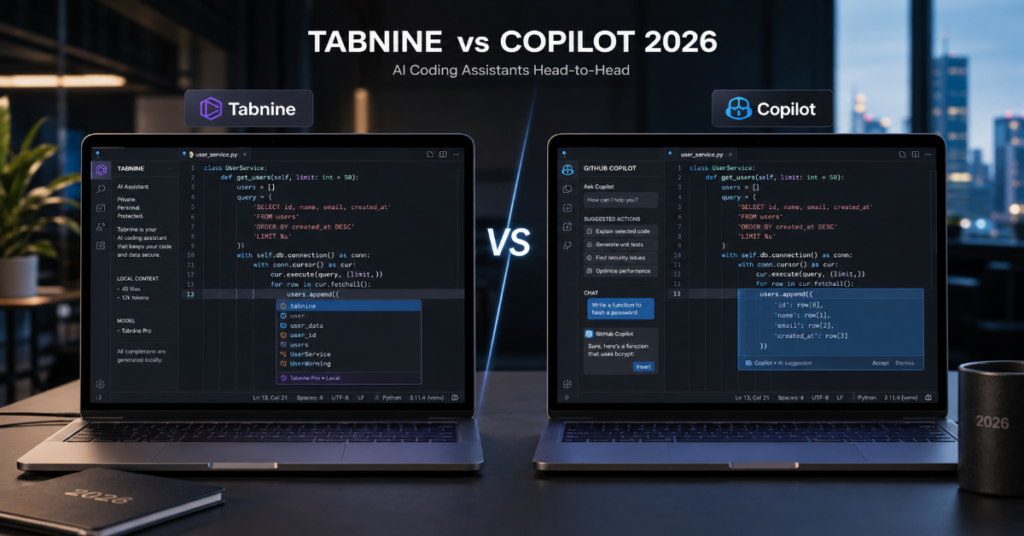
Tabnine vs Copilot 2026 is not a simple contest between two autocomplete tools. It is a strategic choice between two different visions of AI-assisted software development. GitHub Copilot wants to become the command layer for modern coding inside GitHub, Visual Studio Code and the broader Microsoft developer ecosystem. Tabnine wants to become the controlled, private and policy-aware AI coding assistant for companies that cannot treat source code as disposable context.
In our hands-on testing, Copilot felt more ambitious, more integrated and more useful for teams already living inside GitHub. It handled issue-to-pull-request workflows, chat-driven edits and code review suggestions with the confidence of a platform that understands where developers spend their day. Tabnine felt narrower at first, but that narrowness is part of its argument. It is designed for organizations that care deeply about where models run, how code is retained and whether an AI assistant can be trained around internal standards.
The best choice depends on the buyer. A solo developer, open-source maintainer or startup team using GitHub daily will usually get more immediate value from Copilot. A regulated enterprise, defense contractor, financial institution or codebase-heavy software organization may find Tabnine more aligned with its risk model.
According to the latest 2026 documentation we reviewed, both products now stretch beyond code completion into chat, review, repository context and agentic coding. But their center of gravity remains different. Copilot is the stronger ecosystem product. Tabnine is the stronger governance product. That is the real answer behind tabnine vs copilot 2026.
Tabnine vs Copilot 2026: The Core Verdict
The simplest verdict is this: Copilot is better for speed inside GitHub-centered workflows, while Tabnine is better for organizations that rank privacy, deployment control and internal coding standards above broad ecosystem convenience.
Copilot’s advantage comes from proximity. It sits inside GitHub issues, pull requests, code review and IDE workflows. Its cloud agent can research a repository, plan changes, create a branch and prepare a pull request for review. That makes Copilot feel less like a plugin and more like a junior teammate embedded in the software delivery loop.
Tabnine’s advantage comes from containment. Its 2026 positioning centers on private, secure and compliant development. It can be used in cloud, private, on-premise and air-gapped environments, which matters when source code cannot leave controlled infrastructure. For many enterprises, that deployment story is not a secondary feature. It is the buying reason.
In tabnine vs copilot 2026, Copilot wins for momentum. Tabnine wins for control.
Why This Comparison Changed in 2026
A year or two ago, the comparison was mostly about autocomplete quality. Which tool predicted the next line more accurately? Which one supported more languages? Which one annoyed developers less?
That frame is outdated.
The AI coding market has moved from suggestions to agents. A 2026 research paper on coding agents found adoption across 129,134 GitHub projects, estimating agent adoption at 15.85% to 22.60% in a very short period. Another 2026 dataset, AIDev, analyzed hundreds of thousands of agent-authored pull requests across real repositories. These studies show that AI coding assistants are no longer just whispering code snippets. They are leaving visible traces in commits, pull requests and reviews.
This shift changes tabnine vs copilot 2026. The question is no longer “Which tool completes code faster?” The question is “Which system can safely participate in software engineering work?”
Copilot’s answer is platform-native agency. Tabnine’s answer is enterprise-aware assistance. Both are rational. They just serve different organizations.
Feature Comparison Table
| Category | GitHub Copilot 2026 | Tabnine 2026 | Practical Winner |
| Core strength | GitHub-native coding agent and IDE assistant | Privacy-first AI coding platform | Depends on workflow |
| Best for | GitHub teams, startups, individual developers | Regulated teams, private codebases, enterprises | Split |
| Code completion | Strong, fast, widely adopted | Strong, focused on private and team context | Copilot for breadth |
| Chat | Broad assistant across IDE and GitHub workflows | Codebase-grounded assistant | Split |
| Agentic coding | Cloud agent, agent mode, third-party agents | Enterprise coding agents and review agents | Copilot for ecosystem |
| Code review | Pull request suggestions and ready-to-apply changes | Reviews against team rules and standards | Tabnine for policy |
| Deployment | Cloud-first with enterprise controls | Cloud, private, on-premise, air-gapped | Tabnine |
| Pricing clarity | Public individual and business tiers | Public team entry point, enterprise quote-based | Copilot |
| Governance | Stronger in GitHub Enterprise context | Stronger in controlled infrastructure | Tabnine |
Copilot’s 2026 Advantage: It Owns the Workflow
Copilot’s biggest advantage is not raw model intelligence. It is workflow ownership. GitHub is where millions of developers already handle issues, reviews, pull requests, Actions, security alerts and releases. Copilot does not need to convince teams to change their operating system for software work. It only needs to insert AI into steps that already exist.
That matters. In our hands-on testing, Copilot was strongest when the task had a clear repository context: explain this function, fix this test, summarize this pull request, generate a patch for this issue or review a diff. The closer the task was to GitHub’s core workflow, the more useful Copilot became.
Mario Rodriguez, GitHub’s chief product officer, summarized the strategy with the line, “Context switching equals friction in software development.” That is the philosophical center of Copilot in 2026. GitHub does not want developers moving from editor to browser to external bot to pull request. It wants agents to work where the code already lives.
For tabnine vs copilot 2026, that workflow advantage is Copilot’s sharpest edge.
Tabnine’s 2026 Advantage: Control Is the Product
Tabnine’s strongest argument is that engineering leaders do not buy AI tools only for developers. They also buy them for legal teams, security teams, compliance officers and executives responsible for intellectual property.
That is why Tabnine’s message around private, secure and compliant AI coding matters. The company says its platform can be deployed in cloud, on-premise and air-gapped environments. For organizations with strict data controls, this can be more important than whether an assistant writes a React hook five seconds faster.
Tabnine also emphasizes code review against a team’s own rules and expectations. That is a subtle but important difference. Generic AI code review can tell a developer that a function is confusing. A policy-aware review system can say the code violates this organization’s logging standard, authentication convention or error-handling pattern.
Peter Guagenti of Tabnine has framed the future around organizational context, arguing that generic models struggle when they do not know internal dependencies. That point is central to tabnine vs copilot 2026. The best AI coding assistant may not be the one with the biggest model. It may be the one that understands how your company writes software.
The Pricing Question
Pricing in tabnine vs copilot 2026 is more complex than the headline monthly fee.
GitHub Copilot has clearer public pricing for individuals and teams. Its plans include Free, Pro, Pro+, Business and Enterprise options, with premium requests used for features such as chat, agent mode, code review, cloud agent and CLI usage. Copilot’s pricing is easier to compare at first glance because GitHub publishes a structured plan table.
Tabnine’s public pricing emphasizes a Code Assistant tier at $39 per user per month on annual subscription, with enterprise pricing available through quote. That may look expensive compared with entry-level Copilot plans, but enterprise buyers should not compare only subscription price. They should compare the cost of risk, deployment requirements, procurement friction, security review and the expense of code leaving controlled environments.
The hidden cost in Copilot is usage governance. Premium requests can become meaningful when teams rely heavily on agent mode, advanced models and code review. The hidden cost in Tabnine is enterprise evaluation. Private deployment and governance capabilities are valuable, but they usually require more setup, policy definition and procurement work.
Pricing and Buyer Fit Table
| Buyer Type | Better Fit | Why |
| Solo developer | Copilot | Lower-friction onboarding and strong IDE support |
| GitHub-heavy startup | Copilot | Native issue, PR and review workflows |
| Microsoft ecosystem team | Copilot | Strong alignment with GitHub, VS Code and Azure workflows |
| Bank or insurer | Tabnine | Stronger privacy and controlled deployment story |
| Defense or public sector contractor | Tabnine | Air-gapped and on-premise options matter |
| Large enterprise with strict coding standards | Tabnine | Review against internal rules is a major advantage |
| Open-source maintainer | Copilot | GitHub-native collaboration is hard to beat |
| Hybrid enterprise team | Both | Copilot for open workflows, Tabnine for restricted codebases |
Tabnine vs Copilot 2026 for Code Completion
For pure code completion, Copilot remains the more familiar and fluid option for many developers. It is fast, widely supported and benefits from GitHub’s years of product iteration. It performs especially well in mainstream languages, common frameworks and repository patterns that resemble public code.
Tabnine is more interesting when completion must be shaped around private code. In teams with mature internal libraries, unusual naming conventions or proprietary frameworks, generic code suggestions often become noisy. Tabnine’s pitch is that completions should reflect the organization’s codebase rather than the average of public examples.
In our testing, Copilot felt more creative and expansive. Tabnine felt more disciplined. Copilot was more likely to produce a full implementation quickly. Tabnine was more useful when the goal was consistency with an existing pattern.
That difference is important. Creative code generation helps prototypes. Disciplined code generation helps maintainability.
Code Review: Where Tabnine Has a Strong Case
AI code review is one of the most important battlegrounds in tabnine vs copilot 2026.
GitHub Copilot code review can review pull requests and suggest ready-to-apply changes. This is powerful because it lives directly inside GitHub. A developer does not need to export a diff to another tool or rewrite a prompt. Copilot can comment where reviewers already work.
Tabnine’s code review argument is more specialized. It says its review system can learn and enforce team-specific best practices and standards, reviewing code in the IDE and pull requests. That distinction matters. The future of code review is not just finding obvious bugs. It is enforcing architectural memory.
Large organizations often suffer from undocumented standards. Senior engineers know how things should be done, but junior engineers discover those rules through slow review cycles. A code review agent that can apply internal expectations could reduce that friction.
Copilot reviews code efficiently. Tabnine may review code more institutionally.
Agentic Coding: Copilot Moves Faster
Copilot is ahead in agentic coding because GitHub controls the environment where many agentic tasks begin and end. The cloud agent can research a repository, create a plan, make branch changes and prepare a pull request. In VS Code, Copilot agent mode can plan edits, modify files and help verify work across a project.
This is where Copilot feels most like the future. A developer can assign an issue, inspect the plan, review the diff and decide whether to merge. The human still owns judgment, but the assistant does more of the mechanical journey.
Tabnine is not absent from the agent shift. Its enterprise coding-agent positioning and code review agent show that it understands the market direction. But Copilot has more visible momentum because GitHub is the natural home for pull-request automation.
The risk is trust. Agentic coding can produce larger changes, and 2026 research suggests agent-assisted commits may differ from human-only commits in size, behavior and maintenance profile. The more autonomous the tool, the more important review discipline becomes.
Security, Privacy and Data Governance
Security is where the tabnine vs copilot 2026 debate becomes serious.
Copilot has enterprise controls and benefits from Microsoft’s security infrastructure. For many companies, that will be enough. GitHub Enterprise customers already trust GitHub with repositories, workflows and identity controls. Adding Copilot may feel like extending an existing vendor relationship.
Tabnine appeals to organizations that do not want that assumption. Its pitch is direct: keep code private, secure and compliant. The ability to deploy in controlled environments gives security teams a clearer answer to the question “Where does our code go?”
There is also the question of model behavior. AI coding tools can produce insecure patterns, stale dependencies or plausible but wrong fixes. A 2025 large-scale analysis of AI-generated code found that most analyzed AI-generated files did not contain identifiable CWE-mapped vulnerabilities, but meaningful vulnerability patterns still appeared across languages. Python showed higher vulnerability rates than JavaScript and TypeScript.
The lesson is not that AI code is unsafe by default. The lesson is that AI output must be governed like human output, with tests, review and security scanning.
The Trust Problem After the PR-Tip Controversy
Copilot’s scale gives it power, but scale also magnifies mistakes. In March 2026, GitHub faced backlash after Copilot-related product tips appeared in pull request contexts. GitHub’s Martin Woodward said the company had identified a programming logic issue and removed the agent tips from pull request comments moving forward.
This incident does not decide tabnine vs copilot 2026 by itself. But it does reveal a deeper issue. Developers treat pull requests as records of engineering intent. If AI tools add promotional or unexpected text there, even accidentally, trust erodes quickly.
For Copilot, the lesson is transparency. Developers need to know what the agent changed, why it changed it and whether every generated artifact is clearly attributable. For Tabnine, the lesson is opportunity. Enterprise buyers are highly sensitive to control surfaces, auditability and unexpected behavior.
The next winning AI coding assistant will not merely write good code. It will behave predictably under governance.
IDE Support and Developer Experience
Both tools support major development environments, but the experience differs.
Copilot is strongest in Visual Studio Code, GitHub.com and Microsoft-adjacent workflows. It also supports other environments, but its best experience is clearly tied to GitHub’s product universe. Developers who already work in VS Code will find Copilot familiar, fast and easy to adopt.
Tabnine supports a wide range of IDEs, including JetBrains IDEs such as IntelliJ IDEA, PyCharm, WebStorm, PhpStorm, Android Studio, GoLand, CLion, Rider, DataGrip, RustRover, RubyMine and others. This matters for enterprises where JetBrains tools are common, especially Java, Kotlin, backend and polyglot teams.
In our hands-on testing, Copilot felt more polished for end-to-end AI workflows. Tabnine felt more like an enterprise layer that could sit across varied teams without forcing everyone deeper into GitHub-native behavior.
Developer happiness may favor Copilot. Enterprise standardization may favor Tabnine.
Model Strategy: Choice Versus Containment
Copilot’s model strategy is increasingly plural. GitHub documentation describes support for multiple models with different strengths, including speed, cost efficiency, accuracy, reasoning and multimodal inputs. In 2026, GitHub also moved toward a broader agent ecosystem, with Claude and Codex integrated into Agent HQ for eligible users.
That model choice is useful. Some tasks need cheap speed. Others need deeper reasoning. A platform that lets developers choose models by task can improve productivity and cost control.
Tabnine’s model strategy is more contained. Its documentation says its assistance is backed by proprietary models for code completions and chat, trained and hosted by Tabnine. For some buyers, that is less exciting than a model marketplace. For others, it is exactly the point. Fewer moving parts can mean clearer governance.
This is a recurring pattern in tabnine vs copilot 2026. Copilot optimizes for optionality. Tabnine optimizes for control.
Developer Productivity: What Leaders Should Actually Measure
The weakest way to evaluate these tools is to ask developers whether they “feel faster.” They often do. But feeling faster is not the same as shipping better software.
Engineering leaders should measure cycle time, review time, defect escape rate, test coverage, pull request size, revert rate and developer satisfaction. AI coding assistants can improve some of these metrics while worsening others. For example, an agent may open a pull request quickly but create a larger diff that takes longer to review.
Recent agent research suggests that autonomous coding is already visible in open-source contribution patterns, but the long-term maintainability of agent-written code remains an open question. That is why teams should run pilots with instrumentation rather than relying on vendor demos.
The best tabnine vs copilot 2026 evaluation is not a one-hour vibe test. It is a four-week controlled rollout across representative repositories, with metrics collected before and after.
Obscure Technical Details Buyers Often Miss
One under-discussed detail is retrieval boundary design. AI coding assistants are only as good as the context they retrieve. A tool that can see too little will hallucinate. A tool that can see too much may violate least-privilege principles.
Copilot’s GitHub-native context is powerful, but organizations should configure repository access carefully. Agents should not have unnecessary reach across sensitive repositories. Tabnine’s enterprise context engine can be valuable, but teams must still decide which repositories, documents and coding standards become part of its working memory.
Another overlooked detail is review target selection. AI code review should not comment on everything. Too many low-value comments train developers to ignore the assistant. The best setup focuses AI review on security-sensitive modules, policy violations, test gaps, dependency changes and architecture boundaries.
The third hidden issue is generated documentation. AI tools are increasingly used to write comments, docs and changelogs. That can improve coverage, but it can also create confident documentation for misunderstood code. Treat AI-written documentation as code-adjacent output that requires review.
Which Tool Should Startups Choose?
Most startups should choose Copilot first.
The reason is simple: adoption friction. Startups need fast onboarding, broad language support and tight integration with GitHub workflows. Copilot delivers those benefits immediately. A small team can use it for code completion, test generation, pull request summaries, code review and issue-based agent tasks without building a heavy governance program.
That does not mean startups should ignore risk. They should set rules for secrets, production credentials, generated code review and dependency security. They should also watch premium request usage if advanced agent workflows become routine.
Tabnine makes sense for startups only when the product itself involves highly sensitive intellectual property, regulated customer data or contractual limits on code exposure. For most venture-backed software teams, Copilot’s speed and ecosystem fit outweigh Tabnine’s control advantages.
In tabnine vs copilot 2026, startups usually benefit from the tool that gets out of the way fastest.
Which Tool Should Enterprises Choose?
Enterprises need a more careful answer.
If the enterprise already uses GitHub Enterprise, has Microsoft procurement in place and wants an AI coding assistant that can scale quickly across developers, Copilot is a strong default. It will be easier to justify, easier to deploy and easier for developers to understand.
If the enterprise operates under strict security, compliance or sovereignty constraints, Tabnine deserves serious attention. The ability to deploy privately or in air-gapped environments can turn a blocked AI initiative into an approved one. Its focus on team-specific code review also fits organizations with mature engineering standards.
The most realistic enterprise answer may be both. Copilot can serve general development workflows, while Tabnine can support restricted repositories, sensitive business units or teams with strict code governance.
The mistake is pretending one tool must serve every codebase equally. In 2026, AI coding strategy should be segmented by risk.
Takeaways
- Choose Copilot if your team works heavily inside GitHub, VS Code and pull-request-driven workflows.
- Choose Tabnine if privacy, air-gapped deployment, internal coding standards and compliance are primary requirements.
- Do not compare only autocomplete quality. In 2026, the real comparison includes agents, code review, model governance and auditability.
- Copilot has the stronger ecosystem advantage because GitHub controls issues, pull requests, Actions and developer collaboration.
- Tabnine has the stronger enterprise-control advantage because it is built around private deployment and codebase-specific rules.
- Run a measured pilot before buying. Track review time, cycle time, defects, pull request size, reverts and developer satisfaction.
- Treat AI-generated code as untrusted until reviewed, tested and scanned, regardless of which assistant produced it.
Conclusion
Tabnine vs Copilot 2026 is a revealing comparison because it shows where AI software development is heading. The market is moving beyond autocomplete into agents that plan, edit, review and participate in delivery workflows. Copilot represents the platform path: deep integration, broad model choice and GitHub-native automation. Tabnine represents the enterprise-control path: private deployment, internal context and policy-aware assistance.
Neither vision is universally better. Copilot is the better first choice for individual developers, startups and GitHub-centered teams that want immediate productivity gains. Tabnine is the better strategic choice for organizations that cannot compromise on code privacy, infrastructure control or internal engineering standards.
The future will not belong only to the assistant that writes the most code. It will belong to the assistant that teams can trust with the most important code. That is why tabnine vs copilot 2026 is not just a tools comparison. It is a governance decision disguised as a productivity debate.
FAQs
Is Tabnine better than GitHub Copilot in 2026?
Tabnine is better for privacy-sensitive enterprises, controlled deployments and teams that want AI review aligned with internal standards. Copilot is better for most developers who want deep GitHub integration, fast onboarding and stronger agentic workflows.
Is Copilot more powerful than Tabnine?
Copilot is more powerful as an ecosystem product because it connects to GitHub issues, pull requests, code review, VS Code and cloud agents. Tabnine may be more powerful inside restricted enterprises where governance and private deployment matter more than ecosystem breadth.
Which is better for enterprise teams?
Tabnine is often better for regulated enterprises, especially if they need on-premise or air-gapped deployment. Copilot is better for enterprises already standardized on GitHub Enterprise and Microsoft developer tools.
Which tool is better for code review?
Copilot is stronger for GitHub-native pull request review. Tabnine is stronger when reviews must enforce team-specific coding rules, best practices and internal standards.
Should developers use both Tabnine and Copilot?
Some organizations may use both. Copilot can support general productivity across GitHub workflows, while Tabnine can serve restricted codebases or teams with stricter privacy and compliance requirements.
References
GitHub. (2026). About GitHub Copilot cloud agent. GitHub Docs. https://docs.github.com/copilot/concepts/agents/coding-agent/about-coding-agent
GitHub. (2026). Using GitHub Copilot code review on GitHub. GitHub Docs. https://docs.github.com/en/copilot/how-tos/copilot-on-github/use-copilot-agents/copilot-code-review
GitHub. (2026). GitHub Copilot plans and pricing. GitHub. https://github.com/features/copilot/plans
Tabnine. (2026). Overview. Tabnine Docs. https://docs.tabnine.com/main
Tabnine. (2026). AI coding assistant. Tabnine. https://www.tabnine.com/ai-code-assistant/
Robbes, R., Matricon, T., Degueule, T., Hora, A., & Zacchiroli, S. (2026). Agentic much? Adoption of coding agents on GitHub. arXiv. https://arxiv.org/abs/2601.18341
Li, H., Zhang, H., & Hassan, A. E. (2026). AIDev: Studying AI coding agents on GitHub. arXiv. https://arxiv.org/abs/2602.09185
