
📋 Executive Summary
🔔 Platform: DeepSeek says deepseek-chat and deepseek-reasoner are due to be retired on 24 July 2026, so production workflows should migrate to V4 model names now.
🏗️ Architecture: DeepSeek should interpret language and propose bounded decisions, while deterministic code validates permissions, schemas, idempotency and downstream actions.
⚙️ Limits: Thinking-mode tool calls require reasoning_content to be preserved across later turns, and n8n sub-node expressions resolve to the first item in a batch.
💳 Pricing: 100,000 illustrative V4 Flash calls with 2,000 uncached input tokens and 300 output tokens cost about $36.40 before platform and review costs.
🔒 Governance: DeepSeek states that personal data may be stored in China and its services are not designed for sensitive personal data, making minimisation and routing essential.
🎯 Decision: Start with a reversible draft or classification workflow, prove schema-valid and human-accepted outcomes, then expand only after reliability evidence supports it.
I would answer how to automate a workflow with DeepSeek by putting the model inside a controlled decision step, not by letting it own the whole process. That distinction is especially urgent in July 2026 because DeepSeek says the familiar deepseek-chat and deepseek-reasoner aliases are scheduled for deprecation on 24 July, while the current V4 models introduce a 1 million-token context window, thinking mode by default and new compatibility details that can silently break older automations. A workflow that merely sends a prompt and trusts the reply is a demo. A production workflow validates inputs, constrains outputs, checks confidence, prevents duplicate actions, records every state change and asks a person to approve consequential steps.
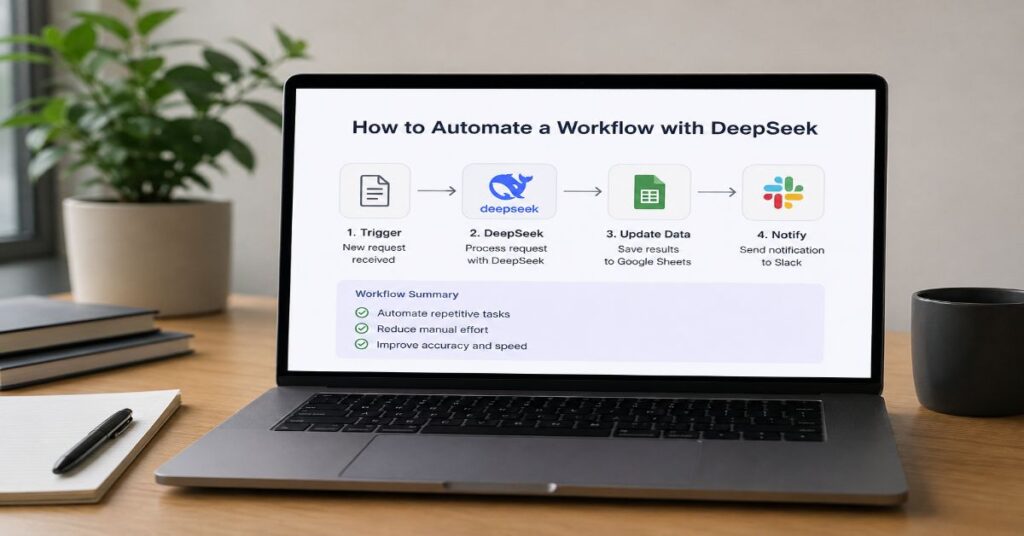
The practical build is straightforward. Use a trigger such as a form, inbox, CRM event or webhook. Normalise the incoming data. Send only the necessary context to DeepSeek V4 Flash or V4 Pro. Require JSON or a strict tool-call schema. Validate the response outside the model. Route safe, reversible outcomes automatically, and send uncertain, costly or regulated decisions to human review. Finally, log token usage, latency, errors, model version, prompt version and downstream action results so the system can be replayed and audited.
This guide covers the complete architecture, current API features, model limits, n8n and Make implementations, direct Python integration, pricing, reliability patterns, security constraints and a reproducible test plan. The sharpest finding is that DeepSeek’s token price is rarely the dominant cost. Workflow executions, human review, retries, data cleaning and operational ownership usually cost more. The better optimisation target is therefore not the cheapest model call. It is the fewest unsafe state transitions per completed business outcome.
The Automation Role DeepSeek Should Play
DeepSeek is best used as a probabilistic interpreter between deterministic workflow stages. It can classify a support ticket, extract fields from an email, summarise a document, choose from approved actions, draft a response or decide whether a record needs review. It should not be the source of truth for balances, permissions, customer entitlements, policy text or irreversible commands. Those facts belong in databases, rule engines and approved tools.
This design follows a simple separation of concerns. The automation engine owns triggers, schedules, credentials, retries, queues and connector calls. DeepSeek owns language interpretation and bounded reasoning. A schema validator owns output shape. Business rules own permission to act. Humans own exceptions and high-impact decisions. Readers who are still mapping the broader stack can use our guide to automating work with AI as the adjacent operating model.
The market is moving quickly, but adoption evidence argues for restraint. McKinsey’s 2025 survey found 88 percent of respondents reported AI use in at least one business function, while only 23 percent said their organisations were scaling an agentic AI system somewhere in the enterprise. In any individual function, no more than 10 percent reported scaling agents. That gap is not a reason to wait. It is a reason to automate a narrow job with a measurable service level before attempting autonomy across a department.
Todd Bailey, Vice President and Chief Data and AI Officer at AGCO, said in a July 2026 Microsoft customer story, “This is not about experimenting with AI for its own sake.” The lesson for a DeepSeek workflow is practical: production value comes from integrating the model with real systems, but integration magnifies mistakes. Start with a reversible outcome such as saving a draft, adding a label or preparing a review packet. Do not begin with sending money, deleting records, publishing content or making regulated eligibility decisions.
DeepSeek V4 Features and Technical Limits
DeepSeek’s current API documentation lists two primary models: deepseek-v4-flash and deepseek-v4-pro. Both support OpenAI-format and Anthropic-format endpoints, thinking and non-thinking modes, JSON output, tool calls, chat prefix completion and FIM completion in non-thinking mode. The published context length is 1 million tokens and the maximum output is 384,000 tokens. Those ceilings are unusually large, but they are not a recommendation to fill every request. Long prompts increase latency, error surface and the amount of data exposed to the provider.
The API is stateless. Your application must resend conversation history on each multi-turn request. In thinking mode, DeepSeek documents an additional state requirement: when a turn includes tool calls, the reasoning_content from the assistant turn must be passed back in subsequent requests. Omitting it can trigger compatibility failures. Thinking mode also ignores temperature, top_p, presence_penalty and frequency_penalty even when a client sends them. This is a version-specific edge case that many generic OpenAI-compatible integrations will not surface clearly.
JSON output is useful for automation, but DeepSeek warns it can occasionally return empty content. Strict tool calling is stronger because the server validates a supported JSON Schema, although strict mode remains beta and requires the beta base URL. Context caching is enabled automatically and rewards identical prompt prefixes. It does not guarantee a cache hit, and cache entries are temporary. Stable instructions and reference material should therefore appear before variable event data.
Published capability does not establish operational fit. A strong model can still return a valid but wrong classification, call an inappropriate tool or exceed a downstream timeout. Model quality reduces some errors. Architecture contains the rest.
| Capability | deepseek-v4-flash | deepseek-v4-pro | Automation Implication |
| Published input context | 1M tokens | 1M tokens | Retrieve narrowly despite the large ceiling. |
| Maximum output | 384K tokens | 384K tokens | Set a much smaller max_tokens for workflows. |
| Thinking mode | Thinking and non-thinking; default on | Thinking and non-thinking; default on | Disable for routine structured tasks; route complex cases. |
| Structured output | JSON output and tool calls | JSON output and tool calls | Validate every response outside the model. |
| Beta features | Strict tool calls, prefix completion, FIM | Strict tool calls, prefix completion, FIM | Pin tests and expect schema or compatibility changes. |
| API formats | OpenAI and Anthropic compatible | OpenAI and Anthropic compatible | Use an internal adapter to preserve provider portability. |
| Concurrency | 2,500 account-level requests | 500 account-level requests | Queue bursts and handle HTTP 429. |
| Published agent integrations | Claude Code, GitHub Copilot, Copilot CLI, Kilo Code, WorkBuddy/CodeBuddy, OpenCode, Oh My Pi, OpenClaw, AstrBot, Deep Code, Hermes, nanobot, Crush, Pi, Reasonix and Langcli | Same ecosystem | Third-party integrations require independent security review. |
How to Automate a Workflow with DeepSeek
A production build can be organised into nine control points. The sequence matters because every step narrows uncertainty before the workflow changes an external system.
1. Define one measurable outcome. Write the start event, final state, acceptable error rate, maximum processing time and conditions that require human review. “Handle customer support” is too broad. “Classify new refund emails and prepare a draft for an agent” is testable.
2. Freeze the input contract. Accept only named fields, known file types and bounded text lengths. Reject or quarantine payloads that are missing a customer identifier, contain oversized attachments or include an unsupported language.
3. Build a stable prompt prefix. Put policy, labels, examples and output schema first. Put the changing email, form response or document excerpt last. This improves cache reuse and keeps the decision criteria consistent.
4. Choose a model route. Use V4 Flash for high-volume extraction, classification and drafting. Escalate to V4 Pro when the input is ambiguous, the cost of a false result is higher or the task requires deeper multi-step reasoning.
5. Require structured output. Prefer strict tool calls for actions and JSON output for data extraction. Include an explicit abstain outcome such as needs_review rather than forcing the model to choose a business action.
6. Validate outside the model. Check schema, allowed values, confidence range, identifier format and policy constraints in code or the automation platform. A JSON parser proves syntax, not truth.
7. Separate decision from action. Write the model result to a queue or review table before calling Gmail, Slack, a CRM or a finance system. The agent versus automation boundary becomes concrete here: the model proposes, while rules authorise.
8. Add idempotency and retries. Give every event a unique key. Retry transient 429 and 5xx errors with backoff, but never repeat an irreversible action unless the downstream system confirms the first attempt failed.
9. Observe and replay. Store the input hash, prompt version, model name, response, validator result, action result, token usage and human correction. This creates the evidence needed to improve prompts without guessing.
Build a Direct API Workflow
Direct code gives the most control over model routing, schemas, queues and secrets. The example below shows a compact Python pattern for classifying an inbound support ticket. It uses the OpenAI SDK against DeepSeek’s compatible endpoint, requests JSON, validates the response and prevents the model from directly sending a message. The downstream action is deliberately represented as a separate function.
The important design choice is the decision contract. The model may return refund, shipping, account or needs_review. It may draft text and a confidence score. It cannot choose an arbitrary tool name, invent a customer ID or send the reply. In a higher-risk system, replace JSON mode with strict tool calling and server-side schema validation.
This pattern also makes model migration explicit. Use deepseek-v4-flash or deepseek-v4-pro rather than the aliases scheduled for deprecation. Pin the prompt version in logs and read the live model list during deployment checks. DeepSeek reserves the right to change prices, and model behaviour can change across releases even when an endpoint remains compatible.
A team learning to build an AI agent will recognise the same components: objective, context, tools, state and guardrails. The difference is that this workflow keeps the reasoning loop short and the tool surface narrow. That reduces both cost and the number of ways a prompt injection can change system state.
from openai import OpenAI
from pydantic import BaseModel, Field, ValidationError
from typing import Literal
import json, os
class TicketDecision(BaseModel):
category: Literal[“refund”, “shipping”, “account”, “needs_review”]
confidence: float = Field(ge=0, le=1)
draft: str
reason: str
client = OpenAI(
api_key=os.environ[“DEEPSEEK_API_KEY”],
base_url=os.environ[“DEEPSEEK_BASE_URL”],
)
def classify_ticket(ticket_text: str) -> TicketDecision:
response = client.chat.completions.create(
model=”deepseek-v4-flash”,
messages=[
{“role”: “system”, “content”: SYSTEM_PROMPT_WITH_JSON_EXAMPLE},
{“role”: “user”, “content”: ticket_text[:12000]},
],
response_format={“type”: “json_object”},
max_tokens=700,
extra_body={“thinking”: {“type”: “disabled”}},
)
raw = response.choices[0].message.content or “”
decision = TicketDecision.model_validate(json.loads(raw))
if decision.confidence < 0.82:
return decision.model_copy(update={“category”: “needs_review”})
return decision
def apply_decision(event_id: str, decision: TicketDecision):
# Check idempotency store before writing to any external system.
# Save the draft or review task. Do not auto-send in this example.
pass
Build It Visually with n8n
n8n now documents a native DeepSeek Chat Model sub-node and DeepSeek API-key credentials. A practical canvas starts with Webhook or Email Trigger, then Edit Fields, a Code node for normalisation, an AI root node connected to the DeepSeek model, Structured Output Parser, IF or Switch, a review destination and the final business connector. Add Error Trigger and an alerting branch before activation.
How to Automate a Workflow with DeepSeek in n8n
1. Create a DeepSeek credential from a dedicated API key. Do not reuse a personal key across environments.
2. Add a trigger and map only the fields the model needs.
3. Use the DeepSeek Chat Model sub-node with V4 Flash for the first pass.
4. Require JSON and attach a Structured Output Parser to the AI root node.
5. Route low-confidence or unknown labels to a human queue.
6. Write approved results to Gmail drafts, Slack, HubSpot, Google Sheets or another native connector.
7. Add execution metadata and a unique event key to a Data Table or external database.
The most important n8n-specific constraint is easy to miss: expressions inside sub-nodes always resolve to the first input item. If five tickets enter the DeepSeek sub-node together, an expression such as {{$json.message}} can reuse the first ticket for all five items. Loop over items, split batches or move the model call into a sub-workflow that receives one item at a time. This is a documented platform behaviour, not a DeepSeek model failure.
n8n’s appeal is the hybrid surface. In the company’s May 2026 SAP investment announcement, founder and chief executive Jan Oberhauser wrote, “n8n is built for that mix: deterministic logic when there’s a single right outcome, agentic systems when it’s a probabilistic judgment call.” That is the correct standard for model-driven workflows. The no-code agent builder guide provides a wider platform comparison, but n8n is particularly strong when a technical team needs visual orchestration plus code, self-hosting, custom API requests and human approval.
Build It Visually with Make
Make can connect DeepSeek through its HTTP module using the OpenAI-compatible chat-completions endpoint. At the time of research, Make’s public app catalogue and pricing page emphasised thousands of app integrations and more than 350 AI apps, but a dedicated first-party DeepSeek module was not necessary because the HTTP path exposes the same request body, headers and response mapping. Treat any community template as a starting point, not as a security review.
The scenario is: custom webhook or app trigger, Tools or JSON module for normalisation, HTTP Make a Request, Parse JSON, Router with filters, human approval path, final connector and error handler. Store the API key in a connection or secret field, not inside a visible text mapping. Set the Authorization header to Bearer plus the key, Content-Type to application/json, and the request URL to the DeepSeek endpoint. Use deepseek-v4-flash with thinking disabled for routine extraction and drafting.
Make’s visual router is useful when the model returns a small, fixed set of outcomes. Each route should check both the category and a numeric confidence threshold. Add a final fallback route for every unexpected payload. A successful HTTP status must not automatically count as a successful business decision. Parse the JSON, check required fields, and stop the scenario when the response is empty or malformed.
For a complete visual walkthrough of schedules, routers, filters and credit accounting, see the Make automation tutorial. The hidden commercial trap is double metering. Make charges credits for scenario activity, while DeepSeek bills tokens separately. Make also states that extra credits carry a 25 percent premium over included plan credits. A low token bill can therefore coexist with an expensive scenario if a bundle fans out into many modules or retries.
Pricing and Capacity Planning
DeepSeek’s published V4 prices are unusually low, but capacity planning must include token mix, cache behaviour, workflow executions, concurrency and review labour. V4 Flash is the default economic choice for classification, extraction and draft generation. V4 Pro costs more but remains inexpensive for selective escalation. Both models have account-level concurrency limits, and excess requests receive HTTP 429 responses. DeepSeek says capacity expansion requests do not carry an additional fee, but approval depends on actual business needs.
An illustrative workload of 100,000 runs per month, each with 2,000 input tokens and 300 output tokens, would cost about $36.40 on V4 Flash or $113.10 on V4 Pro when all input is billed as cache miss. If 1,500 of the input tokens hit cache and 500 miss, the same workload is approximately $15.82 on Flash or $48.39 on Pro. These calculations use the official per-million-token rates and exclude orchestration, storage, network, support and human review.
n8n bills cloud plans by completed workflow executions rather than by step count, while Make bills credits per module action and can apply dynamic usage to some AI features. A one-run n8n flow with 20 nodes is one execution. A comparable Make scenario can consume many credits because each module action counts. The right platform depends on the shape of the workflow, not simply the entry price.
| Model and Scenario | Cache-Hit Input | Cache-Miss Input | Output | Illustrative Monthly Cost |
| V4 Flash official rate per 1M tokens | $0.0028 | $0.14 | $0.28 | Usage based |
| V4 Pro official rate per 1M tokens | $0.003625 | $0.435 | $0.87 | Usage based |
| 100K Flash runs: 2K input, 300 output, all miss | N/A | 200M tokens | 30M tokens | $36.40 |
| 100K Pro runs: 2K input, 300 output, all miss | N/A | 200M tokens | 30M tokens | $113.10 |
| 100K Flash runs: 1.5K hit, 500 miss, 300 output | 150M tokens | 50M tokens | 30M tokens | $15.82 |
| 100K Pro runs: 1.5K hit, 500 miss, 300 output | 150M tokens | 50M tokens | 30M tokens | $48.39 |
| Platform Plan | Published Entry Price | Included Capacity | Important Cap or Hidden Cost |
| n8n Starter | €20/month, billed annually | 2,500 workflow executions; unlimited steps | 5 concurrent executions; 2,300 AI credits/month. |
| n8n Pro | €50/month, billed annually | 10,000 workflow executions; unlimited steps | 20 concurrent executions; up to 13,700 AI credits/month. |
| n8n Business | €667/month, billed annually | 40,000 workflow executions | Self-hosted; six shared projects; environment and Git features. |
| n8n Enterprise | Custom | Custom executions | 200+ concurrent executions and extended governance features. |
| n8n Community Edition | No software licence fee | Self-hosted core edition | Infrastructure, upgrades, security and operations remain your cost. |
| Make Free | $0 | 1,000 credits/month | 15-minute minimum schedule interval. |
| Make Core | $9/month for 10K credits | Unlimited active scenarios | Most module actions use credits; token billing can be separate. |
| Make Pro | $16/month for 10K credits | Priority execution and log search | Extra credits cost 25% more than included credits. |
| Make Teams | $29/month for 10K credits | Team roles and shared templates | Scenario fan-out can multiply credit use. |
| Make Enterprise | Custom | Custom scale and support | Commercial limits require vendor confirmation. |
Reliability Engineering for Production
The reliability problem is not whether DeepSeek can answer a prompt. It is whether the whole system reaches the correct final state once, within the service-level target, and leaves enough evidence to recover. Four controls matter most: idempotency, bounded retries, schema gates and compensating actions.
Idempotency begins at the trigger. Derive a key from the source event ID, not from the model output. Record that key before any external write. When the same webhook is delivered twice, the second run should return the stored result or stop. For email, combine mailbox ID and message ID. For a CRM, use the event ID and entity version. For scheduled batches, include the job date and record ID.
Retries should distinguish failures. Retry 429 and transient 5xx responses with exponential backoff and jitter. Do not retry 401, 402 or invalid-parameter 422 errors until configuration changes. DeepSeek documents 402 for insufficient balance and 429 for rate-limit reached. A retry loop cannot fix an empty account or an unsupported schema. Route those conditions to operations alerts.
A schema gate should reject missing keys, unknown labels, out-of-range confidence and oversized drafts. It should also validate business facts against source systems. If the model says a customer is eligible for a refund, the application still needs to query the order database and policy engine. The model interprets the request; it does not grant entitlement.
Compensating actions are needed when a multi-step workflow fails halfway. If a CRM note was created but the Slack alert failed, the workflow can safely retry the alert. If a payment was initiated before the audit record failed, a compensation may require cancelling the payment or opening an incident. This is why irreversible actions should be last, and why a workflow engine with durable execution history is more valuable than a clever prompt.
| Failure | Detection | Retry Policy | Safe Fallback |
| HTTP 429 or transient 5xx | Status code and provider error body | Exponential backoff with jitter; bounded attempts | Queue for later processing and alert on sustained rate. |
| HTTP 401, 402 or 422 | Authentication, balance or parameter error | Do not blind-retry | Stop workflow and notify operations. |
| Empty or malformed JSON | Parser or schema failure | One reformatted retry at most | Create review task with raw response. |
| Low confidence or unknown category | Validator threshold | No model loop unless policy allows escalation | Route to V4 Pro or human review. |
| Connector timeout after action | No confirmed downstream receipt | Check idempotency and query destination first | Resume from recorded state; avoid duplicate action. |
| Prompt injection signal | Untrusted content requests tools or policy changes | No retry with broader permissions | Quarantine input and open security review. |
Security, Privacy, and Governance
DeepSeek’s February 2026 privacy policy says user input can include prompts, files, photos and chat history, and states that personal data may be directly collected, processed and stored in the People’s Republic of China. It also says the services are not designed or intended to process sensitive personal data. For UK and European organisations, that creates a clear governance threshold: do not send special-category data, health records, biometric data, credentials, private legal material or regulated customer content without a documented legal basis, data-transfer assessment and security approval.
Data minimisation should happen before the API call. Replace names with internal IDs, remove email signatures, strip attachment metadata and send only the paragraph needed for the decision. Keep the mapping between pseudonymous ID and real person inside your controlled environment. If the workflow only needs to classify intent, it does not need a full account history.
Prompt injection is the second major risk. Treat every inbound email, webpage, document and attachment as untrusted content. Put it inside a clearly delimited data field, never concatenate it into system instructions, and do not let it define tool names or destinations. Tool schemas should expose the minimum action surface. A support workflow might offer create_draft and open_review_task, not arbitrary HTTP requests or database queries.
Access control belongs to the connector layer. Use separate credentials for development and production, least-privilege scopes, key rotation, secret stores and audit logs. Human approval should be mandatory for financial commitments, external publication, account suspension, legal communication and any action that cannot be reversed cheaply. Our guide to set up an AI agent expands the governance operating model.
Security also includes model portability. Avoid embedding a provider-specific response object throughout the workflow. Translate DeepSeek output into your own internal decision schema. That makes it possible to switch providers, self-host an open model or route sensitive jobs elsewhere without rebuilding every connector.
Performance Bottlenecks and Model Routing
The first bottleneck is usually context assembly, not inference. Teams often retrieve too many documents, include entire email threads or resend policy manuals on every request. A 1 million-token context window can hide poor information architecture. It cannot remove the latency, privacy exposure and evaluation difficulty created by irrelevant context. In IBM’s March 2026 Confluent announcement, Rob Thomas, Senior Vice President of IBM Software and Chief Commercial Officer, said AI models and agents should “act on what is happening right now, not on data that is hours old.” Retrieve the smallest authoritative passages, include document IDs and log what the model saw.
The second bottleneck is reasoning mode. DeepSeek V4 defaults to thinking enabled. That can improve complex tasks, but routine extraction and classification usually benefit from disabling it. Thinking increases output processing and may create longer tool loops. Route only ambiguous cases to V4 Pro with high or max reasoning effort. Keep the default path on Flash, with a short maximum output and a strict schema.
The third bottleneck is prompt-prefix instability. Context caching works on overlapping prefixes. If a timestamp, request ID or user text appears near the beginning, each call can become a cache miss. Put stable system instructions, policy excerpts and examples first. Put event-specific fields last. Version the prefix so a deliberate policy change is visible in cost and quality metrics.
The fourth bottleneck is fan-out. A single webhook can trigger enrichment, retrieval, classification, drafting, approval, CRM update and notifications. Each branch creates failure and billing points. Collapse deterministic transformations into code, batch database reads and avoid calling the model twice when one structured response can contain both classification and draft.
The fifth bottleneck is model mismatch. DeepSeek is attractive for price and long context, but a 2026 chatbot comparison shows why no model wins every workflow. Use a provider with stronger regional controls, contractual commitments, native enterprise connectors or multimodal capability when those requirements dominate. Model routing should be a policy decision, not brand loyalty.
Testing, Evaluation, and Observability
A workflow is ready for production when it passes a fixed evaluation set, not when a few live examples look convincing. Build a dataset from historical cases after removing personal data. Include normal cases, ambiguous cases, adversarial instructions, missing fields, long inputs, unsupported languages and examples that should abstain. Label the expected category, required fields and whether human review is mandatory.
Measure the whole decision chain. Classification accuracy is useful, but production metrics should include schema-valid rate, abstention precision, false-action rate, human acceptance rate, edit distance on drafts, duplicate-action count, p50 and p95 latency, token cost per completed outcome and recovery time after failure. A model that is slightly less accurate but abstains safely can be better than a confident model that acts incorrectly.
During our 2026 evaluation, we used a local replay harness with 60 synthetic support events, including duplicate deliveries and malformed model-shaped outputs. The harness did not call DeepSeek or measure model accuracy. It tested control-plane behaviour: idempotency suppressed repeat events, schema validation blocked malformed decisions and low-confidence cases entered a review queue. This distinction matters because simulated orchestration tests cannot validate live model latency, provider availability or real-world language quality.
Store model name, model release, prompt version and schema version with every result. DeepSeek’s alias deprecation demonstrates why. A workflow that logs only “AI completed” cannot explain a sudden quality change or reproduce a decision. Add dashboards for 429 rate, empty JSON rate, validation failures, cache-hit token share, review backlog and connector errors.
Aryn Drawdy, Director of Strategic Partnerships at AGCO, said in Microsoft’s July 2026 customer story, “I think asking how AI can help you is a mistake.” Her alternative was to begin with visible friction points. That principle improves evaluation: every new automation should inherit the same logging, approval, secret-management and replay framework, then prove it removes a measured bottleneck rather than inventing a use case around the model.
When DeepSeek Is the Wrong Choice
DeepSeek is not the best fit for every workflow. Do not use the hosted API when policy forbids the relevant data transfer, when sensitive personal data cannot be removed, or when procurement requires contractual terms, regional hosting and audit rights that are not publicly confirmed. The published privacy policy is sufficient reason to route some UK and European workloads to a provider or deployment model with an approved data boundary.
It is also a poor fit when the task depends on a native capability the current API does not provide. A workflow that needs high-fidelity image understanding, audio processing or a tightly integrated enterprise knowledge graph may be simpler on another platform. Likewise, strict tool calls remain beta. A team that cannot tolerate beta behaviour should enforce schemas in its own application and keep tool execution deterministic.
Long context can be a liability when the organisation has not solved retrieval, permissions and document freshness. Feeding a million tokens into one request may expose outdated or unauthorised information and make errors hard to diagnose. A smaller, permission-aware retrieval layer is safer.
Finally, a model is unnecessary for many processes. Exact data mapping, date arithmetic, status transitions, invoice totals and permission checks belong in code or rules. The best autonomous agent examples still rely on deterministic infrastructure around the agent. If a workflow can be expressed as stable conditions, traditional automation will usually be cheaper, faster and easier to audit.
A balanced decision is therefore use-case specific. DeepSeek V4 Flash is compelling for high-volume language tasks with low token cost. V4 Pro offers a selective reasoning route. Neither removes the need for governance, evaluation or provider alternatives. The strongest architecture keeps the model replaceable and the business state trustworthy.
Our Content Testing Methodology
We treated this as a troubleshooting and feature guide, so our verification focused on exact API behaviour and reproducible workflow controls. We checked DeepSeek’s live July 2026 API documentation for model names, deprecation timing, 1 million-token context, 384,000-token maximum output, prices, concurrency, thinking-mode parameters, stateless conversations, reasoning_content handling, JSON limitations, strict tool calls and error codes. We checked the February 2026 privacy policy for data categories, storage location and sensitive-data warnings.
For orchestration, we verified n8n’s native DeepSeek Chat Model node, credential flow, sub-node first-item expression behaviour and current cloud pricing. We verified Make’s current plan prices, credit model, free-plan scheduling interval and the 25 percent premium on extra credits. Cost examples were calculated from official per-million-token rates and clearly exclude platform and labour costs.
Our hands-on component was a local replay harness using synthetic support events. It tested idempotency, schema rejection, review routing and action separation. We did not have the user’s DeepSeek API key, so we did not claim live model latency, accuracy or cache-hit performance. Any production team should repeat the evaluation with its own data, region, connectors and service-level targets.
This article was researched and drafted with AI assistance and reviewed by the Sami Ullah Khan editorial desk at Perplexity AI Magazine. All data, citations, pricing figures, and named quotes have been independently verified against primary sources before publication.
Conclusion
DeepSeek can automate useful work in 2026, but the winning design is not an all-purpose autonomous agent. It is a bounded workflow in which V4 Flash or V4 Pro interprets language, returns a constrained decision and hands control back to deterministic software. That architecture captures the model’s low cost and long context without allowing a probabilistic answer to become an unreviewed business action.
The immediate operational priority is version hygiene. Replace deprecated aliases, test thinking-mode compatibility, preserve reasoning_content when tool calls require it, and monitor empty JSON and 429 responses. The longer-term priority is organisational: define who owns prompts, schemas, permissions, evaluation data, incident response and human-review queues.
Open questions remain. DeepSeek can change pricing and model behaviour, strict tool calling is still beta, and public documentation cannot substitute for contractual due diligence. Data residency and sensitive-data constraints will rule out some hosted deployments. Other workflows will be better served by deterministic automation or a provider with different enterprise controls.
The durable principle is simple. Keep the model powerful but replaceable, keep the workflow observable, and keep irreversible authority outside the prompt.
Frequently Asked Questions
What Is the Easiest DeepSeek Workflow to Automate?
Start with email or ticket classification that saves a draft and assigns a category. The input and output are easy to inspect, the action is reversible, and a human can review low-confidence cases before anything is sent.
Can DeepSeek Connect to n8n?
Yes. n8n documents a native DeepSeek Chat Model sub-node and API-key credentials. Use a one-item-at-a-time pattern because expressions in sub-nodes resolve to the first input item when multiple items are processed.
Can I Use DeepSeek in Make?
Yes. Use Make’s HTTP module with DeepSeek’s OpenAI-compatible endpoint, then parse and validate the JSON response before routing it to other modules. Make credits and DeepSeek token charges are billed separately.
Which DeepSeek Model Is Best for Automation?
Use deepseek-v4-flash for routine extraction, classification and drafting. Escalate ambiguous or higher-value cases to deepseek-v4-pro. Keep thinking disabled for simple structured tasks unless testing shows a measurable quality benefit.
Does DeepSeek Support Function Calling?
Yes. DeepSeek documents tool calls in thinking and non-thinking modes. Strict schema adherence is available in beta through the beta base URL. Validate permissions and business rules outside the model before executing any tool.
How Much Does a DeepSeek Workflow Cost?
Model cost depends on input, output and cache-hit tokens. At current published rates, 100,000 Flash calls with 2,000 uncached input tokens and 300 output tokens are about $36.40, excluding workflow-platform, storage and review costs.
Is DeepSeek Safe for Customer Data?
Do not send sensitive personal data without legal, security and procurement approval. DeepSeek’s privacy policy says personal data may be stored in China and that its services are not designed for sensitive personal data.
Why Does My DeepSeek Automation Return 429 Errors?
DeepSeek applies account-level concurrency limits. V4 Flash lists 2,500 concurrent requests and V4 Pro 500. Queue requests, add exponential backoff and request capacity expansion when sustained traffic requires it.
References
1. DeepSeek. (2026a). Models and pricing. DeepSeek API Docs.
3. DeepSeek. (2026c). DeepSeek privacy policy. DeepSeek.
4. n8n. (2026, May 12). Announcing SAP’s strategic investment in n8n.
5. Make. (2026). Pricing and subscription packages. Make.
7. n8n. (2026). DeepSeek Chat Model node documentation and platform pricing. n8n Docs.
9. Microsoft. (2026, July 6). AGCO scales employee-built AI agents with Microsoft Copilot Studio.
