
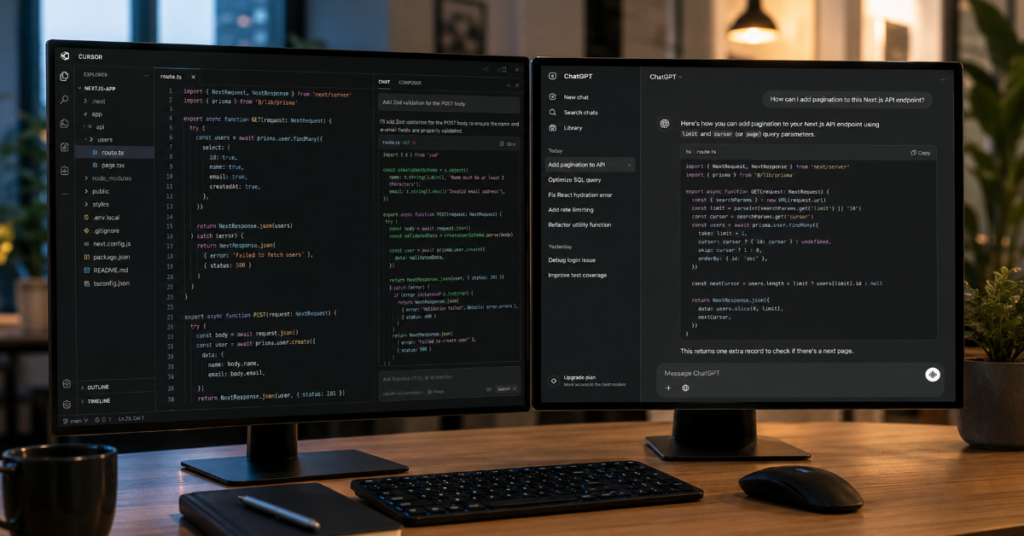
Cursor AI vs ChatGPT for coding has become one of the most practical software questions of 2026 because the answer depends less on which model sounds smarter and more on where developers actually work. Cursor is an AI-native code editor built around repository context, inline edits, autocomplete, terminal-aware agents and project-level workflows. ChatGPT, especially with Codex, is now a broader coding environment that can answer architectural questions, work across codebases, run delegated tasks and help teams reason through software problems beyond the IDE.
In our hands-on testing, Cursor felt strongest when the job stayed inside an active repository: changing components, reading files, suggesting diffs, editing several related files and keeping momentum while a developer remained in flow. ChatGPT felt stronger when the work began outside the editor: planning a system design, comparing implementation options, debugging unfamiliar stack traces, explaining legacy code, generating test strategies or delegating larger tasks through Codex.
The race is no longer simple autocomplete versus chatbot. It is editor-integrated AI coding assistant versus general-purpose AI software partner. Cursor wins when speed, codebase context and developer ergonomics matter most. ChatGPT wins when reasoning, explanation, documentation, product thinking and cross-functional workflows matter most. For many professional teams, the best answer is not one tool replacing the other. It is Cursor as the coding cockpit and ChatGPT as the architecture room, debugging partner and long-form reasoning layer.
The 2026 Coding Assistant Market Has Split Into Two Different Workflows
The debate around cursor ai vs chatgpt for coding often begins with model quality, but that misses the deeper shift. In 2026, software teams are deciding between interface models. One interface is embedded directly in the code editor, watching file structure, git changes, terminal output and current cursor position. The other is a conversational and agentic workspace that can reason across plans, documents, APIs, design decisions and remote software tasks.
Cursor represents the first path. It is designed around the developer’s immediate context. The product promise is not merely that it can write code. It is that it can stay close to the code while the developer edits, reviews and directs. Features such as Tab autocomplete, Agent, project rules, MCP support, hooks, cloud agents, Bugbot and team controls make it feel like an IDE redesigned around AI rather than a chatbot bolted onto programming.
ChatGPT represents the second path. With Codex, OpenAI has moved from conversational coding support into delegated software engineering. Codex can write features, answer codebase questions, fix bugs, run commands, use isolated environments and propose pull requests. ChatGPT also brings a larger ecosystem: files, data analysis, planning, natural-language explanation, enterprise workspace controls and mobile supervision of active Codex work.
Cursor AI vs ChatGPT for Coding: The Core Difference
The simplest distinction is this: Cursor is where code changes happen fastest, while ChatGPT is where code decisions are often made better. Cursor sees your repository like a working surface. ChatGPT sees your problem like a reasoning task. That difference matters because coding is not one activity. It includes design, implementation, debugging, testing, review, documentation, deployment and maintenance.
Cursor’s strongest advantage is proximity. A developer can highlight a function, ask for a refactor, accept a diff, run a command and continue. The loop is short. The AI is not waiting outside the workflow. It is embedded in the file tree and editor habits developers already understand. That makes Cursor especially strong for frontend iteration, TypeScript fixes, test generation, framework migrations and multi-file refactors.
ChatGPT’s strongest advantage is breadth. It can explain why a bug is happening, compare design patterns, generate migration plans, convert vague product requirements into technical tasks and summarize trade-offs for stakeholders. With Codex, it now also competes in agentic execution. But even then, ChatGPT feels less like an editor and more like a senior technical collaborator that can move between planning, coding and review.
Feature Comparison: Cursor AI vs ChatGPT for Coding
| Category | Cursor AI | ChatGPT With Codex | Practical Winner |
| Primary workflow | AI-native code editor | Conversational AI plus coding agent | Depends on task |
| Best use case | In-repository coding and edits | Planning, debugging and delegated tasks | Split |
| Codebase awareness | Strong inside active project | Strong when connected to repo or Codex context | Cursor for local flow |
| Autocomplete | Specialized Tab model | Not the core experience | Cursor |
| Multi-file edits | Strong in editor | Strong through Codex tasks | Split |
| Debugging explanation | Good when code is in context | Excellent for reasoning and diagnosis | ChatGPT |
| Terminal workflow | Integrated with editor and agents | Codex can run commands in environments | Split |
| PR support | Bugbot, agentic review, team controls | Codex can propose pull requests | Split |
| Mobile supervision | Mobile agent options exist | Codex mobile preview is a major advantage | ChatGPT |
| Team governance | Pricing includes team privacy, analytics and controls | Business Codex includes secure workspaces and admin controls | Split |
| Best audience | Active developers living in the IDE | Developers, product teams, managers and architects | Depends on role |
This table is the reason many teams now adopt both tools. Cursor accelerates the developer’s daily keystrokes and repository work. ChatGPT expands the cognitive layer around that work. In a small startup, one senior developer may use Cursor to ship code and ChatGPT to reason through architecture. In an enterprise team, Cursor may serve engineering implementation while ChatGPT and Codex support triage, research, review and broader automation.
Why Cursor Feels Faster Inside Real Projects
Cursor’s speed advantage comes from reducing context switching. Developers do not need to paste files into a separate chat window, explain directory structures or manually describe what changed. Cursor can operate where the project already lives. That makes its value especially visible in projects with recurring patterns: React components, Next.js routes, Laravel controllers, Python services, API clients, test suites and internal design systems.
In our hands-on testing, Cursor was most impressive when the request was concrete: “Refactor this component,” “Add validation to this form,” “Update the API call,” “Write tests for this file,” or “Find why this TypeScript error appears.” It handled these tasks with less ceremony than ChatGPT because the surrounding files, imports and conventions were closer to the model’s operating environment.
The hidden value is not only code generation. It is continuity. Cursor’s autocomplete can predict the next small edit while Agent handles larger changes. This allows a developer to move between manual control and delegated work without leaving the editor. That hybrid rhythm is where Cursor feels less like a tool and more like a rewritten development environment.
Why ChatGPT Still Wins Many Coding Sessions
ChatGPT remains powerful because many coding problems are not really coding problems at first. They are unclear-requirement problems, system-design problems, debugging-logic problems, security-review problems or communication problems. A developer may need to understand why an authentication flow is brittle before editing a single file. ChatGPT is often better at that early reasoning stage.
For example, when asked to compare approaches for multi-tenant authorization, ChatGPT can outline policy-based access control, role-based access control, attribute-based access control and hybrid models. It can explain database implications, API implications and testing risks. Cursor can help implement the chosen approach, but ChatGPT is often stronger at clarifying the decision before implementation begins.
Codex changes the comparison further. ChatGPT is no longer only a place to ask coding questions. It can now delegate tasks to a software engineering agent that works in separate environments, runs tests and returns changes for review. That makes ChatGPT more competitive with Cursor’s agentic workflow, especially for teams that want coding agents to operate beyond a developer’s laptop.
Expert Quote 1: OpenAI’s Codex Framing
OpenAI described Codex as “a cloud-based software engineering agent” that can write features, answer questions about a codebase, fix bugs and propose pull requests for review. That quote matters because it defines OpenAI’s ambition clearly. ChatGPT is not trying to be only a better coding chatbot. It is becoming an execution layer for software work.
For the cursor ai vs chatgpt for coding debate, this is a major distinction. ChatGPT is not merely competing on whether it can produce a better function. It is competing on whether it can manage a task as work. A developer assigns a bug fix or feature, the agent works in an environment, then the human reviews the output. That shifts the value from answer quality to workflow completion.
Still, delegated coding has a review problem. The more code agents generate, the more humans must evaluate intent, safety, maintainability and product fit. ChatGPT can accelerate work, but it does not remove the need for engineering judgment.
Expert Quote 2: Cursor’s Agentic Development Claim
Cursor’s public product language says agents “turn ideas into code” while developers focus on making decisions. That sentence captures Cursor’s strategy. It wants the developer to remain the pilot while agents perform implementation labor inside the same workflow.
This is why Cursor resonates with engineers who do not want coding assistance to feel detached from their daily environment. The product does not ask them to abandon the editor. It tries to make the editor more agentic. In practice, this means a developer can keep reading diffs, inspecting imports, running tests and approving changes while the AI does the repetitive work.
The phrase also reveals Cursor’s bet on the future of engineering: developers become reviewers, planners and systems thinkers. They still code, but they increasingly direct agents that write larger portions of the implementation. The risk is that weak review habits can create hidden technical debt faster than traditional programming.
Expert Quote 3: Cursor’s Internal Signal On Agent PRs
Cursor’s 2026 essay on the “third era” of AI software development stated that 35 percent of pull requests merged internally at Cursor were created by agents operating autonomously in cloud virtual machines. That is one of the most important public signals in the market because it shows that the company is not only selling agentic development. It is using it internally.
The number should not be read as a universal benchmark. Cursor’s team builds AI coding tools, so its internal adoption is naturally ahead of most companies. But it does show the direction of travel. Teams are beginning to treat agents as parallel implementers rather than autocomplete engines.
For engineering managers, the implication is uncomfortable but useful. The bottleneck may shift from writing code to specifying tasks, selecting the right agent, reviewing output and preventing low-quality changes from entering production.
Data Benchmarks And Market Signals
| Signal | 2026 Data Point | What It Means |
| Cursor internal agent adoption | 35 percent of internal merged PRs created by agents in cloud VMs | Agentic coding is already production workflow at AI-native teams |
| AIDev research dataset | 932,791 agent-authored PRs across 116,211 repositories | AI coding agents are visible at large scale in real GitHub activity |
| AIDev developer count | 72,189 developers represented | Adoption is not limited to a few labs |
| Codex weekly usage | OpenAI reported more than 4 million weekly Codex users | Coding agents have moved into mass adoption |
| ChatGPT Business Codex | Pay-as-you-go plan with cloud environments and worktrees | OpenAI is targeting team software workflows, not only individual prompts |
| Cursor Pro pricing | $20 per month for individual Pro | Cursor remains priced like a professional developer tool |
| Cursor Teams pricing | $40 per user per month | Team controls and shared context are becoming premium features |
The most important signal is not any single product claim. It is the convergence. Cursor is moving beyond editor autocomplete into agents, cloud workflows, PR review and team governance. ChatGPT is moving beyond conversation into Codex, remote execution, mobile supervision and business coding environments. Both products are racing toward the same prize: becoming the operating layer for software work.
Repository Context: Cursor’s Biggest Advantage
When developers compare cursor ai vs chatgpt for coding, repository context is usually the first real-world test. Cursor has an advantage because it starts from the assumption that the repository is the center of the experience. The file tree, open tabs, selected code, terminal output and project rules can shape its responses.
That matters in mature codebases where style and architecture are not obvious from a prompt. A model might know React, but it does not know your company’s form pattern, API wrapper, translation layer, naming scheme or state-management convention unless the tool can surface those details. Cursor is built to keep those project signals close.
ChatGPT can also work with codebase context, especially through Codex, connected repositories or uploaded files. But when a developer is already editing, the separate conversational interface can feel slower. The user must manage the boundary between explanation and execution. Cursor’s advantage is that the boundary is thinner.
Reasoning Depth: ChatGPT’s Biggest Advantage
ChatGPT’s advantage appears when the task requires abstraction. Ask it to explain a race condition, propose an architecture for background jobs, compare database indexing strategies or design an API migration plan and it can produce a structured answer that reads like a technical design memo.
Cursor can also answer technical questions, but its center of gravity remains implementation. ChatGPT is more natural for broad reasoning because the conversation can include product goals, constraints, security concerns, team skill levels and future maintenance. It can also produce documentation, migration guides, issue templates, release notes and stakeholder summaries from the same conversation.
This matters for senior developers. The higher someone moves in engineering responsibility, the more their work becomes decisions rather than keystrokes. ChatGPT often supports that layer better. It can help a tech lead think before asking Cursor to implement.
Autocomplete And Inline Editing
Autocomplete remains Cursor’s clearest day-to-day win. ChatGPT can generate code blocks, but it does not replace the feeling of a predictive editor that knows what line you are about to write. Cursor’s Tab experience is valuable because it reduces micro-friction. A developer can accept small changes repeatedly instead of issuing large prompts.
This is especially useful in repetitive code: type definitions, props, validation schemas, test cases, API mappers, imports, configuration files and boilerplate-heavy frameworks. The gains are not dramatic in a single moment, but they compound across the workday. A developer writing 200 small edits may save more time from autocomplete than from one impressive agentic task.
ChatGPT is better when the needed output is not just the next edit, but a coherent artifact: a full test plan, a debugging explanation, a security review or an implementation strategy. Cursor helps write the code faster. ChatGPT helps decide what code should exist.
Debugging: Different Strengths, Different Failure Modes
Debugging exposes the difference between tools. Cursor is excellent when the bug is visible in the active project and can be traced through files. It can inspect related code, suggest patches and update tests quickly. The workflow is direct: locate problem, change code, run validation.
ChatGPT is excellent when the developer does not yet understand the bug. It can reason from logs, stack traces, architecture diagrams, production symptoms and database behavior. It can suggest hypotheses, rank likely causes and explain why one failure mode is more plausible than another.
The failure modes differ. Cursor may produce a plausible patch too quickly if the prompt is vague. ChatGPT may produce a strong explanation that still requires careful translation into project-specific code. In serious debugging, the best workflow is often to use ChatGPT to frame hypotheses, then use Cursor to inspect and patch the repository.
Security And Governance
Enterprise teams cannot evaluate AI coding tools only by productivity. They must ask where code goes, who can access context, how agents run commands, how audit logs work, whether data trains models, how SSO is handled and whether teams can restrict model or repository access.
Cursor’s paid tiers emphasize team privacy mode, usage analytics, SAML/OIDC SSO, repository controls, MCP access controls, audit logs and administrative features. This matters because AI coding agents can touch sensitive files, secrets, proprietary logic and deployment scripts. A fast coding assistant without governance is not enterprise-ready.
ChatGPT Business and Codex also target secure team workflows. OpenAI’s pricing page describes Business Codex as a development-focused plan with pay-as-you-go usage, cloud environments, worktrees, code and security reviews, admin controls and no training on business data. For teams already using ChatGPT as a company workspace, this can reduce tool fragmentation.
Cost And Value In Real Teams
Cursor’s individual Pro plan at $20 per month is easy to justify for developers who code daily. If it saves even one hour per month, it pays for itself in most professional contexts. Cursor Teams at $40 per user per month makes more sense when shared context, team privacy, agentic reviews and centralized billing matter.
ChatGPT’s pricing is broader because it serves more than coding. For a developer, ChatGPT Plus or Pro can support programming, research, writing, data analysis and planning. For companies, Business Codex shifts pricing toward usage rather than a simple seat fee. That may be attractive for teams with uneven coding-agent demand, but it also requires monitoring because agentic work can consume more resources than simple chat.
The real cost question is not subscription price. It is review cost. AI-generated code still needs human attention. If a tool doubles output but also doubles review burden, the productivity story becomes more complicated. Teams should measure merge quality, bug rate, review time and rollback frequency, not only how fast code appears.
The Hidden Risk: More Code Is Not Always More Progress
The most serious risk in cursor ai vs chatgpt for coding is that both tools can produce more code than teams can responsibly absorb. Agentic tools make implementation cheaper. But cheap implementation can create expensive maintenance if tasks are poorly specified or review is rushed.
Academic research on AI coding agents already points to this tension. Large-scale datasets show widespread agent-authored pull requests, but other studies suggest automated review quality and merge outcomes remain uneven. This should not surprise experienced engineers. Software quality depends on intent, architecture, tests, ownership and operational knowledge. Code generation is only one piece.
The practical response is not to avoid AI coding tools. It is to narrow their authority. Use them freely for drafts, tests, refactors and low-risk changes. Use stronger human review for authentication, payments, data deletion, permissions, security boundaries, migrations and production infrastructure.
Best Workflow For Solo Developers
For solo developers, Cursor is usually the better daily coding environment. It speeds up implementation, reduces context switching and helps maintain flow. A freelancer building a SaaS dashboard, WordPress plugin, React app or Python automation will likely feel Cursor’s value immediately.
ChatGPT should sit beside it as a planning and debugging layer. Before writing a complex feature, ask ChatGPT to challenge the architecture. Before adopting a library, ask for trade-offs. Before shipping, ask for a test matrix and failure modes. After Cursor generates code, ask ChatGPT to review the approach at a higher level.
The ideal solo workflow is simple: plan in ChatGPT, build in Cursor, review with both. ChatGPT helps avoid building the wrong thing. Cursor helps build the right thing faster.
Best Workflow For Engineering Teams
For teams, the answer depends on governance and process maturity. Cursor is compelling for developers who want AI inside the editor. Its team features make it easier to standardize AI-assisted development across repositories. Cursor can also support PR review and team workflows through agentic features.
ChatGPT with Codex becomes more attractive when coding work intersects with planning, documentation, product management, support analysis and cross-functional communication. A team can ask ChatGPT to summarize incidents, draft technical proposals, review architecture options and delegate coding tasks through Codex.
The best teams will not ask “Which tool writes better code?” They will ask “Where should AI sit in our software delivery system?” Cursor belongs closest to implementation. ChatGPT belongs across planning, explanation, delegation and review. The overlap will grow, but their strengths remain distinct.
When To Choose Cursor AI
Choose Cursor if you spend most of your day inside a repository and want AI to reduce friction while coding. It is especially strong for developers using VS Code-like workflows who want autocomplete, inline edits, agentic coding, terminal integration and multi-file changes without leaving the editor.
Cursor is also the better choice if you care about fast frontend iteration. UI work often requires many small edits across components, styles, hooks and tests. Cursor’s proximity to the codebase makes those loops feel natural. It also works well for refactoring because the tool can remain aware of local patterns.
Choose Cursor first if your main pain is implementation speed. It is the more direct answer for developers who already know what they want to build and need help building it faster.
When To Choose ChatGPT
Choose ChatGPT if your main pain is reasoning, planning, debugging or explaining. It is the better companion when you need to understand unfamiliar code, design a new system, compare approaches, generate documentation or think through a production incident.
ChatGPT is also stronger for people who code but do not live exclusively in the editor: founders, product engineers, engineering managers, technical writers, data analysts and startup operators. It can move between code, business context, documentation and communication more naturally than an IDE-focused product.
Choose ChatGPT first if your work begins with ambiguity. When you are not sure what should be built, why something fails or how to explain a technical decision, ChatGPT is often the better starting point.
Cursor AI vs ChatGPT for Coding In 2026: Practical Verdict
Cursor AI vs ChatGPT for coding is not a winner-take-all contest. Cursor is the better AI coding environment. ChatGPT is the better AI technical reasoning environment. Codex narrows the gap by giving ChatGPT stronger execution capabilities, while Cursor’s agents narrow the gap by giving the editor more autonomy.
For most professional developers, Cursor should be the primary tool for writing and editing code. ChatGPT should be the primary tool for thinking around code. The combination is powerful because it mirrors how software actually gets built: first understand the problem, then implement, then test, review and explain.
If budget allows only one tool, choose based on your bottleneck. If you are slow because implementation takes too long, choose Cursor. If you are slow because requirements, architecture, bugs or communication are unclear, choose ChatGPT. If you work on serious software daily, the strongest setup is both.
Takeaways
- Cursor is stronger for in-editor coding, autocomplete, multi-file edits and fast repository-level implementation.
- ChatGPT is stronger for architecture, debugging logic, documentation, planning and explaining code to humans.
- Codex makes ChatGPT a serious coding-agent platform, not just a chatbot for programming help.
- Cursor’s biggest advantage is proximity to the active repository and developer workflow.
- ChatGPT’s biggest advantage is broad reasoning across technical, product and business context.
- Teams should measure review burden, merge quality and defect rates before declaring AI coding productivity gains.
- The best 2026 workflow is ChatGPT for planning and reasoning, Cursor for implementation and both for review.
Conclusion
The cursor ai vs chatgpt for coding question reveals how quickly software development has changed. Developers are no longer choosing between a chatbot and an editor plugin. They are choosing where AI should sit in the engineering workflow. Cursor puts AI inside the act of coding. ChatGPT puts AI around the broader act of software thinking, then extends into execution through Codex.
In 2026, the smartest answer is contextual. Cursor is better when the next step is a code change. ChatGPT is better when the next step is a decision. Cursor helps developers move faster through known work. ChatGPT helps them define, question and structure the work itself. The future of coding will likely include both patterns: agents embedded in editors and agents operating across cloud environments, documents, tools and teams. The winners will be developers who learn when to delegate, when to review and when to think harder before generating more code.
FAQs
Is Cursor AI better than ChatGPT for coding?
Cursor AI is better for active coding inside a repository, especially autocomplete, refactoring and multi-file edits. ChatGPT is better for planning, debugging explanations, architecture and documentation. The better choice depends on whether your bottleneck is implementation or reasoning.
Can ChatGPT replace Cursor for developers?
ChatGPT can replace Cursor for some coding help, especially with Codex, but it does not fully replace an AI-native editor experience. Developers who rely on inline edits, local project context and fast autocomplete will usually prefer Cursor for daily implementation.
Is ChatGPT Codex the same as Cursor AI?
No. Codex is OpenAI’s coding agent inside the ChatGPT ecosystem, while Cursor is an AI-first code editor. Both can help write and modify code, but Cursor is editor-centric and ChatGPT Codex is more conversational, agentic and workspace-oriented.
Which is better for beginners, Cursor AI or ChatGPT?
ChatGPT is often better for beginners because it explains concepts, errors and programming patterns in plain language. Cursor becomes more valuable once a beginner is actively working inside projects and wants help editing real files.
Should professional developers use both Cursor and ChatGPT?
Yes, many professional developers benefit from using both. ChatGPT is useful for planning, architecture and debugging. Cursor is useful for implementation, refactoring and test writing inside the repository. Together, they cover more of the software workflow.
References
OpenAI. (2025, May 16). Introducing Codex. OpenAI.
OpenAI. (2026, May 14). Work with Codex from anywhere. OpenAI.
Cursor. (2026). Cursor pricing. Cursor.
Cursor. (2026). The best coding agent. Cursor.
Cursor. (2026, February 26). The third era of AI software development. Cursor.
Li, H., Zhang, H., & Hassan, A. E. (2026). AIDev: Studying AI coding agents on GitHub. arXiv.
Chowdhury, K., Banik, D., Ferdous, K. M., & Shamim, S. I. (2026). From industry claims to empirical reality: An empirical study of code review agents in pull requests. arXiv.
