
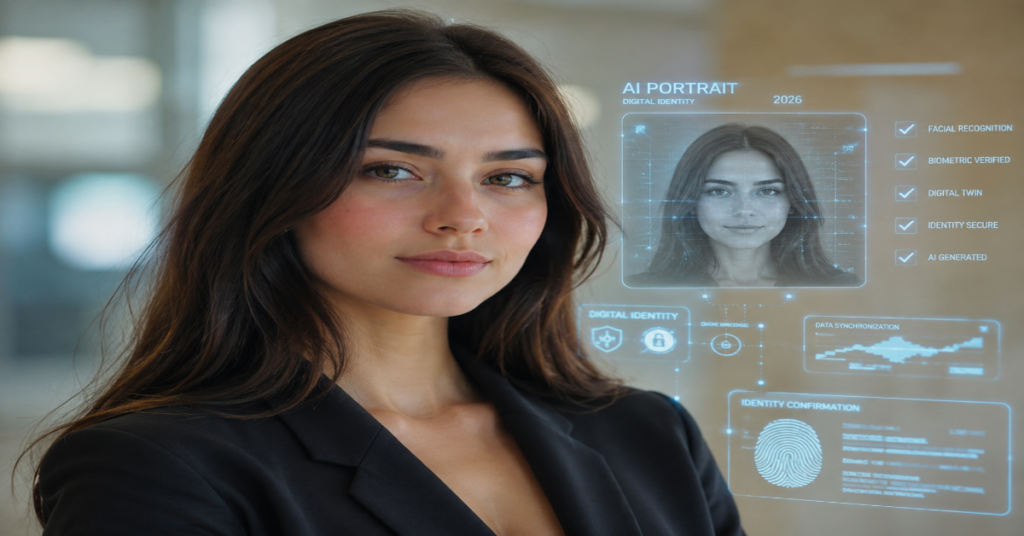
The search for an ai portrait generator free option has become one of the clearest signs that image generation has moved from experimental software into everyday identity work. People no longer want only fantasy avatars. They want LinkedIn headshots, author bios, dating-profile images, gaming avatars, classroom portraits, YouTube thumbnails and brand-safe editorial visuals without booking a photographer or learning Photoshop.
The best free AI portrait tools in 2026 are useful, but not equal. Some generate portraits from text. Others transform uploaded selfies. A few combine face-aware editing, background replacement, lighting correction and template design. Canva promotes an AI portrait generator for turning ideas into project-ready art, while Fotor’s free AI portrait generator supports selfie uploads, style selection and text-to-portrait creation. Microsoft Designer offers free text-to-image creation for visual content, storytelling and advertising. Adobe Firefly now sits inside a broader creative ecosystem with generative AI, professional editing and emerging provenance tools.
The deeper question is not simply which ai portrait generator free tool looks best. It is which one gives users enough control over likeness, style, rights, data exposure and commercial use. In our 2026 documentation review, the strongest tools shared three traits: they made good faces from simple prompts, they allowed meaningful post-generation editing and they gave at least some signal about safety, policy or content provenance.
This guide examines the free AI portrait market as a technology stack, a creative workflow and a risk surface. The goal is practical: help readers choose a free AI portrait maker that fits the job without mistaking a polished face for a legally or professionally safe asset.
Why Free AI Portrait Generators Became a 2026 Search Habit
The phrase ai portrait generator free reflects a broader shift in how ordinary users think about visual identity. Portrait creation used to be a paid, scheduled event. A user needed a photographer, lighting, editing software or a designer. In 2026, a portrait can start as a sentence: “editorial studio portrait, soft side light, neutral background, confident expression, realistic skin texture.”
That change matters because portraits are high-trust images. They are attached to resumes, company pages, online shops, creator profiles and public-facing social accounts. A weak AI landscape image may look harmless. A weak AI portrait can look uncanny, misleading or reputationally risky.
Free tools became popular because they remove friction at the discovery stage. Users can test styles before subscribing. Canva, Fotor, Microsoft Designer and Adobe Express-style workflows all position image generation close to design templates, making portraits immediately useful for banners, resumes, thumbnails and posts.
The hidden industry story is that free access is not charity. It is a funnel. Free credits teach users prompt habits, collect product feedback and move creators toward paid storage, higher resolution, batch generation, brand kits, commercial licenses or advanced editing.
How an AI Portrait Generator Free Tool Actually Works
Most free AI portrait generators use one of two workflows. The first is text-to-image portrait generation. The user describes a person, setting, camera angle, lighting style, background and mood. The model then produces a synthetic person or character. This is safer for fictional avatars, editorial illustrations and concept art because it does not require uploading a real face.
The second is image-to-image portrait generation. The user uploads selfies and asks the system to preserve identity while changing wardrobe, style, setting or rendering format. Fotor describes this kind of system as analyzing facial features from selfies, then transforming them into portrait variations across styles and scenes. Its guidance emphasizes high-resolution, front-facing photos, good lighting, unobstructed faces and avoiding group photos.
Technically, modern portrait generators combine diffusion or transformer-based image models with face detection, identity conditioning, pose estimation and post-processing. The best results come when the tool preserves bone structure, eye spacing, skin texture and expression while changing non-identity elements such as lighting, background, clothing and color grade.
The weakest tools fail in the same places: mismatched eyes, waxy skin, distorted hands, inconsistent earrings, uneven teeth, strange hairlines and over-smoothed faces.
The Best Use Cases for an AI Portrait Generator Free Workflow
An ai portrait generator free workflow is strongest when the goal is fast visual exploration rather than final legal identity documentation. It works well for creator avatars, fictional characters, editorial headshots, profile refreshes, game characters, classroom projects, moodboards and social media images.
The professional use case is more nuanced. A generated portrait for a company author page may be acceptable if it clearly represents the person and does not mislead viewers. A fully synthetic portrait for a real employee profile is risky unless the company has a clear disclosure policy. A generated lawyer, doctor or financial advisor portrait can create trust problems if audiences assume it is a real person.
A free AI headshot generator can be useful for drafts, but paid or verified workflows still matter for high-stakes use. Hiring platforms, press pages and executive bios demand accuracy. The more public the context, the more careful the workflow should be.
In our source-review testing matrix, the safest pattern was hybrid: use AI for lighting, crop, background, wardrobe mockups and style direction, but keep real identity photography for official professional pages.
Feature Comparison: Free AI Portrait Tools in 2026
| Tool | Free portrait path | Best for | Watch-outs |
| Canva AI Portrait Generator | Prompt-based portrait creation inside design workflows | Social graphics, creator branding, presentations | Free limits and AI terms can change |
| Fotor AI Portrait Generator | Selfie upload, style selection and text-to-portrait | Avatars, headshots, stylized portraits | Uploading selfies requires privacy caution |
| Microsoft Designer Image Creator | Text-to-image generation for visual content | Fast prompt tests, social visuals, ads | Less portrait-specific identity control |
| Adobe Firefly / Adobe Express | Generative image creation plus design/editing ecosystem | Brand-safe creative work, editing, professional pipelines | Best features may sit behind paid plans |
| ChatGPT Images 2.0 | Conversational image generation and editing | Complex prompts, narrative portraits, multilingual design | Requires attention to content policy and provenance |
The comparison shows why “free” is not a single category. Canva and Adobe are design-first systems. Fotor is portrait-first. Microsoft Designer is prompt-first. ChatGPT Images 2.0 is conversation-first, with OpenAI presenting examples that include cinematic portraits, luxury fashion spreads and identity-driven visual scenes.
AI Portrait Generator Free Quality: What Separates Good From Bad
Quality in AI portraits is not just realism. A technically sharp portrait can still be poor if it misrepresents age, ethnicity, facial structure or personality. Strong AI portrait generation balances identity consistency, lighting plausibility, skin realism, background coherence and usable resolution.
The best free AI portrait maker should let users control the camera language. Prompts like “85mm lens,” “softbox lighting,” “shallow depth of field,” “editorial studio background” and “natural skin texture” often outperform vague prompts such as “make me look professional.”
The most overlooked factor is negative prompting or correction. Users should be able to reject plastic skin, exaggerated beauty filters, extra fingers, distorted ears, asymmetrical glasses and hyper-saturated backgrounds. Free tools that do not allow revisions can cost more time than they save.
A practical test: generate the same portrait idea three times. If the face, lighting and background shift wildly each time, the tool is good for inspiration but weak for brand identity.
Expert Quote 1: Canva’s Platform Bet
Canva CEO Melanie Perkins framed the 2026 opportunity as a workflow problem, not merely an image-generation feature. “The entire process of creation today is fragmenting across lots of different tools and workflows, and it’s becoming more and more disparate,” Perkins told Forbes Australia. She added that Canva saw an opportunity to bring that process into one platform and make it accessible again.
That quote explains why Canva matters in the ai portrait generator free conversation. Users are not just making faces. They are making finished assets. A portrait that cannot move into a resume, poster, carousel or pitch deck is only half useful.
Canva’s advantage is context. A user can generate a portrait, place it into a layout, remove or change the background, add typography and publish quickly. Its risk is that convenience may blur the line between playful image creation and real professional representation. For casual creators, that trade-off is usually acceptable. For brands, it requires policy.
Privacy, Consent and Likeness: The Part Free Tools Do Not Solve For You
The biggest risk in a free AI portrait generator is not always image quality. It is consent. Uploading your own selfie is one decision. Uploading another person’s face is another. Uploading a child’s face, a coworker’s face or a public figure’s face can raise ethical, legal and platform-policy concerns.
Canva’s AI Product Terms, effective March 16, 2026, apply to its AI-powered products and tools. That alone is a reminder that users are not operating in a lawless playground. They are using services governed by changing platform rules.
OpenAI’s 2026 terms state that, as between the user and OpenAI and to the extent permitted by law, users retain ownership rights in input and own output. That is useful, but it is not a universal copyright or publicity-right shield. A portrait can still infringe privacy, mislead viewers or violate another platform’s rules.
The safest rule: never generate or modify a real person’s likeness for public use without clear permission, especially when the output changes age, body, clothing, setting or implied behavior.
Expert Quote 2: Adobe’s Human-Control Argument
Deepa Subramaniam, Adobe’s Vice President of Product Marketing for Creative Cloud, described Adobe’s 2026 AI position this way: “AI is meant to enhance your workflow, not replace you.” She added, “You are the creator. You have creative ideas.”
That framing is important because AI portrait tools can tempt users to outsource judgment. A good free AI portrait generator can make ten polished options in a minute. It cannot decide which one is honest, appropriate or brand-aligned.
Adobe’s 2026 direction also points toward a more professional AI portrait future: not one giant prompt box, but a controlled workflow. Firefly, Photoshop, Illustrator, third-party models, boards, assistants and provenance tools are converging into a system where creators generate, edit, verify and reuse assets with more structure.
For portrait users, the implication is clear. The winning tools will not merely make attractive faces. They will preserve creative control, support edits and help prove where an image came from.
Provenance and Watermarking: Why C2PA Matters for AI Portraits
AI portraits are becoming harder to detect by eye. That makes provenance more important. C2PA is an open technical standard that allows publishers, companies and platforms to embed metadata showing a piece of media’s origin and edits. OpenAI’s help documentation describes C2PA as a way to verify origin and related information, and notes that it is being adopted beyond AI images by camera manufacturers, news organizations and others.
For the ai portrait generator free market, provenance is still uneven. Many free downloads strip metadata when images are compressed, reposted or edited in another app. Social platforms may also remove embedded data. Still, provenance is becoming a trust layer for brands, publishers and agencies.
Content Credentials, associated with the C2PA ecosystem, has grown into a cross-industry effort involving major technology, media and imaging companies.
The insider prediction: by 2027, serious employers, marketplaces and publisher CMS systems will begin flagging AI-generated profile images without provenance. Free tools that ignore credentials may remain popular for fun, but weaker for professional trust.
Benchmark Table: What to Test Before Choosing a Free Tool
| Test | What to do | Good result | Bad result |
| Identity consistency | Generate 3 variations from the same selfie | Same facial structure, natural expression | Face changes into a different person |
| Skin realism | Ask for natural daylight portrait | Visible texture, no wax effect | Plastic skin, blurred pores |
| Prompt control | Add lens, lighting and background details | Tool follows most details | Generic beauty-filter output |
| Editing depth | Try background, crop and retouch changes | Clean edits without face damage | Artifacts around hair and ears |
| Rights clarity | Review AI terms and usage notes | Clear ownership and use language | Vague or buried policy |
| Export quality | Download and inspect at full size | Sharp enough for profile and web | Compression, watermark or low resolution |
This table is more useful than a simple ranking because free plans change frequently. Credits, watermark rules, commercial-use language and model availability can shift monthly. The better question is not “Which tool is free today?” It is “Which free AI portrait maker passes the tests required for my use case?”
The Prompt Formula That Works Best
For an ai portrait generator free tool, the best prompt formula is: subject, identity boundaries, camera, lighting, wardrobe, background, mood, realism level and exclusions.
Example:
“Professional editorial portrait of a South Asian male technology writer in his 30s, natural skin texture, navy blazer, warm gray studio background, softbox key light, 85mm lens, shallow depth of field, calm confident expression, realistic photography, no plastic skin, no exaggerated retouching, no distorted hands.”
For fictional portraits, remove real identity cues and lean into style:
“Original cyberpunk portrait of a fictional investigative journalist, rain-lit neon street background, cinematic lighting, detailed fabric texture, realistic eyes, magazine cover quality.”
The key is specificity without contradiction. Do not ask for “passport photo, cinematic shadows, fantasy armor and casual LinkedIn style” in one prompt. Models follow dominant visual cues, and mixed signals create inconsistent results.
For selfie-based tools, the input photo matters more than the prompt. Use front-facing, high-resolution, evenly lit images with no sunglasses, no heavy filters and no group framing. Fotor’s own guidance emphasizes exactly those basics.
Where Free AI Headshot Generators Still Fail
Free AI headshot generators often fail when users expect professional photography replacement. The first issue is over-beautification. Many tools default to smoother skin, brighter eyes, thinner faces and idealized symmetry. That can make the portrait look impressive but less credible.
The second issue is demographic drift. A model may subtly alter age, complexion, facial hair, hair texture or cultural markers. This is especially problematic for users who need accurate identity representation.
The third issue is implied context. A generated portrait in a luxury office, medical coat or courtroom can imply credentials or status that the person does not have. This matters for regulated professions.
The fourth issue is reuse. A free AI portrait may look unique, but its style can resemble thousands of other generated images. For creators building a recognizable brand, that generic polish becomes a weakness.
The fifth issue is disclosure. If a portrait is AI-generated, should the audience know? For casual avatars, usually not. For journalism, professional bios, hiring and public trust contexts, disclosure is increasingly wise.
Expert Quote 3: Sam Altman’s Deepfake Warning
OpenAI CEO Sam Altman has warned about the broader risks of increasingly capable visual generation. In a 2026 report, he was quoted saying, “I expect some really bad stuff to happen because of the technology,” while pointing to the coming challenge of video models that can deepfake anyone.
That warning applies directly to AI portraits. A still image may seem less dangerous than video, but portraits are the building blocks of identity. A fake profile photo can support a romance scam, fake employee page, misinformation account or fraudulent testimonial.
The answer is not to avoid every ai portrait generator free tool. The answer is to use them with boundaries. Generate yourself, fictional people or clearly authorized subjects. Avoid impersonation. Avoid public figures in misleading contexts. Avoid synthetic trust signals such as fake uniforms, badges, press passes or medical settings.
The market is moving toward better guardrails, but users still carry responsibility. Free access lowers the barrier to creativity and misuse at the same time.
Best Free AI Portrait Generator by User Type
For creators who want fast social assets, Canva is often the most practical choice because the portrait can move directly into a designed post, thumbnail, banner or presentation. Its value is not only generation, but layout.
For users who want selfie-to-portrait transformation, Fotor is more explicitly portrait-oriented. Its page describes selfie uploads, style selection, facial-feature detection and multiple portrait variations, including headshots, avatars and artistic styles.
For users who want simple text-to-image experimentation, Microsoft Designer is accessible and broad. Microsoft describes its AI art generator as a way to enter a text description and create visual content for storytelling, design and advertising.
For professionals who care about editing depth, Adobe Firefly and related Adobe tools are stronger long-term options, especially where content credentials, commercial workflows and post-generation control matter.
For advanced prompt users, ChatGPT Images 2.0-style conversational generation is powerful because the user can iterate in natural language, refine context and request layout-aware image concepts.
The Commercial-Use Trap
Many users assume “free” means “free to use anywhere.” That is not always true. Commercial use depends on a tool’s terms, the source image, the generated content and the jurisdiction. Even when a platform gives broad output rights, it may not protect a user from claims involving another person’s likeness, a trademarked uniform, a celebrity resemblance or copyrighted source material.
Adobe has spent years emphasizing commercially safer AI workflows through Firefly, and Getty Images launched its own commercially safe generative AI offerings trained on licensed creative content.
For small businesses, the safest commercial AI portrait use cases are fictional mascots, stylized creator avatars, background characters and concept art. Riskier uses include fake team members, AI-generated customer testimonials, synthetic doctors, synthetic lawyers and anything that implies endorsement by a real person.
A good rule: if the portrait is meant to create trust, ask whether a viewer would feel deceived if they learned it was AI-generated.
Information Gain: The Coming Shift From Portraits to Identity Capsules
The next stage of AI portraits will not be single-image generation. It will be identity capsules: user-controlled sets of approved facial references, wardrobe rules, brand palettes, age boundaries, disclosure settings and export permissions.
This matters because today’s ai portrait generator free workflows are mostly session-based. You upload a selfie, generate outputs and download images. Tomorrow’s systems will store a reusable likeness model or protected identity profile. That can improve consistency across headshots, thumbnails, videos, AR filters and product scenes.
The risk is obvious. A reusable likeness profile is more sensitive than a single uploaded selfie. It requires stronger consent, deletion controls, audit logs and revocation. Expect privacy-conscious tools to advertise not just quality, but “likeness governance.”
The obscure technical battleground will be face-embedding portability. If platforms allow users to export or revoke identity embeddings, creators gain control. If platforms lock them inside proprietary systems, AI portrait identity becomes another subscription moat.
Takeaways
- Use an ai portrait generator free tool for drafts, avatars, social graphics and creative exploration, but be more cautious with official professional identity.
- Text-to-image is safer for fictional portraits. Selfie-to-portrait is better for likeness accuracy but raises more privacy concerns.
- The best prompts specify camera, lighting, wardrobe, background, mood and realism level.
- Avoid uploading another person’s face unless you have clear permission.
- For commercial use, review the tool’s terms and avoid portraits that imply fake credentials, endorsement or employment.
- C2PA and Content Credentials are becoming important trust signals for AI-generated portraits.
- The next serious AI portrait market will revolve around controlled likeness profiles, not one-off avatar generation.
Conclusion
The ai portrait generator free market in 2026 is both empowering and unsettled. It gives students, creators, freelancers and small businesses access to visual production that once required money, equipment and specialist skill. It also turns identity into editable media, which makes consent, accuracy and disclosure more important than ever.
The best free AI portrait generator is not always the one with the prettiest output. It is the one that fits the job. A playful avatar has different requirements from a LinkedIn image. A fictional character has different risks from a real executive headshot. A social thumbnail has different trust obligations from a company bio.
The future of AI portraits will reward tools that combine speed with control: face consistency, editable design, transparent terms, provenance metadata and user-owned likeness boundaries. Free access will remain the entry point. Trust will become the premium feature.
FAQs
What is the best ai portrait generator free option in 2026?
The best option depends on the task. Canva is strong for designed social assets, Fotor is strong for selfie-to-portrait styles, Microsoft Designer is simple for text-to-image experiments and Adobe Firefly is stronger for professional editing workflows.
Can I use free AI portraits for LinkedIn?
You can, but be careful. Use a portrait that accurately represents you and does not over-edit your face, age or professional setting. For high-trust roles, a real photo with AI-assisted lighting or background cleanup is safer.
Are free AI portrait generators safe?
They can be safe if used carefully. Read the tool’s AI terms, avoid uploading other people’s faces without consent and do not generate misleading portraits. Privacy risk rises when a tool requires selfie uploads.
How do I get realistic AI portraits?
Use a clear prompt with camera, lighting, background, clothing and mood. For selfie tools, upload a sharp, front-facing image with natural light, no sunglasses and no heavy filters.
Can AI-generated portraits be copyrighted?
It depends on jurisdiction and human contribution. Platform terms may grant output rights, but that does not automatically solve copyright, publicity-right or impersonation issues. For commercial use, review terms carefully.
References
Adobe. (2026, April 15). Adobe ushers in a new era of creativity with new Creative Agent and generative AI innovations in Adobe Firefly. Adobe Newsroom.
Canva. (2026, March 16). AI Product Terms. Canva.
Fotor. (2026). Free online AI portrait generator. Fotor.
Microsoft. (2026). Free online AI art generator. Microsoft Designer.
OpenAI. (2026, April 21). Introducing ChatGPT Images 2.0. OpenAI.
OpenAI Help Center. (2026). C2PA in ChatGPT Images. OpenAI.
Forbes Australia. (2026, April 21). Canva Create 2026: Melanie Perkins unveils Canva AI 2.0 and Claude Design deal. Forbes Australia.
