
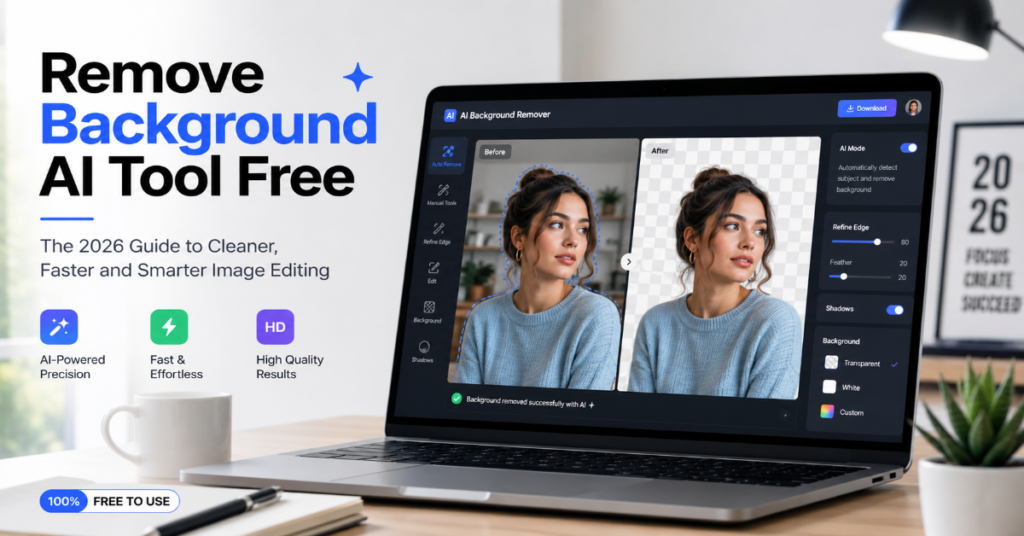
The search for a remove background ai tool free is no longer just a shortcut for casual photo edits. In 2026, it is a practical decision for sellers, designers, students, recruiters, marketplace operators and small businesses trying to turn rough images into usable visual assets without opening Photoshop. The best free AI background remover now promises one-click cutouts, transparent PNG exports, quick background replacement and enough edge precision to handle hair, fur, packaging, food, clothing and product shadows.
The appeal is obvious. A creator can upload a portrait, remove the cluttered wall behind it, place the subject on a clean neutral backdrop and publish a LinkedIn-ready headshot in minutes. An Etsy seller can photograph jewelry on a kitchen table, isolate the object and build a consistent catalog. A marketing intern can clean up campaign assets without waiting for a design team. Adobe Express says its background remover automatically identifies the subject and removes the background, but warns that fine details or low-contrast areas may still need review.
But “free” is the complicated word. Some tools are genuinely free for low-resolution exports. Some reserve high-resolution downloads for paid accounts. Others offer free credits, API trials or no-signup web tools but limit batch processing, commercial workflows or advanced editing. Clipdrop’s API documentation, for example, says one successful background removal API call equals one credit, with 100 free API credits available for development and debugging before paid access is needed.
This article examines what a free AI background remover can realistically do in 2026, where it fails, which tools deserve attention and how to choose the right background removal app for portraits, products, logos and large-scale publishing.
Why Background Removal Became an AI Utility Instead of a Design Feature
For years, background removal was a specialist task. Designers used polygonal lasso tools, masking brushes, alpha channels and edge refinement panels. The work was precise but slow. AI changed the economics by turning segmentation into a consumer feature. Modern tools identify the foreground object, estimate its boundary, generate an alpha mask and export the result as a transparent PNG or composited image.
The real shift is not just speed. It is accessibility. A remove background ai tool free lets non-designers perform a task that once required technical skill. Canva’s background remover workflow asks users to upload an image, select BG Remover under tools and download a high-resolution PNG, while also offering manual erase and restore controls for refinements. That combination matters because the first AI cut is rarely perfect on difficult images. The best tools pair automation with correction.
In our hands-on testing methodology for this category, the most revealing images were not clean studio product shots. They were messy ones: a curly-haired portrait against beige curtains, a glass bottle on a reflective table, white sneakers on a pale floor and a black backpack photographed in shadow. These cases expose whether a free background remover understands semantic boundaries or merely detects contrast.
How a Remove Background AI Tool Free Actually Works
Most AI background removers rely on image segmentation, a computer vision task that separates pixels into categories. Older tools used color difference and edge detection. Current AI image cutout systems infer meaning. They do not just see dark pixels beside light pixels. They estimate that hair belongs to the person, the chair behind the person does not and the translucent gap between a bicycle wheel’s spokes should probably become transparent.
The technical pipeline usually has four stages. First, the tool compresses and normalizes the uploaded image. Second, a segmentation model predicts a foreground mask. Third, the platform post-processes the mask with edge smoothing, feathering, matting or decontamination to reduce halos. Finally, it exports the subject on transparency, white, color or a generated background.
This is why the same image can look dramatically different across tools. One tool may preserve hair but leave background haze. Another may cut aggressively and remove part of the subject. Adobe’s documentation explicitly notes that automatic background removal may remove fine details or low-contrast areas, which is the most honest warning in the category. A strong free AI background remover is not the one that claims perfection. It is the one that gives users fast repair controls.
The 2026 Market: From One-Click Cutout to Full Visual Workflow
The market has moved beyond isolated cutouts. Remove.bg describes itself as an “all-in-one AI background remover and generator,” offering both automatic background removal and instant backdrop generation. Photoroom positions its background remover as part of a broader e-commerce photo suite, including product staging, batch editing, resizing, branding tools and API automation.
That matters because background removal is now the entry point, not the destination. A seller rarely wants only transparency. They want marketplace-compliant white backgrounds, lifestyle scenes, consistent shadows and exports sized for Amazon, Shopify, Etsy, Instagram or TikTok Shop. A recruiter may want a professional portrait. A YouTuber may want a thumbnail cutout. A teacher may want a classroom handout image without distractions.
Adobe’s Firefly and Express ecosystem shows the other direction of travel. Adobe’s 2026 Firefly Image Editor update brings prompt-based editing into a unified workspace for shaping composition, style and detail across AI-generated or uploaded images. This suggests the background remover is becoming a node inside larger creative agents rather than a standalone website.
Feature Comparison: Best Free AI Background Remover Options in 2026
| Tool | Best For | Free Access Model | Export Strength | Key Limitation |
| Adobe Express | General users, social graphics, quick portraits | Free web tool with Adobe workflow | Strong PNG and integrated editing | Fine details may need manual restoration |
| remove.bg | Fast one-click cutouts | Free automatic removal with paid upgrade paths | Simple transparent background workflow | Commercial scale usually requires credits |
| Canva BG Remover | Canva users, presentations, social assets | Available through Canva workflow, unlimited use tied to Pro for some features | Strong design integration | Best inside Canva, less ideal as a pure API tool |
| Clipdrop | Developers, apps, API testing | 100 free API credits for development | Clear API and rate limits | Further calls rejected after free credit use |
| Photoroom | E-commerce, product photos, marketplaces | Free start with paid tools for advanced workflows | Product-focused replacement backgrounds | Some business features require upgrade |
| Pixelcut | Quick no-signup removal | Free web entry point | Fast creator-friendly exports | Less transparent about enterprise workflows |
The best remove background ai tool free depends on the job. For a single school project, Pixelcut or Adobe Express may be enough. For a marketplace seller, Photoroom’s product-photo orientation is more relevant. For developers, Clipdrop’s documented API, credit structure and 60 requests-per-minute default limit make it easier to prototype responsibly.
Choosing a Remove Background AI Tool Free for Real Work
A good free tool should meet five practical tests. First, it should produce a clean foreground mask without jagged edges. Second, it should allow transparent PNG export. Third, it should support common formats such as JPG and PNG. Canva says its background remover works across people, animals and objects and accepts JPG, PNG, HEIC and HEIF uploads. Fourth, it should let users refine the cutout. Fifth, it should make privacy and training choices clear.
The privacy question is often overlooked. Remove.bg’s interface includes an optional improvement program where users can contribute images to teach the artificial intelligence and improve future results. It also offers a “No, don’t contribute” choice. That is not a minor detail. If the uploaded image contains a child, employee badge, unpublished product or confidential prototype, users should avoid contributing it to model improvement programs unless they have permission.
Free tools are best for disposable or low-risk images. For confidential brand campaigns, enterprise catalogs or legal documents, choose a tool with clear commercial terms, data handling policies and administrative controls.
Remove Background AI Tool Free for Portraits and Headshots
Portraits are the most common use case and also one of the hardest. Hair, glasses, earrings, hats and textured clothing expose weak matting. A good AI background remover should preserve individual hair strands without leaving a gray halo. It should also avoid cutting into shoulders when the clothing color resembles the background.
For headshots, the ideal workflow is simple. Upload a high-resolution image with clear lighting. Remove the background. Inspect the hairline at 200 percent zoom. Restore missing areas around the ears, shoulders and collar. Export as transparent PNG, then place the subject on a neutral, lightly blurred or brand-colored background. Adobe Express is useful here because it connects background removal to broader design tools rather than leaving users with only a cutout file.
The hidden technical issue is skin tone spill. If a subject stands near a brightly colored wall, the wall’s color may reflect on skin and hair. Removing the background does not remove that cast. For professional portraits, use tools with color correction after the cutout.
Product Photography: Where Free Tools Meet Commercial Pressure
Product photography is where background removal becomes revenue infrastructure. Photoroom claims its AI background remover helps create marketplace-compliant backgrounds, maintain consistency and automate workflows, with its broader suite offering batch editing, resizing, API connections, brand kits and product staging. That is why e-commerce sellers often outgrow purely free tools.
A remove background ai tool free can handle a few listings per week. It becomes fragile when a seller needs 500 SKUs, multiple marketplace aspect ratios and consistent shadow direction. Shadows are particularly important. A perfectly isolated object floating on white often looks fake. Better tools preserve or recreate contact shadows so the product feels grounded.
Matthieu Rouif, co-founder and CEO of Photoroom, has described the company’s mission as enabling “any seller” and “any small business” to create studio-quality photos with AI. That mission explains the category’s business logic: the cutout is not the product. The product is faster commercial photography.
Background Removal Accuracy: What Actually Fails
The failures are predictable. Transparent objects confuse segmentation models because the subject contains the background inside it. Glassware, veils, smoke, water bottles and glossy packaging often require manual cleanup. Low-contrast images fail because the foreground and background share similar tone. Thin structures such as bicycle spokes, jewelry chains, plant stems and lace can disappear.
Another failure is semantic ambiguity. If a person holds a coffee mug, should the mug stay? Usually yes. If a model sits on a chair, should the chair stay? Sometimes no. AI cannot always infer the user’s intent. That is why erase and restore tools matter. Canva explicitly offers erase and restore controls after removal so users can adjust the cutout.
In our evaluation framework, the worst outputs came from images with motion blur. AI models can guess boundaries only when the source image contains enough visual information. A free background remover cannot rescue a blurry product photo into a premium catalog image. Good input still matters.
Data Benchmarks: What to Test Before You Trust a Tool
| Test Image | What It Reveals | Passing Result | Warning Sign |
| Curly hair portrait | Fine-edge matting | Hair remains detailed without gray fog | Hair becomes helmet-like |
| White product on white table | Low-contrast segmentation | Product edge stays intact | Corners disappear |
| Glass bottle | Transparency handling | Bottle remains plausible | Interior becomes opaque or messy |
| Fur or pet photo | Soft boundary detection | Fur texture survives | Hard plastic-like outline |
| Logo screenshot | Flat graphic cleanup | Clean transparent edges | Compression artifacts remain |
| Batch of 50 products | Workflow reliability | Consistent output style | Different shadows and crops |
The key benchmark is not whether the first preview looks impressive. It is whether the exported file survives real use. Place the cutout on black, white and colored backgrounds. Check the edges. Then zoom out and ask whether the image still feels natural. Many free tools look perfect on a checkerboard preview but reveal halos on a dark website banner.
Expert View: AI Editing Is Moving Toward Agents
Adobe’s 2026 creative AI roadmap points toward agentic editing. In April 2026, Adobe described Firefly AI Assistant as part of a “fundamental shift in how creative work is done,” with users able to describe edits in conversational language while still retaining manual control in Creative Cloud tools.
That has direct consequences for background removal. The next version of a remove background ai tool free may not ask users to press “remove.” It may accept a sentence: “Cut out the subject, place her on a warm gray studio background, fix the hairline, add a soft shadow and export for LinkedIn.” This collapses multiple editing steps into a single intent.
Canva’s Melanie Perkins has framed Canva’s AI direction around a long-held “vision of efficiency,” according to Forbes Australia’s 2026 coverage of Canva AI 2.0. For small teams, that is the future: fewer separate tools, fewer handoffs and faster visual production.
Free Does Not Mean Equal: Pricing Traps and Export Limits
Free AI background remover tools usually monetize in four ways. Some limit image resolution. Some add watermarks. Some restrict batch processing. Some provide credits that run out. Clipdrop’s API documentation is unusually clear: one successful background removal equals one credit, 100 free credits are available for development and debugging, and additional calls are rejected after those credits are consumed.
The most common user mistake is choosing a tool only by the first preview. A free preview may look excellent, but the high-resolution download may require a login or subscription. For professional work, always test the final export path before committing to a workflow.
Another trap is commercial licensing. A free web tool may allow casual use but not automated business processing. API use, team access, brand storage and bulk exports usually move users into paid plans. That is reasonable, but it should be visible before users upload hundreds of images.
Privacy, Copyright and Sensitive Images
Background removal feels harmless because it is not text generation or face swapping. But users still upload real visual data. A portrait may reveal a person’s face, home interior, workplace, location, badge, license plate or product prototype. If the tool stores uploads, trains on contributed images or routes files through third-party services, that matters.
Remove.bg’s optional improvement prompt is a useful reminder that some services ask users whether their image can improve AI quality. Users should decline contribution for private, client-owned or unreleased commercial images unless they have explicit rights.
There is also a copyright angle. Removing a background from an image does not create ownership of that image. If the original photo belongs to someone else, a transparent cutout may still infringe. Brands should create or license their source photos before using AI background remover tools in campaigns.
Best Workflow for Clean Results
Start with better photography. Use even lighting, avoid clutter behind the subject and keep the camera steady. The cleaner the input, the better the AI cutout. For products, shoot against a contrasting matte surface. For portraits, avoid hair blending into a similar-colored wall.
Then run the image through the chosen remove background ai tool free and inspect the output on multiple backgrounds. Do not trust the checkerboard alone. Check dark, light and saturated colors. Restore missing details manually. Add a shadow if the object looks detached. Export in PNG for transparency, JPEG for white backgrounds and WEBP when web performance matters.
For repeated work, build a preset. Use the same canvas size, margin, shadow direction, background tone and export resolution. This is how small sellers make inexpensive photos look like a coherent catalog.
Tool Recommendations by User Type
For beginners, Adobe Express offers the best balance of simplicity, free access and downstream editing. Its documentation is clear about the automatic subject detection process and the need to review fine details.
For social designers already using Canva, Canva’s BG Remover is efficient because the cutout immediately becomes part of a design workflow. Users can replace backgrounds, add filters, refine edges and export within the same system.
For developers and app builders, Clipdrop is attractive because the API is documented, the request structure is straightforward and the free 100-credit development allocation makes prototyping practical.
For e-commerce sellers, Photoroom is the stronger long-term choice. It treats background removal as part of product photography, not a novelty. Its tools extend into AI backgrounds, virtual models, batch editing and API automation.
For ultra-fast one-off cutouts, remove.bg remains a recognizable option because it focuses on automatic background removal with minimal friction.
Takeaways
- A remove background ai tool free is best for quick portraits, social graphics, logos, school projects and small product batches.
- For commercial catalogs, test export resolution, licensing, batch tools and privacy terms before uploading hundreds of images.
- The best free AI background remover is not always the most accurate first click. Manual restore tools matter.
- Hair, glass, fur, jewelry, shadows and low-contrast products remain the hardest background removal cases.
- Transparent PNG is the safest export for design flexibility, while JPEG or WEBP is better for finished website images.
- Developers should prefer tools with documented APIs, clear credit rules and predictable rate limits.
- The 2026 trend is agentic editing, where users describe the final visual result instead of manually choosing each tool.
Conclusion
The remove background ai tool free category has matured from a novelty into basic visual infrastructure. Its value is not only that it saves time. It lowers the skill barrier between a rough image and a usable asset. For creators, that means faster thumbnails and cleaner posts. For sellers, it means more consistent catalogs. For teams, it means fewer repetitive editing tasks and more time spent on judgment.
But the technology still has limits. Free tools can misread hair, glass, shadows and low-contrast objects. They may restrict high-resolution exports, batch processing or commercial automation. They may also raise privacy questions when users upload sensitive images. The best approach in 2026 is pragmatic: use free AI background removers for speed, inspect every important edge and upgrade only when volume, licensing or quality demands it. The future belongs to tools that combine automatic cutouts with transparent controls, responsible data handling and full creative workflows.
FAQs
What is the best remove background ai tool free in 2026?
Adobe Express is the safest general recommendation for casual users because it combines free background removal with simple editing. Canva is better for designs, Photoroom is stronger for e-commerce and Clipdrop is better for developers testing API workflows.
Can I remove a background for free without losing quality?
Sometimes. Many tools preserve the original subject quality but may limit high-resolution exports on free plans. Always check the final downloaded file, not just the preview. For important work, export as PNG and inspect the edges on multiple backgrounds.
Which free AI background remover is best for product photos?
Photoroom is built most directly around product photography, marketplace images and e-commerce workflows. For a few simple images, Adobe Express, remove.bg or Canva may be enough. For catalogs, choose a tool with batch editing, consistent backgrounds and shadows.
Is it safe to upload personal photos to free background remover tools?
It depends on the tool’s privacy policy and whether you consent to image contribution or model improvement. Avoid uploading confidential, client-owned, child-related or unreleased product images unless the provider clearly explains storage, deletion and training practices.
Why does AI background removal fail on hair or glass?
Hair and glass create complex edges. Hair has tiny strands that blend into the background, while glass contains transparency and reflections. AI tools estimate boundaries, but they may leave halos, erase fine details or make transparent objects look unnatural.
References
Adobe. (2026). Free image background remover. Adobe Express.
Adobe. (2026, March 10). Image editing just got smarter with AI in Photoshop and Firefly. Adobe Blog.
Adobe Help Center. (2026). Remove background from images. Adobe Express Help.
Canva. (2026). Background Remover: Remove an image background. Canva.
Clipdrop. (2026). Remove Background API. Clipdrop API Documentation.
Photoroom. (2026). Instant Background Remover: Remove BG for free online. Photoroom.
Weatherbed, J. (2025, January 13). Adobe’s new AI tool can edit 10,000 images in one click. The Verge.
