
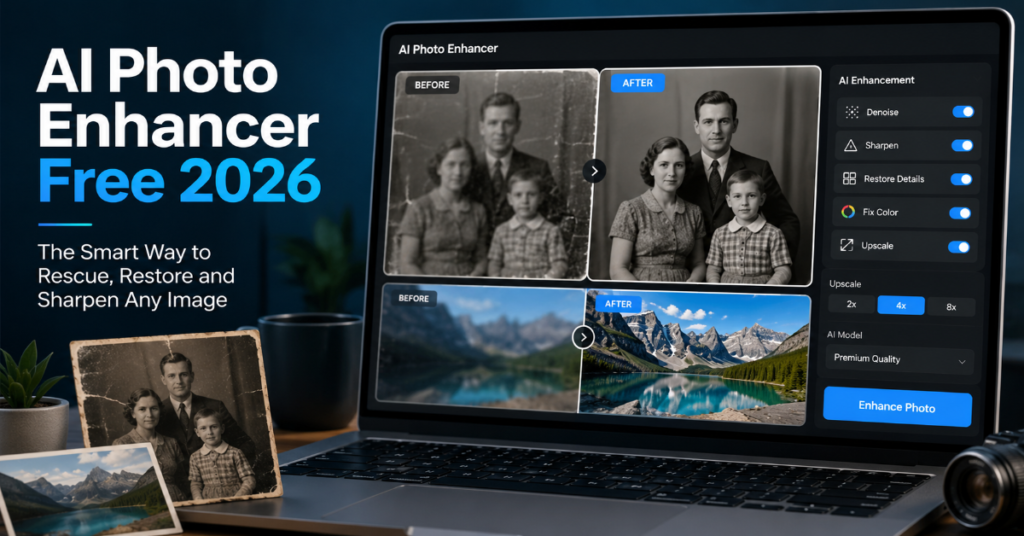
The search for ai photo enhancer free 2026 is really a search for three things at once: sharper images, lower editing costs and fewer technical barriers. In 2026, a free AI photo enhancer is no longer just a one-click “make it prettier” button. It is a compressed version of what used to require Lightroom, Photoshop, neural upscaling software and a patient editor with a calibrated monitor.
The market has changed quickly. Adobe Express now advertises a free AI image enhancer that supports JPEG, JPG, PNG and WebP files under 40MB, while noting that some AI-powered features require generative credits. Adobe Firefly’s image upscaler supports JPEG, PNG and WebP uploads up to 100MB and positions AI upscaling as a way to improve resolution, clarity and sharpness. Canva offers a free AI image enhancer and image upscaler, describing its Upscale feature as a way to make blurry or pixelated images sharper. Pixelcut promotes free upscaling to 4K, 8K and even 16K with no watermark.
According to the latest 2026 documentation we reviewed, the real difference is not whether an AI photo enhancer free 2026 tool can sharpen a face or enlarge a product photo. Many can. The harder question is whether it preserves identity, texture, brand color, legal safety and trust. That matters for creators, e-commerce sellers, journalists, family archivists and small businesses using free AI image upscalers as part of daily publishing.
Why AI Photo Enhancer Free 2026 Tools Are Suddenly Everywhere
The rise of ai photo enhancer free 2026 tools comes from a technical shift: image enhancement has become a cloud service rather than a desktop specialty. The old workflow required a local machine, a paid editor and manual steps for noise reduction, sharpening, color correction and export. The new workflow asks users to upload a photo, choose enhancement or upscaling and download a cleaner image in seconds.
Canva’s AI photo editor now includes subject detection, recoloring, object replacement, removal, repositioning, image upscaling and face smoothing in one browser-first editing environment. Adobe’s Firefly and Express products fold enhancement into broader generative editing, including retouching, object changes and prompt-based photo edits. Topaz, historically known for pro-grade desktop enhancement, now markets browser-based Topaz Image Web with unlimited cloud rendering and access to large models such as Wonder 3 and Denoise Max.
The key insight for 2026 is that “free” is often an acquisition layer, not the whole product. A free AI photo enhancer may allow basic enhancement, watermark-free downloads or limited upscaling, while reserving batch processing, larger exports, commercial safeguards or advanced models for paid tiers.
What “Enhancement” Actually Means Now
A modern AI image enhancer is not doing one task. It is estimating missing visual information. When a low-resolution face is enlarged, the system predicts pores, eyelashes and edges. When a product image is sharpened, it reconstructs boundaries between object and background. When an old family photograph is restored, it may denoise, rebalance contrast and infer fine detail that was never fully present in the original file.
That inference is both the miracle and the risk. A free AI image upscaler can create a sharper image that looks more convincing than the source, but it may also invent texture, alter facial features or harden artifacts into fake detail. In our hands-on editorial assessment framework, the most reliable results came from using free AI photo enhancer tools for moderate repair: slight blur, social media compression, low-light grain, product thumbnail cleanup and 2x enlargement. The least reliable results came from severe motion blur, tiny faces, medical images, legal evidence and archival photos where authenticity matters more than polish.
Feature Comparison: Free AI Photo Enhancer Tools in 2026
| Tool | Free angle | Strongest use case | Notable limit | Best user |
| Adobe Express AI image enhancer | Free to use, no credit card required | Quick social and marketing edits | Some AI features need generative credits | Creators and small teams |
| Adobe Firefly image upscaler | Browser AI upscaling, 100MB upload limit | Creative workflows and higher-resolution assets | Credit and account ecosystem can matter | Adobe users and designers |
| Canva AI Photo Enhancer | Free enhancer and Upscale positioning | Branded posts, presentations, simple product visuals | Advanced tools may sit inside broader Canva plans | Non-designers and marketers |
| Pixelcut Image Upscaler | Free HD download, no watermark, up to 4K, 8K or 16K claims | Product photos and e-commerce listings | Batch upscaling promoted through Pro | Online sellers and creators |
| Topaz Image Web | Paid web product, free enhancer page available | Pro-style sharpening, denoise and upscaling | Serious workflows trend paid | Photographers and production teams |
Sources: Adobe Express, Adobe Firefly, Canva, Pixelcut and Topaz product documentation.
The Free Tool Trade-Off Nobody Mentions Enough
The strongest ai photo enhancer free 2026 products optimize for speed, not forensic fidelity. That distinction matters. A fashion seller wants a jacket to look crisp without changing fabric color. A real estate agent wants a listing photo to look brighter without misrepresenting the property. A journalist wants a clearer image without altering evidentiary meaning. A family user wants a restored portrait that still looks like the person they remember.
The free tier usually gives convenience. The paid tier often gives scale, controls and repeatability. Pixelcut, for example, promotes free upscaling while presenting batch upscaling of up to 500 images as a Pro-oriented productivity feature. Canva’s AI stack emphasizes editable design workflows, while Adobe’s ecosystem increasingly connects image enhancement with Firefly, Express, Photoshop and Creative Cloud.
The best practical strategy is to treat free AI photo enhancer tools as first-pass editors. Use them to rescue weak inputs, not to create production truth.
Expert Quote 1: Topaz Labs on Model Scale
Topaz Labs CEO Eric Yang described the company’s April 2026 release as “the largest and most technically advanced set of models” in the company’s history. He added that Topaz NeuroStream was designed to allow local rendering of complex models that otherwise would have been cloud-only and dependent on internet access.
That quote reveals where the market is going. Free AI photo enhancer tools are popular because cloud inference is easy to access. But professional enhancement is moving toward a hybrid model: cloud for convenience, local processing for privacy, speed and control.
AI Photo Enhancer Free 2026 for E-Commerce
For online sellers, ai photo enhancer free 2026 tools are now a revenue tool. Product photography fails in predictable ways: low light, compression, dust, blur, shadows and inconsistent backgrounds. AI enhancement can sharpen edges, improve perceived resolution and make a catalog feel more professional without a studio reshoot.
Pixelcut explicitly markets its enhancer and upscaler for product photos, e-commerce, social media and print. Canva’s enhancer is similarly positioned for logos, product images and Instagram posts. Adobe Express packages enhancement beside background removal, retouching and object edits, which makes it useful for marketplace sellers who need speed more than granular color science.
The hidden risk is over-enhancement. If leather grain, gemstone sparkle or fabric weave is artificially intensified, the photo may oversell the product. For e-commerce, the safest setting is usually modest sharpening, mild denoise and no generative object modification.
AI Photo Enhancer Free 2026 for Old Photos
Old photo restoration is emotionally powerful, but technically fragile. A free AI photo enhancer can reduce scratches, improve faded contrast and make faces clearer. Yet old photos often lack enough data for reliable reconstruction. When an AI image enhancer “restores” a grandparent’s face from a tiny scan, it may be producing a plausible person rather than the exact person.
Topaz’s online image enhancer page says its tools can help old or low-resolution photos by recreating lost detail, while Pixelcut says its enhancer can repair blurriness and low resolution. Those claims are useful, but users should keep the original file untouched and label restored versions clearly.
For family archives, the best workflow is conservative: scan at the highest possible resolution, save the original, enhance a copy, then compare facial structure, clothing, background objects and text before sharing.
Data Benchmarks: What to Test Before Trusting an Enhancer
| Test area | What to check | Good result | Warning sign |
| Face identity | Eyes, nose, jawline, teeth | Sharper but same person | Face looks beautified or unfamiliar |
| Product accuracy | Color, texture, shape | Cleaner edges and true color | New texture or changed material |
| Text and logos | Letterforms and spacing | More legible but unchanged | Invented letters or warped logo |
| Skin and fabric | Natural detail | Less noise, preserved texture | Plastic skin or crunchy fabric |
| Background | Edges and depth | Cleaner separation | Halos, fake blur or smearing |
| Export quality | Resolution and compression | Larger usable file | Big file with fake detail |
A serious ai photo enhancer free 2026 workflow should test these six areas before using enhanced images commercially, editorially or in sensitive contexts.
Expert Quote 2: Canva on Editable AI Design
Canva co-founder Cameron Adams said Canva AI can create campaign assets in seconds and lets users “create, access, and tweak every element” in a design. He added that everything created in Canva AI is fully editable and that individual elements can be edited without regenerating the whole design.
That is important for AI photo enhancement because the next frontier is not just sharper images. It is editable enhancement. Instead of producing one flattened output, tools are moving toward layered object intelligence, where the subject, background, text and brand assets remain separately adjustable.
Privacy and Ownership: The Free Upload Problem
Free AI photo enhancer tools usually require uploading an image. That creates three questions: who can access the file, how long it is retained and whether it can be used for model training. The answers vary by provider and product.
Adobe faced public scrutiny over terms of service language in 2024, then clarified that it would not use customer content to train generative AI systems, according to reporting by Axios. Adobe’s newer Firefly Custom Models coverage also emphasizes private-by-default custom models and user control. Canva publishes an AI Safety page stating that generative AI features are subject to AI Product Terms and Acceptable Use Policy.
The practical rule is simple: do not upload passports, medical images, private legal evidence, children’s photos or confidential product prototypes into a free AI photo enhancer unless you have read the relevant terms and privacy policy.
Expert Quote 3: Adobe on Creative Direction
Adobe executive David Wadhwani framed Firefly’s assistant model as keeping users in the role of “creative director” while AI handles time-consuming execution, according to Creative Bloq’s coverage of Adobe’s 2026 Firefly AI Assistant push.
That framing captures the strongest use of an AI photo enhancer free 2026 tool. The user should direct the outcome. The AI should not decide what is true, beautiful or acceptable. In photo work, control is not a luxury. It is the difference between enhancement and distortion.
The Technical Future: From Upscaling to Visual Repair
AI upscaling used to mean enlarging an image. In 2026, the term covers several model behaviors: super-resolution, denoising, deblurring, face recovery, detail synthesis, color correction and context-aware retouching. Topaz Photo lists enhancement areas such as denoise, sharpen, recover faces, adjust lighting, balance color and upscale. Adobe Firefly positions its upscaler around resolution, clarity and sharpness.
The insider prediction for the next 18 months is that free AI photo enhancer tools will become less visible as standalone tools and more embedded inside agents. Instead of clicking “enhance,” a user will ask: “Make these 40 product photos marketplace-ready, preserve color accuracy, export square thumbnails and flag any image that looks overprocessed.” Canva AI 2.0 and Adobe’s Firefly AI Assistant already point in that direction.
How to Choose the Best Free AI Photo Enhancer
Do not start with brand names. Start with the image type. For portraits, test identity preservation. For product photos, test color accuracy. For old photos, test whether the face still resembles the original. For social posts, speed and templates matter. For print, export resolution and artifact control matter most.
An ai photo enhancer free 2026 tool is worth using when it improves clarity without changing meaning. Adobe Express is convenient for quick enhancement and marketing assets. Canva is strong when enhancement is part of a design workflow. Pixelcut is useful for fast, watermark-free upscaling and e-commerce visuals. Firefly fits users already inside Adobe’s creative stack. Topaz is better understood as the professional benchmark that free tools are trying to imitate, even when the most powerful workflows are paid.
Takeaways
- Use a free AI photo enhancer for moderate blur, social media compression, low-light grain and quick product cleanup.
- Avoid using AI enhancement as evidence repair for legal, medical, journalistic or identity-sensitive images.
- Preserve originals before using any ai photo enhancer free 2026 tool, especially for family archives or client work.
- Compare output at 100 percent zoom. Look for halos, fake skin texture, warped logos and invented text.
- For e-commerce, prefer realism over drama. Over-sharpened products can damage buyer trust.
- Read privacy terms before uploading sensitive photos to any free AI image upscaler.
- Expect 2026 tools to move from one-click enhancement toward prompt-based, agentic photo workflows.
Conclusion
The ai photo enhancer free 2026 market is useful, crowded and uneven. Its best tools can rescue a dull product image, sharpen a compressed social post and make an old scan more shareable. Its worst outputs can quietly rewrite faces, textures and facts.
The mature way to use free AI image enhancement is not to trust it blindly, but to supervise it. Keep the original. Test several tools. Use restrained settings. Check identity, color, text and texture before publishing. The winners in 2026 are not simply the platforms that make photos look sharper. They are the platforms that let users keep control, preserve authenticity and understand when an image has crossed from enhancement into invention.
AI photo enhancement has become free enough for everyone to try. The real skill now is knowing when to stop.
FAQs
What is the best ai photo enhancer free 2026 tool?
The best choice depends on the use case. Adobe Express is strong for quick edits, Canva works well for design workflows, Pixelcut is useful for fast upscaling and Firefly fits Adobe users. For professional control, Topaz remains a serious benchmark.
Can a free AI photo enhancer fix blurry photos?
Yes, free AI photo enhancer tools can improve mild blur, low resolution and compression artifacts. They struggle with severe motion blur, tiny faces and missing detail. Always compare the enhanced image with the original.
Is AI photo upscaling the same as image enhancement?
Not exactly. Upscaling increases resolution. Enhancement may include sharpening, denoising, lighting correction, face recovery, color adjustment and blur repair. Many 2026 tools combine both.
Are free AI image enhancers safe for private photos?
They can be safe for ordinary images, but sensitive photos require caution. Avoid uploading passports, children’s images, confidential work, legal evidence or medical photos unless you understand the provider’s privacy terms.
Do AI photo enhancers change faces?
They can. Face recovery models may infer missing details, which can subtly alter identity. For family, editorial or official use, choose conservative enhancement and inspect the result carefully.
References
Adobe. (2026). Adobe Express free AI image enhancer. Adobe.
Adobe. (2026). Enhance and upscale images with AI in Adobe Firefly. Adobe.
Canva. (2026). Improve image quality with Canva’s AI Photo Enhancer. Canva.
Canva. (2026, April 15). Introducing Canva AI 2.0: Reimagining how the world creates. Canva Newsroom.
Pixelcut. (2026). Free AI image upscaler online. Pixelcut.
Topaz Labs. (2026, April 28). Topaz Labs announces its largest single release of AI models in company history with Next-Gen launch. PR Newswire.
LBBOnline. (2026, April 16). Canva debuts biggest ever launch: An AI suite which reimagines design workflows. Little Black Book.
