
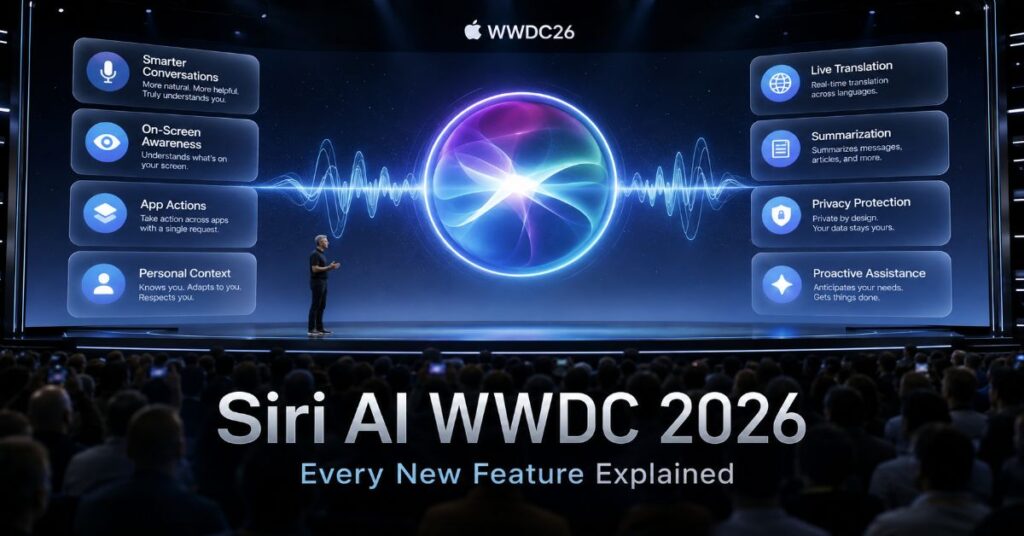
Apple opened WWDC 2026 on June 8 with the announcement many had been waiting for since 2024: a complete rebuild of Siri, rebranded as Siri AI and powered by the next generation of Apple Intelligence. This is not an incremental update. It is a new architecture, a new capability set, and a new philosophy for what an on-device personal AI assistant should do.
Craig Federighi, Apple’s Senior VP of Software Engineering, set the tone from the keynote stage: ‘With access to broad world knowledge for up-to-date answers on virtually any topic, along with onscreen awareness and personal context understanding, Siri AI can help users take action across apps more naturally than ever.’
Here is a complete breakdown of every major new capability — what it does, how it works, and what it means for how you use your Apple devices.
The New Architecture: How Siri AI Is Built
Siri AI runs on three tiers. Tier one: on-device processing using Apple’s own Foundation Models for fast, private, everyday tasks — no data leaves the device. Tier two: Apple’s Private Cloud Compute for moderately complex requests that need more compute than the chip can provide. Tier three: Google Cloud infrastructure — built on Google’s Gemini model technology — for the most demanding knowledge and reasoning tasks, with queries anonymised by Apple before transmission so Google cannot trace them to individual users.
Apple collaborated with Google to develop the underlying intelligence layer for complex cloud tasks. The resulting system is Apple’s most capable AI assistant by a significant margin — and by Apple’s account, its most private.
Feature 1: Onscreen Awareness
Siri AI can now read and understand exactly what is on your screen in real time — across any app, any context, any content type.
What it does:
- Ask Siri AI about any content visible on screen — a name in a message, a price in a product listing, a term in a document — without copying, pasting, or switching apps
- Take action on anything on screen: tap a phone number in an image, map an address in a screenshot, search for a person mentioned in a webpage
- Maintain contextual understanding of what you are viewing so follow-up questions work without re-explaining the content
- On Apple Vision Pro: gaze-tracking extends onscreen awareness — whatever the user is looking at is the target, with no physical gesture required
This changes the fundamental relationship between Siri and the apps on your device. Previously, Siri operated alongside apps. Now it can see inside them.
Feature 2: Personal Context and Cross-App Actions
This is the capability that represents the largest functional leap from previous versions. Siri AI can now search across your messages, emails, photos, files, and calendar simultaneously — finding information you never formally saved and executing multi-step actions across different apps in a single request.
What it does:
- Find information you never saved: the restaurant address your friend texted three months ago, the flight confirmation buried in an email, the time mentioned in a group chat
- Execute multi-step cross-app actions in one instruction: ‘Schedule a call with everyone in last Thursday’s email thread, add the Zoom link, and send them a reminder message’ — Siri AI reads the email, identifies participants, creates the Calendar event, adds the link, and sends the messages
- Surface context from your personal history to answer questions that require it: ‘When is my dentist appointment?’ pulls from your Calendar and Messages simultaneously
- Works across Mail, Messages, Photos, Files, Calendar, Notes, Contacts, and Maps natively — no third-party integrations required for core Apple apps
Privacy note: all personal context search and cross-app execution happens entirely on-device using Apple’s Foundation Models. None of your personal messages, emails, photos, or calendar data is sent to Apple’s servers or to Google. The on-device tier is the exclusive processing layer for personal context.
Feature 3: Broad World Knowledge
For questions that require current, comprehensive, and wide-ranging information from the web — news, recommendations, research, current events — Siri AI can now answer as a full AI answer engine rather than routing you to Safari.
What it does:
- Answer discovery questions: ‘What are the best Italian restaurants near this hotel?’ ‘Who won the match last night?’ ‘What are the side effects of this medication?’
- Synthesise information from multiple sources for complex research queries
- Blend personal context and world knowledge seamlessly: ‘I’m going to the restaurant from Sarah’s message — what dishes should I order?’
- Provide real-time answers to rapidly changing information — news, sports, markets, weather
This is the tier where Google Gemini is involved. Complex world knowledge queries route through Apple’s Private Cloud Compute anonymisation layer before reaching Google Cloud. Apple states that queries are anonymised and tokenised before Google receives them — Google processes anonymised inference requests and cannot link them to individual Apple users or accounts.
Feature 4: Visual Intelligence — Now Systemwide
Visual Intelligence was introduced in earlier Apple Intelligence versions for camera-based object recognition. WWDC 2026 expands it to a systemwide capability available across every context where you are viewing images.
What it does:
- iPad screenshots: Siri AI analyses any screenshot and answers questions about its content, extracts information, or takes action on what the screenshot shows
- macOS Golden Gate keyboard shortcut: a dedicated system shortcut on macOS 26 launches Visual Intelligence on any screen element — point it at any image, text, or object
- Apple Vision Pro gaze integration: look at any real-world object, person, or text in your field of view — Siri AI activates Visual Intelligence on your gaze target
- Object and text recognition: identify plants, animals, landmarks, products, handwriting, QR codes across all supported contexts
- Action on recognition: once Siri AI identifies something, it can search, save, share, map, call, or perform any contextually relevant action immediately
Privacy Architecture: What Goes Where
Understanding which Siri AI tier processes which type of query is the key to evaluating its privacy implications.
| Query Type | Processing Location | Data Sent Externally | Privacy Level |
| Simple device tasks (timers, alarms, settings) | On-device — Apple Foundation Models | Nothing | Maximum |
| Personal context (messages, email, photos, files, calendar) | On-device — Apple Foundation Models | Nothing | Maximum |
| Cross-app actions | On-device — Apple Foundation Models | Nothing | Maximum |
| Moderate complexity (Apple apps, known facts) | Apple Private Cloud Compute | Anonymised query only — no user ID | High |
| World knowledge (web, current events, discovery) | Private Cloud Compute → Google Cloud (Gemini) | Anonymised, tokenised query — Google cannot identify user | High |
| Visual Intelligence (screenshots, gaze, camera) | On-device + Private Cloud Compute | Anonymised query where cloud needed | High |
Platform Availability
Siri AI launches with iOS 27, iPadOS 27, macOS Golden Gate (macOS 26), watchOS 27, tvOS 27, and visionOS 27. Developer betas dropped June 8. Public release targets September 2026 alongside iPhone 18. The AI features — onscreen awareness, cross-app actions, world knowledge, and visual intelligence — require iPhone 15 Pro, iPhone 15 Pro Max, or any iPhone 16 model or later due to chip requirements. iPhone 12 through 15 (non-Pro) receive iOS 27 without the AI feature set.
Frequently Asked Questions
Does Siri AI send my messages and emails to Google?
No. Personal context queries — searching your messages, emails, photos, files, and calendar — are processed entirely on-device using Apple’s Foundation Models. None of your personal data is sent to Apple’s servers or to Google. Only world knowledge queries that require web information route through Private Cloud Compute to Google Cloud, and those queries are anonymised and tokenised before transmission — Google cannot link them to your account or device.
Can I choose a different AI model instead of Gemini for Siri AI?
Yes. iOS 27 introduces a model toggle in settings allowing users to switch between Google Gemini (the default), OpenAI’s ChatGPT, and Anthropic’s Claude as the underlying AI model for Siri AI — each with a distinct voice personality. Users who prefer ChatGPT or Claude can set their preferred model as default, routing Siri AI’s intelligence layer through that provider’s infrastructure instead of Google’s.
What is macOS Golden Gate?
macOS Golden Gate is the name for macOS 26 — Apple’s desktop OS version announced at WWDC 2026. It includes Siri AI with a dedicated Visual Intelligence keyboard shortcut, deep Apple Intelligence integration across Mac apps, the system-wide ‘Search or Ask’ capability, and iOS 27 feature parity for Siri AI. Developer beta launched June 8; public beta expected July; release September 2026.
Sources
Apple WWDC 2026 Keynote. (2026, June 8). Siri AI announcement — Craig Federighi statement. Apple Park, Cupertino.
Apple Newsroom. (2026, June 8). Apple Intelligence at WWDC 2026. https://www.apple.com/newsroom/2026/06/apple-wwdc-2026-siri-ai/
TechTimes. (2026, June 8). Apple WWDC 2026: Siri Rebuilt on Gemini. https://www.techtimes.com/articles/317985/20260608/apple-wwdc-2026-siri-rebuilt-gemini-homeos-previewed-cook-farewell-keynote.htm
LiveNewschat. (2026, June 8). Tim Cook’s Final WWDC Keynote Bets Apple’s AI Future On Google’s Gemini. https://livenewschat.eu/apple-wwdc-2026-tim-cook-siri-gemini-keynote/
Gadget Hacks. (2026, June 8). Tim Cook’s Final Apple Event: What WWDC 2026 Means for Siri. https://apple.gadgethacks.com/news/tim-cooks-final-apple-event-as-ceo-what-wwdc-2026-means-for-siri-and-ternus/
