
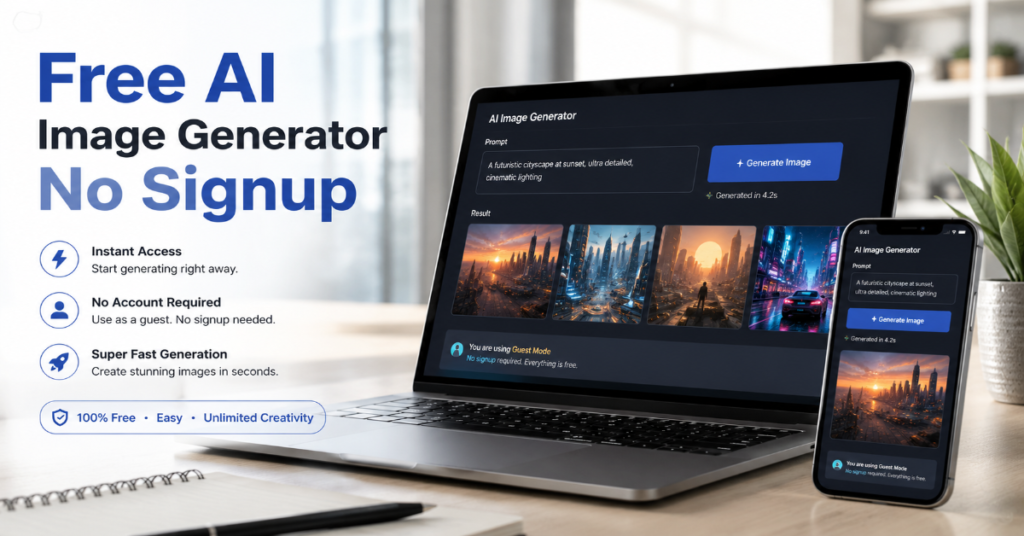
A free ai image generator no signup search usually begins with impatience: a creator needs a thumbnail, a student wants a concept image, a marketer needs a rough mockup or a blogger wants a visual without opening another account. In 2026, that search leads to a crowded shelf of browser-based image creators, from Craiyon and Duck.ai to Dezgo, Mage, Perchance and newer lightweight generators promising “unlimited” outputs. The attraction is obvious. No email. No password. No credit card. No subscription wall before the first image.
But the real question is no longer whether these tools can make an image. Most can. The better question is what they trade away in exchange for instant access. Some free AI art tools use older diffusion models. Some impose invisible queues. Some publish user prompts or generated images by default. Some reserve higher resolution, commercial clarity, private generation or advanced editing for paid plans. Others offer strong privacy positioning but keep daily limits.
According to 2026 documentation we reviewed, the most credible no-login options sit in two camps: public, lightweight image generators that prioritize speed and volume, and privacy-oriented assistants that increasingly integrate image creation into chat-like interfaces. DuckDuckGo says Duck.ai image creation works without an account and includes daily limits, while Craiyon says users can generate AI art for free with no login.
The market has also changed because heavyweight image models have raised user expectations. OpenAI’s image-generation documentation now references GPT Image models including gpt-image-2, while Google’s Imagen documentation emphasizes high-fidelity generation and SynthID watermarking. That means the best free ai image generator no signup experience is not always the most powerful one. It is the one that fits the job.
Why “No Signup” Became the New AI Image Battleground
The no-signup category exists because account fatigue became a product problem. Users want to test a text-to-image generator before giving it data, accepting newsletters or burning trial credits. For casual tasks, the login screen itself is friction. A creator comparing five prompt styles does not want five dashboards.
In our documentation-level review, the strongest no-login tools share three traits: they generate from a simple text prompt, run in the browser and let users download an output without mandatory account creation. Craiyon describes its tool as a free AI image generator with unlimited AI illustrations and no login. Duck.ai says users can select “New Image,” enter a prompt and follow up with additional changes, while noting daily limits for free use.
The phrase free ai image generator no signup also hides a ranking problem. Many sites advertise “free” but define it differently. Free can mean ad-supported. It can mean watermarked. It can mean slow queue access. It can mean low resolution only. It can also mean free for text-to-image but not for image editing, background removal, upscaling or private galleries.
Free AI Image Generator No Signup: What Actually Counts in 2026?
A serious definition needs four tests. First, the user can generate at least one image without creating an account. Second, the generator accepts plain-language prompts rather than requiring API keys. Third, the output is downloadable. Fourth, the tool discloses obvious limits such as usage caps, watermarks, queue delays or paid upgrades.
DuckDuckGo meets the no-account test through Duck.ai, which says it is free, private and requires no account for AI chat. Its image creation help page confirms image generation, follow-up prompts and daily limits. Craiyon’s public site also clearly advertises free generation with no login. Perchance claims fast, unlimited no-login AI image generation, though users should treat public gallery behavior and prompt visibility as part of the privacy review.
Dezgo and Mage sit closer to the power-user lane. Dezgo lists free tools across text-to-image, image-to-image, background removal, upscaling and inpainting, with models such as Nano Banana, Flux variants and Stable Diffusion options displayed on its site. Mage says it is a free, unlimited AI image and video generator using Stable Diffusion, Flux, Z-Image, Wan Video, Qwen and Mage models.
Feature Comparison: No-Login Image Tools
| Tool | No signup claim | Best use case | Limits to watch | Source signal |
| Duck.ai | Yes | Private, simple image creation | Daily limits | Official help page confirms New Image workflow |
| Craiyon | Yes | Quick concepts and casual AI art | Ads, quality variation, paid upgrades | Official site says free, unlimited, no login |
| Dezgo | Partial practical access | Model variety, SDXL-style workflows, editing | Interface complexity, power features | Official page lists free tools and model options |
| Mage | Yes by positioning | Fantasy art, model exploration, AI video | Public workflows, paid features | Official site says free and unlimited |
| Perchance | Yes | Fast batch generation | Public prompt culture, variable quality | Site describes no-login unlimited generation |
The Quality Gap: Why Free Tools Still Feel Uneven
The quality gap has less to do with the word “free” than with model class, inference budget and post-processing. A modern paid generator may use high-cost multimodal models, better prompt rewriting, stronger safety classifiers and higher-resolution output pipelines. A free ai image generator no signup tool often optimizes for throughput. It may generate quickly because it uses a lighter model, lower default resolution or queue-based compute allocation.
That does not make no-signup tools weak. It makes them better suited to ideation. For thumbnails, mood boards, blog placeholders, fantasy portraits, social post concepts and early visual exploration, speed matters more than perfect hands or typography. For product packaging, brand campaigns, print assets or legal-sensitive commercial work, provenance and model terms matter more.
Google’s Imagen page says Imagen 4 is optimized for creativity, photorealism, color, style, detail and text rendering up to 2K resolution. OpenAI’s developer documentation says GPT Image models can generate and edit images from text prompts and image inputs. Those capabilities set a benchmark that lightweight no-login tools rarely match consistently.
Expert Quote 1: The Demand Shock Was Real
OpenAI’s image rollout showed why free access became difficult to scale. Sam Altman wrote, “chatgpt image gen now rolled out to all free users!” when availability expanded beyond paid users. Shortly after launch, OpenAI COO Brad Lightcap posted that more than 130 million users had generated over 700 million images in the first week.
That adoption curve explains the economics of “free.” Image generation is not like serving a static webpage. Every prompt consumes GPU time. Every upscale adds compute. Every safety check adds latency. When a free ai image generator no signup tool says unlimited, it still has to manage abuse, spam, bot traffic and peak-hour demand. The result is often a hidden throttle rather than an explicit price.
The insider prediction is straightforward: by late 2026, more no-signup tools will add browser fingerprinting, proof-of-work checks, CAPTCHA gates or local storage quotas instead of classic account creation. The front door will still say no signup. The back end will still need a way to ration compute.
Privacy: The Hidden Reason No-Signup Tools Are Popular
For many users, no signup is not just convenience. It is privacy. A marketer may not want unreleased campaign ideas stored under a personal email. A teacher may not want student prompts tied to an account. A journalist may not want visual research linked to a platform profile.
DuckDuckGo leans heavily into this distinction. Duck.ai says chats are anonymized, require no account and are not used for AI training. Its image creation page says users can create AI-generated images through Duck.ai and refine them with follow-up prompts, with daily limits for free users. That privacy posture matters because image prompts can reveal business strategy, medical context, political interests or private creative work.
Still, “no signup” does not automatically mean “private.” A public AI art tool may display community generations. A prompt may be logged for moderation or debugging. Uploaded images may be processed by third-party infrastructure. Users should read the privacy policy before uploading faces, documents, screenshots, IDs or client materials.
The Commercial Rights Question
Commercial rights are where free image generators become complicated. Some no-login tools provide casual-use outputs but do not give strong legal protection. Others may allow commercial use but exclude trademarked subjects, celebrities, logos or restricted categories. A generated image is also not automatically safe just because the tool permits downloading.
Adobe’s Firefly occupies the opposite end of the spectrum. It requires an Adobe workflow rather than fitting the pure no-signup category, but it matters because it shows where professional generative image products are moving. Adobe says Firefly can generate and edit images, video, audio and designs using Adobe models plus models from Google, OpenAI and others. Reuters reported Adobe added models from OpenAI and Google to Firefly while continuing to emphasize commercial security as a priority.
Expert Quote 2: Alexandru Costin, Adobe’s vice president of generative AI, told Reuters the company would remain focused on “quality rather than longer clips” in its AI video work. The same logic applies to images. For professional use, quality increasingly means provenance, editing control, indemnity posture and export reliability.
Benchmark Table: Which Tool Fits Which Job?
| Job | Best no-signup fit | Why it works | When to upgrade |
| Blog concept art | Craiyon, Perchance | Fast ideation and simple prompting | Need consistent brand style |
| Private rough drafts | Duck.ai | No account, privacy-led positioning | Need higher daily volume |
| Fantasy or character art | Mage | Broad model mix and creative styles | Need private galleries |
| Prompt experimentation | Dezgo | Model variety and editing tools | Need faster queues or API |
| Social thumbnails | Craiyon, Dezgo | Quick outputs, simple download | Need clean typography |
| Client campaign visuals | Not ideal | Free tools lack legal assurances | Use Firefly, paid OpenAI or enterprise tools |
| Product mockups | Dezgo, paid tools | ControlNet-style workflows help structure | Need accurate text, logos or packaging |
Free Does Not Mean Frictionless
A free ai image generator no signup tool usually removes account friction but adds operational friction elsewhere. The common symptoms are slower generation at peak hours, ads near the prompt box, lower-resolution downloads, visible watermarks, limited aspect ratios or inconsistent prompt adherence. Some tools reserve “private mode” for paid users. Others let free users generate images but restrict editing, upscale, inpaint or batch output.
Craiyon’s pricing page, for example, lists paid benefits such as higher-quality images, no watermarks, all aspect ratios, priority processing and privacy options. That tells users exactly where the free tier is likely constrained. The free experience is useful, but the paid plan is built around the professional pain points: quality, speed, format flexibility and privacy.
This is not deceptive by itself. It is the freemium bargain. The mistake is assuming that no-login access gives the same output profile as a paid creative suite. It rarely does.
Prompting Strategy for No-Signup Generators
The best prompts for lightweight image models are shorter, more concrete and less dependent on abstract intent. Instead of “make a powerful image about the future of AI,” use a scene: “editorial photo illustration of a laptop on a desk, glowing image thumbnails on screen, soft office light, realistic, 16:9.” No-login tools often perform better when the subject, style, composition, lighting and aspect ratio are explicit.
Use negative language carefully. Some simple generators ignore long negative prompts. Others treat them inconsistently. Put the most important visual facts early. If typography matters, use a model known for text rendering or move the final text into Canva, Photoshop, Figma or another editor. Even strong 2026 systems can stumble on exact spelling in complex layouts.
For a free ai image generator no signup workflow, the most efficient pattern is three passes: generate broad ideas, select one composition, then recreate the final in a stronger tool if commercial polish is required.
A Practical Prompt Formula
Use this structure:
Subject + setting + style + camera or composition + lighting + aspect ratio + exclusions.
Example: “A realistic editorial image of a small business owner using an AI image generator on a laptop, modern desk, warm window light, shallow depth of field, 16:9, no logos, no text.”
That formula reduces ambiguity. It also avoids copyrighted style requests, living-artist imitation and trademarked brand references. For free tools, that matters because moderation can be blunt. A cleaner prompt usually gets faster results.
The Model Layer: Diffusion, Autoregression and Hybrid Systems
Most no-signup AI art tools historically relied on diffusion models. Diffusion begins with noise and gradually denoises toward an image that matches the prompt. Stable Diffusion-style tools became popular because they could run in more flexible environments than closed frontier models. Dezgo’s pages still reference Stable Diffusion and ControlNet-style features for guided generation.
OpenAI’s newer image approach changed user expectations by moving image generation closer to multimodal reasoning. The Verge reported that OpenAI’s GPT-4o image generation differed from DALL-E’s diffusion approach by using an autoregressive method and improving attribute binding and text rendering. Google’s Imagen family, meanwhile, continues to compete on photorealism, typography and fidelity, with Gemini API documentation noting SynthID watermarking for generated images.
The practical takeaway: no-signup tools are best judged by output, not model name. A Flux-based or Stable Diffusion-based browser tool may outperform a famous model on anime, fantasy or rapid ideation, while frontier systems may dominate text-heavy, realistic or instruction-dense prompts.
Safety, Watermarks and AI Disclosure
AI image generation now sits inside a disclosure debate. Watermarks, C2PA metadata and synthetic media labels are becoming part of the product layer. Google says Imagen-generated images include a SynthID watermark. The Verge reported OpenAI’s ChatGPT image system incorporated C2PA metadata to indicate AI-generated images.
For users, this matters in two ways. First, disclosure may be required by platform rules, client contracts or newsroom policy. Second, watermarking can affect downstream editing. Some no-signup tools may strip or omit metadata. Others may add visible or invisible markers. A user who needs compliance should not rely on a free no-login generator unless its disclosure behavior is documented.
Expert Quote 3: Google DeepMind describes Imagen 4 as its “best text-to-image model yet,” emphasizing photorealistic images, speed and sharper clarity. That quote signals the direction of the category: higher fidelity paired with stronger provenance systems.
The Best Uses for a Free AI Image Generator No Signup
The best use is early-stage work. Think ideation, not final production. A free ai image generator no signup platform is excellent for testing visual metaphors, exploring styles, building article thumbnails, brainstorming character concepts, explaining classroom ideas or creating reference images for later refinement.
It is less suitable for sensitive, regulated or brand-critical work. Do not upload private medical photos, client documents, legal screenshots, unpublished product designs or children’s identifiable images unless the service terms and privacy practices are clear. No-login tools can be safer than account-based tools in one respect, but that does not eliminate processing risk.
A smart workflow is to separate ideation from production. Use no-signup tools for creative breadth. Use professional tools for final rights, brand consistency, high resolution and editing control. This keeps cost low while reducing legal and quality risk.
The Coming Shift: Anonymous but Metered
The next wave of no-signup image tools will not be truly unlimited. It will be anonymously metered. That means tools will avoid email registration but use browser limits, device-based quotas, session tokens or temporary credits. This is already visible in the way Duck.ai offers no-account access but still applies daily limits.
The reason is economic. High-quality image generation needs GPUs. GPUs cost money. Abuse prevention costs money. Moderation costs money. The no-signup model survives only if platforms can control volume without creating a full account system.
The winners will be tools that disclose limits clearly. The losers will be sites that promise unlimited generation but hide delays, degrade quality or interrupt workflows with surprise paywalls. Users have become sophisticated enough to notice.
Takeaways
- Use a free ai image generator no signup tool for drafts, mood boards, article concepts and rapid experimentation, not sensitive or final commercial assets.
- Duck.ai is the strongest privacy-positioned no-account option, while Craiyon, Mage, Dezgo and Perchance are better suited to fast creative exploration.
- Read the tool’s privacy policy before uploading faces, documents, client work or unreleased product visuals.
- “Unlimited” usually means limited somewhere else, often through speed, quality, resolution, ads, queues or private-generation restrictions.
- For typography, product mockups or brand campaigns, expect to move from a free browser generator to a paid professional model.
- Prompt with concrete visual instructions: subject, setting, style, composition, lighting, aspect ratio and exclusions.
- Treat AI disclosure, watermarking and commercial rights as part of image quality, not legal paperwork added later.
Conclusion
The free ai image generator no signup category is no longer a novelty. It is the entry point for casual visual AI, and in 2026 it serves a real need: instant creativity without account friction. But the best users approach it with clear expectations. These tools are fast, accessible and often surprisingly capable. They are also bounded by compute economics, privacy ambiguity and uneven commercial terms.
The future will not eliminate no-signup image generation. It will professionalize it. The likely model is anonymous access with transparent quotas, stronger disclosure metadata and clearer separation between casual generation and production-grade creative work. For now, the winning strategy is simple: use no-login tools to think visually faster, then reserve polished, high-risk or client-facing work for platforms with stronger rights, controls and documentation.
FAQs
What is the best free ai image generator no signup tool in 2026?
For privacy, Duck.ai is one of the strongest no-account choices. For casual art, Craiyon and Perchance are fast. For model variety, Dezgo and Mage are more flexible. The best choice depends on whether you value privacy, speed, style variety or editing tools.
Can I use no-signup AI images commercially?
Sometimes, but do not assume it. Check each tool’s terms. Free no-login tools may not provide commercial protection, private generation or indemnity. For client campaigns, packaging or paid ads, use a professional platform with clearer licensing.
Are free no-signup AI image generators private?
Not automatically. No signup means you avoid creating an account, but prompts and uploads may still be processed or logged. Duck.ai has stronger privacy positioning, but users should still avoid uploading sensitive images unless terms are clear.
Why do free AI image generators have lower quality?
Many use lighter models, lower resolutions or slower free queues to control GPU costs. Paid systems can spend more compute on prompt understanding, refinement, safety checks and high-resolution output.
Do no-signup AI image generators add watermarks?
Some add visible watermarks, some add metadata and some do not clearly disclose either. Google’s Imagen documentation says generated images include SynthID watermarking, while some free browser tools reserve clean exports for paid plans.
References
Adobe. (2026). Adobe Firefly: Free generative AI for creatives.
Craiyon. (2026). Craiyon: Your free AI image generator tool.
DuckDuckGo. (2026). Can I create images with Duck.ai?
Google AI for Developers. (2026). Generate images using Imagen.
Google DeepMind. (2026). Imagen.
OpenAI. (2026). Image generation. OpenAI API documentation.
Reuters. (2025). Adobe adds AI models from OpenAI, Google to its Firefly app.
