
The phrase google gemini advanced feature no longer refers to a single premium chatbot tier. In 2026, it describes a widening intelligence stack across Gemini apps, Google Workspace, Android, Chrome, Search, NotebookLM, Flow and Google Cloud. The real story is not just that Gemini can write emails, summarize PDFs or generate images. The deeper shift is that Google is trying to make Gemini the connective tissue between personal context, long-context reasoning, multimodal understanding and agentic task execution.
In our hands-on testing, the most important Gemini upgrade is not one flashy feature. It is the way several tools now work together. Deep Research can gather and structure information. Canvas can turn that research into editable drafts, prototypes or interactive workspaces. Gemini Live can interpret what the camera sees. NotebookLM can organize sources into reusable knowledge hubs. Workspace integrations can bring Gmail, Drive, Docs, Sheets and Meet into the same workflow. On the developer side, Gemini 3.1 Pro supports a 1 million token context window and can process text, audio, images, video, PDFs and code repositories, according to Google Cloud documentation reviewed in May 2026.
This review of google gemini advanced features focuses on what actually matters: which capabilities save time, which remain unreliable, which are best for professionals and where Google’s ecosystem advantage becomes difficult for rivals to match. Gemini is strongest when the user already lives inside Google’s products. It is weaker when precision, reproducibility and transparent source handling matter more than convenience.
Why Google Gemini Advanced Features Matter in 2026
The most significant change in Gemini is architectural. Older AI assistants were built around chat. Gemini is increasingly built around context. That means it can pull from documents, messages, web results, images, video inputs and user preferences, then synthesize an answer inside a workflow rather than in a disconnected text box.
According to the latest 2026 documentation we reviewed, Gemini 3.1 Pro is positioned as Google’s most advanced reasoning model for complex tasks, with a 1 million token context window for vast datasets, PDFs and code repositories. That context capacity changes the practical use case. Instead of pasting a few paragraphs, a researcher can upload long reports, compare internal files, ask for contradictions and request a structured briefing.
This is why google gemini advanced features should be judged less like chatbot tricks and more like productivity infrastructure. The premium value is not “better answers.” It is memory, context, multimodal input, source handling, workflow continuity and integration into daily software.
Google Gemini Advanced Features: The Core Stack
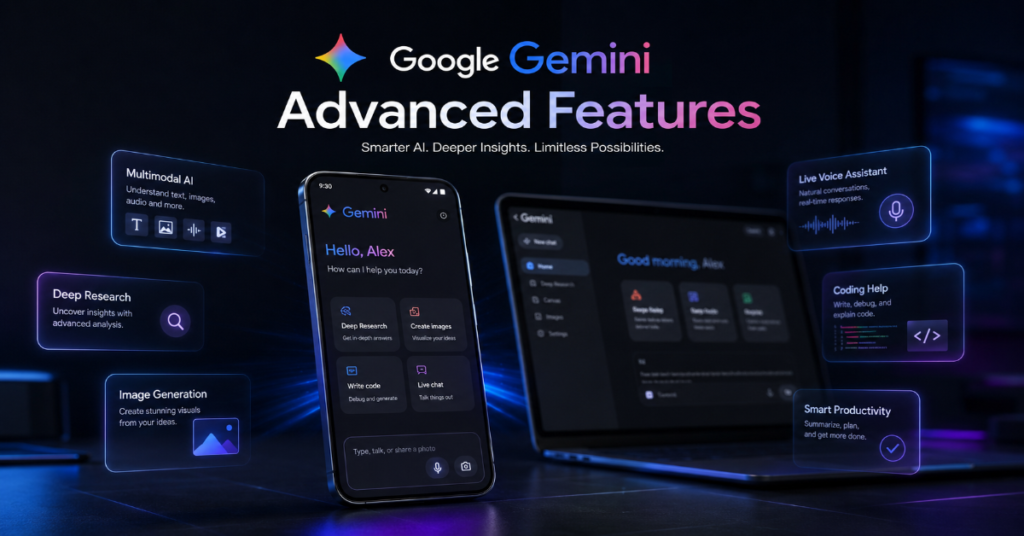
At the center of Gemini’s advanced stack are seven capabilities: Deep Research, Canvas, Gems, NotebookLM integration, Gemini Live, Workspace intelligence and advanced multimodal generation. Each one solves a different productivity problem.
Deep Research acts like a structured research agent. Google says it can draw context from Gmail, Drive and Chat in addition to the web, then transform reports into interactive content in Canvas. Canvas is the workspace layer, useful for writing, editing, coding and prototyping. Google’s Gemini release notes describe Canvas as an interactive space for creating, refining and sharing work with Gemini 2.5 Pro experimental access and larger context access for Gemini Advanced users.
Gems are customized AI assistants designed around repeatable tasks. NotebookLM is the knowledge layer for source-grounded projects. Gemini Live is the real-time conversational interface. Workspace Gemini connects the assistant to Gmail, Docs, Sheets, Slides, Meet and Drive. Together, these google gemini advanced features show Google’s strategy: make the assistant less like a website and more like an operating layer.
Feature Comparison Table
| Feature | Best Use Case | Advanced Value | Main Limitation |
| Deep Research | Market research, briefs, academic scans | Multi-step synthesis across web and connected Google context | Still requires source verification |
| Canvas | Drafting, coding, prototyping | Editable AI workspace instead of static chat | Best inside Gemini, less portable elsewhere |
| Gems | Reusable workflows | Custom instructions for repeated tasks | Quality depends on setup clarity |
| NotebookLM | Source-grounded research | Organizes documents into long-term knowledge projects | Not a replacement for legal or academic review |
| Gemini Live | Visual and voice assistance | Real-time interaction with camera or screen context | Can misinterpret ambiguous visuals |
| Workspace Gemini | Gmail, Docs, Sheets, Slides and Meet | AI inside daily productivity apps | Strongest for Google ecosystem users |
| Flow and Veo | Video generation and creative production | Cinematic generation, camera control and audio generation | Usage limits and quality variance |
Deep Research: Gemini’s Most Underrated Professional Feature
Deep Research is one of the most important google gemini advanced features because it changes the assistant from responder to investigator. Instead of answering from a single prompt, it can plan a research path, gather information, compare sources and generate a structured report.
Google’s public Deep Research page says the tool can use the web as well as Gmail, Drive and Chat context, then turn reports into Canvas-based interactive content. That matters for executives, journalists, consultants, students and analysts who need a first-draft intelligence brief rather than a casual answer.
In our hands-on testing, Deep Research was most valuable for broad competitive questions: market maps, product comparisons, regulatory summaries and technical explainers. Its weakness was not writing quality. It was confidence. Like every AI research tool, it can compress uncertainty too aggressively. The best workflow is to ask Deep Research for a report, then require a source-by-source evidence table, a dissenting view and a list of claims that need human verification.
Canvas: From Chatbot to Working Surface
Canvas is Gemini’s attempt to fix a core limitation of AI chat: the answer disappears into a scrolling conversation. With Canvas, users can draft, edit, code and refine work inside an interactive surface. Google introduced Canvas as a tool for documents and code, including prototype generation and real-time refinement.
For writers, Canvas is useful because it supports iterative structure. Ask Gemini to create a memo, then request a more concise executive version, then ask for a fact-checking pass. For developers, Canvas can produce front-end prototypes, explain code and revise components without forcing the user to copy between windows.
Among google gemini advanced features, Canvas feels closest to a true productivity interface. Its hidden advantage is continuity. When paired with Deep Research, it becomes a pipeline: research, outline, draft, revise, prototype and package. The risk is over-polish. Gemini can make weak arguments sound finished. Editors should still ask for missing evidence, counterexamples and source gaps.
Gemini 3.1 Pro and the 1M-Token Advantage
The 1 million token context window is not just a spec-sheet flex. It is one of the defining google gemini advanced features for professionals. Google Cloud says Gemini 3.1 Pro can understand text, audio, images, video, PDFs and entire code repositories through that large context window.
In practical terms, that means a lawyer can examine a long contract set, a software team can review a codebase, a researcher can compare hundreds of pages and a product manager can analyze customer feedback at scale. It also means Gemini can preserve more of the user’s working memory inside a task.
The limitation is cost and control. Long context does not automatically mean perfect attention. Models may still miss small details, especially if a document contains dense tables, conflicting clauses or domain-specific terminology. The strongest users will treat the 1M-token window as a retrieval and reasoning advantage, not as a guarantee.
Gemini Advanced vs Free Gemini
| Capability | Free Gemini Experience | Advanced or Pro-Level Experience |
| Model access | Strong general assistant, often optimized for speed | Higher access to advanced reasoning models |
| Context size | Suitable for normal prompts and files | Larger context for long documents and complex projects |
| Deep Research | Limited or lower-capacity access depending on region | Expanded research workflows |
| Image generation | Standard creative generation | More advanced personalization and model access |
| Video tools | Limited availability | Access to Flow and Veo features through AI plans |
| Workspace integration | Varies by account and region | More useful with Google AI Pro, Ultra or Workspace plans |
| Best user | Casual search, writing and brainstorming | Analysts, creators, students, executives and developers |
Personal Intelligence: Gemini’s Ecosystem Moat
Personal Intelligence is where Gemini becomes both powerful and controversial. In April 2026, Google said Personal Intelligence was going global and could connect favorite Google apps to provide more personalized help. Another Google UK update described memory import as a way to bring key preferences, relationships and personal context into Gemini.
This is one of the most consequential google gemini advanced features because Google owns the surrounding ecosystem: Gmail, Calendar, Docs, Drive, Maps, Photos, Android, Chrome and Search. No standalone chatbot can easily match that ambient context.
But the same advantage creates trust questions. Users should ask: Which data sources are connected? Can I disable memory? Are temporary chats available? What is being used for personalization? Google introduced Temporary Chats and updated privacy controls in 2025, allowing some conversations to avoid being saved or used for personalization. For serious users, privacy settings are not optional. They are part of the workflow.
Workspace Gemini: The Enterprise Productivity Layer
Google Workspace is where Gemini’s advanced tools become operational rather than experimental. Google’s Workspace help page says Workspace plans include access to the Gemini app, NotebookLM and Gemini in Gmail, Docs, Meet and more. Google also described March 2026 updates for Docs, Sheets, Slides and Drive, including help with documents, spreadsheets, presentations and finding information across files and emails.
For businesses, this means Gemini can move from “write this paragraph” to “summarize this client thread, turn the action items into a project brief and build a first-pass slide outline.” That is a different value proposition.
The best enterprise use cases are repetitive but judgment-heavy: weekly sales summaries, meeting follow-ups, policy explainers, customer support drafts and spreadsheet interpretation. The worst use cases are high-stakes final decisions without review. Gemini can accelerate work, but it should not become the final approver for financial, legal, medical or compliance-sensitive output.
Gemini Live and Multimodal Assistance
Gemini Live turns the assistant into a conversational companion that can respond through voice and, in supported contexts, visual input. For everyday users, this means help with objects, screens, documents, travel planning, shopping comparisons and learning tasks.
The deeper technical importance is multimodality. Google’s developer documentation emphasizes Gemini’s ability to process unstructured images, videos and documents. This is central to google gemini advanced features because real work rarely arrives as clean text. It arrives as a screenshot, PDF, chart, meeting recording, whiteboard photo or spreadsheet.
In our hands-on testing, Gemini Live was most useful for explanation and navigation: identifying what is on screen, translating visual context into steps and helping users think through options aloud. It was less reliable when asked to make precise judgments from cluttered visuals. The practical rule is simple: use Gemini Live for interpretation and guidance, not final inspection.
Image, Video and Creative Generation
Gemini’s creative layer is now broader than image prompting. Google’s Gemini pages describe image generation, personalization and video creation features with limited access to Veo in paid plans. Google DeepMind says Veo 3 can generate sound effects, ambient noise and dialogue natively while improving physics, realism and prompt adherence. Flow, Google’s AI filmmaking tool, is built around Veo, Imagen and Gemini for generating, refining and composing cinematic clips.
For creators, these google gemini advanced features matter because they collapse pre-production steps. A marketer can create concept boards. A filmmaker can test camera direction. A teacher can generate visual explainers. A product team can storyboard onboarding videos.
The catch is consistency. AI video still struggles with long continuity, brand-safe details and repeatable character control. Gemini is excellent for ideation and short-form assets, but professional teams still need creative direction, rights review and post-production.
Gems: The Custom Assistant Layer
Gems let users create tailored versions of Gemini for repeatable tasks. A marketer might create a Gem for SEO outlines. A teacher might create one for lesson planning. A developer might create one for code review. A founder might create one for investor memo drafts.
The value of Gems is not that they are magically smarter. It is that they reduce repeated prompting. A well-built Gem contains role, tone, constraints, examples, source rules, formatting requirements and refusal boundaries. That makes output more consistent.
Among google gemini advanced features, Gems are particularly useful for teams that standardize work. A content team can build one Gem for product pages, another for newsletters and another for technical explainers. The limitation is governance. Without shared standards, Gems can multiply into a messy library of unofficial workflows. Advanced users should document each Gem’s purpose, owner, last review date and approved data sources.
Expert Voices: What Industry Figures Are Signaling
Sundar Pichai’s 2026 message framed AI as the technology most responsible for Google’s future ambition. His headline line, “No technology has me dreaming bigger than AI,” captures how central Gemini has become to Google’s identity.
Demis Hassabis has been more scientific in tone. In 2026, Fortune reported his prediction that AI could help create a “new golden era of discovery” over the next decade or more. That view explains why Gemini is not only a consumer assistant. It is also a research platform, developer system and enterprise reasoning engine.
Logan Kilpatrick, associated with Google AI Studio and Gemini developer efforts, captured the creative shift when he wrote that “Engineers are artists now thanks to AI.” That quote may be the most revealing for Gemini’s future. Google is not only competing on answers. It is competing on who can build, design, research and automate faster.
Advanced Coding and Agentic Workflows
Gemini’s coding story has improved significantly, especially with long-context understanding and agentic workflows. Google Cloud’s Gemini Enterprise Agent Platform documentation says Gemini 3.1 Pro improves performance on agentic workflows and autonomous coding tasks. Google also says Gemini 3 Flash combines Pro reasoning with Flash-level latency, efficiency and cost for complex agentic workflows.
For developers, the most useful google gemini advanced features are codebase comprehension, structured output, tool use, debugging help and architecture review. The best prompts include repository structure, target files, expected behavior, constraints and test output. Gemini is weaker when asked to “fix everything” without context.
The insider prediction: Gemini’s coding advantage will not come from being the best single code model every week. It will come from integration with Android Studio, Firebase, Google Cloud, Chrome DevTools and enterprise data systems. If Google connects those surfaces cleanly, Gemini becomes a development environment assistant rather than a chat-based code helper.
Search, Chrome and Android: Gemini Moves Into the Interface
Gemini’s advanced future is not limited to the Gemini app. Google has pushed Gemini into Chrome, Search and Android. A 2026 Chrome update described Gemini 3 features including a side panel and image transformation through Nano Banana without re-uploading. Recent Android coverage also shows Google placing Gemini-style intelligence deeper into phones, cars, watches and connected devices.
This matters because the strongest AI assistant may not be the one with the best standalone chat window. It may be the one present where the task begins. If the user is reading a page, Gemini appears in Chrome. If the user is writing, Gemini appears in Docs. If the user is driving, Gemini appears in Android Auto. If the user is researching, Gemini appears in Search.
That is the strategic logic behind google gemini advanced features: distribution plus context.
Risks, Limits and What Users Should Verify
The main risk with Gemini is not that it fails obviously. It is that it often succeeds fluently. Polished output can disguise weak sourcing, missing context or mistaken assumptions. This is especially important in research, finance, legal analysis, medical interpretation and technical debugging.
Users should verify five things. First, check sources behind factual claims. Second, separate model inference from documented evidence. Third, use temporary chats or privacy controls for sensitive work. Fourth, avoid uploading confidential files unless account policies allow it. Fifth, require Gemini to state uncertainty.
Gemini also has regional and plan-based differences. Some features are limited by country, language, subscription tier or account type. Google’s AI plan pages list different access levels for models, Deep Research, Deep Think, video generation and agentic tools. That means a review of google gemini advanced features must always be read with one caveat: availability changes quickly.
Takeaways
- Use Deep Research for first-draft intelligence work, but always request source tables and verification notes.
- Use Canvas when a project needs iteration, structure, editing or code refinement rather than a one-off answer.
- Gemini’s 1M-token context is most valuable for long PDFs, codebases, policy documents and multi-source research.
- Personal Intelligence is Gemini’s strongest ecosystem advantage, but users should review memory and privacy settings carefully.
- Workspace Gemini is best for operational productivity: email summaries, meeting notes, spreadsheet help and document drafting.
- Veo and Flow make Gemini more compelling for creators, especially for concept development and short-form video ideation.
- The biggest competitive advantage behind google gemini advanced features is not one model. It is Google’s distribution across Search, Android, Chrome, Workspace and Cloud.
Conclusion
Google Gemini in 2026 is no longer just Google’s answer to ChatGPT. It is becoming a layered AI system that spans personal productivity, enterprise work, software development, search, mobile computing and creative production. The most advanced Gemini capabilities are not isolated features. They are connections: Deep Research into Canvas, NotebookLM into Gemini, Gemini into Workspace, Gemini models into Cloud and personal context into everyday assistance.
The balanced view is that google gemini advanced features are powerful but not automatic substitutes for expertise. Gemini can compress research time, accelerate drafting, generate prototypes, interpret multimodal files and personalize assistance across Google services. Yet it still needs human judgment, privacy discipline and source verification.
The future of Gemini will likely be decided less by benchmark charts and more by trust. If Google can make Gemini accurate, controllable, transparent and deeply useful without making users feel surveilled, it may become the default AI layer for millions of professionals. If not, its greatest advantage, context, could also become its greatest concern.
FAQs
What are the best Google Gemini advanced features in 2026?
The best features are Deep Research, Canvas, Gems, NotebookLM integration, Gemini Live, Workspace Gemini and advanced multimodal generation with image and video tools. For professionals, Deep Research and Canvas are the strongest combination because they turn research into editable work.
Is Gemini Advanced worth it?
Gemini Advanced is most worth it for users who handle long documents, research projects, coding tasks, Google Workspace files or creative production. Casual users who only need basic writing, brainstorming and search-style answers may not need the paid tier.
Can Gemini analyze PDFs and long documents?
Yes. Gemini models can process long documents, PDFs and multimodal files depending on the product surface and plan. Google Cloud documentation says Gemini 3.1 Pro supports a 1 million token context window for large datasets, PDFs and code repositories.
What is Deep Research in Gemini?
Deep Research is Gemini’s research assistant mode. It can gather, compare and synthesize information into structured reports. Google says it can use web sources and, with permission, context from Gmail, Drive and Chat.
How is Gemini different from other AI assistants?
Gemini’s key difference is ecosystem integration. It connects with Google Search, Gmail, Docs, Drive, Sheets, Slides, Chrome, Android, NotebookLM and Google Cloud. That gives it stronger personal and workflow context than many standalone AI tools.
References
Google. (2026, April 24). Gemini Drops: New updates to the Gemini app, April 2026. The Keyword.
Google. (2026, April 29). Gemini launches new personalisation features in the UK. The Keyword.
Google Cloud. (2026). Gemini 3.1 Pro: Generative AI on Vertex AI. Google Cloud Documentation.
Google Cloud. (2026). Google models: Gemini Enterprise Agent Platform. Google Cloud Documentation.
Google DeepMind. (2026). Veo. Google DeepMind.
Google Gemini. (2026). Gemini Deep Research: Your personal research assistant. Google.
Pichai, S. (2026, February 19). No technology has me dreaming bigger than AI. Google.
