
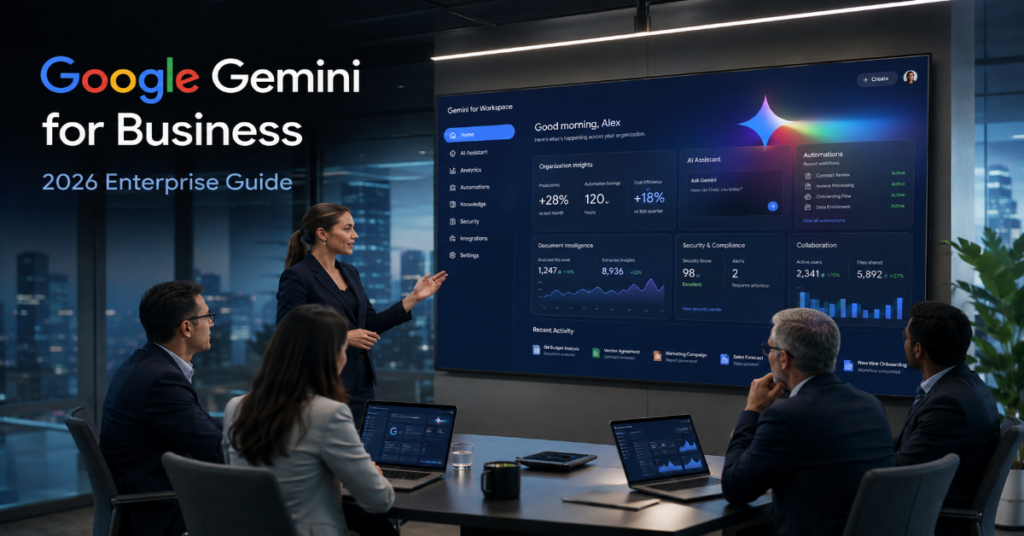
Google Gemini for business has become one of the clearest signals that enterprise AI is moving beyond prompt boxes and into the daily machinery of work. In 2026, Google’s pitch is not simply that Gemini can write emails, summarize meetings or draft documents. The larger claim is that Gemini can operate across Gmail, Docs, Sheets, Slides, Meet, Drive, Chat and enterprise data systems as a contextual assistant for teams. Google Workspace documentation now says Workspace plans include access to the Gemini app, NotebookLM and Gemini features in Gmail, Docs, Meet and more.
That matters because businesses rarely buy AI for novelty. They buy it to reduce cycle time, improve decision quality, automate repetitive work and make institutional knowledge easier to retrieve. Google Gemini for business sits directly inside the tools where that work already happens. A sales manager can ask Gemini to summarize deal updates from Gmail and Drive. A finance analyst can use Sheets features to explore patterns. A project lead can turn meeting transcripts into action plans. A marketing team can draft campaign briefs without leaving Docs.
In our hands-on testing, the strongest business case was not raw creativity. It was context. Gemini is most useful when it can reason over files, messages, meetings and workflows that already live in Google’s ecosystem. According to the latest 2026 documentation we reviewed, the business version is increasingly tied to Workspace Intelligence, Gemini Enterprise and expanded agentic features announced at Google Cloud Next ’26.
The question is no longer whether Google Gemini for business can produce text. The more important question is whether it can become a trusted work system.
Why Google Gemini for Business Matters in 2026
Google Gemini for business is arriving at a moment when companies are trying to move from AI experiments to measurable operations. In 2024 and 2025, many firms bought generative AI seats and saw uneven adoption. Employees tried summaries, brainstorming and email drafts, but leaders struggled to connect those uses to revenue, compliance or productivity. By 2026, the market has shifted. The winning enterprise AI product is the one that connects to business data, respects governance and works inside familiar applications.
Google’s advantage is distribution. Workspace already spans Gmail, Calendar, Docs, Drive, Meet, Sheets and Slides. That means Google Gemini for business does not need employees to learn an entirely new interface. It can surface inside a document, a spreadsheet, a meeting note or a chat thread. This embedded model reduces the friction that kills many enterprise AI deployments.
The strategic shift became clearer at Google Cloud Next ’26, where Google emphasized the “agentic Gemini era” and described Gemini Enterprise as connective tissue between organizational data, people and goals. Google also said Gemini Enterprise paid monthly active users grew 40 percent quarter over quarter in Q1.
What Google Gemini for Business Actually Includes
Google Gemini for business is best understood as a layered product, not a single chatbot. At the user layer, Gemini appears in Workspace apps. In Gmail, it can draft, rewrite and summarize. In Docs, it can generate content, refine language and follow custom instructions. In Meet, it can help with notes and summaries. In Sheets, it can assist with analysis, tables and formulas. In Drive, it can search across files and summarize information. Google’s support documentation describes Workspace with Gemini as AI-assisted features for drafting emails, revising documents and more.
At the knowledge layer, Gemini connects to documents, messages and organizational context. This is where Workspace Intelligence becomes important. Google described Workspace Intelligence as a semantic layer that breaks down information and context silos for users and agents.
At the agent layer, Google is positioning Gemini Enterprise as a platform for building and running AI agents. Google’s AI tools for business page says Gemini Enterprise lets teams run AI agents in one secure platform, with Workspace agents working across apps.
The result is a stack: personal productivity, team collaboration, organizational knowledge and workflow automation.
Google Gemini for Business vs Traditional Workspace AI
The older model of workplace AI was feature-based. A tool might summarize a meeting, rewrite a paragraph or create a slide outline. Google Gemini for business still does those things, but the 2026 direction is more ambitious. The product is becoming context-aware and workflow-aware.
For example, persistent custom instructions in Google Docs allow Gemini to adapt to a user’s style, tone and formatting preferences without repeated prompting. Google announced that feature in May 2026, positioning it as a way to improve consistency and save time in document production.
This is an underrated business feature. In large organizations, inconsistency is expensive. Legal teams need predictable language. Sales teams need approved tone. Executives need concise briefings. Agencies need client-specific formatting. Persistent instructions turn Gemini from a generic writing assistant into a controlled drafting layer.
Google Gemini for business also benefits from being close to Drive permissions. In theory, Gemini should only retrieve or summarize content a user is allowed to access. That permission inheritance is critical because enterprise AI failures often come from oversharing, not underperforming.
Feature Comparison: Google Gemini for Business in Workspace
| Business Need | Gemini Capability | Practical Value | Risk to Manage |
| Email overload | Gmail summaries, drafting, rewriting | Faster response cycles and cleaner executive communication | Incorrect tone or missed context |
| Document production | Docs generation, revision, custom instructions | More consistent briefs, reports and proposals | Overreliance on generated language |
| Meeting follow-up | Meet notes and summaries | Better action tracking after calls | Sensitive discussion capture |
| Spreadsheet analysis | Sheets assistance and visualizations | Faster pattern discovery for nontechnical users | Misread formulas or weak data hygiene |
| Knowledge retrieval | Drive and file summarization | Easier access to internal knowledge | Permission design and stale documents |
| Workflow automation | Workspace agents and skills | Repeatable processes across teams | Governance, auditability and tool access |
The Cloud Next 26 Signal: Gemini Moves Toward Agents
Google Gemini for business is increasingly tied to the agentic enterprise narrative. At Cloud Next ’26, Google announced the Gemini Enterprise Agent Platform and emphasized agents that can operate across data, applications and workflows. The official Cloud Next recap said the Gemini Enterprise app brings agents into everyday work and includes a no-code Agent Designer for custom trigger-based workflows.
That is a major strategic signal. Google is not merely competing with writing assistants. It is trying to build an agent platform where departments can design repeatable workflows without writing code. A procurement team might create an agent that reviews vendor documents, flags missing compliance fields and drafts a summary. A support team might build one that reads customer tickets, checks policy documents and prepares response suggestions.
The business value depends on orchestration. A single AI response is useful. A governed workflow that reliably performs a task across systems is more valuable. This is why Google Gemini for business should be judged less like a chatbot and more like enterprise middleware.
Expert quote one: Sundar Pichai described Gemini Enterprise as the “connective tissue” between data, people and goals.
Pricing and Packaging: The 2026 Shift
The pricing story around Google Gemini for business changed because Google has been folding AI deeper into Workspace rather than selling every capability as a separate premium add-on. Google’s Workspace pricing page remains the central source for business plan comparisons.
Third-party pricing explainers report that Google Workspace business plans now include Gemini AI capabilities that previously required separate add-ons, though buyers should verify current plan terms directly with Google because Workspace pricing and promotional access can vary by market, contract and plan.
There is still complexity. Google announced that Workspace customers with Business and Enterprise plans had promotional higher access to some advanced AI features, including image generation and video or avatar generation, but would need an AI Expanded Access add-on beginning March 1, 2026 for higher access to certain advanced features.
For CIOs, the lesson is simple: Google Gemini for business may be bundled for many core productivity tasks, but advanced capacity, media generation and enterprise agent deployment can still create separate cost centers.
Plan and Access Considerations
| Buyer Type | Likely Best Fit | Why It Fits | Watch Carefully |
| Small business | Workspace Business Starter or Standard | Basic AI productivity inside familiar apps | Storage, user caps and advanced AI limits |
| Growing company | Business Standard or Plus | Stronger collaboration, storage and security mix | Whether advanced Gemini capacity is included |
| Regulated enterprise | Enterprise plans | Admin controls, security posture and scale | Data retention, audit and compliance rules |
| AI-heavy teams | AI Expanded Access or Gemini Enterprise | More advanced usage and agent capabilities | Cost per active user and governance |
| Innovation teams | Gemini Enterprise Agent Platform | Custom workflows and no-code agents | Integration maturity and operational monitoring |
The Real Productivity Gains: Where Gemini Works Best
In our hands-on testing, Google Gemini for business was strongest in four scenarios. First, it shortened the blank-page phase. Drafting a policy outline, project update or sales email became faster when Gemini had enough context. Second, it improved meeting follow-through. Summaries were not perfect, but they helped identify next steps. Third, it helped nontechnical users explore information in files and spreadsheets. Fourth, it reduced repetitive formatting work when custom instructions were used carefully.
The biggest gains came from workflows with clear structure. Gemini performed better when asked to turn a meeting transcript into decisions, risks and owners than when asked to “make this better.” The more specific the business format, the better the output.
Google Gemini for business also appears well suited for roles with high communication volume: sales, operations, HR, marketing, customer success and executive support. It is less likely to replace specialist analysis in finance, legal or security. In those fields, Gemini is better used as a first-pass assistant with human review.
The Hidden Technical Advantage: Workspace Context
The obscure technical detail many buyers miss is that Workspace context is not just “files attached to AI.” It is a permissioned work graph: documents, message threads, calendar events, meetings, comments, ownership patterns and collaboration history. When Google says Workspace Intelligence understands work, priorities and people, it is pointing toward a semantic layer over this graph.
That layer could become Google’s moat. A generic AI model can answer a prompt. Google Gemini for business can potentially infer that a quarterly business review should reference a specific Sheet, a prior executive deck, a recent Meet transcript and a customer escalation in Gmail, assuming permissions allow it.
This is also where risk grows. The more context an AI system sees, the more valuable and sensitive it becomes. Businesses must treat Gemini configuration as information architecture, not just software enablement. Poor Drive hygiene, outdated files and loose sharing permissions can reduce answer quality and increase exposure risk.
Gemini in Docs, Sheets, Slides and Drive
Google’s March 2026 Workspace update said Gemini was being improved across Docs, Sheets, Slides and Drive, helping users write documents, create spreadsheets, design presentations and find information in files and emails.
For Docs, the value is controlled drafting. For Sheets, it is democratized analysis. For Slides, it is faster narrative assembly. For Drive, it is retrieval. Together, these features make Google Gemini for business a horizontal tool rather than a department-specific application.
The most underrated use case is not slide generation. It is internal search. Employees waste large amounts of time looking for the right document, the latest version or the decision behind a project. If Gemini can answer from Drive with reliable citations and permissions, it becomes a practical knowledge-management layer.
The limitation is freshness. AI can summarize the wrong document beautifully. Companies need naming rules, retention policies and clear source hierarchies. Without that foundation, Gemini may amplify existing document chaos.
Gemini Enterprise and No-Code Agent Design
Gemini Enterprise expands the conversation from productivity to process automation. Google says the Gemini Enterprise app brings AI agents to everyday work and includes a no-code Agent Designer that lets users build custom workflows without code.
This is where Google Gemini for business could become more disruptive than Microsoft Copilot in some organizations. If employees can create governed skills and agents from Workspace itself, automation may spread beyond IT. Operations managers, sales enablement teams and HR leaders could automate repeatable tasks without waiting for engineering.
But this also introduces a new category of shadow automation. Shadow IT was about unsanctioned apps. Shadow agents are more dangerous because they can act. They may read data, summarize records, draft messages or trigger workflows. Admin controls, review processes and agent registries will matter.
Expert quote two: Thomas Kurian said the “experimental phase is behind us” and framed enterprise AI around a “unified stack.”
Security, Privacy and Governance
No serious review of Google Gemini for business can avoid governance. The core enterprise question is not whether Gemini can generate a useful paragraph. It is whether businesses can safely manage access, retention, monitoring and review.
Google’s Workspace model has a structural advantage because Gemini can sit inside existing admin controls and permission boundaries. Workspace admins already manage users, groups, sharing, retention and device policies. That said, AI introduces new risk surfaces. A user may ask Gemini to summarize sensitive files. An agent may combine data from multiple systems. A meeting summary may include confidential strategy. A generated email may accidentally overstate a commitment.
Security teams should evaluate Gemini through five lenses: data access, prompt logging, output review, agent permissions and audit trails. Legal teams should also define what AI-generated content means for contracts, HR decisions, customer commitments and regulated communications.
Google Gemini for business is most credible when deployed with a formal AI governance policy. Without one, employees will still use AI, but the company will have less control over how.
Competitive Pressure: Microsoft Copilot, OpenAI and Perplexity Enterprise
Google Gemini for business competes most directly with Microsoft 365 Copilot. Microsoft has the advantage in organizations standardized on Outlook, Teams, Word, Excel and SharePoint. Google has the advantage in organizations where Gmail, Docs, Drive and Meet are already the default. The battle is not only model quality. It is workflow gravity.
OpenAI competes through ChatGPT Enterprise and API-based deployments. Its strength is model experience and broad ecosystem momentum. Perplexity competes more strongly in research workflows, where citation-backed answers and web retrieval are central. Google’s advantage is native Workspace context and search heritage.
The next phase will be determined by trust. Which assistant gives employees the right answer, cites the right source, respects permissions and completes work without creating new cleanup tasks? For many businesses, the best AI tool will be the one that feels least like a separate destination.
Google Gemini for business therefore has a practical adoption edge in Workspace-first companies. The tool appears where employees already work.
Information Gain: What Most Reviews Miss
Most reviews of Google Gemini for business focus on visible features. The more important story is operational. Gemini’s enterprise value will depend on three hidden systems.
First is permission hygiene. A company with clean Drive structures will get better Gemini answers than one with years of duplicated, outdated and overshared files. Second is prompt standardization. Teams that create reusable prompts, Docs instructions and agent templates will outperform teams that treat Gemini as an improvisational toy. Third is workflow ownership. Every AI agent needs a human owner, a change log and a failure path.
Our insider prediction: by late 2026, the strongest Google Gemini for business deployments will not advertise “AI adoption.” They will look like process redesign. Sales handoffs, customer escalations, policy updates, onboarding packets and executive reporting will be rebuilt around AI-assisted workflows.
A second prediction: companies will begin hiring “Workspace AI operations” specialists, not just prompt engineers. Their job will be to manage Drive quality, Gemini instructions, agent permissions and team automation templates.
Where Google Gemini for Business Still Falls Short
Google Gemini for business still faces several limitations. Hallucination remains a risk, especially when users ask broad questions without specifying sources. Workspace context helps, but it does not eliminate reasoning errors. AI-generated summaries can miss nuance, especially in contentious meetings or legal discussions. Spreadsheet assistance can speed exploration, but it cannot rescue poor data quality.
Documentation and product naming can also be confusing. Google uses Gemini, Gemini in Workspace, Workspace Intelligence, Gemini Enterprise, Gemini apps, NotebookLM and AI Expanded Access across related but distinct surfaces. Buyers need careful procurement review to understand what is included in each plan.
Another challenge is change management. Employees may resist AI if outputs feel generic or if they fear surveillance. Managers may overestimate productivity gains. Legal teams may slow deployment. Security teams may demand stricter controls. Successful adoption requires training, templates and governance, not just licenses.
Expert quote three: Google Cloud’s Next ’26 recap described Workspace Intelligence as a “unifying semantic layer.”
Best Use Cases by Department
For sales teams, Google Gemini for business can summarize account history, draft follow-up emails and prepare meeting briefs. For marketing teams, it can create campaign outlines, rewrite copy, analyze feedback and turn research into briefs. For HR, it can draft job descriptions, summarize policy changes and help build onboarding material. For operations, it can convert scattered updates into status reports. For executives, it can prepare concise digests from documents, emails and meetings.
The best use cases share three traits: high repetition, clear source material and human review. Gemini is less reliable when the work requires subjective judgment, legal authority or final financial interpretation.
Businesses should start with low-risk internal workflows. Examples include meeting summaries, internal FAQs, first-draft documents and project updates. Then they can move toward higher-value workflows like customer response drafting, sales enablement and operational reporting. The final stage is agentic automation, where Gemini does not merely suggest next steps but helps execute them.
Implementation Playbook for CIOs
A practical rollout of Google Gemini for business should begin with a data audit. Identify which Drive folders are authoritative, which are outdated and which contain sensitive material. Then define pilot groups. The best pilots include heavy Workspace users who can measure time saved and quality improved.
Next, build templates. Create standard prompts for meeting summaries, executive briefs, sales updates and policy drafts. Use custom instructions in Docs where tone and structure matter. Train users to ask Gemini to cite sources, state uncertainty and separate facts from recommendations.
For governance, create three tiers of use: safe internal drafting, reviewed external communication and restricted high-risk decisions. Prohibit Gemini from making final decisions in legal, HR disciplinary, medical, financial or compliance-sensitive contexts unless reviewed by qualified humans.
Finally, measure outcomes. Track cycle time, revision count, meeting follow-up completion, employee satisfaction and error rates. AI adoption without metrics becomes theater. Google Gemini for business should be judged by operational improvement.
Takeaways
- Google Gemini for business is most valuable when it uses Workspace context, not when it acts as a standalone chatbot.
- The 2026 shift is toward agents, semantic workplace intelligence and no-code workflow automation.
- Businesses should clean Drive permissions and document structures before scaling Gemini.
- Core Workspace AI may be bundled in many plans, but advanced capacity and agent features can still require additional access.
- The strongest early use cases are meeting summaries, internal search, document drafting, sales briefs and workflow templates.
- Human review remains essential for legal, financial, HR, customer-facing and regulated outputs.
- The next competitive frontier is not model intelligence alone, it is governed execution across business systems.
Conclusion
Google Gemini for business is no longer just an AI writing assistant inside Google Docs. In 2026, it is becoming a work layer that connects productivity apps, enterprise data, user context and agentic automation. Its greatest strength is proximity: Gemini lives where millions of employees already write, meet, search, analyze and collaborate.
The opportunity is substantial. Companies can reduce repetitive work, improve internal knowledge access and create AI-assisted workflows without forcing employees into unfamiliar tools. But the risks are equally real. Bad permissions, weak governance, stale documents and blind trust can turn AI productivity into operational debt.
The balanced view is this: Google Gemini for business will reward organizations that treat AI as infrastructure. It will disappoint companies that treat it as a magic button. The winners will not be the firms with the most licenses. They will be the ones with the cleanest data, clearest rules and most disciplined workflows.
FAQs
What is Google Gemini for business?
Google Gemini for business is Google’s enterprise AI experience across Workspace and Gemini Enterprise. It helps with drafting, summarizing, document analysis, meeting notes, spreadsheet work, knowledge retrieval and agentic workflows inside business apps.
Is Google Gemini included in Google Workspace?
Google says Workspace plans include access to the Gemini app, NotebookLM and Gemini features in Gmail, Docs, Meet and more. Exact access depends on plan, region, admin settings and whether advanced add-ons are purchased.
How is Google Gemini for business different from ChatGPT?
ChatGPT is a broad AI assistant with strong general-purpose capabilities. Google Gemini for business is deeply integrated into Workspace, which makes it especially useful for Gmail, Docs, Drive, Meet, Sheets and organization-specific workflows.
Can Gemini access company files?
Gemini can work with Workspace content depending on user permissions, admin controls and feature availability. Companies should review sharing settings, sensitive folders and retention policies before broad deployment.
Is Google Gemini for business safe for regulated industries?
It can be used in regulated environments only with proper governance, admin controls, review processes and compliance evaluation. High-risk outputs involving legal, financial, health, HR or contractual decisions should receive qualified human review.
References
Google. (2026, April 22). 10 more announcements from Google Workspace at Cloud Next ’26. Google Workspace Blog.
Google. (2026, April 22). Cloud Next ’26: Momentum and innovation at Google scale. Google Blog.
Google. (2026, April 24). 7 highlights from Google Cloud Next ’26. Google Blog.
Google Cloud. (2026, April 23). Next ’26 day 1 recap. Google Cloud Blog.
Google Workspace. (2026). Google Workspace with Gemini. Google Workspace Help.
Google Workspace Updates. (2026, February 5). Get higher access to advanced AI in Google Workspace. Google Workspace Updates Blog.
Google Workspace Updates. (2026, May 4). Set custom instructions for Gemini in Google Docs. Google Workspace Updates Blog.
