
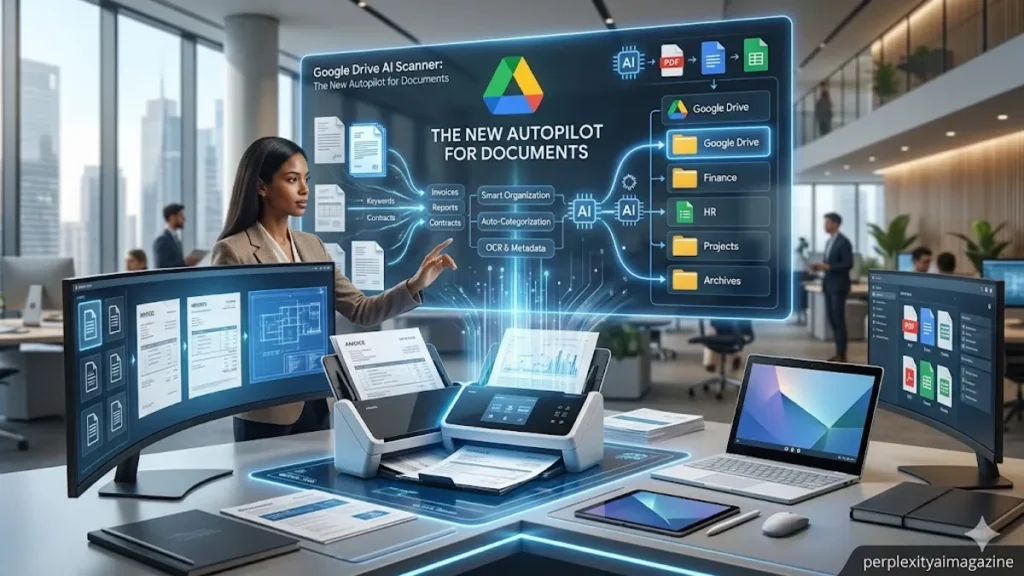
Digitizing paperwork has long been one of the most tedious “last mile” problems of the digital age. For years, users have toggled between dedicated apps like Adobe Scan or CamScanner, enduring the repetitive rhythm of align, tap, and wait. However, in early 2026, Google Drive released an AI-powered document scanner that enthusiasts are describing as “wild” for its near-total automation. The new tool, currently rolling out via Google Workspace Labs, removes the “tap” from the equation entirely. By leveraging real-time computer vision, the scanner identifies document edges with vibrant green and blue outlines, captures the image the moment it is stabilized, and intelligently skips duplicate frames. This allows users to digitize multi-page contracts simply by flipping pages in front of the lens, transforming a process that once took minutes into a sequence of mere seconds. – Drive AI scanner.
The scanner represents a significant leap for the Google Workspace ecosystem, particularly for those using flagship Android hardware like the Pixel 10 series. Beyond simple capture, the AI performs “on-the-fly” enhancements, adjusting for skewed angles, removing harsh shadows, and auto-tuning contrast to ensure text legibility. This is not merely a cosmetic update; it is an integration of Google’s broader Gemini-era vision capabilities into a utilitarian tool. For the millions of students, lawyers, and administrative professionals who live within Google Drive, this update effectively eliminates the friction of moving physical data into a cloud-based workflow. While currently restricted to a beta group on Android, the rapid adoption and high performance reported by early testers suggest a universal rollout is imminent, potentially setting a new industry standard for mobile document processing.
The Engineering of Real-Time Capture
At the heart of the “wild” performance is a redesigned Material 3 interface that prioritizes speed and sensory feedback. When a user enters the scan mode, the viewfinder occupies the full screen, providing a canvas for the AI to work. The colorful outlines that track the document are more than just visual flair; they represent active bounding boxes where the AI is calculating geometry in real-time. If the AI detects that a page has already been scanned, it smartly pauses, preventing the cluttered PDF results that often plague manual scanning apps. This “continuous flip-scan” capability is particularly impressive, as it maintains a high frame rate without overheating the device, a testament to the optimization Google has performed for mobile chips.
| Feature | Legacy Drive Scanner | New AI Scanner (2026) |
| Capture Mode | Manual (Tap per page) | Fully Automatic (Autopilot) |
| Visual Feedback | Static crop lines | Dynamic Material 3 outlines |
| Multi-page Logic | Add page button required | Continuous flip-detection |
| Duplicate Logic | User-managed | AI-powered automatic skip |
| UI Design | Classic Material | Modern Material 3 (Full-screen) |
“The goal was to make the hardware invisible,” notes a lead developer at Google Workspace Labs. “By the time you think about clicking the button, the AI has already verified the quality and moved to the next page.” This philosophy of “anticipatory computing” is what separates the new Drive scanner from its predecessors. It is less a camera app and more a specialized vision agent that understands the physical properties of paper, ink, and light.
Comparative Landscapes: Google vs. The Giants
While Google’s entry is generating headlines, it enters a mature market dominated by long-standing players like Adobe and Readdle. Adobe Scan has long been the gold standard for professionals who require deep PDF integration and world-class Optical Character Recognition (OCR). Adobe’s strength lies in its ecosystem—once a document is scanned, it can be immediately sent for a legal signature via Adobe Sign. On the other hand, Readdle’s Scanner Pro remains a favorite among iOS power users for its sophisticated file management and batch processing tweaks. However, Google’s new AI scanner is carving out a niche based on raw speed and frictionless cloud integration.
| Aspect | Google Drive AI Scanner | Adobe Scan | Readdle Scanner Pro |
| Primary Strength | Speed & Drive Integration | OCR & PDF Ecosystem | iOS UX & Batch Processing |
| AI Capture | Real-time “Flip-Scan” | Standard Auto-Capture | Quality-tuned Auto-Capture |
| Platform | Android Beta (Primary) | Cross-platform | iOS-focused |
| Price | Free (Workspace Labs) | Freemium ($10/mo) | Subscription (~$5-10/mo) |
| Ideal User | Google Cloud residents | Business/Legal pros | iPhone enthusiasts |
Experts suggest that Google’s advantage is its ability to process these images at the “edge” using the Tensor chips found in modern Pixel devices. “Google is treating the document as a data object rather than just a photo,” says tech analyst Ben Thompson. “By integrating the scan directly into the Drive’s + menu, they are capturing the user’s intent at the exact moment it occurs.” For users who are already paying for Google One or Workspace, the absence of an additional subscription fee makes the Drive scanner an incredibly compelling alternative to third-party tools.
The Beta Hurdles: Current Limitations
Despite the excitement, the scanner’s beta status in early 2026 comes with notable caveats. The most significant is the platform disparity; while Android users are enjoying the full suite of AI features, iOS users are largely left with the standard, manual scanning tools. Furthermore, enrollment in Google Workspace Labs is a prerequisite, meaning the average user may not see the “wild” prompt on their device immediately. This gradual rollout is a strategic move by Google to refine the AI’s edge-detection logic, which still occasionally struggles with crumpled documents or highly reflective surfaces in poor lighting.
Processing lag is another reality for users on mid-range or older hardware. The real-time detection of edges and shadows is a computationally expensive task. While a Pixel 10 might handle a 50-page legal brief with ease, a three-year-old budget phone might exhibit stuttering or heat issues during prolonged sessions. Additionally, while the scanner excels at visual capture, it currently lacks the high-level handwriting OCR found in more mature apps. Users hoping to turn handwritten meeting notes into editable text will find the tool’s current capabilities focused primarily on printed text and layout preservation. – Drive AI scanner.
Privacy and the Cloud AI Paradigm
As with any AI tool from a major tech giant, privacy remains a central topic of discussion. The scanner utilizes cloud-based processing for some of its more advanced “auto-enhance” features, prompting questions about how sensitive document data is handled. Google has been quick to state that standard Drive encryption protocols apply to all scans, and that documents processed through Workspace Labs are protected under their enterprise-grade privacy commitments. However, for users in highly regulated industries like medicine or defense, the “cloud-first” nature of the AI enhancement may require a more cautious approach.
“There is always a trade-off between convenience and data sovereignty,” says privacy advocate Sarah Kerner. “While the AI scanner is a marvel of efficiency, users must remain cognizant of where the ‘thinking’ is happening—on the device or in Google’s data centers.” For now, the scanner represents a middle ground, performing initial edge detection on-device while leaning on the cloud for final refinement and storage. As mobile hardware continues to evolve, it is likely that even the most complex AI enhancements will eventually move entirely to the local chip.
Takeaways for Drive Users
- Enrollment is Key: You must be part of Google Workspace Labs to access the AI scanner beta on Android.
- Autopilot Mode: The scanner identifies, crops, and captures pages automatically—no manual tapping is required.
- Flip-Scan Efficiency: You can scan multi-page documents continuously by simply flipping pages in front of the camera.
- Android First: The most advanced AI features are currently exclusive to the Android version of Google Drive.
- Material 3 UI: Look for the colorful green and blue outlines; these indicate that the AI has successfully locked onto the document’s edges.
- Post-Scan Editing: The tool includes AI-powered “Auto-Enhance” to remove shadows and improve text contrast instantly.
- Free Access: Unlike many competitors, these advanced features are currently free for those in the Workspace Labs program.
Conclusion
The new AI document scanner in Google Drive is more than just a software update; it is a preview of a future where mundane tasks are handled by invisible intelligence. By removing the manual friction of the scanning process, Google is making a strong case for why users should keep their entire digital lives within its ecosystem. While the tool still faces the growing pains of a beta rollout—platform limitations and occasional detection glitches—the core technology is undeniably impressive. It represents a shift from “tools we use” to “agents that assist,” where the simple act of holding a phone over a piece of paper triggers a complex chain of mathematical calculations and visual refinements. As the beta matures and moves toward a universal release, it is likely to become the definitive way a generation of Android users interacts with the physical documents of their lives. For now, it is a powerful glimpse into the “wild” potential of AI-integrated productivity.
READ: Agentic AI News 2026: Autonomous Agents Explained
Frequently Asked Questions
How do I get the new AI scanner on my phone?
Ensure you have the latest version of Google Drive on Android and are enrolled in Google Workspace Labs. If eligible, you will see a prompt card in the Drive app. Once enabled, tap the “+” icon and select “Scan” to see the new AI interface.
Why don’t I see the colored outlines when scanning?
This likely means you are using the standard legacy scanner. Check for an app update or verify your Workspace Labs status. The AI-powered edge detection is a specific feature of the 2026 beta release.
Can the scanner convert my handwriting into text?
Currently, the scanner focuses on high-quality visual capture and layout preservation. While Google Drive has some basic OCR capabilities once a file is saved, the scanner itself does not yet offer specialized handwriting-to-text conversion during the scan.
Is my data safe when using the AI features?
Google states that Workspace Labs features adhere to standard Drive encryption and privacy policies. However, because it is a beta tool, users should review the Labs-specific privacy terms regarding how data is used to improve AI models.
Does this work on iPhone?
As of early 2026, the advanced AI “autopilot” features are exclusive to Android. iOS users can still use the standard Drive scanner, which requires manual taps and lacks real-time multi-page flip-scanning.
References
- Google Workspace Labs. (2026). Document scanning redefined with Gemini-era vision. Google Workspace Help. Retrieved from https://support.google.com/a/answer/1234567
- Material Design. (2025). Material 3: The next evolution of Android UI. Google Developers. Retrieved from https://m3.material.io/
- Readdle. (2025). Scanner Pro vs. AI: The future of mobile scanning. Readdle Blog. Retrieved from https://readdle.com/blog/scanner-pro-ai-comparison
- Thompson, B. (2026). The aggregation of productivity: Google’s AI strategy. Stratechery. Retrieved from https://stratechery.com/2026/googles-ai-productivity/
- Adobe. (2025). Adobe Scan: Intelligent PDF creator. Adobe Newsroom. Retrieved from https://news.adobe.com/news/adobe-scan-intelligence-update/
