
📋 Executive Summary
Conversion: Adobe found AI-referred retail visitors converted 42% more than non-AI traffic in March 2026, but the gain depends on accurate product data.
Workflow: Use Comet to define requirements, research across tabs, challenge the shortlist, calculate landed cost, and stop for human checkout approval.
Limits: Consumer Browser Agent allowances are described only as average or advanced monthly use, while Enterprise Pro and Enterprise Max publish 80 and 800 queries per month.
Security: Comet cannot access passwords or payment data, and blocking third-party cookies can break social logins, embedded widgets, and some payment flows.
Research: Large-scale studies show shoppers use AI alongside conventional search, while autonomous agents can display position bias and inconsistent sensitivity to price, ratings, and reviews.
Decision: Choose Comet for multi-tab product research and supervised actions, but keep Google, merchant sites, specialist databases, or a competing assistant available for local, visual, and high-risk purchases.
How to shop online with AI with Perplexity Comet comes down to one rule: let the browser research and prepare the basket, but keep the final commercial judgement human, even as Adobe found AI-referred retail visitors converted 42% more than other traffic in March 2026. I treat Comet as a procurement analyst inside the browser, not as an unquestionable buyer. It can read product pages, compare several tabs, summarise reviews, test promo codes on supported flows, fill forms, and move towards checkout. The useful part is not simply speed. It is the ability to keep the product page, review evidence, specifications, delivery terms, and your stated constraints in one working context.
That same context creates risk. Product feeds go stale, sponsored listings can shape what an agent sees, marketplaces can block automation, and a fluent summary can hide a missed warranty term or incompatible accessory. Research on shopping agents has already found position effects and model-to-model differences in how price, ratings, reviews, and endorsements influence choices. Perplexity’s own documentation also draws a hard boundary around credentials: Comet does not receive your passwords or payment data, and some actions require explicit access or a live, open browser session.
This guide shows a verification-first system for product discovery, cross-site comparison, review analysis, landed-cost calculation, coupon testing, and supervised checkout. It also maps the current plan limits, platform differences, privacy controls, integrations, and failure modes. The aim is not to make Perplexity Comet the default answer for every purchase. It is to show where the browser saves genuine time, where another tool is stronger, and where you should stop the agent before a costly mistake becomes an order confirmation.
What Perplexity Comet Actually Does for Shoppers
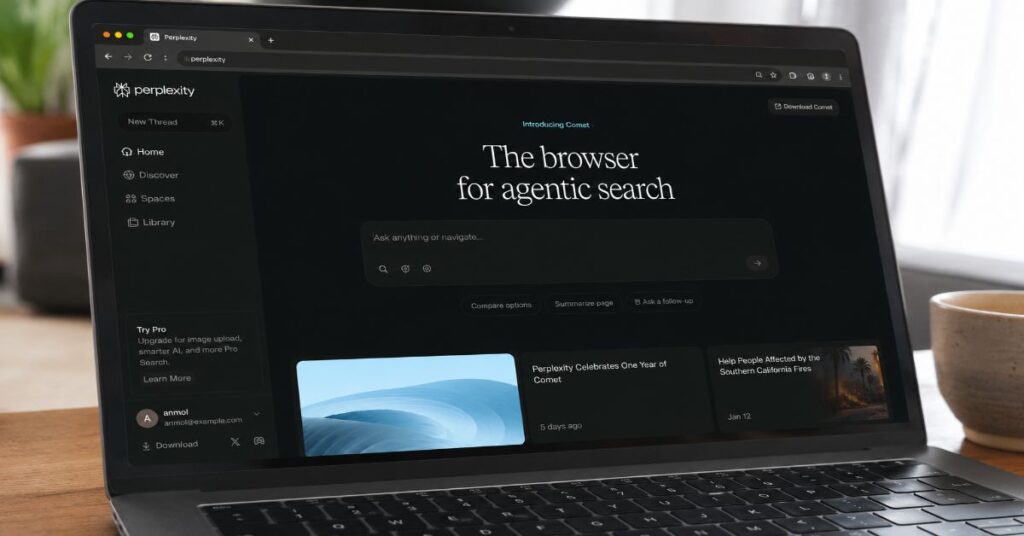
Perplexity Comet is a Chromium-based browser with an assistant that can use the visible page, selected tabs, browsing context, and permitted history to answer questions or take supervised actions. That distinction matters. A normal chatbot can recommend a laptop from a prompt, but Comet can stay beside the retailer page, inspect the specifications currently shown, open competing listings, and help move information between those pages without a copy-and-paste loop.
For shopping, the documented capability set covers five layers. First, it can discover products and sources through Perplexity search. Second, it can extract visible text, headlines, and page metadata through the Assistant panel. Third, it can reason across open tabs, especially when you direct it with @tab. Fourth, its action engine can click, type, submit forms, add items to baskets, and progress through checkout flows under supervision. Fifth, on Android, Perplexity documents voice requests that compare prices, find in-stock products, add an item to a cart, and test promo codes while the app remains open.
The practical advantage is orchestration rather than a magical product database. Comet sits on top of the live web and depends on what merchants expose. A retailer with structured specifications, current stock, clear delivery terms, and readable reviews gives the assistant better material than a marketplace that hides variants behind scripts or changes price after sign-in. That is why the strongest results usually come from a mixed workflow: Perplexity for synthesis, retailer pages for commercial truth, and a separate check for warranty, returns, and payment terms.
The wider market is moving in the same direction. Aravind Srinivas told The Verge that a browser ‘might be the best way to build agents.’ That is a product thesis, not proof that every task succeeds. Our broader comparison of the best AI search engines for shopping shows why cited product research and native checkout are still separate competitive layers.
| Capability | Documented Behaviour | Shopping Value | Important Constraint |
| Browser foundation | Chromium rendering, bookmarks, translation, autofill, password suggestions, and most Chrome extensions | Keeps familiar browser workflows while adding an assistant | Some Chrome-specific or new-tab extensions may not work correctly |
| Assistant context | Reads visible text, headlines, metadata, selected tabs, and permitted activity | Summarises specifications, policies, reviews, and competing listings | Context can be incomplete when content is hidden, dynamic, or blocked |
| Action engine | Can click, type, submit forms, add products, and run checkout flows under supervision | Reduces repetitive navigation and form work | A merchant may block automation or require a human verification step |
| Shopping support | Compares products, analyses reviews, checks stock, and can test promo codes on supported flows | Compresses research and deal checking into one session | Promo codes, price, delivery, and stock remain volatile until checkout |
| Integrations | Gmail, Google Calendar, browsing history, Chrome extensions, voice, and open-tab context | Adds receipts, reminders, and existing shopping context when permitted | No public Comet shopping API is documented; Perplexity Agent API is separate |
| Privacy controls | Local browsing data by default, site blocking, Incognito, per-service approval | Lets shoppers exclude banking or sensitive sites from agent actions | Some payment flows can break when third-party cookies are blocked |
Set Up a Safer Shopping Workspace Before You Search
The most important shopping setting is not the model selector. It is the boundary between pages the assistant may use and pages it should never touch. In Comet, open Settings, then Privacy and security, and review Assistant access before beginning a serious purchase. Perplexity says you can disable the Assistant, prevent it from navigating or interacting, and block tasks on specific websites. I would block online banking, investment, payroll, medical, and identity portals by default. For expensive shopping, I would also keep the final card issuer or finance-provider page outside the agent’s working set.
Next, decide whether the session needs memory. A repeat purchase, such as toner or pet food, may benefit from history and past orders. A one-off medical device, gift, or sensitive household purchase may be better in Incognito, where Comet does not save browsing history, cookies, or cache. Incognito does not make the network invisible to an employer or internet provider, and it does not replace merchant privacy controls, but it reduces local persistence and prevents the Assistant from indexing the browsing activity for later personal search.
Third, audit extensions. Comet supports most Chrome Web Store extensions, which is useful for password managers, accessibility, price history, cashback, and note capture. It also creates a permissions stack that can become hard to reason about. Remove duplicate coupon tools, check which extensions can read all site data, and avoid installing a second shopping assistant that can modify the same checkout page. The browser extension permissions guide explains why extension access should be treated as part of the buying risk model rather than a convenience setting.
Finally, establish a shopping folder or tab group. Keep one tab for the requirement brief, one for the comparison table, one tab per retailer, and one for independent evidence. The goal is to give Comet enough context without allowing a noisy set of twenty tabs to dilute the task. A clean workspace also makes it easier to inspect what the agent opened, changed, or added before you approve anything.
How to Shop Online With AI With Perplexity Comet
A reliable Comet shopping workflow begins with three research gates. Each gate produces an artefact you can inspect before moving forward. This is slower than saying ‘buy me the best headphones’, but it is much faster than manually rebuilding the same evidence across dozens of pages, and it gives you a clear stop point when information is weak.
Define the Purchase Brief
Start with a constrained brief that separates needs from preferences. Include the product category, maximum landed cost, delivery location, deadline, required compatibility, must-have features, excluded brands or materials, acceptable condition, warranty threshold, and whether refurbished stock is allowed. Ask Comet to repeat the brief as a checklist and flag contradictions before it searches.
Example prompt: ‘I need a 14-inch Windows laptop delivered to London by Friday. Maximum landed cost is £1,100 including delivery. It must weigh under 1.5 kg, have at least 16 GB RAM and 512 GB storage, charge by USB-C, and include a UK warranty. Exclude gaming laptops and marketplace sellers with fewer than 500 ratings. Repeat the constraints and ask one question only if a required field is missing.’
Build a Source-Diverse Longlist
Ask for a longlist from several source types, not only a single marketplace. Require official manufacturer pages, at least two established retailers, one independent review source, and a price-comparison or historical-price source where available. Tell Comet to record the exact retrieval time because price and stock can change within minutes.
A good longlist is deliberately wider than the final answer. Ten plausible products are enough for most considered purchases. More than that tends to add duplicate configurations and distract the model from decisive constraints.
Reject Before You Rank
Tell Comet to eliminate any product that fails a hard requirement and show the failed field. This prevents a polished recommendation from smuggling in a laptop that is too heavy, a camera without the required lens mount, or a baby product without the requested certification. Then ask for one reason not to buy every surviving option. This counterfactual step is one of the strongest defences against recommendation bias.
Move From Finalists to a Supervised Basket
Once the longlist has survived the hard constraints, use three transaction gates to turn evidence into a controlled basket. The purpose is not to hand purchasing authority to the browser. It is to keep the exact product, seller, total cost, and delivery promise visible while Comet handles the repetitive navigation.
Compare the Finalists Across Tabs
Open the official product page, retailer listing, warranty page, and independent review for each finalist. Use @tab to direct the Assistant to the right evidence, then ask it to populate a common comparison schema. Do not let it compare marketing prose with measured review data as though they are equivalent. Label every field as manufacturer claim, retailer term, reviewer measurement, or user-review pattern.
Calculate Landed Cost and Timing
Ask Comet to calculate item price, mandatory accessories, delivery, tax or duty, subscription requirements, return shipping, and finance cost. A £899 device that requires a £129 proprietary dock and a paid cloud plan is not an £899 decision. Require a delivery confidence label based on the retailer’s current promise, not a generic estimate.
Prepare the Basket, Then Stop
Let Comet add the chosen item and required accessories to the cart, test valid promo codes where supported, and summarise the final basket. The stop condition should be explicit: do not place the order, accept finance, or submit payment. Compare the final checkout total with the approved landed-cost ceiling, confirm the seller identity, read the return and warranty terms, and complete payment manually.
The discipline resembles the funnel described in our guide on researching a topic with Perplexity: begin broad enough to discover the market, narrow with evidence, and verify the few facts that can change the decision. Shopping adds a transaction gate, so the final action threshold must be stricter than the research threshold.
Use Prompts That Produce Auditable Comparisons
Comet performs better when the prompt defines an output schema and a verification rule. ‘Find the best television’ invites the assistant to optimise for its own unstated assumptions. ‘Compare five 55-inch OLED televisions under £1,500, record panel type, refresh rate, HDMI 2.1 ports, measured brightness, warranty, seller, stock timestamp, and landed cost’ creates a result you can audit.
The prompt should also specify evidence hierarchy. For specifications, prefer the manufacturer or a technical manual. For price and stock, use the retailer page at the current timestamp. For measured performance, use a named review outlet with a disclosed method. For recurring defects, use a cross-section of owner reviews but treat them as signals, not incidence rates. For warranty and returns, use the seller’s terms that apply to your region and condition of purchase.
Add a disagreement instruction. Ask Comet to show conflicting values instead of choosing one silently. A laptop may have different battery capacities by region, a retailer may list an older model code, and a review may test a higher specification than the item in the basket. The assistant should surface the conflict and tell you what identifier would resolve it, such as SKU, EAN, UPC, model year, processor code, or storage configuration.
Finally, require a confidence label based on source quality and freshness. High confidence should mean the decisive claim appears in a primary source and matches the exact model or listing. Medium confidence can cover reputable independent testing or two consistent retailer pages. Low confidence should cover user reports, cached snippets, undated pages, or ambiguous variants. This format makes the AI shopping assistant useful even when the answer is incomplete because uncertainty becomes visible rather than buried in prose.
| Shopping Stage | Prompt Pattern | Evidence to Capture | Stop Condition |
| Requirements | Restate hard constraints, soft preferences, exclusions, budget, location, and deadline | A checklist with missing or contradictory fields | Do not search until the brief is internally consistent |
| Longlist | Find options across manufacturers, retailers, reviews, and price-history sources | Product, exact model, source type, timestamp, and initial fit | Do not rank until hard failures are removed |
| Shortlist | Give one reason to reject each survivor and identify evidence gaps | Failure reason, unresolved field, and decision impact | Pause when a decisive specification lacks a primary source |
| Comparison | Populate one schema and label each datum by source class | Specifications, measured results, terms, price, stock, and warranty | Do not merge regional variants or different configurations |
| Basket | Add approved item and mandatory accessories; test codes; calculate landed cost | Seller, quantity, promo result, delivery, taxes, subscriptions, and total | Stop before payment, finance acceptance, or order submission |
Compare Products Across Tabs Without Losing the Evidence Trail
Multi-tab reasoning is Comet’s most distinctive shopping advantage, but it needs active direction. Open only the pages that matter, name the role of each tab, and use @tab when a question depends on a specific source. For example, one tab may be the manufacturer specification sheet, a second the retailer’s live listing, a third a laboratory review, and a fourth the returns policy. Ask the Assistant to compare those tabs and cite which tab supports each field.
Do not ask it to summarise all open tabs at once if the session includes search results, opinion pieces, old product pages, and unrelated browsing. Context selection is a quality-control step. The Assistant panel extracts visible text, headlines, and metadata each time you submit a request, so collapsed accordions, image-only tables, regional pop-ups, and dynamically loaded variants may not enter the answer. Expand the specification sections yourself and verify that the exact colour, size, storage, or bundle is selected before asking for a summary.
A practical comparison table should include exact identifiers and a source timestamp. The model name alone is often insufficient. Retailers reuse family names across different processors, memory sizes, screen panels, or regional plugs. Ask Comet to copy the SKU or model code from each page and reject rows that cannot be matched. This prevents an attractive review of the premium configuration from being attached to a discounted base model.
For speed, create a two-pass comparison. The first pass uses official and retailer pages to eliminate incompatibility, unavailable stock, weak warranty, and budget failure. The second pass uses independent reviews and owner feedback only for the remaining two or three products. Our analysis of Perplexity Comet versus Chrome reaches a similar operational conclusion: Comet is stronger when the task needs research automation, while Chrome remains stronger for mature compatibility, extension depth, and predictable enterprise controls.
The evidence trail should survive the conversation. Ask Comet to produce a final decision log with the chosen product, rejected alternatives, decisive facts, unresolved risks, seller, timestamp, and checkout total. Save that log before purchase. It is useful if the delivered model differs, the price changes, or a return dispute requires you to reconstruct what the listing promised.
Treat Reviews, Ratings, and Rankings as Biased Inputs
Shopping assistants can read more reviews than a human, but scale does not automatically produce truth. Owner reviews mix verified purchases, incentivised posts, regional variants, shipping complaints, misuse, and survivorship bias. Star averages also compress different failure modes into one number. Ask Comet to separate product quality, seller performance, delivery damage, setup difficulty, durability, and support experience instead of producing a single sentiment summary.
The most useful review prompt asks for recurring patterns with evidence thresholds. Require at least three independent mentions before calling something a pattern, show whether the comments refer to the exact model, and record the review dates. Then ask for disconfirming evidence. If ten reviewers report coil whine but twelve report a silent unit, the issue is a risk to investigate, not a confirmed defect rate. Never let the assistant invent a percentage from an unrepresentative sample.
Research on autonomous shopping agents gives an additional warning. The ACES evaluation by Allouah and colleagues manipulated product position, price, ratings, reviews, sponsored tags, and endorsements in a controlled marketplace. Frontier agents showed strong but different position effects, penalised sponsored labels, and responded to price and reviews with varying intensity. That means the first item in a grid, the wording of an endorsement, or the model chosen by the platform can alter the outcome even when your stated preferences do not change.
Use three countermeasures. First, ask Comet to shuffle the shortlist and re-rank it without seeing the previous order. Second, ask what would need to be true for the second-ranked product to become first. Third, remove brand names and retailer labels from the comparison table, then rank on measurable requirements only. If the recommendation changes dramatically, brand or placement may be doing more work than the evidence.
Perplexity is not always the strongest source for quick, local, or highly visual shopping. In March 2026, Aravind Srinivas wrote that Google ‘does a much better job here than anyone else in the world, including Perplexity’ for common mobile navigation, local shops, scores, shopping, and hotels. That candid limitation aligns with our Perplexity versus Google research workflow: use synthesis to understand the choice, then use the original search and merchant layers to prove availability and local relevance.
Verify Price, Stock, Delivery, Discounts, and Finance Separately
Price is not a single field. It is a stack that can include a member price, coupon, trade-in, subscription, finance rebate, delivery charge, tax, duty, installation, mandatory accessory, and return cost. Comet can collect and calculate these components, but you should ask it to preserve each line rather than report one ‘best deal’. A lower headline price can be worse after delivery or can depend on a subscription you did not intend to keep.
Stock also needs a timestamp and location. ‘In stock’ may mean available in another warehouse, collectable in a different city, or back-ordered after checkout. Ask Comet to record the seller, variant, fulfilment method, promised date, and retrieval time. If delivery timing is critical, require a second check immediately before payment and a fallback seller that still meets the budget.
On Android, Perplexity documents a promo-code flow where the user asks Comet to find codes for the checkout page, test them, and apply valid ones. Treat the result as provisional. Coupon tools often encounter expired codes, first-order restrictions, excluded brands, minimum baskets, region limits, or codes that remove another benefit. The only valid saving is the change in the final checkout total after all conditions are applied. Ask Comet to list attempted codes, explain why each failed, and confirm whether a successful code changed shipping, returns, cashback, or loyalty eligibility.
Finance deserves a separate decision. Max Levchin, Affirm’s chief executive, told Reuters that AI can read fine print and ‘find the gotcha.’ That is a useful aspiration, but the agent still needs the correct agreement, rate, term, fees, and jurisdiction. Ask Comet to calculate total repayment, effective cost, late-fee exposure, deferred-interest triggers, and the price difference versus paying outright. Never authorise a credit application or accept finance on the basis of a summary alone.
The broader payments industry is building controls for this problem. Mastercard executive Sherri Haymond told Axios that ‘agentic commerce will only scale at the speed of trust.’ For an individual shopper, trust should mean a visible seller identity, explicit purchase intent, a fixed budget, an inspectable basket, and a human confirmation at the payment boundary.
Keep Checkout Human and Sensitive Data Out of the Agent Loop
The safest division of labour is simple. Comet may research, navigate, populate non-sensitive fields, add approved items, and prepare the final basket. You should verify the seller, quantity, variant, delivery address, return conditions, warranty, recurring charges, finance terms, and payment amount. Then enter or approve payment yourself. Perplexity states that Comet does not have access to passwords or payment data, which is a valuable architectural boundary rather than a limitation to work around.
Before checkout, ask for a one-screen transaction summary: exact item and model code, seller legal name, condition, quantity, item price, discounts, delivery, tax, mandatory accessories, recurring subscriptions, total, delivery promise, return window, return cost, warranty provider, and any unresolved risk. Compare that summary with the actual checkout page. If the values differ, trust the page and investigate the mismatch rather than asking the model to rationalise it.
Privacy settings can affect completion. Comet allows third-party cookies by default for compatibility, while blocking them can improve privacy but break social logins, embedded widgets, and some payment flows. Do not lower browser protections globally to rescue one purchase. Use a site-specific exception only when you recognise the merchant, understand the request, and can reverse the setting afterwards. Keep banking sites on the Assistant block list even if the merchant redirects to an external authentication page.
Jorn Lambert, Mastercard’s chief product officer, said in June 2026 that Agent Pay for Machines could create a ‘superbloom of AI business models.’ The same announcement emphasised credentialing, permissioning, spending limits, and verified intent. Consumers can apply those principles today without waiting for a universal payment protocol: define the permitted merchant, product, budget, and action; require a visible audit trail; and refuse any agent step that changes the commercial commitment without a fresh confirmation.
For purchases with legal, medical, safety, or high financial consequences, use Comet only for information gathering. Vehicles, insurance, regulated financial products, prescription devices, building materials, and safety equipment require specialist checks that a general browser agent cannot reliably replace.
Understand Plans, Browser Agent Limits, and the Real Cost
Comet access and useful shopping capacity do not map neatly to the headline subscription price. Perplexity’s July 2026 plan comparison says the Free plan has no Browser Agent queries, while Pro, Education Pro, and Max use monthly allowances described only as average or advanced use. Perplexity publishes exact business caps: Enterprise Pro includes 80 Browser Agent queries per month, and Enterprise Max includes 800. The lack of a public numerical consumer cap is a real planning limitation for shoppers who want to run many long, multi-step comparisons.
Perplexity Pro is generally presented at $20 per month, with the official pricing page showing an annual equivalent of about $17 per month at the time of research. Max costs $200 monthly or $2,000 annually. Education Pro is $10 per month for verified users. Enterprise Pro is $40 per seat monthly or $400 annually, and Enterprise Max is $325 per seat monthly or $3,250 annually. Taxes, app-store billing, promotions, and regional pricing can change the checkout total, so verify the live subscription screen before purchase.
For ordinary shopping, Pro is usually the economic ceiling. Max makes sense only if the same user also needs the highest access to advanced models, Research, file and app creation, and the Max Assistant for complex work. A browser subscription should not be justified by hypothetical savings. Track how many serious comparisons you run, the time saved, and whether the assistant found a lower landed cost or prevented a bad purchase. If you rarely hit the Free or Pro limits, the higher tier is a sunk cost rather than a shopping advantage.
The Perplexity Pro versus Free comparison provides additional context on when paid research capacity changes the experience. The key hidden-cost point is that API usage is separate from consumer and enterprise subscriptions, and Perplexity does not document a public Comet shopping API. Businesses building their own shopping workflows need the Agent API or merchant integrations, separate billing, and their own controls.
| Plan | Current Published Price | Shopping-Relevant Access | Published Caps and Hidden Limits |
| Free | $0 | Basic search; no Browser Agent queries in the plan table | 3 Pro Searches per day; 1 Research query per month; limited uploads |
| Pro | $20 monthly; annual page displayed about $17 per month | Extended Pro Search, Research, advanced models, Comet Assistant, uploads, image/video tools | Consumer Browser Agent cap is described only as average monthly use; advanced-model access can tighten during heavy weeks |
| Education Pro | $10 monthly with verification | Pro features plus education tools | Consumer allowances are described as average use rather than a fixed public Browser Agent number |
| Max | $200 monthly or $2,000 annually | Highest consumer model access, Max Assistant, advanced Research and creation | Browser Agent allowance is described as advanced monthly use; highest weekly agent limit, but no fixed consumer number published |
| Enterprise Pro | $40 per seat monthly or $400 annually | Enterprise privacy, administration, team repositories, Comet Assistant | 400 Pro Searches per week; 50 Research per month; 80 Browser Agent queries per month; 50 file/app creations per month |
| Enterprise Max | $325 per seat monthly or $3,250 annually | Highest enterprise access, security controls, large repositories, Max capabilities | 4,000 Pro Searches per week; 500 Research per month; 800 Browser Agent queries per month; 500 file/app creations per month |
Know Where Comet Fails and Which Alternative Fits Better
Comet is strongest when the web pages are readable, the task can be expressed as explicit constraints, and the shopper can supervise the path. It is weaker when the decision depends on local inventory, visual fit, tactile quality, regulated advice, real-time marketplace data that blocks agents, or a merchant flow that changes after sign-in. The right response is not to force the browser through every obstacle. It is to switch tools at the point where another source has better data.
Google remains a strong fallback for local shops, maps, immediate navigation, image-led discovery, and exact merchant pages. Specialist review databases are better for laboratory measurements. CamelCamelCamel, Keepa, or retailer price-history tools can be stronger for historical marketplace pricing where supported. Manufacturer configurators are better for compatibility and regional variants. A human expert is better for fit, safety, installation, and regulated products. ChatGPT or another agent may offer a different native commerce layer, but its merchant coverage, checkout geography, and citations should be checked rather than assumed.
Our ChatGPT Atlas versus Perplexity Comet guide frames the choice correctly: Comet centres cited browsing context and page-level action, while competing browsers may differ in model ecosystem, automation design, and commerce integration. No browser should win every metric. The purchase category determines whether citations, local coverage, visual search, merchant integration, privacy, or extension compatibility matters most.
Operational failures also need simple recovery rules. If Comet gets stuck, stop the task, inspect the opened tabs, and rephrase one step at a time. On Android, the app must remain open because background work is not supported. If a code, product, or stock state is unavailable, the Assistant cannot create it. If the selected extension alters a page or another coupon tool competes for the same fields, disable one tool and retry. If a merchant asks for identity verification, complete that step yourself rather than trying to automate around it.
The wider AI agent for ecommerce stack shows the merchant-side reason for these limits: agentic shopping works only when catalogue, inventory, policy, payment, identity, and audit data are connected. A consumer browser can bridge some gaps through screen interaction, but it cannot repair a retailer’s missing or contradictory commercial data.
| Failure Mode | Why It Happens | Best Response | Better Alternative When Needed |
| Wrong variant or configuration | Family names are reused and dynamic selectors hide the exact SKU | Match model code, SKU, capacity, region, colour, and bundle before comparison | Manufacturer configurator or technical manual |
| Stale price or stock | Search snippets and cached pages lag live merchant systems | Recheck the retailer page at checkout and record a timestamp | Retailer stock checker or price-history tool |
| Agent cannot complete checkout | Merchant blocking, CAPTCHA, login, identity, cookie, or payment controls | Stop automation and complete the protected step manually | Merchant app or standard browser session |
| Biased shortlist | Position, sponsorship, brand, and model-specific preferences influence ranking | Shuffle order, blind brand names, request rejection reasons, and rerank | Independent review database or second model |
| Weak local or visual result | General synthesis lacks map, image, fit, or store-level data | Use Comet for requirements, then switch for local proof | Google Maps, visual search, store visit, or specialist adviser |
| Usage limit reached | Consumer Browser Agent caps are not numerically published and may vary | Save the decision log, continue manually, or wait for allowance reset | Standard browser plus Perplexity web search |
A 2026 Decision Framework for Different Purchase Types
Not every purchase deserves the same level of automation. Low-cost, reversible items can use a lightweight workflow. High-cost, safety-sensitive, or contract-heavy purchases need deeper verification and a harder stop. The simplest rule is to increase evidence and reduce agent autonomy as the downside of error rises.
For routine replenishment, ask Comet to find the exact previously purchased item, compare the same unit size across trusted sellers, calculate unit cost, and prepare the basket. The critical fields are identifier, quantity, seller, delivery, and total. For electronics, add compatibility, regional warranty, measured performance, mandatory accessories, and return conditions. For clothing, treat size charts and fabric composition as evidence but recognise that fit remains uncertain; use visual search and a retailer with a practical return policy.
For travel shopping, Comet can compare tabs, summarise hotel policies, and organise options, but live availability, cancellation terms, resort fees, and loyalty benefits should be verified in the booking flow. For groceries, local stock and substitutions change too quickly for a static recommendation; ask for a list and budget, then supervise the live basket.
The research evidence supports this complementary model. A 2026 study of 31 million Ctrip users found that people tended to use an embedded AI assistant for exploratory, hard-to-keyword tasks and often interleaved chat with conventional search rather than replacing search entirely. Attraction queries represented 42% of observed chat requests. A separate Perplexity field study based on hundreds of millions of anonymised interactions found Shopping for Goods among the two largest subtopics, while personal use accounted for 55% of agentic queries.
Those findings suggest a practical division: use AI for the messy front half of shopping, where requirements, discovery, synthesis, and trade-offs dominate. Use direct merchant systems for the back half, where stock, identity, payment, delivery, and legal terms become decisive. That division captures most of the time saving without pretending the agent has authority it does not possess.
Our Research Methodology
We used a documentation-led research method tailored to Perplexity Comet shopping workflows. The feature map was cross-checked against Perplexity’s Comet Help Center pages on use cases, Assistant context, privacy controls, Chromium compatibility, extensions, Android shopping automation, ad blocking, and plan limits. Pricing was verified against Perplexity’s consumer and enterprise plan documentation available on 22 July 2026. Where consumer Browser Agent caps were not published as fixed numbers, we retained the official descriptions of average or advanced monthly use instead of inventing a quota.
The market and behaviour analysis used Adobe Digital Insights retail traffic data, McKinsey’s agentic-commerce report, the ACES controlled shopping-agent evaluation, the Ctrip platform-assistant study, and the Perplexity agent adoption study. We treated arXiv papers as preprints and did not describe them as peer-reviewed. Named quotes were checked against the original interview, company announcement, or reputable report. We limited quotations and used them to clarify product strategy, limitations, payments, and trust rather than to structure the article.
We did not complete a live purchase in Comet or submit payment details. The step-by-step workflow is a reproducible editorial protocol derived from documented capabilities and risk controls, not a claim that every retailer, region, device, or account will expose identical functions. Availability, merchant compatibility, pricing, and agent allowances can change after publication, so readers should verify the current product page and checkout screen.
This article was researched and drafted with AI assistance and reviewed by the Sami Ullah Khan editorial desk at Perplexity AI Magazine. All data, citations, pricing figures, and named quotes have been independently verified against primary sources before publication.
Conclusion
Perplexity Comet can make online shopping materially more organised because it keeps product research, page context, comparisons, and supervised actions inside one browser session. The strongest workflow is not autonomous buying. It is structured delegation: define the brief, diversify sources, reject hard failures, compare exact variants, challenge the ranking, calculate landed cost, prepare the basket, and stop before payment.
The evidence points to a broader shift. AI-referred retail traffic is growing, shoppers are using assistants for exploratory decisions, and payments networks are building systems for verified agent intent. At the same time, controlled studies show that shopping agents can be influenced by page position, sponsorship, and model-specific preferences. Merchant blocks, stale stock, dynamic prices, and unclear consumer agent limits remain practical bottlenecks.
That balance should shape the decision. Comet is a good fit for research-heavy purchases where several live pages must be reconciled and the user is willing to supervise. It is not the best fit for every local, visual, regulated, or safety-critical purchase. The open question for the next phase of agentic commerce is not whether browsers can click through a checkout. It is whether users, merchants, and payment providers can preserve clear intent, accountability, and recourse when software performs more of the journey.
Frequently Asked Questions
Can Perplexity Comet Buy Products for Me?
Comet can research products, compare pages, add items to a cart, fill supported forms, and progress through checkout flows under supervision. The safest practice is to require a stop before payment or order submission, verify the final basket and terms, and complete the commercial commitment yourself.
Is Perplexity Comet Free for Online Shopping?
Perplexity’s current plan table lists no Browser Agent queries for the Free plan. Pro, Education Pro, and Max include monthly allowances described as average or advanced use, but fixed consumer numbers are not publicly stated. Enterprise Pro and Enterprise Max publish 80 and 800 Browser Agent queries per month.
Can Comet Find and Apply Promo Codes?
Perplexity documents an Android workflow that can search for promo codes on a checkout page, test them, and apply valid codes. A code is not a confirmed saving until the final total changes and all conditions, exclusions, delivery effects, and loyalty consequences have been checked.
Does Comet Have Access to My Passwords or Payment Data?
Perplexity says Comet does not have access to passwords or payment data. Browsing data is stored locally by default, and users can block the Assistant on specific websites. Keep banking and sensitive identity pages outside the Assistant’s permitted scope.
What Is the Best Prompt for Comparing Products in Comet?
Give a structured brief with budget, location, deadline, hard requirements, exclusions, warranty, and acceptable condition. Require exact model identifiers, source timestamps, a common comparison schema, one rejection reason per option, landed cost, and a stop before checkout.
Why Does Comet Sometimes Miss a Specification or Price?
Dynamic selectors, collapsed content, image-only tables, region-specific variants, cached snippets, merchant blocking, and login-only prices can hide decisive information. Expand the page, select the exact variant, direct Comet to the relevant tab, and verify the live retailer page before purchase.
Is Comet Better Than Google or ChatGPT for Shopping?
It depends on the task. Comet is strong for cited, multi-tab research and supervised browser actions. Google is often stronger for local, navigational, image, and merchant discovery. ChatGPT and other assistants may offer different native checkout or model capabilities. Use the tool that owns the best data for the purchase stage.
Should I Let an AI Agent Complete an Expensive Purchase?
For expensive, safety-sensitive, regulated, or contract-heavy purchases, use the agent for research and preparation only. A human should verify identity, seller, exact item, total cost, delivery, returns, warranty, finance, and payment before submitting the order.
References
- Adobe. (2026). Quarterly AI Traffic Report: Q2 2026 AI-Sourced Traffic Insights.
- Allouah, A., Besbes, O., Figueroa, J. D., Kanoria, Y., & Kumar, A. (2025). What Is Your AI Agent Buying? Evaluation, Implications and Emerging Questions for Agentic E-Commerce.
- Lang, H. (2025, November 19). AI set to redefine shopping and payments, Affirm CEO says. Reuters.
- Mastercard. (2026, June 10). Mastercard launches Agent Pay for Machines to unlock super-fast, always-on payments.
- McKinsey & Company. (2025, October 17). The agentic commerce opportunity: How AI agents are ushering in a new era for consumers and merchants.
- Perplexity Support. (2026). Advice and Use Cases: Comet Browser Help Center.
- Perplexity Support. (2026). Control What Comet Assistant Can Use.
- Perplexity Support. (2026). Which Perplexity Subscription Plan Is Right for You?
- Yan, S., Zhong, H., Zhong, Z., & Zhou, W. (2026). Shopping With a Platform AI Assistant: Who Adopts, When in the Journey, and What For.
Published
Spotted an error? Read our corrections policy or email editorial@perplexityaimagazine.com.
