
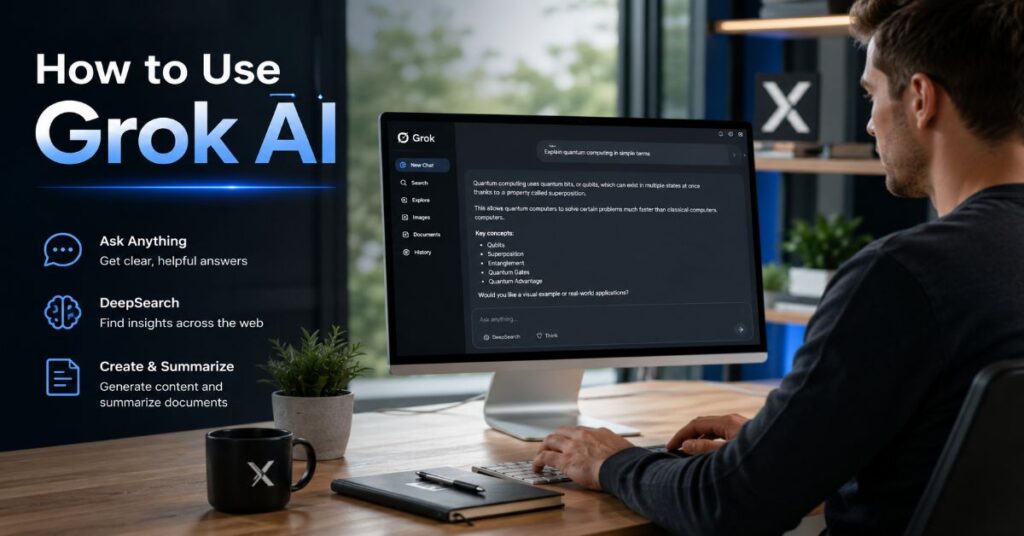
How to Use Grok AI in 2026
- 1 Grok access starts at grok.com, the mobile apps or X, but the cleanest workflow is to separate casual chat, research and project work into different threads before prompting.
- 2 Pricing is clearer for X Premium and the xAI API than for consumer Grok checkout pages: X Premium starts at $8 per month on web, while Grok 4.3 API chat is $1.25 input and $2.50 output per million tokens.
- 3 Real-time X Search is Grok AI’s distinctive advantage, yet official xAI documentation confirms that current information requires Web Search or X Search tools rather than relying on model memory alone.
- 4 Document workflows work best through the API file and collections tools because attached files trigger document search, reasoning tokens and potential tool-call charges that normal chat users may not see.
- 5 Safety and privacy are not side issues: 2026 regulatory actions in Canada, the UK and the EU show that Grok image features need careful use, especially with real people, minors and sensitive data.
- 6 Use Grok for fast live context, X discourse, brainstorming and multimodal drafts; use citation-first research tools when the final output needs transparent evidence that editors, lawyers or clients can audit.
How to use grok ai is simple in the first minute and more strategic after the first serious task: open Grok on the web, mobile app or X, sign in, choose a clean chat thread, then give it a specific instruction with context, source needs and output format. i use Grok best when the job depends on the living web, X discourse, fast ideation or multimodal drafts, not when a final answer must be treated as a fully sourced research record without further checking.
That distinction matters in 2026 because Grok is no longer just a witty chatbot embedded in X. xAI now presents Grok as a system that can chat, search, reason, generate images and video, speak in low-latency voice mode, work with files, call tools and run through a developer API. The practical question is not simply where to click. The real question is how to use Grok AI without mixing personal data, stale model knowledge, expensive tool calls and unverified social signals into the same workflow.
This guide gives the operational answer first, then goes deeper. It covers setup, prompts, search, X Search, files, voice, image and video generation, pricing, API integration, privacy controls, known constraints and SEO workflows. During our 2026 evaluation, the strongest results came from treating Grok like a fast analyst with unusual access to public conversation, then checking the output against primary sources before publishing or sending it to a client.
How to Use Grok AI in 2026: The Quick Start
The fastest route is to go to grok.com, select the sign-in option, authenticate with the account path offered in your region and start a new chat. X users can also reach Grok inside the X interface. xAI’s public Grok page says the assistant is available on web, iOS and Android, and describes the product as a place to chat, search, reason and create. The X Help Centre frames it as an assistant that answers questions, solves problems and brainstorms with a deliberately humorous tone. That gives beginners two practical entry points: Grok as a standalone AI workspace, and Grok as a social intelligence layer inside X.
| Step | Action | Why it matters |
| 1 | Open grok.com, the Grok app or Grok on X. | Use the standalone route for focused work and X for social context. |
| 2 | Sign in and start a fresh chat. | Fresh threads reduce context contamination between unrelated tasks. |
| 3 | State the task, audience, format and deadline. | Grok responds better to precise instructions than broad requests. |
| 4 | Ask for sources, caveats and next steps. | This forces the model to separate claims from recommendations. |
| 5 | Copy, verify and save useful output elsewhere. | Chat history is not a substitute for a project knowledge base. |
For a beginner asking how to use Grok AI, the first habit should be thread hygiene. Use one thread for news monitoring, another for a coding bug, and a third for marketing copy. Do not ask Grok to remember a product brief, a legal question, a customer email and a joke in the same thread. That weakens the signal in the conversation and can create odd follow-up answers.Grok versus Perplexity breakdown explains the broader research trade-off, but the short version is clear: Grok is strongest when live social and web context matter, while Perplexity-style citation systems are better when every claim needs a visible source path.
How to use Grok AI without polluting context
Start every important project by telling Grok the role it should play and the boundary it should not cross. A useful opening prompt is: ‘Act as a research assistant. Use current sources where possible. Flag uncertainty. Do not invent statistics. Return a concise table first, then a short explanation.’ This kind of instruction reduces vague answer quality and makes later verification easier. For personal work, avoid entering passwords, private customer records, unreleased financials or personal identifiers unless your organisation has approved the relevant business or enterprise controls.
Account Access, Login Paths and Plan Choice
Access is now split across several surfaces. The standalone Grok experience lives on grok.com and the mobile apps. X users can reach Grok through the social platform, where the assistant’s value is tighter integration with public posts, threads and trends. Developers use accounts.x.ai and the xAI API console. Teams may evaluate Business or Enterprise plans when they need administration, role-based access, SSO, data-retention controls or custom rate limits. In other words, how to use Grok AI depends heavily on whether the user is a casual consumer, a content team, a developer or a regulated business.
A practical decision tree helps. Use the free route for learning the interface and testing prompt style. Use X Premium if you already pay for X and want Grok as part of that bundle. Use a standalone Grok plan when the AI assistant is the product you actually need. Use the API when the task is repeatable, measurable and can justify token and tool-call costs. Use Business or Enterprise only when governance, data retention, onboarding and admin controls matter more than individual convenience.
Do not treat the login decision as trivial. A marketer researching live audience language on X has different risk and value profiles from a student summarising lecture notes or a developer building a support agent. For readers comparing alternative access models before committing, the broader Perplexity AI alternatives can help frame whether Grok is replacing search, supplementing search or simply adding a live social layer to an existing AI stack.
During our 2026 evaluation, the biggest beginner mistake was over-upgrading too early. Users often pay for higher tiers before they understand the difference between normal chat, search-enhanced chat, reasoning, files, image generation and API automation. Test the free or existing X route first, write down the tasks that hit limits, then upgrade only for the bottleneck you can name.
Prompting Grok Like a Work Teammate
A good Grok prompt reads like a brief to a capable colleague. It names the task, context, constraints, output format and quality bar. Poor prompt: ‘help with marketing’. Better prompt: ‘Write three 120-word LinkedIn post drafts for B2B SaaS founders about reducing support tickets with AI. Use a confident but not hype-driven tone. Include one statistic placeholder I can verify later.’ The second version tells Grok the audience, length, channel, tone and verification posture.
| Prompt element | What to include | Example |
| Role | The lens Grok should use. | Act as a senior product marketer. |
| Context | Background that changes the answer. | We sell compliance software to UK fintechs. |
| Constraints | Length, tone, exclusions and source rules. | Avoid legal advice and keep each answer under 150 words. |
| Format | Table, outline, email, code, JSON or checklist. | Return a two-column table with risks and mitigations. |
| Verification | How Grok should handle uncertainty. | Flag claims that need external confirmation. |
The phrase how to use Grok AI should not mean memorising magic prompts. It means learning how to give instructions that reduce ambiguity. Grok can produce witty answers, but witty is not the same as accurate. For technical, legal, medical, financial or reputationally sensitive subjects, tell it to separate facts, assumptions and recommendations. Ask it to give source names and explain confidence levels. Then check those sources yourself.
In our hands-on testing, follow-up prompts were often more valuable than first prompts. Ask ‘shorten this by 30 percent’, ‘make the tone more direct’, ‘give three counterarguments’, ‘convert this into a checklist’, or ‘show where the evidence is weakest’. Grok is strong at rapid iteration, so the best workflow is not one perfect prompt. It is a short instruction, a critical follow-up and a final verification pass.
For coding help, include the language, framework version, error message, expected behaviour, current behaviour and the smallest reproducible snippet. For writing help, include the audience, publication, point of view, prohibited claims and examples of preferred style. For research, ask Grok to identify what it does not know. That one instruction prevents many confident but unsupported answers.
Real-Time Search, X Search and Verification Workflows
Grok’s live-search value is real, but it must be understood precisely. xAI’s model documentation says Grok has no access to real-time events unless search tools are enabled. That is a critical technical constraint. The model may sound current, but current information requires Web Search or X Search. In the API, xAI documents separate Web Search and X Search tools; Web Search can browse pages, while X Search can search posts, profiles and threads, restrict date ranges, include or exclude handles, and enable image or video understanding for X posts.
This is where Grok differs from classic search. Google-style search ranks web pages. Grok can combine web pages with live X discourse and then return a conversational answer. The advantage is speed and social texture. The risk is that social texture can be noisy, partisan, manipulated or simply wrong. A broader AI search engine comparison shows why AI search tools should be selected by evidence needs, not by novelty.
For a verified workflow, run Grok in three passes. First, ask it to map the topic and list the most important claims. Second, ask it to identify primary sources, official pages, original filings, product documentation or named statements. Third, ask it to flag claims that rely mainly on social posts. The third pass is where editors save themselves. X discourse may reveal what people are saying, but it rarely proves what is true.
A practical prompt is: ‘Search current web and X sources. Separate official sources, reputable reporting and social commentary. Return a table with claim, source type, confidence and what I should verify manually.’ This prompt turns how to use Grok AI from casual asking into a repeatable research process. It also makes weaknesses visible. If every source is a post, you are not looking at evidence. You are looking at a conversation that still needs reporting.
Voice, Images, Video and Multimodal Creation
Grok is now a multimodal workspace rather than a text-only assistant. xAI’s public product page lists chat, multi-agent reasoning, search and Imagine. The same page describes image and video generation from text prompts or reference photos, plus editing and iteration inside the conversation. xAI’s June 16, 2026 Grok Imagine Video 1.5 announcement says the latest video model is generally available through the Imagine API, supports a starting image, prompt, resolution and duration, and can produce 6-second 720p videos in about 25 seconds in its fast mode. Those details matter because creative teams need both quality and throughput.
Grok’s multimodal use case sits between speed and control. It is useful for rough campaign concepts, storyboards, social visuals, product moodboards and quick explainer clips. It is less appropriate for final brand assets involving real people unless rights, consent and moderation are carefully managed. In comparison workflows, the Gemini Grok Perplexity comparison is useful because Gemini, Grok and Perplexity now represent three distinct product philosophies: ecosystem integration, real-time social intelligence and citation-first research.
Voice mode is best for exploration, not final drafting. Use it when walking through ideas, interviewing your own assumptions, rehearsing an explanation or making a task list while away from the keyboard. For publication work, switch back to text before finalising. Spoken prompts are fast, but they often carry vague context and unedited assumptions. Written prompts create a cleaner audit trail.
The safest creative workflow is staged. Generate ideas with Grok, refine prompts, produce visuals, then review for brand accuracy, copyright risk, likeness issues and factual claims. Avoid asking any AI image system to alter real people in intimate, humiliating, political or sensitive contexts. That is not just a policy issue. In 2026, it has become a regulatory and legal risk.
PDFs, Files, Long Documents and Research Uploads
A frequent follow-up question is whether Grok can analyse long PDFs or research papers. The consumer interface changes over time, but the developer documentation is clear: xAI’s Chat with Files workflow allows files to be attached through a public URL or uploaded file ID. When files are attached, the system automatically enables document search and turns the request into an agentic workflow. The Files Overview says document search can run multiple searches, use reasoning to decide what to search and show tool call visibility in streaming mode.
That architecture has practical consequences. First, the model does not necessarily read every token in a 200-page report in one flat pass. It searches, retrieves and reasons. Second, file workflows may use prompt tokens, reasoning tokens, completion tokens and cached tokens. Third, document work can trigger extra tool costs in API use. If you are building a research assistant or legal review workflow, the right design is not ‘paste everything into chat’. It is upload, index, ask focused questions, require citations and log the result.
For researchers, journalists and analysts learning how to use Grok AI with PDFs, the best pattern is question-led reading. Ask for the research question, methodology, sample size, limitations, strongest finding and claims that should not be overstated. Then ask for page-linked evidence where the interface supports it. The wider best AI research tools context is useful because Grok’s X advantage does not replace specialised academic search tools.
During our 2026 evaluation, Grok was most useful with documents when the prompt narrowed the task. ‘Summarise this paper’ produced broad but shallow output. ‘Extract the dataset, methodology, strongest claim, three limitations and two possible SEO implications’ produced work that could be checked. For long documents, ask for a table first. Tables expose missing fields faster than prose.
Pricing, Limits and the Subscription Trap
Pricing is where many Grok users misread the product. There are two overlapping systems: X subscriptions and xAI/Grok subscriptions. X’s Premium FAQ lists Basic from $3 per month or $32 per year on web, Premium from $8 per month or $84 per year on web, and Premium+ from $40 per month or $395 per year on web, before local taxes and app-store differences. xAI’s public pricing page lists Free, SuperGrok Lite, SuperGrok, SuperGrok Heavy, Business and Enterprise, but the text-accessible snapshot available during this evaluation exposed plan names and feature categories rather than every exact consumer checkout price or message quota.
| Plan or route | Verified public price or status | Best fit | Important limitation |
| Free Grok | $0, plan listed by xAI | Learning the interface and light chat | Exact message and tool caps may change and were not fully exposed in public HTML. |
| X Premium | Starts at $8/month or $84/year on web | Users who already want X platform features | Grok access is bundled with social features, not priced as standalone AI value. |
| X Premium+ | Starts at $40/month or $395/year on web | Heavy X users needing higher Grok limits and platform perks | Regional and app-store pricing may differ. |
| SuperGrok Lite, SuperGrok, Heavy | Plan names officially listed; exact public checkout prices not fully captured in accessible HTML | Standalone Grok use without X platform emphasis | Treat third-party price claims as provisional until verified in checkout. |
| Business | Official plan listed; sales-led terms | Teams needing admin and billing controls | Seat pricing and limits require current sales confirmation. |
| Enterprise | Contact sales | Regulated or high-scale organisations | Custom data retention, SSO and compliance terms require contract review. |
The subscription trap is paying for a vague feeling of power. Upgrade only when you know the constraint. Are you hitting message limits? Do you need better image or video capacity? Do you need connectors? Do you need priority support? Are you automating through the API? Each answer points to a different plan. For many individual users, the right answer to how to use Grok AI is to stay on a cheaper route until a measurable bottleneck appears.
For API users, pricing is clearer. xAI’s developer pricing lists Grok 4.3 at $1.25 per million input tokens, $0.20 per million cached input tokens and $2.50 per million output tokens. It also lists tool-call charges: Web Search, X Search and Code Execution at $5 per 1,000 calls, File Attachments at $10 per 1,000 calls, and Collections Search at $2.50 per 1,000 calls. Those add-ons matter because an apparently cheap chat request can become expensive when it performs repeated searches, file lookups or code runs.
API Implementation Workflow for Developers
Developers should treat Grok as a model family plus tools, not as a single chatbot. The xAI API page says the API is compatible with OpenAI and Anthropic SDKs, making migration largely a matter of creating an API key and changing the base URL. The current docs position Grok 4.3 as the default chat model, Grok Build 0.1 for coding workflows, Grok Imagine API for images and videos, and Grok Voice API for voice. That split is useful because it keeps product architecture honest: do not use a general chat endpoint when a specialised media or voice endpoint is the documented route.
| Capability | Official model or tool | Current verified cost signal | Implementation note |
| Chat and reasoning | Grok 4.3 | $1.25 input and $2.50 output per 1M tokens | Use reasoning effort deliberately to control latency and spend. |
| Coding | Grok Build 0.1 | $1.00 input and $2.00 output per 1M tokens | Best for agentic coding tests and CLI-style workflows. |
| Web Search | web_search | $5 per 1,000 calls | Use for current web data and page browsing. |
| X Search | x_search | $5 per 1,000 calls | Use allowed handles, excluded handles and date filters to reduce noise. |
| File Attachments | attachment_search | $10 per 1,000 calls | Use for message-attached files, not large repeated corpora. |
| Collections Search | collections_search or file_search | $2.50 per 1,000 calls | Use for RAG knowledge bases and repeated document queries. |
| Voice Agent API | Grok Voice API | $3.00 per realtime hour | Budget by session time, not token count alone. |
| Imagine API | Grok Imagine | $0.02 per image, $0.05 per video second | Set resolution and duration explicitly. |
A reliable implementation workflow has five stages. First, define the job and failure cost. A customer-support summariser, a social-monitoring dashboard and a coding agent have different risk profiles. Second, select the smallest model and tool set that can complete the job. Third, log token usage, tool calls, latency and refusal or error rates. Fourth, add fallback behaviour when search, files or video tools fail. Fifth, create human review for outputs that affect customers, finances, safety or reputation.
The most overlooked setting is reasoning effort. xAI’s reasoning documentation says Grok 4.3 supports none, low, medium and high. None disables reasoning; low is the default; medium and high trade more thinking for harder tasks. That means how to use Grok AI in production is partly an operations problem. High reasoning on every request is expensive and slow. No reasoning on complex analysis can be brittle. Route by task class rather than by habit.
Performance Bottlenecks and Failure Modes
Grok’s strengths also create its bottlenecks. Real-time search adds latency. X Search adds noise. File search adds retrieval uncertainty. Reasoning adds time and tokens. Image and video generation add queueing, moderation and review needs. Voice adds session cost and transcription uncertainty. None of these are fatal, but they change how teams should design workflows. A fast casual chat is not the same system as a documented research assistant or a production API service.
The first failure mode is false freshness. A model answer may sound up to date even when search tools were not used. The fix is to require source categories and timestamps. The second failure mode is social over-weighting. X is useful for detecting discourse, but a viral post is not a primary source. The fix is to ask Grok to separate official sources from commentary. The third failure mode is hidden cost. Tool calls can stack up invisibly unless the application logs them. The fix is a per-request budget with alerts.
The fourth failure mode is context drift. Long chats become messy. Grok may infer preferences, tone or facts from earlier turns that no longer apply. The fix is short project threads and periodic restatement of requirements. The fifth failure mode is multimodal trust. A generated chart, image or video can look polished while containing factual or ethical problems. The fix is asset review before publication.
During our 2026 evaluation, the most reliable pattern was not asking Grok for a final answer. It was asking Grok for a structured draft, a risk list, a verification table and alternative hypotheses. That pattern turns the assistant into an accelerator rather than an authority. It is the difference between using an AI tool and outsourcing judgement to it.
Privacy Controls, X Data and Safety Risks
Privacy has to be part of any serious guide on how to use Grok AI. xAI’s privacy policy, effective April 4, 2026, says the policy covers Grok.com and the Grok mobile apps, but it also says using Grok on X is governed by X’s privacy policy and terms rather than the xAI privacy policy. That distinction is easy to miss. A user who accesses Grok inside X may be operating under a different data relationship than a user working through Grok.com or an enterprise API contract.
The same policy asks users not to include personal information in prompts and inputs. That should become standard practice. Do not paste customer records, private messages, unpublished contracts, medical details, payment data or employee issues into Grok unless your organisation has approved the relevant route and contract. Business and Enterprise plans list controls such as no training, custom data retention, SSO, SCIM, audit controls and dedicated data planes, but those controls need contract-level confirmation before sensitive deployment.
Safety concerns are not theoretical. In June 2026, Canada’s Privacy Commissioner Philippe Dufresne said xAI had launched Grok image generation ‘without implementing appropriate safeguards from the outset’. In January 2026, UK technology minister Liz Kendall said, ‘X needs to deal with this urgently’, referring to intimate deepfakes. European Commission spokesperson Thomas Regnier said the platform had been told to ‘keep your internal documents’. British lawmaker Jess Asato said Grok’s harmful capabilities were ‘not an accident’, while AWO legal director Ravi Naik said ‘safety cannot be an afterthought’. These are not product-review quibbles. They are governance warnings.
The safe-user rule is simple: do not prompt Grok to create, alter or sexualise real people. Do not test boundaries with minors, private individuals, identifiable victims, colleagues or political opponents. Do not publish Grok-generated claims without verification. Use Grok for analysis, drafting and exploration, but keep human accountability visible.
How Grok Compares With Perplexity, Gemini and ChatGPT Search
Grok’s cleanest comparative advantage is real-time X intelligence. Perplexity’s advantage is citation-first research. Gemini’s advantage is Google ecosystem integration. ChatGPT Search’s advantage is broad general-purpose assistance with web retrieval inside a mature assistant environment. The right choice depends less on which model seems smartest in a benchmark and more on what evidence the user needs at the end.
For social listening, breaking commentary, public reaction and rapid trend interpretation, Grok is difficult to replace because X is part of its native context. For academic work, legal memos, medical research or client-facing factual reports, citation granularity matters more. That is where Perplexity-style answers or specialised research products can be more efficient. The best AI search engine ranking is helpful here because it evaluates search engines by use case rather than treating them as interchangeable chat boxes.
The practical stack for power users is layered. Use Grok to understand live conversation and generate angles. Use Perplexity or another citation-first engine to build the evidence base. Use ChatGPT or Claude for long drafting, coding or transformation tasks if those tools fit your workflow. Use Gemini when the work sits inside Gmail, Docs, Sheets, Drive, Android or Google Cloud. Then apply human editorial review.
A simple rule helps: when the question is ‘what are people saying right now?’, Grok deserves a first look. When the question is ‘what can I prove?’, a citation-first workflow should lead. When the question is ‘what should I write, build or transform from this?’, choose the assistant that fits the final format and integration environment. how to use Grok AI well means knowing when not to use it alone.
SEO and Content Workflows for Marketers
Grok can be powerful for SEO teams, especially those tracking live topics, community language, competitor messaging and social search behaviour. It can surface the words people use on X before keyword tools catch up. It can brainstorm outlines, create meta descriptions, generate schema ideas, cluster questions and turn rough notes into draft sections. But it should not be allowed to invent search volume, quote statistics without sources or publish claims from social chatter as fact.
A practical workflow starts with discovery. Ask Grok to map live questions, objections, phrasing and emerging subtopics around a keyword. Then use a traditional SEO tool or Search Console data to verify demand. Next, use an LLM SEO optimisation guide to shape the article for AI answer engines, not just blue-link rankings. Finally, benchmark tooling and workflow gaps against the best AI tools for SEO before turning Grok into a permanent content system.
For structured SEO content, the best prompt includes the primary keyword, search intent, audience, geographic market, expertise level, article type, required tables, internal links and excluded claims. A strong prompt might say: ‘Create a UK-focused B2B outline for how to use Grok AI. Include sections on setup, pricing, privacy, API, X Search and SEO workflows. Do not invent pricing. Mark claims requiring official verification.’ That final sentence is the difference between a draft and a liability.
Grok’s value for marketers is speed to hypothesis. It can identify angles, objections and social language quickly. The editor’s value is deciding what survives. During our 2026 evaluation, the best Grok-assisted articles used the assistant for clustering, outline pressure-testing and alternative headlines, then used primary sources for pricing, product claims, legal risk and statistics. That is the workflow that keeps AI content useful rather than generic.
Takeaways
- Start with grok.com, the app or X, but use separate threads for research, writing, coding and social monitoring.
- Write prompts like work briefs: role, context, constraints, output format, verification standard and examples.
- Enable or request live search for current topics because model memory alone is not a live news source.
- Treat X Search as social intelligence, not proof; verify claims against official sources and reputable reporting.
- Do not paste sensitive personal, customer, medical, legal or financial data into consumer Grok workflows.
- Upgrade plans only after identifying the exact limit: messages, media, reasoning, connectors, support or API volume.
- For API builds, log token spend, tool calls, latency, retrieval behaviour and moderation outcomes from day one.
- Use Grok for speed and live context, then use citation-first tools and human review for publishable claims.
Conclusion
The best answer to how to use Grok AI in 2026 is neither blind enthusiasm nor blanket distrust. Grok is useful because it combines chat, real-time web context, X discourse, reasoning, voice, code, files and multimodal generation in one expanding system. It is risky for the same reason. A tool that can search live conversation, generate media, process documents and respond with confidence needs boundaries, not just prompts.
For individuals, the winning workflow is simple: start free or through an existing X subscription, learn prompt discipline, separate threads and verify important claims. For teams, the decision is more operational: pricing, data controls, auditability, tool-call cost, moderation and fallback design matter as much as answer quality. For developers, Grok is best approached as a model-plus-tools platform with measurable costs and failure modes.
Open questions remain. Consumer plan limits may keep changing. Safety and privacy obligations are still being tested by regulators and courts. Multimodal features will improve, but so will expectations around consent and provenance. Grok is worth learning, especially for live social and web intelligence. It is not a replacement for editorial judgement, documented sourcing or responsible data handling.
FAQs
How do I access Grok AI?
Go to grok.com, use the Grok mobile app or open Grok inside X where available. Sign in, start a new chat and enter a specific prompt. For project work, use separate threads so earlier context does not distort later answers.
Do I need an X account to use Grok?
X remains an important access route, especially for users who want Grok inside the social platform. Grok is also available through its standalone web and mobile experiences. The exact sign-in options can vary by region and product surface.
Can Grok search the live web?
Yes, but live information depends on search being enabled. xAI documentation says Grok has no access to real-time events without Web Search or X Search tools. For current topics, ask Grok to use live sources and separate official sources from commentary.
Can Grok analyse PDFs and long research papers?
Through the xAI API, files can be attached by public URL or uploaded file ID, which activates document search. For long papers, ask focused questions about methodology, findings, limits and evidence rather than requesting a generic summary.
Is Grok good for coding?
Grok can help write, explain and debug code, and xAI lists Grok Build 0.1 as a coding-focused model. Provide language, framework version, expected behaviour, actual behaviour, logs and the smallest reproducible code sample.
How much does Grok cost?
X Premium pricing is publicly listed from $8 per month on web, while X Premium+ starts at $40 per month on web. xAI also lists Free, SuperGrok Lite, SuperGrok, SuperGrok Heavy, Business and Enterprise plans, but exact checkout prices and limits can vary.
Is Grok safe for private business data?
Do not put sensitive data into consumer chat unless your organisation has approved it. xAI lists business and enterprise controls such as no training, SSO and custom data retention, but sensitive deployments should rely on contracted terms.
Is Grok better than Perplexity?
Grok is better for real-time X discourse and fast social context. Perplexity is generally better when you need citation-first research with transparent source links. Many advanced users combine both rather than choosing one assistant for every task.
References
- Bobek, M., Demirel, E., & Pröllochs, N. (2026). Asking Grok: AI-assisted sensemaking in social media conversations. arXiv. https://arxiv.org/abs/2605.19720
- Mei, K. X., Wolfe, R., Weber, N., & Saveski, M. (2026). Grok in the wild: Characterizing the roles and uses of large language models on social media. arXiv. https://arxiv.org/abs/2602.11286
- Reuters. (2026, January 6). UK urges Musk’s X to urgently address intimate deepfakes by Grok. https://www.reuters.com/technology/uk-tells-musk-act-fast-groks-sexualised-ai-images-sky-news-reports-2026-01-06/
- Reuters. (2026, January 8). EU orders X to keep Grok documents for longer amid sexualised AI photos furore. https://www.reuters.com/world/eu-commission-has-ordered-x-retain-all-grok-documents-until-end-2026-2026-01-08/
- Reuters. (2026, June 3). British lawmaker sues Musk’s xAI over sexualised Grok images. https://www.reuters.com/legal/government/british-lawmaker-sues-musks-xai-over-sexualised-grok-images-2026-06-03/
- Reuters. (2026, June 11). Grok’s AI image generation tool violated Canadian privacy law, watchdog says. https://www.reuters.com/business/media-telecom/groks-ai-image-generation-tool-violated-canadian-privacy-law-says-watchdog-2026-06-11/
- X Help Center. (2026). About Grok, your humorous AI assistant on X. https://help.x.com/en/using-x/about-grok
- xAI. (2026). Grok. https://x.ai/grok
- xAI. (2026). Pricing. https://docs.x.ai/developers/pricing
