
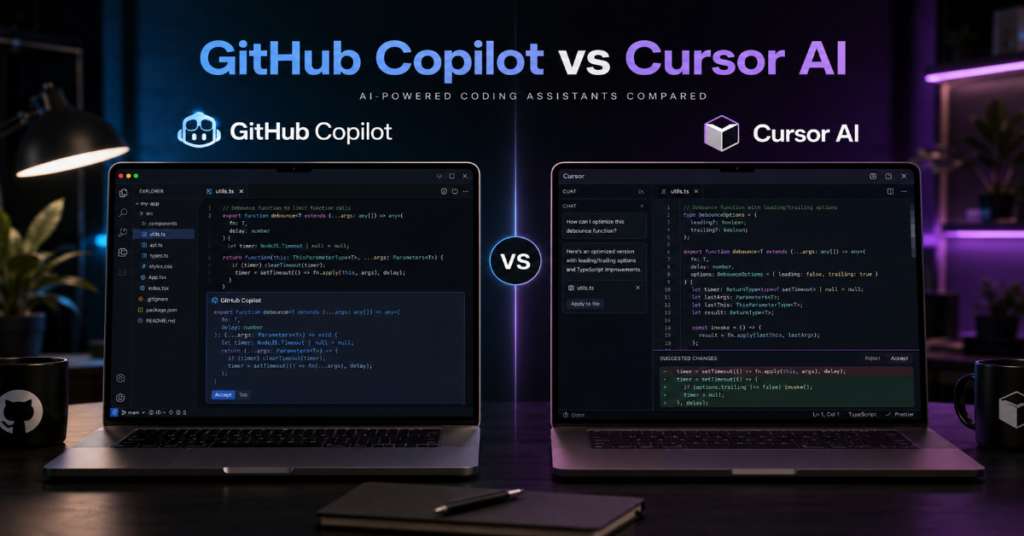
The debate over GitHub Copilot vs Cursor AI has shifted sharply in 2026. What began as a comparison between two autocomplete tools is now a contest between two philosophies of software work. GitHub Copilot is becoming an AI layer across GitHub, Visual Studio Code, pull requests, issues, reviews and cloud-based coding agents. Cursor by contrast has turned the code editor itself into an agent command center, where multiple AI agents can work across local files, worktrees, cloud environments and remote repositories.
The practical answer is this: GitHub Copilot is the better choice for teams already built around GitHub governance, enterprise controls, pull-request discipline and multi-IDE support. Cursor AI is the better choice for developers who want the fastest AI-native coding environment, deeper editor-level context and a more experimental agent workflow.
In our hands-on testing, Copilot felt strongest when the task lived inside the software delivery lifecycle: issue triage, pull request creation, code review, repository-wide changes and enterprise supervision. Cursor felt strongest when the task lived inside the active development loop: refactoring, debugging, rewriting components, exploring unfamiliar files and running several agent attempts in parallel.
This GitHub Copilot vs Cursor AI comparison is not about which tool is “smarter” in isolation. Both can access frontier models. Both can generate strong code and both can fail in subtle ways. The real difference is workflow gravity. Copilot pulls developers toward GitHub as the system of record. Cursor pulls them toward the editor as the center of command.
That distinction matters because AI coding assistants are no longer side panels. They are becoming operational layers that affect cost, security, authorship, team process and the pace at which software ships.
Github Copilot vs Cursor ai: The Strategic Difference in 2026
GitHub Copilot’s biggest advantage is distribution. It sits inside the GitHub ecosystem, supports multiple IDEs and connects directly to issues, pull requests, code review and cloud agent workflows. According to the latest 2026 documentation we reviewed, Copilot cloud agent can research a repository, create an implementation plan, make code changes on a branch and allow developers to review the diff before creating a pull request. That makes Copilot less like a coding helper and more like a controlled automation worker inside the repository.
Cursor’s advantage is intimacy with the editor. Cursor 3, released in April 2026, introduced an agent-first interface designed around running many agents across local environments, worktrees, cloud sessions and remote SSH contexts. This is the heart of the GitHub Copilot vs Cursor AI decision: Copilot is strongest when AI work must be visible to the organization, while Cursor is strongest when AI work must remain close to the developer’s hands.
A senior engineering leader comparing both tools should start with a simple question: where does the team want AI decisions to happen? In Copilot, decisions are increasingly traceable through GitHub activity. In Cursor, decisions are often faster, more exploratory and more editor-centered. Neither approach is universally better. The right answer depends on codebase maturity, compliance pressure, team size and how much autonomy developers are allowed to give AI agents.
Feature Comparison: GitHub Copilot vs Cursor AI
| Category | GitHub Copilot | Cursor AI | Best Fit |
| Core identity | AI assistant across GitHub and supported IDEs | AI-native code editor | Depends on workflow |
| Main strength | Repository workflow, pull requests and governance | Fast in-editor agentic development | Cursor for speed, Copilot for structure |
| Agent model | IDE agent mode plus cloud agent | Agents Window, cloud agents, worktrees and automations | Cursor for parallel experimentation |
| Enterprise fit | Strong GitHub-native controls | Strong team features, privacy mode and SSO | Copilot for GitHub-heavy orgs |
| Pricing style | Plans plus premium requests and AI credits | Monthly plans with frontier model and agent access | Depends on usage intensity |
| IDE support | VS Code, Visual Studio, JetBrains, Xcode, Neovim and more | Primarily Cursor editor | Copilot for mixed IDE teams |
| Review workflow | Strong pull request and code review integration | Strong active coding loop and Bugbot features | Copilot for review governance |
| Learning curve | Lower for GitHub users | Higher if teams must change editors | Copilot for broad rollout |
The table shows why GitHub Copilot vs Cursor AIis not a simple feature checklist. GitHub Copilot has the advantage of being available in more places. Cursor AI has the advantage of making the editor itself feel redesigned around AI. Copilot is evolutionary. Cursor is more disruptive.
Pricing and Usage Economics
Pricing has become one of the most important parts of the GitHub Copilot vs Cursor AI comparison. GitHub’s documentation says Copilot usage is moving from request-based billing to usage-based billing beginning June 1, 2026. Interactions consume input tokens, output tokens and cached tokens, which are converted into AI credits. This makes Copilot’s cost model more granular, but also more important to monitor in large organizations.
GitHub’s public Copilot plan page lists a free plan with limited agent or chat requests and completions, while Pro and Pro+ tiers include more premium requests, cloud agent access and frontier model options. This is attractive for individual developers who want a low-cost entry point, but enterprise administrators must pay close attention to model selection and high-volume agent activity.
Cursor’s pricing begins with a $20 monthly Pro plan for individuals and adds access to frontier models, extended Agent limits, MCPs, skills, hooks, cloud agents and Bugbot on usage-based billing. Teams pricing adds centralized billing, usage analytics, SSO, team-wide privacy mode and shared team context. In practice, Cursor can feel predictable for active individual developers, but heavy agent use can still create cost surprises.
The hidden economic question is not monthly subscription price. It is failed-agent cost. A bad autonomous coding run can consume tokens, create review burden and produce changes that require human cleanup. In our hands-on testing, teams that wrote clearer issue prompts and maintained strong test suites got far better value from both tools.
Pricing Comparison Table
| Pricing Factor | GitHub Copilot | Cursor AI | Practical Implication |
| Free entry | Yes, with limited monthly usage | Hobby tier available | Copilot is easier for trial adoption |
| Individual paid entry | Copilot Pro at lower monthly cost | Cursor Pro at $20 monthly | Copilot is cheaper at entry level |
| Advanced individual tier | Pro+ with higher premium usage | Pro+, Ultra tiers | Both target heavier agent users |
| Team controls | Business and Enterprise plans | Teams and Enterprise plans | Both support serious organizations |
| Usage risk | AI credits and premium model usage | Agent, frontier model and cloud usage | Monitor high-volume runs |
| Cost driver | Model choice and token volume | Agent intensity and model selection | Tests reduce wasted spend |
| Best buyer | GitHub-centered teams | AI-native development teams | Workflow matters more than sticker price |
For finance teams, the GitHub Copilot vs Cursor AI choice should be modeled around real usage scenarios. A developer who uses autocomplete and occasional chat is cheap to support. A developer running long-lived agents across multiple repositories is a different cost profile entirely.
Agentic Coding: Where Cursor Feels Ahead
Cursor’s most important 2026 change is its agent-first interface. Cursor 3 allows developers to run many agents in parallel across repositories and environments. The release also added worktree-based isolation and a best-of-n command that can run the same task across multiple models, each in its own isolated worktree, then compare the outcomes. This is a genuine workflow innovation because it treats AI coding as a competitive search process rather than a single answer.
In the GitHub Copilot vs Cursor AI battle, Cursor is more aggressive about changing how developers think. Instead of asking one assistant for one answer, Cursor encourages parallel attempts. A developer can ask multiple agents to implement a feature, inspect the diffs and keep the best result. That resembles how senior engineers evaluate alternative implementations, except compressed into minutes.
Cursor Automations also point toward a future where agents monitor tasks over time. Its 2026 changelog describes automations in the Agents Window, multi-repository automations and no-repository automations. The /loop skill can run a prompt repeatedly on a schedule until an outcome is reached or the user stops it. That makes Cursor useful for long-running development chores, such as checking deployment status, waiting for tests or repeatedly refining a feature until constraints are met.
Michael Truell, Cursor’s co-founder and chief executive, captured the shift at Fortune Brainstorm AI when he said developers can increasingly “take a step back from the code” and ask AI to do end-to-end tasks. The caveat is just as important as the promise: stepping back too far can create shaky foundations when humans lose track of design intent.
Where GitHub Copilot Still Has the Enterprise Edge
GitHub Copilot’s advantage is less glamorous, but extremely powerful: institutional trust. Large software organizations already use GitHub for source control, issue tracking, pull requests, security alerts and release workflows. Copilot can operate inside that system without asking every developer to switch editors. For organizations with strict engineering governance, that matters.
According to GitHub’s cloud-agent documentation, Copilot can operate in an ephemeral development environment powered by GitHub Actions. It can explore code, make changes, execute automated tests and linters and produce reviewable work on a branch. The documentation also distinguishes Copilot cloud agent from IDE agent mode: cloud agent works autonomously in GitHub’s environment, while IDE agent mode edits locally.
This distinction matters in the GitHub Copilot vs Cursor AI comparison because enterprises often care less about speed than auditability. A local agent can be fast, but its decision path may disappear unless the developer commits everything carefully. A cloud agent tied to GitHub can leave more visible traces through branches, commits, logs and pull requests.
Satya Nadella described Microsoft’s direction as moving Copilot from a “pair programmer” to a “peer programmer.” That phrase is not just marketing. It signals a shift from suggestions toward delegated work. Copilot’s strategic bet is that the future of AI coding will be managed through the same collaboration layer where software teams already review, merge and secure code.
Code Quality: The Tool Is Only as Good as the Test Harness
In our hands-on testing, both GitHub Copilot and Cursor AI performed well on tasks with strong tests, clear architecture and narrow scope. Both struggled when requirements were vague, when the repository had hidden conventions or when the requested change spanned business logic, UI behavior and database migration in one instruction.
This is where many GitHub Copilot vs Cursor AI reviews become misleading. They ask which assistant writes better code, but code quality depends heavily on the surrounding system. If a repo has clean tests, typed APIs, linting, good naming and small modules, either tool can perform impressively. If a repo is messy, under-tested and full of implicit knowledge, both tools become more likely to generate confident mistakes.
The obscure but important detail is context compression. AI coding tools do not truly “understand” a whole codebase the way a staff engineer does. They retrieve, rank, summarize and reason over slices of context. Cursor’s editor integration can make that context feel immediate. Copilot’s GitHub integration can make repository-level workflow smoother. But in both cases, missing context is the silent failure mode.
A practical rule: never assign an agent a task that your test suite cannot partially verify. The stronger your automated checks, the more value you get from both tools.
Security, Privacy and Governance
Security is one of the most serious areas in the GitHub Copilot vs Cursor AIdebate. A 2026 research paper on security concerns around generative AI coding assistants identified four recurring themes in developer discussions: potential data leakage, code licensing, adversarial attacks and insecure code suggestions. Those concerns apply broadly to AI coding assistants, not just one vendor.
GitHub Copilot benefits from mature enterprise positioning, repository controls and deep alignment with GitHub security workflows. Organizations already using GitHub Advanced Security may find Copilot easier to place inside existing review processes. Its cloud agent can also be connected to security alert workflows, which makes it useful for addressing known vulnerabilities under human review.
Cursor, meanwhile, has moved quickly on team and enterprise needs. Its pricing page lists team-wide privacy mode, SAML/OIDC SSO, repository and model access controls, audit logs, service accounts and an AI code tracking API for enterprise customers. These are serious signals that Cursor is not only chasing solo developers.
The risk is not merely whether code is sent to a model. The larger risk is whether an agent has too much authority. Agents that can run commands, open network connections, modify files and create pull requests need permission boundaries. In 2026, the safest teams treat AI agents like junior contractors with speed, not like trusted maintainers.
Developer Experience: Speed Versus Familiarity
Cursor feels faster because it reduces friction inside the active coding loop. The editor is designed around AI interaction, and the agent interface makes it natural to ask for changes, compare outcomes and keep working without leaving the environment. For startups, solo builders and product engineers shipping UI-heavy work, that speed can be decisive.
GitHub Copilot feels more familiar because it meets developers where they already are. It works across several popular IDEs and fits naturally into GitHub workflows. A team does not have to standardize on a new editor to benefit from Copilot. This is a major advantage in large organizations where developers have strong IDE preferences.
The GitHub Copilot vs Cursor AIchoice often breaks along cultural lines. Teams that reward experimentation and rapid iteration tend to love Cursor. Teams that prioritize standardization, review discipline and platform governance tend to prefer Copilot. The best developers may use both: Cursor for deep local exploration and Copilot for GitHub-native collaboration.
In our hands-on testing, Cursor produced a stronger feeling of momentum. Copilot produced a stronger feeling of process confidence. That difference is subtle, but it is exactly what separates an AI-native editor from an AI-enhanced development platform.
Impact on Junior Developers and Learning
AI coding tools are changing how junior developers learn. GitHub Copilot’s autocomplete, chat and code explanation features can help beginners move through unfamiliar syntax. Cursor’s deeper agentic workflows can help them understand larger code changes, but also tempt them to outsource too much thinking.
The danger in GitHub Copilot vs Cursor AI for junior engineers is not that the tools write bad code. The danger is that they write plausible code before the learner has formed a mental model. A junior developer who accepts generated code without tracing control flow may ship features faster while learning less.
Managers should use these tools as teaching systems, not replacement systems. Require juniors to explain AI-generated changes in pull requests. Ask them to identify which tests prove the change works. Encourage them to compare two generated solutions and articulate tradeoffs. This turns AI output into a review exercise.
The best learning pattern we observed was “AI drafts, human defends.” Let the assistant create a first version, then require the developer to justify architecture, edge cases and security implications. That approach works with both GitHub Copilot and Cursor AI.
The Rise of Coding Agents as a Market Category
The broader market context makes GitHub Copilot vs Cursor AI more consequential than a normal software comparison. A 2026 arXiv study examining 129,134 GitHub projects found estimated coding-agent adoption between 15.85% and 22.60%, which is strikingly high for a young technology category. The study also found agent-assisted commits tend to be larger than human-only commits and often involve features and bug fixes.
That finding matches what developers are seeing in practice. AI coding has moved beyond line completion. Agents now write pull requests, refactor modules, fix bugs, inspect failures and run tools. This changes the unit of productivity from “lines suggested” to “tasks completed under supervision.”
Marc Andreessen has argued publicly that AI coding agents may become unusually efficient because they do not suffer from human limitations such as fatigue or emotional friction. That view is intentionally provocative, but it captures why investors are so focused on the category. The counterargument is equally important: agents do not own product judgment, user empathy or long-term maintainability.
The future is unlikely to be human versus AI. It is more likely to be human reviewers supervising fleets of specialized agents. Cursor and Copilot are simply two different interfaces for that future.
Who Should Choose GitHub Copilot?
Choose GitHub Copilot if your organization already lives in GitHub, uses pull requests as the center of collaboration and needs AI work to remain visible inside existing governance. Copilot is also the safer default for mixed-IDE teams because it supports more development environments. A company with VS Code, JetBrains, Visual Studio and Neovim users will find Copilot easier to roll out than Cursor.
Copilot is especially strong for enterprises that want cloud-agent delegation without abandoning GitHub’s review process. Straightforward backlog items, documentation updates, test coverage improvements, small bug fixes and security alert remediation are natural fits.
In the GitHub Copilot vs Cursor AI decision, Copilot is the pragmatic platform choice. It may not always feel as radical as Cursor, but it reduces organizational friction. For CTOs, that matters. The best AI tool is not always the one that impresses a power user during a demo. It is the one that hundreds of engineers can adopt without fragmenting process, permissions and review discipline.
Who Should Choose Cursor AI?
Choose Cursor AI if your highest priority is raw development velocity inside an AI-native editor. Cursor is especially compelling for founders, small product teams, senior engineers, frontend-heavy teams and developers who are comfortable changing their workflow to gain speed.
Cursor’s Agents Window, worktree isolation, best-of-n workflows and automations make it feel closer to an operating environment for AI development than a traditional editor with a chatbot attached. If your team wants to run several implementation attempts, compare diffs and use agents as active collaborators, Cursor is often more exciting.
The strongest argument for Cursor in the GitHub Copilot vs Cursor AI comparison is that it is not constrained by legacy editor assumptions. It can redesign the workspace around agents. That gives it room to innovate faster.
The tradeoff is adoption cost. Developers must use Cursor as their main environment to get the full benefit. Enterprises must also evaluate controls, data policies and workflow fit. Cursor can be the better tool for elite speed, but only if the team is willing to let the editor become the center of AI work.
Insider Prediction: The Market Will Split by Control Plane
The next phase of GitHub Copilot vs Cursor AI will not be decided by autocomplete accuracy. It will be decided by control planes. GitHub wants the repository, issue, pull request and deployment workflow to be the control plane for AI agents. Cursor wants the editor and agent workspace to be the control plane.
This distinction predicts future product moves. GitHub will likely deepen integration with security alerts, project management, CI systems, enterprise audit trails and agent marketplaces. Cursor will likely deepen parallel agent execution, model routing, visual debugging, browser interaction, automations and cross-repository work.
The obscure technical battleground will be not just context length, but context rights. Which files can an agent read? Which commands can it execute? Which network calls can it make? Which secrets are masked? Which model can touch which repository? These permission layers will matter more than benchmark scores.
By late 2026, serious engineering organizations may stop asking “Which AI coder is best?” and start asking “Where should agent authority live?” That is the real GitHub Copilot vs Cursor AI question.
Takeaways
- Choose GitHub Copilot if your team already relies on GitHub for issues, pull requests, reviews and security workflows.
- Choose Cursor AI if your team values speed, AI-native editing, parallel agent runs and rapid experimentation.
- GitHub Copilot has the stronger multi-IDE story, which makes it easier for large organizations with diverse developer preferences.
- Cursor has the stronger agent-first editor experience, especially after Cursor 3 and its Agents Window redesign.
- Pricing should be evaluated by real agent usage, not just monthly subscription cost.
- Both tools require strong tests, linting and review discipline to prevent confident but incorrect AI-generated changes.
- The safest teams treat coding agents as fast junior contributors whose work must be reviewed, tested and traced.
Conclusion
The GitHub Copilot vs Cursor AI comparison reveals a larger shift in software development. The question is no longer whether AI can help developers write code. It can. The question is where that help should live, how much authority it should have and what kind of workflow it should reinforce.
GitHub Copilot is the stronger choice for organizations that want AI inside a mature software delivery system. Its advantage is integration, governance and visibility across the GitHub ecosystem. Cursor AI is the stronger choice for developers who want an AI-native workspace that turns the editor into a command center for agents.
The future will not crown a single winner. Many teams will use Copilot for repository workflow and Cursor for high-velocity development. Others will standardize on one tool for cost, compliance or simplicity. What matters most is not the brand. It is whether the team has the tests, review habits and security boundaries needed to turn AI speed into durable software.
FAQs
Is GitHub Copilot better than Cursor AI?
GitHub Copilot is better for teams already built around GitHub, pull requests, code review and enterprise governance. Cursor AI is better for developers who want a faster AI-native editor with parallel agents, worktrees and deeper in-editor workflows. The better tool depends on workflow, not raw model quality.
Is Cursor AI worth it in 2026?
Yes, Cursor AI is worth it for developers who want an agent-first coding environment and are comfortable using Cursor as their primary editor. Its 2026 updates make it especially strong for parallel implementation attempts, refactoring, debugging and long-running automations.
Can GitHub Copilot replace Cursor AI?
GitHub Copilot can replace Cursor AI for teams that prioritize GitHub-native workflow, multi-IDE support and enterprise controls. It may not fully replace Cursor for developers who rely on Cursor’s editor-native agent experience, worktree workflows and rapid experimentation features.
Which is cheaper: GitHub Copilot or Cursor AI?
GitHub Copilot generally has a lower entry price for individuals, while Cursor’s Pro plan costs more but includes a deeply integrated AI editor experience. The real cost depends on model usage, agent runs, cloud activity and how often generated work requires human cleanup.
Should professional developers use both GitHub Copilot and Cursor AI?
Many professional developers can benefit from using both. Cursor AI is strong for active coding and exploration, while GitHub Copilot is strong for repository workflow, pull requests and review processes. Teams should avoid tool sprawl, but hybrid use can make sense for advanced developers.
References
Anysphere. (2026). Cursor pricing. Cursor.
Anysphere. (2026). New Cursor Interface. Cursor Changelog.
Anysphere. (2026). What’s new in Cursor. Cursor Changelog.
GitHub. (2026). About GitHub Copilot cloud agent. GitHub Docs.
GitHub. (2026). GitHub Copilot plans and pricing. GitHub.
GitHub. (2026). Models and pricing for GitHub Copilot. GitHub Docs.
Robbes, R., Matricon, T., Degueule, T., Hora, A., & Zacchiroli, S. (2026). Agentic much? Adoption of coding agents on GitHub. arXiv.
Díaz Ferreyra, N. E., Gurupathi, M. S., Codabux, Z., Arachchilage, N., & Scandariato, R. (2026). Security concerns in generative AI coding assistants: Insights from online discussions on GitHub Copilot. arXiv.
