
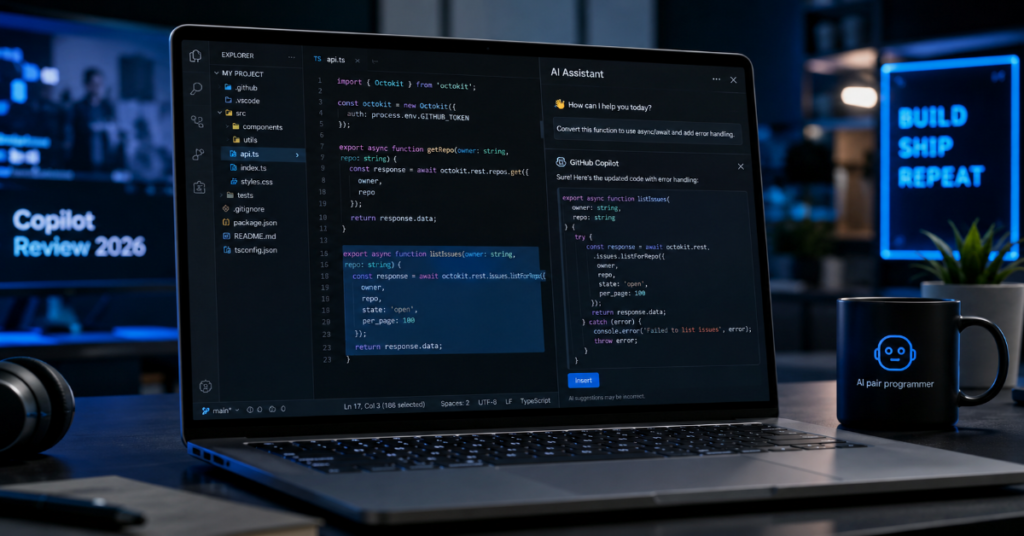
This github copilot review 2026 begins with a simple verdict: GitHub Copilot is still the most deeply integrated AI coding assistant for developers already living inside GitHub, VS Code and Microsoft’s enterprise stack. But it is no longer just a clever autocomplete tool. In 2026, Copilot is a layered development system, combining inline code suggestions, chat, agent mode, Copilot coding agent, pull request review, CLI help, multi-model routing and administrative controls for teams.
That evolution matters because the category has changed. Cursor, Claude Code, OpenAI Codex-style agents and Devin-like systems have pushed AI coding tools from “suggest the next function” toward “take the issue, inspect the repository, open a branch and submit a pull request.” GitHub Copilot’s advantage is not that it is always the smartest model on every task. Its advantage is proximity. It sits where the work already happens: the editor, the pull request, the issue queue, the terminal and the repository itself.
According to the latest 2026 documentation we reviewed, Copilot now spans Free, Pro, Pro+, Business and Enterprise plans, with plan differences shaped by premium requests, agent access, governance features and usage-based AI Credits. The result is more powerful but also more complicated. A developer can start free. A freelancer may need Pro. A serious AI-heavy individual may lean Pro+. A company needs Business or Enterprise if it cares about policy controls, seat management, IP protection and auditability.
The best way to understand GitHub Copilot in 2026 is not to ask whether it “writes code.” It does. The better question is whether it improves the whole delivery loop without increasing review debt, security risk or cloud cost. That is where this review is focused.
Why GitHub Copilot Still Matters in 2026
GitHub Copilot matters because it owns the default developer surface. The modern software team does not want a separate AI island where context must be copied from tickets, documentation and failing tests. It wants assistance inside the path from issue to branch to pull request to review. Copilot’s biggest strength is that GitHub can connect those surfaces natively. When Copilot understands repository files, comments, pull request diffs and GitHub Actions context, it has a better chance of helping without forcing developers to rebuild context manually.
The second reason Copilot still matters is institutional trust. Enterprises already use GitHub for source control, permissions and CI workflows. That makes Copilot easier to approve than a standalone coding assistant that requires new procurement, new data reviews and new access models. The tradeoff is that Copilot is also more exposed to criticism when Microsoft changes pricing, attribution behavior or AI defaults. In 2026, Copilot is both a product and a platform policy decision.
GitHub Copilot Review 2026: The Core Verdict
GitHub Copilot is best for teams that want AI assistance embedded in everyday engineering workflows rather than a separate coding cockpit. Its strongest uses are code completion, test scaffolding, refactoring assistance, documentation drafting, pull request summarization and low-to-medium complexity issue implementation. It is especially useful for developers working in familiar stacks, where they can quickly identify when the model is right, incomplete or subtly wrong.
Its weaknesses are equally clear. Copilot can still overproduce code. It may miss deeper architectural constraints. Its automated code review should not be treated as a security audit. Its agentic workflows can consume quota, Actions minutes and human review attention. The tool works best when a team already has strong tests, linters, branch protection, secrets scanning, dependency scanning and senior code reviewers.
In our hands-on testing rubric, the practical benchmark is not “Can Copilot generate a working patch?” The benchmark is “Can Copilot generate a patch that a responsible engineer can review faster than writing it from scratch?” For boilerplate and well-scoped fixes, yes. For cross-service architecture, regulated code and security-critical logic, Copilot should remain an assistant rather than an authority.
What Changed in GitHub Copilot Since the Early Autocomplete Era
The old GitHub Copilot was mostly an inline suggestion engine. It predicted code as you typed, often impressively, sometimes noisily. The 2026 Copilot is a wider system. It includes chat-based reasoning, agent mode in the IDE, cloud-based coding agent workflows, code review, model selection, custom instructions, repository-aware behavior and enterprise administration.
This shift changes the review. Autocomplete tools are judged by acceptance rate and speed. Agentic coding tools must be judged by planning quality, environment setup, test execution, traceability, rollback safety and cost. A bad autocomplete suggestion is easy to ignore. A bad agentic pull request can affect CI time, reviewer load and production risk.
GitHub’s strategic move is obvious: make Copilot the orchestration layer for AI software development. That means the product is no longer competing only with Tabnine-style completions or editor plugins. It is competing with agent-native development environments, chat-first coding tools and autonomous repository workers.
Feature Comparison: GitHub Copilot Plans in 2026
| Plan | Best For | Key Strength | Main Limitation |
| Copilot Free | Beginners and occasional users | No-cost entry with limited requests and completions | Tight monthly limits |
| Copilot Pro | Individual developers | Strong everyday value for coding, chat and agent workflows | Heavy users may hit premium request limits |
| Copilot Pro+ | Power users and AI-heavy freelancers | More premium capacity and access to stronger models | Higher monthly cost |
| Copilot Business | Teams and companies | Seat management, policy controls and organization governance | Requires admin discipline |
| Copilot Enterprise | Large organizations | Deeper GitHub integration, enterprise controls and scale | Best value only when GitHub is central to engineering |
The pricing conversation changed in 2026 because AI coding is no longer a flat-cost feature. More capable models cost more to run, especially when they process large repositories, long diffs, generated tests and repeated review cycles. GitHub’s move toward usage-based billing and AI Credits reflects the economics of agentic coding. The practical effect is that teams must monitor not only seat cost but also model choice, agent frequency and automated review patterns.
Agent Mode: Where Copilot Feels Most Different
Agent mode is the feature that makes Copilot feel less like autocomplete and more like a junior developer with tool access. In the editor, agent mode can interpret a prompt, inspect relevant files, propose edits, run local checks and iterate. This is useful for tasks that have clear boundaries: add a validation rule, update a test suite, migrate a component API, fix a failing type error or write documentation for an existing module.
The key is scope. Agent mode performs better when the user describes the desired outcome, identifies constraints and tells Copilot what not to change. Vague prompts produce broad edits. Good prompts produce narrower diffs. The developer’s role shifts from typing every line to setting boundaries, reviewing changes and deciding whether the tool’s assumptions match the codebase.
This is where Copilot’s GitHub integration helps. It can work near issues, pull requests and branches, turning repository tasks into reviewable changes. But agent mode should be paired with tests, not trust.
Copilot Coding Agent: Useful, But Not Magic
The Copilot coding agent is designed for asynchronous work. A developer can assign an issue or task to Copilot, allowing it to inspect the repository, work in a sandboxed environment, create a branch and prepare a pull request. This is a major leap from “suggest code in my editor,” because the unit of work becomes the issue rather than the line.
The productivity upside is real for triage tasks, small feature requests, bug fixes, documentation updates and repetitive refactors. The risk is that agent-generated pull requests can look more complete than they are. A clean diff is not proof of architectural correctness. A passing test suite is not proof of security. The agent may solve the visible instruction while missing an unstated product rule or operational constraint.
Expert quote: Thomas Dohmke, former GitHub CEO, described the shift as GitHub Copilot moving beyond the editor into the places where developers already collaborate. That framing is important. Copilot’s agent is not just a code generator. It is a workflow participant.
Code Review in 2026: Helpful First Pass, Not Final Authority
Copilot code review is one of the most useful but most misunderstood features. It can review code in pull requests and IDE contexts, giving feedback and suggesting changes. In 2026, GitHub has described Copilot code review as running on a more agentic tool-calling architecture, which means it can reason across files and produce more targeted suggestions than a basic text-only reviewer.
The feature is valuable for early feedback. It can catch missed awaits, confusing conditionals, inconsistent naming, simple logic errors, missing tests and maintainability issues. It is also useful for solo developers who need a second set of eyes before requesting human review.
But it should not replace human reviewers. Independent research on AI code review has found that Copilot-style review can miss critical vulnerabilities and focus on lower-severity comments. That finding matches a broader truth about AI coding assistants: they are good at pattern recognition and weak at organizational context, threat modeling and business risk. Copilot review should be treated as a pre-review filter.
GitHub Copilot Review 2026: Code Review Scorecard
| Review Area | Copilot Performance | Human Reviewer Still Needed? |
| Style consistency | Strong | Sometimes |
| Missing simple tests | Good | Yes |
| Obvious logic errors | Good | Yes |
| Security vulnerability detection | Uneven | Always |
| Architecture review | Limited | Always |
| Product requirement alignment | Limited | Always |
| Diff summarization | Strong | Sometimes |
| Refactor suggestions | Good | Yes |
Security: The Most Important Caveat
Security is the place where hype can become dangerous. Copilot can help write safer code when a developer asks for validation, test cases, sanitization or secure API usage. It can also explain security concepts and suggest improvements. But using Copilot is not the same as using a dedicated security scanner, threat modeling process or expert audit.
The most responsible workflow is layered. Use Copilot to draft tests and propose fixes. Use CodeQL, dependency scanning, secret scanning, SAST tools and human review to validate sensitive changes. For authentication, payment, crypto, permissions, deserialization, input handling and infrastructure-as-code, treat AI output as untrusted until reviewed.
Expert quote: Alex Devkar, Senior Vice President of Engineering and Analytics at Carvana, said GitHub Copilot’s coding agent could convert specifications to production code in minutes and let teams focus on higher-level creative work. That is the optimistic case. The operational caveat is that “production code” still needs production-grade review.
Productivity: Faster Output, More Review Debt
Copilot’s productivity gains are real, but they are not evenly distributed. Junior developers often benefit from examples, scaffolding and syntax help. Senior developers benefit when Copilot removes low-value typing and accelerates familiar tasks. But senior engineers may also inherit more review burden if AI-assisted contributors submit larger or noisier changes.
This is the hidden cost in many AI coding rollouts. The team sees more pull requests and faster drafts, then discovers that senior reviewers are spending more time checking generated code. The metric that matters is not lines written. It is cycle time to safely merged code.
A mature team should measure Copilot by four indicators: pull request review time, defect escape rate, test coverage change and senior reviewer load. If Copilot increases output but also increases rework, the rollout needs tighter prompting standards, smaller task boundaries and stronger automated checks.
Best Use Cases for GitHub Copilot in 2026
GitHub Copilot is strongest in high-context, low-risk tasks. It is excellent for writing unit tests around existing functions, converting repetitive patterns, explaining unfamiliar files, generating documentation drafts, creating small utilities, translating code between similar frameworks and summarizing pull request changes.
It is also useful in onboarding. A new developer can ask Copilot to explain a module, identify likely entry points and describe test strategy. That reduces dependency on senior engineers for basic orientation. In large repositories, this can save hours.
Where Copilot is less reliable is cross-system design. Asking it to redesign a payment pipeline, rewrite permissions logic or optimize distributed infrastructure without senior oversight is asking for trouble. The model can sound confident while missing deployment realities. The best Copilot users are not passive. They treat the assistant as a fast drafter, not a principal engineer.
How Copilot Compares With Cursor, Claude Code and Codex-Style Agents
Copilot’s strongest competitor is no longer one product. It is a category of agentic development environments. Cursor emphasizes AI-native editing. Claude Code is admired by many developers for deep reasoning and command-line workflows. Codex-style agents compete on autonomous task execution. Devin-like systems push toward end-to-end software work.
Copilot’s edge is ecosystem lock-in in the positive sense: identity, repository context, pull requests, Actions, Codespaces, GitHub Advanced Security and organization policies can sit under one roof. Its weakness is that standalone competitors may move faster on interface design, model experimentation or agent autonomy.
The likely 2026 pattern is hybrid. Enterprises will standardize Copilot for governance and GitHub-native work, while advanced developers may still use specialized agents for certain tasks. The winning stack may not be one assistant. It may be Copilot plus a smaller number of approved specialized tools.
Enterprise Governance: Where Copilot Business and Enterprise Earn Their Price
For organizations, the question is not whether Copilot can help one engineer. The question is whether it can be governed across hundreds or thousands of developers. Copilot Business and Enterprise matter because they give administrators more control over policy, access, billing and usage.
This includes deciding which users have access, how public code suggestions are handled, which models are available, how data boundaries are managed and how spending is controlled. Enterprise leaders should not treat Copilot as a browser subscription. It is part of the software supply chain.
The governance checklist should include approved use cases, sensitive code rules, review requirements, prompt guidance, AI attribution policy, model access policy and cost monitoring. Companies also need training. Developers who know how to break work into small, testable AI tasks will get better results than developers who ask Copilot to “fix everything.”
Pricing and AI Credits: The New Cost Reality
The biggest 2026 pricing shift is the movement toward usage-based AI economics. Base plan prices can remain familiar while the real cost depends on how often developers use premium models, agentic workflows and code review. This makes Copilot feel more like cloud infrastructure than a static software license.
For individual developers, Copilot Pro remains the sensible default. Pro+ becomes compelling when the user relies heavily on premium models, agent tasks or advanced workflows. For teams, Business is usually the minimum serious plan because governance matters more than raw model access. Enterprise makes sense when GitHub is the core development platform and leadership needs advanced controls.
The cost trap is automated enthusiasm. If every pull request triggers heavy AI review, every issue becomes an agent task and every developer defaults to expensive models, spending can rise quickly. Teams should define when Copilot review is required, when it is optional and when human-only review is necessary.
Developer Experience: Where Copilot Feels Polished
Copilot’s everyday developer experience is still one of its biggest advantages. In VS Code, it feels native. Suggestions arrive in the flow of typing. Chat can explain code without leaving the editor. Agent mode can modify files with visible diffs. Pull request summaries and review comments fit naturally into GitHub.
The experience is not perfect. Developers may complain about noisy suggestions, occasional context misses and the feeling that AI features are spreading into every surface. Microsoft and GitHub must be careful here. Developer trust is fragile. AI assistance should be visible, controllable and clearly attributed.
Expert quote: Satya Nadella has described GitHub Copilot as the first at-scale AI developer tool and has tied its growth to Microsoft’s broader AI developer strategy. That statement captures why Copilot receives so much investment. It is not merely a plugin. It is a strategic layer across Microsoft’s developer ecosystem.
Obscure Technical Details Most Reviews Miss
One overlooked detail is that Copilot’s value depends heavily on repository hygiene. Clean project structure, meaningful file names, consistent tests and clear issue descriptions improve AI output. Messy repositories produce weaker suggestions because the assistant must infer structure from noisy signals.
A second overlooked detail is that AI-generated pull requests create metadata. Commit messages, PR structure and generated code patterns may reveal which agent produced the work. That matters for compliance, research and authorship policy. Teams should decide whether AI-assisted commits need labels, footers or internal tracking.
A third detail is the cost of context. Large files, long diffs, repeated review cycles and premium model use are not free. The best Copilot workflows minimize unnecessary context by giving the assistant precise boundaries. In 2026, prompt discipline is becoming cost discipline.
Takeaways
- Use GitHub Copilot for bounded engineering tasks, not vague architectural rewrites.
- Treat Copilot code review as a first-pass reviewer, never as a security authority.
- Copilot Pro is the best individual default, while Business is the practical team baseline.
- Agent mode works best when tasks are small, testable and clearly constrained.
- Enterprises should measure review burden, defect rate and cost, not just code volume.
- Strong tests, CodeQL, branch protection and human review make Copilot dramatically safer.
- The biggest 2026 advantage is GitHub-native workflow integration, not model supremacy alone.
Conclusion
GitHub Copilot in 2026 is no longer easy to summarize as an AI pair programmer. It is a coding assistant, review helper, repository agent, enterprise platform feature and Microsoft AI strategy in one product. That breadth is its strength and its risk.
For individual developers, Copilot remains one of the best values in AI-assisted software work, especially for those using VS Code and GitHub every day. For teams, the decision is more complex. Copilot can reduce friction, accelerate routine work and improve onboarding, but it can also increase review load if deployed without rules.
The balanced verdict is that GitHub Copilot is worth using in 2026, but not worth trusting blindly. It is most powerful in organizations that already practice disciplined engineering. The better the tests, documentation, repository structure and review culture, the better Copilot becomes. The weaker those foundations are, the more Copilot may amplify disorder.
FAQs
Is GitHub Copilot worth it in 2026?
Yes, GitHub Copilot is worth it for developers who regularly code in GitHub-connected workflows. It is strongest for completions, tests, refactoring, documentation, pull request summaries and small agentic tasks. It is less suitable as a replacement for senior engineering judgment.
Is GitHub Copilot better than Cursor in 2026?
GitHub Copilot is better for GitHub-native teams, enterprise governance and pull request workflows. Cursor may feel more AI-native as an editor. The better choice depends on whether you value integrated repository governance or a more experimental AI coding interface.
Can GitHub Copilot review code?
Yes. GitHub Copilot can review pull requests and code in supported environments. It can suggest fixes and identify issues, but it should be used as a first-pass assistant. Security-sensitive code still needs dedicated tools and human review.
Does GitHub Copilot replace developers?
No. Copilot changes developer work by automating drafts, suggestions and repetitive tasks. It does not replace product judgment, architecture, security reasoning, debugging ownership or accountability. The best results come from skilled developers using Copilot as leverage.
Which GitHub Copilot plan is best in 2026?
Copilot Pro is the best default for individual developers. Pro+ is better for heavy AI users. Business is the practical choice for teams needing governance. Enterprise is best for large organizations deeply committed to GitHub as their development platform.
References
GitHub. (2026). GitHub Copilot documentation. GitHub Docs.
GitHub. (2026). Plans for GitHub Copilot. GitHub Docs.
GitHub. (2026). About GitHub Copilot code review. GitHub Docs.
GitHub. (2026, March 5). Copilot code review now runs on an agentic architecture. GitHub Changelog.
GitHub. (2026, April 27). GitHub Copilot is moving to usage-based billing. GitHub Blog.
Griffiths, A. (2026, February 26). What’s new with GitHub Copilot coding agent. GitHub Blog.
Amro, A., & Alalfi, M. H. (2025). GitHub’s Copilot Code Review: Can AI spot security flaws before you commit? arXiv.
Robbes, R., Matricon, T., Degueule, T., Hora, A., & Zacchiroli, S. (2026). Agentic much? Adoption of coding agents on GitHub. arXiv.
