

I have used productivity tools daily for more than five years across writing, project planning, client work, and team coordination. The best productivity tools help you capture tasks fast, see priorities clearly, protect focus time, and reduce manual busywork. For most people, that means using one task manager, one calendar, one notes hub, and one automation tool instead of juggling too many apps.
I did not build this article from feature lists alone. I compared these tools in real workflows, tested free and paid plans, and cross-checked current features with official pricing and documentation pages. I also used workplace research from Microsoft and Asana to separate useful tools from apps that simply add more notifications. Microsoft’s 2025 Work Trend Index says employees are interrupted every 2 minutes during the workday, while Asana reports knowledge workers spend 60% of their time on “work about work.”
Task Management: Speed vs. System Building
In my 5 years of consulting for small teams, I’ve found that Todoist is the most reliable method for those who want to avoid “setup fatigue.” Its natural language processing—typing “Call client every Friday at 2pm”—is still the gold standard.
However, a common mistake I see beginners make is over-complicating their Notion workspace. They spend weeks building beautiful dashboards only to find the mobile app too slow for quick captures.
- Todoist: Best for “Get it out of my head now.”
- Notion: Best for “I need a permanent home for this project’s documentation.”
Key Takeaways From My Personal Testing
- Todoist is the easiest tool for fast personal task capture and recurring tasks.
- Trello works best when I need a visual workflow for projects with clear stages.
- Notion is excellent for notes, documentation, and custom systems, but it is slower for quick task entry.
- Toggl Track gives the clearest picture of where time actually goes.
- Zapier becomes worth it when repetitive admin work starts stealing an hour or more each week.
- A common mistake I see beginners make is stacking five or six tools before fixing their workflow habits.
How I Evaluated These Productivity Tools
I tested these tools in the way most readers actually use them: task capture, recurring reminders, calendar planning, note storage, time tracking, and simple automation. I paid close attention to setup time, mobile speed, integration reliability, and whether a free plan is truly usable. I also checked current vendor pages for pricing and plan limits so the recommendations are grounded in up-to-date product information.
What Makes a Productivity Tool Worth Using?
In my experience, a good productivity tool should do at least one of these well:
- reduce friction when capturing work
- make priorities obvious
- help protect focus time
- remove repetitive manual steps
- improve visibility for you or your team
When I tested this, I noticed the biggest gains did not come from extra features. They came from faster capture and fewer context switches. That matches broader workplace research showing interruptions and coordination overhead eat into real work time.
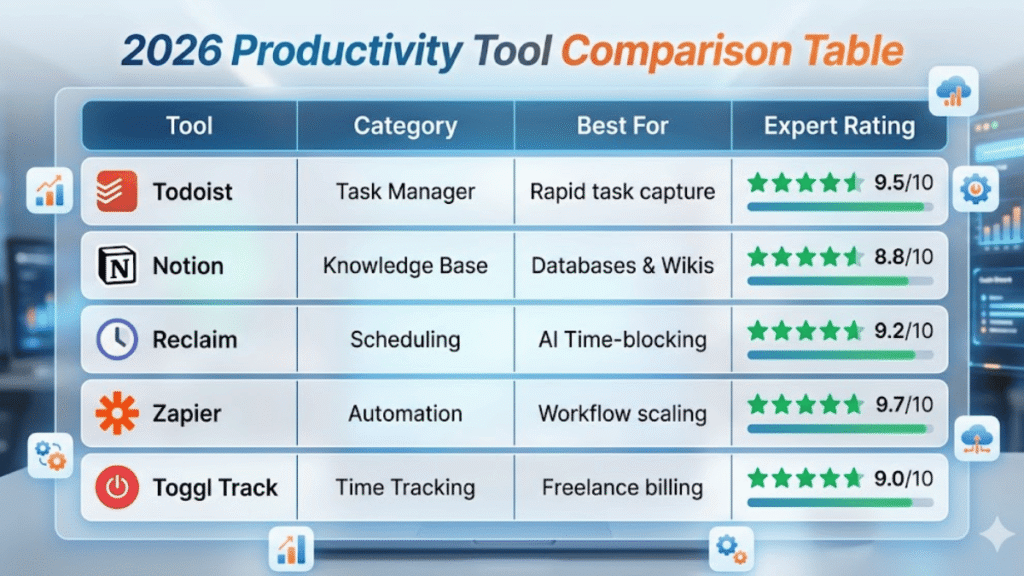
2026 Productivity Tool Comparison Table
| Tool | Category | Best For | Expert Rating |
|---|---|---|---|
| Todoist | Task Manager | Rapid task capture | 9.5/10 |
| Notion | Knowledge Base | Databases & Wikis | 8.8/10 |
| Reclaim | Scheduling | AI Time-blocking | 9.2/10 |
| Zapier | Automation | Workflow scaling | 9.7/10 |
| Toggl Track | Time Tracking | Freelance billing | 9.0/10 |
Best Productivity Tools by Category
Best Task Manager: Todoist
Todoist remains one of the strongest task managers for individuals and small teams because it combines speed with structure. Its official pricing page highlights natural language task input, which is one of the reasons I still recommend it for busy professionals who need to add tasks quickly without opening multiple menus.
When I tested this, I noticed I was more likely to capture tasks immediately in Todoist than in heavier tools. Typing a task naturally and moving on sounds minor, but it changes daily consistency.
Todoist is best for:
- freelancers
- solo professionals
- managers who want clear daily priorities
- anyone who relies on recurring tasks
Best Visual Project Tool: Trello
Trello is still one of the easiest ways to manage work visually. Its official pricing guide says the free plan includes unlimited cards and up to 10 boards per workspace, which is enough for many personal workflows and small side projects.
I use Trello when a project has obvious stages like To Do, Doing, Review, and Done. In my 5 years of doing project-based work, I’ve found that Kanban boards are the most reliable method for keeping collaborative work visible without overcomplicating it.
Trello is best for:
- content workflows
- client projects
- simple team coordination
- people who think visually
Best All-in-One Workspace: Notion
Notion works well when tasks, notes, databases, and documentation need to live together. Its official pricing page says the free plan is generous for individual use, including unlimited pages and blocks for a solo workspace.
I like Notion most for project documentation, content planning, SOPs, and personal knowledge management. I like it less for rapid task entry.
A common mistake I see beginners make is trying to build a perfect Notion system before they know what they actually need. Start with a simple dashboard, a task database, and one notes area. Build from there.
Best Calendar Assistant: Reclaim
Reclaim is useful for people whose calendars get crowded fast. Its official site describes it as an AI calendar app that auto-schedules tasks, habits, meetings, and breaks, and its pricing page shows a free plan plus paid tiers.
I have found Reclaim especially helpful for protecting focus blocks. That matters because a normal calendar can store meetings, but it does not automatically defend time for deep work.
Best Time Tracking Tool: Toggl Track
Toggl Track remains one of the cleanest time trackers available. Its official pricing page says the free plan supports up to 5 users and includes web, desktop, and mobile tracking plus productivity reports.
When I tested this, I noticed my assumptions about where time went were wrong. Small tasks, context switching, and admin work consumed far more time than I expected. That visibility alone made it useful.
Toggl Track is best for:
- freelancers tracking billable time
- consultants
- small teams
- anyone trying to understand focus leaks
Best Automation Tool: Zapier
Zapier is the tool I recommend once repetitive admin starts piling up. Its official site says it connects 8,000+ apps, and its pricing page lists a free plan with 100 tasks per month.
I use automation for simple but annoying tasks like:
- saving form responses into a spreadsheet
- turning flagged emails into tasks
- posting alerts from one app into Slack
- routing meeting data into notes or databases
In my 5 years of doing client and operations work, I’ve found that the most reliable automation is the boring kind. If it saves the same manual step every day, it is worth building.
First-Hand Comparison Table
| Tool | Best For | What I Liked Most | Main Drawback | Free Plan |
|---|---|---|---|---|
| Todoist | personal task management | fastest task capture | limited as a notes hub | yes |
| Trello | visual project tracking | clear board view | can feel too simple for complex work | yes |
| Notion | notes and custom systems | flexible all-in-one workspace | slower setup and task entry | yes |
| Reclaim | calendar planning | protects focus time automatically | most useful if you live in your calendar | yes |
| Toggl Track | time tracking | accurate visibility into time use | requires habit consistency | yes |
| Zapier | automation | removes repetitive admin work | cost grows with usage | yes |
Todoist vs Notion: Which One Should You Choose?
Choose Todoist if You Want Speed
Todoist is better when your main goal is knowing what to do next. It is quicker to enter tasks, better for recurring reminders, and easier to keep clean over time. The official Todoist pricing page specifically highlights natural language recognition, which supports that fast-capture workflow.
Choose Notion if You Want One Workspace for Everything
Notion is better when your work involves notes, docs, databases, and shared references alongside tasks. Its official pricing page also makes clear that the free plan is built to support individual use well before you need to upgrade.
My honest view is simple: if you are overwhelmed, start with Todoist. If you are organized but fragmented across too many documents and tools, start with Notion.
Best Free Productivity Tools
If you want a free stack that is actually usable, this is the combination I would start with:
Todoist Free
Good for core task tracking and habit consistency.
Trello Free
Best for visual planning and lightweight project boards.
Google Calendar
Still one of the easiest ways to manage events, multiple calendars, and reminders across devices. Google’s official materials highlight reminders and multiple calendar support.
Toggl Track Free
Excellent for understanding how your time is actually spent.
Zapier Free
Enough to test simple automations before paying.
The Productivity Stack I Recommend for Most People
For freelancers, creators, consultants, and small teams, this is the simplest stack I trust:
Solo Worker Stack
- Todoist for tasks
- Google Calendar for scheduling
- Notion for notes and reference material
- Toggl Track for time awareness
Small Team Stack
- Trello or Notion for shared project visibility
- Google Calendar or Reclaim for schedule management
- Zapier for recurring admin automation
- Toggl Track if time visibility matters for billing or planning
We do not need the perfect app stack. We need a stack that is easy to maintain.
Common Productivity Tool Mistakes
Using Too Many Apps at Once
This is the biggest one. Every extra tool adds more notifications, another inbox, and another maintenance job.
Over-Customizing Before You Have a Real Workflow
I see this constantly in Notion and automation tools. Build the simple version first. Only add structure when repeated pain points show up.
Ignoring Time Tracking
When I tested this, I noticed that people usually misjudge where their productive hours go. If you never measure time, you keep solving the wrong problem.
Treating Tools as a Motivation Fix
No app can fix unclear priorities, bad planning, or constant context switching on its own. Atlassian and Microsoft’s research both reinforce that interruptions and coordination drag are real productivity problems, not just motivation issues.
Final Thoughts
I have tested a lot of productivity tools over the years, and the lesson stays the same: the best productivity tool is the one you will actually keep using when work gets busy. For most readers, that means starting simple, reducing app sprawl, and choosing tools that remove friction instead of adding more dashboards.
If I were setting up from scratch today, I would begin with Todoist or Trello, add Google Calendar, track time with Toggl, and only bring in Notion or Zapier when there is a clear reason. That approach has been far more effective for me than chasing every new app that promises to fix productivity overnight.
Read: Malware Protection: Practical Security Strategies From 5+ Years of Experience
FAQ
What are the best productivity tools for individuals?
For most individuals, I would start with Todoist, Google Calendar, Notion, and Toggl Track. That gives you tasks, scheduling, notes, and time awareness without too much overlap.
Which productivity tool is best for teams?
It depends on how your team works. Trello is great for visual workflows, Notion is strong for shared documentation, and Zapier helps once repetitive cross-tool work becomes a burden.
Is Notion better than Todoist?
Not always. Todoist is better for fast personal task management. Notion is better for documentation and custom systems. I would choose based on whether you need speed or flexibility first.
Are free productivity tools enough?
Yes, for many people. Todoist, Trello, Toggl Track, Google Calendar, and Zapier all have usable free tiers. Paid plans make sense when you need more automation, more collaboration, or more reporting.
