
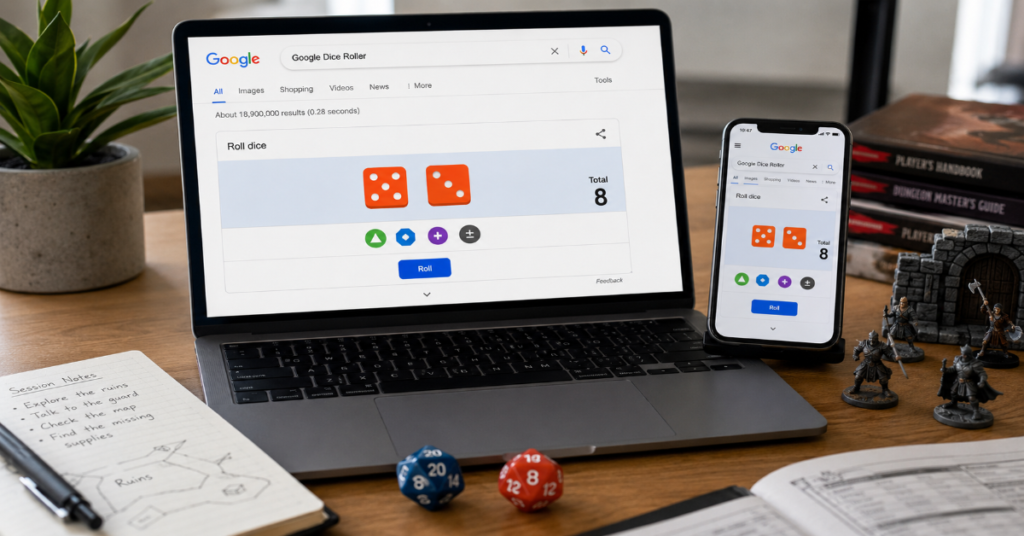
Google Dice Roller is a built-in Search tool that lets users roll virtual dice without downloading an app, opening a separate website or carrying physical dice. Type “roll dice” into Google Search and the interactive dice panel appears at the top of the results page, where users can roll common dice types for games, classroom activities or quick decisions. The uploaded article brief specifically frames the topic around a search-bar dice roller with custom dice, modifiers, multiple dice and roll history, so this draft follows that structure while adding practical analysis and source-backed context.
The appeal is simple: dice are small, easy to lose and often needed at exactly the wrong moment. A search-based roller solves that friction. It is especially useful for board games, Dungeons & Dragons-style tabletop play, probability lessons and low-stakes decisions such as choosing who goes first.
The tool became more useful after Google added multi-sided dice support to its Search dice utility in 2019, including common tabletop shapes beyond the standard six-sided die. 9to5Google reported that the roll dice utility was updated with multi-sided dice and placed alongside other built-in Search tools. Popular Science later described the dice tool as part of Google’s broader collection of instant Search utilities, alongside calculator, coin flip, spinner, metronome and tuner tools.
This article explains how the tool works, where it performs well, where it does not and how it compares with dedicated dice apps.
What Is Google Dice Roller?
Google Dice Roller is an instant-answer Search feature. Instead of sending users only to normal search results, Google displays an interactive dice interface directly inside the results page when a query matches dice-rolling intent.
Typical trigger searches include:
• roll dice
• roll a die
• roll a d20
• roll 2 dice
• dice roller
The exact interface can vary by region, device and Google Search layout, but the basic idea remains the same. The user searches, the tool appears and a virtual roll produces a random result.
Google’s built-in dice roller sits in the same product family as other lightweight Search utilities. Popular Science’s guide to Google Search tools lists dice rolling under “random chance,” alongside coin flipping and wheel spinning. That matters because it explains the product philosophy. This is not a full gaming platform. It is a quick utility designed to answer a small task inside Search.
How to Use Google Dice Roller
Using the tool is straightforward.
- Open Google Search in a browser.
- Type “roll dice” or “roll a die.”
- Wait for the dice panel to appear.
- Choose the dice type you need.
- Click or tap the roll button.
- Add more dice or a modifier if needed.
Popular Science noted that typing “roll dice” automatically starts with a six-sided die, while users can remove that die and choose other dice types from the available options. The same source also described Google’s modifier function, where users can add or subtract a number from the roll total.
For casual play, this is enough. For example, a family playing a board game can roll a d6 from a phone. A Dungeons & Dragons player can roll a d20 for a skill check. A teacher can quickly generate random numbers for a classroom activity.
Main Features
| Feature | What It Does | Best Use Case | Limitation |
| Standard d6 rolling | Rolls a six-sided die | Board games and simple choices | Not enough for complex RPG rolls |
| Multi-sided dice | Supports common tabletop dice such as d4, d8, d10, d12 and d20 | RPG checks and varied game systems | Interface may not cover every custom die need |
| Multiple dice | Lets users add more than one die | Board games, probability demos and damage rolls | Dedicated apps handle large dice pools better |
| Modifier field | Adds or subtracts a fixed number | RPG bonuses, penalties and house rules | Not ideal for complex notation |
| Roll display | Shows current total and recent activity | Quick reference during play | History is limited compared with specialist tools |
The key value is speed. The user does not need installation, login or setup. That is why the tool works well for spontaneous use.
Practical Use Cases
Board Games
For board games, the tool is most useful when physical dice are missing, lost or inconvenient. Many classic games need only one or two six-sided dice, so Google’s tool is more than enough.
It also reduces disputes. Instead of debating whether a die landed flat or rolled off the table, players can use a visible on-screen result.
Dungeons & Dragons and RPGs
For tabletop RPGs, Google Dice Roller is useful but limited. A player can roll a d20 for checks, a d12 for damage or a d8 for spells. Google’s 2019 multi-sided update made this use case much more practical because RPG players commonly need dice beyond d6.
However, advanced RPG sessions often need more than basic dice. Players may want saved character presets, advantage and disadvantage shortcuts, roll labels, shared history, Discord export or offline access. Dedicated tools handle those needs better.
Classroom Activities
Teachers can use the tool for probability lessons, random student selection, math games and quick classroom demonstrations. Google Workspace Marketplace also lists a separate Dice Slides add-on by Alice Keeler for adding random dice rolls inside Google Slides, showing how dice randomization is used in education beyond simple Search.
For classroom use, Google Dice Roller’s biggest strength is accessibility. It works from a browser and requires no student account.
Quick Decisions
The tool also works for ordinary random choices. Roll a d6 to pick between six options. Roll a d20 for a playful decision scale. Use the modifier if a game or rule needs adjustment.
That said, dice should not be used for serious financial, medical or legal decisions. Randomness is useful for games and light choices, not responsibility transfer.
Google Dice Roller vs Dedicated Dice Tools
| Tool Type | Strength | Weakness | Best For |
| Google Dice Roller | Fast, free and built into Search | Limited advanced features | Casual rolls and quick access |
| RANDOM.ORG Dice Roller | Uses true randomness service branding | Less visual and less game-focused | Users who care about randomness source |
| Calculator.net Dice Roller | Supports virtual dice with flexible side counts | More utilitarian interface | Custom dice and simple simulations |
| RPG dice apps | Presets, themes, roll history and advanced rules | Requires app or site choice | Regular tabletop players |
| Classroom add-ons | Built into teaching workflows | Narrower environment | Teachers using slides or classroom games |
RANDOM.ORG describes itself as a true random number service and says its dice roller uses true randomness, which it positions as preferable to pseudo-random number algorithms for many purposes. That distinction matters for users who care about the source of randomness. Google’s Search tool is convenient, but Google does not present the dice roller as a cryptographic or audit-grade random system.
Structured Insight Table: Where Google Dice Roller Fits
| Scenario | Recommended? | Reason |
| Replacing a missing board-game die | Yes | Fast and simple |
| Rolling a d20 skill check | Yes | Multi-sided dice support fits common RPG use |
| Running a full D&D combat session | Sometimes | Works for basics, but lacks campaign workflow features |
| Teaching probability to young students | Yes | Visual, accessible and easy to repeat |
| Generating audit-grade random numbers | No | Use a specialized random service instead |
| Offline travel gaming | No | Search access depends on internet availability |
| Shared online campaign logs | No | Dedicated RPG tools handle history better |
Risks and Trade-Offs
The first trade-off is reliability. Because Google Dice Roller is a Search feature, it depends on Google displaying the interactive widget. If the query does not trigger the tool, the user may see normal results instead.
The second trade-off is control. A dedicated RPG dice roller can save roll formulas, preserve long histories, manage complex modifiers and support game-specific mechanics. Google’s version is intentionally lighter.
The third trade-off is transparency. For normal games, users rarely need to audit randomness. For competitions, paid contests or formal draws, a Search widget is not the right tool. A documented randomization method is safer.
The fourth trade-off is attention. Search pages can contain other results, ads or distractions. A dedicated app may be cleaner during a game session.
Real-World Impact
Google Dice Roller matters because it turns Search into a utility layer. Instead of searching for a dice roller website, users can complete the action inside Google itself. That changes user behavior. The search page becomes not only a gateway to information, but also a place where small tasks are completed.
This has market implications for simple utility websites. A site that only rolls one die has less reason to exist when Google can answer the same need instantly. More specialized tools still have room to compete by offering custom notation, better design, offline support, saved profiles or community features.
For education, the impact is practical. Teachers and students can access a randomizer without installing software. For tabletop gaming, the impact is convenience. A missing d20 no longer pauses the game.
Three Original Practical Insights
First, the tool’s biggest advantage is not randomness. It is reduced setup time. In casual games, the time between needing a die and getting a result matters more than advanced features.
Second, the modifier field makes the tool more RPG-friendly than many people realize. A simple d20 plus a fixed bonus covers many common checks, even if it cannot replace full character-sheet automation.
Third, the tool is strongest when everyone can see the screen. For fairness in a group setting, visibility matters. A phone passed around a table can be more trustworthy than one person privately reporting a roll.
The Future of Google Dice Roller in 2027
By 2027, Google Dice Roller is likely to remain a lightweight Search utility rather than become a full tabletop platform. The reason is strategic fit. Google’s Search tools are designed for fast answers, not deep game management.
Still, several improvements would make sense. Google could improve query recognition for dice notation, support clearer roll history, add shareable results or make the interface more consistent across mobile and desktop. The broader trend is that search engines and AI assistants are absorbing small utility tasks that once required separate websites.
Education may be the more interesting direction. The existence of classroom-focused dice tools in Google Slides shows that randomization has real teaching value, especially for games, math practice and participation prompts. If Google improves its own built-in utility, teachers and students would be natural beneficiaries.
The uncertain part is transparency. If users increasingly rely on built-in tools for random outcomes, clearer explanations of randomness quality may become more important. For games, this is minor. For public draws, contests or formal selection, it matters much more.
Takeaways
• Google Dice Roller is best for fast, low-friction dice rolls inside Search.
• It is useful for board games, tabletop RPGs, classrooms and casual decisions.
• Multi-sided dice support makes it more than a simple d6 simulator.
• Modifiers give it enough flexibility for many basic RPG checks.
• Dedicated dice apps remain better for saved presets, offline use and detailed roll history.
• It should not be treated as an audit-grade randomization system.
• The tool’s real strength is convenience, not depth.
Conclusion
Google Dice Roller is a small feature with real practical value. It removes the most common friction around dice: finding one, choosing the right type and rolling quickly enough to keep a game or lesson moving. For casual board games, classroom activities and simple RPG checks, it does the job well.
Its limits are just as important. Serious tabletop players may outgrow it quickly. Teachers with structured slide-based activities may prefer classroom add-ons. Anyone needing documented randomness should use a more transparent randomization service.
The best way to understand the tool is as a quick Search utility. It is not trying to replace every dice app. It is trying to answer the moment when someone says, “Does anyone have dice?” For that job, it is fast, accessible and surprisingly useful.
FAQ
What is Google Dice Roller?
Google Dice Roller is a built-in Google Search tool that lets users roll virtual dice directly from the search results page. It appears when users search phrases such as “roll dice” or “roll a die.”
How do I open Google Dice Roller?
Open Google Search and type “roll dice,” “roll a die” or a similar query. If the tool is available for your region and device, the interactive dice panel should appear at the top of the results.
Can Google Dice Roller roll a d20?
Yes, Google’s dice tool supports common multi-sided dice used in tabletop games, including d20. Google’s multi-sided dice support was reported in 2019 as an expansion of the built-in roll dice utility.
Can I add modifiers to a Google dice roll?
Yes. The tool includes a modifier option that lets users add or subtract a number from the roll total. Popular Science describes this as a plus-minus control for adjusting the result.
Is Google Dice Roller good for Dungeons & Dragons?
It is good for simple Dungeons & Dragons rolls such as d20 checks or basic damage rolls. For full campaigns, dedicated RPG dice tools are better because they can handle saved formulas, roll history, advantage mechanics and character presets.
Is Google Dice Roller truly random?
Google’s dice tool is suitable for ordinary game use, but Google does not present it as an audit-grade randomization system. For users who need documented true randomness, RANDOM.ORG describes itself as a true random number service.
Why is Google Dice Roller not showing?
The query may not have triggered the widget, the feature may vary by region or the browser may be affecting the page. Try searching “roll dice,” refreshing the page or using another browser.
Methodology
This article was drafted from the provided production brief, then checked against public sources covering Google’s dice feature, Google Search tools, randomness services and classroom dice utilities. Sources included 9to5Google for the 2019 multi-sided dice update, Popular Science for documented Google Search tool behavior, RANDOM.ORG for comparison with true-random dice rolling and Google Workspace Marketplace for classroom dice use.
References
Li, A. (2019, August 15). Google Search adds multi-sided die to built-in rolling tool. 9to5Google.
Popular Science. (2022, August 1). 10 Google Search tools you should know about.
RANDOM.ORG. (n.d.). Dice Roller.
Google Workspace Marketplace. (2024, September 9). Dice Slides by Alice Keeler.
