
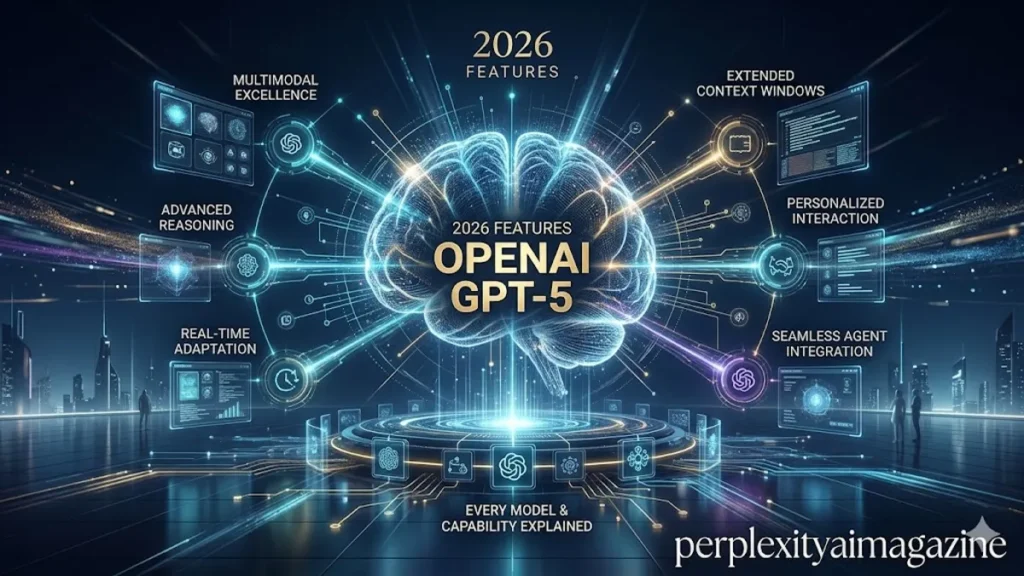
OpenAI GPT-5 features span a model family that has been updated more frequently than any previous GPT generation. Since the GPT-5 launch in August 2025, OpenAI has shipped GPT-5.1, 5.2, 5.3, and 5.4 — each with meaningful improvements across specific capability domains. This guide covers every GPT-5 feature worth knowing, explains which model is available on which plan, and gives a practical decision framework for choosing the right GPT-5 variant for each task type.
Core GPT-5 Features (All Variants)
- Safe completions: GPT-5 replaced the older refusal-based safety system with a “safe completions” model — generating useful, safe information rather than refusing potentially sensitive queries outright. This reduces unhelpful refusals while maintaining appropriate safety guardrails.
- Real-time web search: Available across all GPT-5 variants. ChatGPT searches the web when queries require current information. Behaviour can be triggered explicitly (“search for current information about X”) or happens automatically for time-sensitive questions.
- Multimodal understanding: All GPT-5 variants process text, images, audio, video, and documents. Upload a photograph, diagram, PDF, or spreadsheet and ChatGPT can analyse, summarise, extract data, or answer questions about the content.
- Memory: Available on all plans. ChatGPT stores information across sessions when enabled. Manage specific memories in Settings → Personalisation → Memory. Can be disabled per-conversation with “Do not remember this conversation.”
- Connectors: Gmail and Google Calendar integration available on Plus, Pro, Team, and Enterprise — ChatGPT can review calendar, suggest scheduling, and draft email responses directly.
GPT-5.3 Instant — Current Default Model
GPT-5.3 Instant, released March 2026, is the current default model for all ChatGPT users. It has a 400,000 token context window, 26.8% fewer hallucinations with web search compared to GPT-5.2 Instant, and specifically improved anti-“cringe” tuning — OpenAI addressed the over-dramatic conversational style that characterised some GPT-5.2 outputs. It handles 10 messages every five hours for free users, with 160 messages per three hours for Plus subscribers. For everyday tasks — drafting, explaining, summarising, coding — GPT-5.3 Instant is fast and capable. – openai gpt-5 features.
GPT-5.4 Thinking — The Reasoning Model
GPT-5.4 Thinking, the current flagship on Plus and above, introduces several features that significantly change what ChatGPT can do. The 1 million token context window allows processing entire codebases, lengthy legal documents, or long research collections in a single session. The thinking trace shows reasoning before the final answer — users can see GPT-5.4 working through a problem and, notably, can steer it mid-response before it finishes. This is particularly valuable for complex tasks where the approach matters as much as the output.
On benchmarks, GPT-5.4 scores 57.7% on SWE-bench Pro for coding, 75% on OSWorld for computer use (surpassing the human expert baseline of 72.4%), and 83% on GDPval for knowledge work. The 75% OSWorld score is the most significant single benchmark result — no other model has crossed the human expert threshold on that evaluation.
GPT-5.4 Pro — For the Hardest Tasks
Available only to Pro, Business, and Enterprise subscribers, GPT-5.4 Pro is built for extremely complex tasks and long-running workflows. It provides deeper reasoning, guaranteed compute allocation (dedicated GPU slice for Pro subscribers — no shared-compute latency spikes), and maximum context with the highest capability ceiling. For most users it is unnecessary — Plus with GPT-5.4 Thinking handles 95%+ of professional use cases. For researchers, senior engineers, and financial analysts running the most demanding workflows, the dedicated compute allocation removes the latency variability that affects shared tiers. – openai gpt-5 features
Codex — The Agentic Coding Feature
Codex is not a GPT-5 model variant but a separate agentic coding capability available within ChatGPT on Plus and above. It operates more autonomously than standard ChatGPT — planning, writing, testing, and iterating across multi-step coding tasks. OpenAI reports weekly Codex users growing 5× in three months as of early 2026, with overall Codex usage growing more than 70% month over month. It is accessible as a separate tab in ChatGPT and is best described as a coding agent rather than a code suggestion tool.
💡 Which GPT-5 model should you use?Leave the picker on Auto for most tasks — ChatGPT routes to GPT-5.3 Instant for simple queries (faster, cheaper) and GPT-5.4 Thinking for complex ones (deeper). Manually select GPT-5.4 Thinking only when you need the 1M token context window, the thinking trace for verification, or maximum performance on a specific difficult task. Select GPT-5.4 Pro only if you have a Pro subscription and the task genuinely requires maximum compute — most Plus-level tasks do not. – openai gpt-5 features.
Unlock everything in Perplexity Hub—click here to explore the full collection.
Frequently Asked Questions
What can GPT-5 do that GPT-4 cannot?
Key GPT-5 improvements over GPT-4: significantly reduced hallucination rates, much better instruction following on complex multi-part prompts, 144% better coding score than GPT-4o, extended thinking/reasoning capability not available in GPT-4, 1 million token context window (GPT-4 topped at 128K), computer use via OSWorld performance exceeding human experts, and native Gmail and Google Calendar integration.
What is the context window in GPT-5.4?
GPT-5.4 Thinking has a 1 million token context window — sufficient to process entire large codebases, full-length books, or extensive document collections in a single session. GPT-5.3 Instant has a 400,000 token window. GPT-5.4 Mini (the fallback model) has a smaller window. In practice, most users never approach these limits in standard professional use — the large context window matters most for developers and researchers working with very long inputs.
What is the reasoning effort in GPT-5.4?
GPT-5.4 Thinking has a thinking-time toggle that lets users adjust how long the model reasons before answering: Standard (default, balanced speed and depth), Extended (deeper reasoning for complex tasks, slower), and Light (fastest, least reasoning). For most queries, Standard is appropriate. Extended is valuable for mathematical problems, complex architectural decisions, and difficult debugging where additional reasoning depth produces meaningfully better outputs.
