
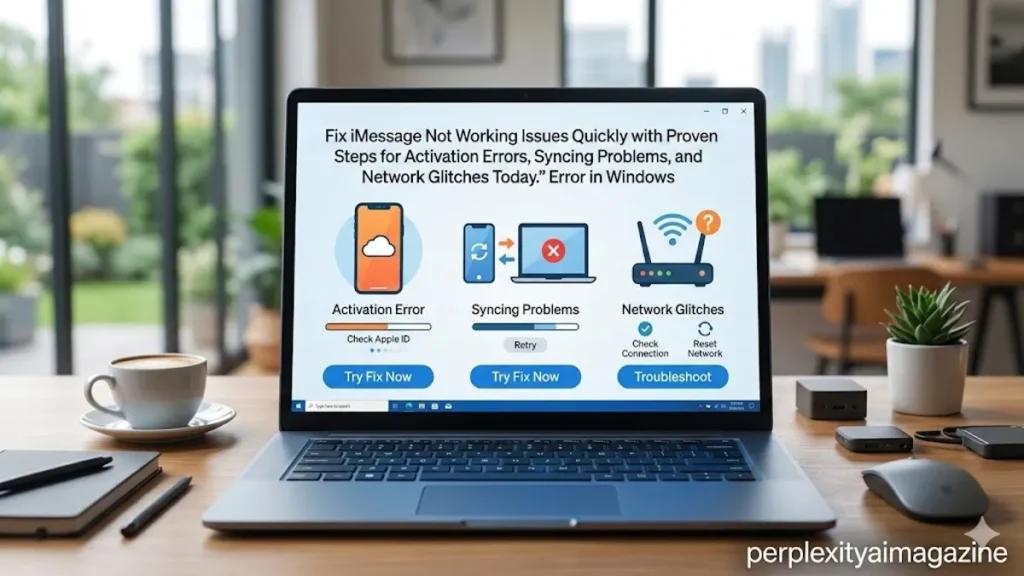
I have come to understand that when iMessage stops working, the frustration is immediate and strangely personal. Messages fail to send, conversations turn green instead of blue, or activation simply hangs without explanation. In most cases, the fix is not complicated, but the cause can be surprisingly layered.
At its core, iMessage depends on three things working in harmony: a stable internet connection, correct Apple ID configuration, and proper device synchronization. When any of these fail, users encounter familiar issues like “iMessage activation unsuccessful,” messages not syncing across devices, or texts reverting to SMS.
The fastest way to address the problem is to check Apple’s system status, confirm internet connectivity, and re-enable iMessage in settings. These steps resolve the majority of cases. Yet beneath these quick fixes lies a deeper infrastructure involving Apple servers, SIM identity mapping, encryption protocols, and cloud synchronization.
Understanding why iMessage fails is not just about solving a temporary glitch. It is about seeing how modern messaging systems operate across devices, networks, and identities. What appears as a simple blue bubble is, in reality, the product of a complex and occasionally fragile ecosystem.
The Architecture Behind iMessage
Apple introduced iMessage in 2011 as part of iOS 5, positioning it as a secure, internet-based alternative to SMS. Unlike traditional texting, iMessage routes messages through Apple servers using end-to-end encryption, linking conversations to Apple IDs and phone numbers rather than SIM-only identity.
This dual identity system is central to both its convenience and its vulnerabilities. Messages can be sent to a phone number or an email address associated with an Apple ID, allowing seamless communication across iPhone, iPad, and Mac devices.
However, this flexibility introduces complexity. A mismatch between devices, Apple IDs, or SIM configurations can disrupt message delivery. According to Apple Support, activation requires sending a silent SMS to Apple servers to verify the phone number, a process that can fail due to carrier restrictions or network instability (Apple, 2024).
Cybersecurity expert Matthew Green has noted that “secure messaging systems often trade simplicity for privacy and flexibility” (Green, 2016). iMessage exemplifies this trade-off.
The Most Common Causes of Failure
When iMessage stops working, the root cause typically falls into a handful of categories. Understanding these categories helps narrow down the solution quickly.
| Cause Category | Typical Symptoms | Likelihood |
|---|---|---|
| Network issues | Messages not sending, activation fails | High |
| Apple ID mismatch | Messages not syncing across devices | Medium |
| SIM conflicts | Activation stuck or incorrect number | Medium |
| Server outages | Widespread failures, delays | Low |
| Software bugs | Issues after updates | Medium |
Network issues remain the most common culprit. Without a stable internet connection, iMessage cannot function at all. Even intermittent connectivity can disrupt message delivery or cause fallback to SMS.
SIM conflicts, particularly on dual-SIM or eSIM setups, have become increasingly common in recent years. These conflicts can confuse Apple’s activation process, leading to persistent errors.
When Green Bubbles Replace Blue
Few indicators are as instantly recognizable as the shift from blue to green message bubbles. While often dismissed as a minor inconvenience, this change signals a fundamental shift in how messages are being sent.
Blue bubbles indicate iMessage, while green bubbles represent SMS or MMS. When iMessage fails, the system automatically falls back to traditional texting.
This fallback mechanism is designed for reliability, but it can mask underlying issues. Users may not realize iMessage is disabled or malfunctioning until they notice missing features such as read receipts, typing indicators, or media quality differences.
Apple engineer Craig Federighi once described this dual system as “a bridge between legacy communication and modern messaging” (Federighi, 2019). That bridge, however, can occasionally become a fault line.
Activation Errors and Their Hidden Complexity
The “Waiting for activation” message is one of the most persistent iMessage issues. It can last minutes, hours, or even days, depending on the underlying cause.
Activation involves verifying the user’s phone number with Apple servers. This process depends on several factors, including carrier support, SMS capabilities, and accurate device settings.
Incorrect date and time settings, for instance, can prevent activation entirely. Similarly, VPNs or restricted networks may block the necessary communication between the device and Apple’s servers.
Apple advises allowing up to 24 hours for activation, acknowledging that delays can occur due to server load or network conditions (Apple, 2024).
Technology analyst Ben Bajarin has observed that “modern device activation processes rely on invisible exchanges that users rarely understand until something breaks” (Bajarin, 2022).
The Role of Updates and Software Bugs
Major iOS updates frequently introduce temporary iMessage issues. These problems often stem from changes in system architecture, network handling, or security protocols.
For example, updates may reset network configurations, disrupt Apple ID sessions, or introduce compatibility issues with carriers. In some cases, users experience activation failures immediately after updating their devices.
These issues are typically resolved through minor updates or patches released shortly after the initial rollout. However, during the interim, users must rely on manual troubleshooting.
Restarting the device, toggling iMessage settings, and resetting network configurations are common solutions. These actions effectively refresh system processes and re-establish connections with Apple servers.
Cross-Device Syncing: A Fragile Convenience
One of iMessage’s defining features is its ability to sync conversations across multiple devices. Messages sent on an iPhone appear instantly on a Mac or iPad, creating a unified communication experience.
This synchronization relies on iCloud, Apple ID consistency, and device-specific settings. When any of these elements are misconfigured, syncing fails.
Users may notice messages appearing on one device but not another, or conversations lagging behind. These issues often arise from disabled iCloud messaging, mismatched Apple IDs, or network interruptions.
| Sync Component | Requirement | Common Failure Point |
|---|---|---|
| Apple ID | Same across devices | Incorrect login |
| iCloud Messages | Enabled on all devices | Disabled setting |
| Network | Stable internet | Connectivity drops |
| Device time | Accurate settings | Manual time errors |
Ensuring all components align is essential for seamless operation.
Expert Insights on Messaging Reliability
The reliability of messaging platforms has become a critical issue in modern communication. Experts emphasize that even small disruptions can have significant impacts.
“Users expect instant, uninterrupted communication,” says Jan Dawson, a technology analyst. “When messaging fails, it feels more disruptive than other types of software issues” (Dawson, 2021).
Similarly, researcher Nadim Kobeissi has highlighted the importance of transparency in messaging systems, noting that “users need clearer feedback when systems fail, especially in encrypted environments” (Kobeissi, 2017).
These insights underscore a broader challenge: balancing security, reliability, and usability in messaging platforms.
Troubleshooting as a Structured Process
Effective troubleshooting follows a logical sequence rather than random experimentation. The process typically begins with external factors before moving to device-specific settings.
Checking Apple’s system status ensures the issue is not widespread. Verifying internet connectivity confirms that the device can communicate with Apple servers. Re-enabling iMessage resets internal configurations.
If these steps fail, deeper actions such as resetting network settings or signing out of the Apple ID may be necessary.
This structured approach minimizes risk while maximizing efficiency. It also reflects a broader principle in technology: start simple before escalating complexity.
The Psychological Impact of Messaging Failures
Messaging apps are deeply integrated into daily life, making their failures particularly noticeable. Unlike other software issues, messaging disruptions affect communication, relationships, and productivity.
The sudden inability to send or receive messages can create anxiety, especially when users rely on iMessage for both personal and professional interactions.
This psychological dimension explains why even minor issues generate significant frustration. Messaging is no longer a secondary function; it is central to modern digital life.
Takeaways
- iMessage failures usually stem from network, Apple ID, or SIM-related issues.
- Activation problems often involve hidden processes like SMS verification and server communication.
- Green bubbles indicate fallback to SMS, not necessarily a complete failure.
- Cross-device syncing requires consistent settings across all devices.
- Software updates can temporarily disrupt iMessage functionality.
- Structured troubleshooting is more effective than random fixes.
- Messaging reliability plays a crucial role in user experience.
Conclusion
iMessage is designed to feel invisible, operating quietly in the background as messages flow between devices. When it works, it feels effortless. When it fails, the disruption reveals just how complex the system truly is.
From network dependencies to identity verification and cloud synchronization, iMessage operates at the intersection of multiple technologies. Each layer introduces potential points of failure, but also opportunities for resolution.
Understanding these layers transforms troubleshooting from guesswork into a deliberate process. It also highlights the broader reality of modern software: simplicity on the surface often conceals intricate systems beneath.
In the end, resolving iMessage issues is not just about restoring communication. It is about navigating the hidden architecture that makes that communication possible.
READ: Best Cloud Storage Alternatives for Privacy
FAQs
Why is iMessage not activating?
Activation may fail due to network issues, SIM conflicts, or incorrect settings like date and time. It can also take up to 24 hours to complete.
What do green messages mean on iPhone?
Green messages indicate SMS or MMS, meaning iMessage is either disabled or unavailable for that conversation.
How do I fix iMessage not syncing?
Ensure all devices use the same Apple ID, enable Messages in iCloud, and verify stable internet connections.
Does resetting network settings help?
Yes, it often resolves connectivity issues but will remove saved Wi-Fi passwords.
Can Apple server outages affect iMessage?
Yes, although rare, outages can prevent messages from sending or activating temporarily.
