
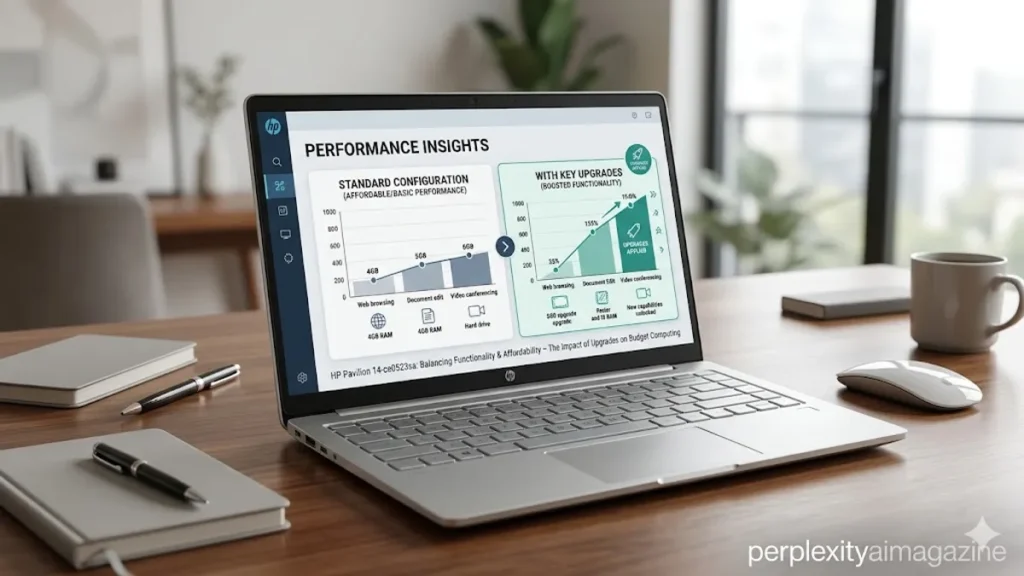
I have always found that budget laptops tell a more honest story about technology than premium devices ever could. The HP Pavilion 14-ce0523sa is one of those machines. Released around 2019, it was never designed to impress with power or cutting-edge features. Instead, it was built for something far more common and far more important: everyday computing.
For anyone searching for what the HP Pavilion 14-ce0523sa offers, the answer is straightforward. It is a 14-inch laptop with a Full HD display, powered by an Intel Pentium Gold processor, paired with 4GB of RAM and a 128GB SSD. It handles basic tasks such as browsing, office work, and media playback reasonably well, but struggles under heavier workloads.
What makes this device interesting today is not just its original purpose but how it has aged. In a world now dominated by cloud computing, remote work, and resource-intensive applications, the Pavilion 14-ce0523sa sits at the intersection of affordability and limitation.
For students, casual users, and those seeking a secondary machine, it still holds value. For others, it highlights how quickly expectations evolve. The story of this laptop is not just about specifications. It is about how people use technology, adapt to constraints, and extend the life of devices through upgrades and optimization.
Design and Build: Simplicity Over Sophistication
The HP Pavilion 14-ce0523sa reflects a design philosophy rooted in practicality rather than luxury. Its 14-inch form factor strikes a balance between portability and usability, making it suitable for students and professionals on the move.
The chassis, typically finished in a clean silver tone, offers a lightweight feel without appearing overly fragile. While it lacks the premium materials found in higher-end laptops, it maintains a level of durability that aligns with its price point. The keyboard is comfortable for extended typing sessions, though it does not feature backlighting in most configurations.
The display, a Full HD panel, is one of the device’s more appealing aspects. At 1920 by 1080 resolution, it delivers sharp text and adequate color reproduction for everyday use. Watching videos or working on documents feels natural, even if brightness and color accuracy fall short of professional standards.
As technology analyst Joanna Stern once observed, “Most users don’t need luxury materials; they need reliability and usability” (Stern, 2019). The Pavilion 14-ce0523sa embodies that idea, prioritizing function over form.
Core Specifications and Hardware Overview
Understanding the laptop’s performance requires a closer look at its internal components. These specifications define both its strengths and its limitations.
| Component | Specification | Impact |
|---|---|---|
| Display | 14-inch Full HD | Sharp visuals for daily use |
| Processor | Intel Pentium Gold 4417U | Basic performance |
| RAM | 4GB DDR4 | Limited multitasking |
| Storage | 128GB SSD | Fast boot, limited space |
| Connectivity | Wi-Fi 5, Bluetooth | Standard wireless support |
| OS | Windows 10 Home | Familiar environment |
The inclusion of an SSD is particularly significant. Even at a modest capacity, it ensures faster boot times and smoother application loading compared to traditional hard drives. This single feature often makes budget laptops feel more responsive than their specifications might suggest.
However, the 4GB RAM configuration quickly becomes a bottleneck. Modern operating systems and applications demand more memory, making multitasking challenging.
Performance in Everyday Scenarios
Using the HP Pavilion 14-ce0523sa feels like navigating a system designed for simplicity. Tasks such as browsing the web, streaming videos, and working on documents are handled with relative ease.
The Intel Pentium Gold processor, while dated, provides sufficient power for light workloads. Boot times are quick thanks to the SSD, and basic applications launch without significant delay. For users with modest expectations, the experience is adequate.
Problems arise when multiple applications are opened simultaneously. With only 4GB of RAM, the system struggles to manage memory efficiently. Browser tabs, background processes, and software updates can quickly consume available resources, leading to slowdowns.
Technology reviewer Mark Hachman noted, “Entry-level laptops can feel fast until you ask them to do more than one thing at once” (Hachman, 2020). This observation captures the Pavilion’s performance profile precisely.
It is a device that rewards focused use but penalizes multitasking.
Storage Limitations and Upgrade Opportunities
One of the most practical aspects of the Pavilion 14-ce0523sa is its upgrade potential. While the base configuration includes a 128GB SSD, the system supports larger M.2 SATA drives.
| Upgrade Option | Capacity Range | Benefit |
|---|---|---|
| Entry Upgrade | 256GB–512GB | More storage for daily use |
| Mid-Level | 1TB | Balanced capacity and performance |
| High-End | 2TB–4TB+ | Extensive storage for media and files |
The use of a SATA-based M.2 slot, rather than NVMe, limits maximum speeds but ensures compatibility with a wide range of affordable SSDs. Users can significantly improve storage capacity without major technical challenges.
Replacing the SSD involves removing the bottom panel, disconnecting the battery, and swapping the drive. Cloning software allows users to transfer their operating system seamlessly.
This upgrade path extends the laptop’s lifespan, making it a viable option even years after its release.
RAM Constraints and Real-World Impact
If there is one limitation that defines the Pavilion 14-ce0523sa, it is memory. With only 4GB of RAM, the system operates at the minimum threshold for modern computing.
Applications such as web browsers, which often consume significant memory, quickly push the system to its limits. Background processes, including antivirus software and system updates, further reduce available resources.
Upgrading to 8GB or 16GB of RAM can dramatically improve performance. This change allows for smoother multitasking, faster application switching, and reduced reliance on virtual memory.
According to a Microsoft performance guide, “Increasing RAM is one of the most effective ways to improve system responsiveness” (Microsoft, 2021). In the case of the Pavilion, this statement holds true.
For users willing to invest in upgrades, the difference can be transformative.
Software Optimization and Performance Tweaks
Beyond hardware upgrades, software optimization plays a crucial role in improving performance. Windows 10 includes several features that can be adjusted to reduce resource usage.
Disabling unnecessary startup programs prevents background applications from consuming memory at boot. Adjusting visual effects to prioritize performance reduces graphical overhead. Running Disk Cleanup helps free up storage space and improve system efficiency.
Disabling services like SysMain can also reduce disk usage, particularly on systems with limited RAM. Regular updates ensure that the system remains secure and benefits from performance improvements.
These adjustments may seem minor individually, but together they create a noticeable improvement in usability. They demonstrate how software management can extend the life of budget hardware.
Connectivity and Everyday Usability
The Pavilion 14-ce0523sa includes standard connectivity options that meet the needs of most users. Wi-Fi 5 ensures stable internet access, while Bluetooth allows for wireless peripherals.
USB ports provide compatibility with external devices, and HDMI output enables connection to external displays. These features make the laptop versatile despite its modest specifications.
The inclusion of a webcam supports video calls, an increasingly important feature in remote work and online education. While image quality is basic, it serves its purpose.
This balance of connectivity options ensures that the laptop remains functional in a variety of scenarios. It may not excel in any single area, but it covers the essentials effectively.
Longevity and Relevance in a Changing Market
The relevance of the Pavilion 14-ce0523sa today depends largely on user expectations. For basic tasks, it remains a capable device. For more demanding workloads, it falls short.
The rapid evolution of software and user expectations has widened the gap between entry-level and mid-range devices. Applications are more resource-intensive, and multitasking is now the norm.
Yet there is still a place for laptops like this. They offer an affordable entry point into computing and can serve as secondary devices for specific tasks.
As technology journalist David Pogue once remarked, “Not every computer needs to be powerful; it needs to be appropriate” (Pogue, 2018). The Pavilion exemplifies this principle.
Takeaways
- The HP Pavilion 14-ce0523sa is designed for basic computing tasks such as browsing and office work
- Its Full HD display and SSD provide a smooth experience for everyday use
- Limited RAM and an older processor restrict multitasking capabilities
- Storage and RAM upgrades can significantly improve performance
- Software optimization helps extend usability without additional cost
- The laptop remains relevant for light use but struggles with modern demands
- It represents a practical balance between affordability and functionality
Conclusion
I often think of devices like the HP Pavilion 14-ce0523sa as snapshots of a specific moment in technology. They reflect what users needed, what manufacturers prioritized, and what was considered sufficient at the time.
This laptop was never meant to compete with high-performance machines. It was designed to meet everyday needs at an accessible price. In that role, it succeeded. It offered reliable performance for basic tasks and introduced many users to the benefits of SSD storage.
Today, its limitations are more apparent. Yet those limitations also highlight how far technology has come. What once felt adequate now feels constrained, and expectations continue to rise.
Still, with thoughtful upgrades and careful use, the Pavilion 14-ce0523sa can remain a useful tool. It is not just a budget laptop. It is a reminder that value in technology is often defined not by power, but by purpose.
READ: iMessage Not Working on iPhone? Complete Fix Guide for All Issues
FAQs
Is the HP Pavilion 14-ce0523sa good for students?
Yes, it is suitable for students who need a laptop for basic tasks like note-taking, browsing, and document editing.
Can the SSD be upgraded?
Yes, it supports M.2 SATA SSD upgrades up to several terabytes, improving storage capacity significantly.
Does it support NVMe SSDs?
No, the system only supports M.2 SATA drives, not NVMe PCIe SSDs.
How can I improve performance?
Upgrading RAM, increasing storage, disabling startup programs, and optimizing Windows settings can improve performance.
Is it good for gaming?
No, it is not designed for gaming and lacks the hardware required for demanding applications.
