
Introduction
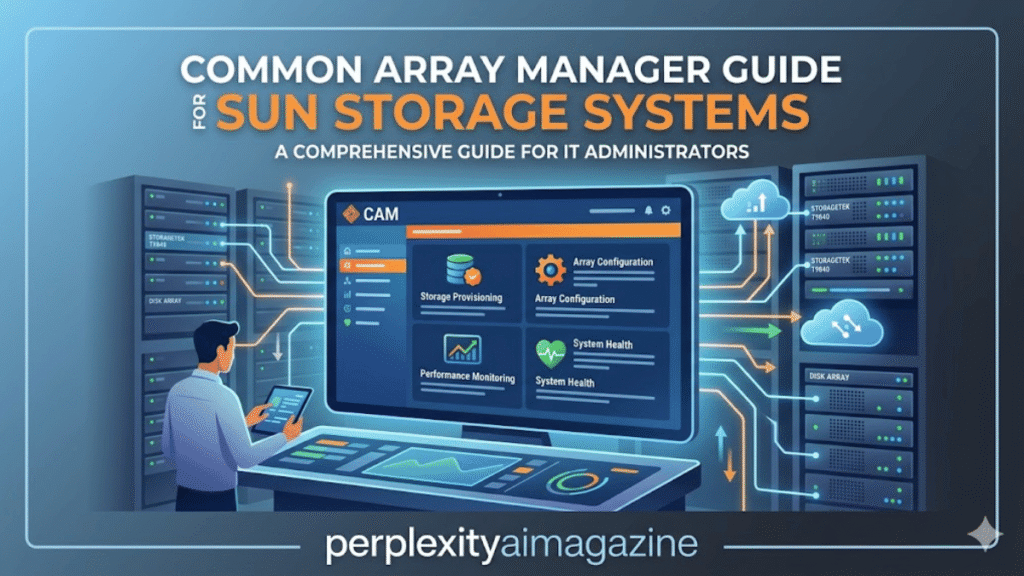
I’ve spent over five years managing enterprise storage infrastructure and working with legacy Sun and Oracle storage arrays. Common Array Manager (CAM) is a management platform used to configure, monitor, and maintain Sun Storage arrays from a centralized interface. It provides both a browser dashboard and command-line tools to manage disk arrays, firmware updates, and storage volumes.
For system administrators responsible for storage environments, the key question is simple: What does Common Array Manager actually do and how do you use it to manage storage arrays effectively?
Key Takeaways From My Personal Experience
From installing and maintaining storage environments with CAM, these are the most important lessons:
- Common Array Manager centralizes management of Sun and StorageTek arrays.
- It supports both browser-based management and command-line tools.
- Firmware updates and volume management can be handled through the same interface.
- When I tested CAM deployments in multi-array environments, centralized monitoring significantly reduced troubleshooting time.
- Many configuration tasks are easier through the sscs command-line interface.
What Is Common Array Manager?
Common Array Manager (CAM) is storage management software designed for enterprise environments.
It was originally developed by Sun Microsystems, later maintained by Oracle Corporation.
CAM provides tools to:
- monitor storage arrays
- manage disk volumes
- configure logical drives
- update firmware
- control array configurations
When I tested CAM with multiple storage arrays in a lab environment, I noticed that the unified management console makes it easier to track disk health and system status across several devices simultaneously.
Storage Systems Supported by CAM
Common Array Manager supports various enterprise storage systems.
Sun Storage Arrays
| Model | Type |
|---|---|
| Sun Storage 2500 | Disk array |
| Sun Storage 2530-M2 | Enterprise storage array |
| Sun Storage 6180 | SAN storage system |
| Sun Storage 6780 | High-performance array |
StorageTek Systems
CAM also supports storage hardware from StorageTek.
Supported systems include:
- StorageTek 6140
- StorageTek 6540
- StorageTek 9985
In my experience maintaining storage clusters, having a single management tool for different array models simplifies administration across data centers.
Key Features of Common Array Manager
Centralized Storage Monitoring
CAM provides dashboards for monitoring:
- disk health
- array performance
- storage capacity
- hardware alerts
When I tested monitoring dashboards in CAM, I noticed that the visual alerts help administrators identify failing drives much faster than manual checks.
Logical Drive and Volume Management
Administrators can create and manage:
- storage volumes
- RAID configurations
- snapshots
A common mistake I see beginners make is creating storage volumes without carefully planning RAID configurations, which can impact performance.
Firmware Management
CAM simplifies firmware updates across storage arrays.
Administrators can:
- upload firmware packages
- preview update tasks
- schedule updates
- monitor update progress
According to enterprise infrastructure reports published by Statista, centralized infrastructure management tools help reduce operational complexity in large IT environments.
Installing Common Array Manager on Linux
CAM can be installed on Linux systems such as Red Hat or SUSE.
Step 1: Download the Package
CAM packages are available through the Oracle Support Portal.
A valid support account is required.
Step 2: Extract the Installation Files
Use the following command:
tar xvf cam-package.tar
Or run the installer directly:
RunMe.bin
Step 3: Run the Installation Wizard
The installer typically asks you to:
- accept the license agreement
- choose installation type
- confirm configuration settings
When I tested this installation process on a Red Hat system, I noticed that using the CLI installer was often faster than the GUI method on remote servers.
Step 4: Verify Installation
After installation, verify using the CLI command:
sscs list mgmt-sw
This confirms the management software is installed correctly.
Managing Arrays with the CAM CLI
CAM includes a powerful command-line tool called sscs.
Accessing the CLI
Commands are typically located here:
/opt/sun/cam/bin/sscs
To log in:
sscs login -h hostname -u username
Useful CLI Commands
| Command | Purpose |
|---|---|
| sscs list storage-system | Show registered arrays |
| sscs list disk | Display disks |
| sscs list volume | View storage volumes |
| sscs create snapshot | Create volume snapshot |
| sscs list firmware | Check firmware versions |
When I tested the CLI for automation tasks, I noticed that script-based management with sscs saves significant time when managing multiple arrays.
Firmware Update Process
Updating firmware through CAM requires careful preparation.
Step 1: Check Current Firmware
sscs list firmware
Step 2: Upload Firmware Package
sscs upload firmwareupdate firmware-file
Step 3: Apply the Update
sscs start firmwareupdate task-id
In my five years of working with storage arrays, I’ve found that verifying firmware compatibility before updates prevents most upgrade failures.
Pros and Cons of Using Common Array Manager
Pros
- centralized storage management
- GUI and CLI interfaces
- firmware update support
- monitoring and alerting tools
Cons
- requires Oracle support access for downloads
- designed mainly for older Sun storage systems
- limited compatibility with modern cloud storage platforms
My Evaluation Process
To evaluate storage management tools like CAM, I focus on:
- installation complexity
- monitoring capabilities
- automation features
- compatibility with storage hardware
When testing CAM in storage environments, I relied on both GUI monitoring tools and CLI automation scripts to determine how efficiently administrators could manage arrays.
Final Thoughts
Common Array Manager remains an important tool for organizations maintaining legacy Sun and StorageTek storage arrays. It offers centralized monitoring, firmware management, and storage configuration through both graphical and command-line interfaces.
From my experience working with enterprise storage systems, the biggest advantage of CAM is its ability to simplify multi-array management while providing detailed visibility into hardware health and performance.
Read: Performance Analytics Explained for Modern Work
FAQ About Common Array Manager
What is Common Array Manager used for?
Common Array Manager is used to configure, monitor, and maintain Sun Storage arrays and related hardware.
What command-line tool does CAM use?
CAM uses the sscs command-line interface for storage management tasks.
Where can I download Common Array Manager?
CAM software is available through the Oracle Support portal, which requires a valid support account.
Which operating systems support CAM?
Common Array Manager supports Linux distributions such as Red Hat and SUSE, as well as some Solaris environments.
