
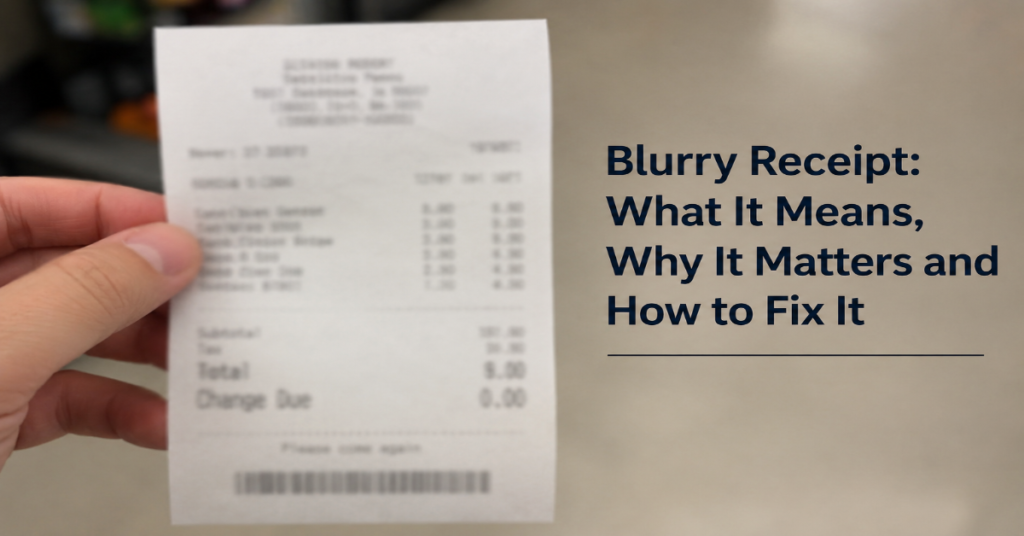
A blurry receipt is a receipt photo or scan that is out of focus, unclear or too damaged for a person or software system to read reliably. The problem sounds small, but it can affect expense approvals, reimbursement claims, bookkeeping accuracy and tax documentation.
Most receipt workflows now depend on digital capture. A phone camera takes the image, an app crops it, optical character recognition reads the text and accounting software tries to extract the merchant, amount, date and tax information. When the image is blurred, dark, overexposed or faded, that chain breaks.
The issue matters because business records are not just personal memory aids. The IRS says businesses should keep records that clearly show income, expenses, deductions and credits, and it also notes that receipts, bills and other documentary evidence are generally needed to support expenses.
Expense platforms treat unreadable receipts as a practical bottleneck too. Circula’s help documentation, updated March 25, 2026, says its unreadable receipt detection feature automatically detects blurry, dark or unreadable receipts in the mobile app to prevent resubmission cycles and accountant frustration.
The best fix is prevention. Capture the receipt flat, close, fully visible and well lit before it fades, wrinkles or gets lost. Editing tools can sometimes improve contrast, but they cannot reliably recreate missing text.
What Makes a Receipt Blurry?
A receipt becomes blurry when the image no longer preserves readable edges between letters, numbers and background. For human readers, that means squinting at totals or guessing dates. For OCR systems, it means higher character error rates and failed extraction.
Common causes include:
| Cause | What happens | Best fix |
| Camera shake | Movement creates motion blur across the text | Hold the phone steady or rest elbows on a surface |
| Poor focus | The camera focuses on the table instead of the paper | Tap the receipt text before taking the photo |
| Wrong distance | Text becomes too small or distorted | Move closer while keeping the whole receipt visible |
| Poor lighting | Shadows, glare or overexposure hide characters | Use soft, even light from the side |
| Faded thermal paper | Contrast drops as the print ages | Scan early and store away from heat |
| Dirty lens | Smudges reduce sharpness | Clean the phone lens before capture |
| Printer issue | White lines or weak print make text unclear | Clean or service the receipt printer |
Research on receipt OCR has repeatedly found that input image quality matters. A 2024 paper on receipt OCR improvement noted that faded physical receipts and low-quality scans reduce recognition accuracy, while image enhancement methods such as noise removal and contrast stretching can improve OCR results.
Why Receipt Apps Reject Blurry Images
Receipt apps are not rejecting images only because they look messy. They reject them because the data cannot be trusted.
A usable receipt image normally needs four readable elements:
| Required detail | Why it matters |
| Merchant name | Confirms where the purchase happened |
| Transaction date | Places the expense in the correct reporting period |
| Total amount | Supports reimbursement or bookkeeping |
| Item details or category | Helps classify the expense correctly |
QuickBooks says its receipt scanner uses AI-driven OCR to record details such as amount, date and location of transactions. If the image is unreadable, the extraction process becomes less reliable.
This is why blurry uploads create more work, not less. The employee may think they submitted proof, but the finance team may still need a retake, manual correction or alternative documentation.
Blurry Receipt vs Faded Receipt vs Damaged Receipt
Not every unreadable receipt has the same cause. That distinction matters because each problem has a different fix.
| Receipt problem | Main cause | Can it be fixed? | Best action |
| Blurry photo | Bad capture | Often, by retaking | Retake immediately |
| Faded thermal print | Heat, age or light exposure | Sometimes, with careful contrast adjustment | Scan early, avoid heat |
| Torn receipt | Physical damage | Partially, if key data remains | Attach supporting proof |
| Overexposed receipt | Too much light or flash | Sometimes, if text remains | Retake without flash |
| Printer-streaked receipt | Dirty print head or weak printer | No, unless reprinted | Clean printer or request duplicate |
Thermal receipts deserve special attention. Thermal paper uses a coating that reacts to heat, which is why receipts can fade when exposed to warmth, sunlight or friction. Chemistry World reported in March 2026 that many thermal papers use bisphenols that react with dyes under heat to print text on receipts, labels and tickets.
For businesses that print receipts, blurry or streaked output may indicate a hardware issue. MUNBYN’s printer support guidance says blurry receipts or white lines can mean the print head should be cleaned, with monthly cleaning suggested for the referenced model.
How to Take a Clear Receipt Photo
The best workflow is simple:
- Place the receipt on a flat, dark surface.
- Smooth folds without covering text.
- Use natural or soft indoor light.
- Avoid flash if it creates glare.
- Hold the phone parallel to the paper.
- Tap on the receipt text to focus.
- Make sure all corners are visible.
- Review the image before leaving the store.
A useful rule: if you cannot read the merchant, date and total in the phone preview, your app probably cannot read them either.
For long receipts, do not take the photo from too far away. Use your app’s long-receipt mode if available, or take multiple images according to the app’s rules. Shrinking a full grocery receipt into one distant photo often makes every line technically visible but practically unreadable.
Can You Fix a Blurry Receipt Afterward?
Sometimes. But repair has limits.
Useful edits include:
| Fix | When it helps | Risk |
| Increase contrast | Faded or low-contrast text | Can make shadows look like text |
| Sharpen image | Slight softness | Cannot recover severe blur |
| Convert to grayscale | Color casts or yellow lighting | May remove useful color cues |
| Crop and straighten | Tilted image | Cropping too much can remove data |
| Reduce glare | Mild reflection | Strong glare usually destroys text |
The key distinction is enhancement versus reconstruction. Enhancement makes existing information easier to see. Reconstruction guesses missing information. For reimbursements, accounting and tax support, guessing is not acceptable.
If the receipt is too blurred to read, retake it or request a duplicate from the merchant. If neither is possible, attach supporting evidence such as a card statement, booking confirmation, invoice or written explanation. The IRS states that documentary evidence such as receipts, canceled checks or bills is generally needed to support expenses, with additional evidence required for travel, entertainment, gifts and auto expenses.
How OCR Reads a Clear Receipt
OCR, or optical character recognition, turns text in an image into machine-readable data. Receipt OCR usually adds extra steps because receipts are not clean documents. They are narrow, crumpled, curved, reflective and often printed on low-contrast thermal paper.
A typical pipeline looks like this:
| Step | What the software does |
| Image capture | Receives the photo or scan |
| Preprocessing | Crops, straightens, denoises and adjusts contrast |
| Text detection | Finds areas likely to contain text |
| Text recognition | Converts characters into digital text |
| Field extraction | Identifies merchant, date, total and tax |
| Validation | Compares extracted values against rules or user input |
A 2025 review of invoice and receipt OCR found that poor image quality, background noise and skewed scanning can reduce OCR performance. The review also discussed evaluation measures such as character error rate and word error rate.
That is the hidden cost of a blurry receipt. Even when OCR returns something, the result may be wrong. A “3” can become an “8.” A decimal point can disappear. A date can shift into the wrong month.
Practical Implications for Expense Reporting
For employees, a blurry upload can delay reimbursement. For finance teams, it creates exception handling. For accountants, it weakens the audit trail.
The operational risk is not only rejection. It is silent misclassification. If OCR reads the wrong amount and the user approves it quickly, the error may move into the accounting system.
A cleaner workflow should include:
| Workflow point | Control |
| At purchase | Photograph immediately |
| Before submission | Check merchant, date and total |
| In expense app | Use automatic blur warnings when available |
| In accounting review | Flag unreadable receipts before approval |
| During audit prep | Store original readable image with transaction record |
Circula’s unreadable receipt detection is a good example of where the market is heading: apps are moving from passive upload tools to quality-control systems that detect bad inputs earlier.
Risks and Trade-Offs
There are three main trade-offs.
First, compression saves storage but can reduce readability. Some app workflows compress images for faster upload, which may make small receipt text harder to inspect later.
Second, enhancement can improve legibility but may raise trust questions if the edited file no longer looks like the original receipt. Keep the original image when possible.
Third, digital receipts reduce paper problems but create inbox and access problems. If a receipt is emailed to an employee’s personal address and later deleted, the business still has a documentation gap.
The safest approach is to capture receipts early, store them in the same system as the transaction and avoid relying on later repair.
The Real-World Impact of Bad Receipt Images
Blurry receipts affect more than individual reimbursements. They slow finance operations, increase manual review and create friction between employees and approvers.
For small businesses, the risk is weaker books. If receipts are unreadable, expense categories may be based on memory instead of evidence. For larger teams, the cost appears as exception queues and delayed month-end close.
There is also a worker-exposure angle around paper receipts. The Minnesota Pollution Control Agency notes that thermal receipts can contain BPA or BPS, and testing in Minnesota hospitality businesses found BPA in half of sampled thermal paper receipts.
That does not mean every receipt should be avoided, but it strengthens the case for clean digital capture, proper storage and digital receipt options where available.
Original Insights for Better Receipt Workflows
| Insight | Why it matters |
| Image quality is a compliance issue, not just a UX issue | A readable image supports accounting, reimbursement and audit defense |
| The first photo is usually the highest-value moment | Receipts fade, crumple and disappear after the purchase |
| Blur detection should happen before submission | Early warnings reduce back-and-forth between employees and finance teams |
| Printer maintenance belongs in the receipt-quality workflow | A perfect camera cannot fix weak or streaked printing |
| Edited images should not replace originals | Keeping both helps preserve evidence and improve readability |
These points are often missed because receipt advice focuses on camera tips. The bigger issue is workflow design. A receipt image is part of a business record.
The Future of Blurry Receipt Handling in 2027
By 2027, receipt handling will likely move further toward automatic quality scoring, real-time capture guidance and stronger links between payment data and receipt data. That trend is already visible in expense platforms that detect unreadable receipts before submission and accounting platforms that use AI-driven OCR for receipt capture.
The technical direction is also clear. Modern receipt recognition research is moving beyond simple OCR toward multimodal models that combine layout, visual structure and text recognition. A 2025 Electronics paper proposed receipt recognition based on multimodal alignment and lightweight sequence modeling, showing how the field is moving toward more context-aware extraction.
Still, better AI will not eliminate the need for better images. A severely blurred or overexposed receipt may contain no recoverable text. The likely future is not magic repair. It is earlier prevention: the app tells users to retake the image before the bad receipt enters the accounting workflow.
Takeaways
• A receipt photo is only useful if key transaction details remain readable.
• Retaking a poor image is more reliable than trying to repair it later.
• OCR systems depend heavily on focus, contrast, lighting and alignment.
• Thermal receipts should be scanned early because fading can reduce contrast over time.
• Businesses should treat receipt image quality as part of expense control.
• Automatic blur detection can reduce resubmissions and finance-team friction.
• Original files should be preserved when enhanced versions are created.
Conclusion
A blurry receipt is not a minor inconvenience when it sits inside an expense, accounting or tax workflow. It can delay reimbursement, break OCR extraction and leave a business with weaker documentation than it thinks it has.
The fix is mostly practical. Photograph receipts immediately, use good lighting, keep the paper flat, focus on the text and check the result before submitting. If the receipt is already damaged, use enhancement carefully, preserve the original and add supporting evidence when needed.
The larger lesson is that receipt capture should be designed as a control point. Clear images protect employees, finance teams and business records. Better apps will help, but the strongest defense remains simple: capture the receipt clearly while the information is still readable.
FAQ
What is a blurry receipt?
A blurry receipt is a receipt image where important details such as the merchant, date, total amount or purchased items are unclear. It can happen because of camera shake, poor focus, low lighting, glare, faded thermal paper or printer problems.
Can expense apps reject a blurry receipt?
Yes. Some expense apps can detect unreadable receipts and ask users to retake the photo. Circula, for example, documents an unreadable receipt detection feature that flags blurry, dark or unreadable receipts in its mobile app.
Can OCR read a blurry receipt?
Sometimes, but not reliably. OCR accuracy depends on image quality, contrast, alignment and text clarity. Poor image quality, background noise and skew can reduce recognition performance.
How do I make a receipt photo clearer?
Place the receipt flat, use soft lighting, avoid glare, clean the camera lens, hold the phone steady and tap the text to focus. Make sure the merchant, date and total are readable before uploading.
What should I do if the receipt is too damaged to read?
Request a duplicate receipt from the merchant if possible. If not, attach supporting evidence such as a bank statement, invoice, order confirmation or written explanation. Do not guess missing amounts or dates.
Why do thermal receipts fade?
Thermal receipts use heat-reactive coatings. Heat, sunlight, friction and age can reduce contrast over time. That is why important receipts should be scanned or photographed soon after purchase.
Should I keep the original receipt after scanning it?
For many workflows, a clear digital copy is useful, but businesses should follow their own accounting, legal and tax retention rules. The IRS says records should clearly support income, expenses and deductions.
Methodology
This article was drafted from the supplied production brief, then checked against current public sources on recordkeeping, receipt OCR, expense-app quality controls, receipt scanner workflows, thermal paper and printer maintenance. The analysis used IRS recordkeeping guidance, Circula support documentation, QuickBooks receipt scanner material, OCR research and thermal paper references.
References
Internal Revenue Service. (2025). What kind of records should I keep? IRS.
Internal Revenue Service. (2025). Burden of proof. IRS.
Circula. (2026). Unreadable receipt detection. Circula Help Center.
Intuit QuickBooks. (2026). The best receipt scanners for small businesses in 2026. QuickBooks.
Sutriawan, S. (2024). Improving the quality of optical character recognition OCR based on neural network with the image enhancement process. Scientific journal article.
Rexhepi, A. (2025). Invoice and receipt optical character recognition: Review on current approaches. CEUR Workshop Proceedings.
Yu, J. M. (2025). Receipt recognition technology driven by multimodal alignment and lightweight sequence modeling. Electronics.
Minnesota Pollution Control Agency. (n.d.). BPA and BPS in thermal paper.
Chemistry World. (2026). Explainer: What is thermal paper?
MUNBYN. (2025). ITPP047: What should I do if the printed receipt is blurry? MUNBYN Support.
