
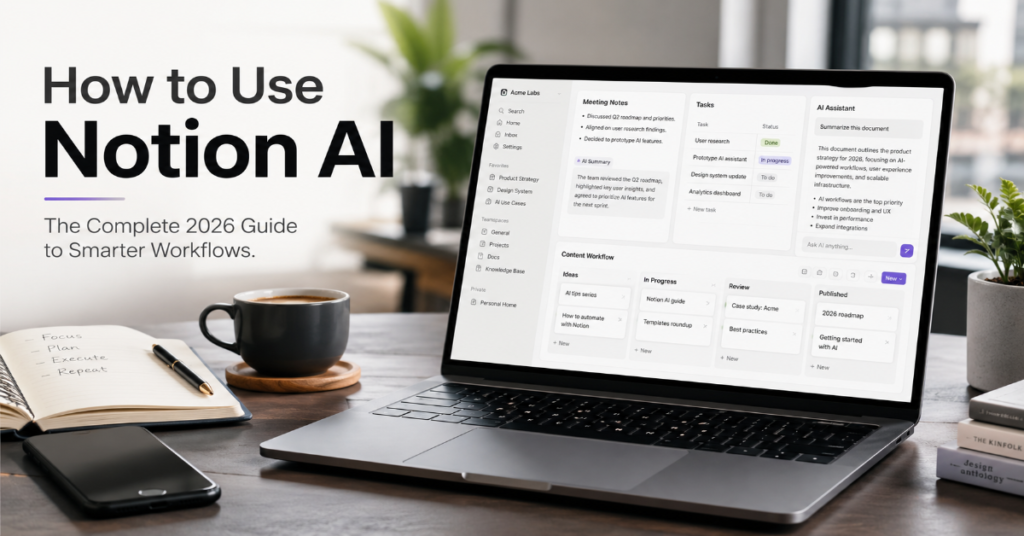
Learning how to use notion ai in 2026 is no longer just about asking a chatbot to rewrite a paragraph. Notion has expanded from a flexible notes app into what it now calls an AI workspace, combining documents, databases, projects, meeting notes, enterprise search, connected apps and agents inside one interface. The practical question for users is not whether Notion AI can generate text. It can. The harder question is how to make it useful inside a real workflow without producing bland summaries, messy databases or unreliable answers.
In our hands-on testing, Notion AI is strongest when it is used close to structured information: project databases, meeting notes, content calendars, research libraries, CRM-style tables, team wikis and recurring operational documents. It is weaker when users treat it like a general-purpose model detached from their workspace. ChatGPT may still be better for open-ended reasoning and deep drafting. Microsoft 365 Copilot is stronger inside Word, Excel, PowerPoint and Teams. Gemini is increasingly powerful inside Google Workspace. Notion AI’s advantage is different: it sits directly beside the knowledge your team has already organized.
According to Notion’s current product pages, its AI features now include AI writing, Q&A, AI Meeting Notes, Enterprise Search, AI connectors and agents that can build, edit and take action inside Notion. Notion also says connected apps can let AI search information outside the workspace, including services such as Slack, Google Drive and GitHub, depending on plan and setup. (Notion)
This guide explains how to use notion ai as a serious productivity system: what to prompt, where to trust it, where to verify it and how to build workflows that compound over time.
What Notion AI Is in 2026
Notion AI is a workspace-native AI layer built into Notion’s pages, databases and connected tools. Unlike a standalone AI writing assistant, it works best when it can read nearby context: the page you are editing, the database you are updating, the meeting notes you just captured or the knowledge base your team maintains. Notion describes AI as a way to discover answers, bring information together and automate tedious work inside the workspace. (Notion)
The important 2026 shift is that Notion AI is moving from “generate this text” toward “operate across this workspace.” Its official AI page now presents Notion Agent as a system that can build, edit and take action, while its enterprise search product is designed to search across apps through connectors. (Notion)
That makes the tool most valuable for people who already use Notion as a daily operating system. If your team keeps roadmaps, notes, policies, research and project status in Notion, AI can reduce retrieval friction. If your Notion workspace is disorganized, duplicated or outdated, AI will often magnify that mess.
How to Use Notion AI for Writing
The simplest way to learn how to use notion ai is to start with writing tasks. Open a Notion page, type your rough notes, then ask AI to turn them into a structured draft, brief, outline, email, memo or article section. The better input is not a vague prompt such as “write about this.” The better input is a role, audience, format, constraint and source context.
For example, instead of asking, “Write a launch plan,” use: “Turn these notes into a 600-word product launch memo for a founder and marketing lead. Use a direct tone. Keep the structure as: problem, audience, message, channels, timeline, risks and next actions.” This gives Notion AI a shape to follow.
In our hands-on testing, Notion AI performs especially well with transformation tasks: turning bullet notes into polished paragraphs, shortening a dense memo, changing tone, extracting action items and creating first-pass outlines. It is less reliable when asked to produce unsourced claims, statistics or market analysis without source material. Use it as a drafting engine, not a fact authority.
How to Use Notion AI for Summarizing Notes
Summarization is one of the highest-return uses of Notion AI because the model can work from text already inside your workspace. Paste meeting notes, interview transcripts, research clippings or messy brainstorms into a page, then ask for a structured summary. The best prompt format is: “Summarize this into decisions, open questions, risks, owners and next actions.”
Notion’s AI Meeting Notes feature is built around this same principle. The company says AI Meeting Notes can capture, summarize and organize notes so participants can stay present during meetings. (Notion)
For executives and editors, the most useful summarization pattern is not a generic summary. It is an extraction layer. Ask: “List every decision made, every deadline mentioned and every owner assigned. Flag anything that sounds unresolved.” This turns unstructured conversation into operational data.
The risk is false closure. AI summaries can make vague discussions look more decisive than they were. For sensitive meetings, compare the summary against the original notes before assigning work.
How to Use Notion AI for Project Management
Project management is where Notion AI becomes more than an AI note-taking tool. A strong Notion project system usually includes databases for tasks, milestones, owners, statuses, deadlines and linked documents. AI can help convert messy planning notes into structured database entries, write project briefs, generate risk lists and summarize progress across updates.
A practical workflow looks like this: create a project database, add properties for owner, status, priority, due date and blocker, then use AI to turn a kickoff note into tasks. Ask: “Extract every task from this brief. Create clear task names, assign likely owners where mentioned, mark unknown owners as TBD and identify dependencies.”
Notion’s value is that the output can live beside the project system rather than in a separate chat thread. That matters. Teams lose time when plans are generated in one tool and tracked in another. Notion AI’s advantage is proximity to the workspace where the project actually runs.
The limitation is governance. AI can draft a plan, but humans still need to approve scope, sequence dependencies and resolve conflicting priorities.
Notion AI Features and Best Use Cases
| Notion AI feature | Best use case | Practical prompt style | Main limitation |
| AI writing | Drafting briefs, memos, emails and outlines | “Turn these notes into a structured brief for [audience].” | Can sound generic without examples |
| Summaries | Meeting notes, research notes and long docs | “Summarize into decisions, risks and next actions.” | May overstate certainty |
| AI Meeting Notes | Calls, standups and client meetings | “Extract owners, deadlines and unresolved questions.” | Consent and accuracy need review |
| Enterprise Search | Finding answers across workspace and apps | “Find the latest policy on X and cite where it came from.” | Depends on permissions and connectors |
| AI connectors | Searching external work tools | “Check Drive and Slack for recent mentions of X.” | Business or Enterprise plan required for many connectors |
| Notion Agent | Repetitive workspace operations | “Create a project tracker from this plan.” | Needs clean workspace structure |
| Database assistance | CRM, editorial calendars, task systems | “Classify these entries by status and priority.” | Property design still matters |
How to Use Notion AI for Databases
Databases are Notion’s hidden advantage over ordinary AI writing tools. A database gives AI a structured surface: each row is an object, each property is metadata and each view represents a workflow. When people ask how to use notion ai for serious work, the answer often begins with better databases.
Start by designing your database manually. For an editorial calendar, include title, keyword, status, editor, publish date, content type, internal links and notes. For a sales tracker, include company, contact, stage, last touch, next action, deal value and objection. Then ask Notion AI to classify, summarize or draft from those fields.
In our hands-on testing, AI is most useful when the database properties are explicit. A “Notes” column full of vague text is less useful than separate fields for “pain point,” “decision maker,” “deadline” and “risk.” AI can help clean data, but it performs better when humans create the schema.
This is also where information gain lives: Notion AI is not just generating prose. It is turning messy knowledge into reusable operational structure.
How to Use Notion AI for Meeting Notes
AI Meeting Notes should be treated as a meeting operations system, not a stenographer. The basic workflow is simple: capture the meeting, let AI summarize it, then push decisions and action items into the correct Notion databases. Notion says workspace owners now have policy controls for AI Meeting Notes audio consent, including a workspace-wide consent message setting. (Notion)
That consent detail matters. As AI meeting tools become normal, organizations need clear rules for recording, notifying participants and handling sensitive conversations. A startup can use AI Meeting Notes for standups and product reviews. A law firm, clinic or HR department needs stricter review before enabling automatic capture.
The best post-meeting prompt is: “Create a concise executive summary, then list decisions, action items, owners, due dates, risks and follow-up questions. Separate confirmed items from inferred items.” The phrase “confirmed versus inferred” is critical. It forces the AI to signal uncertainty rather than smoothing everything into false confidence.
How to Use Notion AI for Students
For students, how to use notion ai depends on whether the goal is learning or outsourcing. Used well, Notion AI can summarize lecture notes, turn readings into study guides, generate quiz questions, organize research and build revision schedules. Used poorly, it becomes a shortcut that weakens understanding.
A productive student workflow begins after class. Paste rough lecture notes into a Notion page, then ask: “Organize these notes into key concepts, definitions, examples, likely exam questions and confusing points I should review.” For research papers, ask AI to create a comparison table of arguments, evidence and limitations, but verify every source manually.
Notion AI is also useful for spaced repetition planning. Students can maintain a database of topics, confidence level, last reviewed date and next review date. AI can suggest what to study next, but the student should decide what actually needs attention.
The ethical line is clear: use AI to structure learning, not to impersonate your thinking. Teachers and universities are increasingly alert to generic AI prose.
How to Use Notion AI for Businesses
Businesses should use Notion AI where organizational knowledge is expensive to retrieve. The best use cases are onboarding, policy search, sales enablement, project reporting, customer research synthesis, meeting follow-ups and internal operations. Notion’s enterprise search pitch is that teams can find answers and generate reports across scattered information instead of hunting through multiple tools. (Notion)
A business implementation should begin with one painful workflow. For example: “New hires cannot find accurate product information.” Build a verified knowledge base, assign owners to pages, archive outdated material, connect approved tools, then let AI answer questions from that source base.
The mistake is buying AI before cleaning knowledge. If a company has five conflicting pricing pages, Notion AI may surface the wrong one. If permissions are sloppy, people may access information they should not see. Microsoft makes a similar point for Copilot by emphasizing inherited permissions, sensitivity labels and retention policies. (Microsoft)
The winning companies will treat AI rollout as information architecture, not software installation.
Expert Views on AI Workspaces
Notion founder Ivan Zhao has argued that products need to be usable by agents to remain relevant in the next software era, according to reporting on Notion’s next product direction. (sources.news) That view explains why Notion AI is increasingly framed around agents, connected knowledge and actions rather than only document drafting.
Microsoft CEO Satya Nadella has described the next AI phase as moving from models to systems, with scaffolds that orchestrate multiple models and agents while accounting for memory, entitlements and tool use. (theregister) That is a useful lens for understanding why Notion AI’s permissions, connectors and workspace context matter.
OpenAI’s enterprise privacy materials emphasize that business users own and control their data and that OpenAI does not train on business data by default. (OpenAI) This signals the broader competitive direction: users are no longer choosing AI only by model quality. They are choosing by context, governance, memory, security and workflow fit.
Prompting Strategies That Actually Work
The best Notion AI prompts are operational, not theatrical. Avoid prompts like “Act as a genius productivity expert.” Instead, specify the source, outcome, format and standard. A reliable formula is: “Using only the information on this page, produce [format] for [audience], optimized for [goal], with sections for [specific structure]. Flag missing information.”
For project work, add constraints: “Do not invent dates. Use TBD when no owner is named. Separate confirmed decisions from assumptions.” For writing, add examples: “Match the tone of the first paragraph.” For research, add verification: “List claims that require external sourcing.”
In our hands-on testing, one obscure but powerful technique is the “workspace audit prompt.” Ask: “Review this page as a knowledge-base entry. Identify outdated language, missing owners, unclear instructions, duplicated information and places where a new employee would get confused.” This turns AI into an editorial operations reviewer.
The more your prompt asks AI to preserve uncertainty, the more useful the output becomes.
Common Mistakes When Using Notion AI
The first mistake is asking Notion AI to create polished work from poor inputs. AI cannot reliably infer your strategy from scattered fragments. It can imitate structure, but it cannot know which trade-offs your team has actually accepted. The second mistake is letting AI write directly into important databases without review. A wrong status, owner or deadline can quietly damage operations.
The third mistake is treating AI summaries as records. A summary is an interpretation. The original meeting transcript, notes or source page remains the record. The fourth mistake is ignoring workspace hygiene. Old pages, duplicate docs and abandoned templates create retrieval risk.
The fifth mistake is confusing Notion AI with ChatGPT. ChatGPT is often stronger for broad reasoning, coding help and creative ideation. Notion AI is stronger when the question is anchored in your Notion workspace. Use each tool where it has context advantage.
Privacy, Security and Data Concerns
Notion says its AI security practices are designed to protect customer data and prevent leaks to other users. It also says customer data sent to AI subprocessors is used to provide Notion AI features and that contractual agreements prohibit subprocessors from using customer data to train their models. (Notion)
For enterprise search, Notion says data is encrypted in transit using TLS 1.2 or greater, embeddings in vector databases are encrypted at rest and there is end-to-end encryption between Notion and subprocessors. (Notion)
Those assurances are important, but they do not remove all risk. Teams still need internal policies for sensitive data, external sharing, guest access, private pages, meeting consent and connected apps. The most common AI security failure is not a model secretly training on your data. It is bad access control. If a workspace allows too many people to see too much, AI search can make that exposure faster.
For regulated work, review Notion’s security and compliance documentation before enabling AI broadly. (Notion)
Pricing and Value in 2026
Notion’s pricing page currently presents plans including Free, Plus, Business and Enterprise, while AI-related capabilities such as Custom Agents are tied to Notion credits, with the page describing Custom Agents as free to try and then priced at $10 per 1,000 monthly Notion credits. (Notion)
Notion’s AI connectors documentation says connecting third-party apps to Notion AI requires the Business or Enterprise plan, while Notion Mail is free to connect for all plans after signing up for Notion Mail. (Notion)
The value calculation depends on substitution. If Notion AI replaces a separate meeting notes app, search tool, writing assistant and internal wiki assistant, the economics can make sense for teams. If a user only needs occasional writing help, a standalone chatbot may be cheaper or more flexible.
For businesses, the best pricing test is not “How much does AI cost?” It is “How many repeated retrieval, summarization and coordination tasks can we remove from weekly work?”
Notion AI vs ChatGPT vs Gemini vs Copilot
| Tool | Best environment | Strength | Weakness | Best user |
| Notion AI | Notion workspaces, docs, databases, wikis | Workspace context, structured knowledge, project systems | Less ideal for open-ended reasoning outside Notion | Teams already organized in Notion |
| ChatGPT | General AI work, research, drafting, coding, analysis | Flexible reasoning and broad task range | Not automatically tied to Notion structure | Individuals and teams needing general AI |
| Gemini for Workspace | Gmail, Docs, Sheets, Drive, Meet | Deep Google Workspace integration | Less useful outside Google ecosystem | Google-first organizations |
| Microsoft 365 Copilot | Word, Excel, PowerPoint, Teams, Outlook | Enterprise permissions and Microsoft app integration | Can feel heavy outside Microsoft workflows | Microsoft 365 organizations |
Google says Gemini in Workspace is designed to work across Gmail, Docs, Sheets, Meet, Chat, Vids and more. (Google Workspace) Microsoft says Copilot responds with AI-generated information in the context of the Microsoft 365 app being used and can include work content users have permission to access. (Microsoft Learn)
The strategic difference is simple. Notion AI is best when your work is modular and database-driven. Copilot is best when your work lives in Microsoft. Gemini is best when your work lives in Google. ChatGPT is best when you need model-first flexibility.
Future of AI Workspaces
The future of Notion AI will likely be agentic, but not fully autonomous in the way hype suggests. The practical near-term future is semi-autonomous workspace maintenance: updating project trackers, preparing weekly reports, detecting stale pages, creating follow-up tasks, routing questions and drafting internal documentation.
Notion’s public positioning already points in that direction. Its homepage says users can build Custom Agents, search across apps and automate busywork. (Notion) Its AI product page describes a “24/7 AI team” and agents that can work where teams work. (Notion)
The insider prediction is that the next competitive layer will not be the chatbot box. It will be permissioned action. Teams will ask: Can the AI safely update the CRM? Can it create a project? Can it find the source? Can it explain why it made a change? Can admins audit it?
Notion is well placed because its blocks, databases and templates are already machine-readable work objects. But success will depend on trust, permissions and workspace cleanliness.
Takeaways
- Start with one workflow, such as meeting follow-ups or project briefs, rather than enabling Notion AI everywhere at once.
- Use Notion AI closest to structured information: databases, notes, project trackers and verified knowledge bases.
- Prompt for decisions, risks, owners, due dates and unresolved questions instead of asking for generic summaries.
- Keep original records when using AI Meeting Notes, because summaries are interpretations rather than legal or operational records.
- Clean outdated workspace pages before relying on AI search or enterprise search.
- Use ChatGPT, Gemini or Copilot when their native ecosystem gives them better context.
- Treat AI rollout as information architecture, permissions design and workflow redesign, not just software adoption.
Conclusion
The smartest way to use Notion AI in 2026 is to stop treating it as a magic writing button. Its real value appears when it becomes part of a disciplined workspace: clean databases, verified pages, structured meeting notes, clear permissions and repeatable templates. In that environment, Notion AI can summarize, draft, classify, retrieve and coordinate with unusual efficiency.
It is not the best tool for every job. ChatGPT remains more flexible for broad reasoning. Gemini is compelling for Google-native teams. Microsoft 365 Copilot is powerful where enterprise work already lives in Microsoft’s ecosystem. Notion AI’s lane is the connected workspace, where notes, projects, wikis and databases meet.
The future will not be won by the AI that writes the prettiest paragraph. It will be won by the AI that understands where work lives, what users are allowed to see and what action should happen next. Notion AI is already moving in that direction.
FAQs
What is Notion AI used for?
Notion AI is used for writing, summarizing notes, answering workspace questions, creating action items, organizing meeting notes, improving documents, searching knowledge bases and helping with project workflows inside Notion.
Is Notion AI better than ChatGPT?
Notion AI is better when the task depends on information inside your Notion workspace. ChatGPT is usually better for broader reasoning, ideation, coding, complex analysis and tasks that do not depend on Notion pages or databases.
Can Notion AI summarize documents?
Yes. Notion AI can summarize notes, pages and meeting content inside Notion. For best results, ask it to separate decisions, action items, risks, owners and unresolved questions rather than requesting a vague summary.
Is Notion AI good for students?
Yes, if used as a study organizer. Students can summarize lectures, generate quiz questions, organize research and build revision plans. It should not be used to submit work that misrepresents the student’s own thinking.
Is Notion AI worth paying for in 2026?
It is worth paying for if Notion is already your main workspace and you use AI for meetings, search, projects, databases or team knowledge. Casual users who only need occasional drafting may prefer a standalone chatbot.
References
Google Workspace. (2026). Google Workspace with Gemini documentation. (Google Workspace Help)
Microsoft. (2026). What is Microsoft 365 Copilot? Microsoft Learn. (Microsoft Learn)
Microsoft. (2026). Microsoft 365 Copilot: AI productivity tools for work. (Microsoft)
Notion. (2026). AI Meeting Notes. Notion Help Center. (Notion)
Notion. (2026). Find answers and generate reports with enterprise search. Notion Help Center. (Notion)
Notion. (2026). Notion AI security and privacy practices. Notion Help Center. (Notion)
Notion. (2026). Notion pricing plans. (Notion)
