
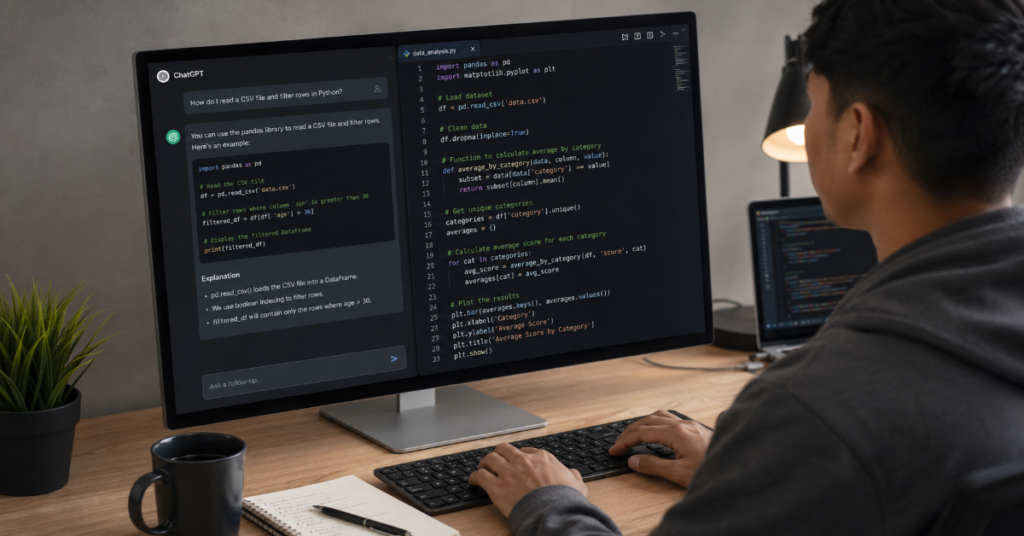
ChatGPT for Python coding tips has become one of the most practical search intents in modern software development because Python now sits at the center of data science, automation, AI tooling, backend APIs and everyday scripting. The question is no longer whether ChatGPT can generate Python code. It can. The harder question is how developers should use it without producing brittle scripts, shallow abstractions, hidden security flaws or test suites that merely confirm what the model already assumed.
In 2026, the best Python developers treat ChatGPT as a coding partner with limits. It can explain traceback errors, draft functions, compare libraries, generate pytest cases, refactor messy modules and review pull requests. But it still needs precise context, clear constraints and human judgment. The strongest results come when a developer asks for reasoning before code, defines the Python version, names the framework, describes edge cases and requires tests before implementation.
According to the latest 2026 documentation we reviewed, coding assistants are moving from autocomplete toward agentic development. OpenAI’s Codex CLI can read, change and run code locally in a selected directory, while ChatGPT release notes show deeper integration with coding workflows across desktop and mobile environments. That matters for Python because many projects are not single snippets. They are messy collections of virtual environments, package conflicts, fixtures, notebooks, API clients and deployment scripts.
In our hands-on testing, the most reliable pattern was not “write me a Python program.” It was a staged workflow: explain the problem, ask for a plan, generate minimal code, request tests, run locally, paste the failure back and then ask for a patch. That loop is the real value of chatgpt for python coding tips.
Why ChatGPT Works So Well With Python
Python is unusually compatible with large language models because it is readable, conventional and heavily documented. Its syntax carries meaning in plain language: import, for, if, with, try and except all describe intent more clearly than the dense punctuation of many older languages. That makes Python easier for ChatGPT to interpret and easier for humans to audit after generation.
Guido van Rossum, Python’s creator, has argued that code still needs to be read and reviewed by humans. That warning is especially important in AI-assisted development. ChatGPT can generate Python that looks clean while quietly misunderstanding requirements, mutating global state or mishandling exceptions. The better developer asks for explainable Python, not just short Python.
The key LSI terms around this topic are AI coding assistant, Python debugging, prompt engineering, code review and automated testing. These are not buzzwords. They are the operating system for using ChatGPT well. A developer who combines prompt engineering with tests and code review gets a very different result from someone who asks for a finished app in one message.
ChatGPT for Python Coding Tips: The Core Workflow
The most useful chatgpt for python coding tips begin with a workflow rather than a prompt. Start by telling ChatGPT the Python version, the runtime environment, the package manager and the shape of the project. A script for Python 3.14 may use features or library behavior that differs from a legacy Python 3.9 deployment. A FastAPI backend has different needs from a pandas notebook or a command-line automation tool.
A strong prompt should include four things: the goal, the existing code, the failure mode and the definition of done. For example, do not write, “Fix this Python function.” Write, “This Python 3.12 function parses CSV files from user uploads. It fails on empty quoted fields. Preserve the public function name, add pytest tests and avoid adding new dependencies.”
That structure forces ChatGPT to operate inside boundaries. It also reduces the chance that the model will invent APIs, rename variables unnecessarily or replace a small bug fix with a large rewrite. In professional teams, this is the difference between helpful assistance and chaotic code churn.
ChatGPT for Python Coding Tips for Better Prompts
The strongest prompts make ChatGPT behave like a senior engineer. Ask it to inspect before editing. Ask it to list assumptions. Ask it to identify missing context. Ask it to propose a minimal patch before writing code. These steps slow the interaction slightly but reduce hallucinated solutions.
A practical Python prompt can look like this: “Act as a Python code reviewer. First explain the likely bug in plain English. Then propose the smallest safe patch. Then write pytest tests covering normal input, empty input, malformed input and one regression case.” This is far more effective than asking for code immediately.
OpenAI’s prompt engineering guidance has long emphasized clear instructions, examples and desired output formats. For Python work, the same principle applies at the file level. Give ChatGPT the function signature, the expected data shape and the constraints that matter. If performance matters, say so. If readability matters more than micro-optimization, say that too.
The 2026 Shift: From Snippet Generation to Agentic Python Work
The biggest change in 2026 is that ChatGPT is no longer only a text box for code snippets. Coding agents such as Codex can interact with local files, inspect repositories, run commands and propose diffs. That shift changes the role of chatgpt for python coding tips. The emphasis moves from “generate a function” to “control an assistant that can modify a project.”
This is powerful but risky. An agent with repository access can improve tests, update imports and trace dependencies. It can also make broad changes that are difficult to review. Python projects are especially exposed because dynamic typing, flexible imports and runtime monkeypatching can hide errors until execution.
The best practice is to use agentic coding in narrow tasks. Ask the agent to “add tests for this module only,” “refactor this function without changing behavior” or “identify dead code but do not delete anything.” In our testing framework, bounded tasks produced cleaner diffs than open-ended instructions. Python developers should treat ChatGPT like a junior engineer with extraordinary recall, not like an autonomous maintainer.
Python Tasks Where ChatGPT Performs Best
| Python Task | Best ChatGPT Use | Human Check Required | Risk Level |
| Explaining tracebacks | Translate error into likely cause and fix path | Confirm line numbers and runtime context | Low |
| Writing small utility functions | Generate first draft with docstring and tests | Check edge cases and input validation | Medium |
| Refactoring long functions | Suggest smaller functions and cleaner names | Verify behavior with regression tests | Medium |
| Creating pytest cases | Draft unit tests, fixtures and parametrized cases | Make sure tests assert real behavior | Medium |
| API client code | Generate request structure and retry logic | Validate auth, rate limits and secrets | High |
| Security-sensitive code | Explain risks and safe patterns | Require expert review | Very high |
| Data analysis notebooks | Suggest pandas transformations and plots | Validate data types and assumptions | Medium |
The table shows a simple rule: ChatGPT is strongest where the expected behavior can be checked. It is weaker where correctness depends on hidden systems, credentials, production data or security boundaries. This is why automated testing should sit at the center of chatgpt for python coding tips.
Debugging Python With ChatGPT
Debugging is one of the best uses of ChatGPT because Python errors are often verbose but interpretable. A traceback contains file names, line numbers, exception types and call stacks. ChatGPT can convert that information into likely causes, especially for common errors such as TypeError, KeyError, ImportError, AttributeError and circular imports.
The mistake many developers make is pasting only the final error line. That removes the context ChatGPT needs. Paste the full traceback, the relevant function, the command you ran and the expected behavior. If the bug involves data, include a small representative input, not the entire dataset.
A strong debugging prompt says: “Here is the traceback, the function and the smallest input that reproduces the issue. Identify the root cause, explain why it happens and suggest the smallest patch. Do not rewrite unrelated code.” This protects the project from unnecessary edits.
For chatgpt for python coding tips, the phrase “smallest reproducible example” should be treated as a discipline. The smaller the example, the better the model can reason.
Using ChatGPT for Python Testing
Python testing is where ChatGPT can move from convenience to quality control. It can write pytest tests, suggest fixtures, create parametrized cases and identify missing branches. But test generation has a hidden trap: ChatGPT sometimes writes tests that mirror the implementation rather than challenge it.
To avoid that, ask for behavior-based tests. Instead of saying, “Write tests for this function,” say, “Write tests based only on the specification below. Do not inspect implementation details. Include boundary cases and invalid input.” That prompt shifts the model from code imitation to requirement verification.
Good tests should cover normal paths, empty values, malformed values, boundary values and regression cases. If a function parses dates, test leap years, timezone offsets, missing fields and invalid formats. If a function calculates prices, test rounding, discounts, taxes and negative input.
Among all chatgpt for python coding tips, this may be the most important: never accept generated code until generated tests fail for the right reasons and pass after the right fix.
Code Review: Make ChatGPT Find What You Missed
ChatGPT can be an effective pre-review tool before a human reviewer sees the pull request. Ask it to inspect for readability, error handling, performance, security and test coverage. The best prompt is not “review this code.” It is “Review this Python code for five categories: correctness, maintainability, edge cases, security and performance. Rank findings by severity.”
This style produces more useful output because it forces structured reasoning. It also helps avoid vague comments such as “consider improving readability.” A better model response should identify a specific branch that fails, a variable name that misleads, a missing exception handler or a test gap.
Recent research on AI coding agents has found meaningful differences between task categories. Documentation and smaller fixes tend to be accepted at higher rates than new feature work. That fits real-world practice. ChatGPT is often better at explaining, reviewing and patching than designing entire systems from scratch.
A practical quote for teams comes from GitHub’s Thomas Dohmke, who has argued that AI does not remove the need for developers. It gives them more time to focus on the hardest part of the work.
Prompt Patterns for Python Developers
| Goal | Weak Prompt | Strong Prompt |
| Fix a bug | “Fix this Python error.” | “Here is the full traceback, function and input. Explain root cause first, then give the smallest patch.” |
| Generate code | “Write a scraper.” | “Write a Python 3.12 scraper using requests and BeautifulSoup, with retries, timeouts and no credential storage.” |
| Improve performance | “Make this faster.” | “Profile likely bottlenecks, suggest algorithmic changes first and avoid premature micro-optimizations.” |
| Write tests | “Add tests.” | “Create pytest tests for normal, boundary, invalid and regression cases. Use parametrization where useful.” |
| Refactor | “Clean this up.” | “Refactor without behavior changes. Preserve public API, add type hints and list each change.” |
| Explain code | “What does this do?” | “Explain this module line by line, then summarize side effects, dependencies and failure modes.” |
These prompt patterns are the everyday mechanics of chatgpt for python coding tips. They work because they turn a vague assistant into a constrained reviewer, tester or implementer.
Security Rules for AI-Generated Python
Security is the place where developers should be most skeptical. ChatGPT can accidentally suggest unsafe deserialization, weak randomness, unescaped SQL, broad file permissions or poor secrets handling. Python’s ease of use makes these errors look deceptively simple.
Never paste private keys, API tokens, customer data or proprietary credentials into ChatGPT. If a bug involves sensitive data, replace it with realistic placeholders. Ask the model to identify security risks in its own answer. For example: “Before giving code, list possible security issues in this approach.”
For database work, require parameterized queries. For subprocess work, avoid shell=True unless there is a controlled reason. For file uploads, validate paths and file types. For web apps, require authentication checks, CSRF protections where relevant, rate limits and logging that does not expose secrets.
A 2026 security study on generative coding assistants identified developer concerns around data leakage, licensing, prompt injection and insecure suggestions. That matches what Python teams see in practice. ChatGPT can accelerate secure development only when security is part of the prompt from the beginning.
Python Type Hints and ChatGPT
Type hints make ChatGPT more useful because they reduce ambiguity. A function signature such as def normalize_user(user: dict) -> dict gives the model some context. But def normalize_user(user: Mapping[str, Any]) -> NormalizedUser gives it much more. The clearer the types, the stronger the generated code and tests.
Ask ChatGPT to add type hints after the behavior is stable. If you ask for types too early, it may over-engineer the design. A good sequence is: fix behavior, add tests, refactor names, add type hints, then run mypy or pyright if the project uses them.
For data-heavy work, ask ChatGPT to define TypedDict, dataclass or Pydantic models where appropriate. The goal is not decorative typing. The goal is to make data contracts visible.
One of the underrated chatgpt for python coding tips is to ask: “What type assumptions is this function making?” That single question often reveals hidden bugs in None handling, nested dictionaries, optional fields and list contents.
Refactoring Python Without Breaking Behavior
Refactoring with ChatGPT should be conservative. Python allows many elegant rewrites, but elegant is not always safer. A model may replace a readable loop with a dense comprehension, introduce clever abstractions or change exception behavior while claiming the output is unchanged.
The correct instruction is: “Refactor for readability without changing public behavior. Preserve function names, return types and exceptions. Show a summary of changes and include regression tests.” This gives the model a narrow lane.
For large functions, ask ChatGPT to split by responsibility: input validation, transformation, business logic and output formatting. For classes, ask whether state is necessary or whether a pure function would be clearer. For duplicated code, ask for one helper at a time.
In our hands-on testing, the best refactors were incremental. The worst came from prompts that asked for “clean architecture” without naming constraints. ChatGPT is good at patterns. It is less reliable at knowing when a pattern is too heavy for a small Python module.
Performance: Ask for Algorithms Before Micro-Optimizations
Python performance advice can go wrong quickly. ChatGPT may suggest caching, generators, multiprocessing or vectorization before understanding the bottleneck. The first performance prompt should be diagnostic, not prescriptive.
Ask: “What is the likely time complexity? Where would you profile first? What data size changes the best approach?” This forces the model to think before editing. If the code processes 500 rows, readability may matter more than speed. If it processes 50 million rows, pandas, Polars, NumPy or database-side computation may matter.
For web services, performance often lives outside the function. Database queries, network calls, serialization, locks and cold starts may dominate. Ask ChatGPT to separate CPU-bound, I/O-bound and memory-bound possibilities.
Among chatgpt for python coding tips, this one saves serious engineering time: require profiling evidence before accepting performance rewrites. A faster-looking function that does not address the real bottleneck is just technical debt with better marketing.
Working With Notebooks, Scripts and APIs
Python is used in different modes, and ChatGPT should be prompted differently for each. In notebooks, ask for reproducible cells, clear variable names and explanations of assumptions. In scripts, ask for argparse, logging, exit codes and docstrings. In APIs, ask for validation, error responses, dependency injection and tests.
A notebook prompt might say: “Rewrite this analysis into clean notebook cells with markdown explanations, deterministic random seeds and no hidden state between cells.” A script prompt might say: “Turn this into a command-line tool with argparse, structured logging and unit-testable functions.”
For FastAPI or Flask, do not ask ChatGPT to write the whole backend in one pass. Ask for route design, validation models, service functions and tests separately. This creates reviewable units.
Chatgpt for python coding tips should always adapt to the environment. Python is not one workflow. It is a family of workflows sharing a language.
Expert Quote Section: What Industry Figures Signal
Ryan J. Salva, a Google and GitHub developer tools veteran, has advised teams to start AI adoption with their strongest engineers. His practical point is that expert users can absorb ambiguity, test tools properly and teach the organization what works.
Guido van Rossum’s warning is more philosophical: “Code still needs to be read and reviewed by humans.” For Python developers, that sentence should sit above every AI-assisted pull request. Readability is not nostalgia. It is a control mechanism.
Sam Altman, OpenAI’s chief executive, recently argued that the “human part” of work remains important even as AI expands. In Python coding, that human part is judgment: knowing which problem matters, which trade-off is acceptable and which generated answer is too confident.
These quotes point in the same direction. ChatGPT is not replacing the developer’s responsibility. It is moving responsibility upstream into prompt design, review discipline and system-level thinking.
Advanced Tip: Ask ChatGPT for Failure Modes
One of the least obvious chatgpt for python coding tips is to ask for failure modes before code. A model that can describe how a solution might fail is more likely to produce a robust implementation. This works especially well for parsers, API clients, background jobs and data pipelines.
Use prompts like: “Before writing code, list the top ten ways this function could fail in production.” Then ask ChatGPT to design tests for the top five. Only then ask for implementation. This reverses the usual pattern and makes the model reason like a reliability engineer.
For Python data pipelines, failure modes may include missing columns, encoding problems, duplicate records, timezone drift, null values, schema changes, rate limits and partial writes. For web APIs, they may include expired tokens, retry storms, slow dependencies and inconsistent response formats.
This method is slower at first. It is faster over the life of the project because it prevents obvious incidents.
Advanced Tip: Use ChatGPT as a Documentation Engineer
Documentation is one area where AI assistance has high value and lower risk. Ask ChatGPT to write docstrings, README sections, usage examples and migration notes. But give it the code and ask it to document actual behavior, not ideal behavior.
A strong documentation prompt says: “Write a README section for this module based only on the code below. Include installation, usage, limitations and examples. Do not claim features that are not implemented.” This prevents marketing-style overstatement.
For internal teams, ChatGPT can create onboarding notes for Python services. Ask for a module map, dependency list, common failure points and local setup instructions. These outputs help new developers understand the project faster.
Research on coding agents suggests documentation tasks often perform better than broad feature work. That matches the practical experience of many teams. ChatGPT is especially useful when the goal is to explain existing Python clearly.
Common Mistakes Developers Make
The first mistake is asking for too much at once. “Build a complete SaaS app in Python” invites generic architecture and shallow code. Break the task into models, routes, services, tests, migrations and deployment steps.
The second mistake is not specifying versions. Python 3.14 documentation includes new features and changes that may not exist in older environments. If production runs Python 3.10, say so.
The third mistake is accepting code without running it. ChatGPT does not execute your project unless connected through an environment that can run commands. Even then, your local environment may differ.
The fourth mistake is ignoring licenses. Generated code can resemble common patterns. For commercial projects, avoid asking for code copied from named repositories unless the license allows it.
The fifth mistake is weak review. AI-generated Python deserves more review, not less, because it often looks more polished than it is.
Takeaways
- Use chatgpt for python coding tips as a workflow: plan, code, test, run, paste failure, patch and review.
- Give ChatGPT the Python version, framework, function signature, traceback, sample input and definition of done.
- Ask for root-cause analysis before code when debugging Python errors.
- Require pytest coverage for normal cases, boundary cases, invalid inputs and regression scenarios.
- Treat security-sensitive Python code as high risk and require human review.
- Use type hints, dataclasses, TypedDict or Pydantic models to reduce ambiguity.
- Ask for failure modes before implementation when building parsers, API clients or production pipelines.
Conclusion
The best chatgpt for python coding tips in 2026 are not tricks. They are habits of disciplined engineering. ChatGPT can draft code quickly, but speed is not the same as reliability. Python developers get the most value when they use the model to clarify intent, expose assumptions, generate tests, review risks and iterate against real failures.
The future of Python coding with ChatGPT will be more agentic, more integrated and more powerful. Codex-style tools will increasingly inspect repositories, run tests and propose patches across entire projects. But the developer’s job will not disappear into the prompt box. It will move toward judgment, architecture, verification and accountability.
Python’s readability gives developers an advantage in this transition. If code must still be read by humans, Python remains one of the best languages for AI-assisted work. ChatGPT can help write it. A skilled developer must still decide whether it deserves to ship.
FAQs
What are the best ChatGPT for Python coding tips for beginners?
Start with small tasks. Ask ChatGPT to explain code, fix tracebacks, write simple functions and generate pytest tests. Always include your Python version, error message and expected output. Do not ask for full applications until you understand the pieces.
Can ChatGPT write production-ready Python code?
ChatGPT can draft production-style Python, but it should not be trusted without review. Run tests, check edge cases, inspect dependencies, validate security and confirm behavior in your actual environment before shipping.
How do I use ChatGPT to debug Python errors?
Paste the full traceback, relevant function, command you ran and a small input that reproduces the issue. Ask ChatGPT to explain the root cause first, then suggest the smallest patch with tests.
Is ChatGPT good for Python data science?
Yes, especially for pandas transformations, notebook cleanup, plotting ideas and explaining errors. However, you must verify assumptions about data types, missing values, sampling, statistical methods and chart interpretation.
Should I use ChatGPT or Codex for Python coding?
Use ChatGPT for explanation, planning, debugging and prompt-based review. Use Codex-style tools when you want an agent to inspect files, run commands and propose diffs. For important projects, keep tasks narrow and review every change.
References
OpenAI. (2026). Codex CLI. OpenAI Developers. https://developers.openai.com/codex/cli
OpenAI. (2026). ChatGPT release notes. OpenAI Help Center. https://help.openai.com/en/articles/6825453-chatgpt-release-notes
Python Software Foundation. (2026). What’s new in Python 3.14. Python Documentation. https://docs.python.org/3/whatsnew/3.14.html
Python Software Foundation. (2025). PEP 8: Style guide for Python code. Python Enhancement Proposals. https://peps.python.org/pep-0008/
Stack Overflow. (2025). 2025 Stack Overflow Developer Survey: AI. Stack Overflow. https://survey.stackoverflow.co/2025/ai
Pinna, G., Gong, J., Williams, D., & Sarro, F. (2026). Comparing AI coding agents: A task-stratified analysis of pull request acceptance. arXiv. https://arxiv.org/abs/2602.08915
Robbes, R., Matricon, T., Degueule, T., Hora, A., & Zacchiroli, S. (2026). Agentic much? Adoption of coding agents on GitHub. arXiv. https://arxiv.org/abs/2601.18341
