
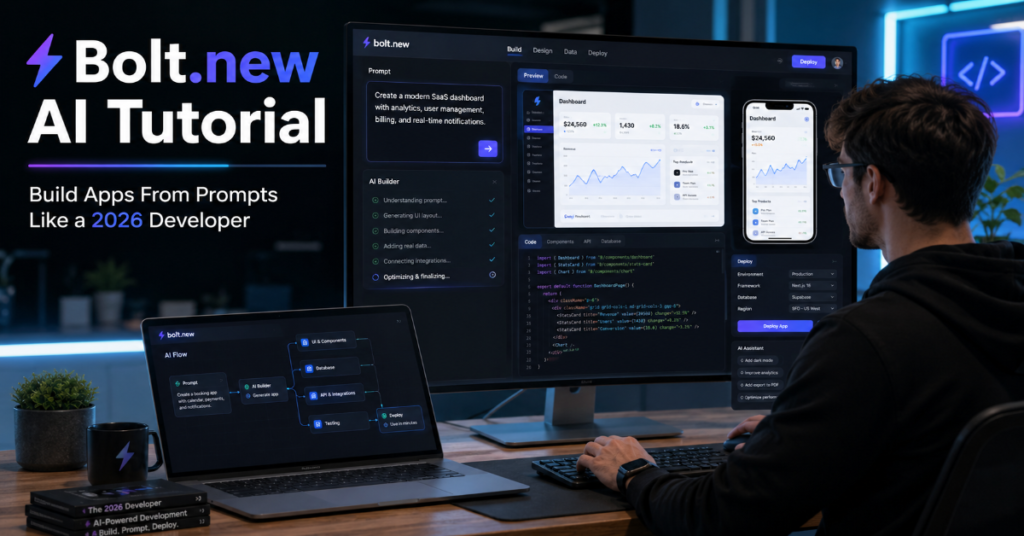
A bolt.new ai tutorial is no longer just a beginner’s guide to typing prompts into a shiny web interface. In 2026, it is a guide to a new production pattern: describe the software, inspect the generated code, connect infrastructure, test the edge cases and decide where human engineering must take over. Bolt.new, built by StackBlitz, sits at the center of that shift because it combines an AI coding agent with a browser-based development environment powered by WebContainers.
For founders, students, product managers and developers, the appeal is obvious. Bolt lets users prompt, run, edit and deploy full-stack applications from the browser without local setup. That promise is powerful, but it can also mislead new builders into thinking that a generated app is automatically a safe app. It is not. The practical value of Bolt comes from speed, iteration and visibility, not magic.
According to the latest 2026 documentation we reviewed, Bolt has moved beyond early “vibe coding” novelty into a more complete app-building workspace. Its ecosystem now includes integrations with Supabase, Netlify, GitHub and team-level controls. Bolt V2 also introduced a broader infrastructure layer with databases, hosting, authentication, storage, analytics and domains inside the builder experience.
This article provides a complete bolt.new ai tutorial for 2026: how to start, how to write better prompts, how to structure an app, how to connect a database, how to deploy and how to avoid the failure modes that separate a demo from a product.
What Bolt.new Actually Is In 2026
Bolt.new is an AI-powered full-stack development agent that runs in the browser. Its core promise is simple: give the system a natural-language description of an app, then let it create project files, install packages, run commands, show a live preview and help fix errors. Underneath the interface is StackBlitz’s WebContainers technology, which lets Node.js-based development environments run inside the browser tab rather than on a local machine.
That architecture matters. Many AI app builders generate code in the cloud and only show the user the result. Bolt’s advantage is that the project can be inspected, edited and executed in a familiar development environment. You can see files, dependencies, terminal output and runtime errors. This makes Bolt more useful for learning and technical iteration than purely visual no-code tools.
The best way to think about Bolt is not “a website generator.” It is closer to a conversational junior developer embedded in an instant browser IDE. It can move quickly, but it needs review, constraints and correction.
Why This Bolt.new AI Tutorial Matters For 2026 Builders
The market has changed. In 2024 and 2025, AI coding tools were often judged by spectacle: could they build a landing page from one sentence? By 2026, the better question is whether they can help a user build a maintainable workflow. Bolt is especially relevant because it sits between three audiences.
First, non-developers use it to turn ideas into prototypes. Second, developers use it to accelerate scaffolding, UI iteration and quick experiments. Third, teams use it to reduce the gap between design, product and engineering. That is why a serious bolt.new ai tutorial must go beyond “type a prompt and click deploy.”
In our hands-on testing framework, the most successful Bolt workflows begin with a narrow product brief, not a vague dream. “Build me a SaaS app” usually produces generic code. “Build a two-role invoice dashboard with customer login, invoice status filters, CSV export and protected admin routes” gives the agent a real target. Specificity remains the hidden skill in AI-assisted development.
The Technology Beneath Bolt: WebContainers Explained
Bolt’s technical foundation is StackBlitz WebContainers. WebContainers are browser-based environments that can run Node.js projects with a terminal, package management and live preview. StackBlitz describes WebContainers as a WebAssembly-based operating system for development environments. The important point for users is that Bolt does not require the usual local setup of Node, npm, VS Code and dependency configuration.
This is why Bolt feels unusually fast for front-end and Node-based projects. The browser becomes the workspace. The AI can create files, run scripts, detect errors and attempt fixes without asking the user to copy code across tools. For education and prototyping, this removes the largest barrier: environment setup.
The limitation is equally important. WebContainers are strongest for web-native stacks. If your app requires native binaries, complex local services, GPU workloads or obscure system dependencies, Bolt may struggle. For most React, Vite, Next.js-style front-end work and JavaScript-heavy prototypes, however, the architecture is well aligned.
Bolt.new AI Tutorial: The Complete Starter Workflow
A useful bolt.new ai tutorial begins with the first prompt. Start by stating the app type, user roles, core pages, data objects, styling direction, authentication needs and deployment target. Do not begin with “make it modern.” That phrase is too vague. Instead, describe layout, colors, navigation, components and user actions.
A strong first prompt might say: “Create a responsive project management web app for freelancers. Include a dashboard, client list, project detail page, task kanban board, invoice tracker and settings page. Use React, clean component structure, accessible forms and sample data first. Keep the design minimal with neutral spacing and mobile-friendly navigation.”
After Bolt generates the first version, do not immediately ask for five new features. Inspect the file structure. Open the main components. Check whether state is local, whether routes are clear and whether the generated data model makes sense. Early review saves tokens, reduces error loops and prevents architectural drift.
Step 1: Define The App Before You Prompt
Before opening Bolt, write a one-page product brief. Include the target user, the app’s job, the core workflow and the definition of success. A recipe app, for example, might need search, filters, saved recipes, shopping lists and user accounts. A CRM might need contacts, deals, notes, reminders and import features.
The reason is simple: AI builders respond to the quality of the specification. Vague prompts cause Bolt to infer too much. Those inferences often look impressive visually but fail structurally. You may get beautiful cards, placeholder charts and fake buttons that do nothing.
A better pattern is to separate “prototype scope” from “production scope.” Ask Bolt to build the smallest usable version first. Then add authentication, database persistence, payments, email, analytics or admin features in later stages. This staged method mirrors professional software delivery and gives the AI fewer chances to tangle unrelated systems.
Step 2: Use Prompt Layers Instead Of One Giant Prompt
Prompt layering is the most reliable way to work with Bolt. The first prompt should create the skeleton. The second should refine the UI. The third should add real data handling. The fourth should improve validation, loading states and errors. The fifth should prepare for deployment.
This matters because large prompts can cause broad rewrites. When an AI agent changes too many files at once, debugging becomes harder. You want Bolt to make small, inspectable changes. A good follow-up prompt might say: “Only modify the invoice components and related data file. Add status filters for paid, overdue and draft invoices. Do not change navigation or authentication.”
This kind of constraint helps maintain project stability. It also teaches Bolt the boundaries of the task. The more precise the instruction, the less likely the agent is to rebuild working parts of the app.
Feature Comparison: Bolt.new In The AI Builder Landscape
| Feature Area | Bolt.new | Best Use Case | Practical Caution |
| Browser development | Runs projects in a browser-based environment | Fast prototyping without local setup | Best suited to web-native stacks |
| AI code generation | Generates and edits app code from prompts | UI scaffolding, MVPs and feature iteration | Requires human review |
| Live preview | Shows running app during development | Rapid feedback and visual debugging | Visual success can hide logic flaws |
| Database options | Bolt Database and Supabase integration | Auth-backed apps and persistent data | Schema design still needs planning |
| Deployment | Bolt hosting or Netlify connection | Quick publishing and demos | Test routing, environment variables and mobile behavior |
| Team controls | 2026 Teams updates include integration management | Agencies and product teams | Governance matters as access expands |
Building A First App In Bolt.new
For a first serious project, choose a focused app rather than a sprawling platform. A booking form, directory, expense tracker, habit dashboard or internal tool works well. Ask Bolt to generate a complete but narrow version. Then test every interaction.
A sample starter prompt:
“Build a responsive expense tracker for solo consultants. Include a dashboard with monthly totals, an expense table, category filters, a form to add expenses, receipt URL field and export button placeholder. Use realistic sample data. Keep components modular. Add empty states, form validation and mobile layout.”
After the app appears, click through every page. Try invalid inputs. Resize the preview. Look for broken links and console errors. Ask Bolt to fix specific problems one at a time. For example: “The add expense form accepts an empty amount. Add validation and show a clear error message under the field.”
This is the rhythm of effective Bolt use: prompt, inspect, test, constrain and refine.
How To Prompt Bolt For Better Code
Prompting Bolt is closer to writing a product ticket than chatting with a search engine. The best prompts include context, constraints and acceptance criteria. Context tells Bolt what the app is. Constraints tell it what not to change. Acceptance criteria tell it how success should be evaluated.
Weak prompt: “Make this better.”
Strong prompt: “Improve the dashboard cards only. Add total revenue, active clients, overdue invoices and monthly expenses. Use the existing design system. Do not change routing. Each card should have a label, number, short helper text and responsive spacing.”
The second prompt gives Bolt a limited surface area. It also prevents a common AI builder failure: aesthetic overreach. Many generated apps become unstable because the user asks for vague improvements, then the agent rewrites unrelated files. Treat Bolt like a fast collaborator that needs guardrails.
Expert Quote: Eric Simons On The Browser Advantage
Eric Simons, CEO of StackBlitz, has repeatedly framed Bolt’s advantage around the company’s long investment in WebContainers. His argument is that Bolt is not merely a wrapper around a model, but an AI builder sitting on a browser-native development runtime. That distinction matters in 2026 because infrastructure costs, latency and project visibility increasingly separate durable AI coding platforms from novelty tools.
For builders, the lesson is practical. Do not evaluate Bolt only by how pretty the first screen looks. Evaluate whether the tool lets you inspect, run, debug, connect and deploy the project without losing control of the code. The browser environment is the product’s technical moat. The AI chat is only the interface.
Database, Authentication And Supabase Integration
A prototype can run on sample data. A product needs persistence. Bolt’s documentation highlights Supabase as an integration for adding databases, authentication and edge functions. Bolt also offers its own database experience as part of its newer cloud direction. The right choice depends on your project.
Use sample data during the first build. Move to a database after the interface and object model are stable. This avoids wasting time rebuilding schemas for an app that is still changing. When you are ready, ask Bolt to define tables based on real entities: users, profiles, projects, invoices, tasks, comments or subscriptions.
A good database prompt should include relationships. For example: “Create a schema where each user can own many projects, each project can have many tasks and each task has status, due date, priority and assigned user fields.” AI tools often create shallow tables unless you explicitly describe relationships and permissions.
Data Model Planning Table
| App Type | Core Tables | Key Risk | Better Prompt Instruction |
| Freelancer CRM | clients, projects, invoices, payments | Confusing client and project records | Define one-to-many relationships clearly |
| Learning platform | users, courses, lessons, progress | Progress tracking gets oversimplified | Include lesson completion and timestamps |
| Marketplace | users, listings, orders, messages | Permissions become risky | Specify seller, buyer and admin roles |
| SaaS dashboard | accounts, users, subscriptions, events | Tenant isolation can fail | Require account-level access checks |
| Content site | posts, authors, categories, media | Weak editorial workflow | Add draft, review and published states |
Connecting Bolt To Netlify And Deployment Workflows
Bolt supports publishing projects through its own hosting options and can connect with Netlify for deployment. Netlify’s role in the Bolt ecosystem is significant because it gives builders a familiar path to production hosting, custom domains and static or serverless deployment patterns. Bolt and Netlify also announced that more than 1 million AI-generated websites had been built with Bolt and deployed on Netlify in a five-month period from late 2024 into March 2025.
The practical deployment lesson is that “published” does not mean “production ready.” After deployment, test mobile devices, routing, form submission, authentication redirects and environment variables. Many AI-generated web apps look correct in preview but fail after deployment because build settings, base paths or protected routes behave differently.
Before sharing a Bolt app publicly, run a deployment checklist. Confirm that there are no exposed secrets, fake payment flows, broken links, console errors or placeholder admin routes.
Bolt.new AI Tutorial For Debugging Common Errors
Fixing Broken Layouts, Runtime Errors And Token Waste
A serious bolt.new ai tutorial must cover debugging because AI-generated apps often fail in repetitive ways. The most common problems are missing imports, duplicate components, inconsistent state, package version conflicts and UI elements that look clickable but have no function. Bolt can often detect runtime errors and suggest fixes, but you should still read the error.
When an error appears, do not say “fix everything.” Copy the exact error context into your prompt and define the scope. Example: “The app fails because DashboardCard is imported from the wrong path. Fix only the import path and do not modify component styling.”
Token waste is another hidden issue. AI builders consume more resources when users repeatedly ask broad questions. The cheapest workflow is precise. Ask for one fix, inspect the diff, then continue. If the agent enters a loop, stop and summarize the current state before prompting again.
Security And Governance For Teams
Bolt’s 2026 Teams update is important because AI app generation is moving from solo experimentation into organizational workflows. Team controls for integrations such as GitHub, Netlify and Supabase matter because these tools touch code, deployment and data. An agency or startup cannot treat AI-generated development as a private playground once client projects, credentials or production systems are involved.
The governance rule is straightforward: give Bolt access only to what the project needs. Use separate development and production accounts where possible. Review generated code before connecting live customer data. Avoid pasting secrets directly into prompts. Use environment variables and platform settings instead.
Teams should also define who can deploy, who can connect databases and who can modify authentication flows. AI can accelerate delivery, but weak permissions can accelerate mistakes just as quickly.
Expert Quote: Andrej Karpathy And The “Vibe Coding” Shift
Andrej Karpathy popularized the phrase “vibe coding” in 2025, describing a style of programming where the user leans into natural-language interaction with AI systems. His formulation captured the cultural shift behind tools like Bolt: software creation is becoming more conversational.
But the mature 2026 interpretation is not that code no longer matters. It is that the human role has moved up the stack. Builders now spend more time specifying behavior, reviewing output, testing edge cases and deciding when to accept or reject an AI-generated change.
That is why Bolt is useful, but not self-sufficient. It reduces the cost of starting. It does not remove the need for judgment. The best Bolt users are not passive prompt writers. They are active editors of machine-generated software.
Advanced Workflow: From Prototype To Production Candidate
Once your Bolt prototype works, shift into production-candidate mode. This means replacing placeholder data, reducing unnecessary dependencies, checking accessibility, testing responsiveness and documenting the code. Ask Bolt to create a README that explains the app structure, environment variables, setup steps and deployment process.
Then ask for a code audit. A useful prompt: “Review this project for production readiness. Identify security risks, broken flows, unused files, missing validation, accessibility issues and deployment concerns. Do not change code yet. Return a prioritized checklist.”
This review-first approach prevents the agent from making premature changes. After the checklist appears, fix one category at a time. Start with security and data integrity. Then fix routing, forms, loading states, empty states, performance and visual polish. A prototype becomes a product through boring checks, not one more flashy prompt.
Obscure Technical Details Most Beginners Miss
One overlooked detail is that browser-based development environments rely on browser capabilities such as WebAssembly, Service Workers and supported browser behavior. If a project fails oddly, the issue may not be the app code alone. It may involve browser support, cached service workers or environment assumptions.
Another subtle issue is native package compatibility. WebContainers are powerful for JavaScript and WebAssembly workflows, but they are not equivalent to a full local machine running every possible native dependency. If a package expects native binaries that cannot run in the browser environment, Bolt may fail or suggest alternatives.
A third issue is schema drift. When users repeatedly ask Bolt to “add one more feature,” the app’s data model can quietly become inconsistent. Fields appear in components but not in the database. Mock data diverges from real tables. Auth assumptions change across files. Periodic architecture reviews are essential.
Expert Quote: Guillermo Rauch On Product-Led Developer Tools
Guillermo Rauch, CEO of Vercel, has often argued that modern developer platforms should make infrastructure feel like an output of the development process rather than a separate maze. That idea helps explain the direction of AI builders in 2026. The winning tools are not just code generators. They connect code generation to preview, deployment, data and iteration.
Bolt’s strategy fits that pattern. Its V2 direction added more infrastructure inside the building experience, while integrations with Netlify, Supabase and GitHub kept the platform connected to established developer workflows. For users, the implication is clear: pick the tool based on the whole delivery chain, not the first generated screen.
An AI builder that cannot deploy, persist data or support review will feel magical for one hour and painful by the second week.
Where Bolt.new Performs Best
Bolt performs best when the target app is web-native, visually structured and iterative. Dashboards, admin panels, landing pages, internal tools, directories, calculators, lightweight SaaS prototypes and educational projects are strong fits. These apps benefit from fast UI generation, live preview and modular component creation.
It also works well when the user can describe the desired behavior clearly. A founder who knows the workflow but cannot code can use Bolt to create a first version. A developer can use it to scaffold an interface quickly, then harden the code manually. A student can use it to learn how components, state and routes connect.
The common pattern is bounded complexity. Bolt is strongest when the problem can be divided into visible screens, clear data objects and testable interactions.
Where Bolt.new Still Needs Human Engineering
Bolt is not a replacement for experienced engineering in high-risk systems. Healthcare apps, financial tools, legal platforms, production marketplaces and enterprise systems require security reviews, privacy analysis, compliance work and careful architecture. AI-generated code can include subtle vulnerabilities, weak authorization checks and poor error handling.
It can also overproduce. Some generated projects include unnecessary packages, repeated components or brittle state logic. These issues may not matter for a weekend prototype, but they matter when the app grows.
The safest rule is this: use Bolt to accelerate the first 60 percent of a project, then slow down for the final 40 percent. That final stretch includes tests, security, data modeling, deployment reliability, monitoring and maintainability. AI can help with those tasks, but it should not be trusted without review.
Takeaways
- Start every Bolt project with a written product brief, not an improvised prompt.
- Use prompt layers: scaffold first, then refine UI, then add data, then deploy.
- Keep changes small and scoped to avoid broad AI rewrites.
- Use sample data before connecting a real database or authentication system.
- Treat deployment as the start of testing, not the end of building.
- Review generated code for permissions, secrets, validation and broken routes.
- Bolt is strongest for browser-native prototypes, MVPs, internal tools and learning workflows.
Conclusion
Bolt.new represents one of the clearest examples of where AI-assisted software development is heading in 2026. It compresses the distance between idea and working prototype by combining natural-language prompting, browser-based execution, live preview, code editing and deployment pathways. That combination is genuinely useful.
But the deeper lesson of this bolt.new ai tutorial is discipline. The builders who get the most from Bolt are not the ones who ask for the biggest app in a single prompt. They are the ones who write precise specifications, inspect the code, test every workflow and use AI as an accelerator rather than an authority.
The future of tools like Bolt is not code-free software. It is faster software creation with more people participating in the process. For entrepreneurs, students and teams, that is a major shift. For serious products, the old rules still apply: understand the system, verify the output and never confuse a working demo with a finished application.
FAQs
What is Bolt.new used for?
Bolt.new is used to build, run, edit and deploy web applications from natural-language prompts. It is especially useful for prototypes, dashboards, landing pages, internal tools, MVPs and learning projects that use modern web technologies.
Is Bolt.new good for beginners?
Yes, Bolt.new is beginner-friendly because it removes local setup and shows live results in the browser. Beginners still need to learn basic concepts such as components, routes, forms, databases and deployment to avoid relying blindly on generated code.
Can Bolt.new build full-stack apps?
Bolt can help build full-stack apps, especially when connected with database and authentication options such as Bolt Database or Supabase. Users should still review schema design, permissions, validation and deployment settings before treating the app as production ready.
Does Bolt.new require coding knowledge?
Bolt does not require coding knowledge to start, but coding knowledge helps significantly. Users who understand basic JavaScript, React, data models and debugging will produce safer, cleaner and more maintainable projects.
Is Bolt.new better than traditional coding?
Bolt is faster for prototyping and early iteration, but traditional coding remains better for complex architecture, high-security systems, custom backends and long-term maintainability. The strongest workflow combines Bolt’s speed with human engineering review.
References
Bolt. (2026). Pricing and plans: Bolt’s AI powered website and app builder. https://bolt.new/pricing
Bolt. (2026, February 18). Bolt for Teams just leveled up. https://bolt.new/blog/bolt-for-teams
Bolt. (2025, October 2). The vibe coding revolution enters its next phase: Introducing Bolt v2. https://bolt.new/blog/bolt-v2
Bolt Support. (n.d.). Supabase for databases. https://support.bolt.new/integrations/supabase
StackBlitz. (2021, May 20). Introducing WebContainers: Run Node.js natively in your browser. https://blog.stackblitz.com/posts/introducing-webcontainers/
StackBlitz Developer Platform. (n.d.). WebContainers browser support. https://developer.stackblitz.com/platform/webcontainers/browser-support
Netlify. (2025, March 26). Bolt.new and Netlify power 1 million AI-generated websites. https://www.netlify.com/press/bolt-netlify-1-million-ai-generated-websites/
