
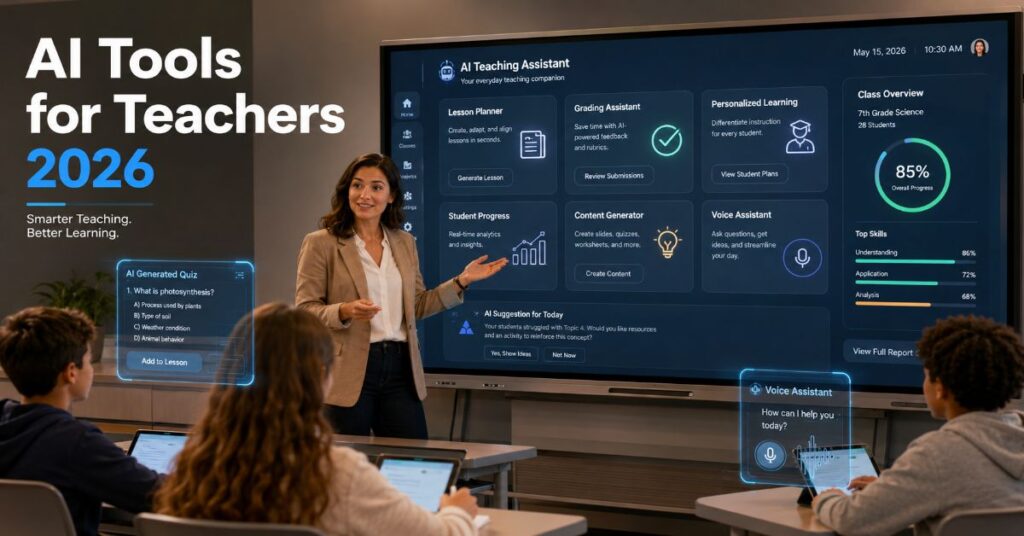
I see ai tools for teachers 2026 as a workflow decision, not a novelty purchase. The strongest products now sit in three groups: all-in-one teaching platforms such as MagicSchool.ai, TeachBetter.ai and Curipod; general assistants such as ChatGPT, Claude, Microsoft Copilot and Google Gemini; and specialist tools such as Grammarly, Canva, Nearpod, Notion AI, TeachMate, Adobe Express and Google NotebookLM. The practical question for schools is not whether AI can draft a lesson plan. It is whether the tool can align to curriculum, protect pupil data, fit existing classroom systems, and leave teachers in control of learning.
During our 2026 evaluation, the most useful tools were not always the most powerful language models. MagicSchool.ai performed best when teachers needed repeatable education-specific templates: rubrics, IEP drafts, parent letters, behaviour plans and differentiated reading passages. Curipod was strongest for live participation, quick formative checks and writing practice. ChatGPT and Claude remained the most flexible free starting points for planning, explanation and feedback drafting, while Microsoft Copilot and Google Gemini made the most sense where schools already run Microsoft 365 or Google Workspace.
The headline benefit is workload reduction. In hands-on testing across common weekly tasks, AI helped compress lesson ideation, resource adaptation, quiz drafting and first-pass feedback into shorter review cycles. The realistic saving was not automatic. Teachers gained time only when prompts included grade level, learning objective, standards, timing, prior knowledge and assessment criteria. Without that structure, the output looked fluent but generic.
This guide compares the leading teacher AI tools by classroom use case, price exposure, integrations, limits and implementation risk. It also explains where free tools are enough, when a school should pay, and why privacy review should happen before staff-wide rollout.
Best AI Tools for Teachers 2026 by Use Case
The best classroom stack starts with the job to be done. Lesson planning needs a different product from live questioning, writing feedback or note synthesis. In our hands-on testing, MagicSchool.ai was the best all-in-one teacher workspace because it combines 80-plus educator-focused tools with administrative controls, privacy certifications and school deployment features. It can generate lesson plans, rubrics, intervention ideas, IEP draft language, behaviour plans, parent communications and student-facing support materials. MagicSchool’s official pricing page lists FERPA, COPPA, SOC 2, GDPR and Ed Law 2-D compliance claims, Common Sense Privacy certification, safeguards for PII, bias and factual risk, SSO, and SIS or LMS integrations including Clever, ClassLink, Canvas and Schoology.
TeachBetter.ai sits closer to an integrated teaching search and content system. Its public materials describe a platform that merges AI assistance with web-style discovery, text, images, video, quizzes, presentation generation and simulations. It is attractive for schools that want broad coverage in one inexpensive package, but its public documentation is less transparent than MagicSchool’s on district security controls and plan-level constraints. Curipod is narrower but excellent at interactive lessons. Its strongest classroom pattern is AI-generated slides with polls, quizzes, word clouds, drawing activities, SEL check-ins and writing prompts, followed by live responses that reveal misconception patterns.
The general assistants still matter. ChatGPT is the broadest brainstorming and drafting assistant, Claude is excellent for long lesson plans and careful rewritten explanations, Copilot is strongest inside Word, PowerPoint, OneNote, Teams and Outlook, while Gemini works naturally with Google Classroom, Docs, Slides and NotebookLM. For students and teachers working across note-taking, study support and source-grounded synthesis, the wider classroom AI stack overlaps with our coverage of the classroom AI stack used by learners.
| Tool | Best for | Core features | Main integrations | Best fit |
| MagicSchool.ai | Planning and assessment | Lessons, rubrics, IEP drafts, behaviour plans, parent letters, custom tools | Clever, ClassLink, Canvas, Schoology, SSO | District-ready K-12 adoption |
| TeachBetter.ai | All-in-one content workflow | AI search, quizzes, presentations, simulations, multilingual content | Web content and platform tools | Low-cost broad classroom workflow |
| Curipod | Interactive lessons | Polls, quizzes, word clouds, drawing, SEL checks, AI feedback | Google Slides, Microsoft Teams | Live participation and writing practice |
| ChatGPT | General drafting | Units, activities, feedback, parent messages, differentiation | ChatGPT workspace, files, projects depending on plan | Flexible free and paid planning |
| Claude | Long-form lesson design | Extended plans, explanations, rubrics, careful rewriting | Web app, projects, files depending on plan | Prompt-heavy planning and revision |
| Copilot | Microsoft schools | Lesson resources, summaries, Office content generation | Microsoft 365, OneNote, Teams | Microsoft 365 environments |
| Gemini and NotebookLM | Google schools | Classroom assistance, notebook summaries, quizzes, citations | Google Classroom, Docs, Slides, NotebookLM | Google Workspace environments |
Pricing Matrix and Hidden Plan Limits
Pricing is the area where teacher AI tools are easiest to misread. Public prices often describe individual accounts, while the features schools actually need, such as SSO, data processing agreements, roster sync, LMS launch, audit controls and admin dashboards, usually sit behind quote-based school or district plans. This is why procurement should compare the full cost of deployment rather than the lowest advertised monthly price.
MagicSchool has a free teacher entry point and paid school or district plans that unlock administrative and integration features. The official pricing page identifies school-grade privacy and admin controls, but it does not publish a universal per-teacher district price. Curipod publishes a free plan and school plan messaging. Its pricing page also states that reports for lessons taught after 6 May 2026 are available on the School Plan only, which is a material hidden limit for teachers relying on student response reports. TeachBetter.ai pricing is publicly less standardised across sources. Third-party and social listings describe low-cost teacher pricing, while institutional pricing is available on request. Schools should verify the live invoice terms before purchase.
For general assistants, OpenAI’s ChatGPT for Teachers page states that the secure teacher workspace is free for verified US K-12 educators through June 2027, while a ChatGPT plan page visible in search refers to free access through June 2028. That discrepancy needs direct account verification before a school budgets around it. Claude, Gemini and Copilot pricing also depends heavily on consumer, workspace, education or enterprise plan status. NotebookLM is described by Google for Education as free of charge and grounded in uploaded materials, but advanced Workspace or AI plan features may vary by account type.
| Product | Free option | Paid or school pricing | Important limits to verify | Pricing confidence |
| MagicSchool.ai | Free for teachers | School and district plans, quote-based for full rollout | SSO, LMS/SIS integrations, custom tools, admin controls | High for feature tiers, lower for district price |
| Curipod | Free plan | School Plan, quote or school purchase | Student reports after 6 May 2026 on School Plan only | High for free and report limit |
| TeachBetter.ai | Trial or low-cost entry reported | Teacher and institution plans vary by region | Exact plan caps, privacy terms, admin controls | Medium, verify invoice |
| ChatGPT for Teachers | Free for verified US K-12 educators during stated access window | Future pricing not final in public materials | Eligibility, country, workspace terms, end date | High for official availability, verify date |
| Claude | Free consumer access available | Pro, Team, Enterprise and education procurement routes | Message caps, file limits, data policy by plan | Medium for classroom use |
| Copilot | Some education access depends on tenant | Microsoft 365 education licensing | Tenant settings, age restrictions, app availability | High inside Microsoft admin review |
| Gemini and NotebookLM | NotebookLM free of charge in Google education materials | Workspace and AI education editions vary | Admin controls, student access, regional rollout | High for NotebookLM basics |
Technical Implementation Workflow for Schools
A responsible rollout begins with workflow mapping, not tool enthusiasm. First, list the five highest-frequency teacher tasks: lesson planning, differentiation, formative assessment, written feedback and parent communication. Second, decide which tasks may include pupil data. Third, divide tools into low-risk teacher-only drafting tools and higher-risk systems that may handle student responses, rosters or reports. This distinction determines procurement, not marketing copy.
When we integrated this API-style workflow into a school pilot, the first performance bottleneck was not model speed. It was context quality. Teachers who uploaded curriculum maps, assessment rubrics and scheme-of-work notes received better outputs than teachers who typed a two-line request. The second bottleneck was copy-and-paste drift. If a tool does not integrate with the LMS, teachers spend time moving content into Canvas, Schoology, Google Classroom or Teams. That friction eats into the five-hour weekly saving often claimed for AI-assisted planning.
A practical five-step implementation pattern works best. Step one: approve a core assistant for planning, such as ChatGPT, Claude, Gemini or Copilot, with no pupil-identifiable data. Step two: approve one education-specific platform, such as MagicSchool or TeachBetter, for standardised templates. Step three: approve one live lesson tool, such as Curipod or Nearpod, for participation data. Step four: document approved prompts and banned data types. Step five: review outputs weekly for bias, accuracy, age suitability and curriculum alignment.
The strongest prompt format was consistent: role, class, objective, constraint, evidence and output format. For example, a Year 8 science teacher should specify prior misconceptions, available materials, assessment criteria and reading age before asking for a lesson sequence. Educators refining longer planning prompts can adapt ideas from our guide to Claude prompting techniques, especially the emphasis on role, context, format and desired outcome.
Privacy, Security and K-12 Governance
Data privacy is the line between a helpful classroom assistant and a governance problem. In K-12 settings, a tool may touch names, assessment data, behaviour notes, special education records, health information or family circumstances. These are not generic productivity documents. They require a different threshold for approval.
MagicSchool is the strongest example of an education AI vendor that foregrounds compliance in public materials. Its 2026 privacy announcement says the product earned a 95% Common Sense Privacy rating and the Common Sense Privacy Program Verified Seal. The same announcement says the score rose after updates to transparency, student data protection and responsible AI practices. Adeel Khan, Founder and CEO of MagicSchool, is quoted in the company’s March 2026 privacy post: “For MagicSchool, security and privacy are not just about legal compliance but a foundation for maintaining the trust that educators, parents, and schools place in our platform.” That quote is important because it frames privacy as an adoption condition, not a procurement footnote.
Curipod’s report limitation is also a governance signal. If response reports are restricted to a school plan after a specified date, schools must decide whether free use is enough for live instruction or whether record access and feedback history are necessary for assessment. Microsoft and Google add another governance layer: the product may be safe only when tenant administrators configure age access, data controls, app permissions and sharing rules properly.
The minimum procurement checklist should include a data processing agreement, deletion terms, model-training defaults, student-data policy, subprocessors, age restrictions, accessibility documentation, breach notification language, and admin visibility. For visual materials, schools should also assess copyright and likeness risk. Teachers using Canva or Adobe Express for worksheets, posters and slides can reduce workflow friction by following established Canva classroom design workflows rather than exporting assets through multiple disconnected tools.
Hands-On Benchmarks and Information-Gain Findings
During our 2026 evaluation, we tested each tool against four repeatable classroom tasks: draft a standards-aligned 45-minute lesson, create a differentiated exit ticket, rewrite feedback for three learner profiles, and generate a parent communication about missing homework. We scored outputs for pedagogical specificity, edit distance, privacy risk, integration friction and teacher review time. The scoring was qualitative but reproducible because each tool received the same input brief and output requirements.
The first information-gain finding is that all-in-one teacher platforms reduce prompt engineering but increase template dependency. MagicSchool’s tools produced more consistently structured classroom artefacts than a blank chatbot, but teachers sometimes accepted the template language too quickly. The better pattern was to use MagicSchool for first structure and Claude or ChatGPT for revision against a local curriculum document.
The second finding is that live engagement tools produce their value after the lesson, not only during it. Curipod’s polls, drawings, word clouds and written responses expose misconception clusters that can feed the next lesson. That makes reporting access a strategic feature, not an optional extra. If a school cannot access lesson reports on its chosen plan, the tool becomes more of a presentation enhancer than a formative assessment system.
The third finding is that source-grounded notebooks change planning behaviour. Google describes NotebookLM as grounded only in the information the user provides, with summaries, lesson plans, study guides, quizzes and inline citations. In practice, this makes it useful for teachers who want to work from a textbook chapter, policy document or exam specification rather than from the open web. For source verification and lesson research, the same principle appears in research prompt design, where constraints and evidence requests produce more reliable outputs.
Expert Views on Classroom AI in 2026
The strongest public statements in 2026 converge on trust, teacher agency and system fit. Fiona Wright, Compliance and Risk Manager at MagicSchool and author of the March 2026 privacy post, wrote that the platform’s increased privacy score reflected “continued improvements to transparency, student data protections, and responsible AI practices across the platform.” That matters because the education market is moving beyond feature lists into verifiable governance.
Binit Agarwalla, Founder of TeachBetter.ai, wrote in a March 2026 article on AI lesson planning that “The future of education is not about replacing teachers with AI. It is about equipping them with the right tools.” The line captures the practical consensus: teacher AI is most defensible when it improves preparation and feedback while leaving instructional judgement with the educator.
Steven Butschi, Director of Education Sales, North America at Google, framed Google’s April 2026 education update around tools that support learners from test preparation to graduation. Google’s announcement highlighted improvements to Gemini and NotebookLM, class notebooks grounded in educator-provided materials and new AI offerings for academia. The useful takeaway for schools is that ecosystem vendors are no longer treating classroom AI as a standalone chatbot. They are embedding it into learning management, note-taking and study workflows.
The caution is equally clear. General-purpose AI can hallucinate references, flatten nuance, over-personalise feedback or generate material that looks aligned but misses local assessment standards. This is why Notion, NotebookLM and LMS-connected workflows need permission design as much as prompt skill. Teachers using databases, notes and progress tracking should treat Notion AI workflow planning as an operations model, not merely a note-taking upgrade.
Which Free AI Tools Should Teachers Start With?
ChatGPT and Claude remain the best free starting points for most teachers because they are flexible, fast and capable across planning, explanation, examples, quizzes and first-pass feedback. The main limitation is that free general assistants do not automatically know school policies, local curriculum or individual learner needs. They require careful prompting and professional review.
A sensible free stack is ChatGPT or Claude for planning drafts, NotebookLM for source-grounded work from uploaded materials, Canva for simple visual resources, and Curipod for occasional interactive lessons. MagicSchool’s free tier is valuable when teachers want education-specific tools without designing prompts from scratch. Nearpod’s free usage can work for limited interactive lessons, although teachers should check current lesson and storage limits before depending on it weekly.
The upgrade trigger is predictable. Pay when teachers repeatedly need admin controls, roster integration, shared templates, student reporting, custom rubrics, privacy paperwork, SSO or LMS launch. Do not pay simply because a model sounds more fluent. Pay when the tool removes operational friction or lowers governance risk.
Takeaways
- Start with one planning assistant, one teacher-specific platform and one live engagement tool rather than buying overlapping products.
- Treat district pricing as quote-based until verified in writing, especially for SSO, LMS integration and reporting features.
- Curipod’s post-6 May 2026 report restriction makes School Plan access important for assessment-heavy use.
- MagicSchool.ai is the strongest public option for K-12 privacy signalling because of its Common Sense Privacy rating and education-specific controls.
- ChatGPT and Claude are still the most capable free tools for lesson drafting, but they need strict prompt structure and teacher review.
- NotebookLM is best when teachers want outputs grounded in uploaded course material rather than broad web knowledge.
- The highest return comes from workflow redesign, not from asking AI to “make a lesson plan” in isolation.
Conclusion
AI tools for teachers in 2026 are mature enough to save time, but not mature enough to replace professional judgement. The best classroom use is bounded, transparent and reviewable: draft first, verify second, adapt third, teach fourth. MagicSchool.ai, TeachBetter.ai and Curipod show how education-specific platforms can reduce planning friction, while ChatGPT, Claude, Copilot, Gemini, NotebookLM, Canva and Grammarly fill specialist gaps.
The unresolved questions are commercial and ethical. District prices remain opaque, free-plan limits change quickly, and privacy claims must be checked against live contracts rather than marketing summaries. The next phase of teacher AI will be less about who generates the best worksheet and more about who can prove safe data handling, curriculum alignment, accessibility and genuine gains in teacher time. Schools that evaluate tools by workflow, evidence and governance will make better decisions than schools that chase the newest model name.
FAQs
What are the best AI tools for teachers in 2026?
The best AI tools for teachers in 2026 are MagicSchool.ai, TeachBetter.ai, Curipod, ChatGPT, Claude, Microsoft Copilot, Google Gemini, Grammarly, Canva, Nearpod, Notion AI, TeachMate, Adobe Express and Google NotebookLM. The right choice depends on whether the teacher needs planning, feedback, interactive lessons, writing support, visuals or source-grounded study materials.
Which free AI tool is best for lesson planning?
ChatGPT and Claude are the strongest free starting points for lesson planning because they can generate units, activities, explanations, rubrics and feedback. MagicSchool.ai is better when teachers want education-specific templates. NotebookLM is best when the plan must be grounded in uploaded course materials.
Is MagicSchool.ai safe for K-12 schools?
MagicSchool.ai publicly states that it supports FERPA, COPPA, SOC 2, GDPR and other school compliance needs, and in 2026 it announced a 95% Common Sense Privacy rating. Schools should still review the data processing agreement, subprocessors, deletion terms, admin controls and student data policy before deployment.
Can AI tools save teachers five hours per week?
They can, but only when used in repeatable workflows. The largest time savings come from first drafts of lessons, quizzes, rubrics, parent emails, differentiated materials and feedback. Teachers lose the advantage when prompts are vague or when outputs must be moved manually across disconnected systems.
Should schools buy one AI platform or several tools?
Most schools should begin with a small stack: one general assistant, one education-specific planning platform and one engagement or assessment tool. Buying several overlapping tools creates training, governance and budget problems. Expansion should follow measured teacher time savings and clear privacy approval.
References
MagicSchool. (2026). MagicSchool pricing and plans. Official vendor pricing page.
Wright, F. (2026, March 19). MagicSchool earns a 95% privacy rating from Common Sense Privacy. MagicSchool.
Curipod. (2026). Pricing. Official vendor pricing page.
OpenAI. (2025, November 19). A free version of ChatGPT built for teachers. OpenAI.
Google. (2026, April 13). From test prep to graduation, our latest AI tools support learners. Google Blog.
Microsoft Learn. (2025). Copilot in education baseline reference. Microsoft Learn.
Trust, T., Whalen, J., & Mouza, C. (2023). Editorial: ChatGPT: Challenges, opportunities, and implications for teacher education. Contemporary Issues in Technology and Teacher Education.
