
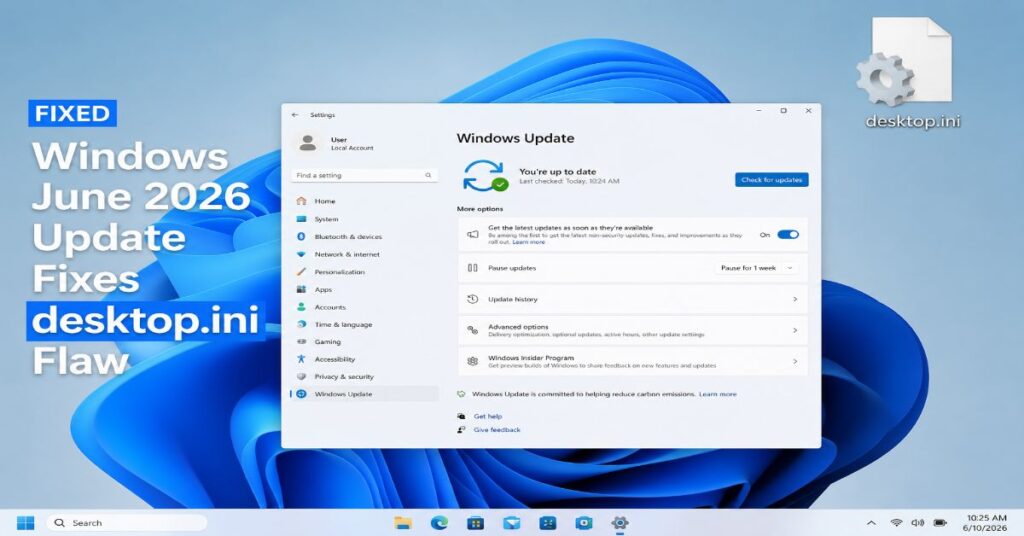
Microsoft’s June 9, 2026 Patch Tuesday updates introduced a significant security change to how Windows handles desktop.ini, the small configuration file the Shell has long used to apply custom folder icons, localized folder names, and tooltips. The change closes a long-standing trust gap in how Windows Explorer parses these files — but it has also broken custom folder icons for a large number of users, particularly those relying on network shares, cloud-synced folders, and downloaded icon packs.
What Changed
Historically, Windows Explorer would automatically read and apply desktop.ini settings whenever a user browsed into a folder, regardless of where that file originated. Security researchers have warned for years that this behavior created an exploitable trust boundary: a desktop.ini file delivered from an untrusted source — a network share, a downloaded archive, or a synced cloud folder — could influence what Explorer displayed and, in some documented cases, be leveraged toward more serious exploitation.
Microsoft’s June 2026 updates change this by applying Mark of the Web (MotW) checks to desktop.ini files. MotW is the existing Windows mechanism that flags files originating from the internet or other untrusted zones. Under the new behavior, if a desktop.ini file carries an internet-origin MotW marker, Windows Explorer now ignores it entirely — no custom icon, no localized folder name, no tooltip. The folder simply reverts to its default appearance.
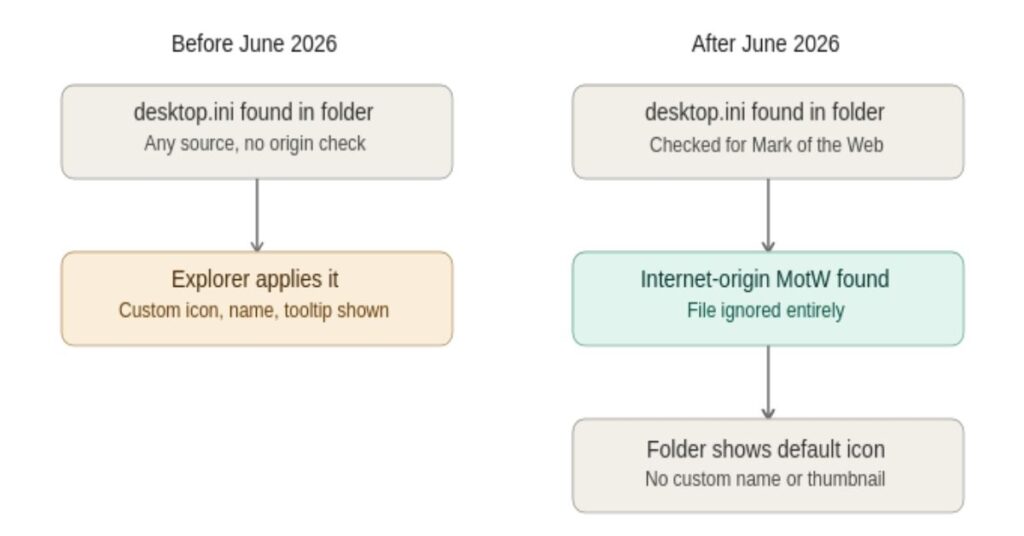
Before the update, Explorer applied any desktop.ini it found. After, files carrying an internet-origin Mark of the Web are ignored, and the folder reverts to its default appearance.
The Two-Decade Backstory
The underlying issue is not new. Microsoft’s own security bulletins reference desktop.ini-related Shell behavior dating back to 2003, with a related CLSID-handling issue catalogued as CVE-2004-2289 the following year. A further folder-icon-related remote code execution issue was documented as CVE-2021-31970. Across more than two decades, the common thread has been the same: a file designed purely for visual customization sat directly in the code path between untrusted content and the Windows Shell, processed automatically simply because a user opened a folder.
The June 2026 change is best understood as Microsoft formally closing that gap by extending its existing “secure by default” approach — already applied to macros, ActiveX controls, and VBScript — to desktop.ini.
Which Updates Are Affected
The hardening was distributed across Microsoft’s June 9, 2026 security updates, which covered a broad range of supported Windows client and server versions, including Windows 11 23H2, 24H2, 25H2, and 26H1, Windows 10 version 22H2, and supported Windows Server releases through Windows Server 2025. The change was not issued as a separate, headline advisory; it landed as part of the routine cumulative update package, alongside Microsoft’s broader June Patch Tuesday release, which independent reporting put at roughly 200 fixes in total.
Note: multiple outlets have referenced slightly different KB numbers for the relevant packages, and Microsoft’s own documentation of this specific change has been described as a quietly published support note rather than a standalone security advisory. Readers managing fleets should verify the exact KB applicable to their Windows version directly via Windows Update or the Microsoft Update Catalog before planning remediation.
The Side Effect: Broken Folder Icons
The practical, visible impact for many users has nothing to do with security and everything to do with appearance. Folders that previously displayed custom icons — often sourced from icon packs on sites like DeviantArt, GitHub, or WinCustomize, or from desktop.ini files synced via cloud storage and network drives — are reverting to Windows’ default folder icon.
In some configurations, the change has also affected localized system folder names. Reports describe cases where folders such as Documents, Pictures, or Music displayed their raw English names, or names in the wrong language, after the update — for example, a French-language system showing “Pictures” instead of the expected localized label. Microsoft has acknowledged this category of issue.
System administrators managing legacy corporate networks, where folder icons and naming conventions are often built into shared drive structures, have reported the most disruption, since many of those desktop.ini files were never set up with MotW exemptions in mind.
What To Do If Your Folder Icons Disappeared
Action checklist: desktop.ini / folder icons
- Confirm this is the cause: check whether affected folders rely on desktop.ini files synced from cloud storage, network shares, or downloaded icon packs.
- Do not treat this as a bug to roll back — Microsoft has framed it as a deliberate, permanent hardening change.
- For organization-managed shared drives, ensure desktop.ini files are sourced in a way that does not carry an internet-origin Mark of the Web, or migrate folder customization to another method.
- Verify the exact KB applicable to your Windows version via Windows Update or the Microsoft Update Catalog before planning any fleet-wide remediation.
- Evaluate any third-party shell extensions that bypass desktop.ini carefully before deploying in managed environments.
Vendor Response
Microsoft has acknowledged the folder icon and localized-name side effects in its own support documentation, framing the change as expected behavior rather than a defect. At the time of writing, Microsoft had not issued a dedicated security advisory specific to this desktop.ini hardening beyond the routine cumulative update notes, and had not commented further on plans for additional tooling to ease the transition for affected organizations.
Why It Matters
On its own, a missing folder icon is a cosmetic inconvenience. But the change is part of a consistent pattern across Microsoft’s recent security work: features that were originally built for convenience, and that quietly involve parsing externally supplied data, are being re-evaluated as trust boundaries — and locked down even at the cost of breaking long-standing visual customizations. For users and administrators, the immediate task is adjusting workflows; for the broader Windows ecosystem, it is one more example of a 20-year-old convenience feature being reclassified as an attack surface that no longer gets the benefit of the doubt.
Sources
Microsoft Windows security update documentation (June 9, 2026); TechTimes; WindowsForum community reporting; WindowsNews.ai.
