
📋 Executive Summary
Compatibility: Chromium compatibility lets Comet run most Chrome extensions, but new-tab replacements and some Chrome-specific integrations remain unsupported.
Workflow: A four-step workflow, read, compare, verify, then act, separates evidence gathering from consequential browser automation.
Limits: Enterprise limits are explicit, including 80 monthly browser-agent queries on Enterprise Pro and 800 on Enterprise Max, while consumer caps remain variable.
Privacy: Thirty-day retention can apply when Assistant requests use page, history, or open-tab context, despite local-by-default storage for unrelated browsing data.
Security: The 14,719-sample BrowseSafe benchmark shows why prompt injection is an architectural agent risk rather than a problem solved by better user prompts alone.
Decision: Comet is best suited to contextual research and controlled delegation, while conventional browsers remain preferable for sensitive websites, maximum compatibility, and quick one-click tasks.
How to browse the web with AI with Perplexity Comet is no longer just a question about replacing a search box. It is a question about how much browsing context, account access, and authority you are prepared to give an assistant that can read pages, compare tabs, draft messages, fill forms, and sometimes act for you. That tension is the sharpest fact about Comet in 2026: the same context that makes the browser useful also creates the need for disciplined verification and permission control.
I approach Comet as a browser with three distinct operating modes. The first is conventional browsing on a Chromium foundation. The second is evidence work, where the sidebar reads the current page or selected tabs and produces cited synthesis. The third is delegated action, where the assistant clicks, types, navigates, or uses connected services. Treating those modes as separate is the simplest way to gain speed without confusing an AI-generated answer with a verified source or an automated action with an approved decision.
This guide explains the complete workflow from installation to advanced research. It covers the browser engine, page and tab context, prompting, connectors, current pricing, published limits, privacy retention, extension compatibility, performance bottlenecks, and prompt-injection risk. It also shows where Chrome, Brave, Safari, Edge, ChatGPT, or a specialist research platform may be the better choice. The result is a practical method: let Comet compress navigation and synthesis, but keep source inspection, sensitive permissions, and consequential actions under human control.
What Comet Changes About Web Browsing
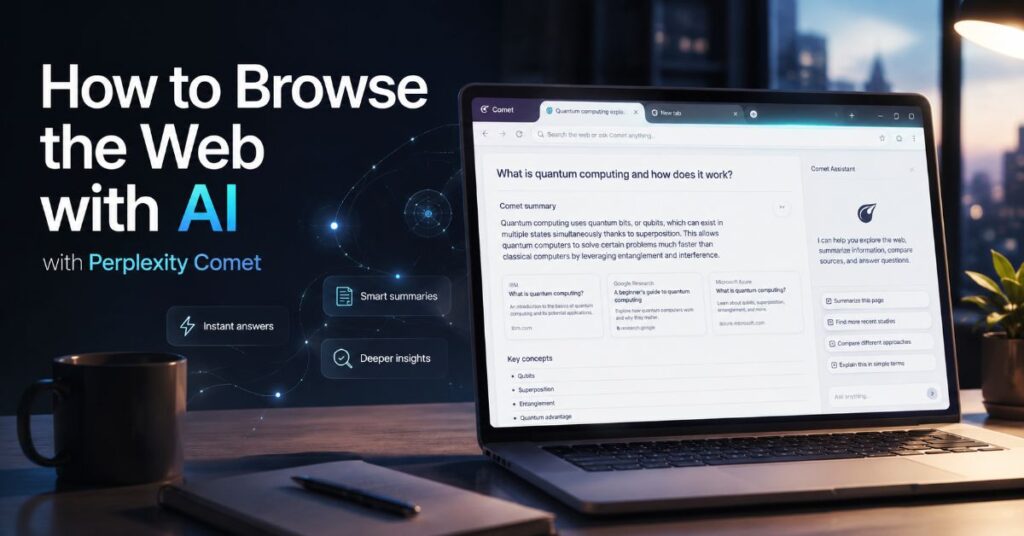
Comet is a Chromium-based browser with Perplexity set at the centre of the search and navigation experience. That matters because it preserves much of the compatibility users expect from Chrome while adding a context-aware assistant in a side panel. Perplexity says the browser is available on Mac, Windows, iOS, and Android. Its official engine documentation lists pinned tabs, bookmarks, translation, autofill, password suggestions, extension support, and built-in ad blocking among the conventional browser capabilities.
The important change is not that an answer appears beside a webpage. It is that the assistant can operate on browser state. It can summarise the current page, inspect selected text, reason over a named tab, compare several open sources, search browsing activity on request, organise tabs, and interact with sites. That is why the most useful mental model is not ‘search engine inside a browser’. It is ‘browser state exposed to an AI assistant under permissions’. Our Comet agentic workflow overview explores this broader shift from retrieval to delegated workflows.
Aravind Srinivas, Perplexity’s co-founder and chief executive, described the ambition as an attempt to ‘develop an operating system with which you can do almost everything’. The quote captures the product direction, but it also explains the governance problem. An operating layer sees more than a standalone search page. It can connect a question to the page in front of you, other tabs, history, and authenticated services.
“Develop an operating system with which you can do almost everything.”
Aravind Srinivas, Co-founder and CEO, Perplexity
The practical gain is lower context-switching. A researcher no longer needs to copy paragraphs into a separate chatbot, reconstruct which tab contained which claim, or manually draft a comparison table. The practical risk is that browsing, reasoning, and acting can become visually compressed into one conversation. The user must therefore keep three questions visible: What source did the answer use? What information was sent? What action will occur if I approve?
How to Browse the Web with AI with Perplexity Comet
Start with a controlled migration rather than making Comet your default browser immediately. Install it on a supported platform, import bookmarks if needed, and bring across only the extensions you actively use. Because Comet is Chromium-based, most Chrome Web Store extensions work, but extensions that replace the new-tab page or depend on Chrome-specific integrations may not behave as intended. Review every imported extension instead of treating compatibility as proof of safety.
Next, open Settings and establish a privacy baseline. Decide whether third-party cookies should remain allowed for compatibility, whether the assistant should be disabled on sensitive domains, and whether advanced agent actions should be approved once or always. Perplexity’s documentation says the first advanced automation presents three choices: allow once, always allow, or do not allow. For banking, healthcare, payroll, password management, legal portals, and administrator consoles, the conservative default is to block the assistant or use allow-once approval.
Then learn the two interface habits that produce most of Comet’s value. First, open the Assistant beside the page you are reading and ask bounded questions about that page. Second, use a tab reference when you want the assistant to focus on a particular open tab. Do not begin with a broad command such as ‘research this topic’. Begin with a narrow assignment that includes the objective, time range, preferred source type, and output format. The complete Perplexity AI guide provides a wider foundation for search modes and source inspection.
How to Browse the Web with AI with Perplexity Comet Safely
Use a four-step cycle for every consequential task: read, compare, verify, act. In the read step, ask for a factual summary of the current page. In the compare step, add two or more sources and request a disagreement table. In the verify step, open the citations and check the exact passage. Only in the act step should Comet fill a form, draft a message, change a booking, or prepare a purchase. This sequence prevents a weak synthesis from becoming a real-world action without an evidence checkpoint.
Finally, keep a conventional browser available during the first week. This gives you a clean fallback when a site breaks, an extension conflicts, a corporate policy blocks Comet, or the assistant adds latency to a task that would have been faster manually.
Build a Query-to-Evidence Workflow
AI browsing becomes reliable when prompts describe an evidence contract rather than merely a topic. A useful Comet request names the decision, the allowed source classes, the date boundary, the required counter-evidence, and the output structure. For example: ‘Compare the current enterprise pricing of these three services using only official vendor pages updated in 2026. Show annual and monthly costs, published caps, missing information, and links to the exact evidence.’ This wording constrains retrieval and tells the assistant how to expose uncertainty.
The strongest workflow is a funnel. Begin with a landscape query that identifies the main concepts, organisations, dates, and disagreements. Follow with source-specific questions that isolate the decisive claims. End with a verification pass that asks Comet to quote the supporting line, identify whether the source is primary or secondary, and flag any claim supported only by a search snippet. The advanced Perplexity prompting guide explains how specificity, format constraints, and context improve research prompts.
In our editorial evaluation, the most important information-gain technique was the contradiction ledger. Instead of asking for a single neat answer, ask Comet to create four columns: claim, supporting source, conflicting source, and unresolved question. This exposes the point where synthesis stops and judgement begins. It also reduces the temptation to treat the most fluent paragraph as the most reliable one.
A second technique is the freshness split. Ask separately for the newest official documentation and the newest independent reporting. Product pages may be current but promotional. News reports may surface limitations but lag behind a patch. Keeping those streams separate prevents a 2025 security finding from being presented as an unpatched 2026 state, or a newly updated help page from erasing the historical significance of a disclosed flaw.
A third technique is source-role labelling. Mark each item as vendor documentation, peer-reviewed or preprint research, security disclosure, journalism, customer testimonial, or user report. The role tells you what the source can reasonably prove. A vendor page can confirm a plan price. It cannot independently prove that the plan produces a certain return on investment.
Use Page Context, Tabs, Voice, and Shortcuts
Comet’s sidebar is most effective when the scope is explicit. The current page provides the narrowest context. A selected passage is narrower still. A named tab broadens the context without exposing every open tab. Multi-tab work should be reserved for comparison, synthesis, or project organisation, because each added page introduces more text, more conflicting instructions, and more opportunities for irrelevant context.
For page reading, ask questions that distinguish extraction from interpretation. ‘List the prices shown on this page’ is an extraction task. ‘Which plan is best for a 20-person team?’ is an interpretation task. Run extraction first, verify the values, then request interpretation. This two-pass pattern is faster than correcting a polished recommendation built on a misread table.
Keyboard control matters because the value of an AI browser disappears if every action requires mouse travel. Perplexity documents Option+A on Mac or Alt+A on Windows for opening the Assistant, while conventional shortcuts such as Command or Control+T and Command or Control+W manage tabs. Comet also supports a recent-tab switcher: Option+Tab on Mac, and a configurable Control+Tab behaviour on Windows. The Perplexity keyboard shortcuts guide collects the wider shortcut set and platform differences.
Voice adds another layer. A spoken query can be useful when reviewing a long page, preparing a meeting, or walking through a visual dashboard. The safest voice pattern is still bounded: identify the current tab, request a summary, then ask for the exact evidence behind one claim. The Perplexity voice search guide covers voice workflows across mobile and Comet.
The bottleneck is context ambiguity. Pronouns such as ‘this’, ‘that company’, or ‘the earlier number’ may refer to a page, tab, or previous answer. Resolve ambiguity by naming the tab, date, organisation, and metric. A five-second clarification in the prompt often saves a full regeneration cycle.
Delegate Actions Without Surrendering Control
Comet can move beyond reading into browser control. Official examples include clicking, typing, filling forms, submitting data, organising tabs, comparing products, drafting or sending email, and working with calendars. Connected Gmail and Google Calendar workflows can summarise messages, draft replies, identify scheduling conflicts, and create or change events when the required permissions are granted.
The useful distinction is between reversible and irreversible actions. Opening tabs, drafting text, and preparing a form are reversible. Sending an email, cancelling a reservation, submitting a payment, accepting legal terms, or deleting data may not be. The permission strategy should match the consequence. Let Comet prepare reversible work automatically, but require a visible review step before irreversible execution.
Use a delegation brief with five fields: objective, allowed sites, prohibited actions, approval points, and completion evidence. A shopping brief might allow comparison across named retailers, prohibit checkout, require a review before adding any item to a basket, and ask for a table showing price, delivery, return policy, and source. A calendar brief might allow reading availability, prohibit sending invitations, and require a proposed schedule in plain text.
Chris Powell, chief information officer at MDNRC, said of Perplexity’s broader platform that his organisation ‘saved more than the cost of the annual licensing in the first week’. That is a useful account of potential efficiency, but it is a customer testimonial rather than an independent benchmark. The operational lesson is to measure saved time against correction time, permission administration, and failed-agent recovery.
“We saved more than the cost of the annual licensing in the first week.”
Chris Powell, Chief Information Officer, MDNRC
For a broader decision between conventional compatibility and assistant-led automation, the Comet and Chrome comparison maps the trade-offs. Chrome remains stronger where extension depth, enterprise maturity, managed deployment, and predictable site behaviour are more important than contextual synthesis.
Features, Technical Specifications, and Integrations
The table below separates documented capabilities from conditions and gaps. It is deliberately conservative: a feature is listed as confirmed only where Perplexity’s current product or help documentation supports it.
| Area | Documented Capability | Conditions or Limits |
| Platforms | Mac, Windows, iOS, and Android | Linux availability is not consistently presented on the main product page |
| Browser engine | Chromium-based rendering and standard browser functions | Not every Chrome-specific feature is reproduced |
| Extensions | Most Chrome Web Store extensions | New-tab replacement and some Chrome-specific integrations may fail |
| Assistant context | Current page, selected text, named tabs, and requested history context | Only requested context should be sent; some context may be retained up to 30 days |
| Browser actions | Click, type, navigate, fill forms, and submit under permissions | Consequential actions require human review in a safe workflow |
| Search and synthesis | Perplexity answers with citations, multi-source comparison, and follow-up prompts | Citation presence does not guarantee claim-level accuracy |
| Connectors | Gmail, Google Calendar, Notion, and a wider connector catalogue on eligible plans | Availability and action permissions vary by plan and organisation policy |
| Security controls | Site permissions, safe browsing, ad and script blocking, local password decryption | Third-party cookies are allowed by default for compatibility |
| Accessibility | Screen-reader compatibility, zoom, keyboard navigation, extensions, captions and translation management | No native Live Captions, side-panel Reading Mode, or automatic image descriptions in current documentation |
The integration story is wider than the browser alone. Perplexity’s 2026 pricing page says eligible premium plans can connect more than 400 app connectors, while individual help pages document services such as Notion, Gmail, and Google Calendar. Connector access should not be confused with unrestricted data ingestion. For example, Perplexity says the Notion connector mirrors existing permissions and retrieves only the results needed for a query rather than indexing an entire workspace.
A practical integration sequence is: connect one service, test read-only questions, inspect the granted scopes, run a reversible draft action, and only then consider write access. Enterprise administrators can restrict Comet Assistant globally, by domain, or by action. That makes policy design part of implementation, not an afterthought. Perplexity markets access to more than 400 app connectors on eligible plans, but a complete static public catalogue with plan-by-plan availability was not available for verification; the live connector screen remains the source of truth for a specific account.
Extension compatibility deserves the same discipline. Review ratings, requested permissions, developer reputation, and whether the extension duplicates a built-in Comet feature. Our browser extension permissions analysis explains why a browser assistant plus a high-permission extension creates a compound trust surface.
Pricing, Plans, and Published Limits
Comet itself is presented as free to download, but assistant capability and volume are tied to Perplexity subscription limits. As of 22 July 2026, Perplexity lists Free at $0 per month, Pro at $20 per month, and Max at $200 per month or $2,000 per year. Enterprise Pro is $40 per active seat per month or $400 per year, while Enterprise Max is $325 per seat per month or $3,250 per year. Taxes, app-store billing, regional offers, education pricing, and negotiated discounts can change the effective cost.
| Plan | Current Price | Comet or Research Position | Published Caps and Traps |
| Free | $0/month | Basic browsing and limited premium usage | 3 Pro Searches per day and 1 Research query per month in the current comparison page; browser agent listed as unavailable |
| Pro | $20/month | Higher search, model, upload, creation, and assistant access | Many caps described as weekly or monthly average-use limits rather than fixed public numbers; advanced access can tighten during heavy use |
| Max | $200/month or $2,000/year | Highest consumer access, Max Assistant, advanced models, and early features | 10,000 monthly Computer credits; highest weekly browser-agent limit, but an exact public agent-query number is not stated |
| Enterprise Pro | $40/month or $400/year per seat | Admin controls, internal knowledge, dedicated support, extended Comet access | 400 Pro Searches/week, 50 Research queries/month, 80 browser-agent queries/month, 100 session file uploads/week |
| Enterprise Max | $325/month or $3,250/year per seat | Highest enterprise access and premium governance | 4,000 Pro Searches/week, 500 Research queries/month, 800 browser-agent queries/month, 1,000 session file uploads/week |
The hidden pricing issue is not a secret fee. It is quota ambiguity. Consumer Pro and Max pages frequently use phrases such as ‘high volume’, ‘average use’, ‘advanced use’, or ‘highest access’. These descriptions are useful for positioning but weak for workload planning. Enterprise tiers publish clearer numbers, making them easier to model for teams even though they cost more.
Computer credits are another separate meter. Current documentation says consumer Pro starts with no recurring monthly Computer allocation but may include a one-time 4,000-credit bonus that expires after 30 days. Consumer Max includes 10,000 monthly credits and may include a one-time 35,000-credit bonus. Enterprise Pro includes 500 monthly credits per seat, and Enterprise Max includes 15,000. API usage is billed separately and is not included with consumer or enterprise subscriptions.
Buy based on the bottleneck you can measure. Free is sufficient for occasional page summaries and conventional browsing. Pro fits regular research where variable limits are acceptable. Max fits sustained individual use of advanced models, Computer, and Comet Assistant. Enterprise plans are justified when explicit caps, auditability, data controls, seat management, and domain restrictions matter more than the lowest per-user price.
Privacy, Data Retention, and Permission Boundaries
Perplexity’s March 2026 Comet privacy documentation says the Assistant does not access or upload browsing history, the full list of open tabs, cookies, passwords, local files, or text typed into websites by default. Data is sent when a request requires it, such as summarising the current tab, extracting selected text, using another tab through a tab reference, or completing a task involving email or calendar access.
The retention detail is important. When a request uses page content, history items, or open-tab context, Perplexity says that context may be stored for up to 30 days to support Library and query-history features. These appear as temporary threads that can be deleted or have their expiry changed. ‘Local by default’ therefore does not mean ‘never transmitted’. It means transmission should be request-dependent.
| Permission Layer | Examples | Recommended Default |
| Page read | Summarise current page or selected text | Allow on ordinary public pages; verify citations |
| Cross-tab context | Compare named tabs or use multi-tab summary | Use only tabs relevant to the task; close sensitive tabs first |
| History search | Find a previously visited page or purchase | Allow on demand, not as a blanket habit |
| Connector read | Read Gmail, Calendar, Notion, or workspace data | Connect one service at a time and inspect scopes |
| Browser control | Click, type, navigate, or fill forms | Allow once for bounded tasks |
| Consequential write | Send, submit, buy, delete, or reschedule | Require final human review and confirmation |
The permission gradient is one of the most useful ways to manage Comet. Page reading has a smaller blast radius than authenticated connector access. Drafting has a smaller blast radius than sending. Searching history has a smaller blast radius than exporting data. Security improves when permissions rise only as the task requires them.
Third-party cookies are allowed by default for compatibility, according to the current safety documentation. Users can block them globally, in incognito, or after closing sites, but some social logins, embedded widgets, and payment flows may break. Passwords are decrypted locally after operating-system verification, and Perplexity says Comet cannot read or export them unless the user explicitly chooses to do so.
For sensitive work, use a separate browser profile, block the Assistant on high-risk domains, avoid ‘always allow’ for agents, and delete temporary threads after the task. Enterprise teams should pair these practices with domain policies, audit logs, SSO, SCIM, configurable retention, and least-privilege connector scopes.
Performance Bottlenecks and Real-World Reliability
Comet can feel faster because it compresses several manual steps into one visible exchange. That does not mean every task completes faster. Latency grows when the assistant must inspect many tabs, retrieve external sources, use advanced reasoning, call connectors, or execute a multi-step browser action. Max Assistant is explicitly described as potentially slower because it routes difficult work through more capable reasoning models.
The most common bottleneck is not model speed. It is task recovery. If an agent reaches a login wall, ambiguous form, anti-bot challenge, unsupported extension, broken selector, or unexpected site redesign, it may stop, loop, or request intervention. A human who could complete the action in thirty seconds may spend longer explaining the failure. Use agents where the task contains repeated comparison, summarisation, or data transfer, not where a single obvious click is faster.
| Workflow | Expected Strength | Typical Bottleneck | Best Control |
| Single-page summary | Fast extraction and explanation | Missing nuance or hidden page context | Ask for quoted evidence |
| Multi-tab comparison | Reduces manual switching | Context overload and source mixing | Limit the tab set and require a disagreement column |
| Deep research | Broad retrieval and structured synthesis | Longer latency and citation drift | Verify decisive claims against primary sources |
| Form completion | Saves repetitive typing | Dynamic fields, CAPTCHAs, and irreversible submission | Stop before submit |
| Email and calendar | Useful for triage and drafting | Permission scope and misread intent | Draft first, send manually |
| Shopping or booking | Good at gathering options | Price changes, stock, terms, and checkout risk | Recheck the final vendor page |
Maxwell Zeff’s launch review for TechCrunch found the assistant ‘surprisingly helpful for simple tasks’ but less dependable on complex requests. That observation remains a useful benchmark because it separates interface convenience from autonomous completion quality.
“Surprisingly helpful for simple tasks.”
Maxwell Zeff, TechCrunch
A reproducible performance test should measure task completion rate, time to first useful result, total elapsed time, number of human interventions, citation accuracy, and consequence-weighted error. Speed alone can reward an assistant that finishes quickly but chooses the wrong source or action. For professional work, the better metric is verified minutes saved per completed task.
The repeatable Perplexity research workflow provides a deeper method for moving from broad discovery to claim-level verification without letting the browser’s fluent synthesis become the final authority.
Security Risks and Prompt-Injection Defence
Agentic browsers process untrusted web content and may also possess tools that act inside authenticated sessions. That combination creates a prompt-injection risk: a malicious page, document, comment, or hidden element can contain instructions that the model mistakes for part of the user’s task. Traditional web security assumes page content is data. An AI agent may interpret some of that data as an instruction.
Trail of Bits reported in February 2026 that its pre-launch Comet audit developed four prompt-injection techniques capable of exfiltrating Gmail content in proof-of-concept tests. The techniques included fake CAPTCHAs, fake system instructions, fake user requests, and summarisation instructions embedded in attacker-controlled pages. Perplexity commissioned the audit and published related mitigation research, which is a positive sign, but the underlying problem remains industry-wide.
Brave researchers Ali Shahin Shamsabadi, Hamed Haddadi, and Artem Chaikin wrote in June 2026 that the root issue is ‘the collapse of the instruction/data boundary inside a shared context window’. Their testing across cloud and local systems found that local execution does not remove the structural risk when an AI ingests untrusted content.
“The collapse of the instruction/data boundary inside a shared context window.”
Ali Shahin Shamsabadi, Hamed Haddadi, and Artem Chaikin, Brave
Perplexity’s BrowseSafe paper offers a more specific view of mitigation. The research describes a benchmark of 14,719 samples, including 11 attack types and nine injection strategies, and proposes defence in depth through trust boundaries, preprocessing, detection classifiers, and contextual intervention. The paper also reports a latency trade-off for stronger reasoning and filtering, which matters in a consumer browser where slow protection may be disabled or bypassed.
Zeki Turedi, CrowdStrike’s field chief technology officer for Europe, warned in July 2026 that organisations are giving agents broad capability and that ‘they will have the full privilege of the human user’. This is the right way to frame browser-agent security: the risk follows authority, not branding.
“They will have the full privilege of the human user.”
Zeki Turedi, Field CTO for Europe, CrowdStrike
Users cannot solve prompt injection by writing a better prompt. They can reduce exposure by limiting permissions, keeping sensitive tabs closed during cross-tab work, blocking the Assistant on high-risk domains, avoiding automatic approval, verifying destination domains, and stopping before consequential submission. Organisations should add domain restrictions, identity monitoring, audit logs, endpoint telemetry, and incident procedures for agent actions.
When Comet Is Not the Best Fit
Comet is not automatically the best browser for every user. Chrome remains a stronger default where enterprise policies, extension compatibility, developer tooling, and predictable support are paramount. Safari may be preferable for users deeply integrated into Apple’s platform and energy-management features. Edge may fit Microsoft 365 estates that rely on existing identity and management controls. Brave may suit users who prioritise privacy defaults and want less agent authority.
A browser is also not always the right research tool. For systematic literature reviews, use databases and specialist platforms that expose paper metadata, citation graphs, inclusion criteria, and export formats. For analysing a private set of documents, a bounded notebook product may offer a clearer source perimeter. For coding, an integrated development environment with repository context and test execution is usually stronger than a browser sidebar. For high-stakes legal, medical, or financial decisions, professional databases and qualified review remain essential.
| Need | Better Starting Point | Why |
| Maximum website compatibility | Chrome | Mature extension and enterprise ecosystem |
| Apple-native browsing | Safari | Platform integration and power efficiency |
| Microsoft-managed workplace | Edge | Identity, policy, and Microsoft 365 integration |
| Privacy-first conventional browsing | Brave | Stricter privacy posture with less default agent authority |
| Bounded document analysis | Notebook-style research tool | Clearer source corpus and lower open-web contamination |
| Systematic academic review | Specialist research database | Structured metadata, screening, and citation exports |
The balanced recommendation is to use Comet where contextual reading and controlled delegation save measurable time. Do not use it merely because an AI feature exists. A task that is already fast, sensitive, highly regulated, or dependent on perfect site compatibility may be better handled in a conventional browser.
This is also why Comet should be evaluated beside alternatives rather than rated first on every metric. Its strength is the tight connection between browsing state and Perplexity’s answer engine. Its weaknesses include permission complexity, variable consumer limits, agent latency, prompt-injection exposure, and incomplete parity with every Chromium accessibility or extension feature.
Advanced Workflows for Research and Knowledge Work
Once the basic workflow is stable, Comet can support more sophisticated research without turning into an uncontrolled autopilot. The first advanced pattern is the source ladder. Start with a broad answer, then instruct the assistant to replace secondary sources with primary documentation wherever possible. Finally, ask it to identify the remaining claims that still lack primary support. This converts a quick synthesis into a traceable evidence map.
The second pattern is temporal comparison. Open an old policy, a current policy, and an independent report in separate tabs. Ask Comet to build a change log with effective dates, removed language, new limits, and unresolved contradictions. This is particularly useful for software pricing and privacy documentation, where a single search result may mix versions.
The third pattern is controlled meeting preparation. Let Comet read a public company page, a selected internal briefing through an approved connector, and a calendar event. Ask for a one-page brief with five verified facts, three open questions, and a draft agenda. Do not ask it to send the agenda automatically. Review the source boundary first, especially when internal and public information appear in the same answer.
The fourth pattern is a research handoff package. Request a table of claims, source titles, publication dates, direct supporting passages, confidence notes, and recommended follow-up. This package is more useful to a colleague than a polished narrative because it preserves the evidence chain. It also makes later corrections easier when a source changes.
Our unique operational insight is to separate the browser session into an evidence lane and an action lane. The evidence lane contains public sources and read-only analysis. The action lane contains logged-in services and tasks that may change external state. Do not mix the lanes until the factual conclusion has been approved. This simple separation reduces cross-tab leakage, prevents premature action, and creates a clear audit point.
Used this way, Comet is less a replacement for judgement than a compression layer for navigation, extraction, and preparation. The browser produces the greatest value when it shortens the path to a decision while leaving the decision itself visible and reviewable.
Our Editorial Verification Process
This guide uses the explainer and feature-guide verification model. We cross-referenced Perplexity’s Comet product page, browser-engine documentation, privacy and safety pages, extension guidance, plan comparison, pricing page, and enterprise billing documentation as available on 22 July 2026. We compared those claims with the 2025 TechCrunch launch review, Trail of Bits’ February 2026 security audit, Brave’s June 2026 prompt-injection analysis, the BrowseSafe research paper, and a July 2026 ITPro interview on agent privilege.
We did not instrument a live Comet build or run account-connected transactions in this environment. Therefore, workflow observations are based on reproducible documented behaviour, published hands-on reporting, official limits, and security testing rather than a claim of direct laboratory benchmarking by this publication. Where consumer quotas are described by Perplexity as average, high-volume, or variable, the article states that uncertainty instead of converting it into a fixed number.
Internal links were selected from live indexed Perplexity AI Magazine pages after the site’s sitemap.xml, sitemap_index.xml, and post-sitemap.xml endpoints did not return parseable XML through the available browsing layer. The fallback selection was limited to eight semantically relevant pages, each used once in a body section.
This article was researched and drafted with AI assistance and reviewed by the Sami Ullah Khan editorial desk at Perplexity AI Magazine. All data, citations, pricing figures, and named quotes have been independently verified against primary sources before publication.
Post-publication back-button and hidden-content checks cannot be completed on a Word document. They remain a required WordPress publishing step: test browser Back navigation after publishing, audit WPCode snippets 3572 and 3605 for history manipulation, and inspect the rendered page for hidden text styles or off-screen positioning.
Conclusion
Perplexity Comet makes AI browsing practical because the assistant shares the browser’s working context. It can read the page in front of you, compare named tabs, retrieve evidence, organise information, and prepare actions without forcing constant copying between tools. That design can save meaningful time for research, email triage, planning, shopping comparisons, and routine web operations.
The same design also moves risk closer to the user’s accounts and decisions. Variable consumer quotas complicate workload planning. Cross-tab and connector context require careful permission choices. Agent actions can fail on dynamic sites or create consequences faster than a user can inspect them. Prompt injection remains an architectural challenge across the agentic-browser category, even as Perplexity and independent researchers develop stronger defence layers.
The most durable approach is neither enthusiasm nor rejection. Use Comet as an evidence and preparation layer first. Keep source verification separate from synthesis, and keep synthesis separate from action. Approve access only for the task at hand, preserve a conventional browser fallback, and measure verified time saved rather than the number of tasks attempted. Open questions remain around long-term agent reliability, transparent consumer caps, cross-platform feature parity, and how browser vendors will enforce trust boundaries as assistants gain more authority.
Frequently Asked Questions
Is Perplexity Comet Free to Use?
Comet is free to download, but assistant volume and advanced models depend on the user’s Perplexity plan. Free has limited premium usage. Pro costs $20 per month, while Max costs $200 per month or $2,000 per year as of 22 July 2026.
What Devices Support Perplexity Comet?
Perplexity’s main Comet page lists Mac, Windows, iOS, and Android. Feature parity can differ by platform, and some enterprise policies or mobile actions may not match the desktop experience.
Can Comet Use Chrome Extensions?
Yes. Comet is Chromium-based and supports most Chrome Web Store extensions. Extensions that replace the new-tab page or depend on Chrome-specific integrations may not work correctly. Review permissions before installation.
Does Comet Read All My Tabs and Browsing History?
Perplexity says it does not upload the full tab list or browsing history by default. It uses page, tab, or history context when a request requires it. Relevant assistant context may be retained for up to 30 days in temporary threads.
Can Comet Send Emails or Change Calendar Events?
With the relevant connectors and permissions, Comet can draft or send email and create or change calendar events. A safer workflow lets it prepare the action, then requires human review before sending or committing changes.
Is Comet Safe From Prompt Injection?
No agentic browser can be treated as immune. Published audits have demonstrated prompt-injection attacks against browser agents, including Comet. Perplexity has developed layered mitigations, but users should still limit permissions and review consequential actions.
Is Comet Better Than Chrome?
Comet is stronger for contextual AI research and controlled browser automation. Chrome is stronger for maximum extension compatibility, enterprise maturity, developer tooling, and predictable conventional browsing. The better choice depends on the task.
What Is the Best Way to Verify a Comet Answer?
Open the cited source, locate the exact supporting passage, confirm its date and source type, and check for conflicting evidence. For important decisions, verify the decisive claim against primary documentation rather than relying on the generated summary.
References
- Brave Software. (2026, June 8). Indirect prompt injection remains a fundamental security challenge for AI.
- Perplexity. (2026a). Comet browser: A personal AI assistant.
- Perplexity. (2026b). What is Comet’s browser engine?
- Perplexity. (2026c). Comet Assistant privacy and data use.
- Perplexity. (2026d). Pricing: Plans for individuals and enterprise.
- Perplexity. (2026e). Which Perplexity subscription plan is right for you?
- Trail of Bits. (2026, February 20). Using threat modeling and prompt injection to audit Comet.
- Zeff, M. (2025, July 9). Perplexity launches Comet, an AI-powered web browser.
- Zhang, K., Tenenholtz, M., Polley, K., Ma, J., Yarats, D., & Li, N. (2025). BrowseSafe: Understanding and preventing prompt injection within AI browser agents.
