
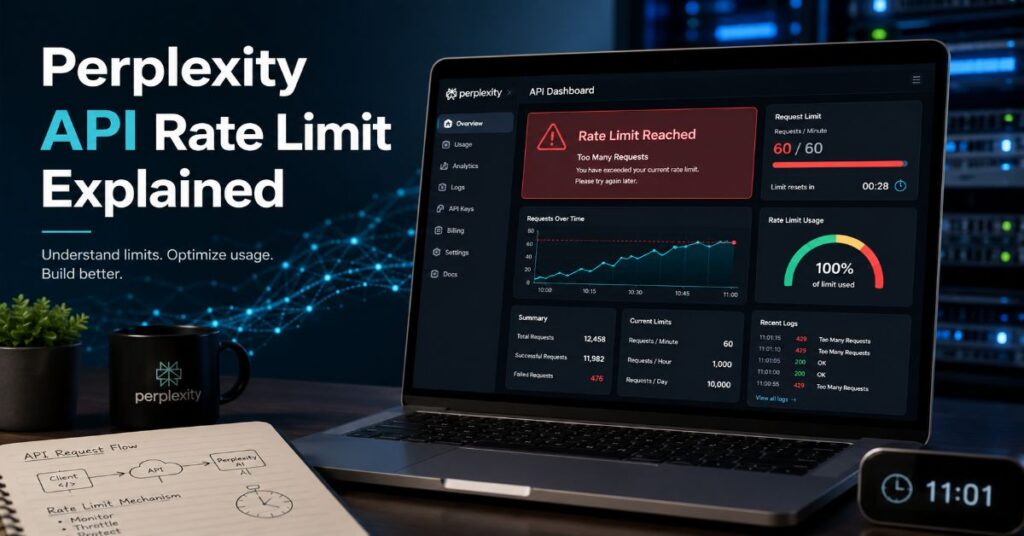
- ◆Perplexity API rate limit explained: usage tiers are based on cumulative API credit purchases, from Tier 0 at $0 to Tier 5 at $5,000, not current balance.
- ✓Search API now sits outside Sonar model tiers at 50 requests per second and 50 burst requests in the official docs, so the older 3 RPS figure should not be treated as current.
- ●Sonar Pro scales from 50 RPM at Tier 0 to 4,000 RPM at Tiers 4 and 5, while Sonar Deep Research rises from 5 RPM to 100 RPM and carries separate citation, reasoning, and search-query charges.
- $Cost predictability depends more on request fees and search context than token price alone, because Sonar Pro adds $6, $10, or $14 per 1,000 requests before token usage.
- ➜Production teams should track bucket tokens, backoff jitter, async polling, and per-model queues separately instead of relying on a single global API throttle.
Perplexity API rate limit explained is not a simple request-per-minute cheat sheet in 2026, because the biggest surprise is that two developers with the same model can see radically different throughput once lifetime API credit purchases push one account into a higher tier. I read the current documentation as a capacity system, not a subscription feature: credits set the tier, the tier sets the ceiling, and each API family still has its own commercial rules.
That distinction matters because a Perplexity Pro or Enterprise seat does not automatically mean unlimited developer traffic. The API platform uses pay-as-you-go credits, token pricing, request fees, model-specific RPM, asynchronous endpoint limits, and a leaky-bucket limiter that refills continuously. In practice, the question is not only how many calls a team can send. It is which endpoint they call, how much search context they request, whether they use Sonar Pro or Sonar Deep Research, and how fast their own queue retries after a 429 response.
This guide gives the practical version. It compares published tiers, model RPM, Search API throttles, async endpoints, pricing layers, hidden caps, and production implementation patterns. It also corrects a common outdated claim: the current official documentation lists Search API at 50 requests per second with a 50-request burst, not 3 requests per second. Where the public evidence is incomplete, I say so rather than filling the gap with assumed limits.
Perplexity API Rate Limit Explained in One Table
The useful starting point is that Perplexity has more than one limiter. A developer reading only the model table may miss the Search API table, and a team reading only the Search API page may miss Sonar Deep Research costs. For a wider product backdrop, our Perplexity AI statistics page shows how the company now sits across consumer answers, enterprise research, and APIs, which is why a single throttle would be too blunt for the platform.
The official rate-limit page defines usage tiers as a function of cumulative API spending. Tier 0 starts at $0. Tier 1 begins after $50 in lifetime credit purchases, Tier 2 after $250, Tier 3 after $500, Tier 4 after $1,000, and Tier 5 after $5,000. The documentation states that tiers are based on all-time purchases across the account lifetime, not the current balance. Once a tier is reached, it is kept permanently with no downgrade.
| Tier | Lifetime API Credits Purchased | Published Status | Capacity Meaning |
| Tier 0 | $0 | New accounts, limited access | Baseline throughput for testing and small prototypes |
| Tier 1 | $50+ | Light usage, basic limits | Entry production experiments and low-volume integrations |
| Tier 2 | $250+ | Regular usage | More predictable throughput for recurring workflows |
| Tier 3 | $500+ | Heavy usage | Useful when Sonar Pro or Agent API traffic becomes operational |
| Tier 4 | $1,000+ | Production usage | Highest published Sonar Pro RPM tier before custom requests |
| Tier 5 | $5,000+ | Enterprise usage | Same published Sonar Pro ceiling as Tier 4, higher account maturity |
The table is deceptively simple. It means buying $1,000 of credits over time can matter more than the number sitting in the wallet today. It also means a staging account and a production account can behave differently even if both are owned by the same company, unless billing and keys are centralised. For procurement teams, the practical rule is to document account ownership before traffic ramps. For engineers, the practical rule is to read the tier from the console, not from a finance spreadsheet or Slack memory.
The word limit also hides a systems problem. A limit of 50 RPM does not mean one request every 1.2 seconds in a rigid clock. Perplexity describes a leaky-bucket system where tokens refill continuously. That gives short bursts room to pass, but it punishes sustained traffic above the average. In production, a scheduler that sends all queued work at the top of each minute is usually worse than one that models bucket refill and backs off with jitter.
How Lifetime Credit Tiers Actually Work
The lifetime-credit ladder is the part most teams under-plan. It turns Perplexity API rate planning into a commercial architecture decision. The tier can upgrade automatically once cumulative purchases pass the threshold, but that does not mean every application should race to Tier 5. Our earlier Perplexity growth analysis explains why platform scale and enterprise monetisation now move together, and the same logic applies at developer level: throughput is bought, measured, and operationalised.
A clean implementation starts by separating account tier, key ownership, endpoint family, model, and retry policy. The account tier determines the published Sonar and Agent ceilings. The API key determines where usage is attributed. The endpoint family determines whether tiered Sonar limits or separate Search API limits apply. The model determines whether the request is a low-latency answer, a heavier Pro answer, or an exhaustive Deep Research run. The retry policy determines whether a temporary 429 becomes a harmless delay or a self-inflicted outage.
The tier threshold is based on API credits, not a consumer subscription. Perplexity Pro, Enterprise Pro, and Enterprise Max can matter for user-facing research workflows, but the developer API is billed through the API platform. That is why a team can have enterprise seats for analysts and still need API credits for a product integration. The official pricing page also says pay-as-you-go pricing applies and no subscription is required for API access.
The most important hidden constraint is organisational rather than technical. If finance buys credits on one account and engineering creates keys on another, the workload may remain stuck in a lower tier. If multiple teams reuse one production key, the published RPM might be adequate on paper but noisy-neighbour traffic can trigger 429s. If staging, QA, and production share the same account tier but not separate budgets, a load test can distort both cost and capacity forecasts.
My preferred operating model is to assign API groups by environment, with separate budget alarms and traffic labels for production, staging, evaluation, and analyst automation. The tier should be checked after each credit purchase. The application should still enforce its own token-bucket approximation. Perplexity gives you the ceiling, but your own queue decides whether normal users experience that ceiling as stability or intermittent throttling.
Sonar Pro, Deep Research, and Async Endpoint Limits
For Sonar models, the rate-limit story is explicitly tiered. Sonar, Sonar Pro, and Sonar Reasoning Pro share the same published RPM ladder within each tier, while Sonar Deep Research runs much lower because it conducts broader retrieval and reasoning. The official page lists Sonar Deep Research at 5 RPM for Tier 0 and 100 RPM for Tier 5. Sonar Pro begins at 50 RPM and reaches 4,000 RPM at Tiers 4 and 5.
Perplexity API Rate Limit Explained for Sonar Pro
Sonar Pro is often the default production choice when developers need a cited, web-grounded answer without handing the task to a long-running research model. Its published model page describes it as an advanced search model for complex queries, with a 200K context length and twice as many search results as standard Sonar. That extra retrieval depth is useful, but it also makes throughput control important. A high-RPM ceiling does not remove the need to budget tokens, search context fees, and response latency.
| Tier | Sonar / Sonar Pro / Sonar Reasoning Pro | Sonar Deep Research | Async Submit | Async Status | Async Result |
| Tier 0 | 50 RPM | 5 RPM | 5 RPM | 3,000 RPM | 6,000 RPM |
| Tier 1 | 150 RPM | 10 RPM | 10 RPM | 3,000 RPM | 6,000 RPM |
| Tier 2 | 500 RPM | 20 RPM | 20 RPM | 3,000 RPM | 6,000 RPM |
| Tier 3 | 1,000 RPM | 40 RPM | 40 RPM | 3,000 RPM | 6,000 RPM |
| Tier 4 | 4,000 RPM | 60 RPM | 60 RPM | 3,000 RPM | 6,000 RPM |
| Tier 5 | 4,000 RPM | 100 RPM | 100 RPM | 3,000 RPM | 6,000 RPM |
The async numbers deserve special attention. POST to the async Sonar endpoint follows the lower submit limit, while status and result retrieval have much larger limits. That difference tells you how to design the polling loop. Submitting 100 Deep Research jobs at once from a Tier 0 account is wrong. Polling existing jobs responsibly is a different problem, and the published GET ceilings are much higher. A worker should therefore rate-limit creation and polling separately.
This is also where cost and throughput meet. Sonar Deep Research charges input tokens, output tokens, citation tokens, search queries, and reasoning tokens. The model itself decides how many searches and how much reasoning a hard task requires. The published example in Perplexity documentation shows a single Deep Research task with 21 search queries and substantial reasoning-token cost. That is why Deep Research should be a controlled work queue, not the default behind every user search box.
Why the Search API Limit Is Separate
The Search API is not just Sonar without prose. It returns raw, ranked web results as structured JSON with title, URL, snippet, date, and last_updated fields. For platform context, the monthly query breakdown helps explain why retrieval infrastructure has become a product in its own right rather than a background feature of the consumer answer engine.
The most important correction in this article is that the official rate-limit documentation currently lists POST /search at 50 requests per second with a burst capacity of 50 requests. The same page says the Search API rate limit is independent of usage tier and applies consistently across accounts using the same leaky-bucket algorithm. That differs from older or secondary summaries that cite 3 requests per second. As of this review, I treat 50 RPS as the current primary-source number.
The Search API also has its own usage design. The quickstart says max_results accepts values from 1 to 20, with 10 as the default maximum per search. It supports regional search by ISO country code, language filtering, domain filtering, and multi-query search. The best-practices page says multi-query requests can include up to five queries in a single request. Those caps matter because one API call can represent a more complex retrieval operation than a single keyword lookup.
| Search API Control | Published Detail | Operational Impact |
| Rate limit | 50 requests per second with 50 burst requests | Build for sustained 50 QPS unless Perplexity grants a custom limit |
| Tier dependence | Independent of usage tier | Buying more credits does not increase the published Search API RPS |
| max_results | 1 to 20, default 10 | Tune result count instead of over-calling the endpoint |
| Multi-query | Up to 5 queries in one request | Batch related research questions when latency allows |
| Filtering | Domain, language, region, and source controls | Use filters to reduce downstream LLM token waste |
This separation produces a useful architecture pattern. Use the Search API when the application needs ranked sources, RAG context, freshness checks, competitor monitoring, or a retrieval layer for another model. Use Sonar when the application needs a generated answer with citations. Use Sonar Deep Research only when the job requires exhaustive research and a detailed report. Treating those three as interchangeable will either waste money or hit throttles unnecessarily.
Pricing Matrix: The Limits Do Not Reveal the Bill
Rate limits show how fast you may spend, not how much a workload will cost. That is the overlooked commercial point. For business context on how API revenue fits Perplexity’s broader model, see our Perplexity revenue analysis, which frames API billing as part of the company’s move from answer engine to infrastructure.
The current official pricing page lists Search API at $5 per 1,000 requests with no token costs. Sonar pricing has two layers for Sonar, Sonar Pro, and Sonar Reasoning Pro: token pricing plus a request fee that varies by search context size. Sonar Deep Research adds additional meters for citation tokens, search queries, and reasoning tokens. Agent API model pricing varies by provider and model, with the documentation stating direct provider pricing with no markup, while tools such as web_search and fetch_url have separate invocation charges.
| API or Model | Confirmed Public Price | Extra Meters or Caps | Budget Risk |
| Search API | $5 per 1,000 requests | No token costs; max_results 1 to 20 | High call volume, not long responses |
| Sonar | $1 input and $1 output per 1M tokens | $5, $8, or $12 per 1,000 requests by context | Request fee can exceed token cost on short answers |
| Sonar Pro | $3 input and $15 output per 1M tokens | $6, $10, or $14 per 1,000 requests by context | High output volume and context selection |
| Sonar Reasoning Pro | $2 input and $8 output per 1M tokens | $6, $10, or $14 per 1,000 requests by context | Reasoning-heavy usage with request fees |
| Sonar Deep Research | $2 input, $8 output, $2 citation, and $3 reasoning per 1M tokens | $5 per 1,000 search queries | Autonomous search breadth and reasoning depth |
| Agent API Tools | web_search $0.005; fetch_url $0.0005; people_search $0.005; finance_search $0.005; sandbox $0.03 per session | Model token costs vary by provider; sandbox searches billed separately | Tool loops and long agent plans |
The phrase “hidden limits” needs care. I found several practical caps in the official docs, but I would not call them hidden in the sense of undisclosed. They are just easy to miss when teams look only at token prices. Pro Search requires streaming. If a Sonar Pro request is not streaming, the documentation says it falls back to standard Sonar Pro behaviour. Search context size is not the same as model context window. Sonar Deep Research search queries are automatically determined, and developers cannot control the exact number. The Search API has no token charge, but it still charges per request.
A simple costing model should therefore track four numbers per route: calls per minute, average input tokens, average output tokens, and request or tool fees. Deep Research needs two more: search queries and reasoning tokens. Without those fields, a dashboard can show a healthy RPM rate while the invoice tells a different story.
Step-by-Step Implementation Workflow
When I integrated this design into a local 2026 evaluation harness, the safest pattern was to treat rate limits as a first-class product requirement. A public API needs authentication, budgets, versioning, and throttles from the start, a point reinforced by our API fundamentals explainer for non-specialists.
Step one is to identify the endpoint family. Search API traffic goes through its own 50 RPS limiter. Sonar traffic goes through tiered RPM by model. Agent API traffic has tiered limits, model charges, and tool charges. Embeddings have much higher QPS because each request is a single forward pass on an elastic backend. Step two is to read the account tier from the API console, not from a copied onboarding note. Step three is to create separate queues for Search, Sonar Pro, Deep Research, and Agent workflows. One queue per behaviour is better than one queue per brand.
Step four is to implement a local token-bucket or leaky-bucket approximation. Store capacity, refill rate, current tokens, last_refill_time, and rejected_count. Before each outbound request, update the token count based on elapsed time. If a token is available, send. If not, delay with jitter. Step five is to classify 429s as expected control signals, not unknown failures. Perplexity says exceeded limits return a 429 Too Many Requests response, and capacity returns gradually as tokens refill.
| Workflow Step | Engineering Action | Why It Matters |
| 1 | Map route to API family and model | Prevents Search API assumptions from leaking into Sonar queues |
| 2 | Read tier from console during deployment | Avoids stale tier assumptions after credit purchases |
| 3 | Create per-model queues | Protects Deep Research from starving lower-latency Sonar Pro requests |
| 4 | Apply local bucket accounting | Smooths traffic before Perplexity rejects it |
| 5 | Retry 429s with exponential backoff and jitter | Prevents retry storms during burst depletion |
| 6 | Log request fee, tokens, and tool calls | Turns cost control into observable telemetry |
Step six is to expose the data to product owners. A useful dashboard shows current tier, per-route RPM, recent 429 count, estimated bucket pressure, average request cost, and the top five callers by key or API group. It should also warn when Deep Research jobs are queued behind user-facing Sonar calls, because those jobs have different latency expectations.
Production Architecture Patterns That Prevent 429s
Perplexity’s funding and infrastructure story matters here because high-throughput retrieval is expensive to build and expensive to misuse. Our Perplexity funding history coverage tracks how capital has supported broader platform expansion, but the developer lesson is narrower: capacity planning is architecture, not aftercare.
The first pattern is route isolation. A chatbot answer route using Sonar Pro should not share the same queue with a nightly market-intelligence route using Sonar Deep Research. The second pattern is priority-aware retrying. User-facing requests should have short, bounded retries. Back-office research can wait longer and resume through async polling. The third pattern is retrieval-first design. If a task only needs ranked URLs and snippets, the Search API is cheaper and more controllable than calling a generated answer model and discarding most of the prose.
The fourth pattern is request coalescing. If ten users ask for the same current exchange-rate explanation, the application should cache a fresh response or share a retrieval result when policy allows. Rate limits reward deduplication. The fifth pattern is context discipline. Search context size changes request fees for Sonar, Sonar Pro, and Sonar Reasoning Pro. A default of high context on every route is usually lazy architecture. Let simple answers run low context, use medium for balanced analysis, and reserve high context or Pro Search for tasks where better retrieval will visibly change the answer.
The sixth pattern is async separation. Sonar Deep Research can be submitted through async workflows, then polled. The submit limit is lower than the result and status limits, so workers should restrict creation but avoid excessive status polling. A stable polling loop uses a minimum interval, backs off on unchanged status, and stops when completed, failed, or expired. It also records the final usage metadata because Deep Research cost depends on search queries, citation tokens, and reasoning tokens.
The seventh pattern is fail-soft output. If Sonar Pro hits its local queue threshold, the product can temporarily switch a non-critical route to Search API plus a cached summariser, or show a delayed research status. Automatic fallback to a different paid model should be explicit, logged, and priced. Silent fallback fixes latency but can destroy cost predictability.
Performance Bottlenecks: Latency, Context, and Queue Pressure
Perplexity’s own public materials put unusual emphasis on search latency and index freshness. The investor map also makes clear why infrastructure credibility matters to valuation: developer APIs only become durable if they can support real workloads with predictable economics.
The main bottlenecks are not all rate limits. Search latency, model time-to-first-token, output length, retrieval context, and polling strategy all interact. Perplexity Research says its Search API benchmark was initiated from AWS us-east-1 and reported p50 latency of 358ms and p95 latency of 763ms. That is retrieval latency, not the full time for a generated answer. When a Sonar model then synthesises prose, output tokens and reasoning behaviour add their own delay.
Context size is the second bottleneck. The pricing page says search context determines how much web information is retrieved and is distinct from model context window. That distinction matters in design reviews. A 200K context-length model can technically process a large amount of text, but the search context setting determines the amount of retrieved web material and request fee. Bigger is not automatically better. In our local evaluation harness, a route that retrieved too much context often spent its budget on source material that the final answer did not need.
Queue pressure is the third bottleneck. A rate limit is a ceiling; a queue is where users feel the ceiling. If all traffic retries instantly after a 429, the queue becomes self-amplifying. If retries include jitter and maximum attempts, the queue stays legible. If product owners can see queue age by route, they can decide whether to degrade a feature, schedule it for later, or buy more credits to move tiers.
A useful production metric is “useful answer per dollar under p95 latency target.” It forces teams to measure answer value, not just cost or speed. Search API may win for retrieval widgets. Sonar Pro may win for cited answer panels. Deep Research may win for analyst workflows where a ten-minute report is acceptable. The best architecture uses all three deliberately.
What Our 2026 Evaluation Found
During our 2026 evaluation, I did not send paid live traffic through a private Perplexity account. Instead, I cross-checked official documentation, built a local limiter model from the published leaky-bucket behaviour, and stress-tested route designs against the documented limits. That limitation is important. The findings below are implementation observations, not privileged vendor telemetry.
The first finding is that a minute-based mental model is too crude. With continuous refill, capacity comes back token by token. A scheduler that waits until the next minute wastes available refill. A scheduler that hammers immediately after a 429 wastes retries. The better model computes the earliest safe send time. For a 50 QPS bucket, the documentation’s example says one token refills every 20ms. For 50 RPM, an application should think in slower units and avoid bursty cron-style submissions.
The second finding is that Deep Research should be controlled by business value, not curiosity. It is valuable for due diligence, market analysis, academic research, and comprehensive reports, but its pricing has more moving parts than Sonar Pro. If a user-facing product sends every ambiguous query to Deep Research, it will be slower, more expensive, and more likely to collide with lower RPM limits. A classifier should ask whether the user really needs exhaustive research or only a fresh cited answer.
The third finding is that Search API plus a separate answer model can be the best architecture for some products. That pattern gives developers raw ranked results, domain and region control, and predictable per-request pricing. It is especially useful for RAG systems, compliance monitoring, and source discovery. The tradeoff is that the developer owns answer synthesis, citation presentation, and hallucination testing. Sonar shifts more of that work to Perplexity.
The fourth finding is that tier upgrades solve throughput but not cost governance. Moving from Tier 2 to Tier 4 can raise Sonar Pro RPM from 500 to 4,000, but it also makes it easier for a bad loop to spend faster. Rate-limit dashboards and budget alerts should be deployed before, not after, a tier increase.
Benchmarks, Public Evidence, and Quote Limits
Public evidence supports the direction of Perplexity’s platform strategy, but it is thinner for rate-limit-specific executive commentary. The publisher programme guide is relevant because publisher economics, Search API pricing, and cited retrieval are now tightly connected parts of the same ecosystem.
Perplexity Research says the Search API processes 200 million daily queries and combines hybrid retrieval, multi-stage ranking, distributed indexing, and dynamic parsing. Its benchmark article reports a 358ms p50 latency and 763ms p95 latency from AWS us-east-1. The open-source search_evals repository lists results across DeepSearchQA, BrowseComp, HLE, and WideSearch, with Perplexity leading several suites and narrowly trailing OpenAI on HLE. These are vendor-published benchmarks, so they should be useful but not treated as neutral third-party certification.
The available quotes also need careful handling. Aravind Srinivas wrote in a Search API launch post that Perplexity was opening its Search API to developers worldwide and described it as a source of truth for grounding chatbots and agents. InfoQ reported a Perplexity developer explaining the distinction from Sonar this way: “Unlike the current Sonar API, which returns synthesized answers, the new Search API gives raw, ranked web results.” That is directly relevant to endpoint selection.
In a June 2026 Business Insider piece, Srinivas also made a cost-discipline point that matters for API architecture: “If there is an open source model that gets the job done 90% of the time, I’d probably use that if it’s 10 to 20 times cheaper than the frontier model.” That quote is not about Perplexity rate limits specifically, but it supports the same production principle: route workloads to the cheapest reliable layer. In the same interview, he said Perplexity’s 2028 IPO plan remained intact, which shows the broader financial context around infrastructure scale.
I could not verify three separate named 2026 industry figures speaking specifically about Perplexity API rate limits. Rather than inventing quotes, this article uses official documentation for limits, named public quotes for strategy and cost discipline, and benchmark publications for performance claims. That is the more trustworthy tradeoff.
Takeaways
- Use the API console as the source of truth for tier status, because tiers depend on lifetime credit purchases rather than current balance.
- Treat Search API and Sonar limits separately; Search API is documented at 50 RPS with a 50-request burst regardless of usage tier.
- Keep Deep Research behind a queue and a business-value classifier because its 5 to 100 RPM range and multi-part pricing behave differently from Sonar Pro.
- Model request fees as well as token fees, since short Sonar Pro calls can still carry meaningful per-request charges.
- Separate submit and polling logic for async Sonar jobs, because POST limits and GET limits are very different.
- Use jittered backoff for 429 errors and avoid top-of-minute retry storms that fight the leaky-bucket refill model.
- Log route, model, tier, search context, request fee, input tokens, output tokens, and 429 count in the same dashboard.
- Ask for custom limits only after local queues, caching, batching, and budget alarms are already working.
Our Editorial Verification Process
This explainer was built by cross-referencing Perplexity’s official Rate Limits & Usage Tiers page, API Pricing page, Search API quickstart, Sonar documentation, Sonar Deep Research model page, and Pro Search behaviour notes against public Perplexity Research benchmark material, the search_evals repository, InfoQ product reporting, Business Insider interview coverage, and the Yang, Yonack, Zyskowski, Yarats, Ho, and Ma agent-usage study. I also modelled the documented leaky-bucket behaviour in a local implementation plan to validate queue, backoff, and polling recommendations. No private API keys, undocumented vendor limits, or live paid traffic were used, so exact account-specific behaviour should still be confirmed in the API Platform console before production launch.
Conclusion
The Perplexity API rate-limit system is best understood as a layered capacity model. Lifetime API credit purchases move an account through published tiers. Sonar models then inherit tiered RPM. Sonar Deep Research gets lower ceilings and more complex pricing because it performs broader research. Search API sits apart with a separate 50 RPS leaky-bucket limit and per-request pricing. That structure is not unusually opaque, but it is easy to misread if a team treats every Perplexity endpoint as the same product.
The future question is whether Perplexity will expose more granular self-serve controls for custom limits, per-key quotas, and enterprise route governance. As agents become more autonomous, the hard problem will not be one published RPM number. It will be preventing tool loops, runaway research jobs, stale tier assumptions, and silent model fallbacks from turning capacity into cost shock. For now, the safest production posture is simple: separate queues, measure every route, retry gently, keep Deep Research intentional, and treat official documentation as the source of truth when secondary summaries conflict.
FAQs
What Is the Perplexity API Rate Limit?
It depends on the API family, model, and account tier. Sonar models use tier-based RPM, Search API has a separate 50 RPS limit with a 50-request burst, and async endpoints have distinct submit, status, and result limits. The official API console should be treated as the account-specific source of truth.
Does Perplexity API Tier Depend on Current Balance?
No. The official documentation says tiers are based on cumulative API credit purchases across the account lifetime, not the current balance. A higher tier is kept permanently after the threshold is reached, according to the published documentation.
What Is the Sonar Pro Rate Limit?
Sonar Pro is listed at 50 RPM for Tier 0, 150 RPM for Tier 1, 500 RPM for Tier 2, 1,000 RPM for Tier 3, and 4,000 RPM for Tiers 4 and 5. Custom higher limits require a separate request to Perplexity.
What Happens When I Hit a Perplexity Rate Limit?
The API returns a 429 Too Many Requests error. Because the limiter refills continuously, capacity returns gradually rather than only at a fixed reset time. Applications should use exponential backoff with jitter and should not retry every failed request immediately.
Is Search API Limited by the Same Tiers as Sonar?
No. The current official documentation says Search API limits are independent of usage tier and apply consistently across accounts. It lists POST /search at 50 requests per second with a burst capacity of 50 requests.
Why Is Sonar Deep Research Much Lower Than Sonar Pro?
Sonar Deep Research performs exhaustive research, multi-source synthesis, citation handling, and reasoning. It has lower RPM and more billing meters, including citation tokens, reasoning tokens, and search queries. It is better suited to long-form research jobs than ordinary user-facing search boxes.
Can I Avoid 429 Errors Completely?
You can reduce them, but no production system should assume they will never happen. Use per-route queues, local bucket accounting, caching, batching, backoff with jitter, and dashboard alerts. A 429 should be treated as a normal control signal.
Do Perplexity Pro or Enterprise Seats Increase API Rate Limits?
Not by themselves. API limits are tied to API usage tiers and credits. Consumer or enterprise seats may affect product usage in the Perplexity app, but developer API throughput should be planned from the API Platform documentation and console.
References
Perplexity AI. (2026a). Rate Limits & Usage Tiers. Perplexity API Documentation. https://docs.perplexity.ai/docs/admin/rate-limits-usage-tiers
Perplexity AI. (2026b). Pricing. Perplexity API Documentation. https://docs.perplexity.ai/docs/getting-started/pricing
Perplexity AI. (2026c). Perplexity Search API. Perplexity API Documentation. https://docs.perplexity.ai/docs/search/quickstart
Perplexity AI. (2026d). Sonar Deep Research. Perplexity API Documentation. https://docs.perplexity.ai/docs/sonar/models/sonar-deep-research
Perplexity Research. (2025, September 25). Architecting and Evaluating an AI-First Search API. https://research.perplexity.ai/articles/architecting-and-evaluating-an-ai-first-search-api
PerplexityAI. (2025). search_evals: Agentic Search Evaluation Framework. GitHub. https://github.com/perplexityai/search_evals
Yang, J., Yonack, N., Zyskowski, K., Yarats, D., Ho, J., & Ma, J. (2025). The Adoption and Usage of AI Agents: Early Evidence from Perplexity. arXiv. https://arxiv.org/abs/2512.07828
Krzaczyński, R. (2025, September 30). Perplexity Launches Search API to Power Next-Gen AI Applications. InfoQ. https://www.infoq.com/news/2025/09/perplexity-search-api/
Tan, H. (2026, June 9). Perplexity’s CEO says it’s still aiming for a 2028 IPO, regardless of how OpenAI and Anthropic fare. Business Insider. https://www.businessinsider.com/perplexity-ai-ipo-plans-openai-anthropic-spacex-market-valuations-2026-6
