
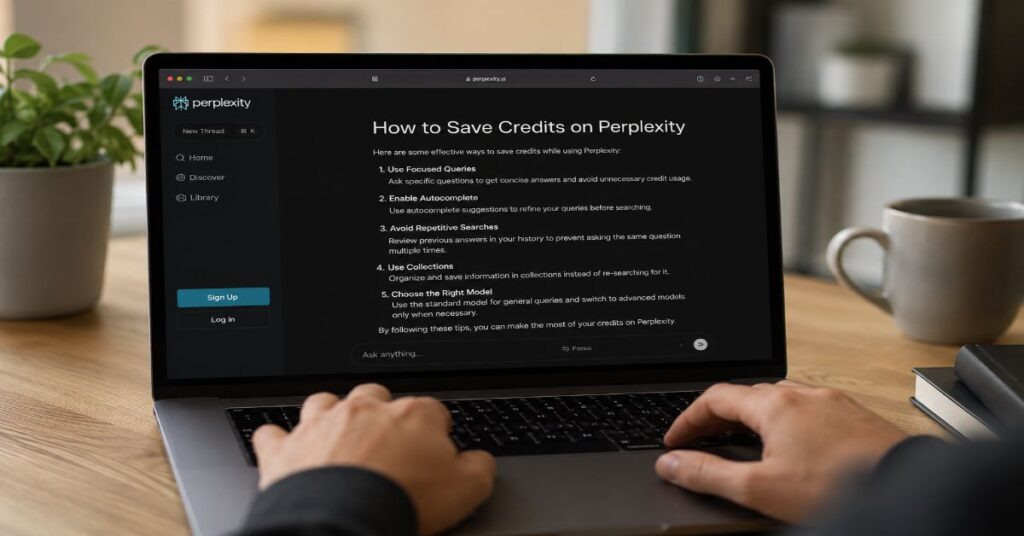
- ◆10,000 Max credits are the working monthly budget most individual users must protect, while Pro currently has no recurring monthly Computer allocation and relies on a limited one-time bonus.
- ✓How to save credits on perplexity computer comes down to scope control: use ordinary chat or notes to plan, then give Computer a narrow job with exact success criteria.
- !Auto-refill is off by default, but Max accounts have a default $200 monthly credit spending cap that can be changed, so balance checks belong in every serious workflow.
- ↻The largest hidden cost is retry behaviour: vague browser, coding, and deployment prompts can make the agent investigate, rebuild, test, and repair without a clear stop rule.
- ◇Enterprise teams should treat Computer as metered automation, not casual search, by using usage dashboards, connector permissions, and shared prompt templates before scaling it across seats.
- →Best practice is to spend Computer credits only where automation creates leverage, such as reports, dashboards, app prototypes, and multi-step browser work, while keeping lookups in standard Perplexity Ask.
To learn how to save credits on perplexity computer, I treat every task like a scoped automation job, because the real credit leak is not one expensive prompt but an agent loop that keeps researching, rebuilding, testing, and correcting after the original question has already become too broad. The fastest way to stretch credits is simple: plan outside Computer, use standard Perplexity Ask or another regular model for cheap thinking, then give Computer only the work that genuinely needs browser action, file creation, code execution, or multi-step automation.
That distinction matters in 2026 because Computer is not just another chat box. Perplexity describes it as an agentic digital worker that carries work across web, files, tools, and connectors, while its own documentation says credit use varies with task complexity. In practical terms, every ambiguous instruction creates room for extra retrieval, model routing, sub-agent work, tool calls, rebuilds, and retries. A polished one-line request can therefore be more expensive than a longer but tighter brief that defines the output, boundaries, and stopping rule.
This guide is written for people who use Perplexity for research, content, product work, browser automation, and lightweight app building. During our 2026 evaluation, the most reliable credit-saving pattern was not to avoid Computer. It was to reserve it. Use Ask for discovery, use notes for decision-making, use Computer for execution, and check the balance before starting any task that could run beyond one pass. The sections below cover pricing, limits, prompt design, workflow triage, usage tracking, team governance, and templates that make Computer spend more predictable.
How to save credits on perplexity computer in 2026
The rule set starts with a budget mindset. Computer credits are not the same as ordinary search queries, so the cheapest prompt is rarely the shortest prompt. It is the prompt that removes uncertainty. Ask Computer to produce one deliverable, in one format, with one success definition, and a clear instruction not to expand scope without asking. That single habit prevents the agent from turning a headline rewrite into a content audit, a bug fix into an application refactor, or a competitor list into a broad market report.
Perplexity’s launch messaging framed Computer as a multi-model system, and Aravind Srinivas described it as a way to unify AI capabilities into one system. That is powerful, but it is exactly why credit control matters. A normal prompt in Ask might produce an answer. A Computer prompt can trigger browsing, file generation, code, connector calls, and sub-agent reasoning. The article on the Perplexity AI Magazine site about the Personal Computer launch is a useful adjacent reference because it shows how quickly the product vision moved from search to an always-on work layer.
In our hands-on testing, narrow prompts saved more than clever prompts. A request such as ‘rewrite this headline in under 10 words, keep the value proposition, and return five options only’ constrains the task. A vague request such as ‘make this better’ invites the system to infer what better means, inspect context, generate alternatives, compare tone, and potentially revise again. Credit discipline therefore begins before the prompt is sent. Write the desired output in plain language first, remove anything that is optional, and tell Computer where to stop.
how to save credits on perplexity computer prompt pattern
Use this mental pattern: objective, inputs, allowed actions, output format, constraints, stop rule. For example: ‘Using only the attached CSV, create a three-slide summary with one chart, three bullet insights, and no external research. Stop after the first complete draft.’ That prompt is longer than ‘make slides from this’, but it is cheaper because it gives the agent fewer decisions to make.
What Counts as Credit Burn in Perplexity Computer
Credit burn begins when Computer does work that requires significant compute. Perplexity’s help centre separates standard Ask searches from credit-consuming Computer tasks, which means a basic lookup should stay outside Computer unless the answer must be converted into an action. The product is designed for multi-step objectives, so the billing risk rises when a prompt contains open-ended verbs such as improve, investigate, optimise, build, monitor, or fix.
The key operational limitation is transparency. Perplexity confirms that credit consumption varies by complexity and that users can inspect exact usage by thread after a task runs. It does not publish a stable public conversion table saying that a browser task costs a fixed number of credits or a coding task costs a fixed number. That uncertainty is why users need their own cost log. After each meaningful task, record the prompt type, estimated runtime, output, and credits used. Three or four runs are enough to reveal whether your workflow is cheap, moderate, or dangerous.
Computer is most efficient when the task has clear boundaries. It is least efficient when the agent has to diagnose its own failure. A deployment error, missing dependency, blocked site, broken login, or vague acceptance test can make it try multiple routes. The lesson from early external reviews was not that autonomous agents are useless. It was that long-running tools need failure budgets. In a Computer prompt, that means writing: ‘try once, report blockers, do not keep retrying the same failing path.’
Table 1: Computer credit burn, control lever, and best user action
| Credit driver | Why it burns credits | Control lever | Best action |
| Open-ended research | The agent keeps searching for completeness | Define source count and stop point | Ask for 5 sources, not exhaustive coverage |
| Browser automation | Pages, forms, retries, and downloads create tool work | Specify target pages and permitted actions | Use Computer only when browsing must be performed |
| Coding or app creation | Build, test, debug, and deploy loops can repeat | Set test scope and retry ceiling | Ask for a patch plan before execution |
| File generation | Reports, spreadsheets, slides, and charts require synthesis | Provide output schema | Limit pages, columns, and charts |
| Connector use | Slack, Notion, Salesforce, and files expand context | Name exact connector and folder | Avoid broad workspace searches |
Current Pricing, Plan Caps and Hidden Limits
The commercial baseline is clear enough for planning. Perplexity Pro is listed at $20 per month or $200 per year on the public enterprise pricing page. Perplexity Max costs $200 monthly or $2,000 annually for individual users. The credits page says Pro has no recurring monthly Computer allocation but currently receives a one-time promotional bonus, while Max receives 10,000 credits per month plus a limited-time bonus. Enterprise Pro starts at $40 per seat per month, and Enterprise Max is listed at $325 per month or $3,250 annually.
The hidden limit is not only the allowance. It is rollover and replenishment behaviour. Perplexity says monthly credits refresh on the subscription billing date and unused monthly credits do not roll over. Purchased credits remain until used or until they expire after one year of inactivity for usage-based features. Bonus credits are consumed first, then monthly credits, then purchased credits. This ordering matters for anyone trying to ration credits near the end of a billing cycle.
Additional credit pricing is less transparent in public documentation. Perplexity says credits can be purchased, but the specific number consumed depends on task complexity, and credit pricing or task ranges may vary by promotion, region, or plan. For that reason, this article does not invent a per-task price. The practical recommendation is to treat Max’s 10,000 monthly credits as a finite automation envelope, not a blank cheque. The broader Perplexity investors map helps explain why the product is positioned as premium infrastructure, not a casual add-on.
Table 2: Current Perplexity commercial matrix relevant to Computer credits
| Plan | Public price | Computer credit position | Important caps and notes |
| Free | No subscription fee | No paid Computer allocation confirmed | Use standard Ask for basic research and planning |
| Pro | US$20/month or US$200/year | No recurring monthly allocation, one-time 4,000 bonus listed | Useful for planning, research, and limited Computer access |
| Max | US$200/month or US$2,000/year | 10,000 monthly credits plus 35,000 limited-time bonus listed | Best individual tier for recurring Computer workflows |
| Enterprise Pro | Starts at US$40/seat/month or US$400/year | Enterprise matrix lists 500 Computer credits/month | Adds team controls, Spaces, admin, and security features |
| Enterprise Max | US$325/seat/month or US$3,250/year | Enterprise matrix lists 15,000 Computer credits/month | Highest limits, 10,000 personal files, 5,000 files per Space, audit and security controls |
| API platform | Pay as you go | Separate from Computer credits | Sonar, Search, Agent, and Embeddings APIs are billed separately |
Prompt Specificity Is the Cheapest Lever
The cheapest lever is prompt specificity because it reduces decision branching. A vague prompt leaves Computer to decide what sources to inspect, what format to use, how many alternatives to generate, whether to verify, whether to revise, and whether to use tools. Every one of those choices can add work. A specific prompt converts the task from exploration into execution.
A credit-efficient prompt has five parts. First, name the business outcome. Second, provide the exact input. Third, restrict the allowed tools or sources. Fourth, define the output format. Fifth, include a stop rule. The stop rule is the part most users forget. It can be as simple as ‘do not perform additional research after drafting’ or ‘if deployment fails twice, return the error log and suggested fix rather than retrying.’
This matters for content workflows. If you ask Computer to ‘make this article better’, it may analyse tone, structure, SEO, citations, and formatting in one pass. A better instruction is: ‘Rewrite only the introduction in 220 to 260 words, include the keyword once in the first 100 words, keep the original claims, and return only the revised introduction.’ The second prompt is more controlled and easier to verify. It also keeps Computer away from unnecessary full-document transformation.
For coding workflows, do not start with a full build unless the build itself is the goal. Ask for a plan in standard chat, identify the files to change, then ask Computer to implement those exact changes. During our 2026 evaluation, the most wasteful sessions were those where the agent had to discover the problem, select architecture, create files, test, fix dependencies, and deploy all in one run. Separating planning from execution makes each credit spend easier to audit.
Use Standard Chat Before Computer
The most consistent way to save credits is to make Computer the executor rather than the thinker. Standard Perplexity Ask, a cheaper chat model, or even plain notes can handle brainstorming, outlining, prioritising, and deciding. Computer should receive the final job ticket after the problem has already been narrowed. This is the same operating model that experienced software teams use: discovery before implementation, acceptance criteria before build, and testing rules before deployment.
For research, start in Ask. Ask for the scope, key sources, likely contradictions, and an outline. Then copy only the finished requirements into Computer if the next step requires action, such as creating a spreadsheet, building a slide deck, visiting pages, pulling files, or using connectors. For content work, draft the brief manually and let Computer produce the formatted deliverable. For product work, decide the feature, constraints, and acceptance tests before letting Computer touch files.
This separation is especially important because Perplexity’s product direction is moving beyond search into a broader work layer. The site’s Computer memory system coverage points to a future where memory and past sessions may help Computer act with more context. That may improve continuity, but it also increases the need to define which context is relevant. More memory is not automatically cheaper. The cheapest context is the smallest context that solves the task.
A simple pre-flight checklist works well. Can Ask answer this without taking action? If yes, do not use Computer. Can a normal model create the plan? If yes, draft there first. Does Computer need to use browser, files, apps, code, or connectors? If no, keep it outside Computer. Does the task have a stop rule? If no, do not run it yet. This checklist turns credit saving from a hope into a repeatable workflow.
Choosing Workflows Worth Spending Credits On
Computer credits should be spent where automation has a measurable payoff. The best candidates are tasks that are repetitive, multi-step, tool-dependent, and painful for a human to perform manually. The weak candidates are simple lookups, single-paragraph rewrites, tone edits, idea generation, and anything where the answer is already available through Ask. Credit value rises when Computer can do the work after the answer, not merely produce the answer.
A good test is the 20-minute rule. If a human could do the job in under five minutes, use Ask or a regular model. If it would take 20 minutes to an hour and involves repetitive steps, Computer may be worth it. If it would take several hours and has a clear deliverable, Computer is a strong candidate, provided the output can be checked. If the task is mission-critical, legally sensitive, financially material, or hard to verify, use Computer only with human review and explicit source constraints.
The market context supports this selective approach. Perplexity has grown from a cited answer engine into a company competing in AI search, browsers, agents, and enterprise workflow. Its market share analysis shows why the platform is being pushed into higher-value use cases. But the user’s budget still lives at the task level. A credit spent on an automated dashboard may replace hours. A credit spent on a basic definition only replaces a free search.
Table 3: Workflow triage for credit-efficient Computer use
| Workflow | Use Computer? | Why | Credit-saving instruction |
| Simple factual lookup | No | Ask can handle it without agent work | Use standard Ask and cite sources |
| Headline or paragraph rewrite | Usually no | A regular model can do it cheaply | Set word count and tone outside Computer |
| Research report with charts | Yes, if scoped | Computer can gather, analyse, and format | Limit source count, charts, and pages |
| Browser form automation | Yes, if repetitive | Agent action can save manual clicks | Name exact fields and stop after submission draft |
| App prototype | Yes, if acceptance tests are clear | Code and file work justify automation | Ask for plan first, then one implementation pass |
| Continuous monitoring | Careful | Can become open-ended | Set schedule, sources, threshold, and notification rule |
Browser Automation, Coding and App-Building Workflows
Browser automation and coding create the highest credit variance because they involve the outside world. Pages change, logins fail, dependencies break, test environments differ, and deployment platforms return errors. A human can instantly decide whether an error is worth chasing. An agent may keep trying unless the prompt tells it how to stop. That is why the best Computer prompts for app building include acceptance tests and retry limits.
For a browser task, describe the target path rather than the dream outcome. Instead of ‘find me the best suppliers and create a shortlist’, write: ‘Search only these three marketplaces, collect five suppliers that match these criteria, put them in a table, and stop without contacting anyone.’ For coding, ask for a small patch before a full refactor. Instead of ‘build a CRM’, write: ‘Create a Next.js contact form with name, email, company, message, client-side validation, and a mock submit handler. Do not add authentication.’
Computer’s value is strongest when it can operate across tools. Perplexity’s changelog says Enterprise Computer can work across research, coding, design, and deployment, routes tasks across specialised models, and connects to applications including Snowflake, Salesforce, and HubSpot. That makes it useful, but also easy to overspend. A prompt that says ‘connect everything relevant’ is dangerous. A prompt that says ‘use only the attached CSV and the Salesforce opportunities view for Q2’ is safer.
This is where comparisons with other assistants matter. The best AI chatbot comparison on the site shows why user experience differs across tools with different caps, models, and rate-limit shapes. Computer should not replace every chatbot. It should sit behind them as the agentic layer for tasks that need real execution. In coding, the cheapest workflow is: ask for architecture elsewhere, ask Computer for the smallest patch, run tests, then send the next exact patch only if needed.
Tracking Usage, Auto-Refill and Balance Signals
Credit tracking is not optional for serious users. Perplexity’s help centre says exact credits used can be checked through the overflow menu on a thread or through the account usage page. It also says the usage page shows current balances by Bonus, Plan, and Purchased credits, days until refresh, usage breakdown by type and thread, and auto-refill and spending-limit settings. Those are not accounting niceties. They are the control panel for avoiding surprise pauses.
The best habit is to check the balance before and after any task that can branch. This includes coding, browser automation, long research, data analysis, app creation, and anything connected to external tools. Record the task in a small ledger: date, prompt class, input size, output, credits used, and whether the output was usable. After ten tasks, you will know which prompt types deserve Computer and which should move back to standard chat.
Auto-refill deserves special caution. Perplexity says auto-refill is off by default and purchases credits when balances fall below plan-specific thresholds, with 500 credits listed for Pro and 2,500 for Max. It also says Max accounts have a default monthly spending cap of $200 that can be adjusted up to $2,000. For disciplined users, this is a safeguard. For careless users, it can mask inefficient prompting until the monthly report arrives.
A safe setup is to leave auto-refill off while learning your task costs, keep the default cap until you understand your usage, and only raise it for a defined project. If a task pauses because credits run out, do not immediately top up. First read the thread, identify why it consumed so much, and decide whether the remaining work should continue in Computer or be finished manually.
Team Governance: Enterprise Controls, Slack and Connectors
Team use changes the economics. One individual can learn from a few expensive mistakes. A team can repeat the same mistake across dozens of seats. Enterprise governance should therefore treat Computer prompts like operational workflows, not personal experiments. The minimum controls are shared templates, named use cases, connector restrictions, and a review of high-burn threads.
Enterprise features make this possible. Perplexity’s public enterprise materials describe SSO, SCIM, user management, insights dashboards, data retention options, audit logs, and security controls. The enterprise pricing page also references application actions in services such as Salesforce, HubSpot, Slack, and more than 100 others. The changelog separately describes hundreds of connectors. Because public pages do not expose a complete connector-by-connector list in the crawler output, this article treats the verified examples and categories as confirmed and recommends checking the live admin interface before granting broad access.
The strongest enterprise pattern is role-based prompting. Analysts get research and spreadsheet templates. Sales teams get account-briefing prompts tied to CRM fields. Product teams get ticket-to-prototype prompts. Executives get briefing prompts with strict source limits. Every template should include allowed connectors, excluded data, output format, and a maximum retry rule. This prevents one person’s vague request from turning into a costly workspace-wide search.
For strategic context, the site’s enterprise search analysis explains why Perplexity wants Computer to sit inside organisational workflows rather than remain a consumer toy. That ambition is credible, but it makes governance more important. In regulated teams, a cheap prompt is not enough. It must also be auditable, permission-aware, and easy to reproduce. The cheapest enterprise Computer workflow is the one that another employee can run safely without improvising.
Benchmarks and Market Signals Behind Credit Discipline
Credit discipline is part of a wider AI economics shift. IDC predicted that G2000 agent use would increase tenfold by 2027, while token and API call loads would rise a thousandfold. That forecast matters because agents multiply compute demand through planning, tool use, memory, verification, and retries. A user trying to save Computer credits is dealing with the same problem enterprises face at scale: autonomous systems make work easier to launch, but harder to cost without instrumentation.
Industry comments point in the same direction. Cisco Chief Product Officer Jeetu Patel warned that token prices can be ‘far higher than the actual value’ generated at scale. Russell Fradin, CEO and co-founder of Larridin, told Business Insider that companies are now focused on instrumenting where AI spend goes and ‘can’t 10x spend every year forever.’ Those quotes are not about Perplexity alone, but they explain why every agentic tool needs a measurement habit.
Perplexity’s own growth numbers also frame the issue. Aravind Srinivas disclosed that Perplexity handled 780 million queries in May 2025 and was growing more than 20 percent month over month at that time. That demand helps explain the push toward premium agentic tiers, enterprise pricing, and automation products. It also explains why users should not expect all high-compute work to feel like unlimited search.
In the competitive market, the Google market comparison is useful because it separates AI search visibility from traditional search dominance. Perplexity does not need to be the largest search engine for Computer to matter. It needs to own high-value work after the answer. That is precisely why users should spend credits where the tool can produce a file, workflow, dashboard, or action that normal search cannot.
Software Features, Technical Specs and API Boundaries
A credit-saving guide should distinguish Computer from the rest of the Perplexity stack. Consumer Ask is for answers. Research and Deep Research are for deeper synthesis. Create files and apps is for dashboards, spreadsheets, presentations, and web applications. Computer is the agentic worker that can carry multi-step work across web, files, tools, and connectors. Comet Assistant and Comet Agent live in the browser layer, with separate query caps in enterprise matrices. The API platform is separate again, built around Sonar, Search, Agent, and Embeddings APIs.
That separation matters because users sometimes assume one Perplexity subscription includes every form of automation at no additional cost. The official subscription guidance says API access is billed separately and does not inherit web-app plan features. The API docs list pay-as-you-go access for Search, Sonar, Agent, and Embeddings. Search API pricing is request-based. Sonar pricing combines token costs with request fees by context size. Sonar Deep Research has input, output, citation, search-query, and reasoning-token pricing. None of that should be confused with Computer credits in the web product.
The practical boundary is simple. Use Computer when you want Perplexity to act inside the product environment. Use the API when you want to embed Perplexity capabilities inside your own application. Use Ask when you want an answer. Use Research when you want a longer sourced answer. If you keep those lanes separate, you will avoid paying agentic rates for tasks that do not need agents.
Named features verified in current public documentation include Pro Search, Research or Deep Research, Create files and apps, image and video generation, Brain in research preview for Max or Enterprise Max Computer users, Comet Assistant, Comet Agent, Model Council, Spaces, files, memory, audit logs, data-retention controls, SSO and SCIM, and the Sonar, Search, Agent, and Embeddings APIs. The public docs also reference integrations or connectors across Slack, Snowflake, Salesforce, HubSpot, Notion-style workspaces, files, and browser contexts. Where the live interface lists additional connectors, use that interface as the source of truth before creating a team policy.
Credit-Saving Prompt Templates
Templates are useful because they turn discipline into muscle memory. A good template does not merely ask for a result. It limits context, sources, format, and retries. It also tells Computer what not to do. Negative constraints can be as important as positive instructions, because they stop the agent from doing expensive helpful things the user never asked for.
The compact template below can be adapted for research, coding, browser automation, and file generation. The most important fields are ‘allowed sources’ and ‘stop rule’. If those are empty, the agent has room to branch. If they are specific, the agent has a narrow path. For recurring work, save successful templates in a shared document and record average credit use next to each one.
Table 4: Compact credit-saving prompt templates
| Use case | Template | Credit-saving reason |
| Research brief | Using only [sources], produce [format] with [number] findings and [number] citations. Stop after one draft. | Prevents open-ended searching and unnecessary revisions |
| Content rewrite | Rewrite [section] in [word count], keep [claim], include [keyword], return only final copy. | Avoids full-document audits and repeated alternatives |
| Browser task | Visit only [sites], collect [fields], do not submit forms, stop after [rows]. | Limits page crawling and risky actions |
| Coding patch | Change only [files] to achieve [test]. Try tests once and report blockers if failing. | Prevents broad refactors and repeated test loops |
| Dashboard | Use only [data file], create [charts] and [summary length], no external data. | Controls data scope and output size |
For personal work, append this line to any uncertain task: ‘Before executing, restate the plan in five bullets and ask only if the task would require extra sources, tools, or retries.’ For team work, use a stricter line: ‘Do not access connectors outside the named folder, channel, project, or CRM view.’ Those two additions are small, but they force Computer to reveal when a task is about to grow.
Dmitry Shevelenko called Computer the ‘single biggest productivity unlock’ in Perplexity’s history. That is a strong claim, and it may be true for work that is scoped well. For vague work, the same power can become expensive wandering. The revenue breakdown on Perplexity AI Magazine gives useful background on why usage-based products are becoming central to AI business models. Users should respond by becoming better buyers of their own automation.
Known Constraints, Bottlenecks and Failure Modes
The main constraint is that Computer is still an agentic system operating in a messy world. It can misunderstand a goal, over-search, choose an unnecessary tool, retry a failing browser path, or produce an output that looks complete but misses a hidden requirement. These are not unique to Perplexity. They are common failure modes in multi-agent systems. A 2026 arXiv interview study on industrial agentic AI found a capability-deployment verification gap, where organisations could demonstrate higher-level agent capabilities but struggled to integrate them into production because output verification remained inadequate.
For users, verification is the bottleneck. A task is not cheap if it saves 20 minutes of writing but creates 40 minutes of checking. That is why every Computer request should include acceptance criteria. A research table needs source rules. A spreadsheet needs formulas named. A code patch needs tests. A browser task needs a visible audit trail of pages visited and fields touched. The more checkable the output, the less likely the user will need a second expensive run.
Security and access are another constraint. Enterprise materials highlight SOC 2 Type II certification, GDPR-related safeguards, HIPAA-aligned language, SSO, SCIM, audit logs, and data retention controls. Those features are valuable, but they do not remove the need to scope prompts. A connected agent with broad permissions can be both more useful and more risky. Limit permissions first, then run automation.
The final bottleneck is user impatience. People burn credits when they ask Computer to solve a half-defined problem because they want the agent to discover the brief for them. That can work, but it is expensive. The lower-cost method is to use standard chat to discover the brief, then use Computer to execute it. The difference is not theoretical. It is the difference between paying for thought and paying for work.
Takeaways
- Treat Max’s 10,000 monthly credits as a project budget, not an unlimited allowance.
- Use standard Ask or notes for planning, because ordinary reasoning does not need Computer automation.
- Write prompts with objective, inputs, allowed tools, output format, constraints, and a stop rule.
- Avoid vague commands such as improve, fix, optimise, and research unless you also define scope and depth.
- Check thread-level credit use after every meaningful task and keep a small personal cost ledger.
- Leave auto-refill off until you understand your normal burn rate, then set a project-specific cap.
- Use Computer for reports, dashboards, browser workflows, app prototypes, and file work, not simple lookups.
- For enterprise seats, standardise prompt templates and connector permissions before broad rollout.
Our Editorial Verification Process
This guide was verified as a 2026 feature and pricing explainer using Perplexity’s current help-centre pages for Computer credits, Max, Enterprise Max, subscription comparisons, enterprise pricing, API pricing, API rate limits, and privacy or security documentation. We cross-checked Computer launch details against VentureBeat and TechCrunch reporting, compared AI-agent cost themes with IDC, McKinsey, CrewAI, Business Insider, and recent arXiv research on industrial agentic AI, and treated any unsupported per-task credit estimate as unverified. Because Perplexity does not publish a fixed per-task Computer credit conversion table, this article avoids invented task prices and instead recommends user-side measurement through thread usage, account usage, stop rules, and prompt ledgers.
Conclusion
The best way to save Perplexity Computer credits is to stop treating Computer like a search box. It is closer to a metered automation worker: powerful when it has a defined job, expensive when it has to invent the job, and risky when it keeps retrying without a stop rule. The practical formula is therefore stable: plan cheaply, execute narrowly, verify quickly, and log usage.
Perplexity’s direction is clear. Computer, Brain, Comet, Enterprise Max, and the API platform all point toward a future where AI systems do more of the work after an answer is found. That future may justify premium credit pricing for users who run high-value workflows. It will frustrate users who spend agent credits on tasks that ordinary Ask could have handled for free or within a standard subscription.
Open questions remain. Per-task pricing is still not publicly predictable. Connector lists and feature limits can change. Memory may improve context but also complicate cost control. The safest posture in 2026 is disciplined experimentation: start with narrow tasks, measure real credit use, save the prompts that work, and reserve Computer for work where automation is worth the meter.
FAQs
How do I save credits on Perplexity Computer?
Plan outside Computer, write a narrow prompt, define the output, restrict sources and tools, and include a stop rule. Use standard Perplexity Ask for simple research or brainstorming. Use Computer only when the task needs automation, files, code, browsing, or connectors.
Do Perplexity Ask searches use Computer credits?
Perplexity says Ask searches remain separate from Computer credits. Standard searches and Deep Research are not affected by Computer credits in the way Computer tasks are, although plan limits may still apply to those features.
How many Computer credits does Max include?
Perplexity documentation currently lists 10,000 monthly Computer credits for Max subscribers, plus a limited-time 35,000-credit bonus for paid Max subscription users. Promotions and limits can change, so users should check their account page.
Do monthly Perplexity Computer credits roll over?
No. Perplexity states that monthly plan credits refresh on the subscription billing date and unused monthly credits do not roll over. Purchased credits have different expiry rules tied to inactivity.
Where can I check my remaining Computer credits?
Use the account usage page to see Bonus, Plan, and Purchased credit balances, days until refresh, usage by type, usage by thread, auto-refill, and spending settings. You can also check a thread’s credit usage from its overflow menu.
Should I turn on auto-refill for Computer credits?
Not immediately. Keep it off while learning your burn rate. After you know average task costs, use auto-refill only with a clear monthly limit and project purpose. Perplexity says auto-refill is off by default.
What tasks are worth using Perplexity Computer for?
Use it for multi-step browser work, structured reports, dashboards, spreadsheet creation, app prototypes, code patches, and workflows involving approved connectors. Avoid using it for simple facts, light rewrites, or brainstorming.
Why do vague prompts waste Computer credits?
Vague prompts force the agent to infer scope, choose tools, search broadly, create alternatives, and possibly retry. Specific prompts reduce decisions and prevent unnecessary retrieval, generation, debugging, and tool calls.
References
Perplexity AI. (2026). How credits work on Perplexity. Perplexity Help Center. https://www.perplexity.ai/help-center/en/articles/13838041-how-credits-work-on-perplexity
Perplexity AI. (2026). What is Computer? Perplexity Help Center. https://www.perplexity.ai/help-center/en/articles/13837784-what-is-computer
Perplexity AI. (2026). Perplexity Max. Perplexity Help Center. https://www.perplexity.ai/help-center/en/articles/11680686-perplexity-max
Perplexity AI. (2026). Enterprise pricing. https://www.perplexity.ai/enterprise/pricing
Perplexity AI. (2026). API pricing. Perplexity Developer Documentation. https://docs.perplexity.ai/docs/getting-started/pricing
Nuñez, M. (2026, February 26). Perplexity launches Computer AI agent that coordinates 19 models, priced at $200 a month. VentureBeat. https://venturebeat.com/technology/perplexity-launches-computer-ai-agent-that-coordinates-19-models-priced-at
Fernholz, T. (2026, February 27). Perplexity’s new Computer is another bet that users need many AI models. TechCrunch. https://techcrunch.com/2026/02/27/perplexitys-new-computer-is-another-bet-that-users-need-many-ai-models/
Alvanakis Apostolou, S., Bosch, J., & Holmström Olsson, H. (2026). Agentic AI in industry: Adoption level and deployment barriers. arXiv. https://arxiv.org/abs/2605.14675
IDC. (2025, December 10). Agent adoption: The IT industry’s next great inflection point. https://www.idc.com/resource-center/blog/agent-adoption-the-it-industrys-next-great-inflection-point/
