
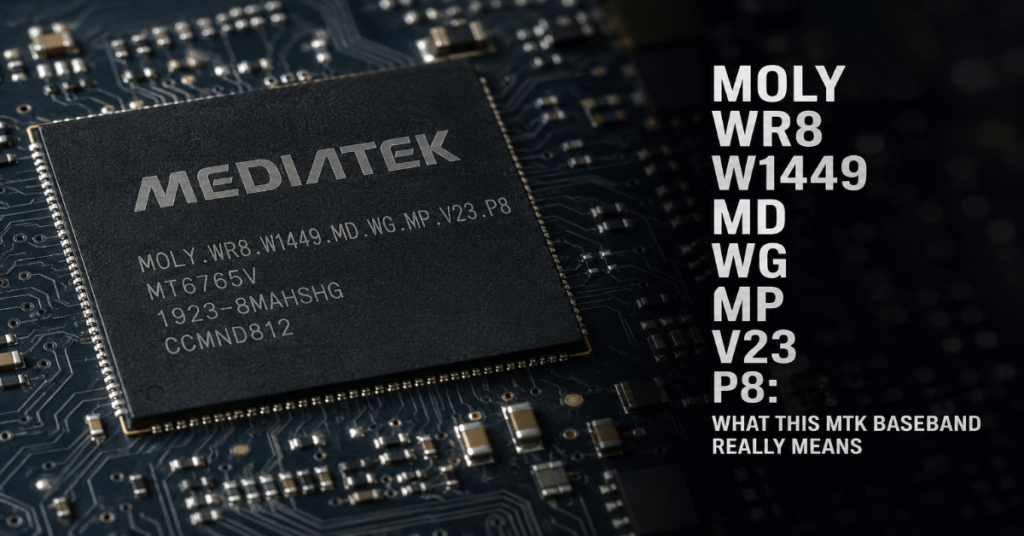
Moly Wr8 W1449 Md Wg Mp V23 P8 is best understood as a MediaTek baseband firmware version. In plain language, it identifies the modem software responsible for cellular radio functions such as SIM detection, network registration, 2G or 3G connectivity, data service and IMEI-related modem behavior on many older MTK Android phones.
This string usually appears under About phone, diagnostic menus, flash tool logs, firmware packages or repair discussions involving MediaTek chipsets. It is often seen on low-cost Android devices using platforms such as MT6580, MT6582 or related MT65xx families. The exact string may be shown with a date suffix, for example a 2018 build date, depending on how the vendor packaged the modem image.
The important point is simple: a baseband version is not the same thing as the Android version, the phone model name or the marketing brand printed on the back cover. A device may claim to be a Samsung, Huawei or other well-known model while the baseband reveals a much cheaper MediaTek board inside. Community repair threads have documented clone devices where the reported model and the underlying MTK modem information do not match.
That matters because modem firmware is one of the riskiest parts of an Android phone to modify. A wrong flash can cause no signal, invalid IMEI, SIM detection failure, boot loops or a dead radio interface. This guide explains what the code means, how to interpret it and what to check before attempting any firmware repair.
What moly wr8 w1449 md wg mp v23 p8 Means
The string can be broken into smaller parts.
| Segment | Likely meaning | Why it matters |
| MOLY | MediaTek modem firmware naming family | Signals that the device uses MTK modem software |
| WR8 | Platform branch or modem codebase family | Helps identify the generation of radio firmware |
| W1449 | Build branch marker | Often tied to a specific internal development branch |
| MD | Modem designation | Points to the baseband side rather than the Android app layer |
| WG | Wireless generation or stack family marker | Commonly seen on 2G and 3G era MTK firmware strings |
| MP | Mass production build | Suggests release firmware rather than engineering-only code |
| V23.P8 | Version and patch build | Helps compare one modem build against another |
The string is therefore not a virus name, unlock code or Google account lock message. It is a modem firmware identifier. On MTK devices, the modem firmware works alongside Android, the Linux kernel, NVRAM and radio interface layers. When these pieces do not match, the phone may boot normally but fail at cellular tasks.
Google’s Android security documentation explains that modern Android devices depend on trusted boot chains and signed partitions to reduce the chance of tampered or corrupted code running during boot. Verified Boot is designed to ensure executed code comes from a trusted source, usually the device OEM, rather than an attacker or accidental corruption.
Older MT6580-class phones, especially clone or generic devices, often do not follow the clean update model used by major brands. That is why identifying the real board and firmware family matters before touching the modem partition.
Where You Will See This Baseband String
You may see moly wr8 w1449 md wg mp v23 p8 in several places:
| Location | What it tells you | Risk level |
| About phone | Current modem version loaded by Android | Low |
| Engineering mode | Radio and modem diagnostics | Medium |
| SP Flash Tool logs | Firmware flashing or readback activity | High |
| NVRAM repair logs | IMEI or radio data repair attempts | High |
| Custom ROM forums | Device matching or compatibility checks | Medium |
| Clone phone diagnostics | Real hardware identity clues | Medium |
For a normal user, About phone is only informational. For a repair technician, the same string can be a clue that the device is not what the outer shell claims.
A common example is a phone advertised as a flagship clone but running an old MTK chipset with a 3.10.x kernel, fake Android version and inconsistent build number. In one public forum case, a device reported itself as a Huawei P20 Pro while its baseband pointed to a MediaTek family instead of Huawei’s expected flagship hardware.
Another repair discussion shows a device claiming Samsung-style identifiers while also reporting MOLY.WR8.W1449.MD.WG.MP.V23.P8 and a generic Android build. That kind of mismatch is a strong warning sign that firmware must be matched by board and chipset, not by the fake model name shown in Settings.
Why MTK Baseband Versions Matter
The modem is not just another app. It handles communication between the SIM, cellular network and Android telephony framework. If the modem firmware is incompatible, Android may still boot but the phone can lose core network functions.
The most common symptoms include:
• Invalid IMEI
• Unknown baseband
• No service
• SIM card not detected
• Emergency calls only
• Mobile data not working
• Random signal drops
• Boot loops after firmware flashing
The IMEI issue deserves special care. GSMA defines IMEI as the International Mobile Equipment Identity, a permanent equipment identifier used in mobile networks. The IMEI system is tied to device identity and allocation rules, not just a random number stored in Android settings.
That is why users should not generate, clone or write arbitrary IMEI values. Legitimate repair means restoring the original IMEI assigned to the device, usually from the sticker, box, purchase record or original NVRAM backup. Laws and carrier policies vary by country, but changing a device identity can create legal and network compliance problems.
Compatibility: The Part Most People Get Wrong
The phrase moly wr8 w1449 md wg mp v23 p8 alone is not enough to identify a safe firmware file. It is only one clue.
A compatible MTK firmware package should match:
| Checkpoint | Why it matters |
| Chipset, such as MT6580 or MT6582 | Different SoCs need different preloader, modem and kernel support |
| Board ID | Clone phones often share chipsets but use different displays, cameras and radios |
| Android build base | Modem and vendor libraries may expect specific framework behavior |
| Kernel version | Radio drivers and modem communication depend on kernel-level support |
| NVRAM structure | Wrong layout can break IMEI, Wi-Fi MAC or Bluetooth identity |
| Region and bands | A modem image may support different cellular bands |
| Preloader | Wrong preloader can hard-brick MTK devices |
The preloader is especially dangerous. Many MediaTek devices can be recovered from software faults if the preloader remains intact. Once the wrong preloader is flashed, the device may stop being detected properly by USB tools.
Original insight: users often search for the exact baseband string and download the first file that looks similar. That is the wrong workflow. The safer workflow is to identify the hardware first, then use the baseband as a secondary confirmation. A matching baseband string does not guarantee matching LCD drivers, touch firmware, cameras, partition layout or power management configuration.
Safe Diagnostic Workflow Before Flashing
A careful diagnosis should happen before any write operation.
- Record the current state
Write down the baseband version, build number, kernel version, model string, Android version and security patch level. Take photos of the About phone screen. - Check the physical hardware
Look under the battery if possible. Record the printed model, board markings, FCC or certification labels and IMEI sticker. - Use read-only tools first
Prefer readback, device info commands or non-destructive diagnostic tools before flashing. Avoid formatting partitions unless you have a verified backup. - Back up NVRAM and NVDATA
On MTK devices, these areas may store radio calibration, IMEI-related data, Wi-Fi MAC information and other identity values. Losing them is often worse than losing the Android system partition. - Compare full firmware packages
Do not compare only one modem file. Compare scatter file, preloader name, partition list, boot image, recovery image and vendor files. - Avoid “format all” unless a technician has a reason
Many IMEI loss cases begin with a full format in SP Flash Tool followed by flashing an incomplete ROM.
This is not just cautious language. Android’s own security model is built around partition integrity and trusted boot flow. Verified Boot checks the integrity and authenticity of boot-stage components before handing execution to the next stage.
The IMEI and NVRAM Problem
When a generic MT6580 phone loses IMEI, the root cause is usually one of these:
| Cause | Likely symptom | Safer response |
| NVRAM formatted | Invalid IMEI or null IMEI | Restore original NVRAM backup |
| Wrong modem image | Unknown baseband or no signal | Flash matching stock firmware only |
| Wrong preloader | Device not detected or boot failure | Seek board-level recovery |
| Fake model firmware | Boot loop, no touch, no signal | Identify real board ID |
| Damaged radio calibration | Weak signal or unstable network | Restore original calibration data |
Original insight: “invalid IMEI” and “unknown baseband” are not the same problem. Invalid IMEI can occur while the modem still loads. Unknown baseband suggests Android cannot properly talk to the modem firmware or the modem image is missing, damaged or incompatible. Repair steps should differ.
Another practical point: many clone phones use misleading model identifiers. Searching the claimed model name can lead to the wrong firmware. Searching the board ID, chipset and baseband together is more reliable.
Risks and Trade-Offs
The main trade-off is between repair speed and device safety. Fast repair guides often tell users to flash a full firmware package, but full packages may include preloader and partition layout changes. That can be dangerous on clone devices.
| Action | Benefit | Main risk |
| Flash only matching modem image | May restore signal | Still risky if modem and vendor files mismatch |
| Flash full stock ROM | Can fix system-level corruption | Can brick clone hardware if wrong package |
| Restore NVRAM backup | Best option for original IMEI loss | Only works if backup is valid |
| Use random IMEI repair tools | Quick apparent fix | Legal, ethical and network compliance risk |
| Replace device | Safest for unsupported clones | Costs more than software repair |
MediaTek modem security also matters. MediaTek’s August 2024 bulletin described a modem memory corruption issue that could lead to remote code execution without user interaction. Its September 2025 bulletin states that OEMs are notified of chipset issues and patches before public disclosure.
That does not mean every old MTK phone is immediately exploitable. It does mean modem firmware is security-sensitive software. Treat it with more caution than a launcher, theme or APK.
Real-World Impact: Clone Phones and Repair Markets
The cultural impact of these baseband strings is bigger than it seems. In many markets, low-cost Android devices are repaired, resold and rebranded through informal supply chains. A phone may show a premium model name in Settings while the baseband, kernel and board expose a different reality.
This creates three problems.
First, buyers may overpay for fake specifications. A phone can claim Android 10 or 12 while actually running an older Android base with modified build properties.
Second, repair shops may flash the wrong firmware if they trust the brand label instead of the board. The result is often a worse device than before repair.
Third, users may think their phone has a simple software bug when the real issue is missing calibration data, incompatible modem firmware or a counterfeit hardware identity.
Original insight: the baseband string is often more honest than the Android model name. Clone firmware can fake the model, RAM, storage and Android version, but modem identifiers are harder to disguise because they come from lower-level radio firmware.
The Future of MTK Baseband Repair in 2027
By 2027, the repair gap between modern Android phones and older clone MTK devices will likely widen.
Modern Android devices increasingly depend on secure boot chains, signed partitions and OEM-controlled updates. Android Verified Boot already establishes a chain of trust across boot and verified partitions, which makes casual partition swapping harder but improves protection against tampering.
MediaTek also continues to publish product security bulletins for chipset vulnerabilities, while Google’s Android Security Bulletins keep documenting platform and vendor component issues through monthly patch levels. The March 2026 Android bulletin, for example, describes security patch levels and vulnerabilities affecting Android devices.
For older MT6580-class devices, the future is less encouraging. Many generic vendors do not provide official OTA updates, signed firmware archives or clear repair documentation. That means community repair knowledge will remain important, but it will also remain risky.
The likely 2027 reality: supported Android phones will become harder to modify casually but safer to update, while unsupported clone phones will become cheaper to buy yet harder to repair responsibly.
Practical Takeaways
• moly wr8 w1449 md wg mp v23 p8 identifies MTK modem firmware, not the full phone model.
• Do not flash firmware based only on a baseband string. Match chipset, board ID, kernel, scatter file and partition layout.
• Unknown baseband and invalid IMEI are related symptoms but not identical faults.
• NVRAM backup is the most valuable safety step before MTK repair.
• Clone phones often lie through Android build properties, but baseband and kernel data can reveal the real hardware family.
• Modem firmware is security-sensitive and should be treated as low-level system software.
• If the phone is a daily-use device with banking, work accounts or personal data, replacement may be safer than risky repair.
Conclusion
moly wr8 w1449 md wg mp v23 p8 is not a mysterious error message. It is a MediaTek baseband firmware identifier that can help diagnose older MTK Android phones, especially generic or clone devices. Used carefully, it gives useful clues about the modem platform, firmware branch and possible device family.
The danger begins when users treat the string as a complete firmware match. It is not. A safe repair depends on the real chipset, board ID, NVRAM state, modem image, kernel and partition layout. The best outcome usually comes from restoring the original firmware or NVRAM backup, not from downloading random files with similar names.
For technicians, this baseband string is a diagnostic clue. For ordinary users, it is a warning to slow down before flashing anything. A wrong modem repair can turn a weak signal problem into a dead phone.
FAQ
Is moly wr8 w1449 md wg mp v23 p8 a virus?
No. It is a MediaTek baseband firmware version string. It identifies modem software used for cellular radio functions. It may appear on clone or budget Android phones, but the string itself is not malware.
Can I update this MTK baseband safely?
Only if you have firmware made for the exact chipset, board ID, partition layout and device variant. Flashing a similar-looking modem file can break network service or cause unknown baseband errors.
Why does my phone show invalid IMEI with this baseband?
Invalid IMEI often means NVRAM or NVDATA was erased, damaged or mismatched. The proper repair is to restore the original device IMEI and calibration data from a valid backup or official service source.
Does this baseband prove my phone is fake?
Not by itself. But if your phone claims to be a premium model while showing an old MTK baseband, generic kernel and inconsistent build number, it strongly suggests the device may be a clone or rebranded model.
Should I use SP Flash Tool to fix it?
SP Flash Tool can be useful for MTK devices, but it is risky. Avoid format-all operations, avoid unknown preloaders and back up NVRAM first. Use only firmware verified for the exact board.
What is the safest first step if my MT6580 phone lost IMEI?
Stop flashing random ROMs. Record device details, back up what remains, identify the real board and look for the original stock firmware. If you have an old NVRAM backup, that is usually the safest recovery path.
Methodology
This article was prepared by interpreting the supplied editorial prompt, then checking public documentation and community repair examples. The analysis uses Google Android security documentation for Verified Boot, GSMA documentation for IMEI context, MediaTek security bulletins for modem risk and public repair discussions for real-world clone-device patterns. The article does not provide instructions for changing or fabricating IMEI numbers. Its repair guidance is limited to lawful restoration of original device data and safe diagnostic practice.
References
Android Open Source Project. (2026, March 2). Android Security Bulletin, March 2026. Google.
Android Open Source Project. (n.d.). Verified Boot. Google.
Android Open Source Project. (n.d.). Android Verified Boot. Google.
Early Bird Club. (2018, September 15). Please help Chinese MTK6580.
GSMA. (2024, July 1). TS.06 IMEI allocation and approval process.
GSMA. (n.d.). IMEI Database.
Hovatek Forum. (2020, November 12). Upgrade ROM & Recovery.
MediaTek. (2024, August 5). August 2024 Product Security Bulletin.
MediaTek. (2025, September 1). September 2025 Product Security Bulletin.
