
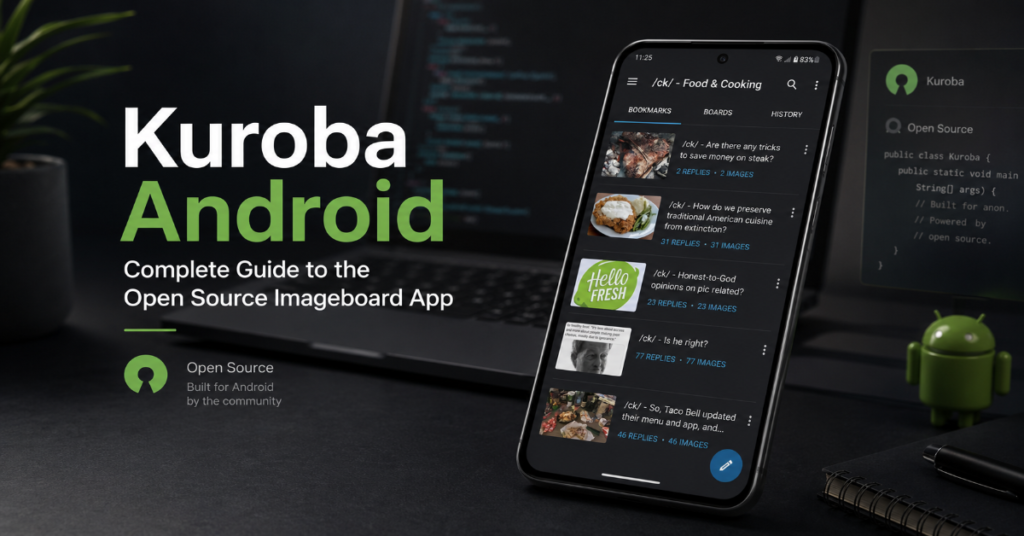
Kuroba Android is best understood as a specialist browser, not a normal social media app. It was built for imageboards such as 4chan, 8chan-style boards and similar anonymous forum systems where the default mobile web experience can feel slow, cramped and difficult to manage. Instead of forcing users through a browser tab, Kuroba adds app-style navigation, thread watching, inline replies, themes, filters and notification features.
That makes it useful for a very specific audience: people who already understand imageboards and want a cleaner Android workflow. It is not a mainstream app store product. The original Kuroba GitHub description presents it as a fast Android app for browsing imageboards and notes features such as inline replying, thread watching, notifications, themes, pass support and filters.
The important point is distribution. Kuroba is generally not a Google Play app. Users usually find it through GitHub releases, source repositories or F-Droid-style archives. That gives advanced users more control but also increases the responsibility to check where the APK came from. APK sideloading can be legitimate, yet it is also a common route for malicious apps when users download from untrusted websites.
This guide explains what Kuroba does, how it compares with KurobaEx, how installation works, what risks matter and what to expect from imageboard apps heading into 2027.
What Is Kuroba Android?
Kuroba Android is an open source mobile app for browsing imageboards. Imageboards are discussion sites organized around boards, threads and posts, usually with image or media attachments. On desktop, these sites can be navigated through a browser. On Android, the experience can be awkward because small screens make reply chains, thumbnails and thread refreshes harder to manage.
Kuroba’s purpose is to turn that structure into an app-native interface. The original Kuroba repository describes the app as based on Clover, with extra features added around imageboard browsing.
Its core feature set includes:
- Board browsing for 4chan-style sites and some related imageboards
- Inline replies so users can follow conversation chains more easily
- Thread watching so active discussions are easier to revisit
- Notifications for watched threads
- Filters to hide specific posts, words, boards or patterns
- Theme customization for different viewing styles
- Pass support where supported by the imageboard platform
This is why Kuroba Android still appears in searches despite being a niche app. It solves a real usability problem for people who browse imageboards often. A normal browser can load the same pages, but it does not give the same thread management, filtering or reply-focused workflow.
Kuroba Android Feature Overview
| Feature | What it does | Why it matters |
| Inline replies | Shows replies within the thread flow | Reduces jumping between posts |
| Thread watch | Saves active threads for later | Useful for fast-moving boards |
| Notifications | Alerts users when watched threads update | Makes imageboard browsing less manual |
| Filters | Hides posts, terms or boards | Helps reduce noise or unwanted content |
| Themes | Changes app appearance | Improves readability during long sessions |
| Pass support | Supports paid or signature-style access where available | Useful for users who already use board-specific pass systems |
| APK distribution | Installed outside Google Play in many cases | Gives access but requires security caution |
The most valuable feature is not one single tool. It is the combination of thread watch, filters and inline replies. Together, they convert a chaotic board into something closer to a manageable mobile forum.
The trade-off is that Kuroba depends heavily on the imageboard sites it supports. If a board changes its web structure, API behavior or anti-spam system, app features can break until the project is updated. That is a common limitation for third-party clients.
Kuroba vs KurobaEx
KurobaEx is the most important comparison because many users searching for Kuroba Android eventually find KurobaEx APKs instead. KurobaEx is described by its GitHub repository as a fork of Kuroba and as a fast open source imageboard browser for 4chan, 8chan-style boards and similar sites.
The KurobaEx repository notes several additions, including a newer technical stack using Kotlin, RxJava or coroutines and Room, on-demand content loading, third-party archive support, tabs and bottom navigation.
| Area | Kuroba | KurobaEx |
| Project origin | Based on Clover-style Android imageboard browsing | Fork of Kuroba |
| Main appeal | Simple, fast imageboard browsing | Expanded feature set and newer architecture |
| Technical stack | Older Android codebase lineage | Kotlin, coroutines/RxJava and Room noted in project description |
| Navigation | Traditional board and thread navigation | Adds tabs and bottom navigation |
| Archive support | More limited depending on build | Third-party archive support listed |
| Best for | Users who want the older Kuroba experience | Users who want more modern features |
| Risk | Older builds may be harder to verify | Forks and mirrors must still be checked carefully |
The practical answer is simple. If a user wants the classic app and can verify the original source, Kuroba may be enough. If they want newer navigation, archive support and a more actively distributed fork, KurobaEx is often the version they will encounter.
The risk is confusion. Some APK sites use names loosely, and “Kuroba,” “KurobaEx,” “Kuroba Experimental” and old forks can appear side by side. Users should not assume that every APK with the Kuroba name is trustworthy.
Where to Get Kuroba Android APK Safely
Kuroba Android is not typically discovered through Google Play. The safer route is to start with the project’s source repository or a known open source Android repository rather than a random APK download page. The original Kuroba GitHub page describes the app and links to development APKs.
For KurobaEx, GitHub and F-Droid-style archive repositories are common discovery points. The KurobaEx GitHub project identifies it as a fork of Kuroba and lists feature differences. Fossdroid’s KurobaEx listing identifies the app as free and open source, lists version v1.3.33 and marks it as GPL-3.0-only.
A safe APK checklist should include:
- Check the repository owner and release history
- Compare the package name with the official source
- Avoid APK pages filled with aggressive ads or fake download buttons
- Check whether the APK is old, archived or actively maintained
- Review permissions before opening the app
- Disable unknown app installation permission after installing
Android 8 and later use per-app unknown installation permissions, meaning the user allows installation from a specific browser or file manager rather than enabling one global switch for all unknown sources.
How to Install Kuroba Android
The exact menu labels vary by phone brand and Android version, but the general process is consistent.
- Find the APK from a verified source, preferably the official GitHub release page or a reputable open source app repository.
- Download the APK using a trusted browser.
- When Android blocks installation, open the prompt for “Install unknown apps.”
- Allow installation from that browser or file manager only.
- Install the APK.
- Open the app and configure supported sites or boards.
- Return to Android settings and turn off “Allow from this source” for the browser or file manager.
This final step matters. Sideloading permission should not stay open longer than necessary. If malicious websites later trick the same browser into downloading an APK, keeping install permission enabled increases risk.
Kuroba Android is not difficult to install, but it is not a beginner app either. A user who is uncomfortable verifying APK sources should pause before installing any imageboard browser outside Google Play.
Setting Up Kuroba for 4chan-Style Browsing
After installation, setup usually depends on which build is being used. Some versions include supported sites by default, while others require site or board configuration. KurobaEx’s resource strings include app setup language around selecting sites, entering catalog or thread identifiers and opening URLs, which reflects its site and board setup flow.
A practical setup flow looks like this:
- Open the app settings.
- Check the supported sites list.
- Enable the imageboard you want to use.
- Open the board catalog.
- Tap a thread to load posts and media.
- Use thread watch for discussions you want to follow.
- Configure filters once you know what content you want to hide.
For 4chan-style browsing, the most useful settings are filters, watched threads and theme selection. Filters can reduce repeated spam, unwanted topics or boards that do not match the user’s interests. Themes help with readability, especially in low-light use.
Users should also understand that imageboard availability can change. If a board blocks third-party clients, changes its domain behavior or updates its anti-spam systems, the app may stop loading content correctly.
Practical Workflow: How Kuroba Fits Real Use
Kuroba Android works best as a focused tool. It is not trying to replace Reddit, Discord, Telegram or a browser. It gives power users a better way to scan fast-moving anonymous boards.
A typical workflow might look like this:
| User need | Kuroba feature | Practical benefit |
| Follow a fast thread | Thread watch | Less manual refreshing |
| Avoid repeated unwanted topics | Filters | Cleaner feed |
| Read long reply chains | Inline replies | Easier context tracking |
| Browse at night | Dark themes | Better readability |
| Track multiple boards | Board navigation | Faster switching |
| Save media | App media handling | Fewer browser interruptions |
The hidden limitation is dependency. Imageboard clients live in a fragile space because they depend on external sites they do not control. If the target site changes markup, APIs, captcha behavior or media rules, the app experience can break suddenly.
That is why users should treat Kuroba as a convenience layer, not as guaranteed infrastructure.
Risks and Trade-Offs
The main risks fall into four categories.
First, APK source risk. Any app distributed outside Google Play requires more user judgment. Legitimate open source apps often use APK distribution, but fake APKs are a known malware pathway. The safer approach is to use original repositories or established open source repositories.
Second, maintenance risk. Older projects may still work, but stale release history can create compatibility problems with newer Android versions. KurobaEx listings show version v1.3.33 in some repositories, while different forks and mirrors may show different update timelines.
Third, content risk. Imageboards can include adult material, offensive content, illegal links, harassment or other harmful material depending on the board. Filters help but do not eliminate exposure.
Fourth, privacy risk. Imageboard browsing can involve media downloads, posting, captcha handling and pass systems. Users should avoid entering sensitive credentials into modified or unverified builds.
The safest position is not “never sideload.” The safest position is “sideload only when the source is verifiable and the user understands the permissions.”
Market and Cultural Impact
Kuroba Android sits in a small but important category: third-party clients for communities that do not always prioritize mobile usability. These apps survive because user demand exists outside mainstream app stores.
That makes Kuroba culturally different from ordinary Android utilities. It is a community tool built around open source maintenance, user autonomy and niche browsing habits. The same logic appears across other Android tools that serve power users rather than mass-market audiences.
For readers interested in broader Android app workflows, Perplexity AI Magazine’s Android setup guide covers how mobile assistant experiences are being configured on Android in 2026. For readers following open source direction more broadly, the site’s coverage of open-source AI models shows how software openness remains a recurring technology theme.
The cultural tension is clear. Users want control, flexible installation and alternatives to app store gatekeeping. Platform owners want safer distribution, verified developers and less malware. Kuroba Android sits directly in that tension.
Original Insights for Editors
- The real product value is not browsing. It is thread state management. Kuroba’s usefulness comes from remembering, watching, filtering and navigating discussions that would otherwise be difficult on mobile.
- KurobaEx is not just “newer Kuroba.” It reflects a different app architecture. The listed use of Kotlin, Room and coroutine/RxJava patterns suggests the fork was designed for more modern Android maintenance and richer local state handling.
- APK safety is the ranking gap most articles miss. Search results often explain features but underplay verification. For this topic, source verification is not a side note. It is part of the installation process.
The Future of Kuroba Android in 2027
The future of Kuroba Android in 2027 depends less on demand and more on Android distribution rules, open source maintenance and imageboard compatibility.
Google has been moving toward stronger developer verification for apps distributed outside Google Play. Reporting in late 2025 said Google planned a wider verification rollout beginning in selected countries in 2026, with broader global movement expected in 2027, while still leaving an advanced sideloading path for experienced users.
That matters for Kuroba and KurobaEx because niche APK-distributed tools depend on sideloading remaining practical. If Android keeps sideloading possible but adds stronger warnings, verified developer requirements or advanced user flows, apps like Kuroba may still survive but become less convenient for casual users.
The second 2027 factor is maintenance. If active maintainers continue updating forks, imageboard clients can adapt to Android changes. If maintainers leave, users may be stuck with old APKs and broken site support.
The third factor is board behavior. Imageboards may change anti-bot systems, captcha handling, media loading rules or domain structures. Third-party clients must adapt each time.
The likely 2027 outcome is not a sudden Kuroba revival into the mainstream. It is a smaller ecosystem of advanced users, archived builds, active forks and stricter installation warnings.
Key Takeaways
- Kuroba Android is a niche open source browser built for imageboards, not a general social platform.
- Its strongest features are inline replies, watched threads, filters, themes and board navigation.
- KurobaEx is a fork with a newer technical stack and more expanded features.
- APK installation is normal for this app category, but users should avoid unverified mirrors.
- Filters improve browsing quality but do not remove the broader content risks of anonymous boards.
- The app’s future depends on maintainer activity, Android sideloading policy and imageboard compatibility.
- Most users should start with source repositories or reputable open source app repositories rather than search-result APK sites.
Conclusion
Kuroba Android remains useful because it serves a narrow job well. It gives imageboard users a cleaner mobile interface, better thread control and practical filtering tools that ordinary browsers do not provide. For people who regularly browse 4chan-style boards, that can make a real difference.
The caution is distribution. Kuroba is not a polished Play Store app with a simple install button and mainstream support channel. It belongs to the open source, APK-based Android ecosystem, where users must verify sources, check version history and understand sideloading risk.
KurobaEx may be the better fit for users who want a more modern fork with expanded navigation and archive features. The original Kuroba may still appeal to users who prefer the classic experience. Either way, the safest choice is the same: verify before installing, keep permissions tight and treat every random APK mirror with suspicion.
Frequently Asked Questions
What is Kuroba Android used for?
Kuroba Android is used to browse imageboards through a mobile app interface. It supports features such as inline replies, watched threads, filters, notifications and themes. It is mainly aimed at users who browse 4chan-style boards and want a smoother Android experience than the default mobile website.
Is Kuroba Android available on Google Play?
Kuroba is usually not distributed through Google Play. Users typically find APK builds through GitHub releases, source repositories or open source app repositories. Because of that, users should verify the source carefully before installing any APK.
What is the difference between Kuroba and KurobaEx?
KurobaEx is a fork of Kuroba. It adds features such as a newer technical stack, on-demand content loading, third-party archive support, tabs and bottom navigation according to its project description. Kuroba is the older base project, while KurobaEx is the expanded fork.
Is Kuroba Android safe to install?
The app can be safe if downloaded from a verified source, but APK sideloading always requires caution. Avoid random APK mirrors, check the project repository, review permissions and disable unknown app installation permission after installing.
Can Kuroba Android browse 4chan?
Kuroba and KurobaEx are designed for 4chan-style imageboard browsing. Support can vary by version, site configuration and changes made by the imageboard itself. If a site changes its structure or access rules, the app may need an update.
What are the best alternatives to Kuroba Android?
Alternatives depend on the boards you want to browse. KurobaEx is the closest alternative because it is a fork of Kuroba. Some users may also use mobile browsers, board-specific web apps or other open source imageboard clients, but availability changes over time.
Should beginners use Kuroba Android?
Beginners can use it, but it is better suited to users who understand APK installation and imageboard culture. Anyone unfamiliar with sideloading should learn how Android unknown app permissions work before installing.
Methodology
This article was drafted from the supplied Perplexityaimagazine.com production brief and verified against public project pages, open source repository descriptions and Android sideloading guidance. The Kuroba and KurobaEx descriptions were checked against GitHub and open source app repository listings. APK installation guidance was cross-checked against Android unknown app permission references.
References
Adamantcheese. (n.d.). Kuroba: Imageboard browser for Android. GitHub.
Fossdroid. (2024). KurobaEx: Free and open source image board browser. Fossdroid.
K1rakishou. (n.d.). Kuroba-Experimental: Free and open source image board browser. GitHub.
K1rakishou. (n.d.). KurobaEx Android resource strings. GitHub.
Perplexity AI Magazine. (2026). How to use Perplexity AI on Android: Setup and features.
Perplexity AI Magazine. (2026). Google Gemma 4: The open-source AI model running offline.
The Verge. (2025). Google will let experienced users keep sideloading Android apps.
Uptodown Support. (2025). How to download apps from unknown sources.
