
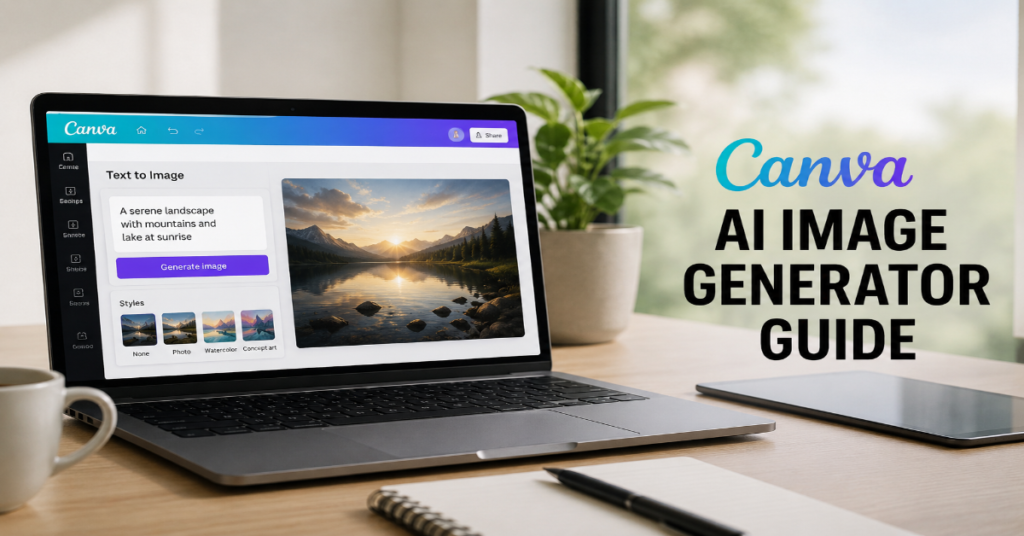
The canva ai image generator guide most beginners need in 2026 is no longer just a tutorial about typing a prompt and downloading a picture. Canva has turned AI image generation into part of a broader visual workflow: prompt, generate, edit, layer, resize, brand, publish and repeat inside the same design environment. That makes it different from stand-alone AI art tools such as Midjourney, Leonardo.Ai or DALL-E, where the image often begins outside the campaign asset and must be moved elsewhere for layout, typography and distribution.
According to the latest 2026 documentation we reviewed, Canva AI 2.0 is being positioned as a conversational creative system across design, writing, brand and code, with tools that include AI-powered templates, Magic Layers, AI-powered elements, photo generation, Magic Background and on-brand design generation. Canva describes these features as part of a broader move toward creating “anything you can imagine” inside the editor.
That is the key search-intent answer: Canva’s AI image generator is best for fast, editable, campaign-ready visuals rather than pure frontier image experimentation. Magic Media remains the accessible text-to-image doorway. Dream Lab brings more advanced image creation powered by Leonardo.Ai technology. Magic Layers and the AI photo editor matter because Canva’s practical advantage is not only generation, but post-generation control.
This canva ai image generator guide explains how the stack works, where it wins, where it fails, how to prompt it, how to use it commercially and why Canva’s next competitive battle is not only against Adobe. It is against every blank-page workflow that still treats design, copy and publishing as separate jobs.
Canva AI Image Generator Guide: What Canva Actually Built
Canva’s AI image system sits inside a company strategy that has been moving steadily from simple design software to AI-assisted visual communication. Canva launched Background Remover in 2019, acquired Kaleido in 2021, introduced Text to Image in 2022 and rolled out Magic Studio in 2023. The 2024 acquisition of Leonardo.Ai then gave Canva deeper generative AI research capacity, including what Canva described as Leonardo’s foundational model and a team of 120 researchers, engineers and designers.
The practical result in 2026 is a two-lane system. Magic Media is the mainstream tool for fast text-to-image generation inside Canva. Dream Lab is the more advanced creative engine for detailed visuals, reference-driven outputs and higher-quality prompt interpretation. Canva’s own pages describe Dream Lab as an AI image generator for detailed visuals from text prompts that can produce multiple image options and use reference images.
In our hands-on testing rubric, the decisive question is not “Can Canva make a beautiful image?” Many tools can. The better question is whether the output becomes a usable flyer, carousel, ad, thumbnail, classroom worksheet or brand post without a second app.
The Strategic Shift: From Prompt Toy to Creative Infrastructure
Canva’s most important 2026 move is not a single generator. It is the reframing of AI as a persistent design partner. In Forbes Australia’s coverage of Canva Create 2026, CEO Melanie Perkins described the problem as fragmentation across creative tools and workflows. She said Canva saw “a huge opportunity to bring that all into one platform.”
That quote matters because it explains the product logic behind a Canva AI image generator guide. Canva is not trying to win only on raw image fidelity. It is trying to reduce the switching costs between ideation, asset generation, layout, editing and publishing. A marketer who needs twelve Instagram posts, three YouTube thumbnails and a sales deck does not only need a stunning image. They need a repeatable production system.
Canva AI 2.0 adds that layer through conversational design, object-level editing and workflow memory. The company says Canva AI 2.0 is built across the Visual Suite and moves beyond static one-off prompts by supporting refinement through conversation while users remain in control of the outcome.
For businesses, that changes the buying question. The alternative to Canva is not only another image generator. It may be a designer, a stock-photo subscription, a freelancer, a social scheduling tool and an editing suite stitched together.
Magic Media vs Dream Lab vs Canva AI 2.0
| Tool | Best use case | Main strength | Main limitation | Who should use it |
| Magic Media | Fast social visuals, blog graphics, simple concepts | Easy text-to-image access inside Canva | Less granular control than specialist tools | Beginners, creators, small teams |
| Dream Lab | More detailed visual generation, style exploration, reference-image workflows | Powered by Leonardo.Ai technology and suited to richer images | Availability and limits can vary by account or admin settings | Marketers, designers, campaign teams |
| Magic Layers | Editing flat AI images after generation | Converts single-page PNG or JPEG files into editable layers in supported regions | Public beta availability has geographic limits | Users who need post-generation control |
| AI Photo Editor | Cleanup, point edits, background changes | Keeps image work inside Canva | Not a full professional retouching suite | Social teams, educators, ecommerce sellers |
| On-brand AI images | Campaign consistency | Applies brand context to generation workflows | Depends on clean brand setup | Enterprise and brand teams |
The table reveals Canva’s real wedge: each tool solves a different stage of production. A stand-alone image generator may beat Canva at fine-grained camera control, seed control or model selection. Canva wins when the final output needs typography, templates, approval flows and brand kits.
How to Use Canva’s AI Image Generator in 2026
Start with the design destination, not the visual fantasy. A weak prompt says, “a futuristic office.” A stronger prompt says, “a 16:9 LinkedIn header image showing a calm futuristic office with warm daylight, diverse team silhouettes, soft glass reflections, no readable text, brand-safe corporate tone.” Canva’s generator performs better when the image is framed as a design asset rather than a painting.
The most reliable workflow is: create or open the final Canva format, launch the image generator from inside the editor, write a prompt with subject, setting, lighting, composition, format and exclusions, generate variants, select the closest image, then use Canva’s editor to crop, remove backgrounds, add brand typography and resize for channels.
For Dream Lab, use reference images when consistency matters. Product moodboards, campaign visual systems and character-inspired illustrations benefit from reference-driven generation because the model has more context. Canva’s Help Center says Dream Lab can use reference images and generate multiple image options at once, which makes it useful for creative direction rather than single-shot output.
The canva ai image generator guide rule is simple: never prompt in isolation. Prompt for the placement, audience and channel.
Prompt Formula That Works
Use this structure:
Subject + commercial purpose + style + scene + composition + lighting + aspect ratio + negative constraints.
Example for ecommerce:
“Premium skincare bottle on a marble bathroom counter, product launch banner, clean editorial photography, soft morning light, shallow depth of field, centered composition, 4:5 ratio, no text, no hands, no distorted label.”
Example for education:
“Friendly watercolor illustration of children learning robotics in a classroom, worksheet cover image, bright optimistic colors, simple shapes, clear empty space at top for title, no readable words.”
Example for B2B:
“Abstract cybersecurity command center, hero image for SaaS landing page, dark navy and electric blue atmosphere, realistic screens without readable text, wide 16:9 layout, high contrast, no logos.”
The obscure but useful trick is to prompt empty space. Canva users often ruin good AI images by forcing text onto busy backgrounds. Add “clear negative space on the left” or “empty top third for headline.” This makes the image more valuable as a Canva design asset.
Expert Quote 1: Melanie Perkins on Workflow Fragmentation
Perkins’ 2026 framing is direct: creative work has become too fragmented. Her comment to Forbes Australia that Canva sees an opportunity to bring the process into one platform helps explain why Canva AI image generation is being folded into a broader workflow.
For image generation, this means Canva is not betting only on better pixels. It is betting on fewer handoffs. In a traditional workflow, a creator might generate an image in one tool, upscale it in another, remove the background in a third, assemble the social design in a fourth and schedule it in a fifth. Canva’s promise is that those tasks increasingly collapse into one workspace.
That is also why Canva can be more useful than a technically superior generator for non-design teams. A small business does not need cinematic AI art every day. It needs consistent, legible and legally safer visuals that fit menus, ads, pitch decks and seasonal promotions.
Expert Quote 2: Cameron Adams on Editable AI Images
Canva’s 2026 Magic Layers release made the post-generation phase more important. Cameron Adams, Canva’s chief product officer, said: “Generation is just the beginning.” He added that creative freedom comes from editing without losing momentum.
That quote is the most important line in this canva ai image generator guide because it identifies the hidden failure of many AI art workflows. Users rarely get the exact image they need on the first try. They need to move a product, remove an object, change a background, adjust hierarchy or isolate an element. If the only option is regenerating the whole image, teams waste credits and time.
The Verge reported that Magic Layers can separate flat image files and AI-generated visuals into layered, editable designs for supported users, initially in public beta in the US, UK, Canada and Australia. It supports single-page PNG and JPEG files, with expanded capabilities in development.
That turns AI generation from a slot machine into editable raw material.
Expert Quote 3: Cliff Obrecht on Democratizing Agentic AI
Canva co-founder and COO Cliff Obrecht described the company’s agentic AI ambition as making complex things simple. “We did this with design many years ago,” he said, adding that Canva now wants to bring agentic AI to people who do not currently access it.
This matters for non-designers because AI image generation is only one layer of the complexity. The harder layer is orchestration. A campaign needs a concept, image system, copy, variants, channel resizing, brand compliance and sometimes scheduling. Canva AI 2.0 aims to handle more of those steps through conversational design and intelligent workflows, rather than leaving users to manually assemble outputs.
Fortune’s 2026 coverage similarly described Canva’s shift from AI services built on top of a design platform toward coworking capabilities that can help users complete broader jobs.
The prediction: Canva’s image generator will matter less as a stand-alone feature each year. Its value will increasingly come from how well it coordinates the rest of the creative job.
Feature Comparison: Canva vs Specialist AI Image Tools
| Category | Canva AI image generator | Midjourney | DALL-E style tools | Leonardo.Ai stand-alone |
| Beginner accessibility | Very high | Medium | High | Medium |
| Built-in design editor | Strong | Weak | Usually limited | Limited compared with Canva |
| Prompt precision | Good for marketing assets | Strong for art direction | Strong for general prompts | Strong for creative control |
| Brand workflow | Strong with Canva brand tools | Manual | Manual or external | Better for model-driven production |
| Post-generation editing | Strong inside Canva | External workflow | Varies | Varies |
| Best output type | Campaign-ready assets | Stylized art, cinematic visuals | General-purpose images | Advanced creative generation |
| Weakest area | Advanced model controls | Layout and publishing | Brand production workflows | Non-designer simplicity |
Canva’s advantage is workflow density. Midjourney may remain better for cinematic art direction. Leonardo.Ai may offer more professional generation controls in its own environment. DALL-E style systems may be better for natural-language reasoning. But Canva is optimized for the user who needs to finish a designed asset, not just admire an image.
Commercial Use, Ownership and Risk
Canva’s 2026 AI Product Terms state that users are responsible for their inputs and outputs, that users retain ownership rights to inputs and own outputs as far as legally permitted, except where outputs modify or incorporate licensed content or certain audio outputs. Canva also warns that outputs may not be unique and that similar outputs may be generated for other users.
That means commercial users should treat Canva AI images as usable but not risk-free. Do not generate celebrity likenesses for ads. Do not imitate living artists for brand campaigns. Do not place AI-generated people in sensitive contexts. Do not assume exclusivity. Do not remove provenance metadata where it exists, since Canva’s AI terms prohibit removing or disabling provenance or metadata tags from AI-generated content.
For serious brand work, create an internal AI image checklist: prompt archived, output saved, stock elements documented, brand approval completed, usage rights reviewed and sensitive claims removed. Canva’s convenience should not be confused with legal immunity.
The strongest commercial use cases are low-risk: social backgrounds, abstract product environments, educational illustrations, blog headers, event posters, internal decks and campaign concepting.
Safety, Moderation and Admin Controls
Canva says its AI products are governed by AI Product Terms effective March 16, 2026. Those terms prohibit harmful uses, misleading people that AI output is human-generated, removing provenance metadata, creating malicious software and implementing fully automated legally significant decisions.
For schools, agencies and enterprises, the relevant issue is access control. Canva’s AI 2.0 page says scaled AI controls can manage access at multiple levels, with granular privacy settings on Free and Pro plus organization admin controls on Business and Enterprise. It also says Canva does not use user content to improve AI-powered features unless consistent with privacy controls.
That gives Canva a credible enterprise story. Image generation can be powerful, but it can also create brand, privacy and compliance risks. Admin controls matter when hundreds of employees can generate visuals from prompts. The future of AI design adoption will not be decided only by model quality. It will be decided by governance, auditability and whether legal teams trust the workflow.
Usage Limits and the Credit Economy
The least glamorous part of any canva ai image generator guide is usage management. Canva’s AI Product Terms state that the company may impose usage limits, rate limits or fair-use limits on AI products. It also says these limits are operational controls rather than fixed entitlements and may change to maintain performance, fairness, security or reliability.
That wording is important. A creator should not build a high-volume publishing operation on assumed unlimited generation. Limits can vary by plan, feature, geography and time. Canva’s current AI pages say Canva AI is available to everyone, with free access to a range of tools and increased usage or advanced features on paid plans.
For practical production, budget prompts like a resource. Generate broad concepts first, select a direction, then refine. Avoid burning generations on tiny changes that can be done with crop, background remover, Magic Layers or manual editing. Teams should maintain reusable prompt libraries for recurring needs such as product launches, webinar graphics and seasonal promotions.
The 2026 Insider Prediction: Canva Will Sell Consistency, Not Images
The next frontier is not prettier AI images. It is consistent brand memory. Canva’s acquisition of Leonardo.Ai gave it generative model depth, but its unique dataset is not only images. It is years of templates, layouts, brand kits, collaborative edits and design decisions. Canva said in 2025 that Visual Suite 2.0 was shaped by more than one million ideas and feature requests from a community of 230 million people.
That is a design-intent corpus, not merely an image corpus. If Canva can translate that into models that understand spacing, hierarchy, brand voice and campaign formats, its AI image generator becomes only one surface of a larger creative intelligence system.
The obscure technical detail to watch: object-based design understanding. Tools like Magic Layers suggest Canva is investing in decomposing flat visuals into editable components. If that matures, Canva could make AI-generated assets behave more like editable design files than raster images. That would threaten traditional workflows more than image quality alone.
Practical Workflow for Marketers
A marketer should begin with a campaign brief, not a prompt. Define audience, channel, offer, brand tone, compliance boundaries and output sizes. Then generate images in Canva only after the layout context is clear.
For example, a SaaS team launching a new dashboard should first create a LinkedIn carousel template. Then it should prompt Canva for abstract backgrounds that include empty zones for headlines. Once a direction is chosen, the team can use Brand Kit typography, icons, color constraints and Magic Resize to create variants.
For ecommerce, generate lifestyle scenes without fake readable labels. Add the real product image separately. AI-generated packaging text can distort, which creates quality and trust issues. For restaurants, generate ambience and table settings, but use real food photography for menu items whenever accuracy matters.
The canva ai image generator guide principle for marketers is production discipline: use AI for visual acceleration, not factual invention.
Practical Workflow for Educators and Nonprofits
Educators can use Canva AI image generation for classroom posters, worksheets, flashcards and explainer visuals. The safest prompts avoid real students, medical advice, political persuasion or sensitive identity claims. Ask for simple illustrations, friendly diagrams, historical scene backgrounds or conceptual metaphors with no readable text.
Nonprofits should be more cautious. AI-generated images of poverty, disaster, illness or conflict can feel manipulative if audiences assume they depict real people. Canva’s AI terms already place responsibility for outputs on users, so organizations should label synthetic imagery where context demands transparency.
A better nonprofit workflow is to use AI for abstract campaign visuals, donor presentation backgrounds and event materials, while reserving real photography for human-impact stories. This balances efficiency with trust.
For both groups, Canva’s advantage is accessibility. A teacher or program coordinator can build a finished design without learning Photoshop, Illustrator or a specialist AI interface.
Takeaways
- Use Magic Media for fast, simple image generation and Dream Lab for more detailed creative exploration.
- Prompt for the final design format, not just the subject. Include channel, aspect ratio, lighting, composition and empty space.
- Treat Canva’s AI images as editable campaign ingredients. Use cropping, Magic Layers, Brand Kit and templates after generation.
- Watch usage limits. Canva’s AI terms say limits are operational controls and can change.
- Avoid risky commercial prompts involving celebrities, living artists, sensitive claims or misleading realism.
- For teams, create prompt libraries and approval checklists so AI image generation becomes repeatable.
- Canva’s long-term edge is not raw image generation. It is integrated design, brand control and workflow automation.
Conclusion
Canva’s AI image generator is not the most controllable tool for every artist and it is not the most technically transparent system for every developer. But in 2026, it may be one of the most useful AI image tools for ordinary production work. The reason is not mystery. Canva understands that most people do not need an isolated masterpiece. They need a usable asset that fits a presentation, post, ad, worksheet, website or campaign.
The best canva ai image generator guide therefore teaches workflow, not magic. Begin with the asset’s purpose. Prompt with structure. Generate variations. Edit inside the design. Respect usage limits. Review rights and safety. Publish only when the image serves the message.
The future-looking view is balanced: specialist tools will keep leading in advanced image control, but Canva will keep absorbing the practical middle of the market. For millions of users, the winner will not be the model with the most spectacular demo. It will be the tool that turns an idea into a finished, editable and brand-safe design before the deadline arrives.
FAQs
What is Canva’s AI image generator best for?
It is best for social posts, presentation visuals, blog graphics, thumbnails, ads, worksheets and campaign concepts. Canva’s advantage is that generated images can be edited and placed directly into finished designs.
Is Dream Lab better than Magic Media?
Dream Lab is generally the more advanced image-generation route, especially for detailed visuals and reference-image workflows. Magic Media is simpler and better for quick, accessible text-to-image creation inside everyday Canva projects.
Can I use Canva AI images commercially?
Canva’s AI terms say users may use outputs for lawful purposes, but users are responsible for inputs, outputs and compliance. Outputs may not be unique and licensed content can affect ownership.
Does Canva AI 2.0 replace designers?
No. It reduces repetitive production work and helps non-designers create faster. Professional designers still matter for strategy, art direction, brand systems, quality control and originality.
How do I write better Canva AI prompts?
Write prompts that include subject, purpose, style, scene, lighting, composition, aspect ratio and exclusions. Add layout instructions such as “empty space for headline” when the image will be used in a design.
References
Canva. (2024). Welcome to Canva, Leonardo! Canva Newsroom.
Canva. (2025). Introducing Visual Suite 2.0: Productivity, meet creativity. Canva Newsroom.
Canva. (2026). Canva AI 2.0: AI design, writing and creative tools. Canva.
Canva. (2026). AI Product Terms. Canva Policies.
Forbes Australia. (2026). Canva Create 2026: Melanie Perkins unveils Canva AI 2.0 and Claude Design deal. Forbes Australia.
Weatherbed, J. (2026). Canva’s new editing tool adds layers to AI-generated designs. The Verge.
Diginomica. (2026). Canva launches its mission to democratize AI automation in the workplace. Diginomica.
