
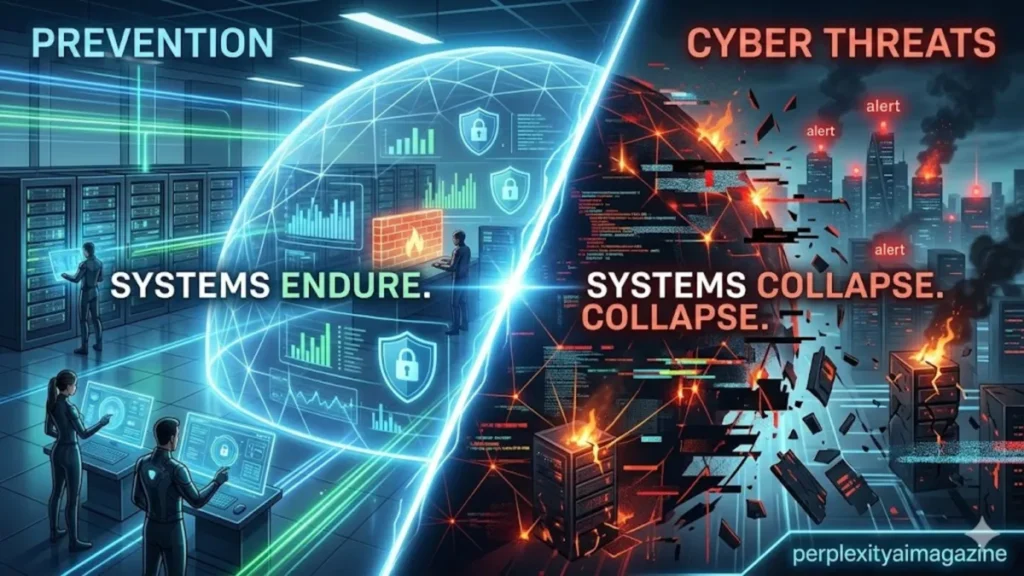
i have come to understand that preventing computer viruses is less about reacting to threats and more about building habits that quietly eliminate risk before it appears. In 2026, with ransomware attacks increasing and -phishing campaigns becoming more convincing, prevention is no longer optional. It is foundational. – computer virus prevention.
At its core, computer virus prevention relies on three pillars: keeping systems updated, using reliable antivirus software, and practicing cautious online behavior. These steps may sound simple, but they remain the most effective defense against modern threats. According to cybersecurity reports, a majority of successful attacks still exploit unpatched vulnerabilities or human error rather than advanced technical exploits (Verizon, 2023).
The modern threat landscape has evolved dramatically. Malware is no longer just disruptive software; it is often financially motivated, designed to steal data, encrypt files, or hijack systems for profit. Yet, despite this sophistication, the entry points remain familiar: a suspicious email link, an outdated application, or a weak password reused across accounts.
Preventing viruses today requires a layered approach. It combines technical safeguards like antivirus software and firewalls with behavioral discipline, such as verifying links and avoiding unsafe downloads. The goal is not perfection, but resilience. Because in cybersecurity, the systems that survive are not necessarily the most advanced, but the most consistently protected.
The Modern Threat Landscape: Why Prevention Still Works
i often notice that despite the rise of advanced malware, the majority of infections still follow predictable patterns. Attackers continue to rely on phishing, outdated systems, and weak credentials because these methods remain effective.
Ransomware, in particular, has become one of the most disruptive threats. According to the Cybersecurity and Infrastructure Security Agency, ransomware incidents surged globally in recent years, targeting businesses, hospitals, and individuals alike (CISA, 2024). Yet most of these attacks begin with a simple mistake: a clicked link or an unpatched vulnerability.
“Attackers don’t break in, they log in,” notes cybersecurity expert Kevin Mitnick, emphasizing how social engineering often bypasses technical defenses (Mitnick, 2017).
The persistence of these attack vectors explains why basic prevention strategies remain effective. Updating software closes known vulnerabilities. Antivirus tools detect malicious patterns. Safe browsing habits reduce exposure to risky content.
What has changed is not the effectiveness of prevention, but the stakes. A single infection can now lead to data loss, financial theft, or operational shutdown. Prevention, therefore, is no longer just about protecting devices. It is about protecting livelihoods.
Core Prevention Steps: Building a Secure Foundation
i have seen that the most reliable defenses begin with consistency rather than complexity. Core prevention practices remain the backbone of cybersecurity.
Installing a reputable antivirus solution is the first step. Tools like Norton 360 and Bitdefender consistently rank highly for malware detection and system performance (AV-TEST, 2025). These programs provide real-time scanning, blocking threats before they execute. – computer virus prevention.
Equally critical is maintaining updated systems. Operating systems, browsers, and applications regularly release patches to fix vulnerabilities. Enabling automatic updates ensures these fixes are applied without delay.
Weekly full system scans add another layer of assurance. While real-time protection catches most threats, periodic scans help identify hidden or dormant malware.
Avoiding unsecured public Wi-Fi without a virtual private network also reduces exposure. Public networks can be exploited to intercept data or inject malicious traffic.
| Prevention Step | Purpose | Frequency |
|---|---|---|
| Antivirus installation | Detect and block threats | Continuous |
| System updates | Patch vulnerabilities | Automatic |
| Full system scans | Identify hidden malware | Weekly |
| VPN usage | Secure network traffic | As needed |
These practices form a baseline that significantly reduces risk, even before advanced measures are introduced.
Safe Browsing Habits: The Human Firewall
i often think of user behavior as the most important layer of security. Even the best software cannot compensate for risky habits. – computer virus prevention.
Phishing emails remain a primary infection vector. These messages often create urgency, impersonate trusted brands, or contain malicious attachments. Verifying sender addresses and avoiding unsolicited links are essential habits.
Passwords are another critical area. Using strong, unique passwords for each account prevents attackers from exploiting credential reuse. Multi-factor authentication adds an additional layer of protection by requiring a second verification step.
Browser hygiene also plays a role. Limiting extensions reduces potential vulnerabilities, while blocking pop-ups minimizes exposure to malicious ads.
“Humans are the weakest link in security,” says Bruce Schneier, a renowned security technologist. “But they are also the first line of defense” (Schneier, 2015).
Scanning downloads before opening them, using tools like VirusTotal, adds an extra layer of caution. These small actions, repeated consistently, significantly reduce the likelihood of infection.
Advanced Protections: Moving Beyond Basics
i have found that as systems grow more complex, additional layers of protection become necessary. Advanced strategies focus on limiting damage even if an attack occurs.
The principle of least privilege is fundamental. Users should operate without administrative rights unless necessary. This limits what malware can do if it infiltrates a system.
Application allow-listing further restricts execution to approved programs only. This approach prevents unauthorized software from running altogether.
Backups remain one of the most effective defenses against ransomware. The 3-2-1 rule—three copies of data, two different media types, one offsite—ensures recoverability even after severe attacks.
| Advanced Measure | Benefit | Implementation |
|---|---|---|
| Least privilege | Limits attack impact | User account control |
| Allow-listing | Blocks unauthorized apps | Security policies |
| Backups (3-2-1) | Enables recovery | Cloud + offline storage |
| Monitoring tools | Detect anomalies | Logs and alerts |
These measures shift the focus from prevention alone to resilience, ensuring systems can recover quickly when incidents occur. – computer virus prevention.
Antivirus Software in 2026: Choosing the Right Protection
i have observed that antivirus software has evolved significantly, moving beyond simple signature detection to include behavioral analysis and ransomware protection.
Norton 360 remains a leading choice for comprehensive protection. It offers identity monitoring, VPN services, and high detection scores in independent tests. Bitdefender is praised for its lightweight performance and advanced threat detection, including ransomware remediation.
Avast One Basic provides a strong free alternative, combining phishing protection with multi-platform support.
| Software | Best For | Key Strength | Platforms |
|---|---|---|---|
| Norton 360 | All-around protection | Identity + VPN | Windows, macOS |
| Bitdefender | Performance | Ransomware defense | Multi-platform |
| Avast One | Free users | Phishing protection | Cross-platform |
| TotalAV | Optimization | System cleanup | Multi-platform |
“Layered security is essential,” notes AV-TEST researchers, emphasizing that no single tool provides complete protection (AV-TEST, 2025).
Selecting the right antivirus depends on user needs, but maintaining active protection is non-negotiable.
Linux and Advanced Users: Tailored Security Practices
i have noticed that Linux users often assume immunity from malware, but this belief can be misleading. While Linux is less frequently targeted, it is not invulnerable.
Tools like ClamAV provide scanning capabilities, while security frameworks such as AppArmor and SELinux enforce strict access controls. Monitoring tools like Fail2Ban help detect and block suspicious activity.
Regular updates remain critical, as vulnerabilities can still exist in software packages.
For advanced users, combining these tools creates a robust defense system tailored to their environment. The emphasis shifts from reactive protection to proactive monitoring and control.
Recognizing Phishing: The First Line of Defense
i have seen how convincing phishing emails have become. Detecting them requires attention to detail.
Common warning signs include mismatched sender addresses, urgent language, and generic greetings. Legitimate organizations rarely request sensitive information via email.
Hovering over links reveals their true destination, helping identify malicious URLs. Attachments from unknown sources should never be opened without verification.
Reporting suspicious emails to organizations like the Anti-Phishing Working Group helps improve collective security.
These habits transform users from passive targets into active defenders.
Responding to Infection: Acting Without Panic
i have learned that even with strong prevention, infections can still occur. The response should be immediate and methodical.
Disconnecting from the internet prevents further damage or data exfiltration. Booting into safe mode isolates the system, allowing for effective scanning.
Using trusted tools like Windows Defender or Malwarebytes helps identify and remove threats. For Linux systems, ClamAV provides similar functionality.
After cleaning, updating all software and changing passwords ensures vulnerabilities are addressed.
Restoring from backups remains the safest option if data is compromised. Paying ransoms is discouraged, as it does not guarantee recovery.
Mobile Devices: Extending Protection Beyond Desktops
i have come to realize that mobile devices are increasingly targeted by malware, particularly through malicious apps and phishing links.
Downloading apps only from official stores significantly reduces risk. Platforms like Google Play and Apple’s App Store include built-in security checks.
Keeping devices updated ensures vulnerabilities are patched. Reviewing app permissions prevents unnecessary access to sensitive data.
Using mobile antivirus tools adds an extra layer of protection, particularly for Android devices.
Avoiding suspicious links and using VPNs on public Wi-Fi further strengthens security.
As mobile devices become central to daily life, their protection is just as important as that of traditional computers.
Takeaways
- Prevention remains the most effective defense against modern malware and ransomware.
- Regular updates and antivirus software form the foundation of security.
- Safe browsing habits significantly reduce exposure to threats.
- Advanced measures like least privilege and backups enhance resilience.
- Phishing detection is a critical skill in preventing infections.
- Mobile and Linux systems require tailored but equally important protections.
- Layered security ensures both prevention and recovery capabilities.
Conclusion
i have found that computer virus prevention is not defined by any single tool or technique, but by a mindset. It is the accumulation of small, consistent actions that together create a resilient defense.
In a world where threats are constantly evolving, the fundamentals remain remarkably stable. Updating systems, using reliable antivirus software, and practicing cautious online behavior continue to prevent the majority of infections.
What has changed is the scale of impact. A single lapse can now have far-reaching consequences, from financial loss to compromised privacy. This reality underscores the importance of vigilance.
Yet there is also reassurance in this landscape. Effective prevention does not require advanced expertise. It requires awareness, discipline, and the willingness to adopt good habits.
The future of cybersecurity will undoubtedly bring new challenges. But the principles of prevention—simple, consistent, and layered—will remain the quiet force that keeps systems secure.
READ: Infector Virus Explained: Detection, Removal, and History
FAQs
1. What is the best way to prevent computer viruses?
Using antivirus software, keeping systems updated, and practicing safe browsing habits are the most effective methods.
2. Are free antivirus programs reliable?
Yes, options like Avast One Basic provide solid protection, though premium tools offer more advanced features.
3. How often should I scan my computer?
Run real-time protection continuously and perform full scans at least once a week.
4. Can Linux systems get viruses?
Yes, although less common, Linux systems can still be targeted and should be protected accordingly.
5. What should I do if I click a suspicious link?
Disconnect from the internet, run a security scan, and monitor accounts for unusual activity.
