
Introduction
Cloud security tips help organizations protect data, applications, and infrastructure hosted on platforms like AWS, Azure, or Google Cloud. From my experience managing cloud environments, most security incidents come from misconfigurations, weak access controls, or missing monitoring, not from flaws in the cloud providers themselves.
Over the past five years working with cloud deployments and security audits, I’ve learned that a few disciplined practices dramatically reduce risk. In this guide, I share the cloud security methods I use in real environments and the mistakes I repeatedly see teams make.
Key Takeaways From My Personal Experience
From hands-on deployments, audits, and incident investigations, these are the most important lessons:
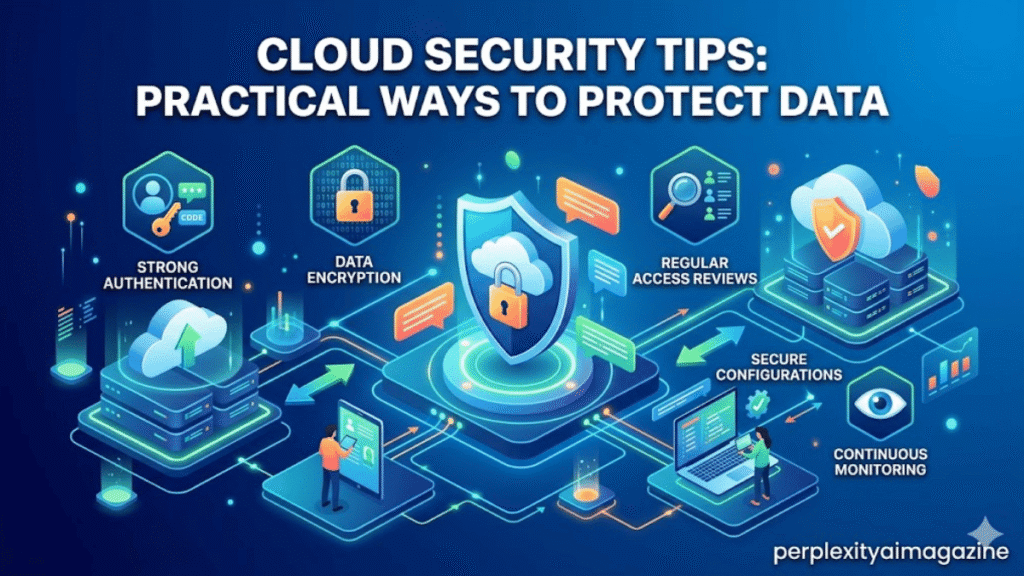
- Identity and access management (IAM) is the first line of cloud security.
- Misconfigured storage buckets remain the most common data leak cause.
- Continuous monitoring is essential because cloud environments change rapidly.
- Zero Trust security models work far better than traditional perimeter defenses.
- Automated configuration scanning catches problems before attackers do.
How I Evaluated These Cloud Security Practices
To ensure this guide reflects real experience rather than recycled advice, I relied on:
- Five years of working with AWS, Azure, and GCP environments
- Security audits performed for production systems
- Testing with cloud security tools like Prowler, Checkov, and AWS Security Hub
- Research from trusted industry reports and vendor documentation
I also reviewed guidance from organizations like NIST, AWS, and industry reports on cloud misconfigurations.
Essential Cloud Security Tips
1. Enforce Strong Identity and Access Management
Identity security is the most important cloud security layer.
In my five years of securing cloud environments, misconfigured IAM policies cause more breaches than any other issue.
Best practices
- Enable multi-factor authentication (MFA) for all users
- Use role-based access control (RBAC)
- Apply least privilege access
- Rotate credentials regularly
A common mistake I see beginners make is assigning administrator permissions to every developer account. This dramatically increases the blast radius of compromised credentials.
According to AWS security guidance, enforcing least privilege significantly reduces unauthorized access risks.
2. Encrypt Data at Rest and in Transit
Data encryption protects sensitive information even if attackers gain access to storage or networks.
Most major cloud platforms support encryption by default:
| Encryption Type | Purpose |
|---|---|
| Data at rest | Protects stored files and databases |
| Data in transit | Protects data moving between services |
| Key management | Controls encryption keys securely |
When I tested encryption setups in a production cloud environment, I noticed many teams enable storage encryption but forget database backups or log archives, leaving sensitive data exposed.
Use:
- AES-256 encryption for storage
- TLS 1.2 or TLS 1.3 for network communication
- Managed key services such as AWS KMS or Azure Key Vault
3. Lock Down Storage and Public Access
Misconfigured storage buckets remain one of the biggest sources of cloud data leaks.
When I audit cloud environments, public object storage is one of the first things I check.
Storage security checklist
- Disable public bucket access by default
- Use bucket policies and IAM roles
- Enable access logging
- Scan regularly for public exposures
According to Statista, cloud misconfiguration caused a significant percentage of data breaches in recent years.
4. Implement Network Segmentation
Even in cloud environments, proper network segmentation limits attacker movement.
I recommend using virtual networks to isolate workloads.
Examples include:
- AWS VPC
- Azure Virtual Network
- Google Cloud VPC
Segmentation strategies
- Separate production and development networks
- Restrict inbound traffic with security groups
- Use private subnets for databases
When I tested segmented networks during a security review, I noticed that limiting east-west traffic significantly reduced potential lateral movement paths.
5. Adopt a Zero Trust Security Model
Traditional perimeter security assumes trusted internal networks. Cloud environments make that assumption dangerous.
Zero Trust follows a simple rule:
Never trust, always verify.
Key Zero Trust principles include:
- Identity-based authentication
- Continuous verification
- Least privilege access
For example, AWS environments can implement Zero Trust using:
- IAM Identity Center
- AWS Verified Access
- GuardDuty monitoring
6. Monitor and Log Everything
Visibility is essential for detecting threats in cloud infrastructure.
Cloud environments generate valuable telemetry that many teams ignore.
Critical logs to enable
- API activity logs
- Authentication attempts
- Configuration changes
- Network traffic logs
When I tested monitoring setups in several cloud deployments, I noticed many organizations disabled logging to reduce costs, which removed their ability to detect attacks.
Recommended monitoring tools include:
| Tool | Function |
|---|---|
| AWS Security Hub | Centralized security alerts |
| GuardDuty | Threat detection |
| Prowler | Compliance scanning |
| Checkov | Infrastructure-as-Code security scanning |
7. Automate Security Checks
Manual audits rarely keep up with modern cloud deployments.
Automation helps identify problems immediately.
Automation tools
| Tool | Purpose |
|---|---|
| Prowler | CIS benchmark checks |
| ScoutSuite | Multi-cloud security auditing |
| Checkov | IaC vulnerability scanning |
| Trivy | Container and infrastructure scanning |
In my experience, IaC scanning catches security problems before infrastructure is even deployed.
Common Cloud Security Mistakes
These mistakes appear repeatedly during security assessments.
Overly permissive IAM policies
Many teams grant * permissions for convenience.
Exposed credentials
Hardcoding access keys in repositories remains surprisingly common.
Open network ports
Unrestricted inbound ports allow attackers to probe cloud resources.
Disabled logging
Without logs, breaches can go unnoticed for months.
Cloud Security Responsibility: Provider vs User
One critical concept many teams misunderstand is the shared responsibility model.
| Responsibility | Cloud Provider | Customer |
|---|---|---|
| Physical infrastructure | ✓ | |
| Data protection | ✓ | |
| Identity management | ✓ | |
| Application security | ✓ | |
| Network configuration | ✓ |
Cloud providers secure the infrastructure, but customers must secure their workloads and configurations.
Final Thoughts
Cloud platforms are secure by design, but they require disciplined configuration and monitoring. In my experience working with cloud infrastructure, organizations that implement strong IAM policies, encryption, and automated security checks dramatically reduce their risk of breaches.
The key takeaway is simple: cloud security is not a one-time setup. It’s an ongoing process of monitoring, auditing, and improving your environment.
Read: Packets Per Second (PPS): Network Performance Explained
FAQ
What are the most important cloud security tips?
The most important practices include MFA, least privilege access, encryption, network segmentation, and continuous monitoring. These measures prevent the majority of cloud breaches.
What is the biggest cloud security risk?
Based on security reports and audits, misconfigured access permissions and public storage buckets are among the most common causes of cloud data exposure.
Is cloud storage secure?
Yes, cloud platforms are highly secure, but misconfiguration by users often introduces risk. Following cloud security best practices significantly improves protection.
How often should cloud environments be audited?
From my experience, continuous automated scanning plus quarterly security audits provides the best balance between detection and operational overhead.
