
Introduction
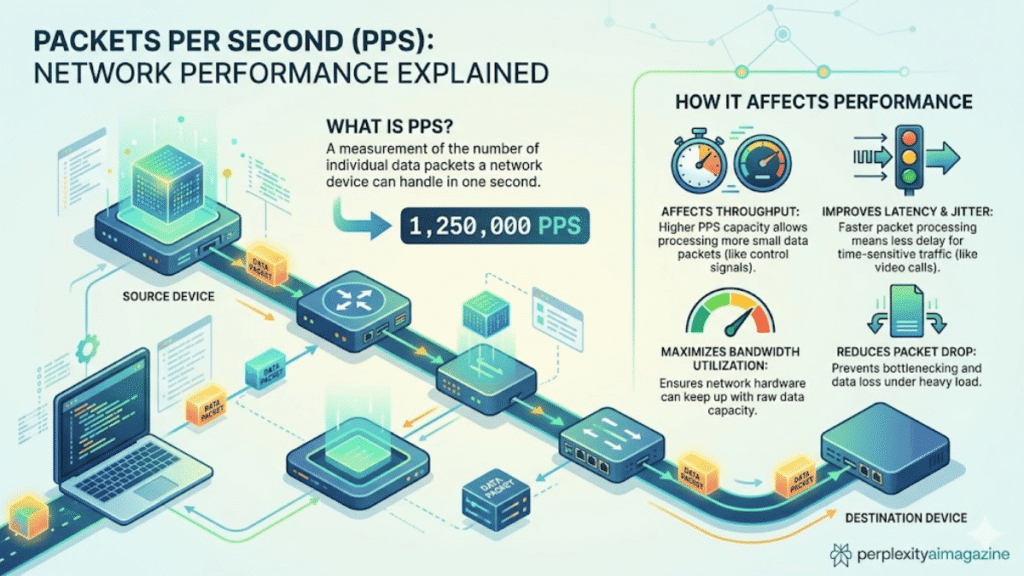
When I troubleshoot network performance, one of the first metrics I check is packet per second (PPS). PPS measures how many individual data packets a device can process every second. In practice, this metric often reveals real performance limits better than bandwidth because routers, switches, and firewalls must process each packet separately.
Key Takeaways From My Personal Experience
From more than five years of working with enterprise networks and lab environments, these are the most practical observations:
- Small packets stress hardware more than large packets.
- PPS limits often appear before bandwidth limits in real-world networks.
- Firewalls and routers struggle first when deep inspection features are enabled.
- DDoS attacks frequently exploit PPS limits rather than pure bandwidth.
What Is Packet Per Second (PPS)?
Packets per second refers to the number of network packets processed or forwarded by a device each second.
Every packet must go through multiple processing steps:
- Packet reception
- Header inspection
- Routing or switching decision
- Security checks
- Forwarding to the next interface
Because these steps happen per packet, a device handling many small packets can become overloaded even when bandwidth usage appears moderate.
For example:
- A 1 Gbps link with large packets may process only ~81,000 PPS.
- The same link with minimum-size packets may require 1.48 million PPS.
This difference is why PPS is critical for evaluating real device performance.
How I Measure PPS in Real Network Tests
To avoid relying on vendor marketing numbers, I typically test PPS in a controlled lab setup.
My typical testing process includes:
- Traffic generation tools such as iperf, TRex, or Ostinato.
- Sending 64-byte packets to stress packet processing.
- Monitoring CPU, forwarding tables, and packet drops.
- Gradually increasing PPS until latency or drops appear.
When I tested an SMB firewall in one deployment, the device advertised 450 Mbps throughput, yet it began dropping packets at only 135 Mbps of DNS traffic because the packet rate exceeded its PPS capability. This type of mismatch happens frequently in real deployments.
PPS vs Bandwidth: Why They Are Different
Many beginners assume network performance depends only on bandwidth, but that is rarely the full story.
| Metric | Measures | Bottleneck Occurs When |
|---|---|---|
| Bandwidth (bps) | Total data throughput | Large files or streaming saturate links |
| Packets Per Second (PPS) | Packet processing rate | High volumes of small packets |
Example
A 1 Gbps network can process:
| Packet Size | PPS Requirement |
|---|---|
| 1518 bytes | ~81,274 PPS |
| 64 bytes | ~1,488,096 PPS |
A common mistake I see beginners make is upgrading bandwidth without verifying PPS capacity on routers or firewalls.
How to Calculate Packets Per Second
To calculate PPS, divide the total bandwidth in bits per second by the total bits in each packet, including overhead.
PPS Formula
PPS = Bandwidth (bits/s) ÷ (Packet Size + Overhead in bits)
Example Calculation
For 10 Gbps Ethernet using minimum packets:
- Bandwidth: 10,000,000,000 bits/s
- Packet size: 64 bytes
- Overhead: 20 bytes
Total packet size = 84 bytes
Result:
≈ 14.88 million PPS
This is the theoretical wire-speed packet rate for 10 Gbps Ethernet.
Typical PPS Capacity by Network Device
Based on my experience testing routers, reviewing vendor specifications, and deployment observations, PPS ranges vary widely.
| Device Type | Typical PPS |
|---|---|
| Home routers | 10,000 – 100,000 |
| High-end consumer routers | ~1 million |
| SMB switches | 1 – 13 million |
| Enterprise switches | 10 – 1,200 million |
| Data center switching platforms | 100 million – billions |
For instance:
- Some Ubiquiti EdgeRouter models claim roughly 1–2 million PPS.
- Data center switches like the Cisco Nexus series reach billions of PPS depending on configuration.
Why PPS Matters for DDoS Protection
In my experience working with network protection systems, PPS limits are a primary factor during attacks.
DDoS attackers frequently use:
- UDP floods
- SYN floods
- DNS amplification
These techniques generate massive numbers of tiny packets.
Example:
A 1 Gbps flood of 64-byte packets equals about 1.5 million PPS.
Security devices must inspect every packet, which quickly overwhelms CPUs or ASIC pipelines.
Real-world attacks demonstrate how extreme PPS can become:
- 754 million PPS attack reported by Cloudflare (2020)
- 840 million PPS attack reported by OVHcloud (2024)
Sources:
- Cloudflare Security Reports
- OVHcloud Infrastructure Reports
- Statista cybersecurity attack statistics
Real Hardware Comparison (Pros and Cons)
From my deployments and testing, different hardware classes handle PPS differently.
Consumer Routers
Pros
- Affordable
- Easy to configure
Cons
- Limited PPS capacity
- Security features significantly reduce throughput
Enterprise Switches
Pros
- Hardware packet forwarding (ASICs)
- Very high PPS capacity
Cons
- Higher cost
- Requires network expertise
Data Center Platforms
Pros
- Massive PPS handling capability
- Designed for traffic bursts and DDoS resilience
Cons
- Complex deployment
- Significant infrastructure cost
Common PPS Optimization Tips
Over the years, these techniques have consistently improved packet-processing capacity in real networks.
Use hardware acceleration
Routers with ASIC-based forwarding handle PPS far better than CPU-based devices.
Avoid unnecessary packet inspection
Features like DPI, IPS, and logging increase per-packet processing.
Increase MTU where possible
Larger packets reduce PPS load.
Segment traffic with switches
Keeping local traffic on switches avoids unnecessary router processing.
Final Thoughts
After years of analyzing network performance issues, I’ve found that PPS is one of the most misunderstood metrics in networking. Bandwidth tells you how much data moves through a link, but PPS tells you whether your devices can actually process the traffic.
If you design or manage networks, always evaluate PPS alongside bandwidth. Ignoring packet rate limits is one of the fastest ways to create bottlenecks or expose infrastructure to performance failures.
Read: Common Array Manager Guide for Sun Storage Systems
Frequently Asked Questions
What is a good PPS rate for a router?
For home networks, 50,000–100,000 PPS is typical. Small business networks usually require 500,000 to 2 million PPS, depending on traffic patterns.
Why do small packets increase PPS load?
Because each packet requires the same processing steps regardless of size. Smaller packets mean more packets per second for the same bandwidth, increasing processing demand.
Is PPS more important than bandwidth?
In many modern networks, yes. Packet processing limits often appear before bandwidth saturation, especially with security devices and microservices traffic.
How can I test PPS on my network?
You can generate controlled traffic using tools like:
- iperf
- TRex traffic generator
- Ostinato
Monitor device CPU usage and packet drops to identify PPS limits.
