
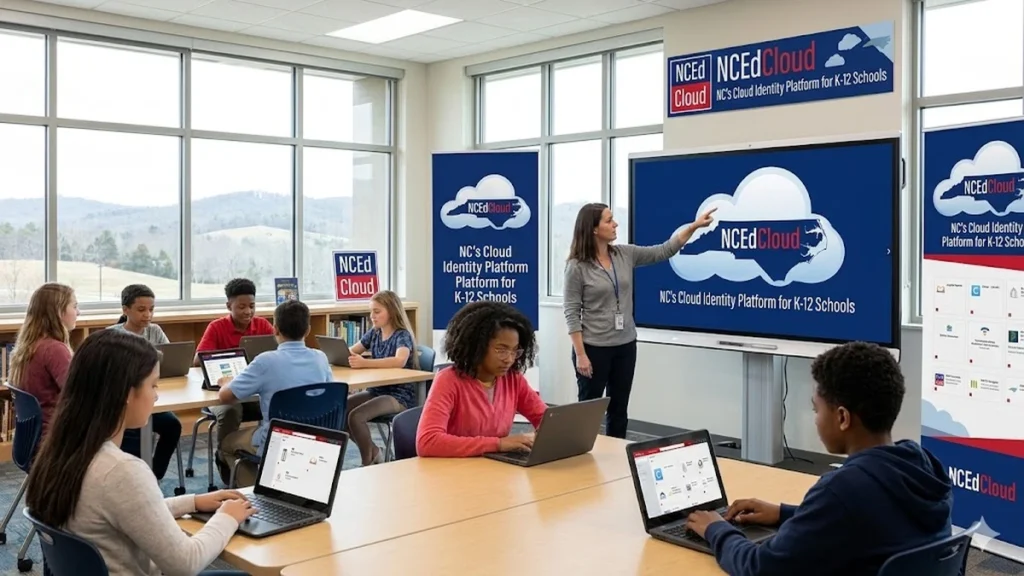
When students across North Carolina open their laptops each morning, many begin their school day at the same digital doorway. NCEdCloud, the state’s official single sign-on and identity management platform for K-12 public education, allows students, teachers and administrators to log in once and securely access the educational applications they rely on daily. Using a unique identification number and school-issued password, users enter a centralized portal that connects them to learning management systems, student information systems and productivity tools without juggling multiple credentials.
I have spent years reporting on the growing complexity of school technology, and NCEdCloud stands out as a rare example of statewide coordination done at scale. Built on Amazon Web Services infrastructure, the platform supports more than 2 million user accounts and handles roughly 1 million authentications each day across more than 250 districts. What might appear to be a simple login page is, in fact, the foundation of a vast identity architecture designed to ensure equity, security and operational stability for every public school in the state. As digital learning expands and cybersecurity threats increase, NCEdCloud has become both a technical backbone and a policy statement about how North Carolina intends to manage educational access in the cloud era.
The Architecture Behind the Login Screen
At the center of NCEdCloud is a centralized person registry that aggregates identity data from multiple authoritative sources across the state. Student information systems, human resources databases and other district-level platforms feed into this registry, where data is cleansed, standardized and de-duplicated. The refined records are then synchronized into an Active Directory environment hosted on Amazon EC2 instances.
This architecture allows North Carolina to manage identity at scale. Instead of each district operating its own servers and directories, identity is provisioned and maintained within a unified cloud environment. The system is engineered for high availability and consistent performance, ensuring that login spikes during the first minutes of the school day do not overwhelm local infrastructure.
A statewide model also brings predictability to cost. By aggregating compute and storage resources under one cloud strategy, the state avoids the uneven hardware cycles and maintenance burdens that often plague district-run systems. The result is a platform that balances efficiency with resilience, capable of supporting millions of logins without compromising reliability.
Read: DISM /Online /Cleanup-Image /RestoreHealth Repair Guide
How Users Log In
For most users, the experience begins at the official portal, https://my.ncedcloud.org. Students and staff enter their unique identification number in the username field and proceed to the password screen. After authentication, they are directed to a personalized dashboard populated with applications aligned to their role.
First-time users complete an account claim process. Using an access ID and temporary password provided by the school, they establish a permanent password and set security questions. This step ensures that identity ownership is verified before full access is granted.
Younger students may use QR codes distributed by their schools. By selecting the “Scan Student QR Code” option and aligning a device camera with the code, they can access their portal without typing credentials. This option reduces login friction for early learners while maintaining identity controls.
When login issues occur, schools direct users to official IT channels for resets or account recovery. Administrators consistently advise families to avoid unofficial sites, underscoring the importance of centralized authentication in preventing phishing or credential misuse.
Role-Based Access and Personalization
One of NCEdCloud’s defining features is role-based access control. Permissions are assigned according to a user’s role: student, teacher, staff member, administrator or, in some cases, parent. A student logging in sees classroom applications and learning tools. A teacher sees gradebook systems and instructional dashboards. Administrators access data reporting and operational systems unavailable to others.
This structured approach prevents unauthorized access to sensitive information. Students cannot enter teacher evaluation tools. Staff cannot access systems outside their authorization level. By binding permissions to defined roles, the state enforces consistent security policies across every district.
Personalization also enhances usability. Instead of presenting a cluttered list of hundreds of possible applications, the portal displays only those tools relevant to the user. As districts opt into additional applications, those integrations appear seamlessly within the dashboard, reducing confusion and maintaining a coherent user experience.
Core Applications Integrated Through NCEdCloud
Across districts, several core applications are widely available through the single sign-on system. These systems form the daily operational backbone of instruction and administration.
| Application | Function | Typical Users |
|---|---|---|
| PowerSchool | Student information system for grades, attendance and records | Administrators, teachers, parents |
| Canvas | Learning management system for coursework and assignments | Students, teachers |
| Google Workspace for Education | Email, documents and collaboration tools | Students, teachers, staff |
| Microsoft Office 365 | Productivity and communication suite | Students, teachers, staff |
| Discovery Education | Digital curriculum and media resources | Students, teachers |
In addition to these statewide staples, districts may enable optional instructional tools based on local needs. Literacy and mathematics programs such as Istation, Imagine Learning, Lexia Core5 and DreamBox are frequently integrated. Classroom engagement platforms like Nearpod and content systems such as Amplify and EasyBridge may also appear in district dashboards.
Access to these applications depends on district participation and role permissions. The unified portal ensures that once enabled, applications are reachable without separate logins.
Security in a Distributed Education System
Educational institutions have become increasingly attractive targets for cyberattacks. Phishing campaigns, ransomware and credential theft incidents have affected districts nationwide. NCEdCloud addresses these risks by consolidating authentication under a secure, monitored environment.
Single sign-on through Security Assertion Markup Language federation reduces password reuse across platforms. When users authenticate once through the central portal, they do not repeatedly transmit credentials to multiple vendors. This design lowers the exposure surface and diminishes the likelihood of compromised passwords being exploited across systems.
Role-based access control limits lateral movement in the event of an account breach. Multi-factor authentication, applied especially to higher-privilege accounts, introduces additional verification layers such as security questions or device-based codes.
Data is encrypted in transit and at rest within the AWS environment. Continuous monitoring tracks authentication patterns, allowing administrators to detect anomalies in real time. Planned enhancements include artificial intelligence-driven alerts capable of flagging suspicious login behavior based on unusual timing, location or frequency.
A statewide platform also enables uniform policy enforcement. Instead of disparate security practices across hundreds of districts, the state can implement consistent standards that apply to every participating school.
From Local Servers to Cloud Infrastructure
Before adopting a centralized model, many districts maintained on-premise servers to manage user directories and application access. This approach required hardware procurement, physical maintenance, patch management and local IT expertise. Smaller districts often faced resource constraints that limited upgrades or security investments.
Migrating to NCEdCloud replaced fragmented infrastructure with a unified cloud-hosted environment. The transition reduced capital expenditures tied to server refresh cycles and shifted operational costs into a predictable model aligned with statewide demand.
| Infrastructure Model | Key Characteristics | Impact on Schools |
|---|---|---|
| Local On-Premise Servers | District-managed hardware, variable capacity, isolated identity systems | Higher maintenance burden, uneven reliability |
| NCEdCloud Cloud Model | Centralized AWS hosting, scalable compute and storage, unified directory | Predictable costs, equalized access, improved uptime |
Scalability is one of the most significant advantages. When authentication demand increases, the cloud environment can allocate additional resources without requiring physical installation. This elasticity ensures that performance remains stable during peak usage periods.
High availability further distinguishes the cloud model. Redundant systems and distributed hosting reduce downtime risk, allowing instruction and administrative operations to continue uninterrupted.
Equity Through Centralization
Technology equity often hinges on invisible infrastructure. When some districts operate advanced identity systems and others rely on aging servers, disparities emerge. By consolidating identity management statewide, North Carolina created a more level technological playing field.
Every district now accesses the same identity framework, security posture and application gateway. A rural school with limited IT staff benefits from the same authentication stability as a large urban district. Students transferring between districts encounter consistent login experiences, reducing confusion and lost instructional time.
Centralization also frees local IT personnel from server management tasks. Instead of maintaining hardware and troubleshooting directory replication, staff can focus on instructional technology support, device deployment and user training.
Equity, in this context, extends beyond hardware access. It encompasses reliability, security and the assurance that every student’s digital identity is managed under consistent standards.
Preparing for the Next Phase
As digital ecosystems evolve, NCEdCloud continues to expand its capabilities. Deeper integration with learning management systems is expected to enhance personalized dashboards, allowing users to see assignments, announcements and performance metrics immediately upon login.
Artificial intelligence-based monitoring is poised to strengthen security. By analyzing authentication data patterns, the system may identify suspicious behaviors faster than traditional rule-based alerts. Such proactive detection could help districts respond to threats before they escalate.
The growing complexity of educational technology means identity management will remain central to operational success. With millions of daily authentications and an expanding portfolio of integrated applications, NCEdCloud serves as both a gateway and a guardian for North Carolina’s public education system.
Takeaways
- NCEdCloud is North Carolina’s official single sign-on and identity management platform for K-12 public schools.
- Built on AWS infrastructure, it supports more than 2 million accounts and about 1 million daily authentications.
- A centralized person registry cleanses and synchronizes identity data into Active Directory on EC2 instances.
- Role-based access control and multi-factor authentication enhance statewide cybersecurity.
- Integration with core systems such as PowerSchool and Canvas streamlines instructional workflows.
- Migrating from local servers to cloud hosting improves scalability, reliability and cost predictability.
- Centralization promotes equity by providing consistent digital access across more than 250 districts.
Conclusion
NCEdCloud illustrates how infrastructure decisions shape educational outcomes in subtle but powerful ways. A login screen might seem mundane, yet behind it stands a coordinated cloud architecture designed to support millions of users, protect sensitive data and equalize opportunity across a diverse state. By consolidating identity management under one secure platform, North Carolina has reduced friction for students and teachers while strengthening its cybersecurity posture. The system’s scalability ensures that as educational technology expands, access will remain stable and predictable. In an era when digital learning is inseparable from classroom instruction, NCEdCloud functions not merely as a technical convenience but as a structural commitment to reliability, equity and secure innovation in public education.
FAQs
What is NCEdCloud used for?
It provides single sign-on access to educational applications for North Carolina K-12 students, teachers and administrators using one set of credentials.
How do students log in?
Students enter their unique identification number at the official portal, then input a school-issued password. Younger students may scan a QR code.
Is NCEdCloud secure?
Yes. It uses role-based access control, encryption, centralized monitoring and multi-factor authentication for higher-risk accounts.
What applications are accessible?
Common integrations include PowerSchool, Canvas, Google Workspace for Education, Microsoft Office 365 and various instructional tools.
Why did schools move to NCEdCloud?
Migrating from local servers reduced maintenance costs, improved scalability and ensured equal access and security standards statewide.
