
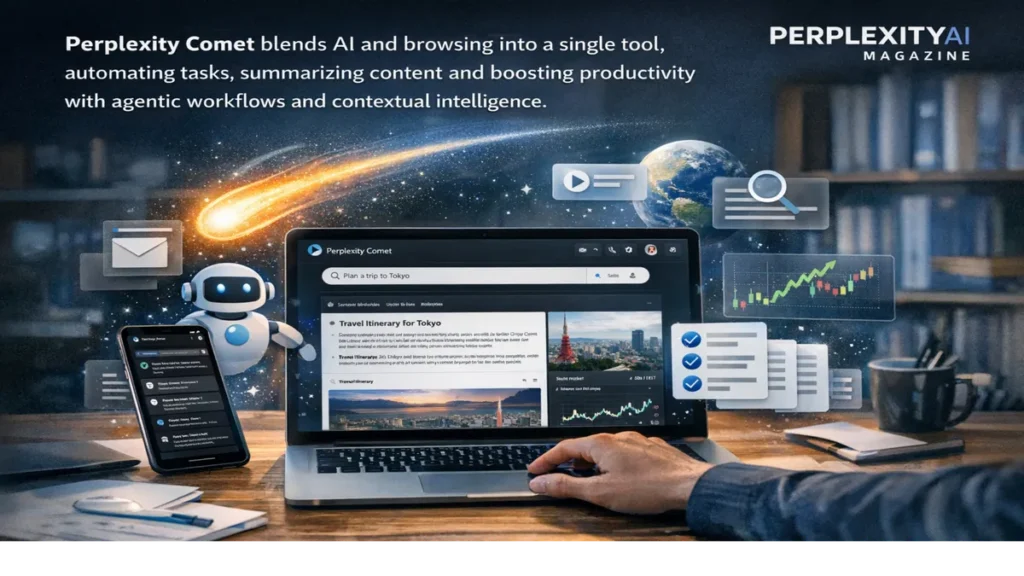
Perplexity comet represents a new idea of what a web browser can be. Instead of acting as a passive window to the internet, Comet positions itself as an active participant in a user’s work, capable of searching, summarizing, comparing, and executing tasks directly within the browsing environment. Built on Chromium and tightly integrated with Perplexity’s answer engine, Comet combines real-time, cited search with agentic AI that can take action across tabs, documents, and connected services.
For users trying to understand what makes Comet different, the answer is straightforward within the first moments of use. The browser allows people to ask questions about what they are viewing, highlight text for instant summaries, and request multi-step actions such as drafting emails or organizing research materials. Instead of moving between tools, Comet collapses research, reasoning, and execution into a single interface.
In the first 100 words of any explanation, Comet’s purpose becomes clear: it is designed to accelerate research and reduce repetitive work. Developers reviewing API documentation, analysts comparing products, and researchers scanning papers all benefit from a browser that understands context and retains it across tabs. Comet remembers what is open, what has been asked, and what matters next, allowing follow-up actions without starting over.
At the same time, Comet reflects a broader shift in artificial intelligence. As tools become more autonomous, they demand greater trust. Granting a browser the ability to act on behalf of a user raises important questions about privacy, security, and control. Comet’s promise is productivity. Its challenge is responsibility.
From Browsing to Agentic Assistance
Traditional browsers are designed around navigation. Users click links, open tabs, and manually move information from one place to another. Comet reframes this model by embedding an AI assistant and an AI agent directly into the browser. The assistant answers questions and summarizes content. The agent goes further, performing actions such as filling forms, extracting structured data, and coordinating tasks across sites.
This shift turns browsing into a goal-oriented activity. Instead of asking, “Where should I click next?” users can ask, “What do I want to accomplish?” Comet interprets that intent and handles intermediate steps. For example, a user comparing software tools can ask Comet to pull features and pricing from multiple tabs and present a comparison without manual copying. – perplexity comet.
The browser’s agentic design relies on contextual awareness. Comet understands which tabs are open, what content they contain, and how they relate to one another. This enables cross-tab reasoning, a capability that reduces cognitive load for complex research and analysis.
Read: Perplexity AI Tool: Real-Time Search With Cited Answers
Core Features and Capabilities
Comet’s core features are built around three pillars: real-time search, contextual intelligence, and task automation. At its foundation is Perplexity’s answer engine, which delivers cited responses rather than simple link lists. Every search inside Comet is designed to produce verifiable answers.
Task automation is the most visible upgrade over conventional browsers. Users can ask Comet to draft emails, book travel, benchmark products, or organize tabs into collections. These actions can span multiple steps, with Comet executing them autonomously once permission is granted.
Contextual intelligence allows Comet to respond to highlighted text on any page. Users can ask questions about a paragraph, request summaries of long articles or videos, or extract key data from PDFs. Because Comet retains session context, follow-up questions build naturally on earlier ones.
| Function | Standard Browser | Perplexity Comet |
|---|---|---|
| Search | Manual queries, link lists | AI answers with citations |
| Summarization | External tools required | Built-in, context-aware |
| Task execution | Fully manual | Multi-step automation |
| Context retention | Limited | Cross-tab memory |
Research Acceleration and Professional Use
Comet is particularly suited for research-heavy workflows. AI and machine learning developers can analyze technical documentation, summarize research papers, and compare frameworks without leaving the browser. Analysts can extract figures from reports and compile them into structured outputs. Writers and strategists can review background material quickly, ensuring accuracy before moving to creative tasks.
Because Comet integrates Perplexity’s cited search directly into the browser, research remains traceable. Each claim can be followed back to its source, supporting professional standards where verification matters. This makes Comet especially useful in regulatory research, academic review, and competitive analysis.
Comet also supports repetitive tasks through Shortcuts. Users can define recurring workflows, such as weekly data checks or routine email drafts, and trigger them with a single command. Over time, this reduces friction and frees attention for higher-level work. – perplexity comet.
Enterprise Integration and Team Workflows
For enterprise users, Comet extends beyond individual productivity into collaborative environments. Enterprise versions integrate with shared Spaces, allowing teams to work from the same contextual set of tabs, documents, and AI outputs. This shared context supports collaborative research and reporting.
Administrative controls address organizational needs. Configurable data retention policies, audit logs, and assurances that enterprise data is not used for model training align Comet with compliance requirements. For large teams, these controls are essential when deploying agentic AI tools that interact with sensitive information.
Enterprise Pro users also gain access to advanced agentic automation. Comet can coordinate tasks across email, calendar, and project tools, turning the browser into a central hub for execution rather than a peripheral utility.
In-Browser Cited Answers
One of Comet’s defining characteristics is its in-browser citation mechanism. Searches conducted through the side panel, new tabs, or highlighted text all rely on Perplexity’s answer engine. Responses include source links and publication context, ensuring transparency. – perplexity comet.
This matters for fact-checking and research workflows. Users no longer need to switch between a browser and an AI tool to verify information. The evidence is presented alongside the answer, preserving trust and reducing time spent cross-checking.
Comet also supports multi-tab follow-ups. A user analyzing several papers can ask comparative questions, with Comet drawing on content across tabs to produce synthesized responses. This continuity mirrors how human researchers think and work.
Security and Privacy Risks
Comet’s power introduces risk. Because the browser can act autonomously and access personal data such as emails, calendars, and browsing history, it expands the potential attack surface. Prompt injection attacks, in which malicious web content attempts to manipulate AI behavior, are a particular concern for agentic systems.
Background processing and auto-actions can amplify these risks. If an AI agent misinterprets instructions embedded in content, it could perform unintended actions. These concerns are heightened in corporate and research environments where sensitive data is involved. – perplexity comet.
Privacy is another challenge. Comet requires explicit permission to access personal data, but logs may be retained for limited periods. Enterprise versions offer stricter controls, while free and standard versions rely on broader permissions. Users must balance convenience with caution.
| Risk Area | Description | Mitigation |
|---|---|---|
| Prompt injection | Malicious instructions in content | User confirmations, safeguards |
| Data access | Emails, calendars, documents | Granular permissions |
| Autonomous actions | Unintended task execution | Manual review, limited scope |
Expert Perspectives
Experts observing AI browsers note both promise and peril. Productivity gains are undeniable, particularly for research-intensive roles. At the same time, security specialists warn that agentic systems require new safeguards.
“Browsers that can act on behalf of users fundamentally change the trust model,” one cybersecurity expert said. “The convenience is real, but so is the need for restraint.”
A technology analyst focusing on AI tools emphasized Comet’s strengths in context retention and research acceleration, calling it “a glimpse of how AI can move from answering questions to completing work.”
Governance researchers stress that clear boundaries are essential. Agentic AI must remain transparent and controllable, especially when deployed in professional settings. – perplexity comet.
Takeaways
• Perplexity Comet transforms the browser into an AI-driven assistant.
• Real-time, cited search remains central to its design.
• Agentic automation reduces repetitive tasks and accelerates research.
• Enterprise features support collaboration and compliance.
• Security and privacy risks require careful mitigation.
• Comet reflects a broader shift toward autonomous AI tools.
Conclusion
Perplexity Comet signals a turning point in the evolution of web browsers. By embedding AI that can reason, remember, and act, it challenges long-standing assumptions about how people interact with information online. For professionals and researchers, Comet offers tangible benefits: faster analysis, fewer repetitive tasks, and clearer paths from question to action.
Yet the same capabilities that make Comet powerful also demand caution. Agentic browsers blur the line between tool and collaborator, raising questions about trust, security, and oversight. As Comet continues to develop, its success will depend not only on productivity gains but on how responsibly its autonomy is managed.
In that tension lies Comet’s significance. It is not just a browser upgrade, but a test case for the future of AI-assisted work. – perplexity comet.
FAQs
What is Perplexity Comet?
Perplexity Comet is an AI-powered browser that integrates real-time search, contextual understanding, and task automation.
How does Comet differ from traditional browsers?
Comet can summarize content, answer questions, and execute multi-step tasks directly within the browser.
Who benefits most from Comet?
Researchers, developers, analysts, and professionals handling complex information benefit the most.
Does Comet include enterprise features?
Yes. Enterprise versions include collaboration tools, audit logs, and configurable data retention.
What are the main risks of using Comet?
Security vulnerabilities and privacy concerns related to agentic AI and data access are key risks.
