
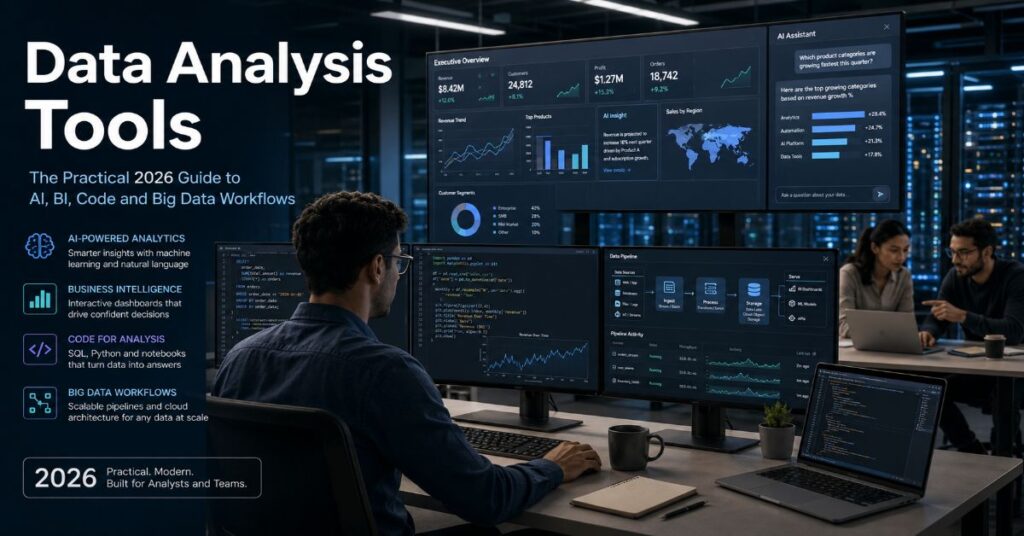
Data analysis tools in 2026 are no longer limited to spreadsheets, dashboards and statistical software. The modern analyst now works across AI agents, notebooks, cloud databases, Python libraries, SQL engines, BI platforms and big data frameworks. The question is not simply “which tool is best?” The better question is: which tool fits the job, the dataset, the team and the decision that must be made?
A marketing manager analyzing survey responses does not need the same system as a data engineer processing terabytes of event logs. A finance analyst building monthly executive dashboards needs governance, refresh schedules and access control. A researcher testing a statistical model needs reproducibility, transparent methods and code that another expert can inspect. A founder looking at a CSV of customer churn may need a fast AI tool that can generate charts and explain patterns in plain English.
That is why the market has become crowded. Julius AI promises quick spreadsheet analysis and AI-generated reports. Claude helps with reasoning-heavy analysis and code interpretation. Quadratic brings AI, Python, SQL and formulas into a collaborative spreadsheet interface. Power BI and Tableau remain dominant in business intelligence. Python, R and SQL still form the technical backbone of professional data work. Apache Spark handles workloads too large for ordinary local analysis.
This guide separates the hype from the workflow reality. It explains what each major tool is good at, where it breaks, what it costs, which integrations matter and how teams should build a practical analysis stack for 2026.
What Counts as a Data Analysis Tool in 2026?
A data analysis tool is any software environment that helps users collect, clean, query, model, visualize or explain data. That definition now includes far more than traditional BI dashboards.
The category can be split into four layers:
| Layer | Main purpose | Examples | Best user |
| AI-powered analysis | Ask questions, generate charts, summarize files, automate reports | Julius AI, Claude, Quadratic | Business users, analysts, founders |
| Programming and statistics | Clean, transform, model and reproduce analysis | Python, R | Data analysts, researchers, data scientists |
| Query and database layer | Extract, join and aggregate structured data | SQL | Analysts, analytics engineers, BI teams |
| BI and visualization | Dashboards, reporting, governance and sharing | Power BI, Tableau | Managers, enterprise teams |
| Big data processing | Distributed computing across large datasets | Apache Spark | Data engineers, platform teams |
The mistake many companies make is treating these layers as competitors. They are not. A mature team may use SQL to pull data from a warehouse, Python to clean and model it, Power BI to publish the dashboard and Claude or Julius AI to draft explanations for stakeholders.
The practical question is not which platform looks impressive in a demo. It is whether the tool can handle your data source, data size, security requirement, refresh schedule, collaboration model and audit needs.
Comparison Table: Best Data Analysis Tools by Use Case
| Tool | Best for | Key strength | Main limitation | Typical fit |
| Julius AI | Fast spreadsheet, survey and business data analysis | Natural language questions, chart generation, report exports | Credit limits, AI reliability and governance constraints | Solo analysts, startups, nontechnical teams |
| Claude | Complex reasoning, code help and narrative analysis | Strong explanation, code generation and document reasoning | Not a governed BI system by itself | Analysts who need reasoning support |
| Quadratic | Collaborative spreadsheet analysis | AI spreadsheet with Python, SQL, JavaScript and formulas | Newer ecosystem than Excel, Power BI or Tableau | Teams moving beyond spreadsheets |
| Python | General analysis, machine learning and automation | Pandas, NumPy, scikit-learn and notebook workflows | Requires coding skill and environment management | Analysts, data scientists, engineers |
| R | Statistics, research and publication-quality charts | Tidyverse, ggplot2 and statistical packages | Less common in business operations than Python | Researchers, statisticians, academic teams |
| SQL | Database extraction and transformation | Works across warehouses and transactional databases | Poor for advanced modeling alone | Almost every analyst role |
| Power BI | Microsoft ecosystem reporting | Excel, Microsoft 365, Fabric and dashboard integration | Licensing complexity and model limits | Microsoft-heavy companies |
| Tableau | Visual analytics and executive dashboards | Polished visual exploration and enterprise analytics | Annual contracts and scaling cost | BI teams, enterprise analytics groups |
| Apache Spark | Big data processing | Distributed computation at large scale | Requires engineering skill and infrastructure | Data engineering and large-scale ML teams |
AI-Powered Tools: Fastest Route From Raw File to Insight
AI-powered analysis tools have grown because most business data questions begin in messy formats: CSV files, Excel workbooks, survey exports, CRM reports, PDFs and ad platform downloads. These tools reduce the time between upload and first insight.
Julius AI
Julius AI is built for users who want to ask questions about data in plain English. It can work with spreadsheet-style files, generate charts, create reports and connect to cloud data sources in higher plans.
Its pricing structure matters because the tool is usage-based. The free plan includes basic access and 2 GB of RAM. Plus is listed at $20 per month or $16 per month annually, with 2,000 monthly credits. Pro is $45 per month or $37 per month annually, with 5,000 monthly credits and 32 GB of RAM. Higher tiers reach Max, Ultra, Business and Growth, with larger credit allowances, more seats, custom agents and database connectors.
Julius is best when the analysis question is clear but the user does not want to write code. For example:
• “Show monthly revenue by region.”
• “Find outliers in this survey.”
• “Create a chart comparing churn by plan.”
• “Summarize the main trend in this Excel file.”
• “Export this analysis as slides.”
The hidden friction is that AI analysis still needs human verification. If a column has inconsistent names, missing values or ambiguous categories, the tool may produce a plausible answer before the data is clean. A serious user should always check the row count, column definitions, filters and aggregation method before trusting the output.
Claude
Claude is not a traditional BI tool, but it is useful for reasoning-heavy data work. It can help write Python, explain SQL, interpret tables, draft chart captions, review statistical logic and turn analysis into readable business language.
For individual users, Claude’s pricing page lists a free tier, Pro at $20 monthly or $17 monthly with annual billing and Max starting at $100 per month. Team pricing starts at $20 per seat per month annually for a standard seat and $100 per seat per month annually for a premium seat. Enterprise pricing uses seat price plus usage at API rates.
Claude is strongest when the task requires explanation rather than dashboarding. A data analyst might use it to:
• Debug a pandas script.
• Translate a stakeholder question into SQL logic.
• Explain why an average is misleading.
• Rewrite a technical finding for executives.
• Generate a first-pass analysis plan.
The risk is dependency. Claude can help reason through data, but it should not be the system of record. It does not replace a governed warehouse, version-controlled codebase or BI semantic model.
Quadratic
Quadratic is one of the more interesting spreadsheet alternatives because it combines formulas, AI, Python, SQL and JavaScript in a shared workspace. That makes it useful for teams that are comfortable with spreadsheets but want more computational power.
Quadratic’s pricing page lists a Personal free plan, Pro at $18 per user per month billed annually, Business at $36 per user per month billed annually and Enterprise as custom. The Pro plan includes $20 in AI credits per month, additional models, unlimited sharing, unlimited files and unlimited connections. Business doubles AI credits and adds AI usage on demand.
Quadratic fits teams that live in spreadsheet workflows but are starting to hit Excel’s practical limits. It is especially useful when data work needs both collaboration and code. A finance, sales or product team can build shared analysis without fully moving into a developer notebook environment.
The trade-off is maturity. Excel, Google Sheets, Power BI and Tableau have enormous ecosystems. Quadratic is powerful, but teams should test permissions, export behavior, auditability and connector stability before making it central to recurring executive reporting.
Programming and Statistical Tools: Still the Professional Backbone
AI tools are useful, but the strongest analysts still need code. Code creates reproducibility. It lets teams inspect every transformation, rerun analysis and build pipelines that do not depend on manual clicking.
Python
Python is the default language for broad data analysis because its ecosystem is deep, flexible and widely taught. Pandas handles tabular data. NumPy supports numerical computing. Matplotlib and Plotly create charts. scikit-learn supports machine learning. Jupyter notebooks make exploratory work easy to document.
Python is best for:
• Cleaning messy CSV and Excel files.
• Building repeatable analysis workflows.
• Automating recurring reports.
• Training machine learning models.
• Connecting APIs, databases and local files.
• Creating custom dashboards or data apps.
The main drawback is environment management. A beginner can quickly run into package conflicts, dependency issues, memory errors and unclear notebook states. In business settings, Python work should move from notebooks into scripts, repositories and scheduled jobs once it becomes operational.
R
R remains excellent for statistical analysis, research workflows and publication-quality visualization. Its tidyverse ecosystem gives analysts a consistent grammar for manipulating data. ggplot2 is still one of the most respected charting systems.
R is best for:
• Statistical modeling.
• Academic and scientific research.
• Survey analysis.
• Econometrics.
• Reproducible reports.
• Publication-quality visualizations.
The drawback is commercial adoption. Python appears more often in general data analyst and data science job descriptions because it crosses into automation, APIs, data engineering and machine learning. R is strongest where statistical rigor matters more than production software integration.
SQL
SQL is the essential skill because most business data lives in databases. Even when a team uses Power BI, Tableau, Python or AI tools, the data often starts with a SQL query.
SQL is best for:
• Extracting rows from databases.
• Joining tables.
• Aggregating metrics.
• Creating reporting views.
• Auditing source data.
• Feeding BI dashboards.
SQL’s weakness is that it is not enough on its own. It does not easily handle advanced statistical modeling, rich visualization or complex machine learning workflows. Still, for a data analyst career, SQL is usually non-negotiable.
Business Intelligence Tools: Where Analysis Becomes Reporting
BI tools matter because companies do not run on notebooks alone. Executives need recurring dashboards, access control, scheduled refreshes and metrics that multiple departments can trust.
Power BI
Power BI is the practical choice for companies already using Microsoft 365, Excel, Teams, Azure and Fabric. It is built for dashboards, business reporting and governed analytics.
Microsoft lists Power BI Free, Power BI Pro at $14 per user per month paid yearly and Power BI Premium Per User at $24 per user per month paid yearly. The pricing page also shows Power BI Embedded and Microsoft Fabric capacity as variable. Important limits include model memory size, refresh rate and storage. Microsoft lists 1 GB model memory for Pro, 100 GB for Premium Per User, eight dataset refreshes per day for Pro and 48 refreshes per day for Premium Per User.
Power BI is best for:
• Excel-heavy organizations.
• Financial reporting.
• Sales dashboards.
• Department-level KPIs.
• Microsoft 365 integration.
• Teams that need governed sharing.
The hidden cost is licensing complexity. A dashboard that looks cheap for one creator can become expensive when many users need to view, refresh, publish or collaborate. Teams should map creators, viewers, workspace needs, refresh frequency and dataset size before choosing a plan.
Tableau
Tableau remains one of the strongest tools for visual analytics. It is widely used for executive dashboards, exploratory visual work and enterprise reporting. Tableau is especially strong when teams care about polished visual storytelling and interactive exploration.
Tableau’s current pricing page shows Tableau Standard starting at $15 per user per month billed annually, Tableau Enterprise starting at $35 per user per month billed annually and Tableau Cloud+ as contact sales. Tableau states that every deployment requires at least one Creator license, with Creator, Explorer and Viewer licenses available for additional users.
Tableau is best for:
• Visual exploration.
• Executive dashboards.
• Data storytelling.
• Cross-functional analytics.
• Enterprise visual reporting.
The trade-off is cost and administration. Tableau can be powerful at scale, but license planning, server governance, permissions and certified data sources require careful setup.
Apache Spark: When Ordinary Tools Hit the Wall
Apache Spark is not for every analyst. It is a distributed analytics engine for large-scale data processing. It matters when the dataset is too large for a laptop, too slow for a spreadsheet or too complex for a single-machine workflow.
Spark supports large-scale batch processing, SQL, streaming, machine learning workflows and language APIs including Python, Scala, Java, R and SQL. It is common in data platforms, lakehouse environments and engineering workflows.
Spark is best for:
• Large event datasets.
• Data lakes.
• ETL pipelines.
• Distributed machine learning preparation.
• Streaming or near-real-time processing.
• Processing data across clusters.
The drawback is operational complexity. Spark requires knowledge of partitions, memory, cluster sizing, file formats, job scheduling and data layout. For small datasets, Spark is often unnecessary. A pandas workflow or database query may be faster, cheaper and easier to debug.
Pricing and Limits Table
| Tool | Free plan | Entry paid plan | Higher plans | Important limits |
| Julius AI | Yes | Plus, $20/month or $16/month annually | Pro $45/month, Max $200/month, Ultra $500/month, Business $450/month, Growth $750/month | Credits, RAM, seats, connector access, scheduled reports |
| Claude | Yes | Pro, $20/month or $17/month annually | Max from $100/month, Team from $20/seat/month annually, Enterprise custom plus usage | Usage limits, model access, enterprise controls |
| Quadratic | Yes | Pro, $18/user/month annually | Business $36/user/month annually, Enterprise custom | AI credits, sharing, connections, SSO, self-hosting |
| Power BI | Yes | Pro, $14/user/month paid yearly | Premium Per User $24/user/month, Embedded variable, Fabric capacity variable | Model memory, refreshes, workspace licensing, storage |
| Tableau | Free trial | Standard from $15/user/month annually | Enterprise from $35/user/month annually, Cloud+ contact sales | Annual contract, Creator requirement, role-based licensing |
| Python | Yes | Open source | Paid costs come from hosting, cloud compute, support | Memory, package management, production deployment |
| R | Yes | Open source | Paid costs come from hosting, support, enterprise server tools | Package governance, production integration |
| SQL | Depends on database | Depends on database | Warehouse usage, storage and compute pricing | Query cost, permissions, performance tuning |
| Apache Spark | Open source | Infrastructure cost | Managed cloud platforms vary | Cluster cost, engineering skill, job optimization |
How to Choose the Right Tool
The right choice starts with the type of work.
For quick spreadsheet insight
Choose Julius AI or Quadratic. Julius is better for conversational analysis and report generation. Quadratic is better when the team wants a spreadsheet-like workspace with code and collaboration.
Best workflow:
- Upload CSV or Excel file.
- Check row count and column names.
- Ask the first question in plain English.
- Validate filters and calculations.
- Export charts or findings.
- Document assumptions.
For a data analyst career
Prioritize SQL, Python, Power BI and Tableau. These tools appear across job descriptions because they map to real business workflows: extract data, transform it, analyze it and present it.
Best workflow:
- Learn SQL joins, grouping and window functions.
- Learn Python pandas for cleaning and analysis.
- Build dashboards in Power BI or Tableau.
- Practice explaining findings in plain language.
- Create a portfolio with business-style projects.
For statistical research
Choose R or Python. R is excellent for statistics and visualization. Python is better when the analysis connects to machine learning, APIs or production systems.
Best workflow:
- Define the research question.
- Create a clean dataset.
- Document variables.
- Run descriptive analysis.
- Test assumptions.
- Build the model.
- Report limitations clearly.
For enterprise dashboards
Choose Power BI or Tableau. Power BI is stronger in Microsoft ecosystems. Tableau is stronger for visual exploration and polished analytics experiences.
Best workflow:
- Define business metrics.
- Build a governed data model.
- Create role-based access.
- Design dashboards by audience.
- Set refresh schedules.
- Monitor adoption and errors.
For big data
Choose Apache Spark when ordinary tools cannot handle the volume, velocity or complexity.
Best workflow:
- Store data in efficient formats such as Parquet.
- Partition data by common query patterns.
- Use Spark SQL or PySpark.
- Optimize joins and memory.
- Schedule jobs.
- Monitor cost and runtime.
Data Quality: The Problem Tools Cannot Solve Alone
Every tool in this guide can produce bad analysis from bad data. AI tools may hide the problem because they produce fluent explanations. BI tools may hide it because dashboards look polished. Code may hide it because notebooks look technical.
The most common data quality problems are:
| Problem | Example | Impact |
| Duplicate records | Same customer appears twice | Inflated revenue or user counts |
| Missing values | Empty region or date field | Broken segmentation |
| Inconsistent categories | “US,” “USA” and “United States” | Incorrect grouping |
| Wrong grain | Mixing order-level and customer-level data | Misleading averages |
| Unclear metric logic | “Active user” not defined | Conflicting reports |
| Stale refreshes | Dashboard not updated | Bad operational decisions |
| Permission gaps | Users see restricted data | Compliance risk |
The tool choice matters, but governance matters more. A simple SQL query with clear definitions is more trustworthy than an advanced AI report built on unclear data.
Implementation Workflow for a Practical 2026 Stack
A small business or content team can build a reliable stack without overengineering it.
Step 1: Start with source mapping
List where data comes from:
• Website analytics.
• CRM.
• Email platform.
• Ad platforms.
• Payment processor.
• Product database.
• Surveys.
• Spreadsheets.
For each source, record owner, refresh frequency, access method and format.
Step 2: Choose the system of record
Do not let every dashboard define metrics differently. Choose one place where core definitions live. For smaller teams, this may be a clean spreadsheet or database. For larger teams, it should be a warehouse or governed BI model.
Step 3: Use SQL for extraction
Even AI tools are stronger when the data is already shaped correctly. Use SQL to pull only relevant columns, define date ranges, join tables and aggregate at the correct level.
Step 4: Use Python or R for deeper analysis
Move into Python or R when the question requires cleaning, modeling, forecasting, clustering or statistical testing.
Step 5: Use BI for recurring reporting
Dashboards should answer repeat questions. If a stakeholder asks for the same metric every week, it belongs in Power BI or Tableau.
Step 6: Use AI for exploration and explanation
AI should speed up thinking, not replace verification. Use it to generate hypotheses, explain charts, draft summaries and help with code.
Step 7: Add documentation
Every recurring report should include:
• Metric definitions.
• Data sources.
• Refresh schedule.
• Known exclusions.
• Owner.
• Last review date.
Risks and Trade-Offs
AI hallucination risk
AI tools can misread columns, invent explanations or apply the wrong statistical method. They are most dangerous when the user lacks enough knowledge to notice the error.
Privacy and compliance
Uploading customer records, financial exports or health-related files into AI tools can create privacy exposure. Teams should check data retention, model training policies, SOC 2 status, SSO, audit logs and regional compliance requirements.
Vendor lock-in
Dashboards, formulas, AI agents and semantic layers can become hard to move. Before committing to a platform, check export formats, API access and whether logic can be transferred.
Cost creep
The cheapest tool at one user can become expensive at 50 users. BI tools add costs through viewer licenses, creator licenses, storage and capacity. AI tools add costs through credits, seats and usage tiers.
Skill mismatch
A powerful tool fails when the team cannot maintain it. Spark is excellent for big data, but it is a poor choice for a small team analyzing 20,000 rows. Tableau can create beautiful dashboards, but without governed metrics, it can also spread conflicting numbers.
Original Insights for 2026 Buyers
1. The best AI analysis tools are becoming “front doors,” not full replacements
Julius, Claude and Quadratic are useful because they reduce friction at the start of analysis. They help users ask better questions faster. But they do not remove the need for source control, metric definitions, database governance or human review.
2. BI pricing should be calculated by workflow, not sticker price
A $14 or $15 monthly license does not represent the true cost of business intelligence. The real cost depends on who creates reports, who views them, how often datasets refresh, whether premium capacity is needed and how many workspaces require governance.
3. SQL remains the most durable skill because it sits below every interface
AI interfaces change. BI dashboards change. Spreadsheet tools change. SQL remains valuable because it works at the source layer. Analysts who can inspect source data directly are less dependent on whatever tool is fashionable.
4. Spark should be a scale decision, not a prestige decision
Many teams adopt big data tools before they have big data problems. If a dataset fits comfortably in a database or Python workflow, Spark may add cost and complexity without improving insight.
5. AI makes documentation more important, not less
When teams use AI to generate queries, charts and explanations, they need clearer documentation of what was done. Otherwise, decisions may be based on outputs no one can reproduce.
The Future of Data Analysis Tools in 2027
By 2027, the market is likely to move toward hybrid analysis environments. The spreadsheet, notebook, dashboard and AI chat interface will continue blending.
Three shifts are already visible.
First, AI assistants will become more connected to live data. Instead of uploading static CSV files, teams will connect AI systems to warehouses, spreadsheets, BI models and collaboration tools. This will make analysis faster, but it will also increase the importance of permissions, audit logs and semantic layers.
Second, BI platforms will add more agentic features. Power BI, Tableau and similar platforms are moving toward natural language exploration, automated insight generation and AI-assisted dashboard creation. This does not mean dashboards disappear. It means dashboard builders will spend less time on mechanical setup and more time on metric design.
Third, governance will become the buying filter. Companies will not ask only whether a tool can answer a question. They will ask whether it can answer the question safely, consistently and with traceable logic. Tools with SSO, audit logs, role-based access, data retention controls and clear enterprise policies will have an advantage.
The uncertain part is trust. AI can accelerate analysis, but business users will not accept black-box numbers for financial reporting, compliance dashboards or board-level metrics. The winning tools in 2027 will combine natural language ease with database-grade accountability.
Takeaways
• Data analysis tools should be chosen by workflow: quick exploration, statistical modeling, dashboard reporting, database querying or big data processing.
• Julius AI and Quadratic are useful for teams that want faster spreadsheet-style analysis, while Claude is stronger for reasoning, code help and narrative interpretation.
• Python, R and SQL remain essential because they make analysis reproducible and inspectable.
• Power BI is usually the practical BI choice for Microsoft-heavy organizations, while Tableau remains strong for visual analytics and enterprise dashboards.
• Apache Spark is powerful only when the scale justifies it. For small and medium datasets, simpler tools often produce faster results.
• Pricing must include hidden limits such as credits, RAM, refresh frequency, model size, seat type, storage and capacity.
• AI-assisted analysis needs stronger human review, not weaker oversight.
Conclusion
The best data analysis tools in 2026 are not defined by novelty. They are defined by fit. AI tools can make analysis faster, BI platforms can make reporting more consistent, programming languages can make work reproducible and big data engines can process workloads that ordinary tools cannot handle.
For most teams, the strongest stack is layered. Use SQL to reach the source, Python or R to perform serious analysis, Power BI or Tableau to report recurring metrics and AI tools to accelerate exploration and communication. That combination gives teams speed without giving up control.
The wrong approach is chasing one universal platform. No single tool is best for every dataset, every user and every decision. The right approach is to understand the job, choose the simplest capable tool and document the work well enough that another person can verify it.
FAQ
What are the best data analysis tools for beginners?
The best beginner stack is Excel or Google Sheets, SQL, Power BI and one AI tool such as Julius AI or Claude. Spreadsheets teach structure, SQL teaches data extraction, Power BI teaches dashboards and AI tools help users explore questions faster.
Is Python better than R for data analysis?
Python is better for general business analysis, automation, machine learning and production workflows. R is better for statistics, academic research and publication-quality charts. Many analysts choose Python first because it connects to more business and engineering tasks.
Is Power BI better than Tableau?
Power BI is often better for Microsoft-heavy companies because it integrates with Excel, Teams, Microsoft 365 and Fabric. Tableau is often better for visual exploration and polished dashboard design. The better choice depends on ecosystem, budget, users and governance needs.
Can AI tools replace data analysts?
AI tools can automate parts of analysis, but they do not replace data analysts. Analysts still define questions, clean data, validate outputs, choose methods, explain uncertainty and connect findings to business decisions.
What tool should I use for big datasets?
Use SQL first if the data is in a warehouse. Use Python if the data fits in memory or can be processed efficiently on one machine. Use Apache Spark when the workload requires distributed processing across large files or clusters.
Are free data analysis tools enough?
Free tools are enough for learning and small projects. Python, R, SQL engines, Power BI Desktop and some AI free tiers can take a beginner far. Paid plans become necessary when teams need collaboration, sharing, larger data, refresh schedules, security controls or enterprise support.
What is the most important data analysis skill in 2026?
SQL is the most durable core skill because it lets analysts inspect and extract source data. After SQL, Python and BI dashboarding are the most practical skills for career growth.
Methodology
This article was prepared from the supplied editorial production brief for PerplexityAIMagazine.com and updated with current vendor information from official pricing and product pages where available. The analysis compares tools by practical workflow: AI-assisted exploration, code-based analysis, database querying, BI reporting and big data processing.
References
Anthropic. (2026). Claude pricing. Claude by Anthropic.
Apache Software Foundation. (2026). Apache Spark documentation.
Julius AI. (2026). Julius AI pricing.
Microsoft. (2026). Power BI pricing. Microsoft Power Platform.
Quadratic. (2026). Quadratic pricing plans.
Salesforce. (2026). Tableau pricing.
