Quick links are curated shortcuts that provide instant access to frequently used websites, files, tools, or app destinations. Whether pinned in a browser toolbar, embedded inside an enterprise dashboard, or generated as mobile deep links, they exist for one purpose: speed. In the first few clicks of any digital session, users rely on these structured pathways to bypass friction and reach what matters.
Over time, quick links have evolved from simple bookmarks into layered ecosystems. A Chrome extension can surface saved URLs in a popup list. A SharePoint page can visually pin company resources in customizable tiles. A deep linking platform can send a user directly into a specific product page within a mobile app, complete with social previews and QR codes. Even government and military portals now rely on centralized link hubs to manage hundreds of operational tools.
What appears simple is, in practice, foundational infrastructure. In workplaces shaped by hybrid schedules and distributed teams, the ability to reduce clicks is more than convenience. It affects productivity, discoverability, security, and even employee well being. The modern web is vast, but most people operate within a carefully curated constellation of quick links that quietly define their daily digital rhythm.
The Evolution of the Shortcut
The earliest version of quick links began with browser bookmarks. Netscape Navigator introduced bookmarks in the mid 1990s, offering users a way to save favorite pages for later retrieval. According to the Computer History Museum, browser bookmarking quickly became a defining feature of early web navigation.
As websites multiplied, the traditional bookmark list became unwieldy. Browser extensions emerged to reimagine the experience. Google Chrome’s extension framework, launched in 2010, enabled developers to build lightweight tools that interact with browser APIs. Quick link extensions were among the earliest productivity categories.
By the 2010s, the concept expanded beyond personal browsing. Enterprise software began embedding quick links inside dashboards to guide employees toward approved tools. Meanwhile, mobile apps demanded deeper precision. Users no longer wanted to land on a homepage. They wanted to open a specific in app page instantly. Deep linking platforms responded with structured URL routing that recognized device type and app installation state.
Today, quick links represent a cross platform principle rather than a single feature. They function in browsers, collaboration suites, content management systems, and mobile ecosystems. The shortcut has become an architecture.
Read: Internal Error Perplexity AI: Causes and Fixes Guide
Chrome Extensions: Toolbar Driven Access
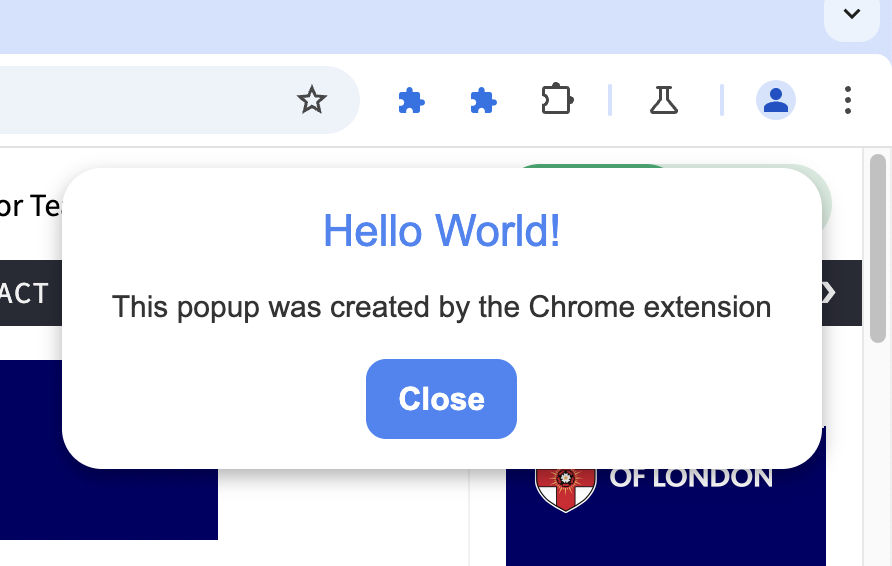


Within the Chrome ecosystem, quick link tools typically follow one of two patterns: toolbar popups or context menu integrations. The Chrome Web Store hosts multiple variations, including Quick Links style extensions that store frequently used URLs and present them in a minimal popup window.
These tools often auto format incomplete addresses, add HTTPS protocols automatically, and store data locally for persistence across sessions. Some versions also search recent browsing history or bookmarks directly from the toolbar interface, enabling faster recall.
Right click tools such as Handy Links operate differently. Instead of a popup list, they integrate directly into the browser’s context menu. Users can insert stored URLs into forms or copy them instantly to the clipboard without switching tabs. This workflow based model is particularly useful in repetitive environments such as customer service, sales operations, or content publishing.
Google’s extension documentation highlights the flexibility of context menu APIs for productivity use cases. As Chrome’s extension framework matured, developers began combining grouping features, search functionality, and gesture based link selection.
Below is a structured comparison of leading approaches:
| Extension | Key Strength | Access Method | Ideal Use Case |
|---|---|---|---|
| Quick Links | Simple persistent list | Toolbar popup | Direct site opening |
| Handy Links | Clipboard integration | Right click menu | Form filling workflows |
| Linkclump | Bulk link handling | Selection gesture | Research and analysis |
| Raindrop.io | Visual searchable collections | Toolbar and folders | Organized resource vault |
Each represents a different philosophy of speed.
SharePoint and the Enterprise Dashboard
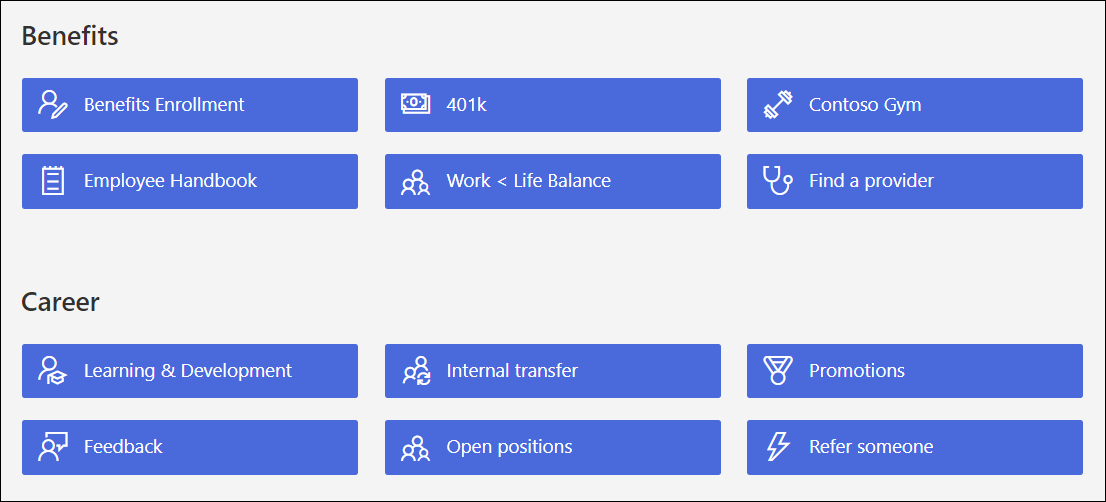
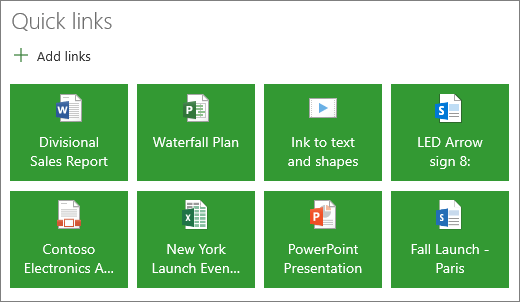
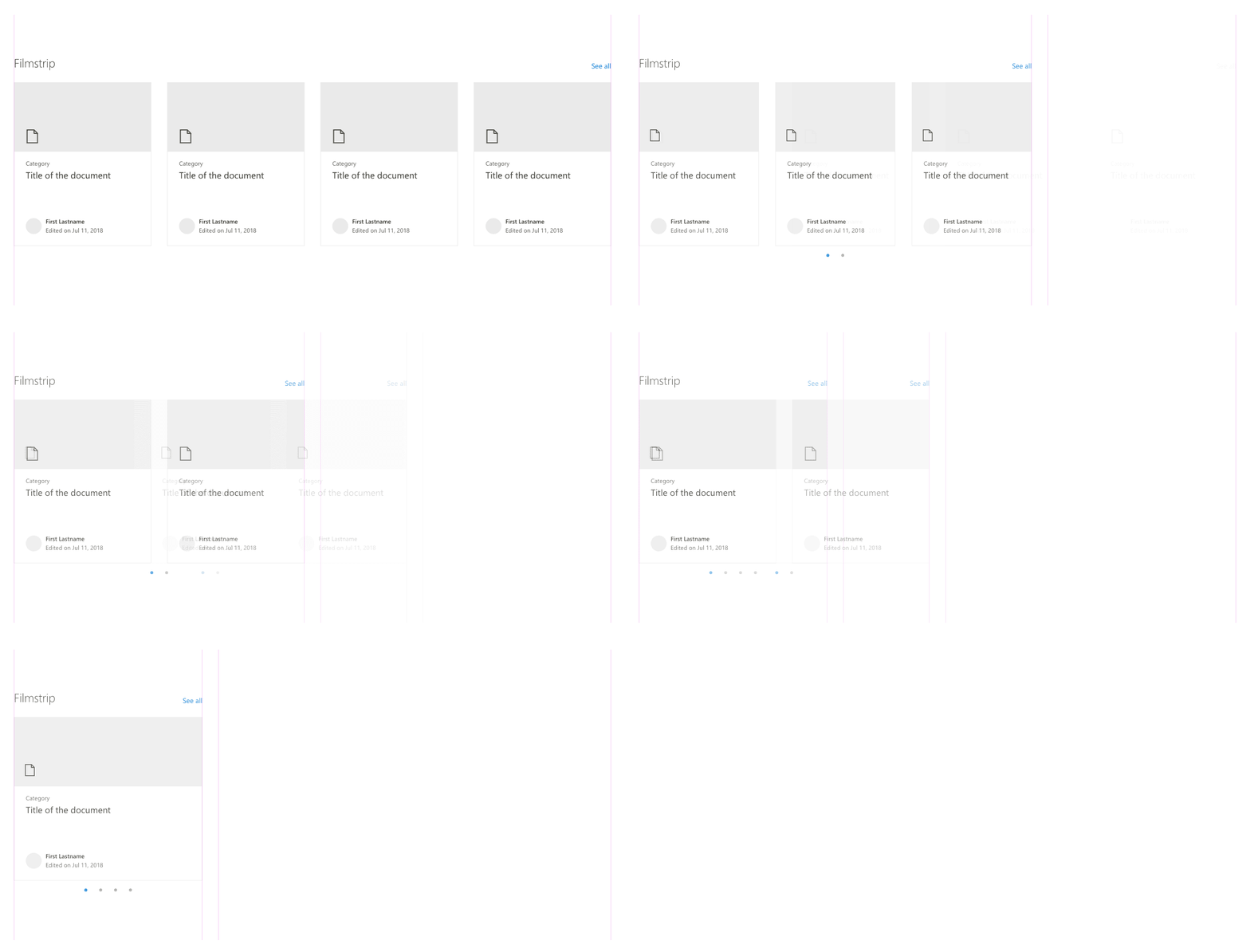
In corporate environments, quick links serve governance as much as convenience. The Microsoft SharePoint Quick Links web part allows administrators and content creators to pin internal documents, OneDrive files, or external resources directly on modern pages.
Microsoft documentation describes layout options including compact lists, tile views, and filmstrip presentations. Editors can drag and reorder links, customize images, and assign labels. The visual element transforms navigation into curated storytelling. A human resources page can surface benefits portals. An IT page can highlight troubleshooting guides. A project hub can centralize dashboards and reporting tools.
According to Microsoft’s official support pages, Quick Links integrates seamlessly with the broader Microsoft 365 ecosystem, pulling assets from OneDrive and SharePoint libraries. This tight integration ensures version control and access permissions remain intact.
Enterprise quick links reduce support tickets and onboarding friction. Instead of distributing static PDF instructions, teams create living dashboards. In organizations with thousands of employees, these link clusters function as internal highways.
Mobile Deep Linking and Branch.io
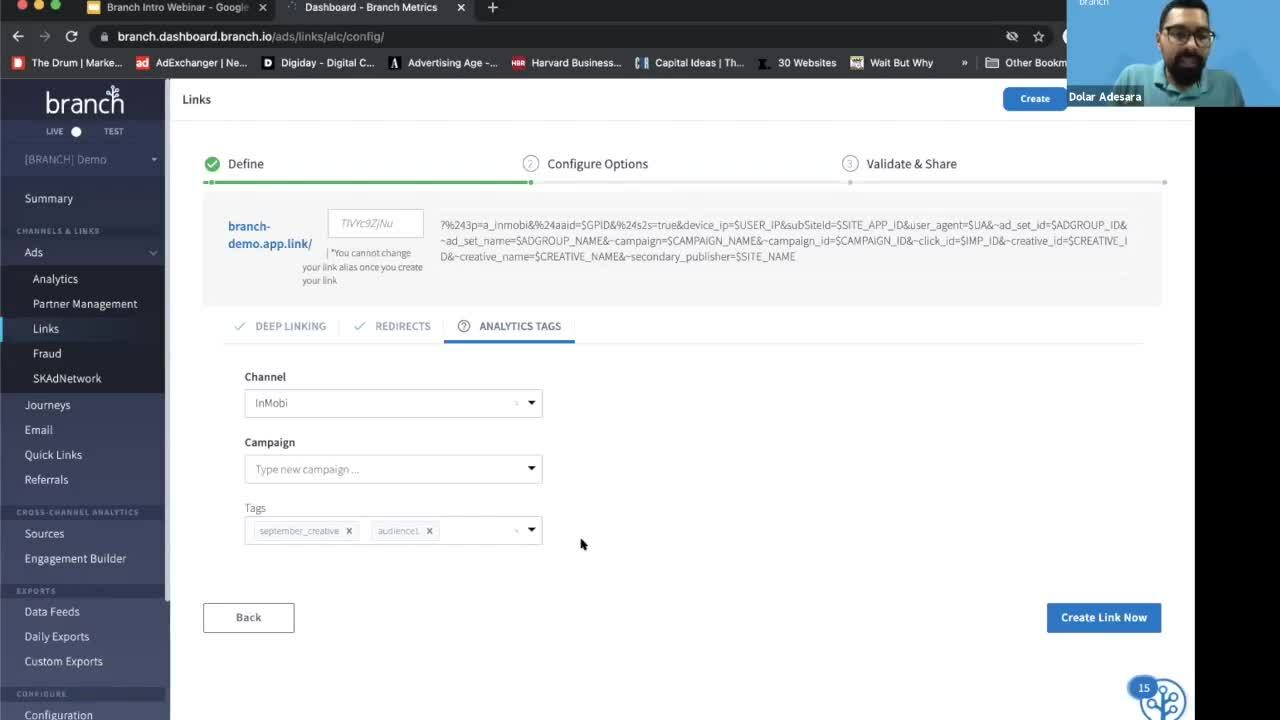


Mobile navigation introduced a different challenge. A traditional URL might open a mobile browser instead of a native app. Deep linking solved this problem by routing users directly into specific app screens.
Branch.io built one of the most recognized deep linking platforms in the 2010s. Its Quick Links tool enables marketers to generate shareable links that detect device type, open the correct app destination, and display Open Graph previews on social platforms.
According to Branch’s developer documentation, deep links can also generate QR codes and support deferred deep linking. If a user installs the app after clicking the link, the platform still routes them to the intended in app location.
Mobile deep linking has become essential in ecommerce, media, and social campaigns. Research from AppsFlyer indicates that personalized deep linking can significantly improve user engagement and conversion rates. The modern shortcut is no longer static. It adapts to context, platform, and user state.
Government and Specialized Portals
Quick links are not limited to commercial software. Institutional portals rely on them heavily. The United States Navy’s MyNavy Portal provides centralized access to personnel systems, training modules, and policy documents. According to official Navy resources, the portal organizes hundreds of categorized tools accessible via Common Access Card authentication.
Similarly, local government agencies such as Montgomery County Fire and Rescue publish quick link dashboards to incident plans, fleet trackers, and mental health resources. In high stakes environments, speed equals safety. A link cluster can surface a response protocol within seconds.
These examples demonstrate that quick links are more than convenience features. They are operational frameworks. They manage complexity by compressing it into curated entry points.
As digital systems scale, curated shortcuts become essential filters.
Workflow Philosophy: Popup vs Context Menu
The difference between toolbar popups and right click integrations reveals deeper design tradeoffs. Popup driven tools emphasize visibility. A user clicks the icon and sees a clean list. It feels intuitive and beginner friendly.
Context menu tools emphasize invisibility. They embed inside existing workflows. Instead of opening a new panel, the user right clicks and inserts a stored link instantly.
A software usability researcher at Nielsen Norman Group once observed, “Efficiency gains often come from reducing context switching.” While this statement reflects general UX principles rather than a specific product, it captures why context menu integrations appeal to power users.
In environments where speed matters, eliminating tab switching reduces cognitive load. Meanwhile, visually oriented tools such as Raindrop.io support discovery. They encourage structured collections and searchable archives.
Both models serve distinct audiences. Quick links are not a single solution. They are a spectrum of interaction design.
Security, Persistence, and Governance
Quick links raise subtle security questions. Browser extensions require permissions. Enterprise dashboards must respect role based access controls. Deep links must prevent unauthorized redirects.
Google’s Chrome extension guidelines emphasize transparency in permission requests. Microsoft 365 enforces granular access policies within SharePoint. Branch and other deep linking providers publish documentation on secure routing and link validation.
Below is a structured overview of platform considerations:
| Platform Type | Persistence | Security Controls | Primary Risk |
|---|---|---|---|
| Browser Extension | Local storage | Extension permissions | Data misuse |
| SharePoint Web Part | Cloud based | Role based access | Misconfiguration |
| Deep Linking Platform | Cloud routing | Link validation | Redirect abuse |
| Government Portal | Authenticated sessions | CAC login | Credential compromise |
In enterprise environments, quick links must align with IT governance frameworks. A shortcut is only useful if it is trustworthy.
The Psychology of Fewer Clicks
Behavioral research shows that users favor reduced friction. A study published in Human Factors found that minimizing steps in digital tasks improves task completion rates and perceived usability. Although not specific to quick links, the principle applies.
Every click introduces delay. Every tab switch adds distraction. Quick links act as cognitive anchors. They reduce navigation anxiety by creating predictable access points.
A productivity consultant quoted in Harvard Business Review once noted, “The fastest path to information is often the difference between momentum and abandonment.” In digital environments, speed shapes behavior.
Quick links influence not only efficiency but habit formation. When a curated link sits at the top of a dashboard, it becomes the default route. Over time, these defaults shape organizational culture.
Takeaways
- Quick links evolved from simple bookmarks into cross platform infrastructure.
- Browser extensions offer popup and context menu based navigation models.
- SharePoint integrates visual quick link layouts into enterprise dashboards.
- Deep linking platforms route users directly into mobile app content.
- Government and institutional portals rely on curated link clusters for operational efficiency.
- Security and governance determine trust in shortcut systems.
- Fewer clicks reduce friction and cognitive load in digital workflows.
Conclusion
Quick links rarely receive headlines. They lack the glamour of artificial intelligence or the visibility of social platforms. Yet they quietly define how people move through digital space. In browsers, they accelerate repetitive tasks. In enterprises, they anchor internal ecosystems. In mobile environments, they guide users precisely where they intend to go.
What makes quick links powerful is not complexity but curation. They represent deliberate choices about which destinations matter most. Every pinned link reflects a hierarchy of importance. Every dashboard tile signals priority.
As digital systems expand, the need for structured navigation grows. Quick links will likely become smarter, context aware, and personalized through analytics. But their core function will remain constant: reducing friction between intention and action.
In a web defined by abundance, the most valuable feature may still be the humble shortcut.
FAQs
1. What are quick links in simple terms?
Quick links are curated shortcuts that provide fast access to frequently used websites, files, or tools within browsers, apps, or dashboards.
2. How do Chrome quick link extensions work?
They store favorite URLs and display them via a toolbar popup or right click menu, enabling one click opening or quick clipboard insertion.
3. What is SharePoint Quick Links used for?
It organizes internal files, pages, or external resources into visual layouts on modern SharePoint pages for streamlined employee access.
4. What is mobile deep linking?
Mobile deep linking routes users directly to a specific page inside an app rather than opening the homepage or mobile browser.
5. Are quick links secure?
They are secure when built with proper permissions, role based access controls, and validated routing mechanisms.