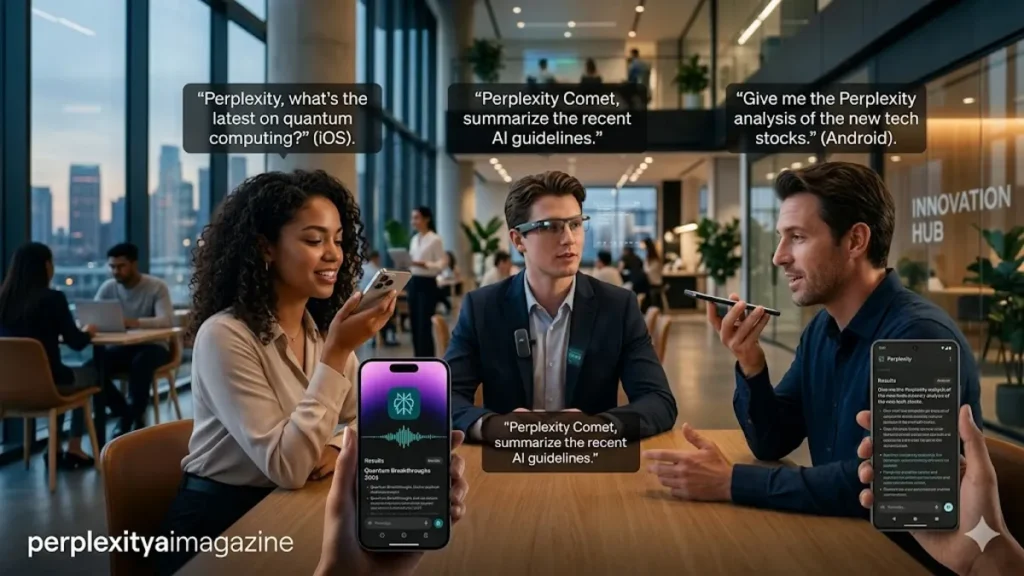
In the quiet corners of the digital world, a fundamental shift is occurring in how humans interrogate the vast repository of global information. Perplexity AI, the “answer engine” that has rapidly become the primary challenger to Google’s decades-long search hegemony, has moved beyond the blinking cursor. By integrating sophisticated voice search across iOS, Android, and the specialized Comet browser, the company is betting that the future of information retrieval isn’t typed—it is spoken. For users, this means a transition from static keyword queries to fluid, multi-modal conversations that bridge the gap between human intent and machine synthesis. – Perplexity AI voice search.
To utilize Perplexity’s voice search effectively, users simply need to activate the microphone icon within the app or utilize platform-specific shortcuts like the iPhone Action Button or Android’s system-level assistant overrides. On the Comet browser, the feature extends into “Voice Mode,” allowing for screen-aware queries that can analyze the content of a webpage in real-time. This integration ensures that whether a user is driving, cooking, or deep in a research session, the barrier between a thought and a verified answer is reduced to a single vocalization, marking a significant milestone in the evolution of ambient computing and personal AI assistants.
The implications of this shift extend far beyond mere convenience. As large language models (LLMs) become more adept at handling natural language, the rigidity of traditional search is dissolving. We are moving toward a “post-URL” era where the interface disappears, leaving only the dialogue. Perplexity’s implementation is particularly notable for its commitment to citations; unlike traditional voice assistants that often provide unsourced snippets, Perplexity’s voice output is backed by real-time web indexing, ensuring that the convenience of speech does not come at the cost of informational integrity or verifiability in an age of rampant misinformation. – Perplexity AI voice search.
Mastering the iOS Ecosystem
For iPhone users, the integration of Perplexity voice search represents a deep dive into the “Action” oriented philosophy of modern iOS. The primary gateway is the Perplexity app itself, which requires the latest version to ensure the Whisper-based speech-to-text models are functioning at peak efficiency. Once the microphone permission is granted in the system settings, a simple tap on the waveform icon in the search bar initiates a recording. However, the true power for iOS power users lies in the customization of the interface. By leveraging iOS widgets, users can place a direct “Voice Search” shortcut on their Lock Screen or Home Screen, bypassing the need to hunt for the app icon during urgent inquiries.
Furthermore, the introduction of the Action Button on recent iPhone models has provided a tactile bridge to Perplexity’s intelligence. By mapping the Action Button to a Shortcut that triggers Perplexity’s voice input, the device transforms into a dedicated AI communicator. This hardware-software synergy allows for a “heads-up” search experience, where the user can receive spoken summaries of complex topics without ever looking at the screen. The fluidity of this interaction is bolstered by Perplexity’s ability to handle “conversational follow-ups,” meaning the AI retains the context of the previous spoken query, allowing for a natural, iterative exploration of a topic that feels more like a mentorship than a database lookup.
Table 1: iOS Activation and Access Methods
| Feature | Method | Use Case |
| In-App Mic | Tap waveform icon in input box | Standard search during active browsing |
| Action Button | Map to “Perplexity Voice” via Shortcuts | Instant, eyes-free access from any screen |
| Lock Screen Widget | Add Perplexity widget to Lock Screen | Quick access without unlocking device |
| Home Screen Widget | Long-press Home Screen > Add Perplexity | Visual shortcut for frequent researchers |
The Android Integration: System-Level Intelligence
On the Android platform, Perplexity’s voice search offers a more pervasive experience by allowing the app to function as a system-level assistant. This shift is critical for users who wish to replace traditional assistants like Google Assistant or Gemini with a search-centric alternative. After updating the app and completing the initial onboarding, users can designate Perplexity as their “Default Assistant” in the device settings. This enables a variety of hardware triggers, such as swiping up from the bottom corners of the screen or long-pressing the power button. This deep integration ensures that Perplexity is always one gesture away, regardless of which application is currently active. – Perplexity AI voice search.
The Android experience is particularly robust due to the platform’s flexibility with background processes. When Perplexity is invoked via voice on an Android device, it can often overlay the current task, providing a non-intrusive way to verify facts or find information while multi-tasking. As noted by industry analyst Ben Thompson of Stratechery, “The battle for the assistant is really a battle for the default,” and Perplexity’s move to occupy the assistant slot on Android devices is a direct challenge to the status quo. By focusing on high-utility, sourced answers rather than simple task management (like setting timers), Perplexity is carving out a niche for the “knowledge-first” mobile user.
Comet Browser: The Professional Voice Interface
The Comet browser introduces a different paradigm for voice search, focusing on the synergy between the voice and the visual content of the desktop. In this environment, Voice Mode is not just a tool for asking questions; it is a tool for navigating and synthesizing the web. Users can activate Voice Mode via the toolbar or through a set of sophisticated keyboard shortcuts: Option+Shift+V on macOS or Alt+Shift+V on Windows. Once active, the browser begins listening immediately, but with a unique twist: it can “see” what is on the user’s screen. This allows for contextual queries such as “Summarize the third paragraph of this article” or “Find the pricing table on this page.”
This level of integration transforms the browser from a passive window into an active collaborator. The ability to continue a conversation across multiple tabs using voice commands minimizes the cognitive load associated with traditional tab management. For researchers and students, this means they can keep their hands on their keyboards for note-taking while using their voice to fetch supplementary data or definitions. The Comet implementation highlights a growing trend in software design where voice is treated as a high-bandwidth input method for complex professional workflows, rather than a simplified interface for basic consumer tasks.
Table 2: Cross-Platform Shortcut Comparison
| Platform | Primary Shortcut | Immediate Action |
| iOS | Action Button (Custom) | Initiates voice thread immediately |
| Android | Power Button Long-Press | Opens assistant overlay for voice input |
| macOS (Comet) | ⌥ + ⇧ + V | Activates screen-aware Voice Mode |
| Windows (Comet) | Alt + Shift + V | Activates screen-aware Voice Mode |
Expert Perspectives on Voice-First Search
The transition to voice-driven search is not merely a technical update; it is a shift in the linguistics of information. Dr. James Manyika, a leader in AI research, has often emphasized that “natural language is the ultimate interface,” suggesting that as AI models improve, the friction of learning a UI will eventually disappear. Perplexity’s voice search is a step toward this frictionless future. By allowing users to speak in full, complex sentences, the AI can capture more nuance than a string of keywords. This results in more relevant “Pro” searches, where the AI can engage in a multi-step reasoning process based on a single spoken prompt.
However, the efficacy of voice search relies heavily on the user’s ability to provide specific queries. “The most effective AI users treat the model like a highly capable but literal intern,” says tech commentator Kevin Roose. He suggests that for the best results in voice mode, users should provide clear constraints and specific intents. Instead of saying “Tell me about cars,” a voice-search user might say, “Compare the range and charging speed of the 2024 Tesla Model 3 and the Hyundai Ioniq 6.” This specificity allows Perplexity to leverage its indexing capabilities to their fullest extent, providing a structured answer that exceeds what a traditional search engine could offer via voice.
Aravind Srinivas, the CEO of Perplexity AI, has frequently stated that the goal is to make the “shortest path from curiosity to knowledge.” In various public forums, he has noted that voice represents the most natural form of that path. The engineering challenge, however, remains in the latency. For a voice interaction to feel “real,” the delay between the end of the user’s speech and the start of the AI’s response must be measured in milliseconds. Perplexity’s use of high-performance inference and optimized speech-to-text pipelines is a testament to the company’s focus on the user experience of “thinking out loud.”
Best Practices and Strategic Usage
To maximize the utility of Perplexity’s voice features, users should adopt a “conversational-yet-structured” approach. Because the system is designed to handle follow-up questions, the first query should be viewed as the start of a thread. If the initial spoken response is too broad, the user can simply say, “Can you go deeper into the second point?” or “Give me more recent data on that.” This iterative process is where Perplexity excels, as it maintains a “context window” that remembers previous parts of the conversation, a feature that sets it apart from more transactional assistants like Siri or the legacy version of Alexa.
Furthermore, environmental factors play a significant role in the success of voice search. While the underlying Whisper technology is excellent at filtering out background noise, users will find the highest accuracy in quiet environments. When using voice search for academic or professional research, it is often helpful to dictate in a “bullet-point” style, providing the AI with clear markers for what information is needed. For example, “I need a summary of the latest Federal Reserve meeting, specifically focusing on interest rate projections and the inflation target for 2025.” This level of detail ensures the generated report is precise and actionable.
Takeaways for the Modern Searcher
- Platform Agnostic: Perplexity offers a consistent, high-quality voice experience across iOS, Android, and desktop via the Comet browser.
- System Integration: On mobile, Perplexity can be set as the default assistant, replacing traditional options for a more search-centric experience.
- Context Awareness: The Comet browser’s Voice Mode can “read” the current screen, allowing for sophisticated queries about active web pages.
- Conversational Logic: Unlike traditional search engines, Perplexity handles follow-up questions with ease, maintaining context throughout a thread.
- Hardware Shortcuts: Use the iPhone Action Button or Android gesture controls to reduce the friction of initiating a search.
- Source Verification: Every voice-generated answer is backed by real-time web citations, ensuring accuracy and transparency.
Conclusion: The Quiet Revolution
The integration of voice search into Perplexity AI is more than a feature update; it is a harbinger of a broader transformation in human-computer interaction. By moving the search experience from the keyboard to the vocal cords, Perplexity is facilitating a more intimate and immediate relationship with information. This “ambient search” allows us to learn while we move, to verify while we debate, and to explore complex topics without the tether of a screen. As we look toward a future where AI is increasingly integrated into our daily lives, the ability to speak to the sum of human knowledge—and receive a cited, coherent response—will likely become as fundamental as the ability to read or write. – Perplexity AI voice search.
While challenges remain in terms of privacy, latency, and the inherent nuances of human speech, the progress made by platforms like Perplexity, iOS, and Android suggests a trajectory toward a truly invisible interface. The “answer engine” of tomorrow will not wait for us to type; it will be listening for our curiosity, ready to illuminate the world with the simple power of a spoken word. – Perplexity AI voice search.
READ: How to Use Perplexity AI on Android: Setup and Features
Frequently Asked Questions
How do I enable microphone access for Perplexity on my iPhone?
To enable microphone access, open your iPhone’s Settings, scroll down to find the Perplexity app in your list of installed applications, and ensure the toggle next to Microphone is turned on. Without this permission, the app will be unable to capture your voice queries. If you still encounter issues, ensure that your device does not have “Screen Time” restrictions preventing microphone use.
Can Perplexity Voice Search work without an internet connection?
No, Perplexity Voice Search requires an active internet connection. The system relies on cloud-based Large Language Models (LLMs) and real-time web indexing to generate its responses. While the speech-to-text conversion (Whisper) can sometimes be handled on-device in certain configurations, the “answering” phase of the process necessitates a connection to Perplexity’s servers to fetch the most current and accurate information from the web.
Is my voice data stored or used for training by Perplexity?
Perplexity has stated a commitment to user privacy, but like most AI services, data usage can depend on your account settings. Generally, voice inputs are converted to text for processing. Users can often opt-out of data training in the account settings of the Perplexity app. It is always recommended to review the current Privacy Policy on Perplexity’s official website for the most up-to-date information regarding data retention.
What makes the Comet browser’s Voice Mode different from the mobile app?
The Comet browser’s Voice Mode is specifically designed for a desktop environment and features “Screen Awareness.” This means the AI can analyze the text and structure of the webpage you are currently viewing to answer specific questions about it. While the mobile app focuses on general knowledge and web search, the Comet version acts more as a co-pilot for your active browsing session.
Can I change the voice that reads back the answers to me?
Yes, in the Perplexity app settings, you can usually find options to toggle “Auto-read answers” and select from various voice profiles. These profiles range in tone and gender, allowing you to customize the auditory experience of the assistant. This is particularly useful for users who rely on the “eyes-free” mode while driving or performing other tasks where reading the screen is not possible.
References
- Apple Inc. (2024). Use the Action button on iPhone 15 Pro and iPhone 15 Pro Max. Apple Support. https://support.apple.com/en-us/HT213951
- Google. (2024). Change your default digital assistant app on Android. Android Help. https://support.google.com/android/answer/9460207
- Manyika, J., & Collins, Q. (2023). The future of search and the role of natural language. Google Research Blog. https://blog.google/technology/ai/google-search-ai-future/
- Perplexity AI. (2024). Perplexity Voice Mode and Mobile Functionality. Perplexity Help Center. https://www.perplexity.ai/hub/faq/voice-search-guide
- Roose, K. (2023). The New AI Search Wars: Why Citations Matter. The New York Times. https://www.nytimes.com/2023/03/08/technology/ai-search-google-bing.html
- Thompson, B. (2024). The AI Assistant Era: Defaults and Distribution. Stratechery. https://stratechery.com/2024/the-ai-assistant-era/